door lock PEUGEOT EXPERT 2023 Owner's Manual
[x] Cancel search | Manufacturer: PEUGEOT, Model Year: 2023, Model line: EXPERT, Model: PEUGEOT EXPERT 2023Pages: 348, PDF Size: 12 MB
Page 49 of 348
47
Access
2Automatic activation
(Depending on version)
The system is activated automatically 2 minutes
after the last door or the boot is closed.
►
T
o avoid triggering the alarm on entering the
vehicle, first press the unlocking button on the
remote control or unlock the vehicle using the
"Keyless Entry and Start" system.
Electric windows
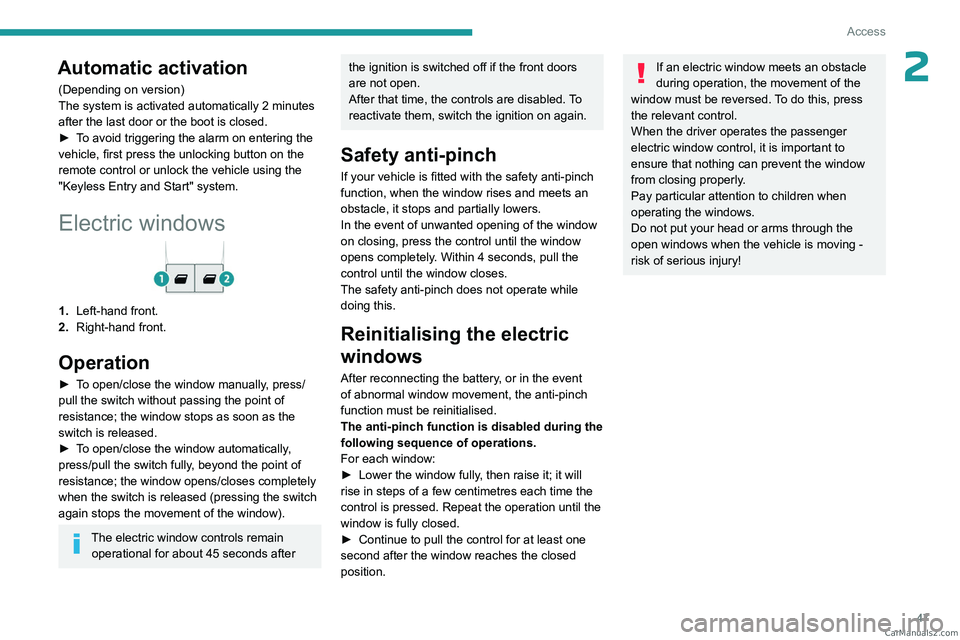
1. Left-hand front.
2. Right-hand front.
Operation
► To open/close the window manually, press/
pull the switch without passing the point of
resistance; the window stops as soon as the
switch is released.
►
T
o open/close the window automatically,
press/pull the switch fully, beyond the point of
resistance; the window opens/closes completely
when the switch is released (pressing the switch
again stops the movement of the window).
The electric window controls remain operational for about 45 seconds after
the ignition is switched off if the front doors
are not open.
After that time, the controls are disabled. To
reactivate them, switch the ignition on again.
Safety anti-pinch
If your vehicle is fitted with the safety anti-pinch
function, when the window rises and meets an
obstacle, it stops and partially lowers.
In the event of unwanted opening of the window
on closing, press the control until the window
opens completely. Within 4 seconds, pull the
control until the window closes.
The safety anti-pinch does not operate while
doing this.
Reinitialising the electric
windows
After reconnecting the battery, or in the event
of abnormal window movement, the anti-pinch
function must be reinitialised.
The anti-pinch function is disabled during the
following sequence of operations.
For each window:
►
Lower the window fully
, then raise it; it will
rise in steps of a few centimetres each time the
control is pressed. Repeat the operation until the
window is fully closed.
►
Continue to pull the control for at least one
second after the window reaches the closed
position.
If an electric window meets an obstacle
during operation, the movement of the
window must be reversed. To do this, press
the relevant control.
When the driver operates the passenger
electric window control, it is important to
ensure that nothing can prevent the window
from closing properly.
Pay particular attention to children when
operating the windows.
Do not put your head or arms through the
open windows when the vehicle is moving -
risk of serious injury! CarM an uals 2 .c o m
Page 50 of 348
48
Ease of use and comfort
Correct driving position
Before taking to the road and to make the most
of the ergonomic layout of the instruments and
controls, carry out these adjustments in the
following order:
–
the height of the head restraint,
–
the seat backrest angle,
–
the seat cushion height,
–
the longitudinal position of the seat,
–
the height and reach of the steering wheel,
–
the rear view mirror and door mirrors.
Once these adjustments have been
made, check the instrument panel can be
viewed correctly from your driving position.
Manually-adjusted front
seats
For more information on the Seat belts,
refer to the corresponding section.
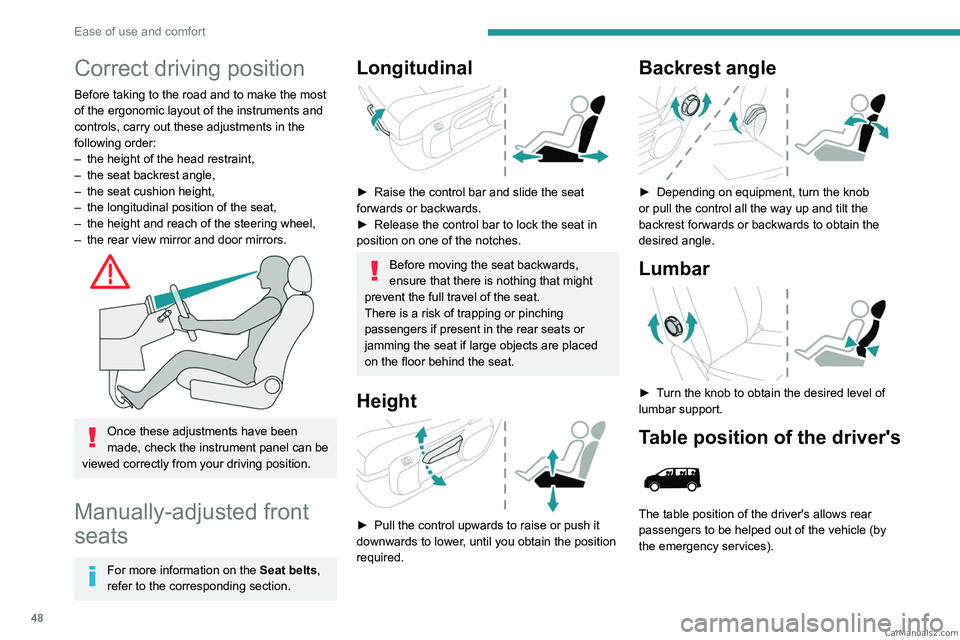
Longitudinal
► Raise the control bar and slide the seat
forwards or backwards.
►
Release the control bar to lock the seat in
position on one of the notches.
Before moving the seat backwards,
ensure that there is nothing that might
prevent the full travel of the seat.
There is a risk of trapping or pinching
passengers if present in the rear seats or
jamming the seat if large objects are placed
on the floor behind the seat.
Height
► Pull the control upwards to raise or push it
downwards to lower , until you obtain the position
required.
Backrest angle
► Depending on equipment, turn the knob
or pull the control all the way up and tilt the
backrest forwards or backwards to obtain the
desired angle.
Lumbar
► Turn the knob to obtain the desired level of
lumbar support.
Table position of the driver's
The table position of the driver's allows rear
passengers to be helped out of the vehicle (by
the emergency services). CarM an uals 2 .c o m
Page 54 of 348
52
Ease of use and comfort
► When stationary, lower the control lever to
release the steering wheel.
►
Adjust the height and reach.
►
Pull the control lever to lock the steering
wheel.
As a safety precaution, these operations must only be carried out while the vehicle
is stationary.
Mirrors
Door mirrors
As a safety measure, the mirrors should be adjusted to reduce the "blind spots".
The objects that you see in the mirrors are
in fact closer than they appear. Take this
into account in order to correctly judge the
distance of vehicles approaching from behind.
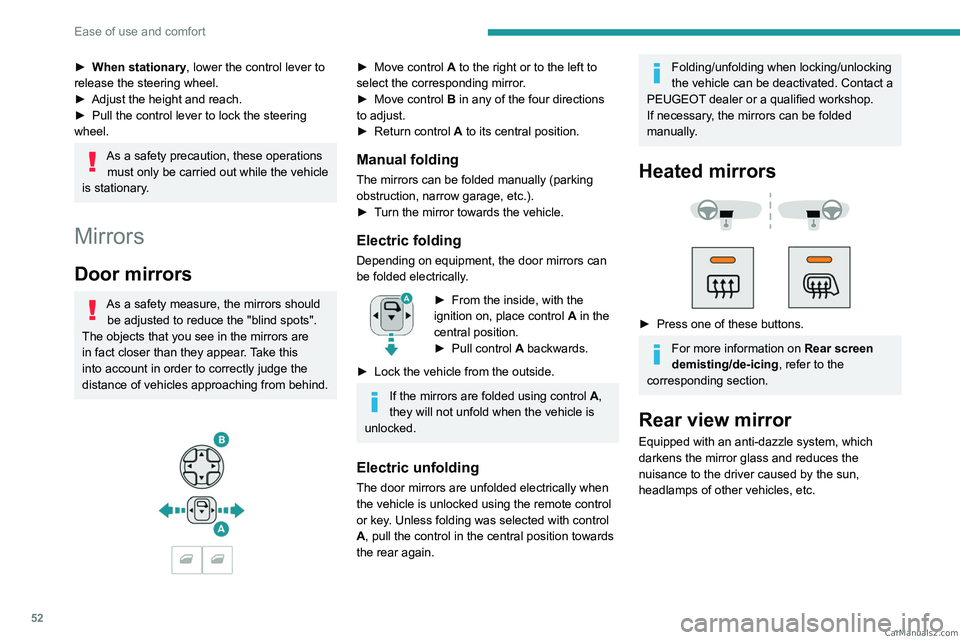
► Move control A to the right or to the left to
select the corresponding mirror.
►
Move control
B in any of the four directions
to adjust.
►
Return control A
to its central position.
Manual folding
The mirrors can be folded manually (parking
obstruction, narrow garage, etc.).
►
T
urn the mirror towards the vehicle.
Electric folding
Depending on equipment, the door mirrors can
be folded electrically.
► From the inside, with the
ignition on, place control A
in the
central position.
►
Pull control A
backwards.
►
Lock the vehicle from the outside.
If the mirrors are folded using control A,
they will not unfold when the vehicle is
unlocked.
Electric unfolding
The door mirrors are unfolded electrically when
the vehicle is unlocked using the remote control
or key. Unless folding was selected with control
A, pull the control in the central position towards
the rear again.
Folding/unfolding when locking/unlocking
the vehicle can be deactivated. Contact a
PEUGEOT dealer or a qualified workshop.
If necessary, the mirrors can be folded
manually.
Heated mirrors
► Press one of these buttons.
For more information on Rear screen
demisting/de-icing , refer to the
corresponding section.
Rear view mirror
Equipped with an anti-dazzle system, which
darkens the mirror glass and reduces the
nuisance to the driver caused by the sun,
headlamps of other vehicles, etc. CarM an uals 2 .c o m
Page 62 of 348
60
Ease of use and comfort
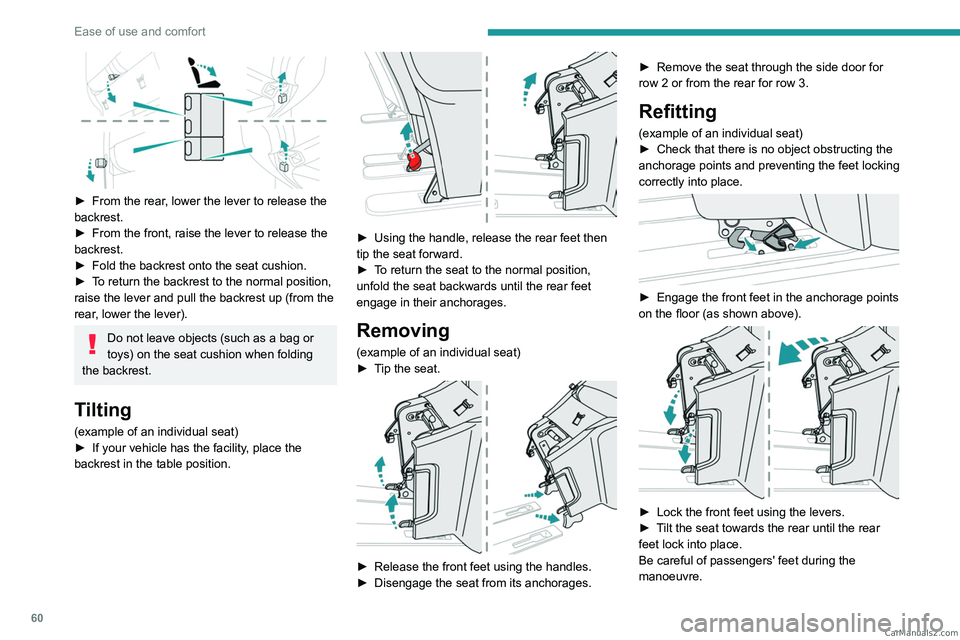
► From the rear, lower the lever to release the
backrest.
►
From the front, raise the lever to release the
backrest.
►
Fold the backrest onto the seat cushion.
►
T
o return the backrest to the normal position,
raise the lever and pull the backrest up (from the
rear, lower the lever).
Do not leave objects (such as a bag or
toys) on the seat cushion when folding
the backrest.
Tilting
(example of an individual seat)
► If your vehicle has the facility , place the
backrest in the table position.
► Using the handle, release the rear feet then
tip the seat forward.
►
T
o return the seat to the normal position,
unfold the seat backwards until the rear feet
engage in their anchorages.
Removing
(example of an individual seat)
► T ip the seat.
► Release the front feet using the handles.
► Disengage the seat from its anchorages. ►
Remove the seat through the side door for
row
2 or from the rear for row 3.
Refitting
(example of an individual seat)
►
Check that there is no object obstructing the
anchorage points and preventing the feet locking
correctly into place.
► Engage the front feet in the anchorage points
on the floor (as shown above).
► Lock the front feet using the levers.
► T ilt the seat towards the rear until the rear
feet lock into place.
Be careful of passengers' feet during the
manoeuvre.
CarM an uals 2 .c o m
Page 78 of 348
76
Ease of use and comfort
Liquids carried in an open vessel (a cup
or mug) could be spilt, presenting a risk.
Be careful.
Never use the table in this position while the
vehicle is being driven.
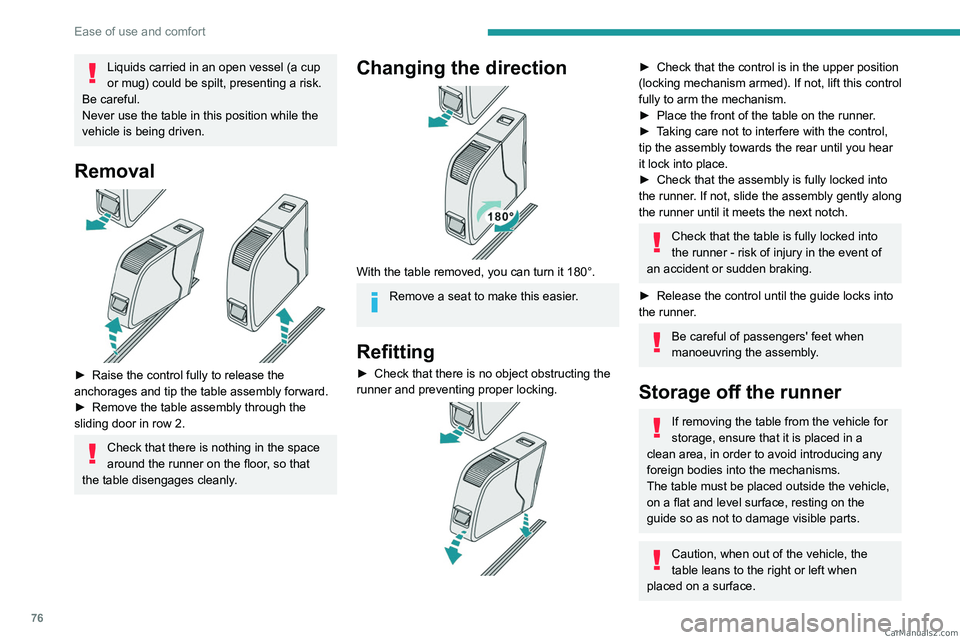
Removal
► Raise the control fully to release the
anchorages and tip the table assembly forward.
►
Remove the table assembly through the
sliding door in row 2.
Check that there is nothing in the space
around the runner on the floor, so that
the table disengages cleanly.
Changing the direction
With the table removed, you can turn it 180°.
Remove a seat to make this easier.
Refitting
► Check that there is no object obstructing the
runner and preventing proper locking.
► Check that the control is in the upper position
(locking mechanism armed). If not, lift this control
fully to arm the mechanism.
►
Place the front of the table on the runner
.
►
T
aking care not to interfere with the control,
tip the assembly towards the rear until you hear
it lock into place.
►
Check that the assembly is fully locked into
the runner
. If not, slide the assembly gently along
the runner until it meets the next notch.
Check that the table is fully locked into
the runner - risk of injury in the event of
an accident or sudden braking.
►
Release the control until the guide locks into
the runner
.
Be careful of passengers' feet when
manoeuvring the assembly.
Storage off the runner
If removing the table from the vehicle for
storage, ensure that it is placed in a
clean area, in order to avoid introducing any
foreign bodies into the mechanisms.
The table must be placed outside the vehicle,
on a flat and level surface, resting on the
guide so as not to damage visible parts.
Caution, when out of the vehicle, the
table leans to the right or left when
placed on a surface. CarM an uals 2 .c o m
Page 88 of 348
86
Ease of use and comfort
► Select the time of entry into the vehicle and
the desired days. Press OK.
►
Press
ON to activate this programme.
The temperature pre-conditioning sequence
begins approximately 45 minutes before the
programmed time when the vehicle is connected
(20 minutes when it is not connected) and is
maintained for 10 minutes after.
You can set multiple programmes. Each one is saved in the system.
To optimise the driving range, we recommend
starting a programme while the vehicle is
connected.
The fan noise that occurs during temperature pre-conditioning is perfectly
normal.
Operating conditions
– The function is only activated when the
ignition is switched off and the
vehicle
locked.
–
When the vehicle is not connected, the
function is only activated if the battery charge
level is greater than 30%.
–
When the vehicle is not connected and a
recurring programme is active (e.g. from Monday
to Friday), if two temperature pre-conditioning
sequences are run without the vehicle being
used, the programme will be deactivated.
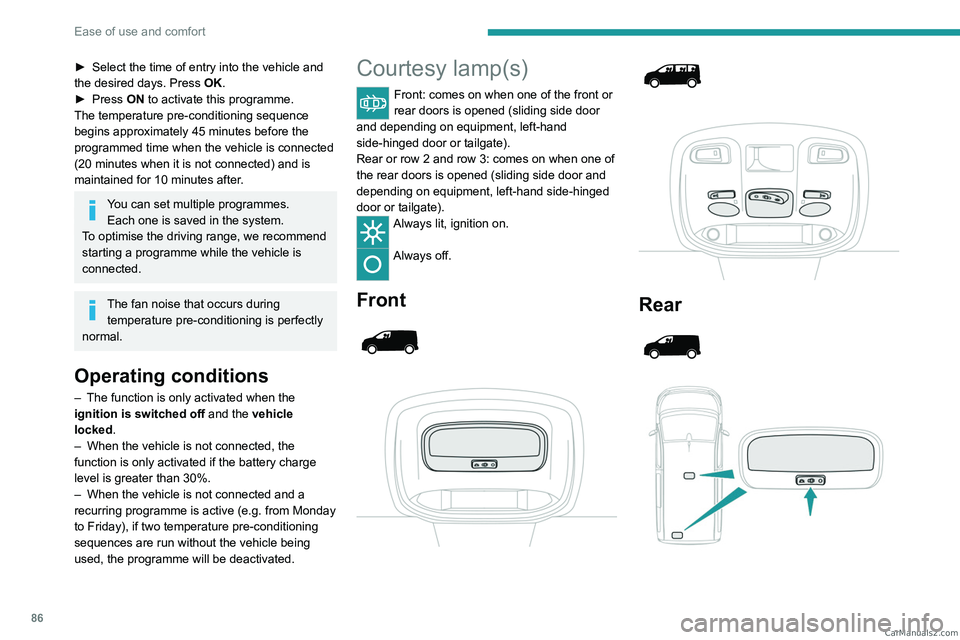
Courtesy lamp(s)
Front: comes on when one of the front or
rear doors is opened (sliding side door
and depending on equipment, left-hand
side-hinged door or tailgate).
Rear or row 2 and row 3: comes on when one of
the rear doors is opened (sliding side door and
depending on equipment, left-hand side-hinged
door or tailgate).
Always lit, ignition on.
Always off.
Front
Rear
CarM an uals 2 .c o m
Page 89 of 348
87
Ease of use and comfort
3
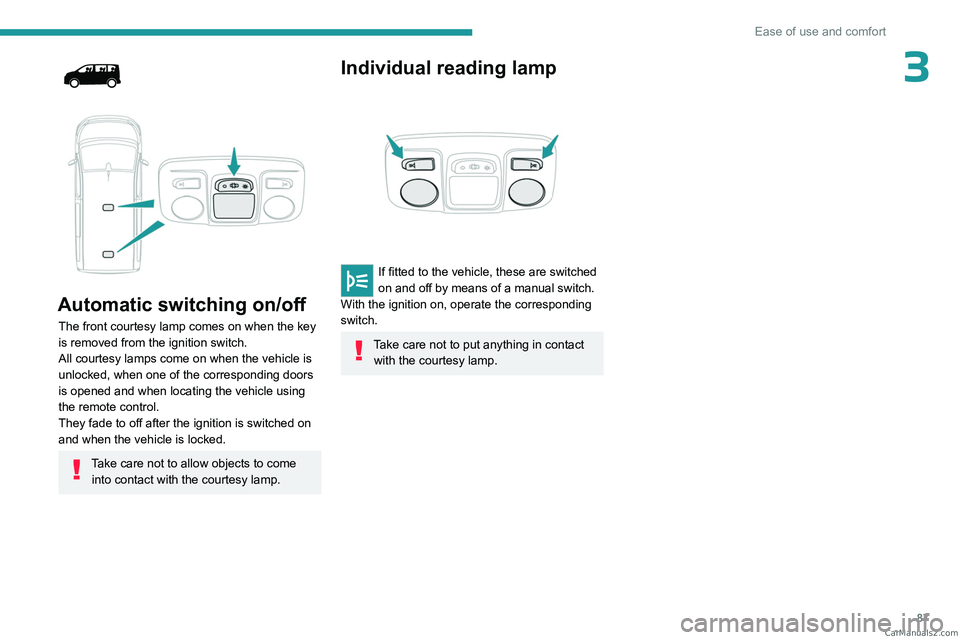
Automatic switching on/off
The front courtesy lamp comes on when the key
is removed from the ignition switch.
All courtesy lamps come on when the vehicle is
unlocked, when one of the corresponding doors
is opened and when locating the vehicle using
the remote control.
They fade to off after the ignition is switched on
and when the vehicle is locked.
Take care not to allow objects to come into contact with the courtesy lamp.
Individual reading lamp
If fitted to the vehicle, these are switched
on and off by means of a manual switch.
With the ignition on, operate the corresponding
switch.
Take care not to put anything in contact with the courtesy lamp. CarM an uals 2 .c o m
Page 92 of 348
90
Lighting and visibility
on if rain is detected, at the same time as the
automatic rain sensitive wipers.
As soon as the brightness returns to a sufficient
level or after the windscreen wipers are switched
off, the lamps are switched off automatically.
Malfunction
In the event of a malfunction of the rain/sunshine
sensor, the vehicle’s lamps come on and this
warning lamp is displayed on the instrument
panel, accompanied by an audible signal and/or
the display of a message.
Have it checked by a PEUGEOT dealer or a
qualified workshop.
Do not cover the rain/sunshine sensor
located at the top centre of the
windscreen behind the interior rear view
mirror; the associated functions would no
longer be controlled.
In fog or snow, the rain/sunshine sensor
may detect sufficient light. For this
reason, the lighting will not come on
automatically.
The inner surface of the windscreen may become misted up and affect the proper
operation of the rain/sunshine sensor.
In humid and cold weather, demist the
windscreen regularly.
Guide-me-home and
welcome lighting
Guide-me-home lighting
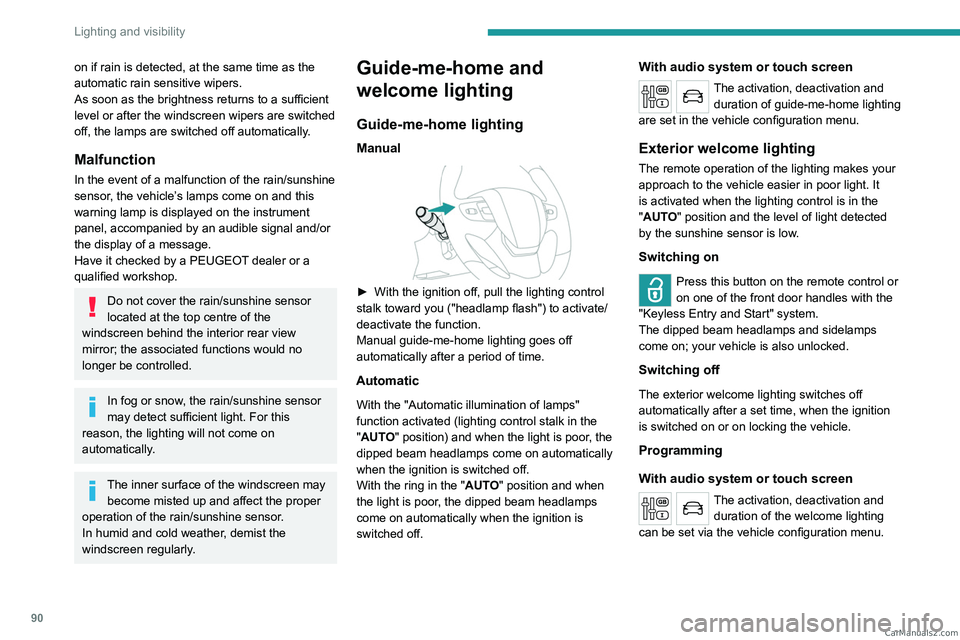
Manual
► With the ignition off, pull the lighting control
stalk toward you ("headlamp flash") to activate/
deactivate the function.
Manual guide-me-home lighting goes off
automatically after a period of time.
Automatic
With the "Automatic illumination of lamps"
function activated (lighting control stalk in the
"AUTO" position) and when the light is poor, the
dipped beam headlamps come on automatically
when the ignition is switched off.
With the ring in the "AUTO" position and when
the light is poor, the dipped beam headlamps
come on automatically when the ignition is
switched off.
With audio system or touch screen
The activation, deactivation and duration of guide-me-home lighting
are set in the vehicle configuration menu.
Exterior welcome lighting
The remote operation of the lighting makes your
approach to the vehicle easier in poor light. It
is activated when the lighting control is in the
"AUTO" position and the level of light detected
by the sunshine sensor is low.
Switching on
Press this button on the remote control or
on one of the front door handles with the
"Keyless Entry and Start" system.
The dipped beam headlamps and sidelamps
come on; your vehicle is also unlocked.
Switching off
The exterior welcome lighting switches off
automatically after a set time, when the ignition
is switched on or on locking the vehicle.
Programming
With audio system or touch screen
The activation, deactivation and duration of the welcome lighting
can be set via the vehicle configuration menu. CarM an uals 2 .c o m
Page 112 of 348
11 0
Safety
Make sure that the seat belt is correctly
positioned and tightened.
For child seats with a support leg, ensure that
the support leg is in firm and steady contact
with the floor.
An incorrectly installed child seat in a vehicle compromises the child's safety in
the event of an accident.
Ensure that there is no seat belt or seat belt
buckle under the child seat, as this could
destabilise it.
Remember to fasten the seat belts or the
child seat harness keeping the slack relative
to the child's body to a minimum, even for
short journeys.
When installing a child seat using the seat
belt, ensure that the seat belt is tightened
correctly on the child seat and that it secures
the child seat firmly on the vehicle seat. If
the passenger seat is adjustable, move it
forwards if necessary.
Remove the head restraint before
installing a child seat with a backrest on a
passenger seat.
Ensure that the head restraint is stored or
attached securely to prevent it from being
thrown around the vehicle in the event of
sharp braking. Refit the head restraint once
the child seat has been removed.
Installing a booster seat
The chest part of the seat belt must be
positioned on the child's shoulder without
touching the neck.
Ensure that the lap part of the seat belt
passes correctly over the child's thighs.
Use a booster seat with a backrest, equipped
with a belt guide at shoulder level.
Additional protections
To prevent accidental opening of the
doors and rear windows, use the "Child lock".
Take care not to open the rear windows by
more than one third.
To protect young children from the sun's rays,
fit side blinds on the rear windows.
As a safety measure, do not leave:
–
A
child alone and unsupervised inside a
vehicle.
–
A
child or an animal in a vehicle which is
exposed to the sun, with the windows closed.
–
The keys within reach of children inside the
vehicle.
Child seat at the rear
Row 2
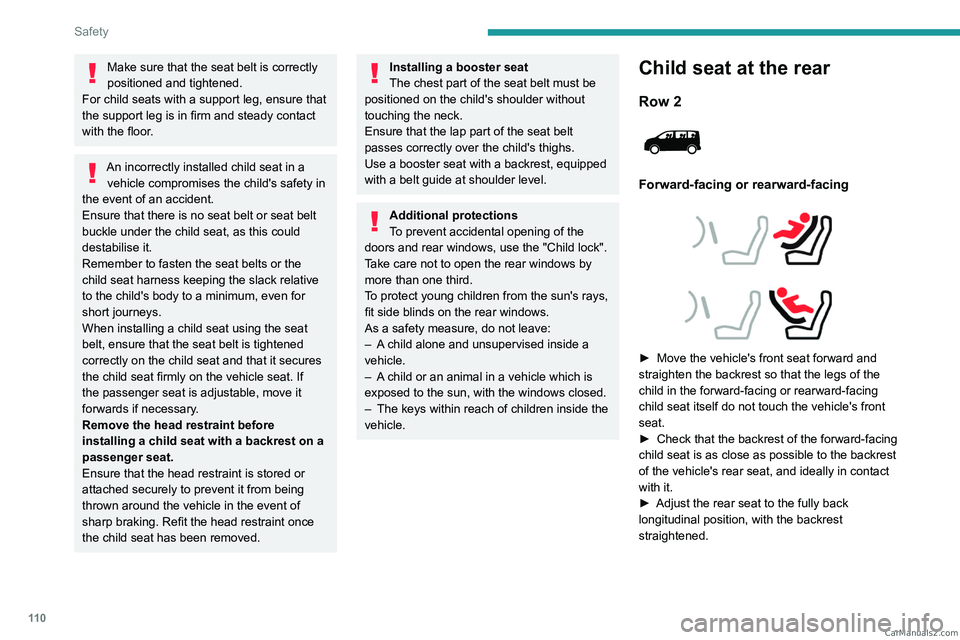
Forward-facing or rearward-facing
► Move the vehicle's front seat forward and
straighten the backrest so that the legs of the
child in the forward-facing or rearward-facing
child seat itself do not touch the vehicle's front
seat.
►
Check that the backrest of the forward-facing
child seat is as close as possible to the backrest
of the vehicle's rear seat, and ideally in contact
with it.
►
Adjust the rear seat to the fully back
longitudinal position, with the backrest
straightened. CarM an uals 2 .c o m
Page 133 of 348
131
Safety
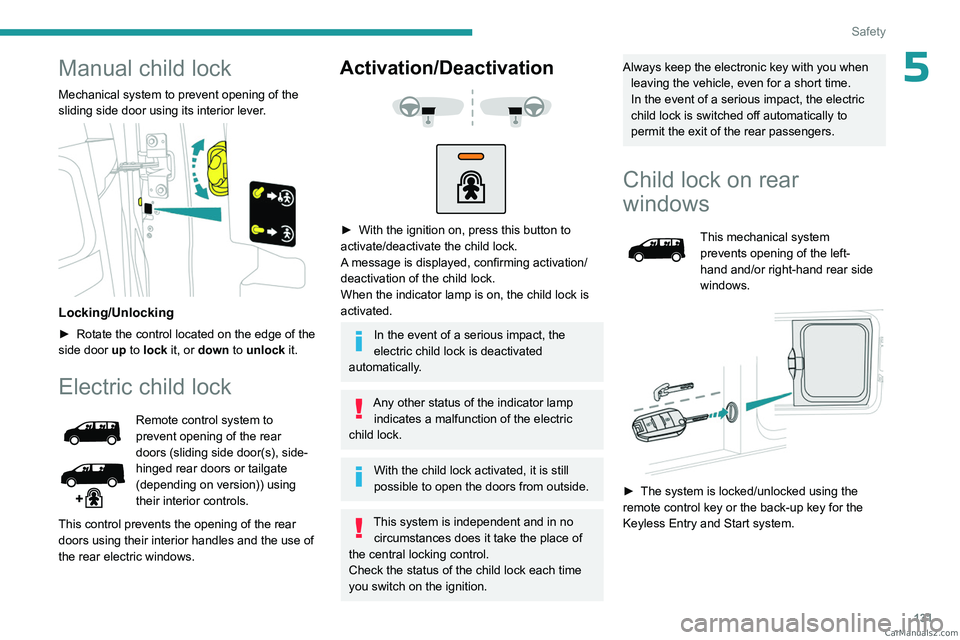
5Manual child lock
Mechanical system to prevent opening of the
sliding side door using its interior lever.
Locking/Unlocking
► Rotate the control located on the edge of the
side door up
to lock it, or down to unlock it.
Electric child lock
Remote control system to
prevent opening of the rear
doors (sliding side door(s), side-
hinged rear doors or tailgate
(depending on version)) using
their interior controls.
This control prevents the opening of the rear
doors using their interior handles and the use of
the rear electric windows.
Activation/Deactivation
► With the ignition on, press this button to
activate/deactivate the child lock.
A
message is displayed, confirming activation/
deactivation of the child lock.
When the indicator lamp is on, the child lock is
activated.
In the event of a serious impact, the
electric child lock is deactivated
automatically.
Any other status of the indicator lamp indicates a malfunction of the electric
child lock.
With the child lock activated, it is still
possible to open the doors from outside.
This system is independent and in no circumstances does it take the place of
the central locking control.
Check the status of the child lock each time
you switch on the ignition.
Always keep the electronic key with you when leaving the vehicle, even for a short time.
In the event of a serious impact, the electric
child lock is switched off automatically to
permit the exit of the rear passengers.
Child lock on rear
windows
This mechanical system
prevents opening of the left-
hand and/or right-hand rear side
windows.
► The system is locked/unlocked using the
remote control key or the back-up key for the
Keyless Entry and Start system. CarM an uals 2 .c o m