audio Peugeot Expert Tepee 2011 User Guide
[x] Cancel search | Manufacturer: PEUGEOT, Model Year: 2011, Model line: Expert Tepee, Model: Peugeot Expert Tepee 2011Pages: 268, PDF Size: 9.78 MB
Page 160 of 268
9.8
03SCREEN AND MAIN MENU
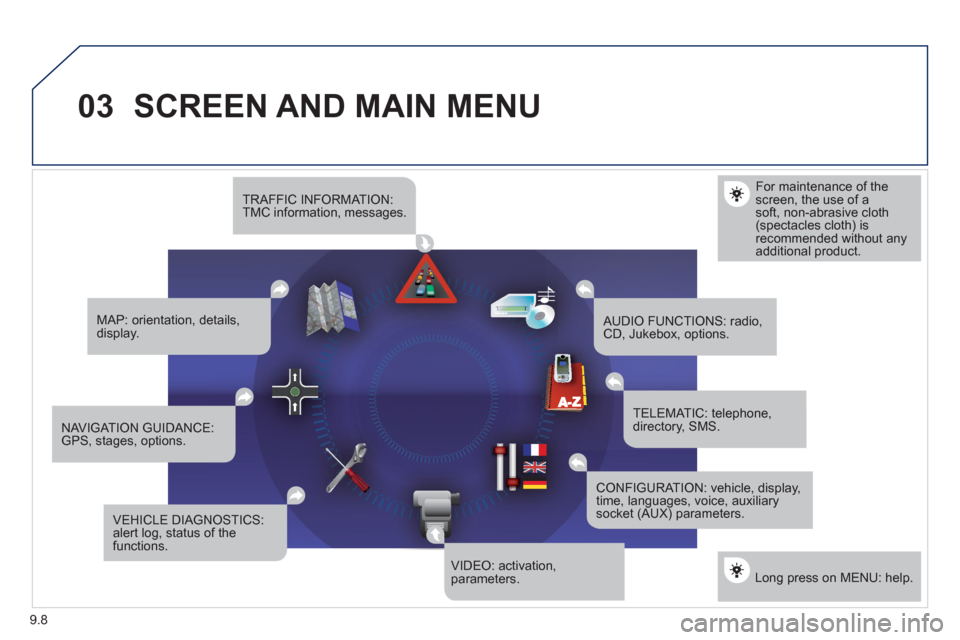
For maintenance of thescreen, the use of asoft, non-abrasive cloth(spectacles cloth) isrecommended without anyadditional product.
TRAFFIC INFORMATION:TMC information, messages.
MAP: orientation, details,display.
NAVIGAT ION GUIDANCE:GPS, stages, options.
VEHICLE DIAGNOSTICS:alert log, status of the functions.
VIDEO: activation,parameters.
CONFIGURATION: vehicle, display,time, languages, voice, auxiliarysocket (AUX) parameters.
TELEMATIC: telephone,directory, SMS.
AUDIO FUNCTIONS: radio,CD, Jukebox, options.
Long press on MENU: help.
Page 162 of 268
9.10
03SCREEN AND MAIN MENU
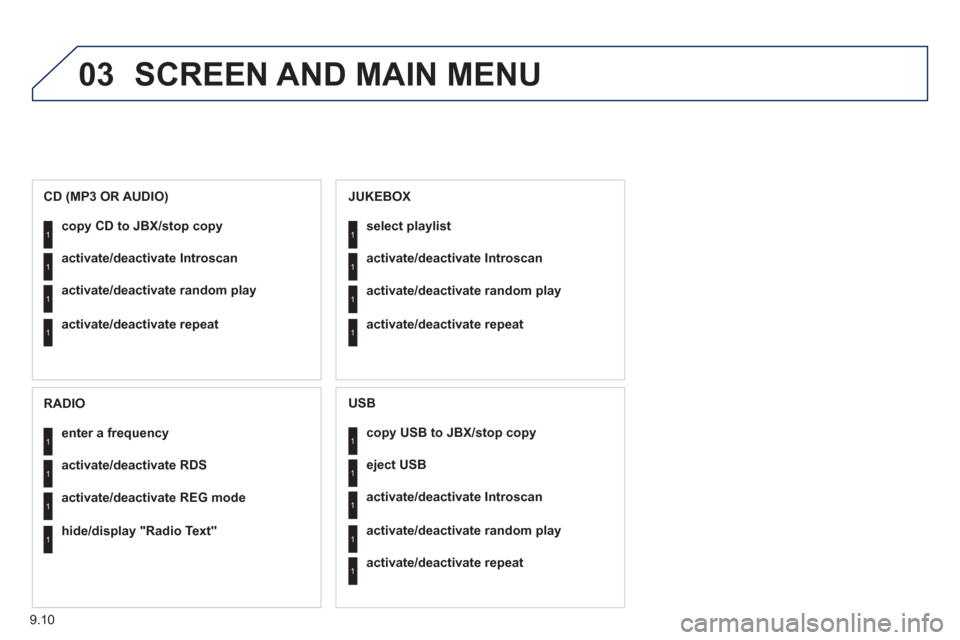
copy USB to JBX/stop copy1
1
1
1
eject USB
activate/deactivate Introscan
activate/deactivate random play
1activate/deactivate repeat
USB
copy CD to JBX/stop copy1
1
1
1
activate/deactivate Introscan
activate/deactivate random play
activate/deactivate repeat
CD (MP3 OR AUDIO)
se
lect playlist1
1
1
1
activate/deactivate Introscan
activate/deactivate random play
activate/deactivate repeat
JUKEBOX
enter a frequency1
1
1
1
activate/deactivate RDS
activate/deactivate REG mode
hide/display "Radio Text"
RADIO
Page 175 of 268
9.23
06
1
2
4
3
1
2
4
3
AUDIO/VIDEO
RADIO
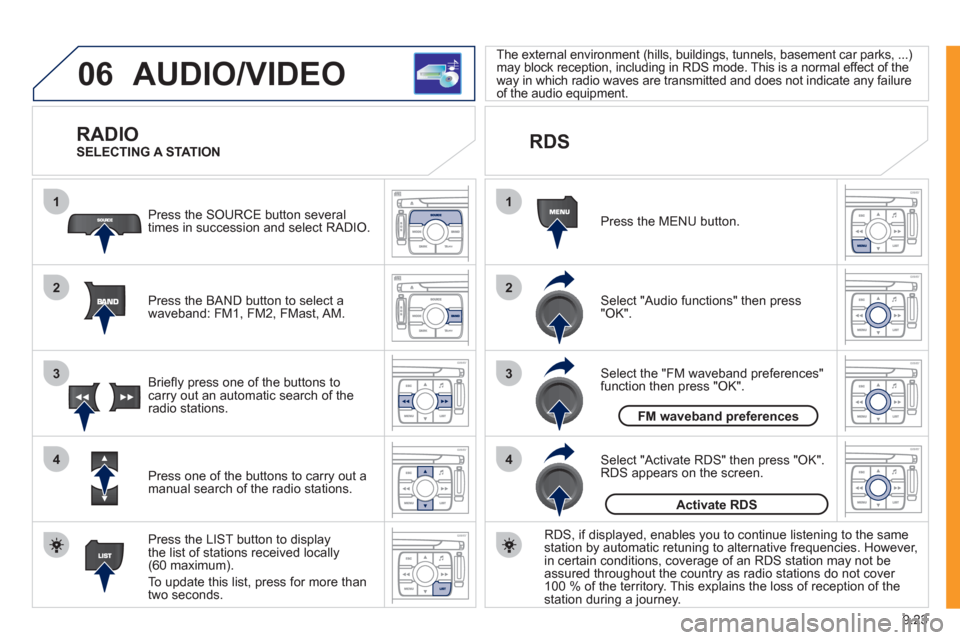
Press the BAND button to select awaveband: FM1, FM2, FMast, AM. Pr
ess the SOURCE button several
times in succession and select RADIO.
Press the LIST button to displa
ythe list of stations received locally(60 maximum).
To update this list, press for more than
tw
o seconds.
Press one of the buttons to carr
y out a
manual search of the radio stations. Brie
fl y press one of the buttons tocarry out an automatic search of the radio stations.
RDS
Select "Audio functions" then press"OK".
Press the MENU button.
RDS, if displa
yed, enables you to continue listening to the samestation by automatic retuning to alternative frequencies. However,
in certain conditions, coverage of an RDS station may not be
assured throughout the country as radio stations do not cover
100
% of the territory. This explains the loss of reception of thestation during a journey.
Select "Activate RDS" then press "OK". RDS appears on the screen.
Select the "FM waveband preferences" function then press "OK". The external environment
(hills, buildings, tunnels, basement car parks, ...)
may block reception, including in RDS mode. This is a normal effect of the
way in which radio waves are transmitted and does not indicate any failure
of the audio equipment.
SELECTING A STATION
FM waveband preferences
Activate RDS
Page 176 of 268
9.24
06
1
2
MP3 CD
The MP3 format, an abbreviation of MPEG 1.2 & 2.5 Audio
Layer 3, is an audio compression standard which permits
the recording of several tens of music fi les on a single disc. Empt
y CDs are not recognised and may damage the system.
It is advisable to restrict
fi le names to 20 characters without usingspecial characters (e.g. " ? ; ˘) to avoid any playing or displaying problems. The audio s
ystem will only play fi les with the extension ".mp3" with
a sampling rate of 22.05 KHz or 44.1 KHz. No other type of fi le(.wma, .mp4, .m3u...) can be played.
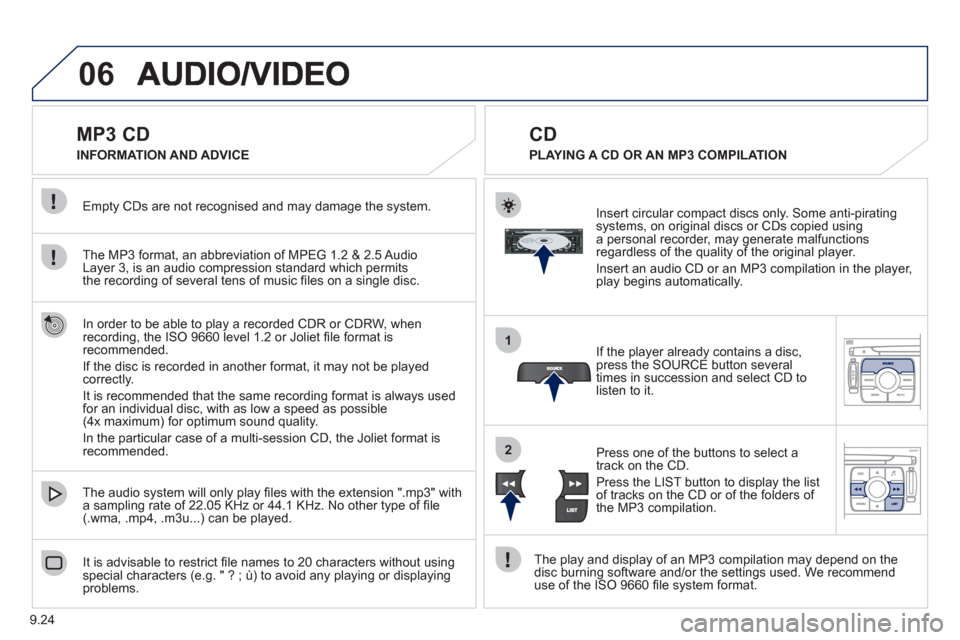
If the pla
yer already contains a disc, press the SOURCE button several
times in succession and select CD to listen to it.
Insert circular compact discs onl
y. Some anti-piratingsystems, on original discs or CDs copied usinga personal recorder, may generate malfunctionsregardless of the quality of the original player.
Insert an audio
CD or an MP3 compilation in the player,play begins automatically.
The pla
y and display of an MP3 compilation may depend on the
disc burning software and/or the settings used. We recommend use of the ISO 9660 fi le system format.
Pr
ess one of the buttons to select atrack on the CD.
Press the LI
ST button to display the list
of tracks on the CD or of the folders of
the MP3 compilation.
CD
PLAYING A CD OR AN MP3 COMPILATION INFORMATION AND ADVICE
In order to be able to pla
y a recorded CDR or CDRW, when recording, the ISO 9660 level 1.2 or Joliet fi le format isrecommended.
I
f the disc is recorded in another format, it may not be playedcorrectly.
It is recommended that the same recordin
g format is always used
for an individual disc, with as low a speed as possible
(4x maximum) for optimum sound quality.
In the particular case o
f a multi-session CD, the Joliet format is recommended.
Page 177 of 268
9.25
06
1
2
1
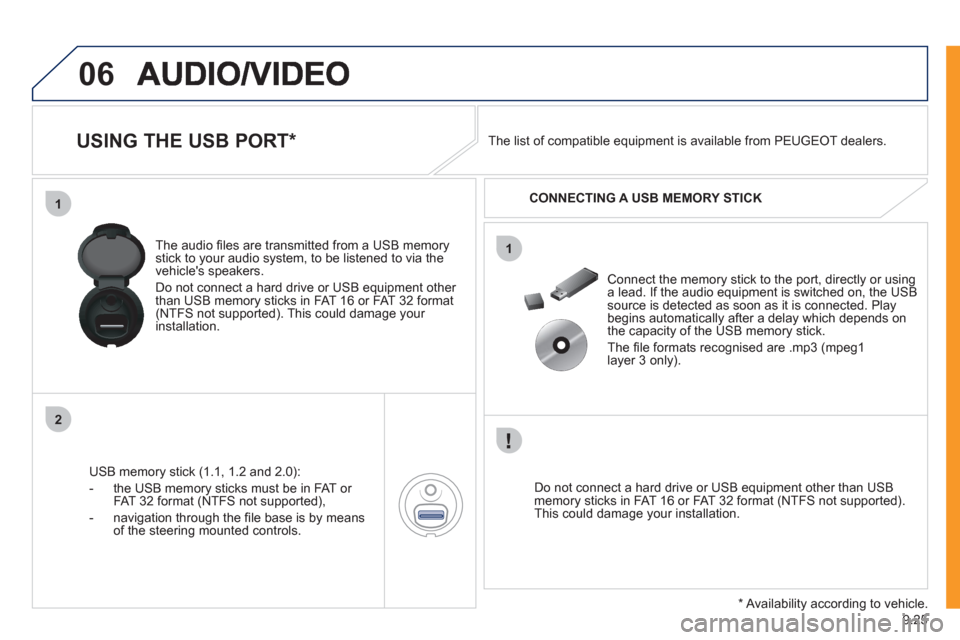
USING THE USB PORT *
USB memory stick (1.1, 1.2 and 2.0):
- the U
SB memory sticks must be in FAT or
FAT 32 format (NTFS not supported),
- navi
gation through the fi le base is by means of the steering mounted controls. The audio
fi les are transmitted from a USB memorystick to your audio system, to be listened to via the
vehicle's speakers.
Do not connect a hard drive or USB e
quipment other
than USB memory sticks in FAT 16 or FAT 32 format (NTFS not supported). This could damage your installation.
Do not connect a hard drive or USB e
quipment other than USB memory sticks in FAT 16 or FAT 32 format (NTFS not supported).This could damage your installation.
Connect the memory stick to the port, directly or using a lead. If the audio equipment is switched on, the USB source is detected as soon as it is connected. Play
begins automatically after a delay which depends on
the capacity of the USB memory stick.
The fi le formats reco
gnised are .mp3 (mpeg1
layer 3 only). The list of compatible equipment is available from PEUGE
OT dealers.
CONNECTING A U
SB MEMORY STICK
*
Availability according to vehicle.
Page 178 of 268
9.26
06
1
2
4
3
5
1
2
3
AUDIO/VIDEO
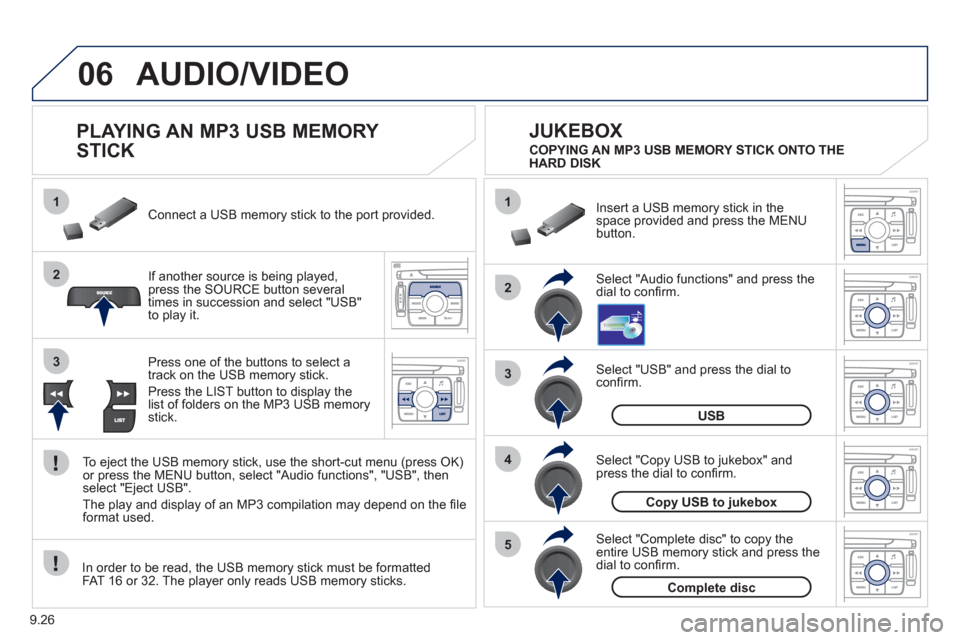
PLAYING AN MP3 USB MEMORY
STICK
If another source is being played,press the SOURCE button several
times in succession and select "USB"
to play it. Connect a USB memor
y stick to the port provided.
To e
ject the USB memory stick, use the short-cut menu (press OK)or press the MENU button, select "Audio functions", "USB", then
select "Eject USB".
The pla
y and display of an MP3 compilation may depend on the fi le
format used.
Select "USB" and press the dial toconfi rm.
Insert a U
SB memory stick in thespace provided and press the MENUbutton.
JUKEBOX
USB
Select "Complete disc" to copy theentire USB memory stick and press thedial to confi rm.
Complete disc
Select "Copy USB to jukebox" andpress the dial to confi rm.
Copy USB to jukebox
Select "Audio functions" and press the dial to confi rm.
Pr
ess one of the buttons to select atrack on the USB memory stick.
Press the LIST button to displa
y the list of folders on the MP3 USB memorystick. COPYING AN MP3 USB MEMORY STICK ONTO THE
HARD DISK
In order to be read, the USB memor
y stick must be formatted
FAT 16 or 32. The player only reads USB memory sticks.
Page 179 of 268
9.27
06
1
2
4
3
6
5
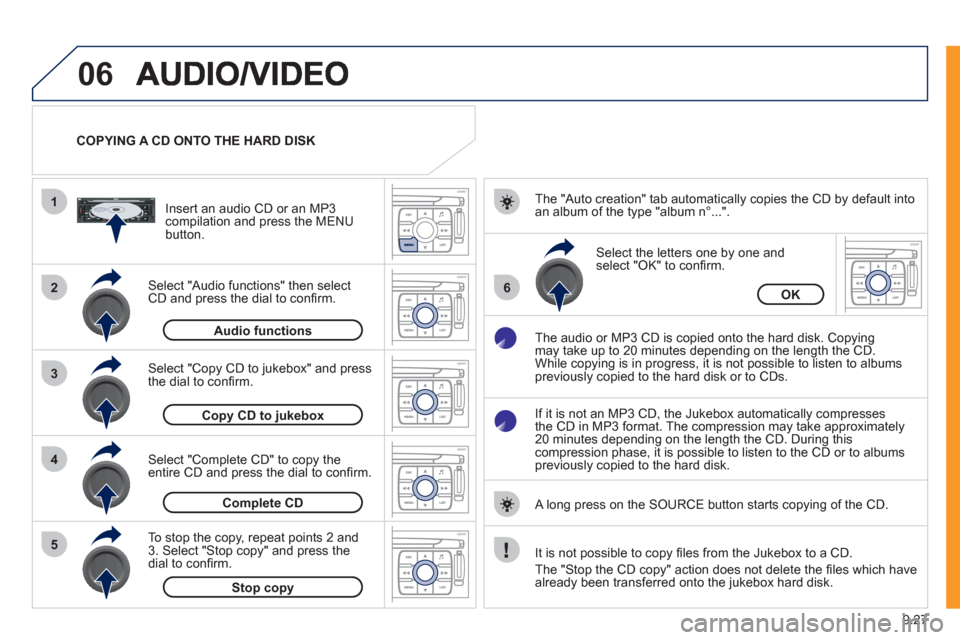
COPYING A CD ONTO THE HARD DISK
Select "Audio functions" then select
CD and press the dial to confi rm.
Insert an audio
CD or an MP3compilation and press the MENU button.
Select "Copy CD to jukebox" and press
the dial to confi rm.
Select the letters one b
y one and select "OK" to confi rm.
The "Auto creation" tab automaticall
y copies the CD by default into
an album of the type "album n∞...".
The audio or MP3
CD is copied onto the hard disk. Copying
may take up to 20 minutes depending on the length the CD.
While copying is in progress, it is not possible to listen to albums
previously copied to the hard disk or to CDs.
If it is not an MP3 CD, the Jukebox automaticall
y compresses
the CD in MP3 format. The compression may take approximately
20 minutes depending on the length the CD. During thiscompression phase, it is possible to listen to the CD or to albums
previously copied to the hard disk.
A lon
g press on the SOURCE button starts copying of the CD.
Audiofunctions
OK
Copy CD to jukebox
Select "Complete CD" to copy the entire CD and press the dial to confi rm.
Complete CD
To stop the cop
y, repeat points 2 and
3. Select "Stop copy" and press thedial to confi rm.
Stop copy
It is not possible to copy fi les from the Jukebox to a CD.
The "
Stop the CD copy" action does not delete the fi les which have
already been transferred onto the jukebox hard disk.
Page 180 of 268
9.28
06
1
2
3
4
1
2
3
AUDIO/VIDEO
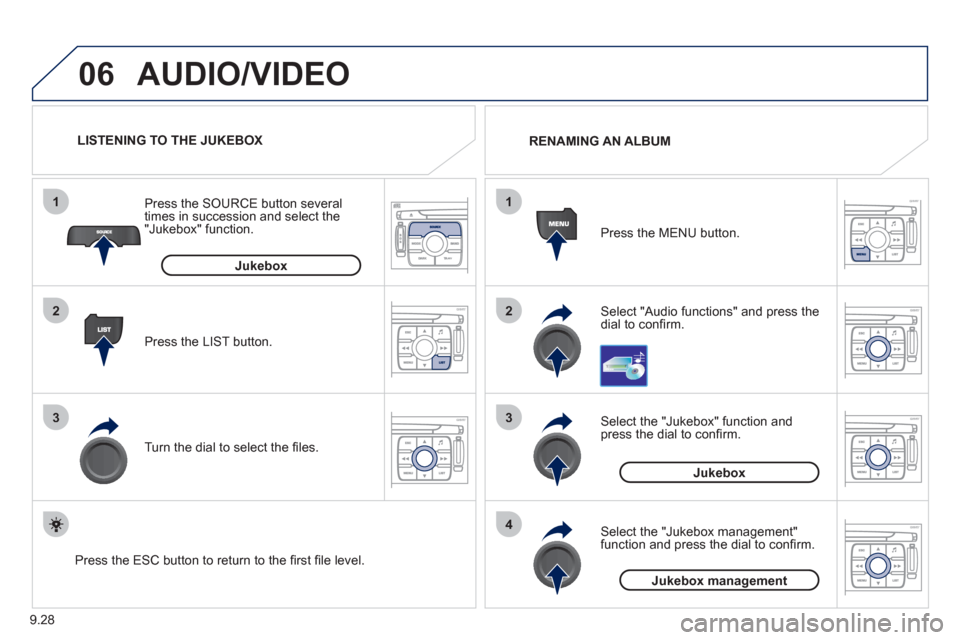
Select "Audio functions" and press the dial to confi rm. Press the MEN
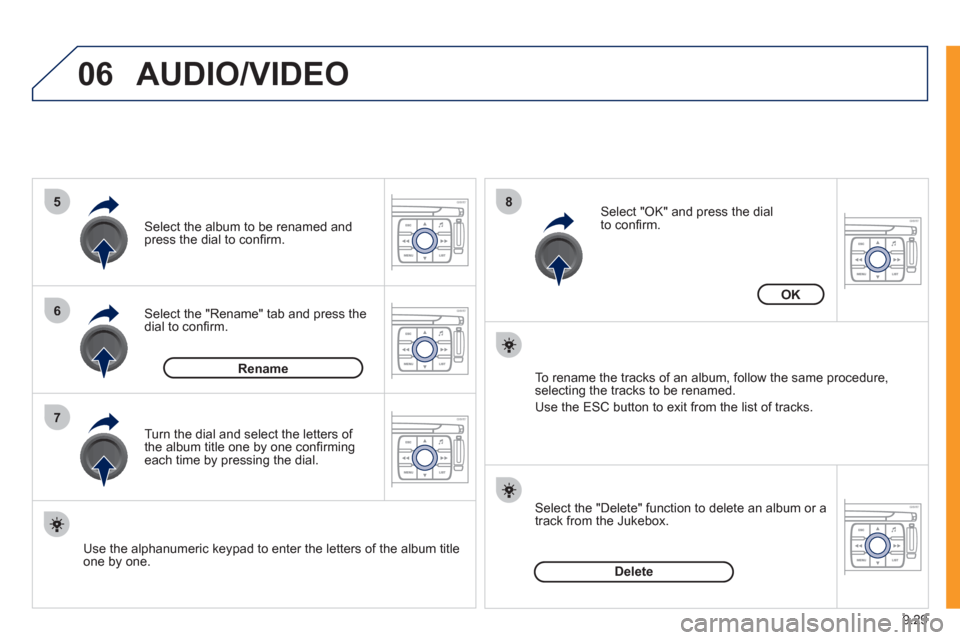
U button. RENAMING AN ALBUM
Select the "Jukebox" function andpress the dial to confi rm.
Jukebox
Select the "Jukebox management"function and press the dial to confi rm.
Jukeboxmanagement
Press the LIST button. Press the
SOURCE button several
times in succession and select the"Jukebox" function.
T
urn the dial to select the fi les.
LISTENING TO THE JUKEBOX
Jukebox
Press the ESC button to return to the fi rst fi le level.
Page 181 of 268
9.29
06
5
6
7
8
AUDIO/VIDEO
Select the "Rename" tab and press the dial to confi rm.
Select the album to be renamed andpress the dial to confi rm.
Use the alphanumeric keypad to enter the letters o
f the album title one by one.T
urn the dial and select the letters of
the album title one by one confi rming each time by pressing the dial.
Rename
To rename the tracks of an album, follow the same procedure,selecting the tracks to be renamed.
Use the ESC button to exit from the list of tracks.
Select "OK" and press the dial
to confi rm.
OK
Select the "Delete" function to delete an album or a
track from the Jukebox.
Delete
Page 182 of 268
9.30
06
1
2
AUDIO/VIDEO
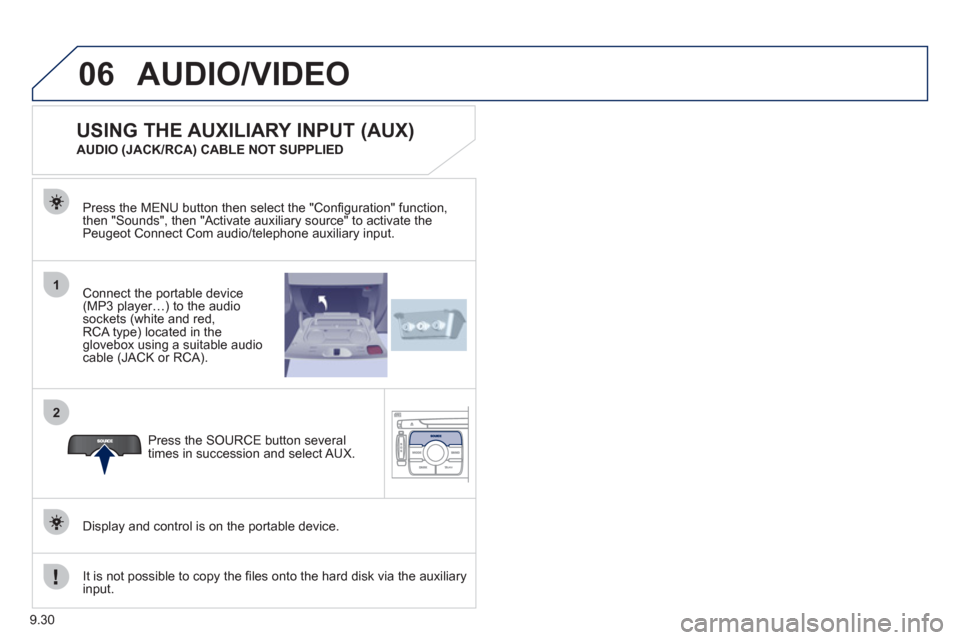
Connect the portable device (MP3 player…) to the audio
sockets (white and red,RCA type) located in theglovebox using a suitable audio cable (JACK or RCA). Press the MENU button then select the "
Confi guration" function,
then "Sounds", then "Activate auxiliary source" to activate the
Peugeot Connect Com audio/telephone auxiliary input.
It is not possible to cop
y the fi les onto the hard disk via the auxiliary input.Pr
ess the SOURCE button several
times in succession and select AUX.
USING THE AUXILIARY INPUT (AUX)
AUDIO (JACK/RCA) CABLE NOT SUPPLIED
Displa
y and control is on the portable device.