light Peugeot Expert VU 2011 User Guide
[x] Cancel search | Manufacturer: PEUGEOT, Model Year: 2011, Model line: Expert VU, Model: Peugeot Expert VU 2011Pages: 260, PDF Size: 9.46 MB
Page 38 of 260
Instruments and controls
After this operation, if you wish to
disconnect the battery, lock the vehicle
and wait for at least five minutes, otherwise
the zero re-set will not be registered.
Zero re-set
Your PEUGEOT dealer or a qualified
workshop carries out this operation after
each service.
However, if you carry out the service
yourself, the re-set procedure is as follows:
- switch off the ignition,
- press and hold the trip recorder reset
button,
- switch on the ignition.
The display begins a countdown.
When the display shows "=0"
, release the
button; the spanner disappears.
Engine oil level indicator
When the ignition is switched on, the engine
oil level is indicated for a few seconds, after
the service information.
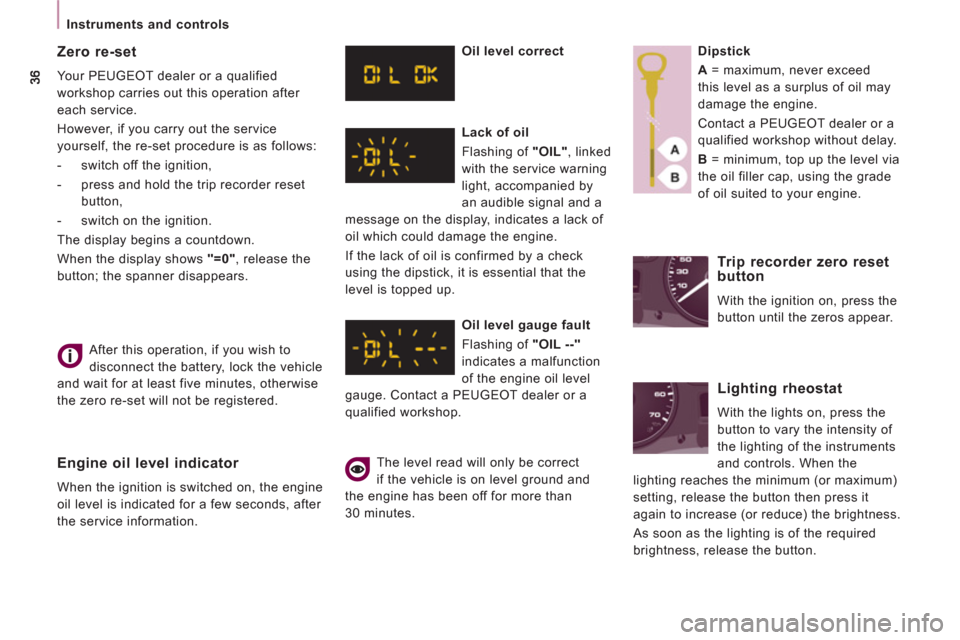
Oil level correct
Lack of oil
Flashing of "OIL"
, linked
with the service warning
light, accompanied by
an audible signal and a
message on the display, indicates a lack of
oil which could damage the engine.
If the lack of oil is confirmed by a check
using the dipstick, it is essential that the
level is topped up.
Oil level gauge fault
Flashing of "OIL --"
indicates a malfunction
of the engine oil level
gauge. Contact a PEUGEOT dealer or a
qualified workshop.
The level read will only be correct
if the vehicle is on level ground and
the engine has been off for more than
30 minutes.
Dipstick
A
= maximum, never exceed
this level as a surplus of oil may
damage the engine.
Contact a PEUGEOT dealer or a
qualified workshop without delay.
B
= minimum, top up the level via
the oil filler cap, using the grade
of oil suited to your engine.
Trip recorder zero reset
button
With the ignition on, press the
button until the zeros appear.
Lighting rheostat
With the lights on, press the
button to vary the intensity of
the lighting of the instruments
and controls. When the
lighting reaches the minimum (or maximum)
setting, release the button then press it
again to increase (or reduce) the brightness.
As soon as the lighting is of the required
brightness, release the button.
Page 39 of 260
37
Gearboxes and steering wheel
READY to SET OFF
2
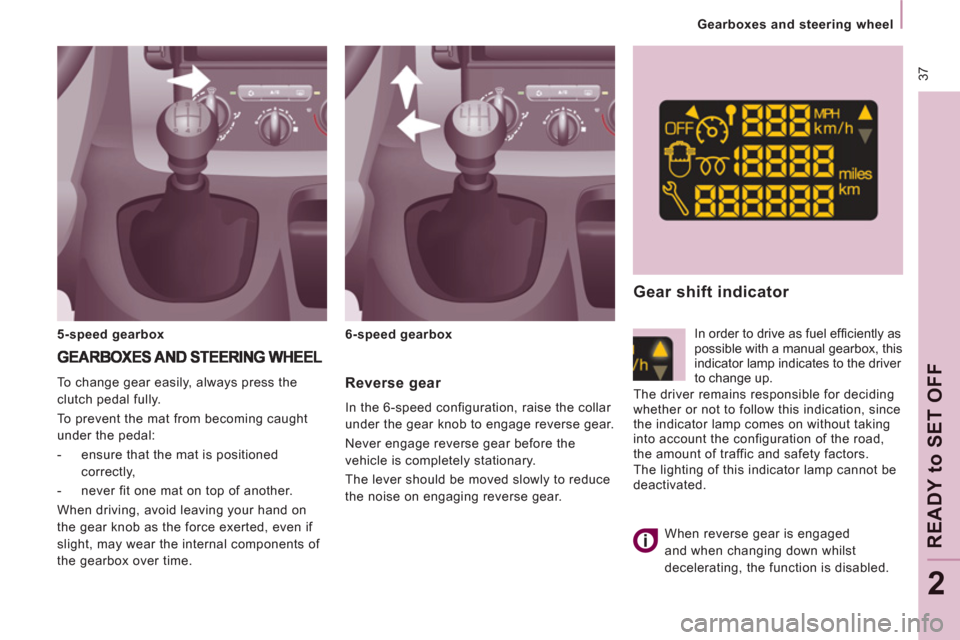
Reverse gear
In the 6-speed configuration, raise the collar
under the gear knob to engage reverse gear.
Never engage reverse gear before the
vehicle is completely stationary.
The lever should be moved slowly to reduce
the noise on engaging reverse gear. To change gear easily, always press the
clutch pedal fully.
To prevent the mat from becoming caught
under the pedal:
- ensure that the mat is positioned
correctly,
- never fit one mat on top of another.
When driving, avoid leaving your hand on
the gear knob as the force exerted, even if
slight, may wear the internal components of
the gearbox over time.
5-speed gearbox
6-speed gearbox
Gear shift indicator
In order to drive as fuel effi ciently as
possible with a manual gearbox, this
indicator lamp indicates to the driver
to change up.
The driver remains responsible for deciding
whether or not to follow this indication, since
the indicator lamp comes on without taking
into account the configuration of the road,
the amount of traffic and safety factors.
The lighting of this indicator lamp cannot be
deactivated.
When reverse gear is engaged
and when changing down whilst
decelerating, the function is disabled.
Page 40 of 260
38
Gearboxes and steering wheel
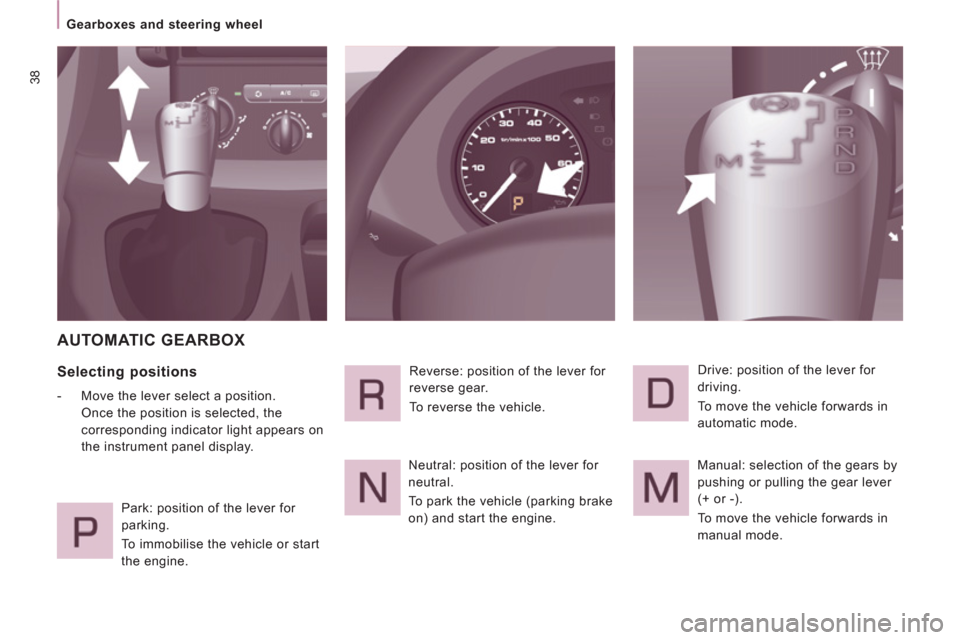
AUTOMATIC GEARBOX
Selecting positions
- Move the lever select a position.
Once the position is selected, the
corresponding indicator light appears on
the instrument panel display.
Park: position of the lever for
parking.
To immobilise the vehicle or start
the engine. Reverse: position of the lever for
reverse gear.
To reverse the vehicle.
Neutral: position of the lever for
neutral.
To park the vehicle (parking brake
on) and start the engine. Drive: position of the lever for
driving.
To move the vehicle forwards in
automatic mode.
Manual: selection of the gears by
pushing or pulling the gear lever
(+ or -).
To move the vehicle forwards in
manual mode.
Page 43 of 260
41
READY to SET OFF
2
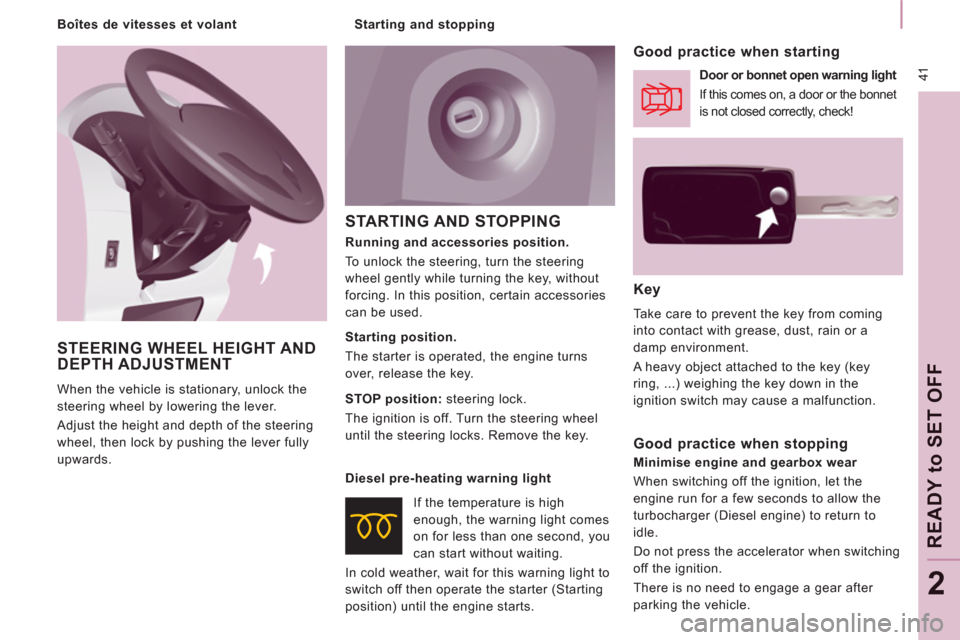
STARTING AND STOPPING
Key
Take care to prevent the key from coming
into contact with grease, dust, rain or a
damp environment.
A heavy object attached to the key (key
ring, ...) weighing the key down in the
ignition switch may cause a malfunction.
Good practice when starting
Door or bonnet open warning light
If this comes on, a door or the bonnet
is not closed correctly, check!
Diesel pre-heating warning light
If the temperature is high
enough, the warning light comes
on for less than one second, you
can start without waiting.
In cold weather, wait for this warning light to
switch off then operate the starter (Starting
position) until the engine starts.
Good practice when stopping
Minimise engine and gearbox wear
When switching off the ignition, let the
engine run for a few seconds to allow the
turbocharger (Diesel engine) to return to
idle.
Do not press the accelerator when switching
off the ignition.
There is no need to engage a gear after
parking the vehicle.
Running and accessories position.
To unlock the steering, turn the steering
wheel gently while turning the key, without
forcing. In this position, certain accessories
can be used.
Starting position.
The starter is operated, the engine turns
over, release the key.
STOP position:
steering lock.
The ignition is off. Turn the steering wheel
until the steering locks. Remove the key.
STEERING WHEEL HEIGHT ANDDEPTH ADJUSTMENT
When the vehicle is stationary, unlock the
steering wheel by lowering the lever.
Adjust the height and depth of the steering
wheel, then lock by pushing the lever fully
upwards.
Starting and stopping
Boîtes de vitesses et volant
Page 44 of 260

42
Steering mounted controls
Dipped beam/main beam change
Pull the stalk full
y towards you.
Automatic lights
if
your vehicle is fitted with
a
brightness sensor. Li
ghts off
Dipped beam
(green)
Main beam (blue)
DIRECTION INDICATORS (flashing)
STEERING MOUNTED CONTROLS
Checking by means of the indicator lights on the instrument panel isdescribed in the "Instruments andcontrols" section of chapter 2.
Side lights
Lights-on buzzer
When the ignition is switched o
ff, when the
driver's door is o
pened, a buzzer sounds if
you have left your lights on.
Left: downwards passing
the point o
f resistance.
Right: upwards passing
the point o
f resistance.
LIGHTING CONTROL
Front and rear lights
Selection is by turning ring A.
Page 45 of 260
43
Steering mounted controls
EASE OF USE AND COMFOR
T
3
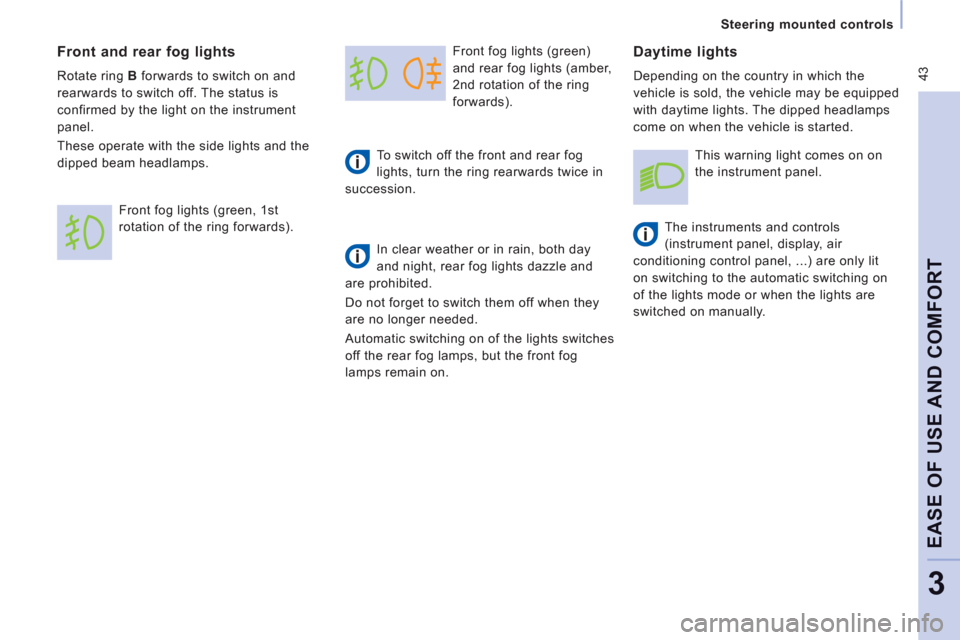
Front fog lights (green)
and rear fo
g lights (amber,
2nd rotation o
f the ring
forwards).
To switch o
ff the front and rear fog
lights, turn the ring rearwards twice in
succession.
In clear weather or in rain, both day
and night, rear fog lights dazzle and
are prohibited.
Do not for
get to switch them off when they
are no longer needed.
Automatic switchin
g on of the lights switches
o
ff the rear fog lamps, but the front fog
lamps remain on.
Daytime lights
Depending on the country in which the
vehicle is sold, the vehicle ma
y be equipped
w
ith daytime lights. The dipped headlamps
come on when the vehicle is started.
Th
e instruments and controls
(instrument panel, display, air
conditioning control panel, ...) are only lit
on switchin
g to the automatic switching on
of the li
ghts mode or when the lights are
switched on manually.
Front and rear fog lights
Rotate ring Bforwards to switch on and
rearwards to switch off. The status is
confirmed by the light on the instrument
panel.
These operate with the side lights and the
di
pped beam headlamps.
Front
fog lights (green, 1st
rotation of the ring forwards).
This warning light comes on on
the instrument panel.
Page 46 of 260
44
Steering mounted controls
Automatic illumination of headlamps
Activation
Turn the ring to the
AUTOposition.
Th
e activation of this function is
accompanied by a message in the screen.
If the sunshine sensor does not function
correctly, the lighting comes on accompanied
by the service warning lamp, an audible signal
and a message in the screen.
Contact a PEUGEOT dealer or a qualified
workshop.
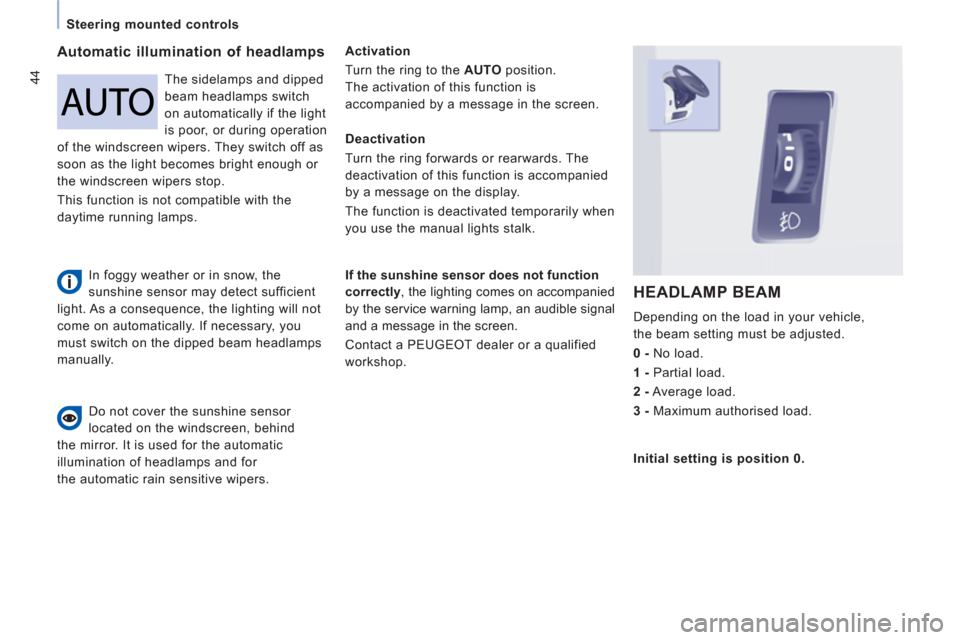
HEADLAMP BEAM
Depending on the load in your vehicle,
the beam settin
g must be adjusted.
0 -
N
o load.
1 -
Partial load.
2-
Average load.
3 -
Maximum authorised load.
Do not cover the sunshine sensor
located on the windscreen, behind
th
e mirror. It is used for the automatic
illumination of headlamps and for
the automatic rain sensitive wipers.The sidelam
ps and dipped
beam headlamps switch
on automaticall
y if the light
is poor, or durin
g operation
of the windscreen wipers. The
y switch off as
soon as the light becomes bright enough or
the windscreen wi
pers stop.
This
function is not compatible with the
da
ytime running lamps.
Deactivation
Turn the ring
forwards or rearwards. The
deactivation of this function is accom
panied
by a message on the display.
The function is deactivated temporaril
y when
you use the manual lights stalk.
Initial settin
g is position 0.
In foggy weather or in snow, the
sunshine sensor may detect sufficient
light. As a consequence, the lighting will not
come on automatically. If necessary, you
must switch on the dipped beam headlamps
manually.
Page 62 of 260
60
Ventilation
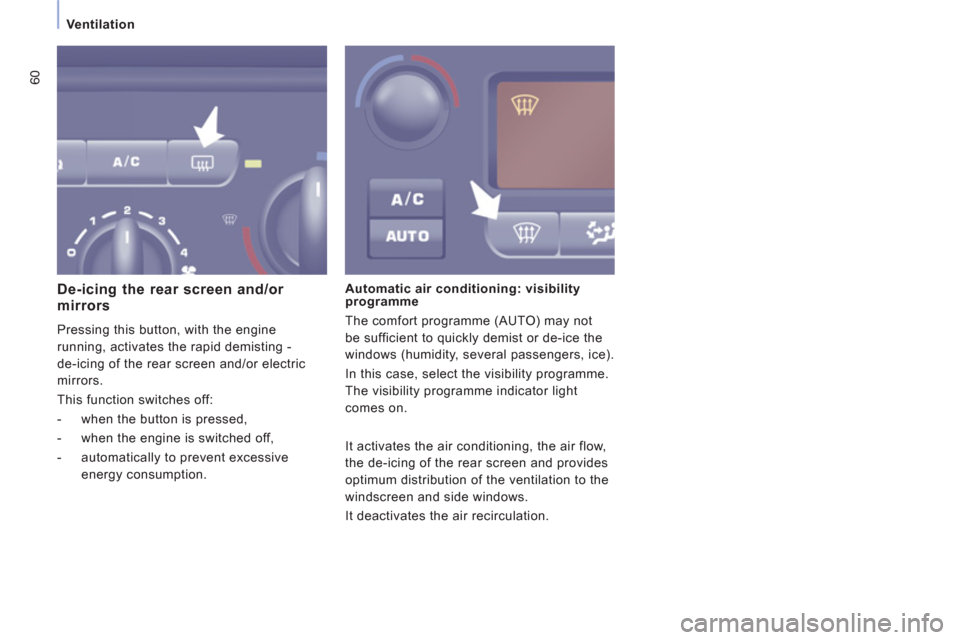
De-icing the rear screen and/or mirrors
Pressing this button, with the engine
running, activates the rapid demisting -
de-icin
g of the rear screen and/or electric
mirrors.
Thi
s function switches off:
- when the button is pressed,
- when the engine is switched off,
- automatically to prevent excessive
energy consumption.
Automatic air conditioning: visibility
programme
The com
fort programme (AUTO) may not
be sufficient to quickl
y demist or de-ice the
windows
(humidity, several passengers, ice).
In this case, select the visibility programme.
The visibilit
y programme indicator light
comes on.
It activates the air conditionin
g, the air flow,
the de-icin
g of the rear screen and provides
optimum distribution o
f the ventilation to the
win
dscreen and side windows.
It
deactivates the air recirculation.
Page 63 of 260
61
Ventilation
EASE OF USE AND COMFOR
T
3
Good practice
To avoid any risk of poisoning or
asphyxiation, the heater must not be used,
even
for short periods, in an enclosed space
such as a garage or workshop which is not
fitted with an exhaust
gas extraction system.
Do not park the vehicle on an inflammable
surface (dry grass, dead leaves, paper…),
th
ere is a risk of fire. The temperature near the heater must not
exceed 120 °C. A temperature higher than
this
(for example in the case of painting in
an oven
) could damage the components of
th
e electronic circuits.
The heater is supplied b
y the vehicle's fuel
tank. Ensure that the low
fuel warning lamp
i
s not on.
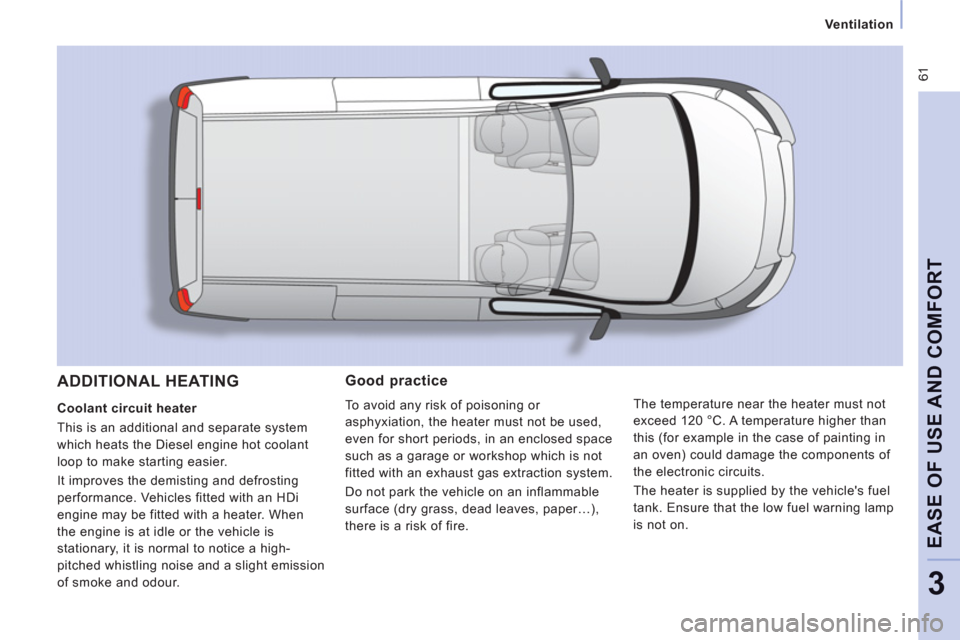
ADDITIONAL HEATING
Coolant circuit heater
This is an additional and separate s
ystem
which heats the Diesel en
gine hot coolant
loop to make starting easier.
It improves the demistin
g and defrosting
performance. Vehicles fitted with an HDi
engine may be fitted with a heater. When
t
he engine is at idle or the vehicle is
stationary, it is normal to notice a high-
pitched whistling noise and a slight emission
of smoke and odour.
Page 71 of 260
69
Practical information
EASE OF USE AND COMFOR
T
3
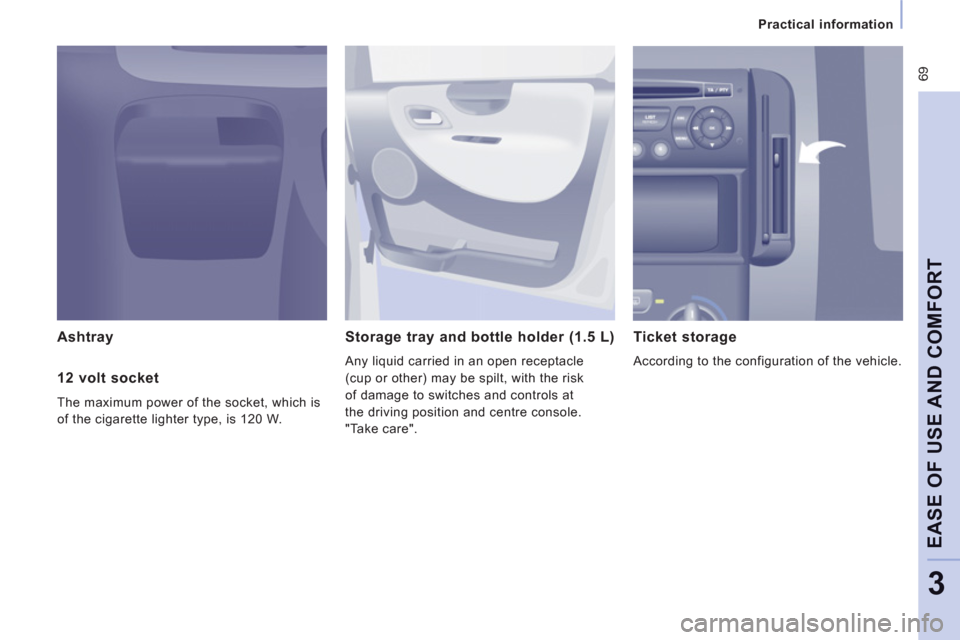
Ashtray Storage tray and bottle holder (1.5 L)
Any liquid carried in an open receptacle
(cup or other) may be spilt, with the risk
o
f damage to switches and controls at
the drivin
g position and centre console.
"Take care".
Ticket storage
According to the configuration of the vehicle.
12 volt socket
The maximum power of the socket, which is
of the ci
garette lighter type, is 120 W.