steering Peugeot Expert VU 2011 User Guide
[x] Cancel search | Manufacturer: PEUGEOT, Model Year: 2011, Model line: Expert VU, Model: Peugeot Expert VU 2011Pages: 260, PDF Size: 9.46 MB
Page 42 of 260
40
Gearboxes and steering wheel
Manual mode
Manual sequential gear changing.
- Select gear lever position M
,
- push the gear lever towards the + sign
to change up, from 1 through to 6,
In manual mode, it is only possible to
change from one gear to another if the
vehicle speed and engine speed permit.
If they do not, the vehicle will operate
temporarily in automatic mode.
When the vehicle is stationary or moving
very slowly, the gearbox automatically
selects first gear.
- conversely, push the gear lever towards
the - sign to change down.
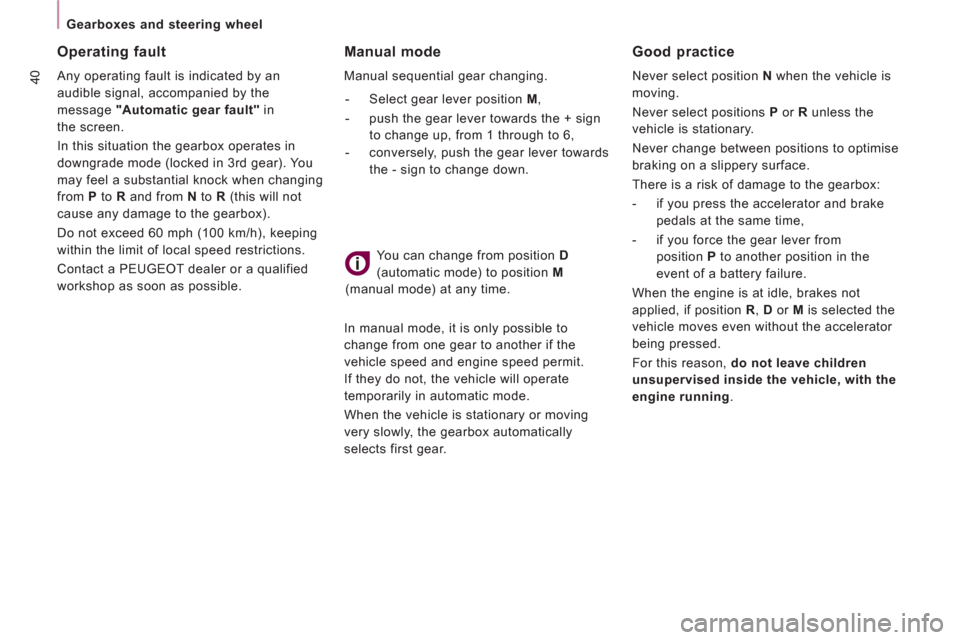
You can change from position D
(automatic mode) to position M
(manual mode) at any time.
Good practice
Never select position N
when the vehicle is
moving.
Never select positions P
or R
unless the
vehicle is stationary.
Never change between positions to optimise
braking on a slippery surface.
There is a risk of damage to the gearbox:
- if you press the accelerator and brake
pedals at the same time,
- if you force the gear lever from
position P
to another position in the
event of a battery failure.
When the engine is at idle, brakes not
applied, if position R
, D
or M
is selected the
vehicle moves even without the accelerator
being pressed.
For this reason, do not leave children
unsupervised inside the vehicle, with the
engine running
.
Operating fault
Any operating fault is indicated by an
audible signal, accompanied by the
message "Automatic gear fault"
in
the screen.
In this situation the gearbox operates in
downgrade mode (locked in 3rd gear). You
may feel a substantial knock when changing
from P
to R
and from N
to R
(this will not
cause any damage to the gearbox).
Do not exceed 60 mph (100 km/h), keeping
within the limit of local speed restrictions.
Contact a PEUGEOT dealer or a qualified
workshop as soon as possible.
Page 43 of 260
41
READY to SET OFF
2
STARTING AND STOPPING
Key
Take care to prevent the key from coming
into contact with grease, dust, rain or a
damp environment.
A heavy object attached to the key (key
ring, ...) weighing the key down in the
ignition switch may cause a malfunction.
Good practice when starting
Door or bonnet open warning light
If this comes on, a door or the bonnet
is not closed correctly, check!
Diesel pre-heating warning light
If the temperature is high
enough, the warning light comes
on for less than one second, you
can start without waiting.
In cold weather, wait for this warning light to
switch off then operate the starter (Starting
position) until the engine starts.
Good practice when stopping
Minimise engine and gearbox wear
When switching off the ignition, let the
engine run for a few seconds to allow the
turbocharger (Diesel engine) to return to
idle.
Do not press the accelerator when switching
off the ignition.
There is no need to engage a gear after
parking the vehicle.
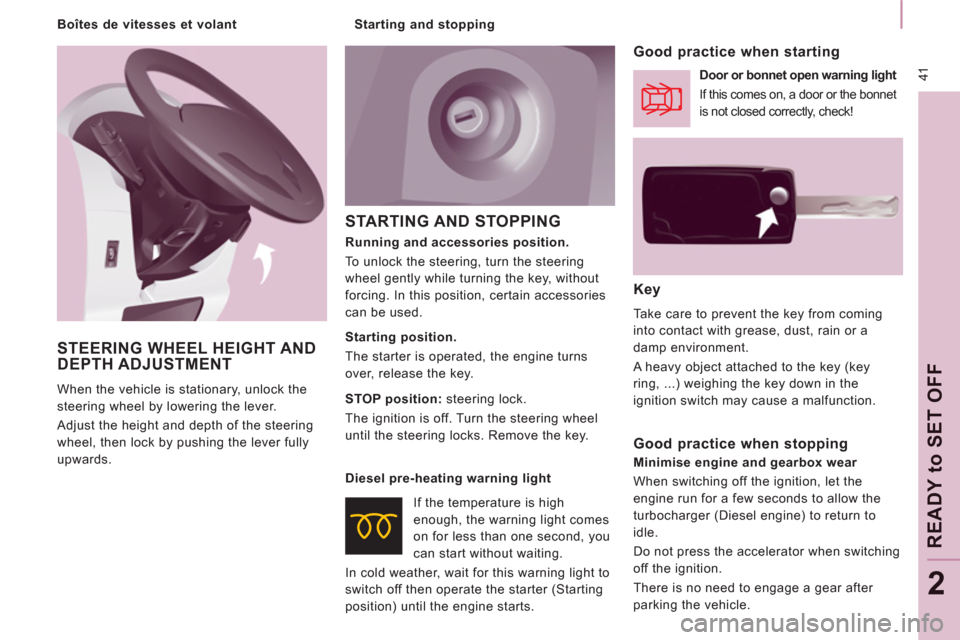
Running and accessories position.
To unlock the steering, turn the steering
wheel gently while turning the key, without
forcing. In this position, certain accessories
can be used.
Starting position.
The starter is operated, the engine turns
over, release the key.
STOP position:
steering lock.
The ignition is off. Turn the steering wheel
until the steering locks. Remove the key.
STEERING WHEEL HEIGHT ANDDEPTH ADJUSTMENT
When the vehicle is stationary, unlock the
steering wheel by lowering the lever.
Adjust the height and depth of the steering
wheel, then lock by pushing the lever fully
upwards.
Starting and stopping
Boîtes de vitesses et volant
Page 44 of 260

42
Steering mounted controls
Dipped beam/main beam change
Pull the stalk full
y towards you.
Automatic lights
if
your vehicle is fitted with
a
brightness sensor. Li
ghts off
Dipped beam
(green)
Main beam (blue)
DIRECTION INDICATORS (flashing)
STEERING MOUNTED CONTROLS
Checking by means of the indicator lights on the instrument panel isdescribed in the "Instruments andcontrols" section of chapter 2.
Side lights
Lights-on buzzer
When the ignition is switched o
ff, when the
driver's door is o
pened, a buzzer sounds if
you have left your lights on.
Left: downwards passing
the point o
f resistance.
Right: upwards passing
the point o
f resistance.
LIGHTING CONTROL
Front and rear lights
Selection is by turning ring A.
Page 45 of 260
43
Steering mounted controls
EASE OF USE AND COMFOR
T
3
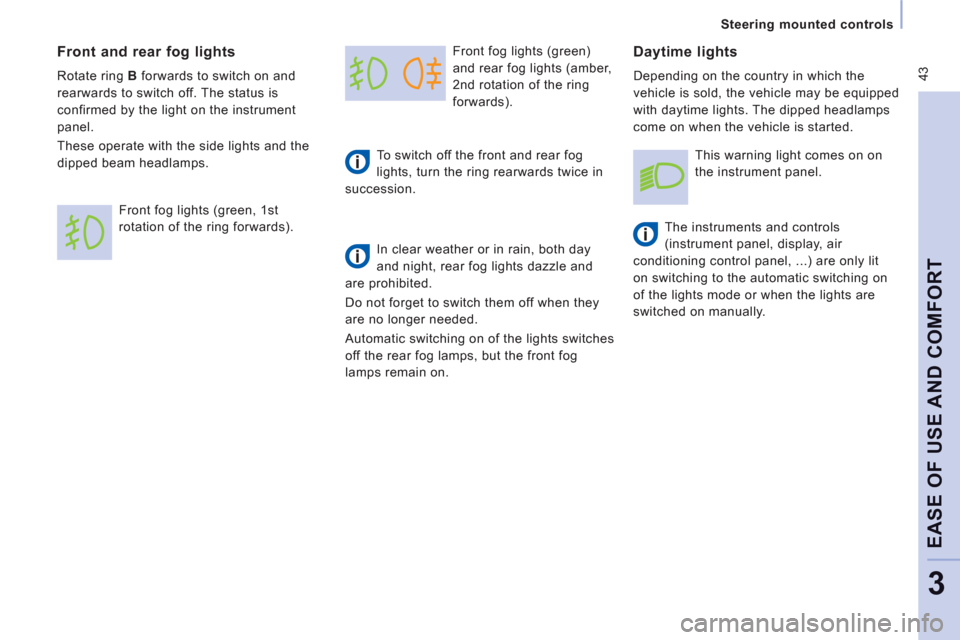
Front fog lights (green)
and rear fo
g lights (amber,
2nd rotation o
f the ring
forwards).
To switch o
ff the front and rear fog
lights, turn the ring rearwards twice in
succession.
In clear weather or in rain, both day
and night, rear fog lights dazzle and
are prohibited.
Do not for
get to switch them off when they
are no longer needed.
Automatic switchin
g on of the lights switches
o
ff the rear fog lamps, but the front fog
lamps remain on.
Daytime lights
Depending on the country in which the
vehicle is sold, the vehicle ma
y be equipped
w
ith daytime lights. The dipped headlamps
come on when the vehicle is started.
Th
e instruments and controls
(instrument panel, display, air
conditioning control panel, ...) are only lit
on switchin
g to the automatic switching on
of the li
ghts mode or when the lights are
switched on manually.
Front and rear fog lights
Rotate ring Bforwards to switch on and
rearwards to switch off. The status is
confirmed by the light on the instrument
panel.
These operate with the side lights and the
di
pped beam headlamps.
Front
fog lights (green, 1st
rotation of the ring forwards).
This warning light comes on on
the instrument panel.
Page 46 of 260
44
Steering mounted controls
Automatic illumination of headlamps
Activation
Turn the ring to the
AUTOposition.
Th
e activation of this function is
accompanied by a message in the screen.
If the sunshine sensor does not function
correctly, the lighting comes on accompanied
by the service warning lamp, an audible signal
and a message in the screen.
Contact a PEUGEOT dealer or a qualified
workshop.
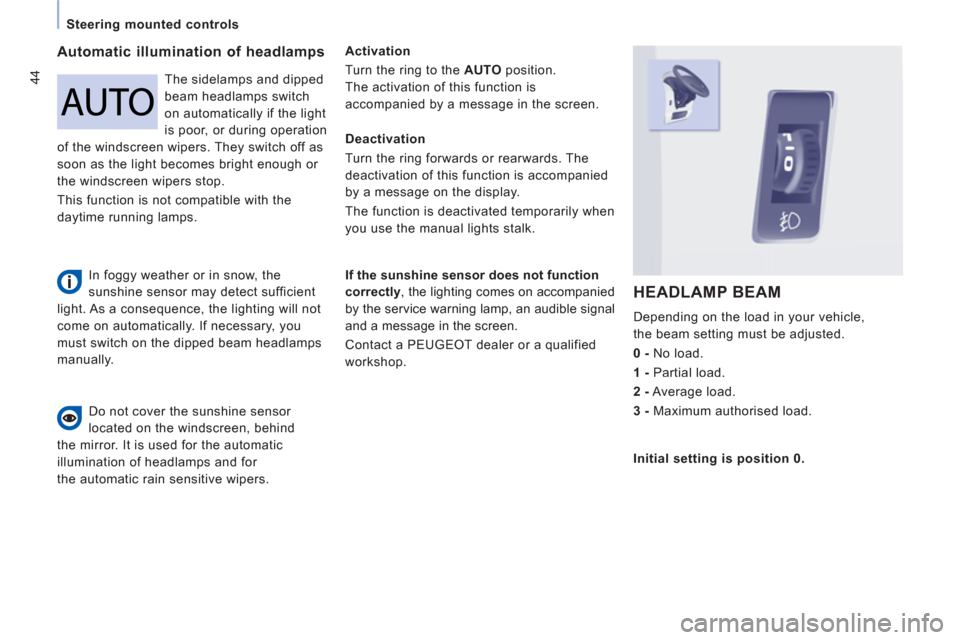
HEADLAMP BEAM
Depending on the load in your vehicle,
the beam settin
g must be adjusted.
0 -
N
o load.
1 -
Partial load.
2-
Average load.
3 -
Maximum authorised load.
Do not cover the sunshine sensor
located on the windscreen, behind
th
e mirror. It is used for the automatic
illumination of headlamps and for
the automatic rain sensitive wipers.The sidelam
ps and dipped
beam headlamps switch
on automaticall
y if the light
is poor, or durin
g operation
of the windscreen wipers. The
y switch off as
soon as the light becomes bright enough or
the windscreen wi
pers stop.
This
function is not compatible with the
da
ytime running lamps.
Deactivation
Turn the ring
forwards or rearwards. The
deactivation of this function is accom
panied
by a message on the display.
The function is deactivated temporaril
y when
you use the manual lights stalk.
Initial settin
g is position 0.
In foggy weather or in snow, the
sunshine sensor may detect sufficient
light. As a consequence, the lighting will not
come on automatically. If necessary, you
must switch on the dipped beam headlamps
manually.
Page 47 of 260
45
Steering mounted controls
EASE OF USE AND COMFOR
T
3
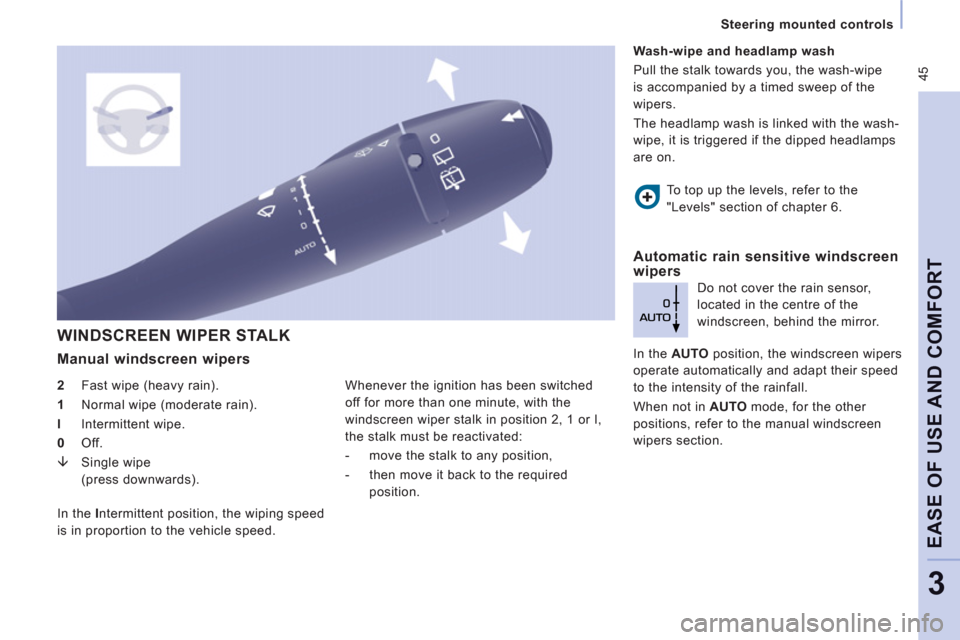
WINDSCREEN WIPER STALK
Manual windscreen wipers
2
Fast wipe (heavy rain).
1
Normal wipe (moderate rain).
l
Intermittent wipe.
0
Off.
Page 48 of 260
Steering mounted controls
Special position of the windscreen
wipers
In the minute following switching off of the
i
gnition, any action on the stalk positions the
wipers a
gainst the windscreen uprights.This action enables
you to position the
wiper blades
for winter parking, cleaning or
replacement.
Re
fer to the "Changing a windscreen
wi
per blade" section of chapter 7. When using an automatic car wash,
switch off the ignition to avoid
tr
iggering the automatic wiping.
In winter, it is advisable to wait for the
windscreen to completel
y clear of ice before
operatin
g automatic wipe.
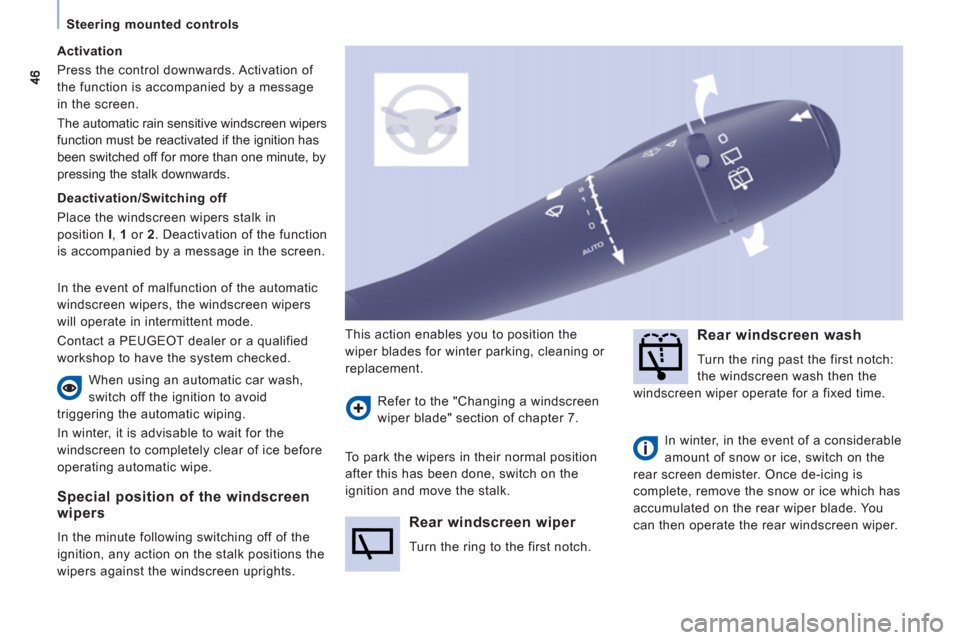
Rear windscreen wiper
Turn the ring to the first notch.
Rear windscreen wash
Turn the ring past the first notch:
t
he windscreen wash then the
windscreen wiper operate
for a fixed time.
In winter, in the event of a considerable
amount o
f snow or ice, switch on the
rear screen demister. Once de-icing is
complete, remove the snow or ice which has
accumu
lated on the rear wiper blade. You
can then operate the rear windscreen wiper.
To park the wipers in their normal position
after this has been done, switch on the
i
gnition and move the stalk.
Activation
Pr
ess the control downwards. Activation of
the function is accompanied b
y a message
in the screen.
The automatic rain sensitive windscreen wi
pers
function must be reactivated if the ignition has
been switched o
ff for more than one minute, by
pressing the stalk downwards.
Deactivation/Switching off
Place the windscreen wipers stalk in
position I, 1
or 2
. Deactivation of the function
is accompanied by a message in the screen.
In th
e event of malfunction of the automatic
windscreen wipers, the windscreen wipers
w
ill operate in intermittent mode.
Contact a PEUGE
OT dealer or a qualified
workshop to have the system checked.
Page 49 of 260
47
Steering mounted controls
EASE OF USE AND COMFOR
T
3
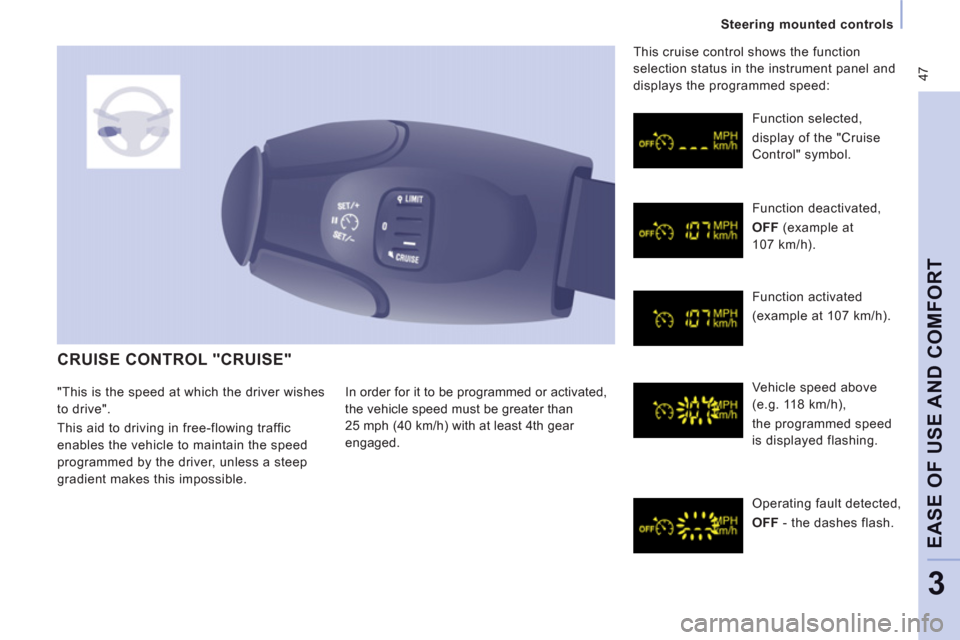
CRUISE CONTROL "CRUISE"
In order for it to be programmed or activated,
the vehicle speed must be
greater than
25 mph
(40 km/h) with at least 4th gear
en
gaged. Function selected,
displa
y of the "Cruise
Control" s
ymbol.
Function deactivated,
OFF
(example at
107 km/h
).
F
unction activated
(example at 107 km/h).
Vehicle speed above
(e.g. 118 km/h),
the pro
grammed speed
is displa
yed flashing.
Operating fault detected,
OFF
- th
e dashes flash. Thi
s cruise control shows the function
selection status in the instrument panel and
displays the programmed speed:
"This is the speed at which the driver wishes
t
o drive".
This aid to drivin
g in free-flowing traffic
enables the vehicle to maintain the speed
programmed by the driver, unless a steep
gradient makes this impossible.
Page 50 of 260
48
Steering mounted controls
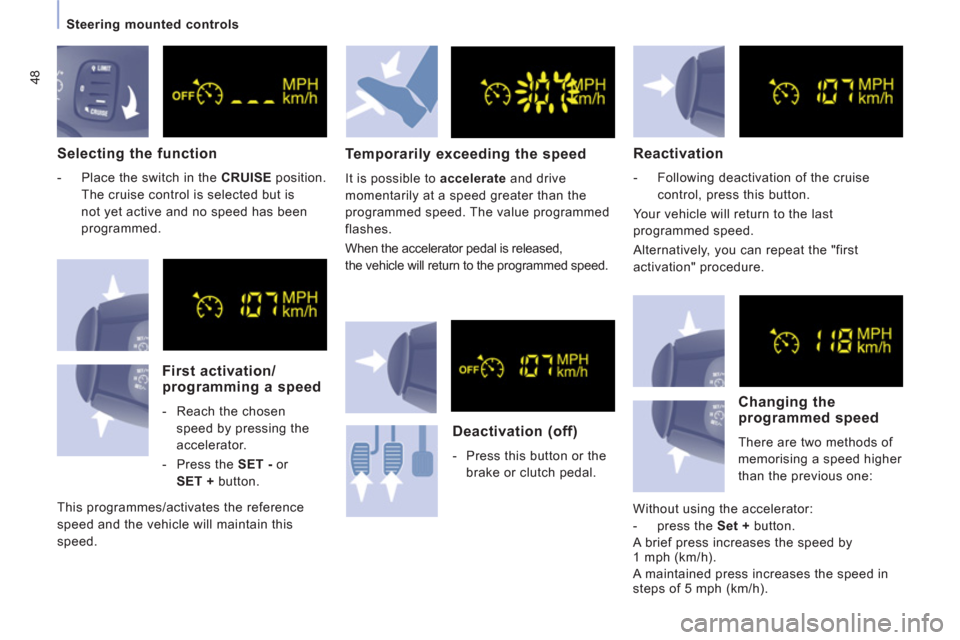
Selecting the function
- Place the switch in the CRUISE
position.
The cruise control is selected but is
not yet active and no speed has been
programmed.
First activation/programming a speed
- Reach the chosen
speed by pressing the
accelerator.
- Press the SET -
or
SET +
button.
This pro
grammes/activates the reference
speed and the vehicle will maintain this
speed.
Temporarily exceeding the speed
It is possible to accelerate
and drive
momentarily at a speed greater than the
pro
grammed speed. The value programmed
flashes.
When the accelerator pedal is released,
the vehicle will return to the programmed speed.
Reactivation
- Following deactivation of the cruise
control, press this button.
Y
our vehicle will return to the last
programmed speed.
Alternatively, you can repeat the "first
activation" procedure.
Deactivation (off)
- Press this button or the
brake or clutch pedal.
Changing the
programmed speed
There are two methods of
memorisin
g a speed higher
t
han the previous one:
Without using the accelerator:
- press the Set +
button.
A brie
f press increases the speed by1 mph (km/h).
A maintained press increases the speed in
steps of 5 mph (km/h).
Page 51 of 260
49
Steering mounted controls
EASE OF USE AND COMFOR
T
3
Switching the function off
- Place the dial in position 0
or switch off
the ignition to switch everything off.
Good practice
When changing the programmed reference
speed by means of a maintained press,
pa
y attention as the speed can increase or
decrease rapidly.
Do not use the cruise control on slippery
roads or in heav
y traffic.
In the event of a stee
p slope, the cruise
control cannot prevent the vehicle from
exceedin
g the programmed speed.
In any event, the cruise control cannot
replace the need to observe the speed
limits, nor can it replace the need
for
vi
gilance and responsibility on the part of the
driver.
It is advisable to leave your
feet near the
pedals.
To avoid an
y jamming under the pedals:
- ensure that the mat and its fixings on the
floor are positioned correctly,
- never place one mat on top of another.
Cancelling the programmed
reference speed
When the vehicle becomes stationary, after
switching off the ignition, the system no
lon
ger memorises a speed. Usin
g the accelerator:
- exceed the memorised speed until the
speed required is reached,
- press the Set +
or Set -
button.
To memorise a speed lower than the
previous one:
- press the Set -
button.
A brief press decreases the speed by 1 mph
(km/h).
A maintained press decreases the speed in
steps of 5 mph (km/h).
Operating fault
The programmed speed is cleared then
replaced b
y three dashes. Contact a
PEUGE
OT dealer or a qualified workshop to
have the system checked.
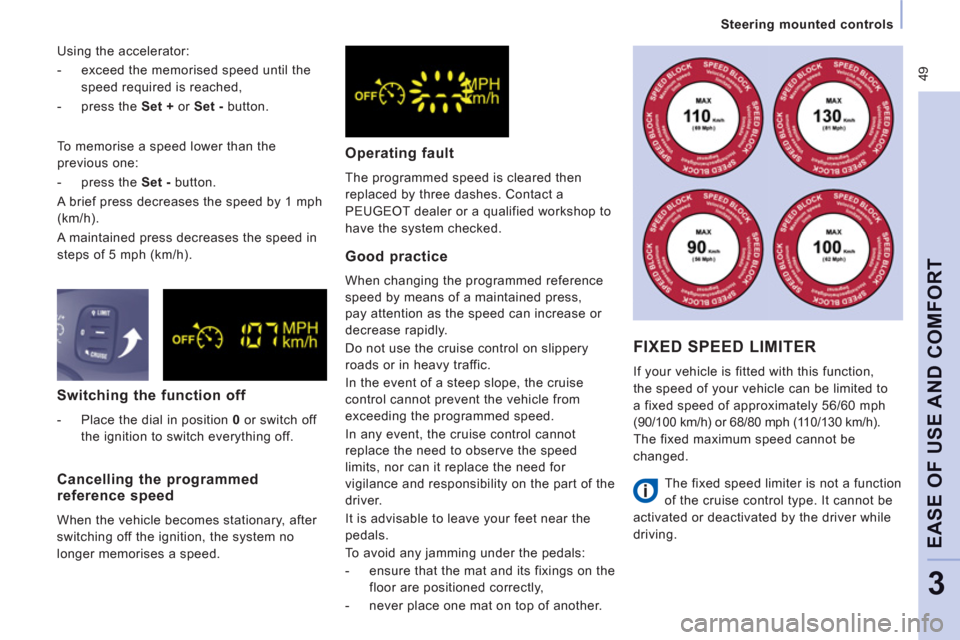
FIXED SPEED LIMITER
If your vehicle is fitted with this function,
the speed o
f your vehicle can be limited to
a fixed speed of approximatel
y 56/60 mph
(90/100 km/h) or 68/80 mph (11 0/130 km/h).
The
fixed maximum speed cannot be
changed.
The
fixed speed limiter is not a function
of the cruise control type. It cannot be
act
ivated or deactivated by the driver while
drivin
g.