CD player Peugeot Partner 2011 - RHD (UK, Australia) User Guide
[x] Cancel search | Manufacturer: PEUGEOT, Model Year: 2011, Model line: Partner, Model: Peugeot Partner 2011Pages: 200, PDF Size: 7.41 MB
Page 178 of 200
9.42
05
1
1
2
3
PEUGEOT CONNECT USB
The system puts together playlists (temporary memory) createdover a period which depends on the capacity of the USB device.
The other sources are available durin
g this time.
The pla
ylists are updated each time the ignition is switched off or each time a USB memory stick is connected.
When connectin
g for the fi rst time, the classifi cation suggested
is by folder. When you reconnect, the classifi cation selected
previously is retained.
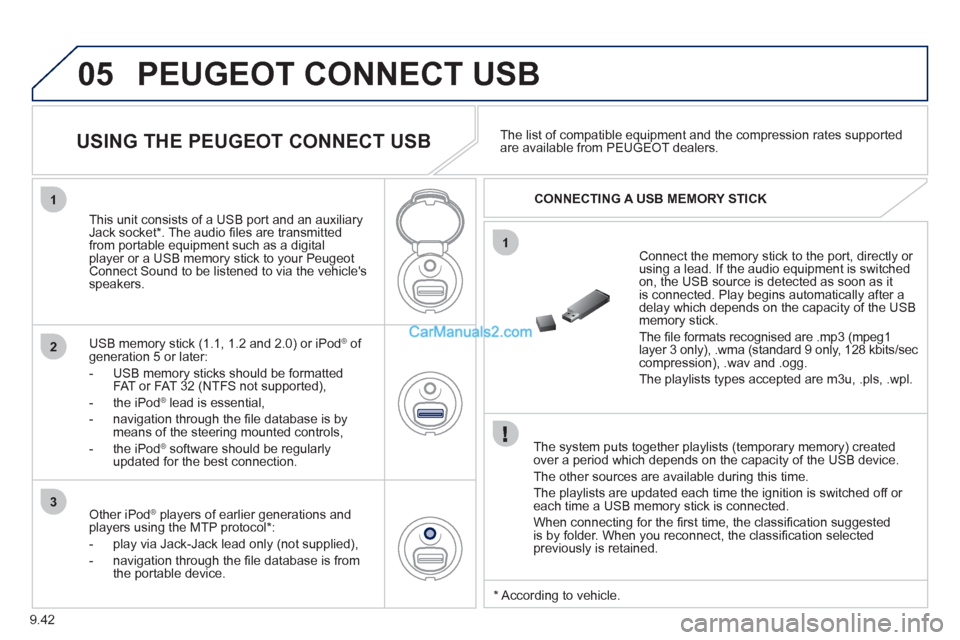
Connect the memory stick to the port, directly or using a lead. If the audio equipment is switched
on, the USB source is detected as soon as it
is connected. Play begins automatically after a
delay which depends on the capacity of the USB memory stick.
The fi le formats reco
gnised are .mp3 (mpeg1layer 3 only), .wma (standard 9 only, 128 kbits/seccompression), .wav and .ogg.
The playlists types accepted are m
3u, .pls, .wpl.
This unit consists of a USB port and an auxiliar
yJack socket *
. The audio fi les are transmittedfrom portable equipment such as a digitalplayer or a USB memory stick to your PeugeotConnect Sound to be listened to via the vehicle'sspeakers.
U
SB memory stick (1.1, 1.2 and 2.0) or iPod Æof generation 5 or later:
- USB memor
y sticks should be formattedFAT or FAT 32 (NTFS not supported),
- t
he iPodÆ
lead is essential, Æ
- navigation through the fi le database is bymeans of the steering mounted controls,
- th
e iPodÆ
software should be regularlyÆ
updated for the best connection.The list o
f compatible equipment and the compression rates supported are available from PEUGEOT dealers.
USING THE PEUGEOT CONNECT USB
CONNECTING A USB MEMORY STICK
Other iPod®
players of earlier generations and®
players using the MTP protocol * :
- pla
y via Jack-Jack lead only (not supplied),
- navi
gation through the fi le database is from
the portable device.
* Accordin
g to vehicle.
Page 180 of 200
9.44
05
1
21
2
The display and control is via the portable device. First ad
just the volume of your portable device.
Then ad
just the volume of your audio system.
USING THE AUXILIARY SOCKET (AUX)
JACK SOCKET OR RCA SOCKET
(according to vehicle)
ADJUSTING THE VOLUME OF
THE AUXILIARY SOURCE
PEUGEOT CONNECT USB
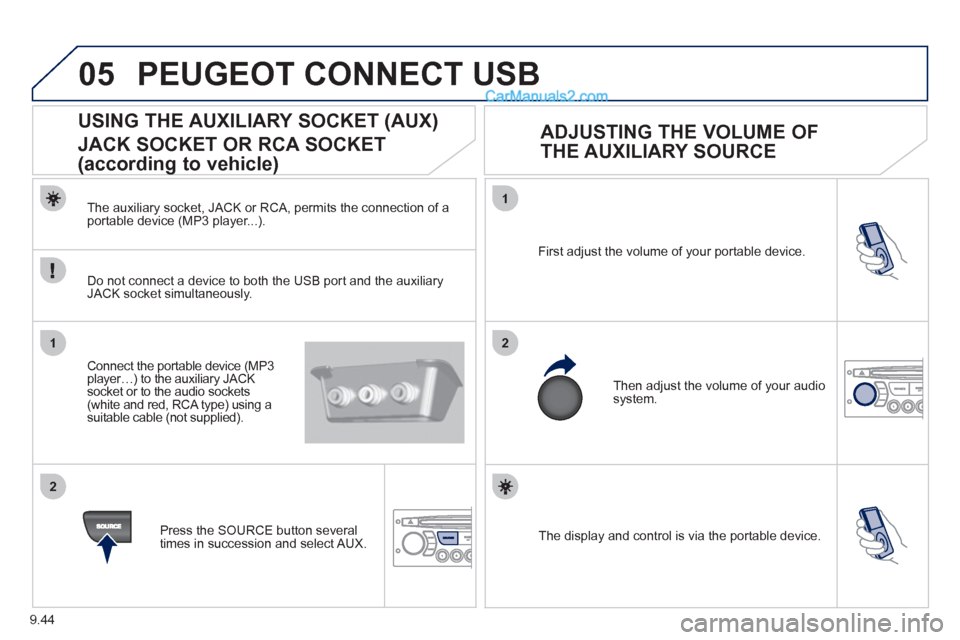
The auxiliary socket, JACK or RCA, permits the connection of a portable device (MP3 player...).
Do not connect a device to both the USB port and the auxiliar
yJACK socket simultaneously.
Connect the portable device
(MP3 player…) to the auxiliary JACK socket or to the audio sockets (white and red, RCA type) using a suitable cable (not supplied).
Pr
ess the SOURCE button several
times in succession and select AUX.
Page 190 of 200
9.54
FREQUENTLY ASKED QUESTIONS
QUESTIONANSWERSOLUTION
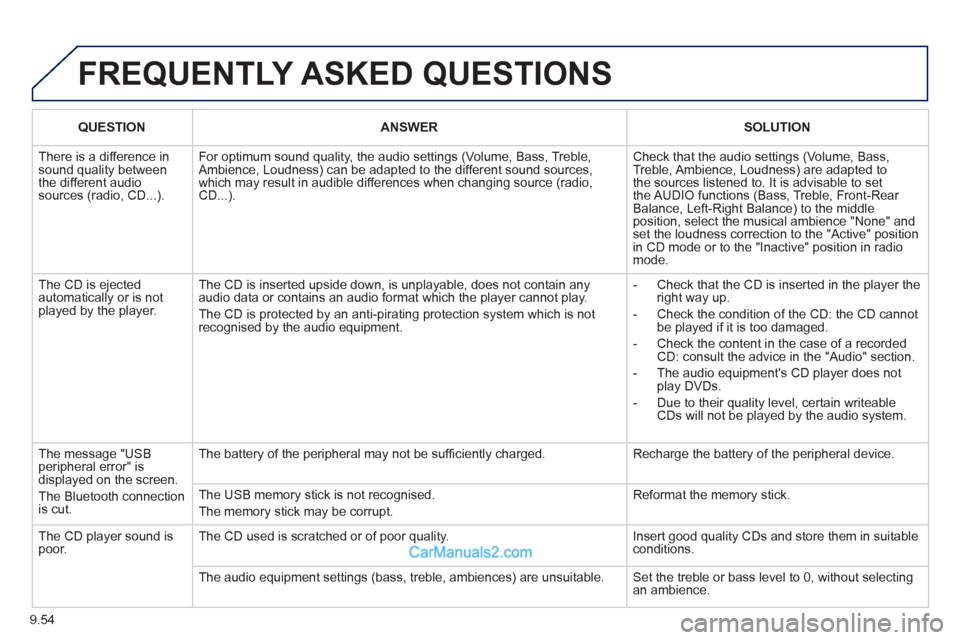
There is a difference in sound quality betweenthe different audiosources (radio, CD...).
For optimum sound quality, the audio settings (Volume, Bass, Treble, Ambience, Loudness) can be adapted to the different sound sources,which may result in audible differences when changing source (radio,CD...).
Check that the audio settings (Volume, Bass, Treble, Ambience, Loudness) are adapted tothe sources listened to. It is advisable to setthe AUDIO functions (Bass, Treble, Front-Rear Balance, Left-Right Balance) to the middle position, select the musical ambience "None" and set the loudness correction to the "Active" position in CD mode or to the "Inactive" position in radio mode.
The CD is ejected automatically or is not played by the player.
The CD is inserted upside down, is unplayable, does not contain any audio data or contains an audio format which the player cannot play.
The CD is protected by an anti-pirating protection system which is not recognised by the audio equipment.
- Check that the CD is inserted in the player the right way up.
- Check the condition of the CD: the CD cannot be played if it is too damaged.
- Check the content in the case of a recordedCD: consult the advice in the "Audio" section.
- The audio equipment's CD player does notplay DVDs.
- Due to their quality level, certain writeableCDs will not be played by the audio system.
The message "USB peripheral error" isdisplayed on the screen.
The Bluetooth connectionis cut.
The battery of the peripheral may not be suffi ciently charged.
Recharge the battery of the peripheral device.
The USB memory stick is not recognised.
The memory stick may be corrupt.
Reformat the memory stick.
The CD player sound ispoor.The CD used is scratched or of poor quality.
Insert good quality CDs and store them in suitable conditions.
The audio equipment settings (bass, treble, ambiences) are unsuitable. Set the treble or bass level to 0, without selectingan ambience.