ECU Peugeot Partner 2016 User Guide
[x] Cancel search | Manufacturer: PEUGEOT, Model Year: 2016, Model line: Partner, Model: Peugeot Partner 2016Pages: 260, PDF Size: 8.83 MB
Page 93 of 260
91
Partner-2-Vu_en_Chap05_Securite_ed02-2015
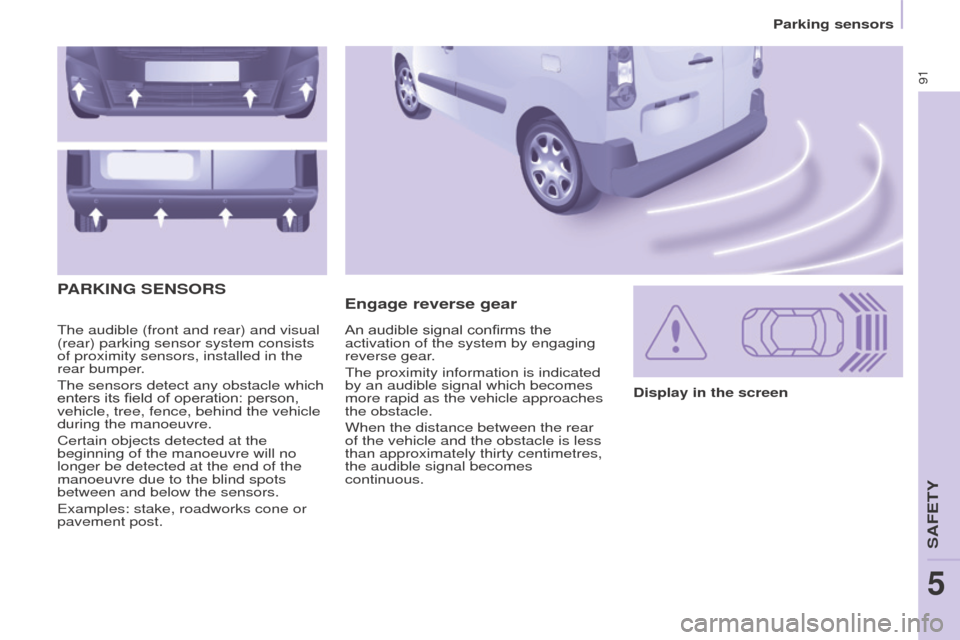
The audible (front and rear) and visual
(rear) parking sensor system consists
of proximity sensors, installed in the
rear bumper.
The sensors detect any obstacle which
enters its field of operation: person,
vehicle, tree, fence, behind the vehicle
during the manoeuvre.
Certain objects detected at the
beginning of the manoeuvre will no
longer be detected at the end of the
manoeuvre due to the blind spots
between and below the sensors.
Examples: stake, roadworks cone or
pavement post.
Engage reverse gear
PARKING
SENSORS
Display in the screen
An audible signal confirms the
activation of the system by engaging
reverse gear.
The proximity information is indicated
by an audible signal which becomes
more rapid as the vehicle approaches
the obstacle.
When the distance between the rear
of the vehicle and the obstacle is less
than approximately thirty centimetres,
the audible signal becomes
continuous.
SAFETY
5
Parking sensors
Page 94 of 260
92
Partner-2-Vu_en_Chap05_Securite_ed02-2015
Activation / DeactivationMalfunction
In the event of a malfunction, the LED
in the button comes on, accompanied
by an audible signal and a message in
the screen.
Contact a PEUGEOT dealer or
qualified workshop.
Good practice
In bad weather or in winter, ensure that
the sensors are not covered with mud,
ice or snow.
The system will be deactivated
automatically if a trailer is being towed
or if a bicycle carrier is fitted (vehicle
fitted with a towbar or bicycle carrier
recommended by PEUGEOT).
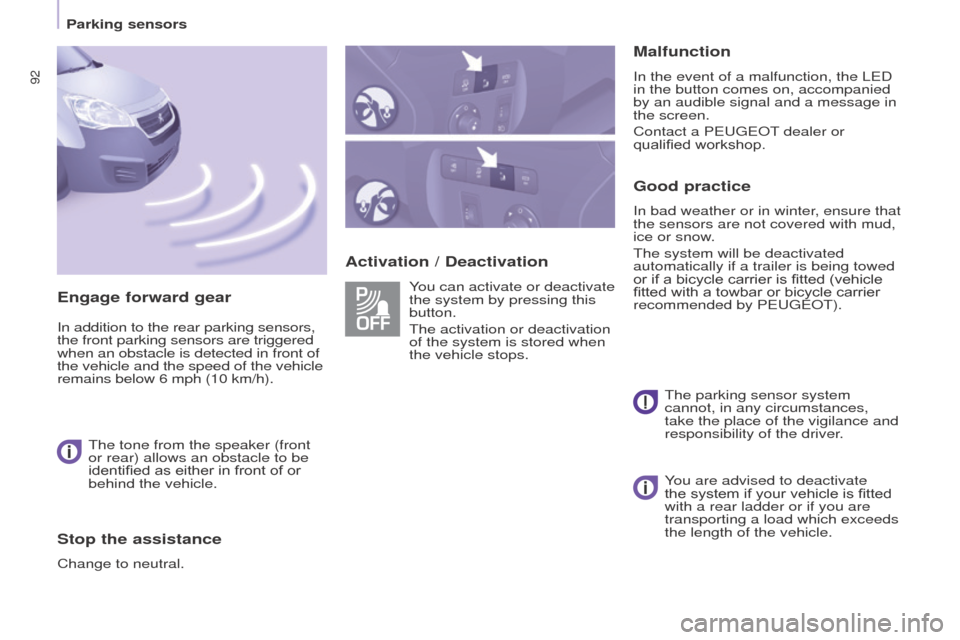
You can activate or deactivate
the system by pressing this
button.
The activation or deactivation
of the system is stored when
the vehicle stops.
The parking sensor system
cannot, in any circumstances,
take the place of the vigilance and
responsibility of the driver.
Engage forward gear
In addition to the rear parking sensors,
the front parking sensors are triggered
when an obstacle is detected in front of
the vehicle and the speed of the vehicle
remains below 6 mph (10 km/h).
The tone from the speaker (front
or rear) allows an obstacle to be
identified as either in front of or
behind the vehicle.
Stop the assistance
Change to neutral. You are advised to deactivate
the system if your vehicle is fitted
with a rear ladder or if you are
transporting a load which exceeds
the length of the vehicle.
Parking sensors
Page 95 of 260
93
Partner-2-Vu_en_Chap05_Securite_ed02-2015
REVERSING CAMERA
The reversing camera is activated
automatically when reverse gear is
engaged.
The image is displayed in the touch
screen.
The reversing camera function may be
completed with parking sensors.The reversing camera cannot in
any circumstances be a substitute
for vigilance on the part of the
driver. High pressure jet washing
When washing your vehicle, do
not direct the lance within 30 cm of
the camera lens.
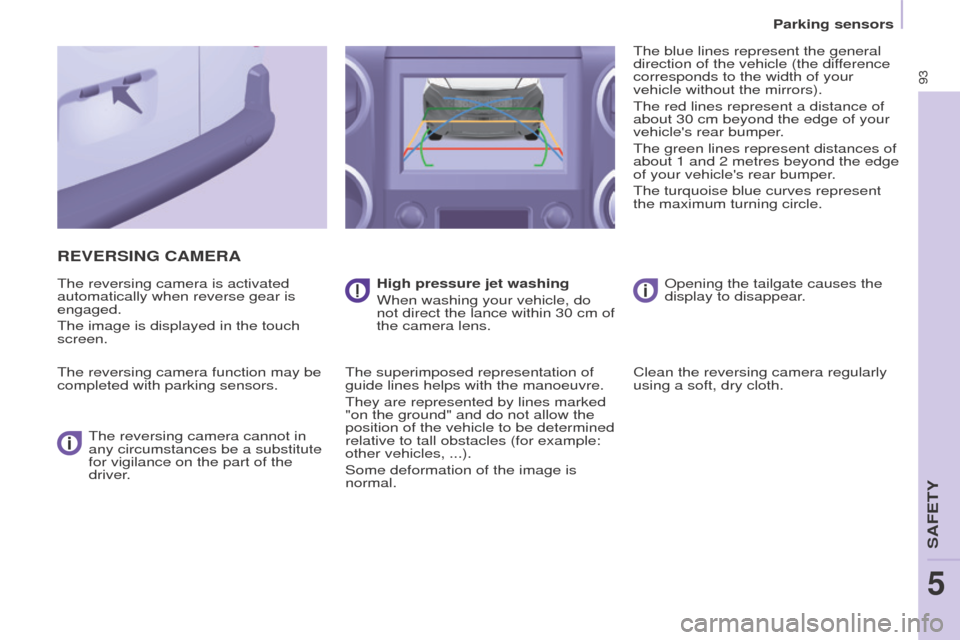
The superimposed representation of
guide lines helps with the manoeuvre.
They are represented by lines marked
"on the ground" and do not allow the
position of the vehicle to be determined
relative to tall obstacles (for example:
other vehicles, ...).
Some deformation of the image is
normal. The blue lines represent the general
direction of the vehicle (the difference
corresponds to the width of your
vehicle without the mirrors).
The red lines represent a distance of
about 30 cm beyond the edge of your
vehicle's rear bumper.
The green lines represent distances of
about 1 and 2 metres beyond the edge
of your vehicle's rear bumper.
The turquoise blue curves represent
the maximum turning circle.
Opening the tailgate causes the
display to disappear.
Clean the reversing camera regularly
using a soft, dry cloth.
SAFETY
5
Parking sensors
Page 96 of 260
ABS
ABS
94
Driving safely
Partner-2-Vu_en_Chap05_Securite_ed02-2015
ANTI-LOCK BRAKING SYSTEM
(ABS / EBFD)
The ABS and EBFD (electronic brake
force distribution) systems improve the
stability and manoeuvrability of your
vehicle on braking, in particular on
poor or slippery surfaces.
The ABS prevents locking of the
wheels, the EBFD provides control of
the braking pressure wheel by wheel. If this warning lamp comes
on, accompanied by an
audible signal and a message
in the screen, it indicates a
malfunction of the ABS which
could result in a loss of control of the
vehicle on braking.
If this warning lamp comes
on, together with the brake
and STOP warning lamps,
accompanied by an audible
signal and a message in the
screen, it indicates a malfunction of
the electronic brake force distribution
which could result in a loss of control of
the vehicle on braking.
EMERGENCY BRAKING
ASSIST
ANCE (EBA)
In an emergency, this system enables
the optimum braking pressure to be
reached more quickly, press the pedal
firmly without releasing it.
It is triggered by the speed at which the
brake pedal is pressed down.
This alters the resistance of the brake
pedal under your foot.
To maintain operation of the
emergency braking assistance system:
keep your foot on the brake pedal.
Good practice
The anti-lock braking system comes
into operation automatically when
there is a risk of wheel lock. It does not
reduce the braking distance.
On very slippery surfaces (ice, oil,
etc...) the ABS may increase the
braking distance. When braking in
an emergency, do not hesitate to
press the brake pedal firmly, without
releasing the pressure, even on a
slippery surface, you will then be able
to continue to manoeuvre the vehicle
to avoid an obstacle.
Normal operation of the ABS may be
felt by slight vibration of the brake
pedal.
When changing wheels (tyres and
rims), ensure that these are listed by
PEUGEOT for the vehicle. Stop as soon as it is safe to do so.
In both cases, contact a PEUGEOT
dealer or a qualified workshop.
Page 97 of 260
95
Driving safely
Partner-2-Vu_en_Chap05_Securite_ed02-2015
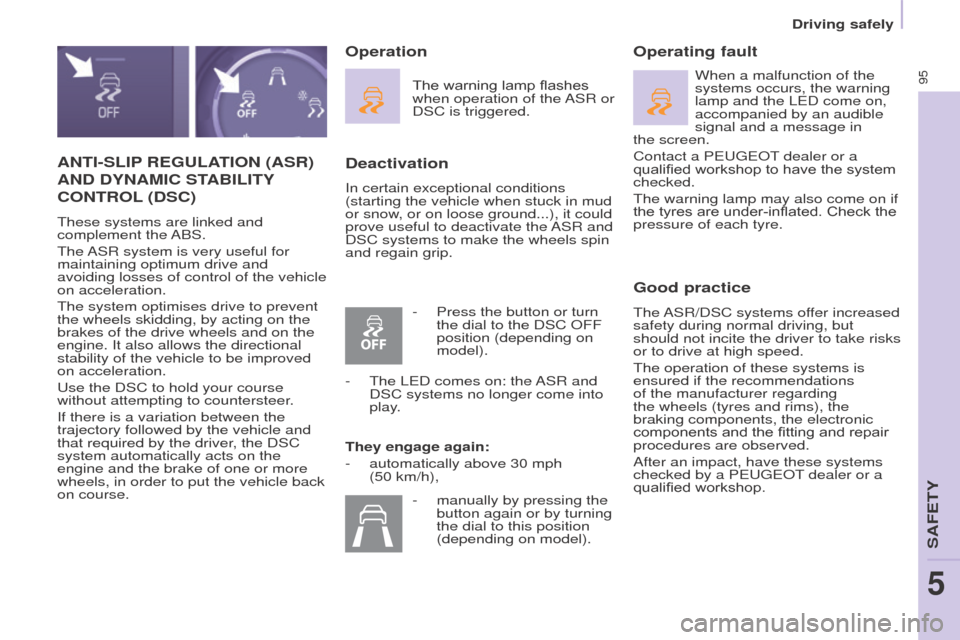
ANTI-SLIP REGULATION (ASR)
AND
DYNAMIC STABILITY
CONTROL (DSC)
These systems are linked and
complement the ABS.
The ASR system is very useful for
maintaining optimum drive and
avoiding losses of control of the vehicle
on acceleration.
The system optimises drive to prevent
the wheels skidding, by acting on the
brakes of the drive wheels and on the
engine. It also allows the directional
stability of the vehicle to be improved
on acceleration.
Use the DSC to hold your course
without attempting to countersteer.
If there is a variation between the
trajectory followed by the vehicle and
that required by the driver, the DSC
system automatically acts on the
engine and the brake of one or more
wheels, in order to put the vehicle back
on course.
Deactivation
In certain exceptional conditions
(starting the vehicle when stuck in mud
or snow, or on loose ground...), it could
prove useful to deactivate the ASR and
DSC systems to make the wheels spin
and regain grip.
Operating fault
Good practice
The ASR/DSC systems offer increased
safety during normal driving, but
should not incite the driver to take risks
or to drive at high speed.
The operation of these systems is
ensured if the recommendations
of the manufacturer regarding
the wheels (tyres and rims), the
braking components, the electronic
components and the fitting and repair
procedures are observed.
After an impact, have these systems
checked by a PEUGEOT dealer or a
qualified workshop.
Operation
The warning lamp flashes
when operation of the ASR or
DSC is triggered.
They engage again:
-
automatically above 30 mph
(50 km/h), When a malfunction of the
systems occurs, the warning
lamp and the LED come on,
accompanied by an audible
signal and a message in
the
screen.
Contact a PEUGEOT dealer or a
qualified workshop to have the system
checked.
The warning lamp may also come on if
the tyres are under-inflated. Check the
pressure of each tyre.
-
Press the button or turn
the dial to the DSC OFF
position (depending on
model).
-
The LED comes on: the
ASR and
DSC systems no longer come into
play.
-
manually by pressing the
button again or by turning
the dial to this position
(depending on model).
SAFETY
5
Page 98 of 260
96
Driving safely
Partner-2-Vu_en_Chap05_Securite_ed02-2015
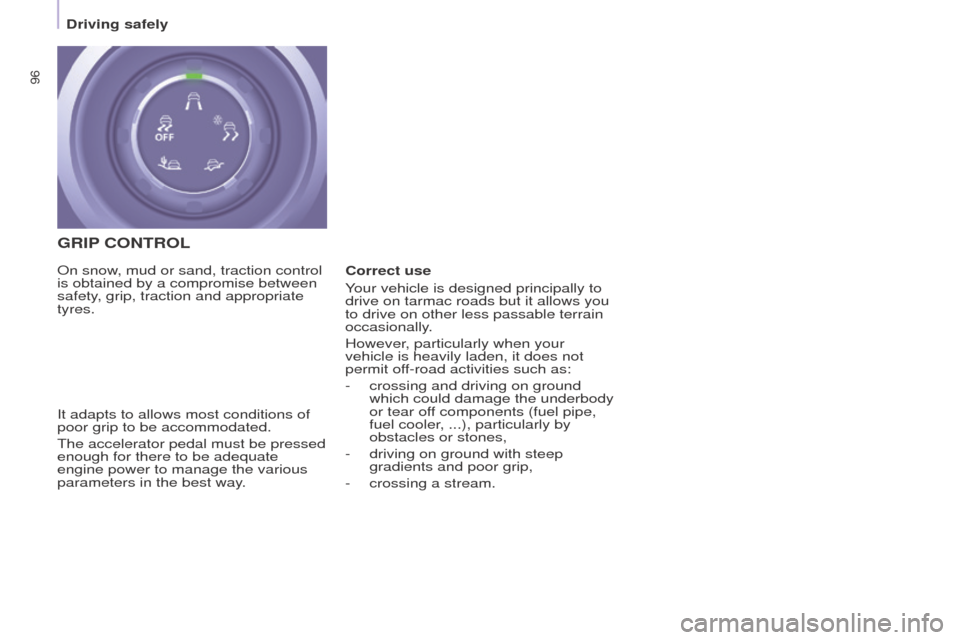
GRIP CONTROL
It adapts to allows most conditions of
poor grip to be accommodated.
The accelerator pedal must be pressed
enough for there to be adequate
engine power to manage the various
parameters in the best way. On snow, mud or sand, traction control
is obtained by a compromise between
safety, grip, traction and appropriate
tyres. Correct use
Your vehicle is designed principally to
drive on tarmac roads but it allows you
to drive on other less passable terrain
occasionally.
However, particularly when your
vehicle is heavily laden, it does not
permit off-road activities such as:
-
crossing and driving on ground
which could damage the underbody
or tear of
f components (fuel pipe,
fuel cooler, ...), particularly by
obstacles or stones,
-
driving on ground with steep
gradients and poor grip,
-
crossing a stream.
Page 99 of 260
97
Driving safely
Partner-2-Vu_en_Chap05_Securite_ed02-2015
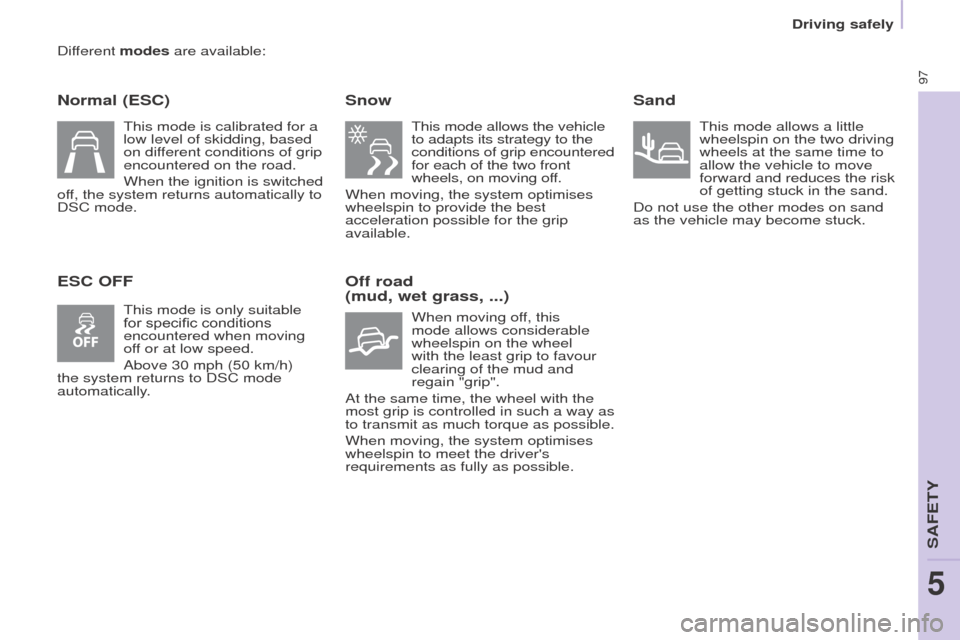
Different modes are available:
Normal (ESC)
ESC OFFSnow
This mode allows the vehicle
to adapts its strategy to the
conditions of grip encountered
for each of the two front
wheels, on moving off.
When moving, the system optimises
wheelspin to provide the best
acceleration possible for the grip
available.
Off road
(mud, wet grass, ...)
When moving off, this
mode allows considerable
wheelspin on the wheel
with the least grip to favour
clearing of the mud and
regain "grip".
At the same time, the wheel with the
most grip is controlled in such a way as
to transmit as much torque as possible.
When moving, the system optimises
wheelspin to meet the driver's
requirements as fully as possible.
Sand
This mode allows a little
wheelspin on the two driving
wheels at the same time to
allow the vehicle to move
forward and reduces the risk
of getting stuck in the sand.
Do not use the other modes on sand
as the vehicle may become stuck.
This mode is calibrated for a
low level of skidding, based
on different conditions of grip
encountered on the road.
When the ignition is switched
off, the system returns automatically to
DSC mode.
This mode is only suitable
for specific conditions
encountered when moving
off or at low speed.
Above 30 mph (50 km/h)
the system returns to DSC mode
automatically.
SAFETY
5
Page 100 of 260
98
Driving safely
Partner-2-Vu_en_Chap05_Securite_ed02-2015
ACTIVE CITY BRAKE
Active City Brake is a driving
assistance system that aims to avoid
a frontal collision or reduce the speed
of an impact if the driver does not
react sufficiently (inadequate brake
application).
This system is designed to
improve driving safety.
It remains the driver's
responsibility to continuously
monitor the state of the traffic and
to assess the distances and relative
speeds of other vehicles.
Active City Brake can in no
circumstances replace the need for
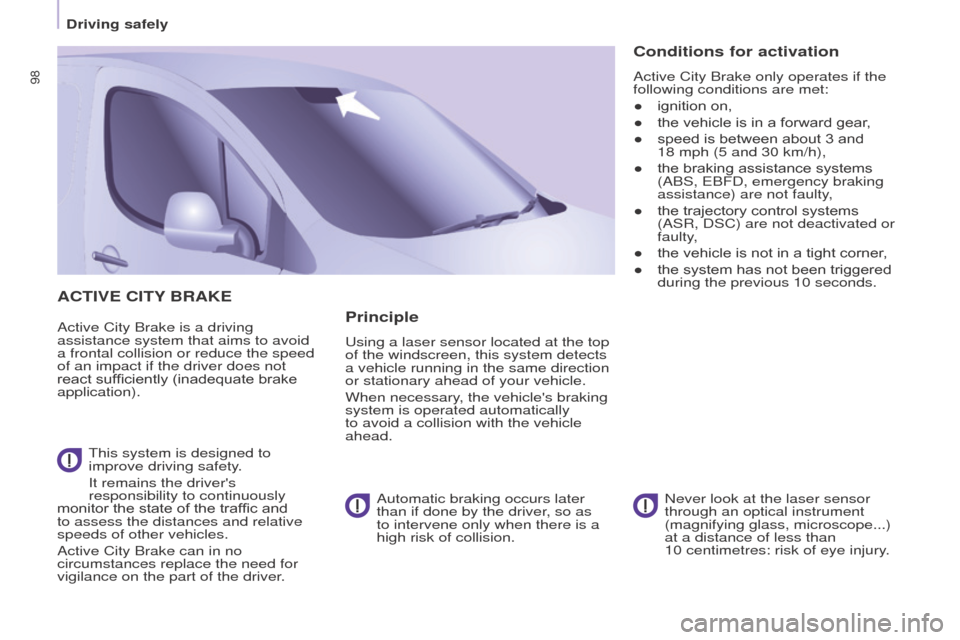
vigilance on the part of the driver. Never look at the laser sensor
through an optical instrument
(magnifying glass, microscope...)
at a distance of less than
10
centimetres: risk of eye injury.Principle
Using a laser sensor located at the top
of the windscreen, this system detects
a vehicle running in the same direction
or stationary ahead of your vehicle.
When necessary, the vehicle's braking
system is operated automatically
to avoid a collision with the vehicle
ahead.Automatic braking occurs later
than if done by the driver, so as
to intervene only when there is a
high risk of collision.
Conditions for activation
Active City Brake only operates if the
following conditions are met:
●
ignition on,
●
the vehicle is in a forward gear
,
●
speed is between about 3 and
18
mph (5 and 30 km/h),
●
the braking assistance systems
(ABS, EBFD, emergency braking
assistance) are not faulty
,
●
the trajectory control systems
(ASR, DSC) are not deactivated or
faulty
,
●
the vehicle is not in a tight corner
,
●
the system has not been triggered
during the previous 10 seconds.
Page 101 of 260
99
Driving safely
Partner-2-Vu_en_Chap05_Securite_ed02-2015
Operation
When your vehicle is too close to or
approaches the vehicle ahead too
quickly the system automatically
applies the brakes to avoid a collision.
You are then alerted by the display of a
message.
The brake lamps on your vehicle come
on to warn other road users.
The collision can be avoided
automatically if the difference in
speed between your vehicle and the
vehicle ahead does not exceed 9 mph
(15 km/h).
Above this threshold, the system will
do what is possible to avoid or reduce
the accident by lowering the speed of
impact.
The automatic braking may bring
the vehicle to a complete stop if the
situation requires it.
In this case, the vehicle is held
stationary temporarily (for about
1.5
seconds) to allow the driver to take
back control by pressing the brake
pedal. The triggering of the system may
cause the engine to stall, unless
the driver depresses the clutch
pedal quickly enough during
automatic braking.
During automatic braking, the
driver can always obtain a higher
rate of deceleration than that
controlled by the system, by pressing
firmly on the brake pedal.
After an impact, the system is
automatically put out of service: it
no longer operates.
You must go to a PEUGEOT dealer
or a qualified workshop to have the
system made operational again.
Operating limits
The system only detects vehicles that
are stationary or moving in the same
direction as your vehicle.
It does not detect small vehicles
(bicycles, motorcycles),
pedestrians or animals, nor non-
reflective stationary objects.
The system is not triggered or is
interrupted if the driver:
-
accelerates strongly
-
or turns the steering wheel
suddenly (avoiding manoeuvre). In difficult weather conditions (very
heavy rain, snow
, fog, hail...),
braking distances increase, which
can reduce the ability of the system to
avoid a collision.
The driver must therefore remain
particularly vigilant.
Never leave accumulations of
snow or any object projecting
above the bonnet or in front of
the roof: this might fall into the field of
vision of the sensor and generate a
detection.
SAFETY
5
Page 102 of 260
100
Driving safely
Partner-2-Vu_en_Chap05_Securite_ed02-2015
Deactivation
The system is deactivated in the
vehicle configuration menu, accessible
with the ignition on.
Its state is memorised when the
ignition is switched off.When the system is deactivated,
a message is displayed every
time the ignition is switched on, to
warn
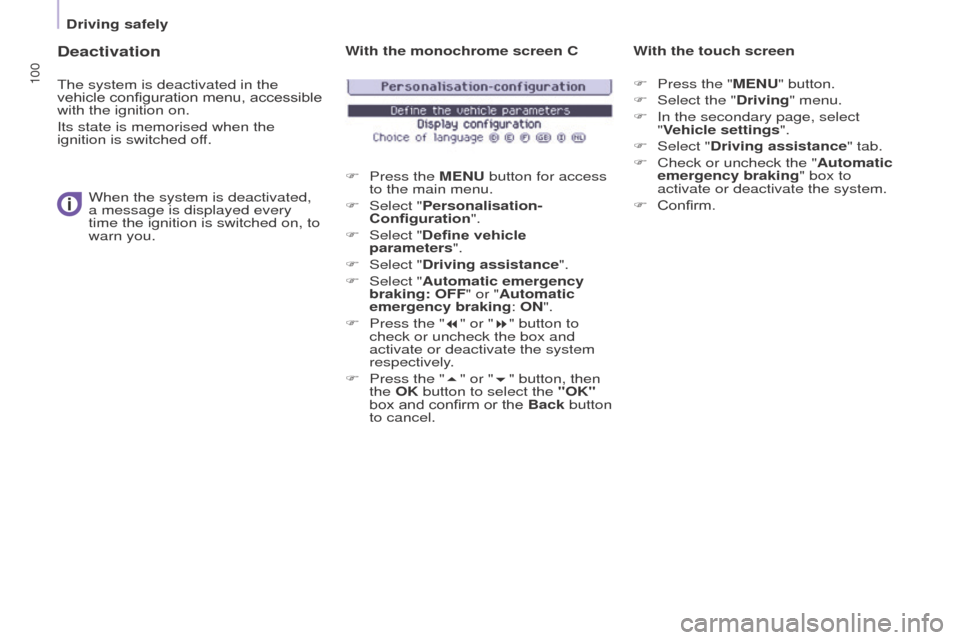
you. With the monochrome screen C
F
Press the
MENU button for access
to the main menu.
F
Select "
Personalisation-
Configuration".
F
Select "
Define vehicle
parameters".
F
Select "
Driving assistance".
F
Select "
Automatic emergency
braking: OFF" or "Automatic
emergency braking: ON".
F
Press the "
7" or "8" button to
check or uncheck the box and
activate or deactivate the system
respectively.
F
Press the "
5" or "6" button, then
the OK button to select the "OK"
box and confirm or the Back button
to cancel. With the touch screen
F
Press the " MENU" button.
F Select the " Driving" menu.
F
In the secondary page, select
"
Vehicle settings".
F
Select "
Driving assistance" tab.
F
Check or uncheck the "
Automatic
emergency braking" box to
activate or deactivate the system.
F
Confirm.