change time Peugeot Partner 2016 User Guide
[x] Cancel search | Manufacturer: PEUGEOT, Model Year: 2016, Model line: Partner, Model: Peugeot Partner 2016Pages: 260, PDF Size: 8.83 MB
Page 144 of 260
142
Partner-2-Vu_en_Chap08_Aide-rapide_ed02-2015
1. Parking the vehicle
- The occupants must get out of the
vehicle and wait in a safe location.
-
If possible, park the vehicle on
level, stable and non-slippery
ground.
-
Apply the parking brake, switch
of
f the ignition and engage first or
reverse gear. -
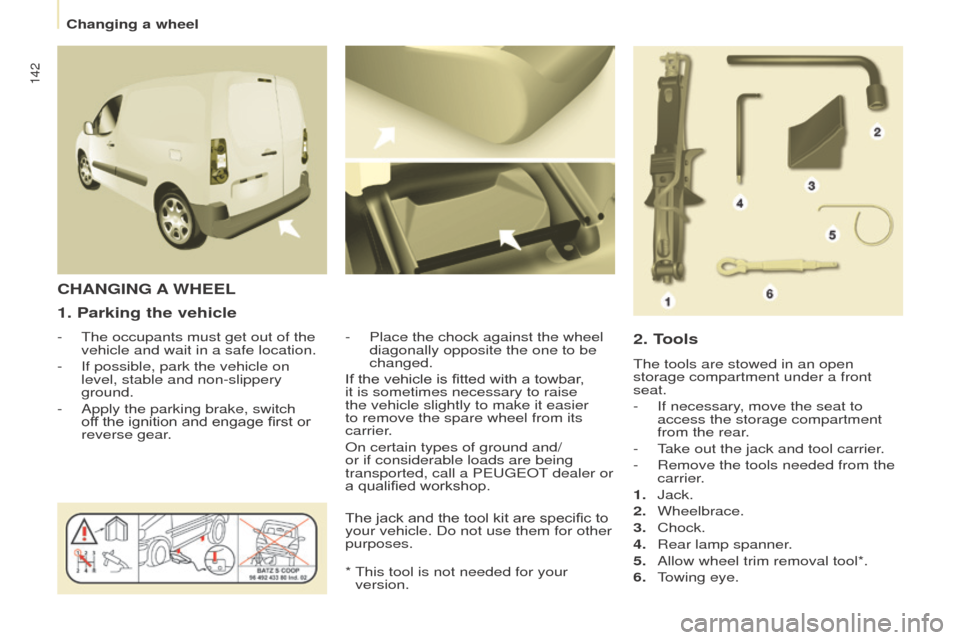
Place the chock against the wheel
diagonally opposite the one to be
changed.
CHANGING A WHEEL
2. T
ools
The tools are stowed in an open
storage compartment under a front
seat.
-
If necessary
, move the seat to
access the storage compartment
from the rear.
-
T
ake out the jack and tool carrier.
-
Remove the tools needed from the
carrier
.
1.
Jack.
2.
Wheelbrace.
3.
Chock.
4.
Rear lamp spanner
.
5.
Allow wheel trim removal tool*.
6.
T
owing eye.
If the vehicle is fitted with a towbar,
it is sometimes necessary to raise
the vehicle slightly to make it easier
to remove the spare wheel from its
carrier.
On certain types of ground and/
or if considerable loads are being
transported, call a PEUGEOT dealer or
a qualified workshop.
*
This tool is not needed for your
version.
The jack and the tool kit are specific to
your vehicle. Do not use them for other
purposes.
Changing a wheel
Page 154 of 260
152
Partner-2-Vu_en_Chap08_Aide-rapide_ed02-2015
This procedure requires the use of
the spanner supplied with the tools for
changing a wheel.-
Move aside the 4 tabs then extract
the bulb holder
.
-
Remove the faulty bulb by
pressing it lightly while turning it
anticlockwise.
-
Change the bulb.
When removing the lamp unit:
-
with tailgate, pull the lamp unit
towards the centre of the vehicle,
-
with hinged doors, pull the lamp
unit towards you.When refitting, take care to
reposition the tabs and the wiring
correctly to avoid trapping the
wiring.
After changing the rear direction
indicator bulb, the reinitialisation time is
above 2 minutes.
Rear lamps
For more information on bulbs, refer to
the "Types of bulb".
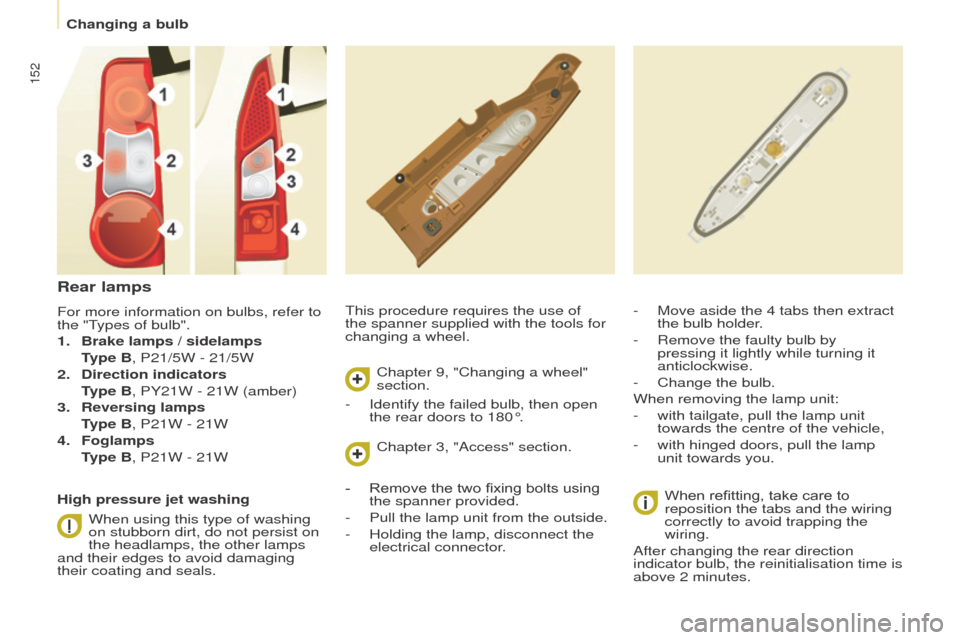
1.
Brake lamps / sidelamps
T
ype B, P21/5W - 21/5W
2.
Direction indicators
T
ype B, PY21W - 21W (amber)
3.
Reversing lamps
T
ype B, P21W - 21W
4.
Foglamps
T
ype B, P21W - 21W
High pressure jet washing When using this type of washing
on stubborn dirt, do not persist on
the headlamps, the other lamps
and their edges to avoid damaging
their coating and seals. Chapter 9, "Changing a wheel"
section.
Chapter 3, "Access" section.
-
Identify the failed bulb, then open
the rear doors to 180°.
-
Remove the two fixing bolts using
the spanner provided.
-
Pull the lamp unit from the outside.
-
Holding the lamp, disconnect the
electrical connector
.
Changing a bulb
Page 199 of 260
197
Partner-2-Vu_en_Chap10a_SMEGplus_ed02-2015
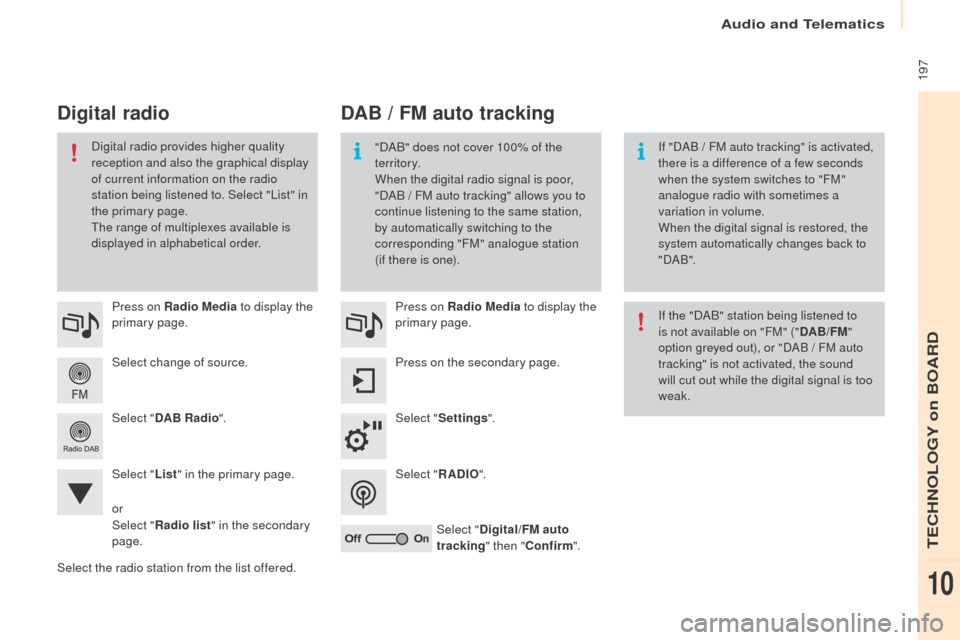
Select change of source. Press on Radio Media to display the
primary page.
Select " DAB Radio ".
Select " List" in the primary page.
Select the radio station from the list offered. Press on Radio Media
to display the
primary page.
Press on the secondary page.
Select " Settings ".
Select " RADIO".
Select " Digital/FM auto
tracking " then "Confirm ".
DAB / FM auto tracking
Digital radio
"DAB" does not cover 100% of the
te r r i to r y.
When the digital radio signal is poor,
"DAB
/ FM auto tracking" allows you to
continue listening to the same station,
by automatically switching to the
corresponding "FM" analogue station
(if there is one). If "DAB
/ FM auto tracking" is activated,
there is a difference of a few seconds
when the system switches to "FM"
analogue radio with sometimes a
variation in volume.
When the digital signal is restored, the
system automatically changes back to
" DA B ".
Digital radio provides higher quality
reception and also the graphical display
of current information on the radio
station being listened to. Select "List" in
the primary page.
The range of multiplexes available is
displayed in alphabetical order.
If the "DAB" station being listened to
is not available on "FM" ("DAB/FM"
option greyed out), or "DAB / FM auto
tracking" is not activated, the sound
will cut out while the digital signal is too
weak.
or
Select " Radio list " in the secondary
page.
Audio and Telematics
TECHNOLOGY on BOARD
10
Page 200 of 260
198
Partner-2-Vu_en_Chap10a_SMEGplus_ed02-2015
Media
USB playerSelection of source
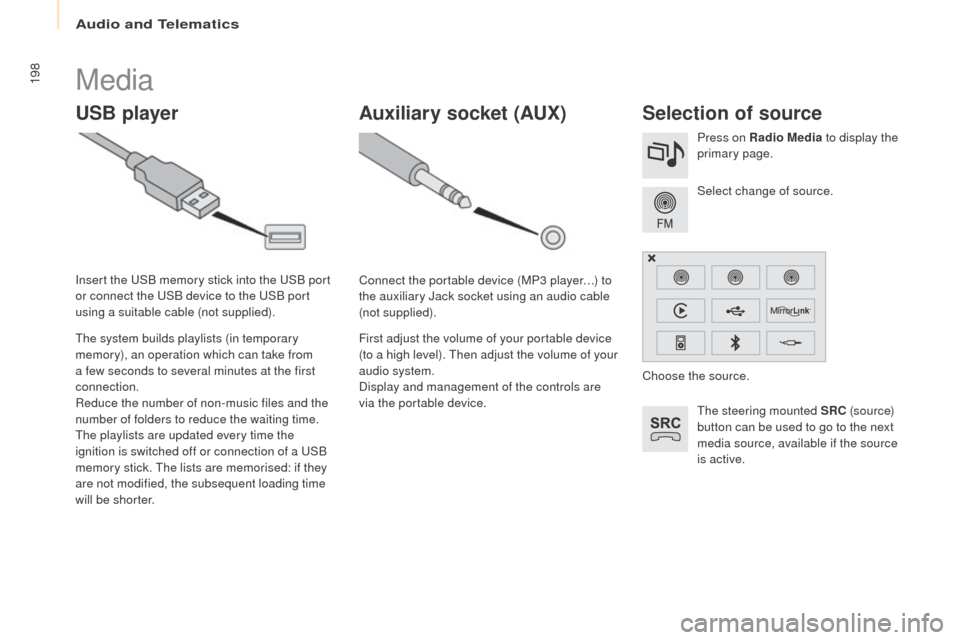
The steering mounted SRC (s o u r c e)
button can be used to go to the next
media source, available if the source
is active. Select change of source. Press on Radio Media to display the
primary page.
The system builds playlists (in temporary
memory), an operation which can take from
a few seconds to several minutes at the first
connection.
Reduce the number of non-music files and the
number of folders to reduce the waiting time.
The playlists are updated every time the
ignition is switched off or connection of a USB
memory stick. The lists are memorised: if they
are not modified, the subsequent loading time
will be shorter. Insert the USB memory stick into the USB port
or connect the USB device to the USB port
using a suitable cable (not supplied).
Auxiliary socket (AUx)
Connect the portable device (MP3 player…) to
the auxiliary Jack socket using an audio cable
(not supplied).
First adjust the volume of your portable device
(to a high level). Then adjust the volume of your
audio system.
Display and management of the controls are
via the portable device. Choose the source.
Audio and Telematics
Page 211 of 260
209
Partner-2-Vu_en_Chap10a_SMEGplus_ed02-2015
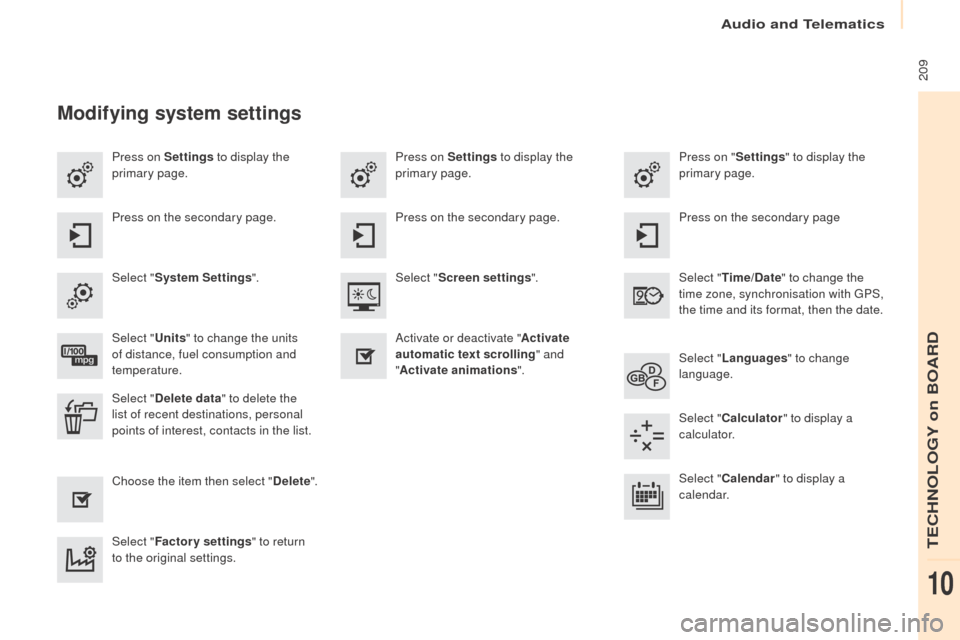
Press on Settings to display the
primary page. Press on "
Settings" to display the
primary page.
Press on Settings
to display the
primary page.
Press on the secondary page. Press on the secondary page
Press on the secondary page.
Select " System Settings ". Select "Time/Date " to change the
time zone, synchronisation with GPS,
the time and its format, then the date.
Select "
Screen settings ".
Select " Units" to change the units
of distance, fuel consumption and
temperature. Select "
Languages " to change
language.
Activate or deactivate "
Activate
automatic text scrolling " and
" Activate animations ".
Select " Delete data " to delete the
list of recent destinations, personal
points of interest, contacts in the list. Select "
Calculator " to display a
calculator.
Choose the item then select " Delete". Select "
Calendar " to display a
calendar.
Select " Factory settings " to return
to the original settings.
Modifying system settings
Audio and Telematics
TECHNOLOGY on BOARD
10
Page 244 of 260
Audio and Telematics
242
Partner-2-Vu_en_Chap10b_RD45_ed02-2015
Media
USB player
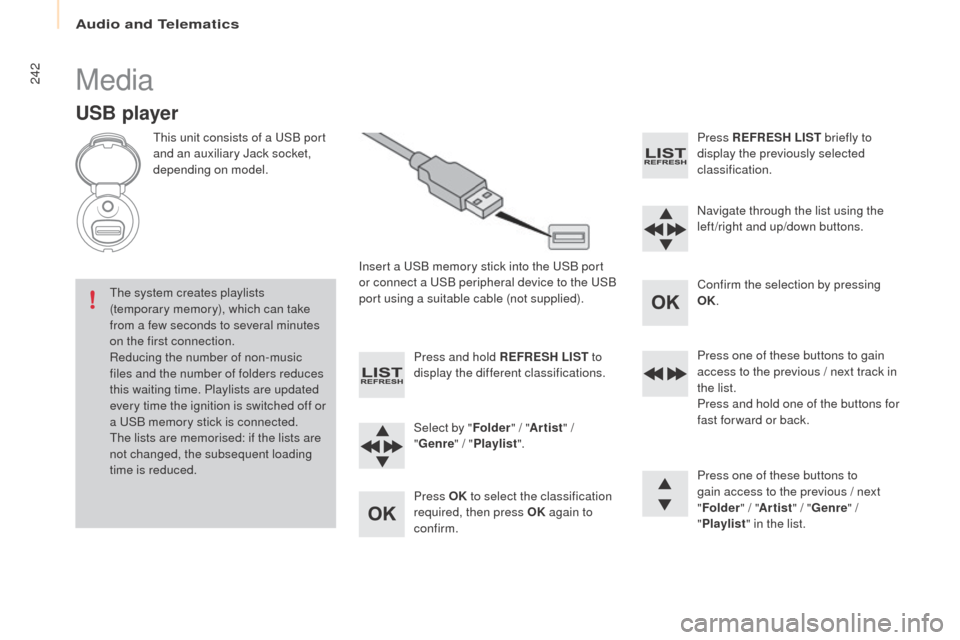
This unit consists of a USB port
and an auxiliary Jack socket,
depending on model.Insert a USB memory stick into the USB port
or connect a USB peripheral device to the USB
port using a suitable cable (not supplied).
The system creates playlists
(temporary memory), which can take
from a few seconds to several minutes
on the first connection.
Reducing the number of non-music
files and the number of folders reduces
this waiting time. Playlists are updated
every time the ignition is switched off or
a USB memory stick is connected.
The lists are memorised: if the lists are
not changed, the subsequent loading
time is reduced. Press and hold REFRESH LIST
to
display the different classifications.
Select by " Folder" / "Artist " /
" Genre " / "Playlist ".
Press OK to select the classification
required, then press OK again to
confirm. Press REFRESH LIST
briefly to
display the previously selected
classification.
Navigate through the list using the
left /right and up/down buttons.
Confirm the selection by pressing
OK.
Press one of these buttons to gain
access to the previous / next track in
the list.
Press and hold one of the buttons for
fast for ward or back.
Press one of these buttons to
gain access to the previous / next
" Folder " / "Artist " / "Genre " /
" Playlist " in the list.