bluetooth Peugeot Partner 2016 Owner's Guide
[x] Cancel search | Manufacturer: PEUGEOT, Model Year: 2016, Model line: Partner, Model: Peugeot Partner 2016Pages: 260, PDF Size: 8.83 MB
Page 249 of 260
Audio and Telematics
247
Partner-2-Vu_en_Chap10b_RD45_ed02-2015
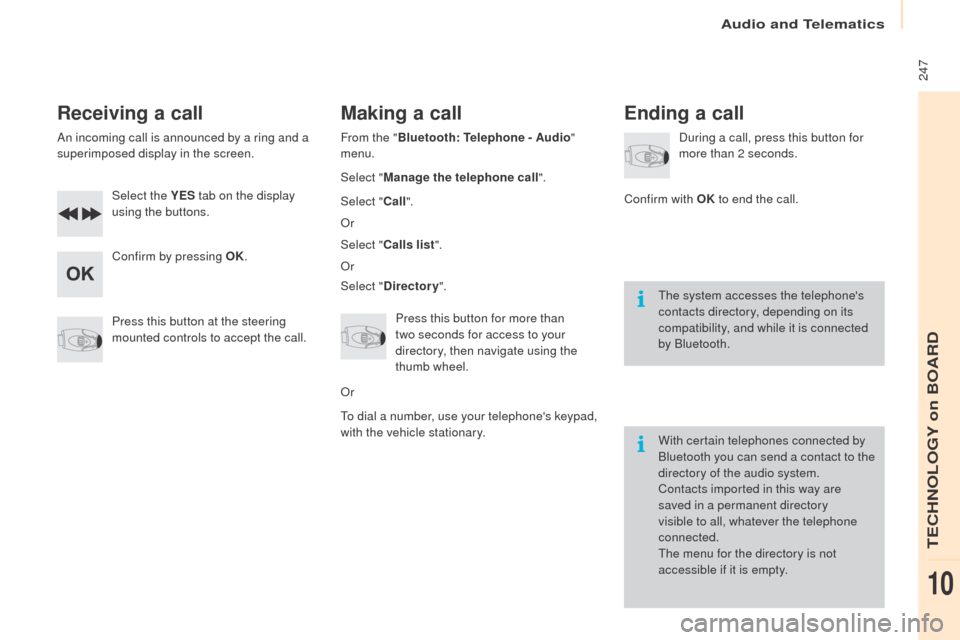
Receiving a call
An incoming call is announced by a ring and a
superimposed display in the screen.Select the YES tab on the display
using the buttons.
Confirm by pressing OK.
Press this button at the steering
mounted controls to accept the call.
Making a call
From the " Bluetooth : Telephone - Audio "
menu.
Select " Manage the telephone call".
Select " Call".
Or
Select " Calls list ".
Or
Select " Directory ".
Press this button for more than
two
seconds for access to your
directory, then navigate using the
thumb wheel.
Or
To dial a number, use your telephone's keypad,
with the vehicle stationary.
Ending a call
During a call, press this button for
more than 2 seconds.
Confirm with OK to end the call.
The system accesses the telephone's
contacts directory, depending on its
compatibility, and while it is connected
by Bluetooth.
With certain telephones connected by
Bluetooth you can send a contact to the
directory of the audio system.
Contacts imported in this way are
saved in a permanent directory
visible to all, whatever the telephone
connected.
The menu for the directory is not
accessible if it is empty.
TECHNOLOGY on BOARD
10
Page 253 of 260
Audio and Telematics
251
Partner-2-Vu_en_Chap10b_RD45_ed02-2015
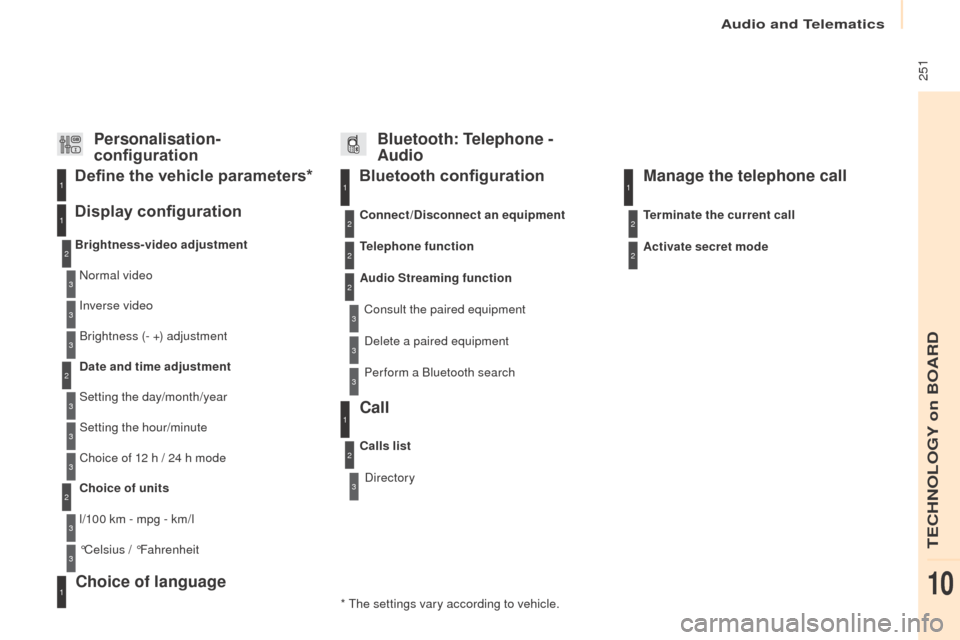
Bluetooth configuration11
1
22
22
2
3
3
3
2
3
Normal video
Brightness-video adjustment
Display configuration Define the vehicle parameters*
Inverse video
Brightness (- +) adjustment
Date and time adjustment
Setting the day/month/year
Setting the hour/minute
Choice of 12 h / 24 h mode
Choice of units
l/100 km - mpg - km/l
°Celsius / °Fahrenheit
1
1
3
3
2
3
2
3
3
2
3
3
3
Personalisation-
configuration Bluetooth: Telephone -
Audio
Telephone function
Delete a paired equipment
Connect/Disconnect an equipment
Audio Streaming function
Consult the paired equipment
Per form a Bluetooth search
Calls list
Call
Directory Terminate the current call
Manage the telephone call
Activate secret mode
* The settings vary according to vehicle.
Choice of language1
TECHNOLOGY on BOARD
10
Page 256 of 260
Audio and Telematics
254
Partner-2-Vu_en_Chap10b_RD45_ed02-2015
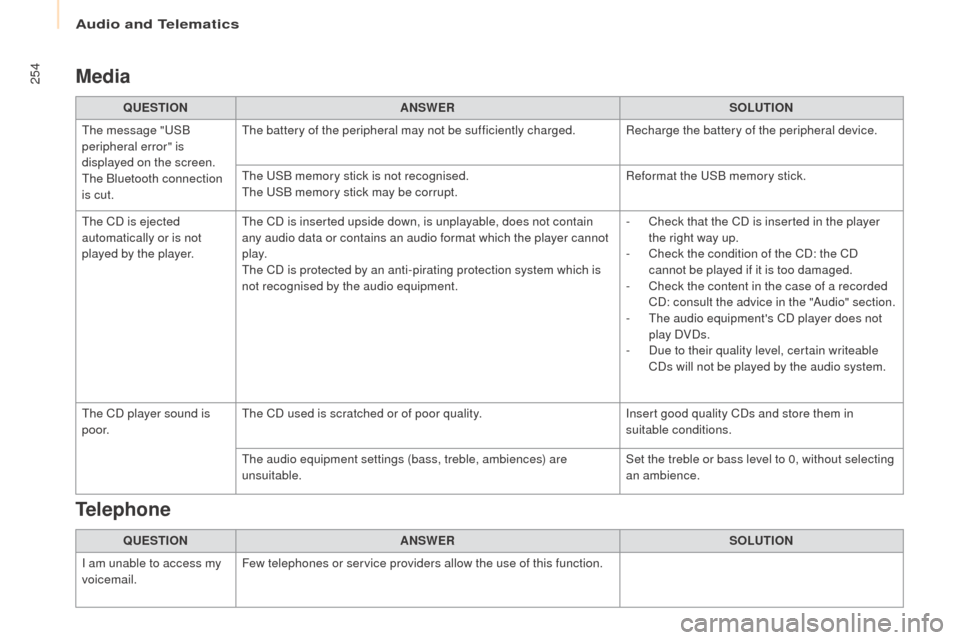
Media
QUESTIONANSWER SOLUTION
The message "USB
peripheral error" is
displayed on the screen.
The Bluetooth connection
is cut. The battery of the peripheral may not be sufficiently charged. Recharge the battery of the peripheral device.
The USB memory stick is not recognised.
The USB memory stick may be corrupt.
Reformat the USB memory stick.
The CD is ejected
automatically or is not
played by the player. The CD is inserted upside down, is unplayable, does not contain
any audio data or contains an audio format which the player cannot
p l ay.
The CD is protected by an anti-pirating protection system which is
not recognised by the audio equipment. -
C
heck that the CD is inserted in the player
the right way up.
-
C
heck the condition of the CD: the CD
cannot be played if it is too damaged.
-
C
heck the content in the case of a recorded
CD: consult the advice in the "Audio" section.
-
T
he audio equipment's CD player does not
play DVDs.
-
D
ue to their quality level, certain writeable
CDs will not be played by the audio system.
The CD player sound is
p o o r. The CD used is scratched or of poor quality.
Insert good quality CDs and store them in
suitable conditions.
The audio equipment settings (bass, treble, ambiences) are
unsuitable. Set the treble or bass level to 0, without selecting
an ambience.
QUESTION ANSWER SOLUTION
I am unable to access my
voicemail. Few telephones or service providers allow the use of this function.
Telephone