key Peugeot Partner 2016 Owner's Guide
[x] Cancel search | Manufacturer: PEUGEOT, Model Year: 2016, Model line: Partner, Model: Peugeot Partner 2016Pages: 260, PDF Size: 8.83 MB
Page 134 of 260
DIESEL
132
Partner-2-Vu_en_Chap07_Verification_ed02-2015
FUEL CUT- OFF
The flashing of this warning
lamp is accompanied by a
message in the screen.
Check that there is no odour or
leakage of fuel outside the vehicle and
re-establish the fuel supply:
-
switch of
f the ignition (STOP
position),
-
remove the key
,
-
put the key back in the ignition,
-
switch on the ignition and start.
DIESEL PRIMING PUMPFuel used for Diesel engines
The Diesel engines are compatible with
biofuels which conform to current and
future European standards (Diesel fuel
which complies with standard EN 590
mixed with a biofuel which complies
with standard EN 14214) available at
the pumps (containing up to 7 % Fatty
Acid Methyl Ester).
B30 biofuel can be used in certain
Diesel engines. However, this use,
even occasional, requires strict
application of the special servicing
conditions. Contact a PEUGEOT
dealer or a qualified workshop.
The use of any other type of (bio)
fuel (vegetable or animal oils, pure
or diluted, domestic fuel...) is strictly
prohibited (risk of damage to the
engine and fuel system). In a serious collision, a mechanism
automatically prevents fuel from
reaching the engine.
If you run out of fuel, it is necessary to
prime the fuel circuit.
Other HDi engines
- Fill the fuel tank with at least five
litres of Diesel.
-
Squeeze and release the manual
priming pump, under the bonnet,
under the protective cover
.
-
Operate the starter until the engine
starts.
BlueHDi engine
- Fill the fuel tank with at least
five litres of Diesel.
-
Switch on the ignition (without
starting the engine).
-
W
ait around 6 seconds and switch
off the ignition.
-
Repeat the operation 10 times.
-
Operate the starter to run the
engine.
Fuel
Page 143 of 260
141
Partner-2-Vu_en_Chap08_Aide-rapide_ed02-2015
ECONOMY MODE
After the engine has stopped, with
the key in the ignition position, certain
functions (windscreen wiper, electric
windows, courtesy lamps, audio
equipment, etc.) can only be used for a
cumulative duration of thirty minutes, to
prevent discharging of the battery.
Once the thirty minutes have elapsed,
the active functions are put on standby
and the battery warning lamp flashes
accompanied by a message in the
screen.
To resume the use of these functions
immediately, start the engine and let it
run for a few minutes.
The time available will then be double
the time for which the engine was left
running. However, this time will always
be between five and thirty minutes.
A flat battery will prevent the
engine from starting.
Battery
QUICK HELP
8
Page 197 of 260
195
Partner-2-Vu_en_Chap10a_SMEGplus_ed02-2015
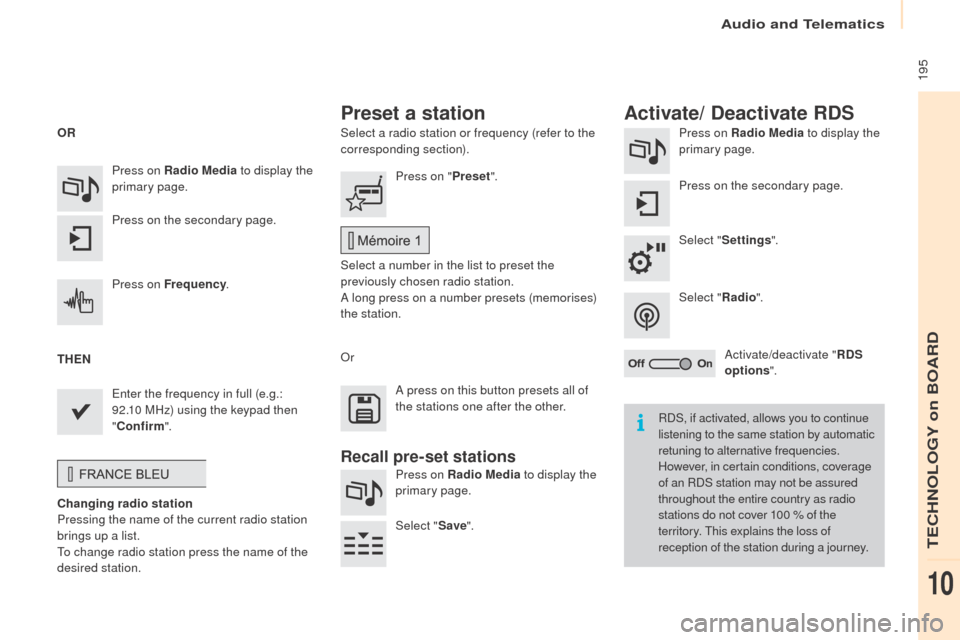
Select a radio station or frequency (refer to the
corresponding section).Press on Radio Media
to display the
primary page.
Press on the secondary page.
Select " Settings ".
Select " Radio".
Activate/deactivate " RDS
options ".
Press on Radio Media
to display the
primary page.
Press on the secondary page. Press on "
Preset".
Select a number in the list to preset the
previously chosen radio station.
A long press on a number presets (memorises)
the station.
Press on Frequency
.
Enter the frequency in full (e.g.:
92.10 MHz) using the keypad then
" Confirm ".
Changing radio station
Pressing the name of the current radio station
brings up a list.
To change radio station press the name of the
desired station. Or
Press on Radio Media to display the
primary page.
Select " Save".
Preset a station Activate/ Deactivate RDS
OR
THEN
A press on this button presets all of
the stations one after the other.
Recall pre-set stations
RDS, if activated, allows you to continue
listening to the same station by automatic
retuning to alternative frequencies.
However, in certain conditions, coverage
of an RDS station may not be assured
throughout the entire country as radio
stations do not cover 100 % of the
territory. This explains the loss of
reception of the station during a journey.
Audio and Telematics
TECHNOLOGY on BOARD
10
Page 223 of 260
221
Partner-2-Vu_en_Chap10a_SMEGplus_ed02-2015
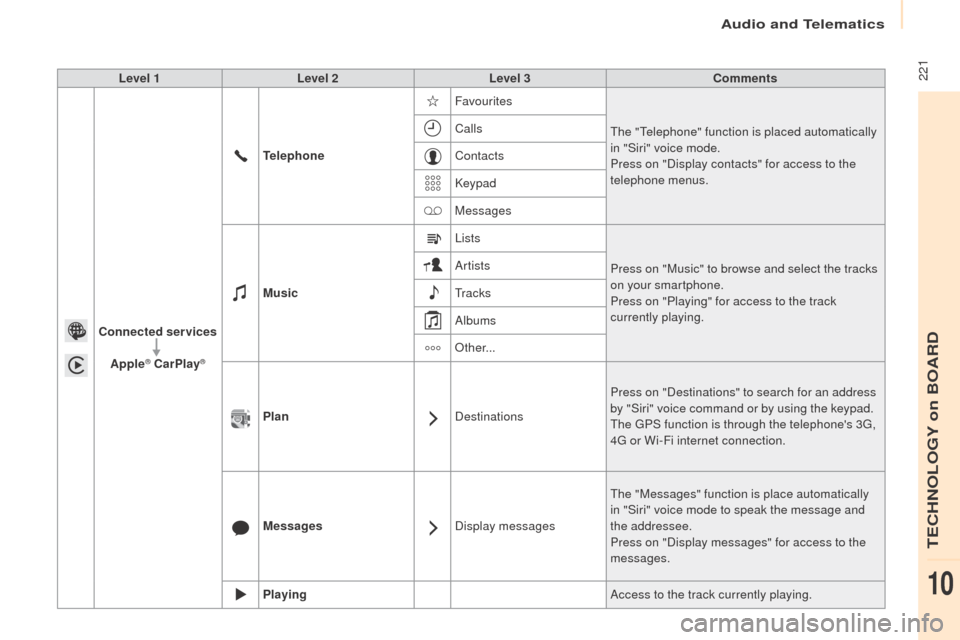
Level 1Level 2 Level 3 Comments
Connected services Apple
® CarPlay®
Telephone Favourites
The "Telephone" function is placed automatically
in "Siri" voice mode.
Press on "Display contacts" for access to the
telephone menus.
Calls
Contacts
Keypad
Messages
Music Lists
Press on "Music" to browse and select the tracks
on your smartphone.
Press on "Playing" for access to the track
currently playing.
Artists
Tr a c k s
Albums
Other...
Plan DestinationsPress on "Destinations" to search for an address
by "Siri" voice command or by using the keypad.
The GPS function is through the telephone's 3G,
4G or Wi-Fi internet connection.
Messages Display messagesThe "Messages" function is place automatically
in "Siri" voice mode to speak the message and
the addressee.
Press on "Display messages" for access to the
messages.
Playing Access to the track currently playing.
Audio and Telematics
TECHNOLOGY on BOARD
10
Page 230 of 260
228
Partner-2-Vu_en_Chap10a_SMEGplus_ed02-2015
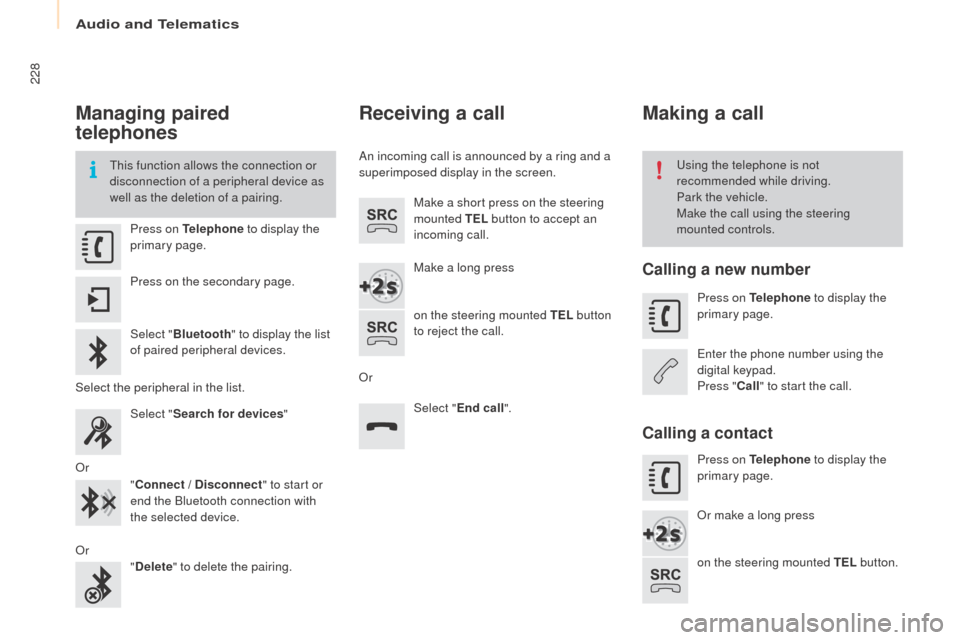
Managing paired
telephones
This function allows the connection or
disconnection of a peripheral device as
well as the deletion of a pairing.Using the telephone is not
recommended while driving.
Park the vehicle.
Make the call using the steering
mounted controls.
Press on Telephone
to display the
primary page.
Press on the secondary page.
Select " Bluetooth " to display the list
of paired peripheral devices.
Select the peripheral in the list. Select "Search for devices "
Or "Connect / Disconnect " to start or
end the Bluetooth connection with
the selected device.
Or "Delete " to delete the pairing.
Receiving a call
An incoming call is announced by a ring and a
superimposed display in the screen.
Make a short press on the steering
mounted TEL button to accept an
incoming call.
Make a long press
on the steering mounted TEL button
to reject the call.
Or Select "End call".
Making a call
Calling a new number
Press on Telephone to display the
primary page.
Enter the phone number using the
digital keypad.
Press " Call" to start the call.
Calling a contact
Press on Telephone to display the
primary page.
Or make a long press
on the steering mounted TEL button.
Audio and Telematics
Page 247 of 260
Audio and Telematics
245
Partner-2-Vu_en_Chap10b_RD45_ed02-2015
Use only USB memory sticks formatted FAT32
(File Allocation Table).It is recommended that you use
genuine Apple
® USB cables for correct
operation.
*
I
n certain cases, play of the audio files must
be initiated from the keypad.
** If the telephone supports the function.
Bluetooth® audio streaming
Streaming allows music files on the telephone
to be played via the audio system.
Connect the telephone: see the " Telephone"
section.
Select in the " Bluetooth: Telephone - Audio "
menu the telephone to be connected.
The audio system connects to a newly paired
telephone automatically.
Control of tracks to be played is via the buttons
on the audio system control panel and the
steering mounted controls**. The contextual
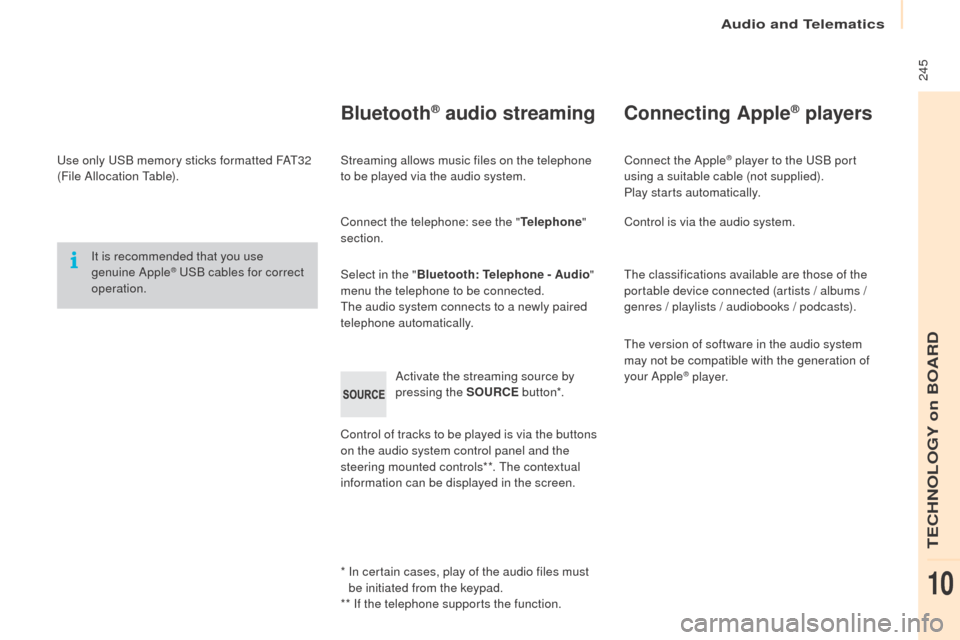
information can be displayed in the screen. Activate the streaming source by
pressing the SOURCE
but to n*.
Connecting Apple® players
Connect the Apple® player to the USB port
using a suitable cable (not supplied).
Play starts automatically.
Control is via the audio system.
The classifications available are those of the
portable device connected (artists / albums /
genres / playlists / audiobooks / podcasts).
The version of software in the audio system
may not be compatible with the generation of
your Apple
® p l aye r.
TECHNOLOGY on BOARD
10
Page 248 of 260
Audio and Telematics
246
Partner-2-Vu_en_Chap10b_RD45_ed02-2015
Telephone
Pairing a Bluetooth® telephone
Screen C
(Available according to model and version)
As a safety measure and because they
require prolonged attention on the part
of the driver, the operations for pairing
of the Bluetooth mobile telephone with
the Bluetooth hands-free system of
your audio equipment must be carried
out with the vehicle stationary and the
ignition on.
Go to www.peugeot.co.uk for more information
(compatibility, more help,
...).
Activate the telephone's Bluetooth function
and ensure that it is "visible to all" (telephone
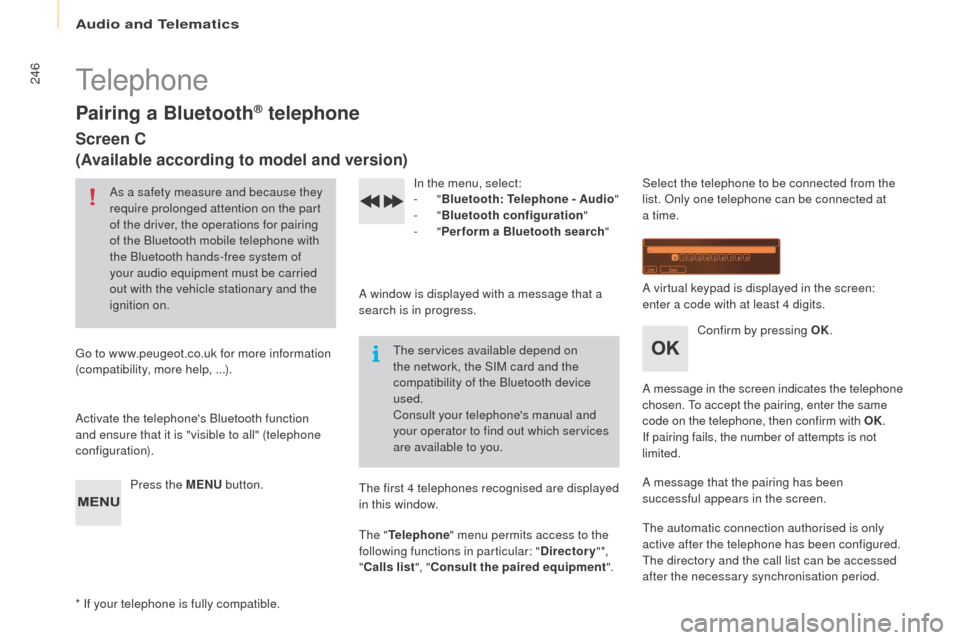
configuration). Press the MENU button. In the menu, select:
-
"Bluetooth : Telephone - Audio "
-
"Bluetooth configuration "
-
"Perform a Bluetooth search "
A window is displayed with a message that a
search is in progress. The services available depend on
the network, the SIM card and the
compatibility of the Bluetooth device
used.
Consult your telephone's manual and
your operator to find out which services
are available to you.
* If your telephone is fully compatible. The first 4 telephones recognised are displayed
in this window.
The "
Telephone " menu permits access to the
following functions in particular: " Directory" *,
" Calls list ", "Consult the paired equipment ".Select the telephone to be connected from the
list. Only one telephone can be connected at
a time.
A virtual keypad is displayed in the screen:
enter a code with at least 4 digits.
Confirm by pressing OK.
A message in the screen indicates the telephone
chosen. To accept the pairing, enter the same
code on the telephone, then confirm with OK.
If pairing fails, the number of attempts is not
limited.
A message that the pairing has been
successful appears in the screen.
The automatic connection authorised is only
active after the telephone has been configured.
The directory and the call list can be accessed
after the necessary synchronisation period.
Page 249 of 260
Audio and Telematics
247
Partner-2-Vu_en_Chap10b_RD45_ed02-2015
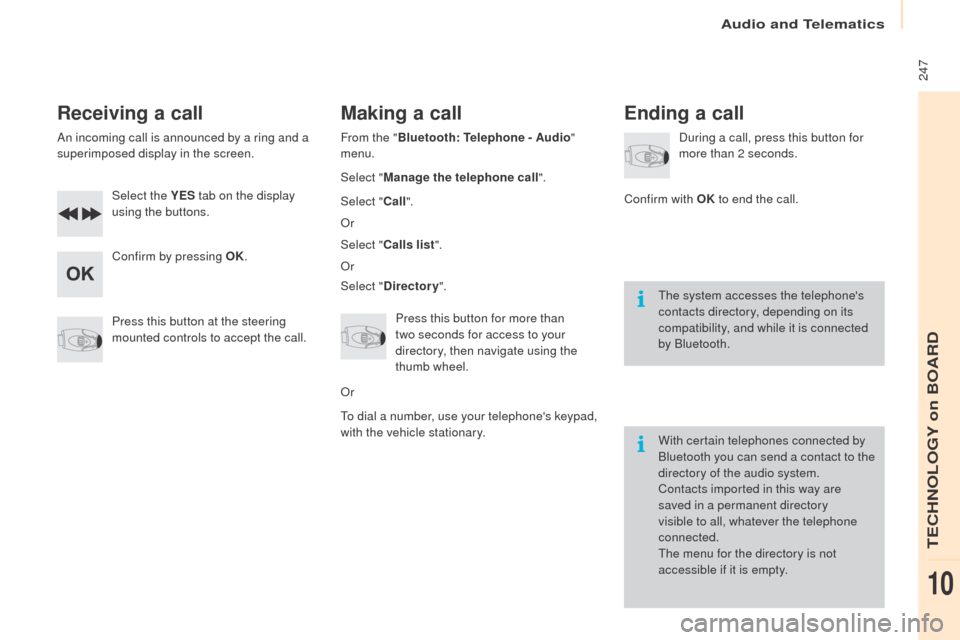
Receiving a call
An incoming call is announced by a ring and a
superimposed display in the screen.Select the YES tab on the display
using the buttons.
Confirm by pressing OK.
Press this button at the steering
mounted controls to accept the call.
Making a call
From the " Bluetooth : Telephone - Audio "
menu.
Select " Manage the telephone call".
Select " Call".
Or
Select " Calls list ".
Or
Select " Directory ".
Press this button for more than
two
seconds for access to your
directory, then navigate using the
thumb wheel.
Or
To dial a number, use your telephone's keypad,
with the vehicle stationary.
Ending a call
During a call, press this button for
more than 2 seconds.
Confirm with OK to end the call.
The system accesses the telephone's
contacts directory, depending on its
compatibility, and while it is connected
by Bluetooth.
With certain telephones connected by
Bluetooth you can send a contact to the
directory of the audio system.
Contacts imported in this way are
saved in a permanent directory
visible to all, whatever the telephone
connected.
The menu for the directory is not
accessible if it is empty.
TECHNOLOGY on BOARD
10