wiper Peugeot Partner 2017 User Guide
[x] Cancel search | Manufacturer: PEUGEOT, Model Year: 2017, Model line: Partner, Model: Peugeot Partner 2017Pages: 260, PDF Size: 9.05 MB
Page 62 of 260
60
Partner-2-VU_en_Chap04_Ergonomie_ed02-2016
TRIP COMPUTER
A
few definitions
Range: displays the distance which
can travelled with the remaining fuel
detected in the tank, basd on the
average consumption over the last few
miles (kilometres).
This displayed value may vary
significantly following a change in the
vehicle speed or the relief of the route. Current fuel consumption:
only
calculated and displayed above
20 mph (30 km/h).
Average fuel consumption: this is the
average fuel consumption since the
last trip computer zero reset.
Distance travelled: calculated since
the last trip computer zero reset.
Distance remaining to the
destination: calculated with reference to
the final destination, entered by the user.
If guidance is activated, the navigation
system calculates it as a current value.
Average speed: this is the average
speed calculated since the last trip
computer zero reset (ignition on).
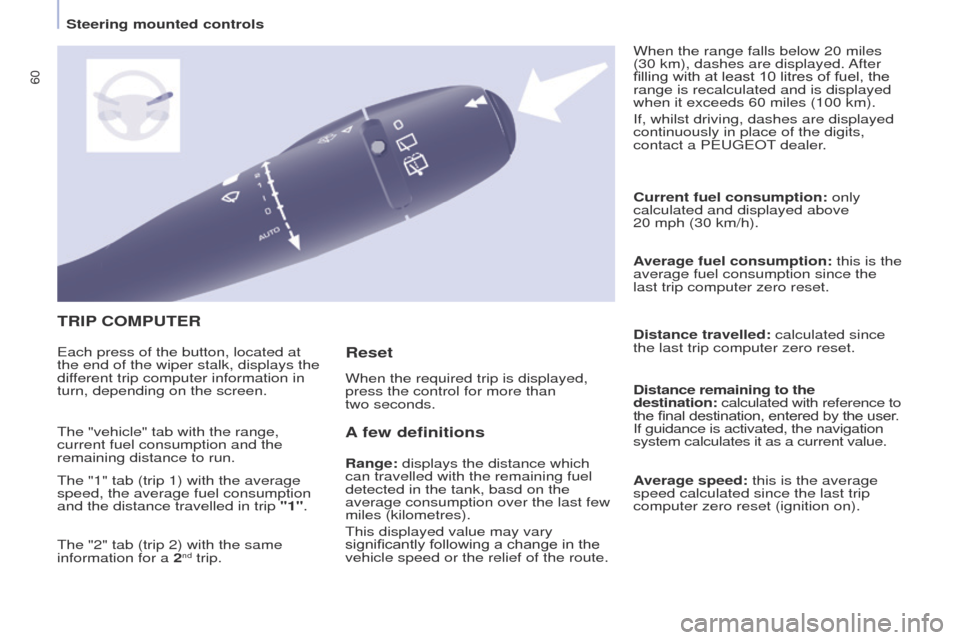
Each press of the button, located at
the end of the wiper stalk, displays the
different trip computer information in
turn, depending on the screen.
When the required trip is displayed,
press the control for more than
two seconds. When the range falls below 20 miles
(30 km), dashes are displayed. After
filling with at least 10 litres of fuel, the
range is recalculated and is displayed
when it exceeds 60 miles (100 km).
If, whilst driving, dashes are displayed
continuously in place of the digits,
contact a PEUGEOT dealer.
The "vehicle" tab with the range,
current fuel consumption and the
remaining distance to run.
The "1" tab (trip 1) with the average
speed, the average fuel consumption
and the distance travelled in trip "1".
The "2" tab (trip 2) with the same
information for a 2
nd trip.
Reset
Steering mounted controls
Page 145 of 260
143
Partner-2-VU_en_Chap08_Aide-rapide_ed02-2016
ECONOMY MODE
After the engine has stopped, with
the key in the ignition position, certain
functions (windscreen wiper, electric
windows, courtesy lamps, audio
equipment, etc.) can only be used for a
cumulative duration of thirty minutes, to
prevent discharging of the battery.
Once the thirty minutes have elapsed,
the active functions are put on standby
and the battery warning lamp flashes
accompanied by a message in the
screen.
To resume the use of these functions
immediately, start the engine and let it
run for a few minutes.
The time available will then be double
the time for which the engine was left
running. However, this time will always
be between five and thirty minutes.
A flat battery will prevent the
engine from starting.
TEMPORARY PUNCTURE RE -
P
AIR KIT
The kit is located in one of the two
storage compartments located under
the front seats.
Vehicles supplied with a temporary
puncture repair kit do not have a spare
wheel or tooling (jack, wheelbrace, ...).
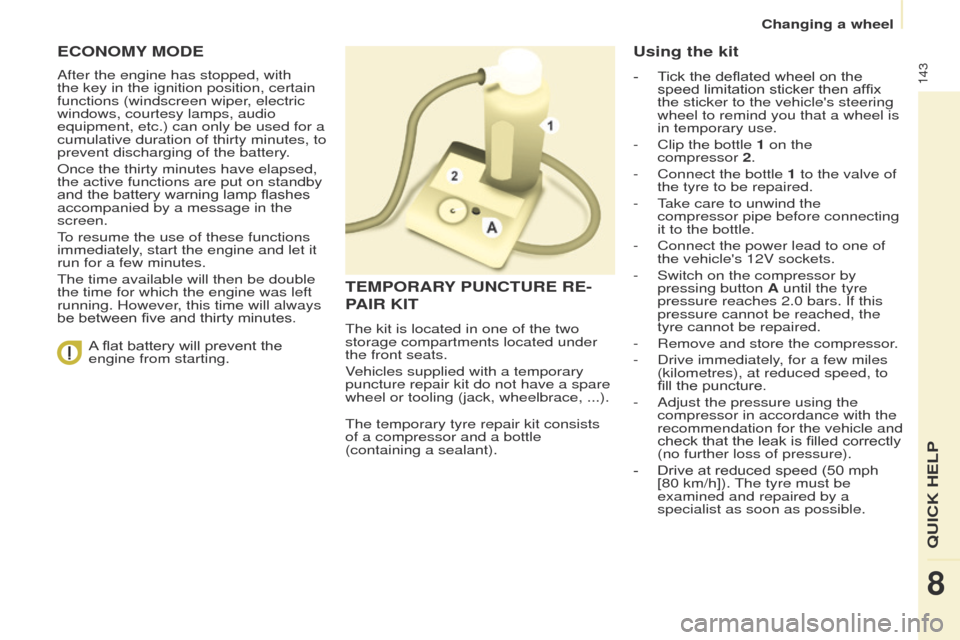
The temporary tyre repair kit consists
of a compressor and a bottle
(containing a sealant).
Using the kit
- Tick the deflated wheel on the speed limitation sticker then affix
the sticker to the vehicle's steering
wheel to remind you that a wheel is
in temporary use.
-
Clip the bottle
1 on the
compressor
2.
-
Connect the bottle
1 to the valve of
the tyre to be repaired.
-
T
ake care to unwind the
compressor pipe before connecting
it to the bottle.
-
Connect the power lead to one of
the vehicle's 12V sockets.
-
Switch on the compressor by
pressing button
A until the tyre
pressure reaches 2.0 bars. If this
pressure cannot be reached, the
tyre cannot be repaired.
-
Remove and store the compressor
.
-
Drive immediately
, for a few miles
(kilometres), at reduced speed, to
fill the puncture.
-
Adjust the pressure using the
compressor in accordance with the
recommendation for the vehicle and
check that the leak is filled correctly
(no further loss of pressure).
-
Drive at reduced speed (50
mph
[80 km/h]). The tyre must be
examined and repaired by a
specialist as soon as possible.
QUICK HELP
8
Changing a wheel
Page 159 of 260
157
Partner-2-VU_en_Chap08_Aide-rapide_ed02-2016
Dashboard fuses
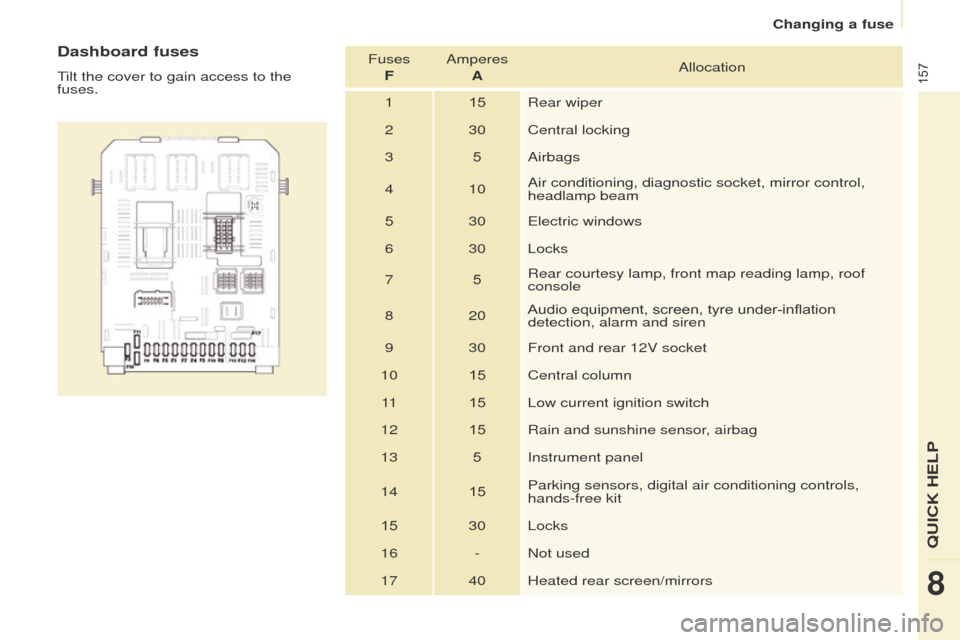
Tilt the cover to gain access to the
fuses.Fuses
F Amperes
A Allocation
1 15Rear wiper
2 30 Central locking
3 5Airbags
4 10 Air conditioning, diagnostic socket, mirror control,
headlamp beam
5 30 Electric windows
6 30 Locks
7 5Rear courtesy lamp, front map reading lamp, roof
console
8 20 Audio equipment, screen, tyre under-inflation
detection, alarm and siren
9 30 Front and rear 12V socket
10 15Central column
11 15Low current ignition switch
12 15Rain and sunshine sensor, airbag
13 5Instrument panel
14 15Parking sensors, digital air conditioning controls,
hands-free kit
15 30 Locks
16 - Not used 17 40 Heated rear screen/mirrors
QUICK HELP
8
Changing a fuse
Page 161 of 260
159
Partner-2-VU_en_Chap08_Aide-rapide_ed02-2016
Fuses under the bonnet
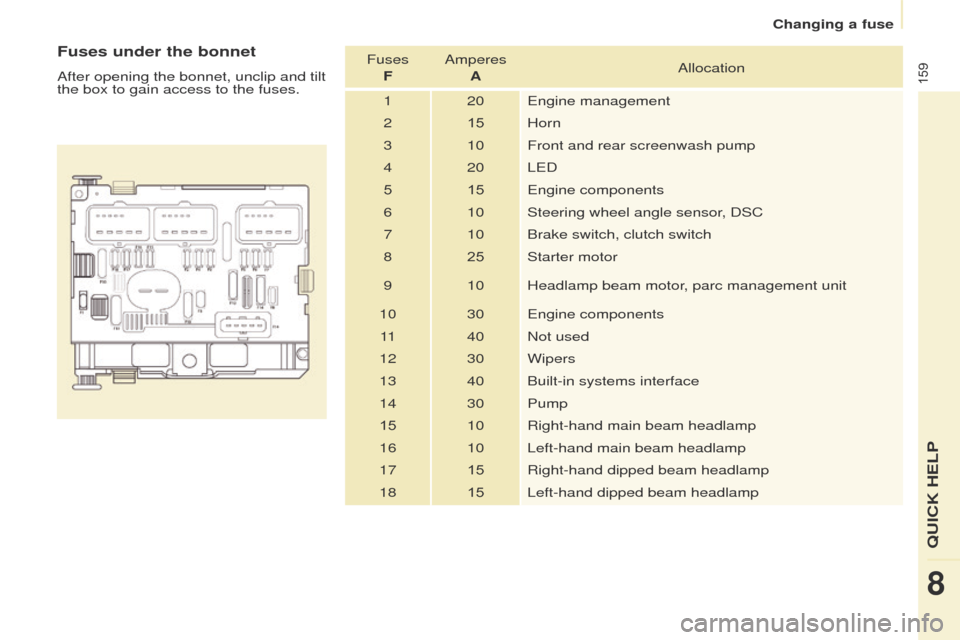
After opening the bonnet, unclip and tilt
the box to gain access to the fuses.Fuses
F Amperes
A Allocation
1 20 Engine management
2 15Horn
3 10 Front and rear screenwash pump
4 20 LED
5 15 Engine components
6 10 Steering wheel angle sensor, DSC
7 10 Brake switch, clutch switch
8 25Starter motor
9 10 Headlamp beam motor, parc management unit
10 30 Engine components 11 40 Not used
12 30 Wipers
13 40 Built-in systems interface
14 30 Pump
15 10 Right-hand main beam headlamp
16 10 Left-hand main beam headlamp
17 15Right-hand dipped beam headlamp
18 15Left-hand dipped beam headlamp
QUICK HELP
8
Changing a fuse
Page 162 of 260
160
Partner-2-VU_en_Chap08_Aide-rapide_ed02-2016
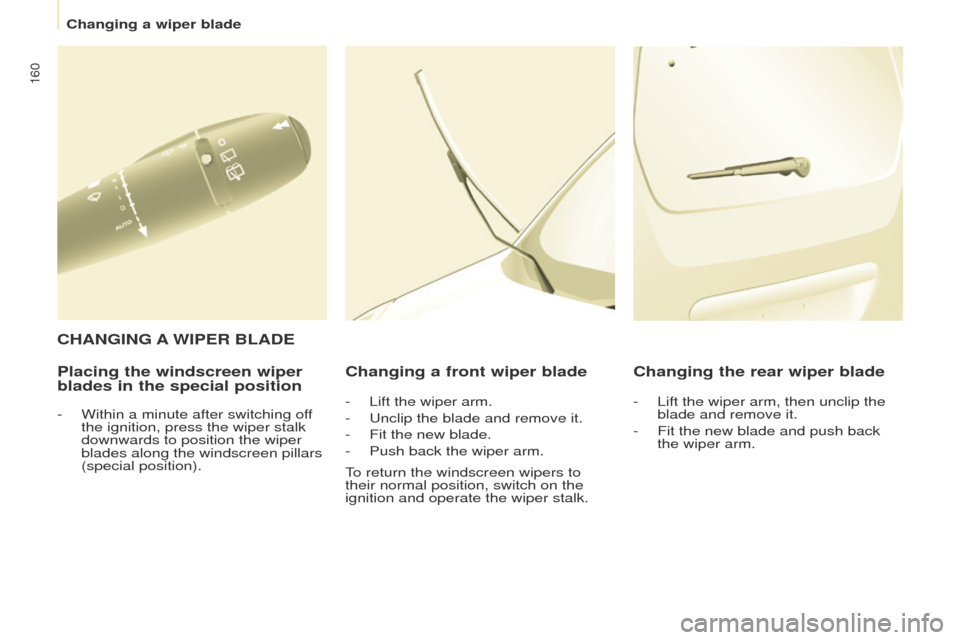
Placing the windscreen wiper
blades in the special positionChanging a front wiper blade Changing the rear wiper blade
C HANGING
A
WIPER BLADE
- Within a minute after switching of
f
the ignition, press the wiper stalk
downwards to position the wiper
blades along the windscreen pillars
(special position). -
Lift the wiper arm.
- Unclip the blade and remove it.
-
Fit the new blade.
-
Push back the wiper arm.
T
o return the windscreen wipers to
their normal position, switch on the
ignition and operate the wiper stalk. -
Lift the wiper arm, then unclip the
blade and remove it.
-
Fit the new blade and push back
the wiper arm.
Changing a wiper blade
Page 246 of 260
Audio and Telematics
244
Partner-2-VU_en_Chap10b_RD45_ed02-2016
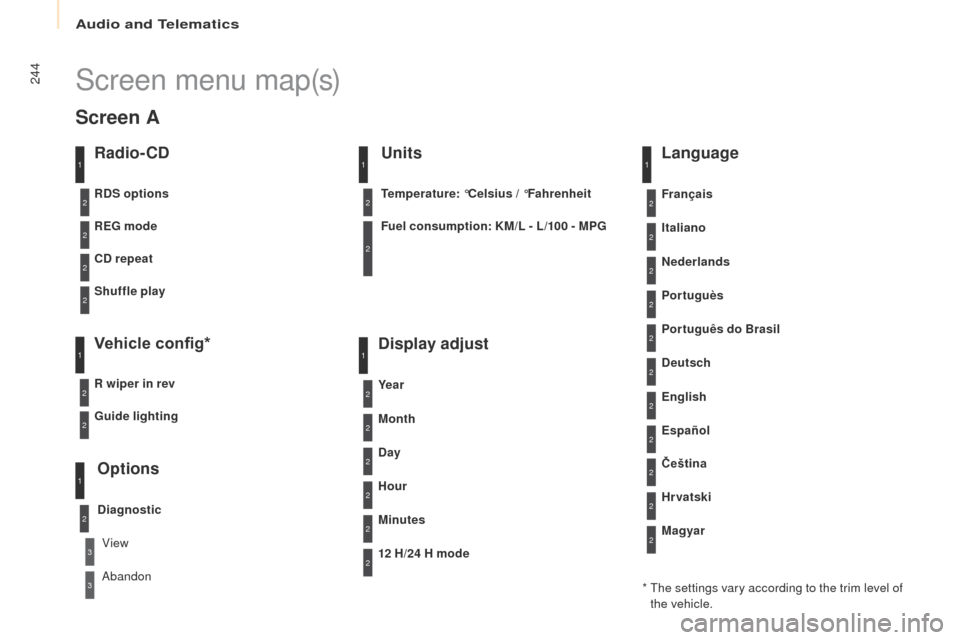
Screen menu map(s)
Radio- CD
REG mode
CD repeat
Shuffle play
Vehicle config*
R wiper in rev
Options
Diagnostic
RDS options
View
Abandon
1
2
3
3
1
2
2
2
2
1
2
Screen A
* The settings vary according to the trim level of the vehicle.
Guide lighting
2
Units
Temperature: °Celsius / °Fahrenheit
Fuel consumption: KM/L - L/100 - MPG
1
2
2
Display adjust
Month
Day
Hour
Minutes Ye a r
12 H/24 H mode
Language
Italiano
Nederlands
Portuguès
Português do Brasil Français
Deutsch
Čeština English
Hr vatski Español
Magyar
1
2
2
2
2
2
2
2
1
2
2
2
2
2
2
2
2
2
2