audio Peugeot Partner 2017 Manual PDF
[x] Cancel search | Manufacturer: PEUGEOT, Model Year: 2017, Model line: Partner, Model: Peugeot Partner 2017Pages: 260, PDF Size: 9.05 MB
Page 238 of 260
Audio and Telematics
236
Partner-2-VU_en_Chap10b_RD45_ed02-2016
Menus
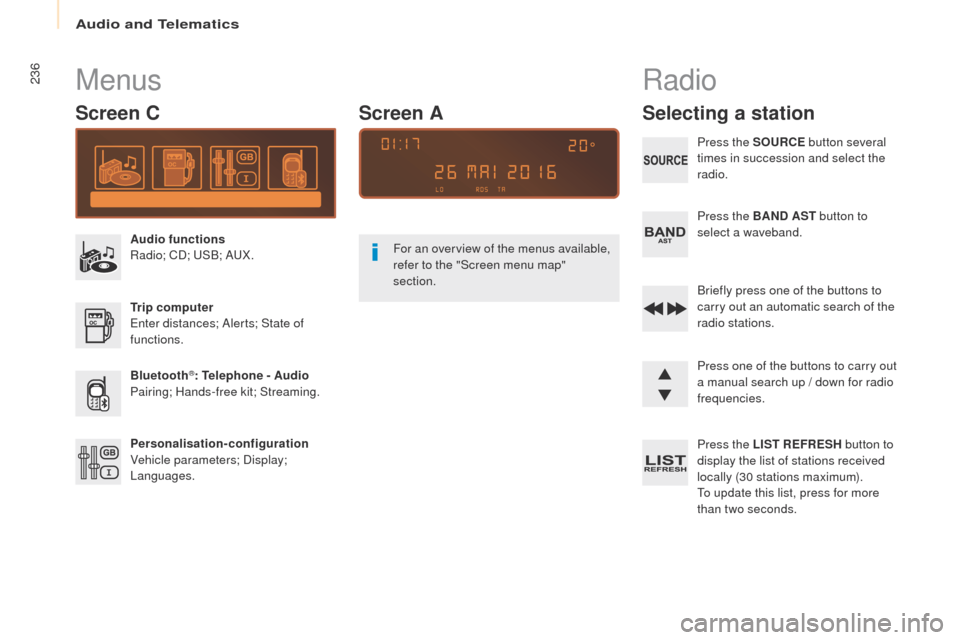
Screen C
Audio functions
Radio; CD; USB; AUX.
Trip computer
Enter distances; Alerts; State of
functions.
Bluetooth
®: Telephone - Audio
Pairing; Hands-free kit; Streaming.
Personalisation-configuration
Vehicle parameters; Display;
Languages. For an overview of the menus available,
refer to the "Screen menu map"
section.
Screen A
Radio
Selecting a station
Press the SOURCE
button several
times in succession and select the
radio.
Press the BAND AST button to
select a waveband.
Briefly press one of the buttons to
carry out an automatic search of the
radio stations.
Press one of the buttons to carry out
a manual search up / down for radio
frequencies.
Press the LIST REFRESH button to
display the list of stations received
locally (30 stations maximum).
To update this list, press for more
than two seconds.
Page 239 of 260
Audio and Telematics
237
Partner-2-VU_en_Chap10b_RD45_ed02-2016
RDS
The external environment (hills,
buildings, tunnels, basement car
parks, ...) may block reception,
including in RDS mode. This is a
normal effect of the way in which radio
waves are transmitted and does not
indicate any failure of the audio system.
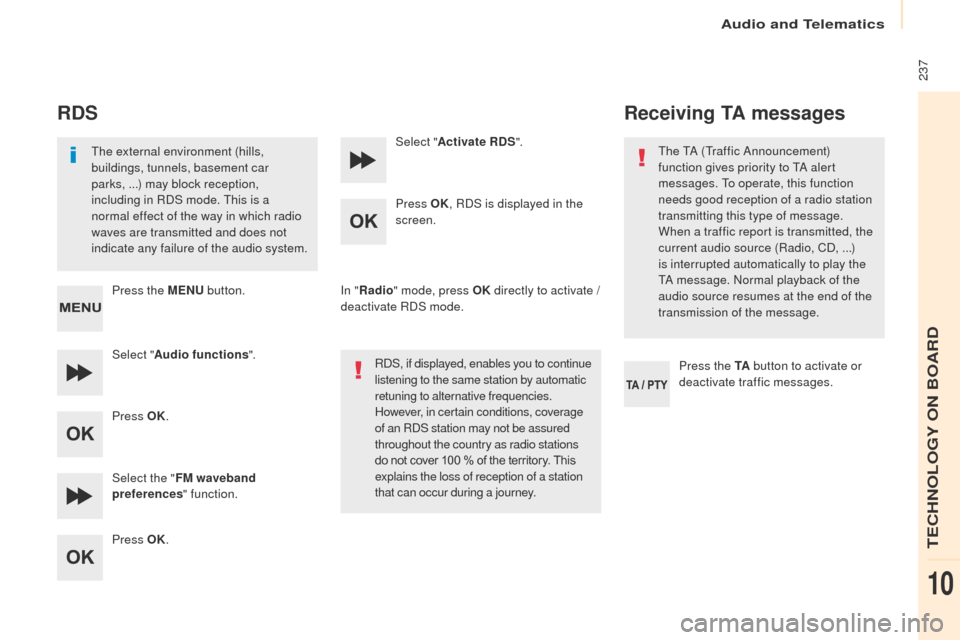
Press the MENU button.
Select " Audio functions ".
Press OK.
Select the " FM waveband
preferences " function.
Press OK. Select "
Activate RDS ".
Press OK , RDS is displayed in the
screen.
In " Radio " mode, press OK directly to activate /
deactivate RDS mode.
RDS, if displayed, enables you to continue
listening to the same station by automatic
retuning to alternative frequencies.
However, in certain conditions, coverage
of an RDS station may not be assured
throughout the country as radio stations
do not cover 100 % of the territory. This
explains the loss of reception of a station
that can occur during a journey.
Receiving TA messages
Press the TA button to activate or
deactivate traffic messages.
The TA (Traffic Announcement)
function gives priority to TA alert
messages. To operate, this function
needs good reception of a radio station
transmitting this type of message.
When a traffic report is transmitted, the
current audio source (Radio, CD,
...)
is interrupted automatically to play the
TA message. Normal playback of the
audio source resumes at the end of the
transmission of the message.
TECHNOLOGY ON BOARD
10
Page 240 of 260
Audio and Telematics
238
Partner-2-VU_en_Chap10b_RD45_ed02-2016
Media
USB port
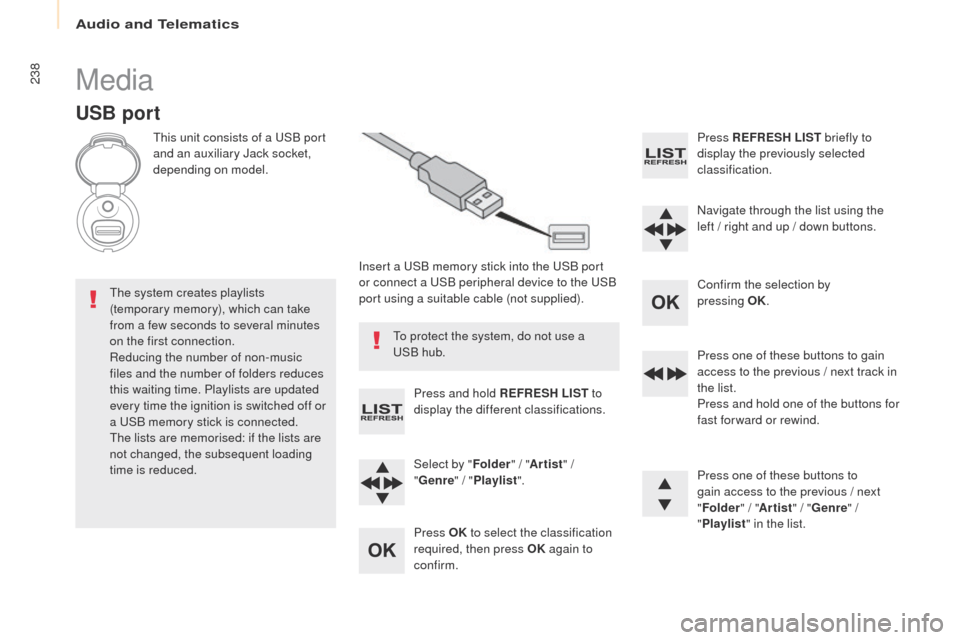
This unit consists of a USB port
and an auxiliary Jack socket,
depending on model.Insert a USB memory stick into the USB port
or connect a USB peripheral device to the USB
port using a suitable cable (not supplied).
The system creates playlists
(temporary memory), which can take
from a few seconds to several minutes
on the first connection.
Reducing the number of non-music
files and the number of folders reduces
this waiting time. Playlists are updated
every time the ignition is switched off or
a USB memory stick is connected.
The lists are memorised: if the lists are
not changed, the subsequent loading
time is reduced. Press and hold REFRESH LIST
to
display the different classifications.
Select by " Folder" / "Artist " /
" Genre " / "Playlist ".
Press OK to select the classification
required, then press OK again to
confirm. Press REFRESH LIST
briefly to
display the previously selected
classification.
Navigate through the list using the
left / right and up / down buttons.
Confirm the selection by
pressing
OK.
Press one of these buttons to gain
access to the previous / next track in
the list.
Press and hold one of the buttons for
fast for ward or rewind.
Press one of these buttons to
gain access to the previous / next
" Folder " / "Artist " / "Genre " /
" Playlist " in the list.
To protect the system, do not use a
USB hub.
Page 241 of 260
Audio and Telematics
239
Partner-2-VU_en_Chap10b_RD45_ed02-2016
Auxiliary socket (AUx)
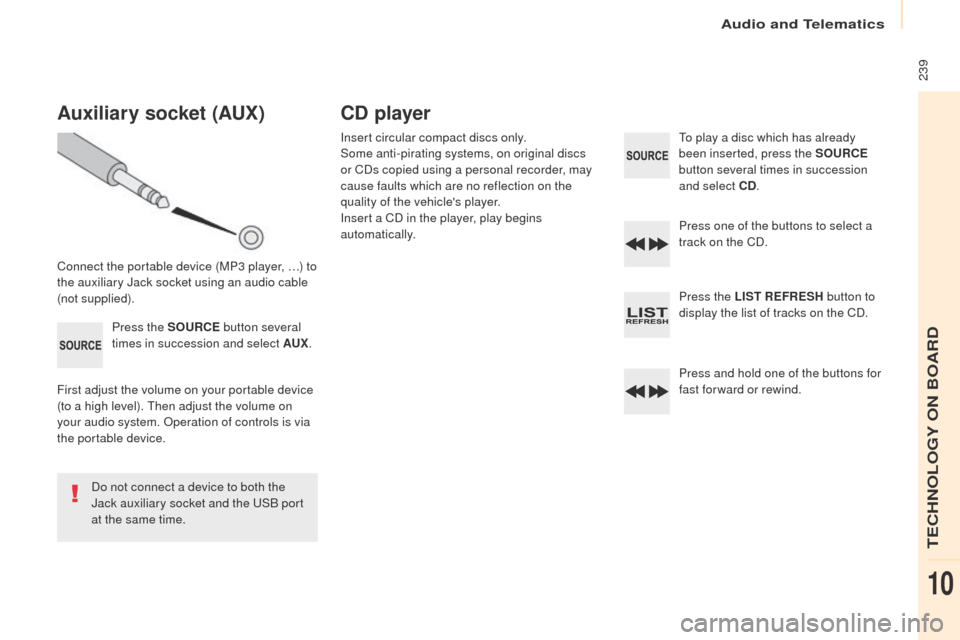
Connect the portable device (MP3 player, …) to
the auxiliary Jack socket using an audio cable
(not supplied).Press the SOURCE button several
times in succession and select AU
x.
F
irst adjust the volume on your portable device
(to a high level). Then adjust the volume on
your audio system. Operation of controls is via
the portable device.
Do not connect a device to both the
Jack auxiliary socket and the USB port
at the same time.
CD player
Insert circular compact discs only.
Some anti-pirating systems, on original discs
or CDs copied using a personal recorder, may
cause faults which are no reflection on the
quality of the vehicle's player.
Insert a CD in the player, play begins
automatically. To play a disc which has already
been inserted, press the SOURCE
button several times in succession
and select CD .
Press one of the buttons to select a
track on the CD.
Press the LIST REFRESH button to
display the list of tracks on the CD.
Press and hold one of the buttons for
fast for ward or rewind.
TECHNOLOGY ON BOARD
10
Page 242 of 260
Audio and Telematics
240
Partner-2-VU_en_Chap10b_RD45_ed02-2016
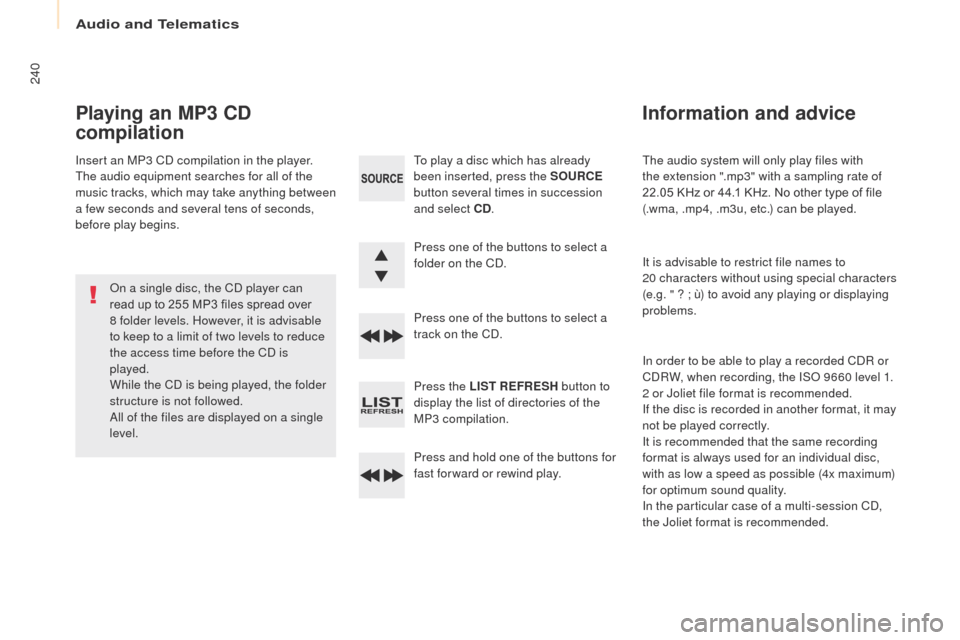
The audio system will only play files with
the extension ".mp3" with a sampling rate of
22.05 KHz or 44.1 KHz. No other type of file
(.wma, .mp4, .m3u, etc.) can be played.
It is advisable to restrict file names to
20
characters without using special characters
(e.g. " ? ; ù) to avoid any playing or displaying
problems.
In order to be able to play a recorded CDR or
CDRW, when recording, the ISO 9660 level 1.
2 or Joliet file format is recommended.
If the disc is recorded in another format, it may
not be played correctly.
It is recommended that the same recording
format is always used for an individual disc,
with as low a speed as possible (4x maximum)
for optimum sound quality.
In the particular case of a multi-session CD,
the Joliet format is recommended.
Information and advice
To play a disc which has already
been inserted, press the SOURCE
button several times in succession
and select CD .
Press one of the buttons to select a
folder on the CD.
Press one of the buttons to select a
track on the CD.
Press the LIST REFRESH button to
display the list of directories of the
MP3 compilation.
Press and hold one of the buttons for
fast for ward or rewind play.
Playing an MP3 CD
compilation
Insert an MP3 CD compilation in the player.
The audio equipment searches for all of the
music tracks, which may take anything between
a few seconds and several tens of seconds,
before play begins.
On a single disc, the CD player can
read up to 255 MP3 files spread over
8 folder levels. However, it is advisable
to keep to a limit of two levels to reduce
the access time before the CD is
played.
While the CD is being played, the folder
structure is not followed.
All of the files are displayed on a single
level.
Page 243 of 260
Audio and Telematics
241
Partner-2-VU_en_Chap10b_RD45_ed02-2016
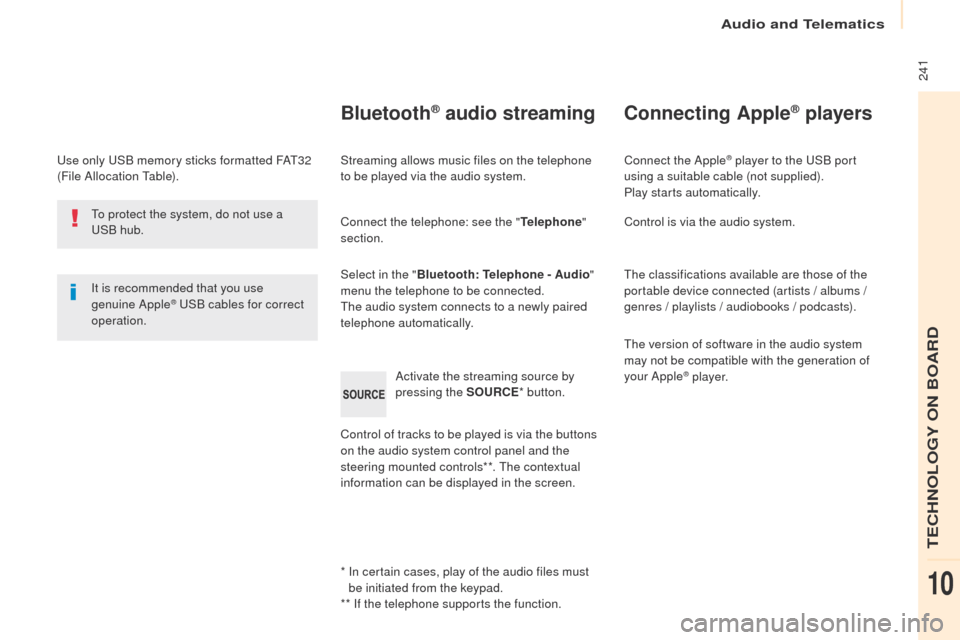
Use only USB memory sticks formatted FAT32
(File Allocation Table).It is recommended that you use
genuine Apple
® USB cables for correct
operation.
*
I
n certain cases, play of the audio files must
be initiated from the keypad.
** If the telephone supports the function.
Bluetooth® audio streaming
Streaming allows music files on the telephone
to be played via the audio system.
Connect the telephone: see the " Telephone"
section.
Select in the " Bluetooth: Telephone - Audio "
menu the telephone to be connected.
The audio system connects to a newly paired
telephone automatically.
Control of tracks to be played is via the buttons
on the audio system control panel and the
steering mounted controls**. The contextual
information can be displayed in the screen. Activate the streaming source by
pressing the SOURCE
* button.
Connecting Apple® players
Connect the Apple® player to the USB port
using a suitable cable (not supplied).
Play starts automatically.
Control is via the audio system.
The classifications available are those of the
portable device connected (artists / albums /
genres / playlists / audiobooks / podcasts).
The version of software in the audio system
may not be compatible with the generation of
your Apple
® p l aye r.
To protect the system, do not use a
USB hub.
TECHNOLOGY ON BOARD
10
Page 244 of 260
Audio and Telematics
242
Partner-2-VU_en_Chap10b_RD45_ed02-2016
Telephone
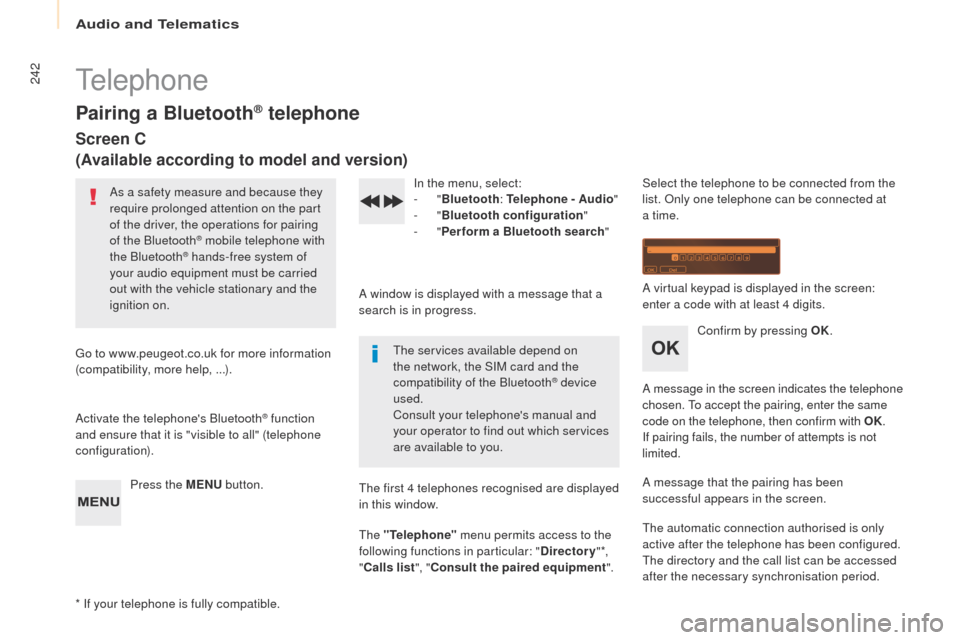
Pairing a Bluetooth® telephone
Screen C
(Available according to model and version)
As a safety measure and because they
require prolonged attention on the part
of the driver, the operations for pairing
of the Bluetooth
® mobile telephone with
the Bluetooth® hands-free system of
your audio equipment must be carried
out with the vehicle stationary and the
ignition on.
Go to www.peugeot.co.uk for more information
(compatibility, more help, ...).
Activate the telephone's Bluetooth
® function
and ensure that it is "visible to all" (telephone
configuration).
Press the MENU button. In the menu, select:
-
"
Bluetooth : Telephone - Audio "
- "
Bluetooth configuration "
- "
Perform a Bluetooth search "
A window is displayed with a message that a
search is in progress. The services available depend on
the network, the SIM card and the
compatibility of the Bluetooth
® device
used.
Consult your telephone's manual and
your operator to find out which services
are available to you.
* If your telephone is fully compatible. The first 4 telephones recognised are displayed
in this window.
The "Telephone"
menu permits access to the
following functions in particular: " Directory" *,
" Calls list ", "Consult the paired equipment ".Select the telephone to be connected from the
list. Only one telephone can be connected at
a time.
A virtual keypad is displayed in the screen:
enter a code with at least 4 digits.
Confirm by pressing OK.
A message in the screen indicates the telephone
chosen. To accept the pairing, enter the same
code on the telephone, then confirm with OK.
If pairing fails, the number of attempts is not
limited.
A message that the pairing has been
successful appears in the screen.
The automatic connection authorised is only
active after the telephone has been configured.
The directory and the call list can be accessed
after the necessary synchronisation period.
Page 245 of 260
Audio and Telematics
243
Partner-2-VU_en_Chap10b_RD45_ed02-2016
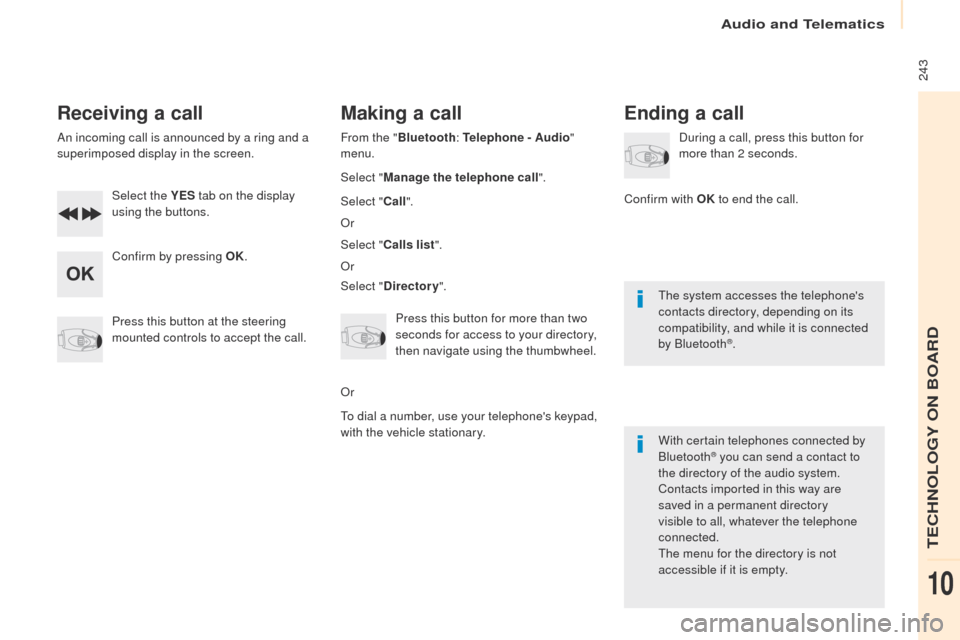
Receiving a call
An incoming call is announced by a ring and a
superimposed display in the screen.Select the YES tab on the display
using the buttons.
Confirm by pressing OK.
Press this button at the steering
mounted controls to accept the call.
Making a call
From the " Bluetooth : Telephone - Audio "
menu.
Select " Manage the telephone call".
Select " Call".
Or
Select " Calls list ".
Or
Select " Directory ".
Press this button for more than two
seconds for access to your directory,
then navigate using the thumbwheel.
Or
To dial a number, use your telephone's keypad,
with the vehicle stationary.
Ending a call
During a call, press this button for
more than 2 seconds.
Confirm with OK to end the call.
The system accesses the telephone's
contacts directory, depending on its
compatibility, and while it is connected
by Bluetooth
®.
With certain telephones connected by
Bluetooth
® you can send a contact to
the directory of the audio system.
Contacts imported in this way are
saved in a permanent directory
visible to all, whatever the telephone
connected.
The menu for the directory is not
accessible if it is empty.
TECHNOLOGY ON BOARD
10
Page 246 of 260
Audio and Telematics
244
Partner-2-VU_en_Chap10b_RD45_ed02-2016
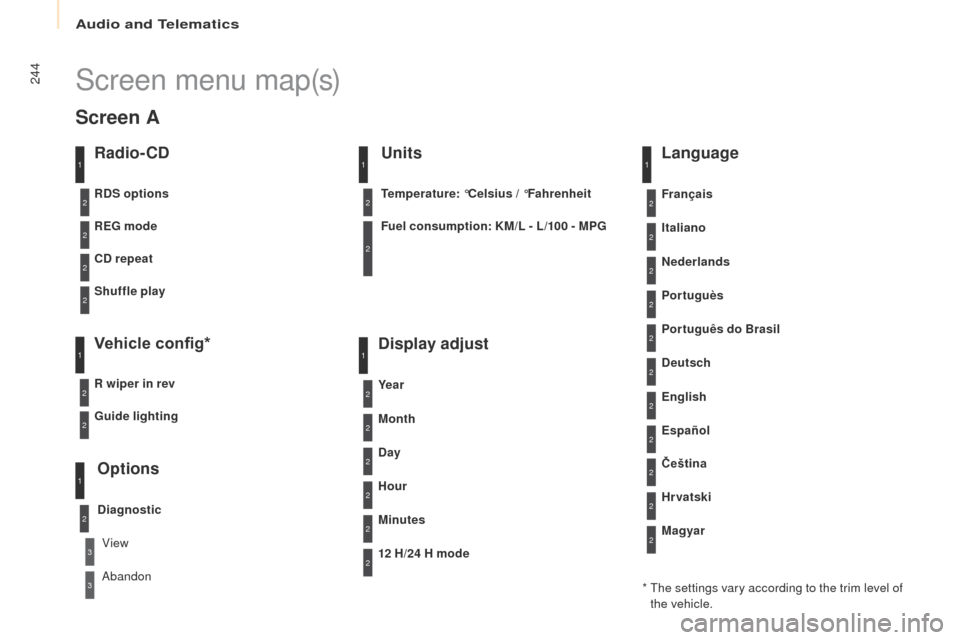
Screen menu map(s)
Radio- CD
REG mode
CD repeat
Shuffle play
Vehicle config*
R wiper in rev
Options
Diagnostic
RDS options
View
Abandon
1
2
3
3
1
2
2
2
2
1
2
Screen A
* The settings vary according to the trim level of the vehicle.
Guide lighting
2
Units
Temperature: °Celsius / °Fahrenheit
Fuel consumption: KM/L - L/100 - MPG
1
2
2
Display adjust
Month
Day
Hour
Minutes Ye a r
12 H/24 H mode
Language
Italiano
Nederlands
Portuguès
Português do Brasil Français
Deutsch
Čeština English
Hr vatski Español
Magyar
1
2
2
2
2
2
2
2
1
2
2
2
2
2
2
2
2
2
2
Page 247 of 260
Audio and Telematics
245
Partner-2-VU_en_Chap10b_RD45_ed02-2016
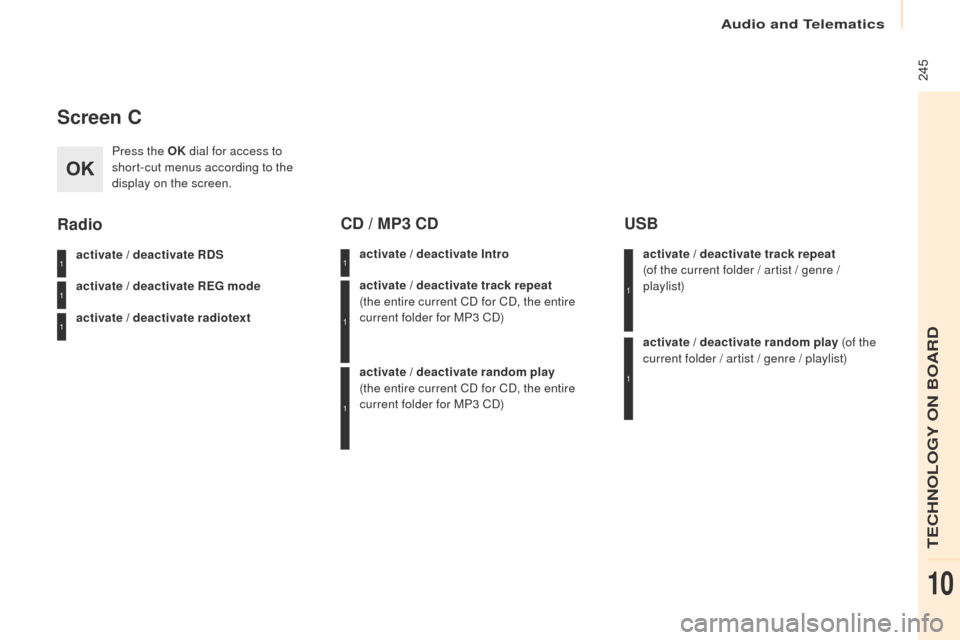
Screen C
Press the OK dial for access to
short-cut menus according to the
display on the screen.
activate / deactivate RDS
activate / deactivate REG mode
activate / deactivate radiotext
Radio
activate / deactivate Intro
CD / MP3 CD
activate / deactivate track repeat
(the entire current CD for CD, the entire
current folder for MP3 CD)
activate / deactivate random play
(the
entire current CD for CD, the entire
current folder for MP3 CD) activate / deactivate track repeat
(of
the current folder / artist / genre /
playlist)
USB
activate / deactivate random play (of the
current folder / artist / genre / playlist)
1
1
1
1
1
1
1
1
TECHNOLOGY ON BOARD
10