Control lamps Peugeot Partner 2019 Owner's Guide
[x] Cancel search | Manufacturer: PEUGEOT, Model Year: 2019, Model line: Partner, Model: Peugeot Partner 2019Pages: 312, PDF Size: 9.56 MB
Page 100 of 312
98
Definitions
Anti-lock braking system (ABS)
and electronic brake force
distribution (EBFD)
These systems improve the stability and
manoeuvrability of your vehicle when braking
and contribute towards improved control in
corners, in particular on poor or slippery road
surfaces.
The ABS prevents wheel lock in the event of
emergency braking.
The electronic brake force distribution system
manages the braking pressure wheel by wheel.
Emergency braking assistance
(EBA)
In an emergency, this system enables you to
reach the optimum braking pressure more
quickly and therefore reduce the stopping
distance.
It is triggered in relation to the speed at which
the brake pedal is pressed. This is felt by a
reduction in the resistance of the pedal and an
increase in braking efficiency.
Anti-slip regulation (ASR)
This system optimises traction in order to
avoid wheel slip by acting on the brakes of
the driving wheels and on the engine. It also
improves the directional stability of the vehicle
on acceleration.
Dynamic stability control (DSC)
If there is a difference between the path
followed by the vehicle and that required by the
driver, this system monitors each wheel and
automatically acts on the brake of one or more
wheels and on the engine to return the vehicle
to the required path, within the limits of the laws
of physics.
Trailer stability assist (TSA)
This system allows control of the vehicle to be
retained when towing a trailer, so as to avoid
the risk of snaking.
Anti-lock braking system
(ABS) and electronic brake
force distribution (EBFD)
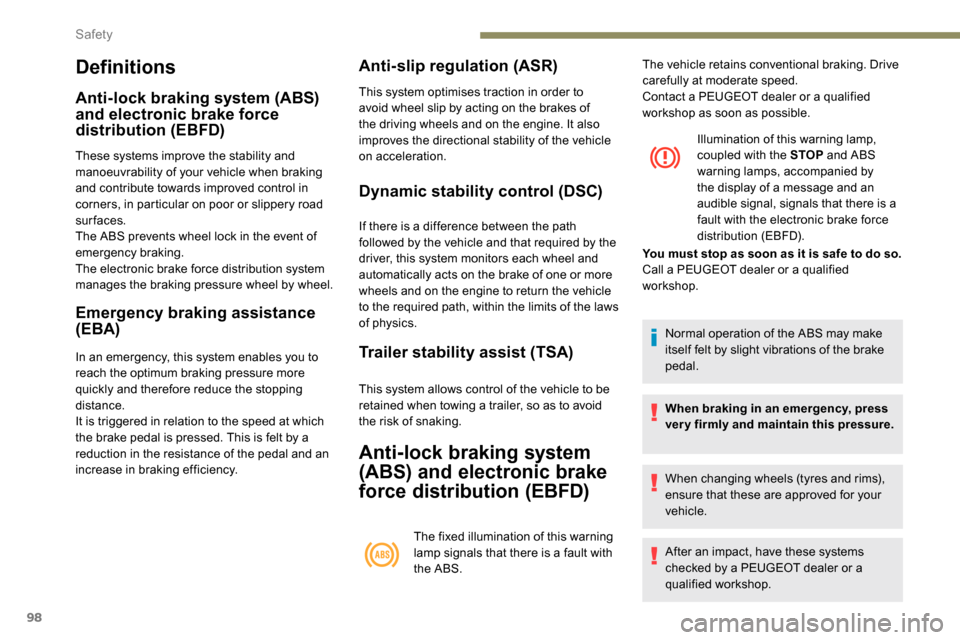
The fixed illumination of this warning
lamp signals that there is a fault with
the ABS.Illumination of this warning lamp,
coupled with the STOP
and ABS
warning lamps, accompanied by
the display of a message and an
audible signal, signals that there is a
fault with the electronic brake force
distribution (EBFD).
Normal operation of the ABS may make
itself felt by slight vibrations of the brake
pedal.
When braking in an emergency, press
very firmly and maintain this pressure.
When changing wheels (tyres and rims),
ensure that these are approved for your
vehicle.
After an impact, have these systems
checked by a PEUGEOT dealer or a
qualified workshop.
The vehicle retains conventional braking. Drive
carefully at moderate speed.
Contact a PEUGEOT dealer or a qualified
workshop as soon as possible.
You must stop as soon as it is safe to do so.
Call a PEUGEOT dealer or a qualified
workshop.
Safety
Page 102 of 312
100
Post Collision Safety Brake
(APCB)
With automatic post-collision braking, in the
event of an accident, the ESC system triggers
an automatic braking action in order to reduce
the risk of cumulative collisions by rebound, for
example, if the driver does not react.
Automatic braking inter venes after a frontal,
lateral or rear impact.
Conditions for operation
The impact has resulted in the deployment
of the airbags or seat belt pyrotechnic
pretensioners.
The braking systems and electric functions of
the vehicle must remain operational after the
collision.Automatic braking is accompanied by
illumination of the vehicle's brake lamps.
The system does not inter vene if driver
action is detected:
-
A
ccelerator pedal pressed.
-
B
rake pedal pressed.
The system works within the limits of the
laws of physics.
It is the driver's responsibility to
continuously adapt the vehicle's speed to
the driving and road conditions.
Malfunctions
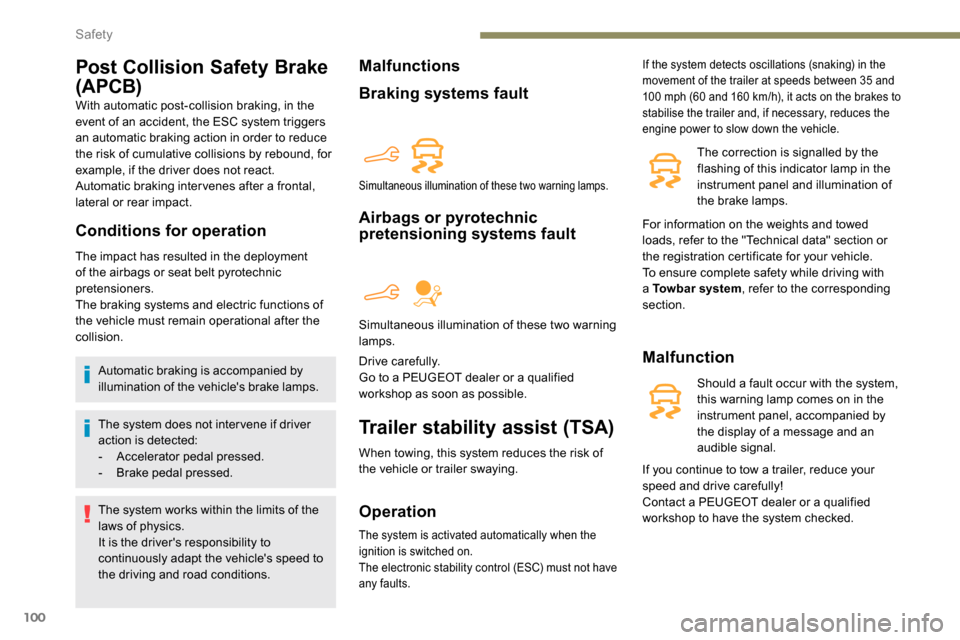
Braking systems fault
Airbags or pyrotechnic
pretensioning systems fault
Drive carefully.
Go to a PEUGEOT dealer or a qualified
workshop as soon as possible.
Trailer stability assist (TSA)
When towing, this system reduces the risk of
the vehicle or trailer swaying.
Operation
If the system detects oscillations (snaking) in the
movement of the trailer at speeds between 35 and
100 mph (60 and 160 km/h), it acts on the brakes to
stabilise the trailer and, if necessary, reduces the
engine power to slow down the vehicle.
The correction is signalled by the
flashing of this indicator lamp in the
instrument panel and illumination of
the brake lamps.
Malfunction
Should a fault occur with the system,
this warning lamp comes on in the
instrument panel, accompanied by
the display of a message and an
audible signal.
Simultaneous illumination of these two warning lamps.
Simultaneous illumination of these two warning
lamps.
The system is activated automatically when the
ignition is switched on.
The electronic stability control (ESC) must not have
any faults.
For information on the weights and towed
loads, refer to the "Technical data" section or
the registration certificate for your vehicle.
To ensure complete safety while driving with
a Towbar system , refer to the corresponding
section.
If you continue to tow a trailer, reduce your
speed and drive carefully!
Contact a PEUGEOT dealer or a qualified
workshop to have the system checked.
Safety
Page 124 of 312
122
In the event of a battery failure, the
automatic electronic parking brake no
longer works.
As a safety measure with a manual
gearbox, if the parking brake is not
applied, immobilise the vehicle by
engaging a gear.
As a safety measure with an automatic
gearbox, if the parking brake is not
applied, immobilise the vehicle by placing
one of the chocks supplied against one of
the wheels.
Contact a PEUGEOT dealer or a qualified
workshop.
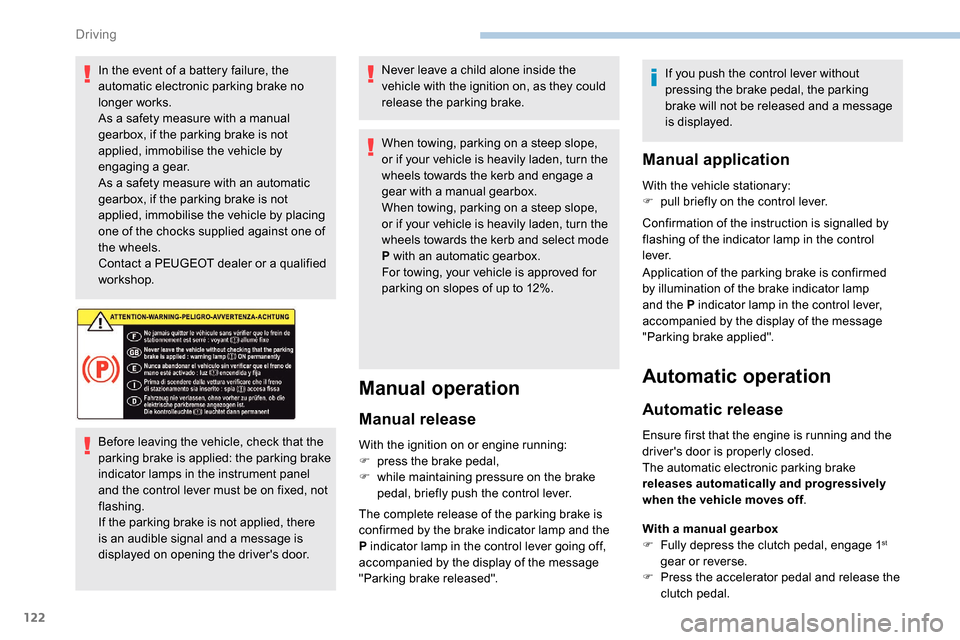
Before leaving the vehicle, check that the
parking brake is applied: the parking brake
indicator lamps in the instrument panel
and the control lever must be on fixed, not
flashing.
If the parking brake is not applied, there
is an audible signal and a message is
displayed on opening the driver's door.Never leave a child alone inside the
vehicle with the ignition on, as they could
release the parking brake.
When towing, parking on a steep slope,
or if your vehicle is heavily laden, turn the
wheels towards the kerb and engage a
gear with a manual gearbox.
When towing, parking on a steep slope,
or if your vehicle is heavily laden, turn the
wheels towards the kerb and select mode
P with an automatic gearbox.
For towing, your vehicle is approved for
parking on slopes of up to 12%.
Manual operation
Manual release
With the ignition on or engine running:
F
p ress the brake pedal,
F
w
hile maintaining pressure on the brake
pedal, briefly push the control lever.
The complete release of the parking brake is
confirmed by the brake indicator lamp and the
P indicator lamp in the control lever going off,
accompanied by the display of the message
"Parking brake released". If you push the control lever without
pressing the brake pedal, the parking
brake will not be released and a message
is displayed.
Manual application
With the vehicle stationary:
F
p ull briefly on the control lever.
Confirmation of the instruction is signalled by
flashing of the indicator lamp in the control
l eve r.
Application of the parking brake is confirmed
by illumination of the brake indicator lamp
and the P indicator lamp in the control lever,
accompanied by the display of the message
"Parking brake applied".
Automatic operation
Automatic release
Ensure first that the engine is running and the
driver's door is properly closed.
The automatic electronic parking brake
releases automatically and progressively
when the vehicle moves off .
With a manual gearbox
F
F
ully depress the clutch pedal, engage 1
st
gear or reverse.
F
P
ress the accelerator pedal and release the
clutch pedal.
Driving
Page 125 of 312
123
With an automatic gearbox
F P ress the brake pedal.
F
Sel
ect position D , M or R.
F
R
elease the brake pedal and press the
accelerator pedal.
With an automatic gearbox, if the brake
does not release automatically, check that
the front doors are correctly closed.
The complete release of the parking brake is
confirmed by the brake indicator lamp and the
P indicator lamp in the control lever going off,
accompanied by the display of the message
"Parking brake released".
When stationary with the engine running, do not
depress the accelerator pedal unnecessarily,
you risk releasing the parking brake.
Automatic application
With the vehicle stationary, the parking brake
is automatically applied when the engine is
switched off .
Application of the parking brake is confirmed
by illumination of the brake indicator lamp
and the P indicator lamp in the control lever,
accompanied by the display of the message
"Parking brake applied". Automatic application does not take place
if the engine stalls or goes into STOP
mode of Stop & Start.
With automatic operation, you can also
manually apply or release the parking
brake using the control lever.
Special cases
In some situations, you may need to operate
the parking brake manually.
Immobilisation of the vehicle
with the engine running
To immobilise the vehicle with the engine
running, briefly pull the control lever.
Application of the parking brake is confirmed
by illumination of the brake indicator lamp
and the P indicator lamp in the control lever,
accompanied by the display of the message
"Parking brake applied".
Immobilisation of the vehicle with the
parking brake released.
F
S
witch off the engine.
Illumination of the warning lamps in the instrument panel and control lever confirm
the application of the parking brake.
F
S
witch on the ignition again, without starting
the engine.
F R elease the parking brake manually by
pushing the control lever while keeping your
foot on the brake pedal.
The complete release of the parking brake is
confirmed by the brake indicator lamp and the
P indicator lamp in the control lever going off,
accompanied by the display of the message
"Parking brake released".
F
S
witch off the ignition.
Parking the vehicle with the
brake released
In very cold conditions (ice), it is
recommended that the parking brake not
be applied.
To immobilise your vehicle, engage a gear
or fit the chocks against one of the wheels.
6
Driving
Page 126 of 312
124
With an automatic gearbox, mode P is
automatically selected when the ignition is
switched off. The wheels are blocked.
For further information on the Automatic
gearbox, particularly in relation to leaving
the vehicle in free-wheeling mode, refer to
the corresponding section.
With an automatic gearbox, when mode
N is engaged, the opening of the driver's
door will cause an audible signal to sound.
It will stop when you close the driver's
door again.
Deactivating automatic
operation
In some situations, for example when it is
extremely cold or during towing (caravan,
recovery), it may be necessary to deactivate
automatic operation of the system. F
P
ush and hold the control lever in the
release direction for at least 10 seconds and
no more than 15 seconds.
F
R
elease the control lever.
F
P
ress and hold the brake pedal.
F
P
ull the control lever in the application
direction for 2
seconds.
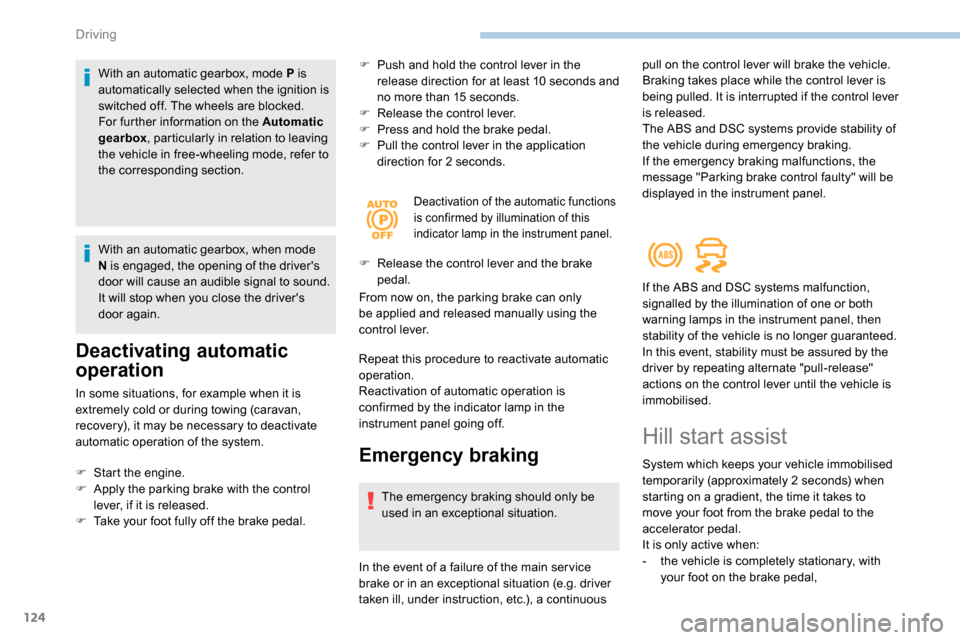
Deactivation of the automatic functions
is confirmed by illumination of this
indicator lamp in the instrument panel.
F Release the control lever and the brake
pedal.
From now on, the parking brake can only
be applied and released manually using the
control lever.
Repeat this procedure to reactivate automatic
operation.
Reactivation of automatic operation is
confirmed by the indicator lamp in the
instrument panel going off.
Emergency braking
The emergency braking should only be
used in an exceptional situation.
F
S
tart the engine.
F
A
pply the parking brake with the control
lever, if it is released.
F
T
ake your foot fully off the brake pedal.
In the event of a failure of the main ser vice
brake or in an exceptional situation (e.g. driver
taken ill, under instruction, etc.), a continuous pull on the control lever will brake the vehicle.
Braking takes place while the control lever is
being pulled. It is interrupted if the control lever
is released.
The ABS and DSC systems provide stability of
the vehicle during emergency braking.
If the emergency braking malfunctions, the
message "Parking brake control faulty" will be
displayed in the instrument panel.
If the ABS and DSC systems malfunction,
signalled by the illumination of one or both
warning lamps in the instrument panel, then
stability of the vehicle is no longer guaranteed.
In this event, stability must be assured by the
driver by repeating alternate "pull-release"
actions on the control lever until the vehicle is
immobilised.
Hill start assist
System which keeps your vehicle immobilised
temporarily (approximately 2
seconds) when
starting on a gradient, the time it takes to
move your foot from the brake pedal to the
accelerator pedal.
It is only active when:
-
t
he vehicle is completely stationary, with
your foot on the brake pedal,
Driving
Page 145 of 312
143
The brake lamps illuminate as soon as
the braking system is activated with
deceleration of the vehicle.
This system is a driving aid that cannot,
in any circumstances, replace the need to
obser ve speed limits and safety distances,
nor the need for vigilance on the part of
the driver.
Some vehicles present on the road may
not be properly seen or may be poorly
interpreted by the camera (e.g. a lorry),
which may lead to a poor assessment
of the distances and lead to the vehicle
inappropriately accelerating or braking.
The driver must be ready at all times to
retake control of their vehicle by keeping
both hands on the steering wheel and
keeping the feet near the brake and
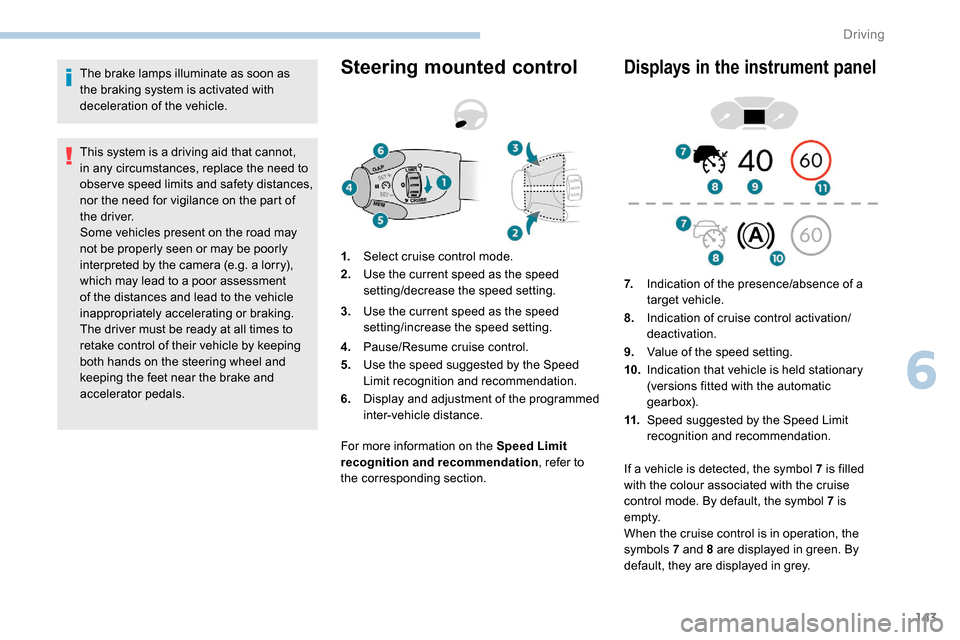
accelerator pedals.Steering mounted control
For more information on the Speed Limit
recognition and recommendation, refer to
the corresponding section.
Displays in the instrument panel
1. Select cruise control mode.
2. Use the current speed as the speed
setting/decrease the speed setting.
3. Use the current speed as the speed
setting/increase the speed setting.
4. Pause/Resume cruise control.
5. Use the speed suggested by the Speed
Limit recognition and recommendation.
6. Display and adjustment of the programmed
inter-vehicle distance. 7.
Indication of the presence/absence of a
target vehicle.
8. Indication of cruise control activation/
deactivation.
9. Value of the speed setting.
10. Indication that vehicle is held stationary
(versions fitted with the automatic
gearbox).
11. Speed suggested by the Speed Limit
recognition and recommendation.
If a vehicle is detected, the symbol 7
is filled
with the colour associated with the cruise
control mode. By default, the symbol 7 is
e m pt y.
When the cruise control is in operation, the
symbols 7 and 8 are displayed in green. By
default, they are displayed in grey.
6
Driving
Page 151 of 312
149
The system is not intended for the
following situations:
-
i
f the front end of the vehicle has
been modified (addition of long-range
headlamps, painting of the front
bumper),
-
d
riving on a racing circuit,
-
r
unning on a rolling road,
-
u
se of snow chains, non-slip covers or
studded tyres.
The use of mats not approved by
PEUGEOT may inter fere with the
operation of the cruise control.
To avoid any risk of jamming the pedals:
-
e
nsure that the mat is secured
c o r r e c t l y,
-
d
o not place one mat on top of another.
The following situations may interfere with
the operation of the system or prevent it
from working:
-
d
riving on a winding road,
-
p
oor visibility (inadequate street
lighting, falling snow, heavy rain, dense
fog, etc.),
-
d
azzle (headlamps of an oncoming
vehicle, low sun, reflections on a damp
road, leaving a tunnel, alternating
shade and light, etc.),
-
c
amera obstructed (mud, frost, snow,
condensation, etc.).
In these situations, detection performance
may be reduced.Malfunction
If the cruise control
malfunctions, dashes are
displayed instead of the
cruise control speed setting.
If this warning lamp comes
on, accompanied by an alert
message and an audible
signal, this confirms a
malfunction.
The adaptive cruise control deactivates
automatically if the use of a "space-saver"
type spare wheel is detected or if there is
a malfunction on the lateral brake lamps or
trailer brake lamps (for approved trailers).
The cruise control operates by day and
night, in fog or moderate rainfall.
However, it is strongly recommended that
you always keep a safe distance from
vehicles ahead, according to the driving
conditions, the weather and the road
sur face.
Use the cruise control only where the
driving conditions allow running at a
constant speed and keeping an adequate
safety distance.
Do not activate the cruise control in urban
areas where pedestrians are likely to
cross the road, in heavy traffic (except for
versions with EAT8 gearbox), on winding
or steep roads, on slippery or flooded
roads, when there is snowfall, if the
windscreen is damaged or when the brake
lamps have failed.
In certain circumstances, it may not
be possible for the speed setting to be
maintained or even attained: loaded
vehicle, ascending a steep hill, etc.
Have the system checked by a PEUGEOT
dealer or a qualified workshop.
Memorising speeds
Linked to the speed limiter and programmable
cruise control, this function allows speed limits
to be registered which will then be suggested
as settings for these two systems.
You can memorise several speed settings for
each system.
6
Driving
Page 153 of 312
151
Operating conditions and
limits
The ESC system must not be faulty.
The DSC/ASR systems must not be
deactivated.
All passenger seat belts must be fastened.
Driving at a steady speed on roads with few
bends is required.The system is automatically deactivated
after the use of certain "space-saver"
type spare wheels is detected (smaller
diameter).
The system is automatically deactivated
after detection of a fault with the brake
pedal switch or with at least two brake
lamps. After an impact, the function automatically
stops operating. Contact a PEUGEOT
dealer or a qualified workshop to have the
system checked.
Distance Alert
It warns the driver if his vehicle is at risk of
collision with the vehicle in front or a pedestrian
present in his traffic lane.
In the following cases, deactivating the system
via the vehicle's configuration menu is advised:
-
t
owing a trailer,
-
c
arrying long objects on roof bars or roof
rack,
-
w
ith snow chains fitted,
-
b
efore using an automatic car wash, with
the engine running,
-
b
efore placing the vehicle on a rolling road
in a workshop,
-
t
owed vehicle, engine running,
-
f
ollowing an impact to the windscreen close
to the detection camera. It is possible that warnings are not given,
are given too late or seem unjustified.
Consequently, always stay in control of
your vehicle and be prepared to react at
any time to avoid an accident.
The current threshold can
be modified via the vehicle
configuration menu.
You can select one of three pre-defined
thresholds:
- "
Distant ",
- "
Normal ",
- "
Close ".
The last threshold selected is memorised when
the ignition is switched off.
Operation
Depending on the degree of risk of collision
detected by the system and the alert threshold
chosen by the driver, different levels of
alert can be triggered and displayed in the
instrument panel.
They take account of the vehicle dynamics, the
speed of your vehicle and the one in front, the
environmental conditions, the operation of the
vehicle (cornering, actions on the pedals, etc.)
to trigger the alert at the best moment.
Modifying the alert trigger
threshold
This threshold determines how you wish to be
warned of the presence of a vehicle moving
or stationary in front of you, or a pedestrian
present in your traffic lane. Level 1 (orange)
: visual alert only,
signalling to you that the vehicle in
front is very close.
The message " Vehicle close" is
displayed.
6
Driving
Page 155 of 312
153
Malfunction
In the event of a fault with the system, you
are alerted by the continuous illumination
of this warning lamp, accompanied by the
display of a message and an audible signal.
If these warning lamps come on after
the engine has been switched off
and restarted, contact a PEUGEOT
dealer or a qualified workshop to
have the system checked.
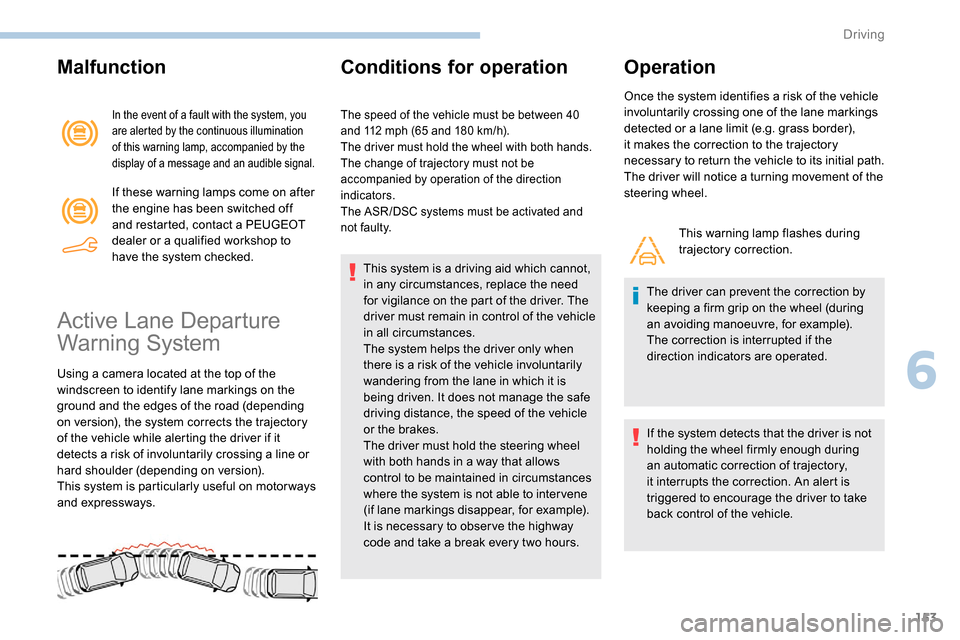
Active Lane Departure
Warning System
Using a camera located at the top of the
windscreen to identify lane markings on the
ground and the edges of the road (depending
on version), the system corrects the trajectory
of the vehicle while alerting the driver if it
detects a risk of involuntarily crossing a line or
hard shoulder (depending on version).
This system is particularly useful on motor ways
and expressways.
Conditions for operation
The speed of the vehicle must be between 40
and 112 mph (65 and 180 km/h).
The driver must hold the wheel with both hands.
The change of trajectory must not be
accompanied by operation of the direction
indicators.
The ASR /DSC systems must be activated and
not faulty.
This system is a driving aid which cannot,
in any circumstances, replace the need
for vigilance on the part of the driver. The
driver must remain in control of the vehicle
in all circumstances.
The system helps the driver only when
there is a risk of the vehicle involuntarily
wandering from the lane in which it is
being driven. It does not manage the safe
driving distance, the speed of the vehicle
or the brakes.
The driver must hold the steering wheel
with both hands in a way that allows
control to be maintained in circumstances
where the system is not able to inter vene
(if lane markings disappear, for example).
It is necessary to obser ve the highway
code and take a break every two hours.
Operation
Once the system identifies a risk of the vehicle
involuntarily crossing one of the lane markings
detected or a lane limit (e.g. grass border),
it makes the correction to the trajectory
necessary to return the vehicle to its initial path.
The driver will notice a turning movement of the
steering wheel.
This warning lamp flashes during
trajectory correction.
The driver can prevent the correction by
keeping a firm grip on the wheel (during
an avoiding manoeuvre, for example).
The correction is interrupted if the
direction indicators are operated.
If the system detects that the driver is not
holding the wheel firmly enough during
an automatic correction of trajectory,
it interrupts the correction. An alert is
triggered to encourage the driver to take
back control of the vehicle.
6
Driving
Page 162 of 312
160
After three first level alerts, the system triggers
a further alert with the message "Dangerous
driving: take a break ", accompanied by a
more pronounced audible signal.
In certain driving conditions (poor road
sur face or strong winds), the system may
give alerts irrespective of the driver's level
of vigilance.
The following situations may interfere with
the operation of the system or prevent it
from working:
-
p
oor visibility (inadequate lighting of
the roadway, falling snow, heavy rain,
dense fog, etc.),
-
d
azzle (headlamps of an oncoming
vehicle, low sun, reflections on a damp
road, leaving a tunnel, alternating
shade and light, etc.),
-
w
indscreen area located in front of the
camera: dirty, misted, frost-covered,
snow-covered, damaged or covered by
a s t i c ke r,
-
lan
e markings absent, worn, concealed
(snow, mud) or multiple (roadworks,
e t c .),
-
c
lose to the vehicle ahead (lane
markings not detected),
-
r
oads that are narrow, winding, etc. Clean the windscreen regularly,
particularly the area in front of the camera.
The internal sur face of the windscreen can
also become misted around the camera.
In humid and cold weather, demist the
windscreen regularly.
Do not allow snow to accumulate on the
bonnet or roof of the vehicle as this could
obstruct the detection camera.
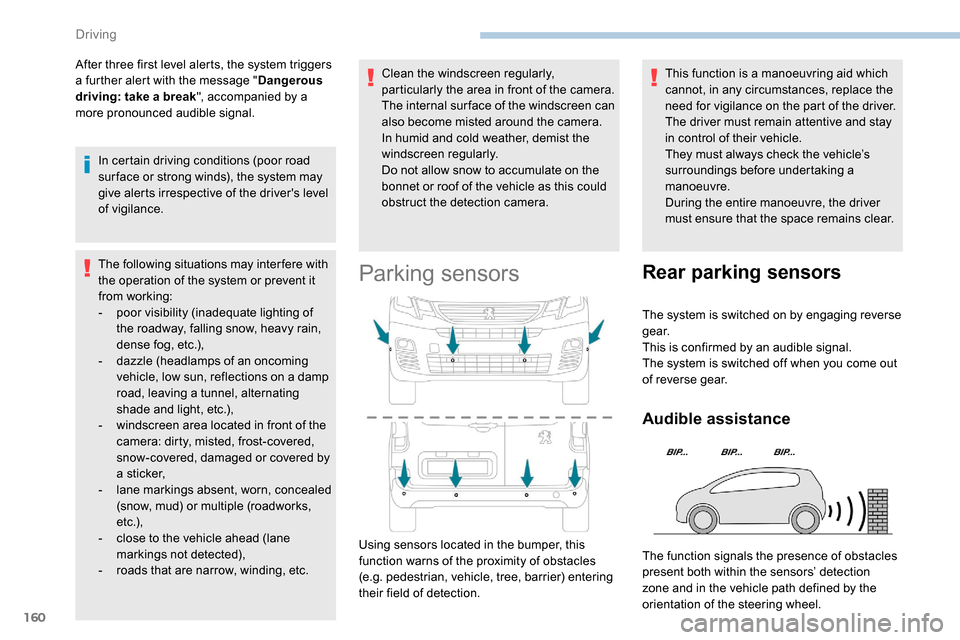
Parking sensors
This function is a manoeuvring aid which
cannot, in any circumstances, replace the
need for vigilance on the part of the driver.
The driver must remain attentive and stay
in control of their vehicle.
They must always check the vehicle’s
surroundings before undertaking a
manoeuvre.
During the entire manoeuvre, the driver
must ensure that the space remains clear.
Using sensors located in the bumper, this
function warns of the proximity of obstacles
(e.g. pedestrian, vehicle, tree, barrier) entering
their field of detection.
Rear parking sensors
The system is switched on by engaging reverse
g e a r.
This is confirmed by an audible signal.
The system is switched off when you come out
of reverse gear.
Audible assistance
The function signals the presence of obstacles
present both within the sensors’ detection
zone and in the vehicle path defined by the
orientation of the steering wheel.
Driving