Service Peugeot Partner 2019 Owner's Guide
[x] Cancel search | Manufacturer: PEUGEOT, Model Year: 2019, Model line: Partner, Model: Peugeot Partner 2019Pages: 312, PDF Size: 9.56 MB
Page 278 of 312
18
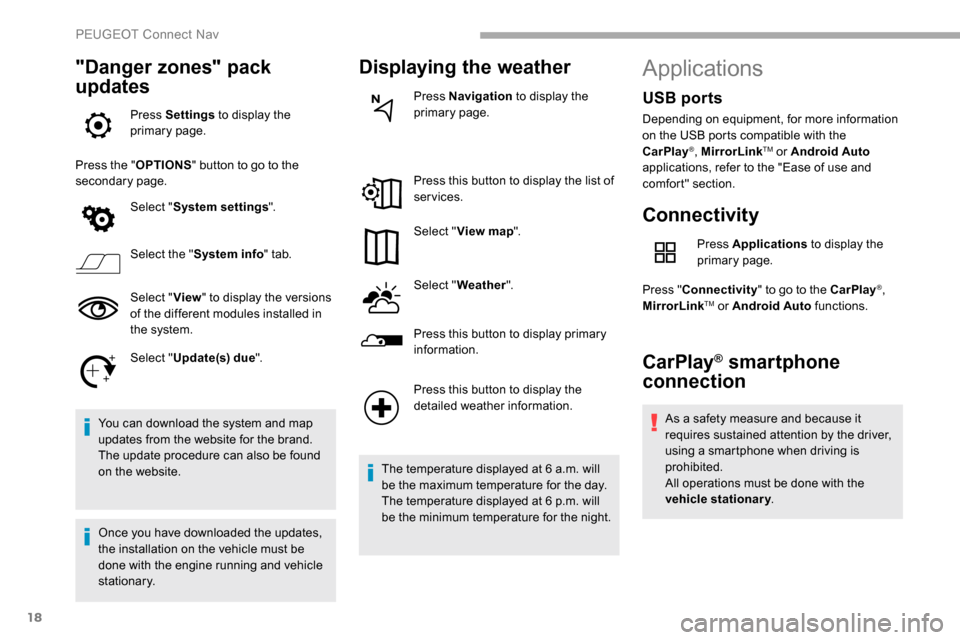
"Danger zones" pack
updates
Press Settings to display the
primary page.
Press the " OPTIONS" button to go to the
secondary page.
Select "System settings ".
Select the " System info " tab.
Select " View" to display the versions
of the different modules installed in
the system.
Select " Update(s) due ".
You can download the system and map
updates from the website for the brand.
The update procedure can also be found
on the website.
Once you have downloaded the updates,
the installation on the vehicle must be
done with the engine running and vehicle
stationary.
Displaying the weather
Press Navigation to display the
primary page.
Press this button to display the list of
services.
Select " View map ".
Select " Weather ".
Press this button to display primary
information.
Press this button to display the
detailed weather information.
The temperature displayed at 6 a.m. will
be the maximum temperature for the day.
The temperature displayed at 6 p.m. will
be the minimum temperature for the night.
Applications
Connectivity
Press Applications to display the
primary page.
Press " Connectivity " to go to the CarPlay
®,
MirrorLinkTM or Android Auto functions.
CarPlay® smartphone
connection
As a safety measure and because it
requires sustained attention by the driver,
using a smartphone when driving is
prohibited.
All operations must be done with the
vehicle stationary .
USB ports
Depending on equipment, for more information
on the USB ports compatible with the
CarPlay
®, MirrorLinkTM or Android Auto
applications, refer to the "Ease of use and
comfort" section.
PEUGEOT Connect Nav
Page 282 of 312
22
Connection sharing
The system offers to connect the telephone
with 3 profiles:
- "Telephone " (hands-free kit, telephone
only),
-
"Streaming " (streaming: wireless playing of
the audio files on the telephone),
-
"Mobile internet data ".
The " Mobile internet data " profile
must be activated for connected
navigation (where the vehicle does not
have "Emergency and assistance call"
ser vices), having first activated sharing of
this connection on your smartphone.
Select one or more profiles.
Press " OK" to confirm.
Wi-Fi connection
Network connection by the smartphone's Wi-Fi.
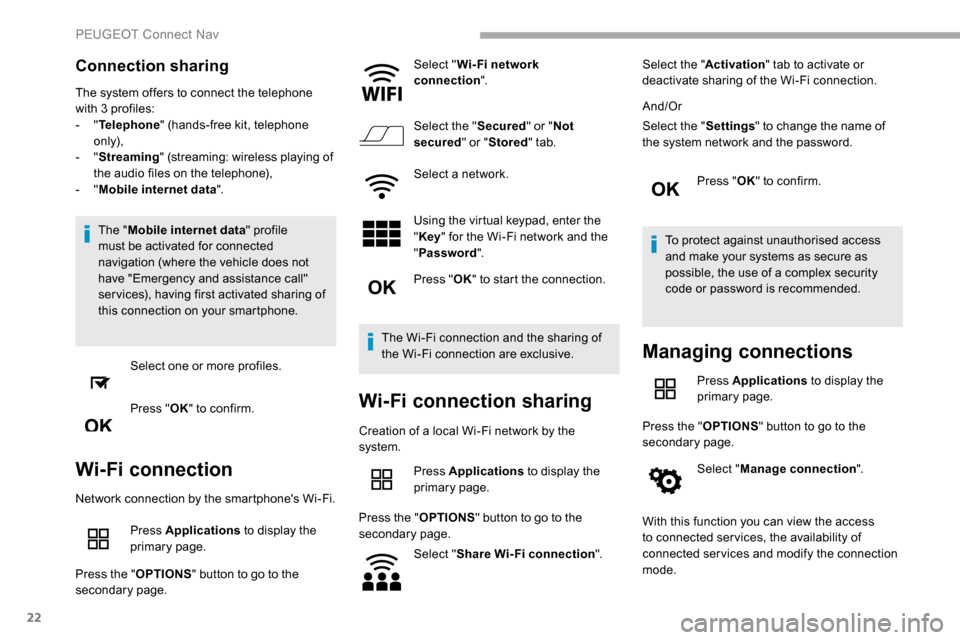
Press Applications to display the
primary page.
Press the " OPTIONS" button to go to the
secondary page. Select "
Wi- Fi network
connection ".
Select the " Secured" or "Not
secured " or "Stored " tab.
Select a network.
Using the virtual keypad, enter the
" Key " for the Wi-Fi network and the
" Password ".
Press " OK" to start the connection.
The Wi-Fi connection and the sharing of
the Wi-Fi connection are exclusive.
Wi-Fi connection sharing
Creation of a local Wi-Fi network by the
system. Press Applications to display the
primary page.
Press the " OPTIONS" button to go to the
secondary page.
Select "Share Wi-Fi connection ".Select the "
Activation" tab to activate or
deactivate sharing of the Wi-Fi connection.
And/Or
Select the " Settings" to change the name of
the system network and the password.
Press "OK" to confirm.
To protect against unauthorised access
and make your systems as secure as
possible, the use of a complex security
code or password is recommended.
Managing connections
Press Applications to display the
primary page.
Press the " OPTIONS" button to go to the
secondary page.
Select "Manage connection ".
With this function you can view the access
to connected ser vices, the availability of
connected services and modify the connection
mode.
PEUGEOT Connect Nav
Page 288 of 312
28
Activation of the profile; "Mobile internet
data " is obligatory for connected
navigation having first activated sharing of
this connection on your smartphone.
Select one or more profiles.
Press " OK" to confirm.
Depending on the type of telephone, you
may be asked to accept or not the transfer
of your contacts and messages.
Automatic reconnection
On return to the vehicle, if the last
telephone connected is present again, it
is reconnected automatically and within
around 30 seconds after switching on
the ignition the pairing is done without
any action on your part (with Bluetooth
activated).
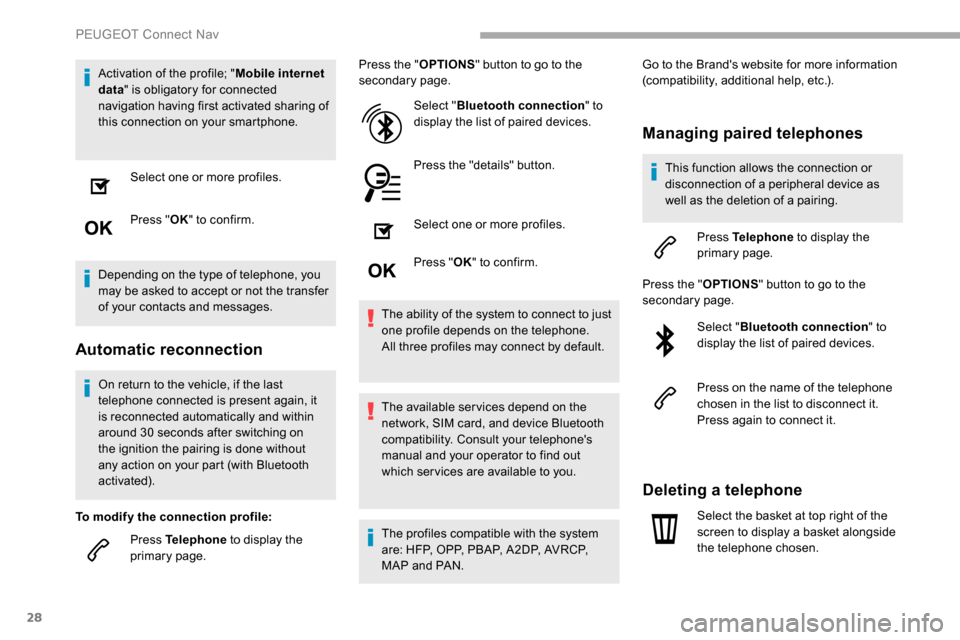
To modify the connection profile: Press Telephone to display the
primary page. Press the "
OPTIONS" button to go to the
secondary page.
Select "Bluetooth connection " to
display the list of paired devices.
Press the "details" button.
Select one or more profiles.
Press " OK" to confirm.
The ability of the system to connect to just
one profile depends on the telephone.
All three profiles may connect by default.
The available services depend on the
network, SIM card, and device Bluetooth
compatibility. Consult your telephone's
manual and your operator to find out
which ser vices are available to you.
The profiles compatible with the system
are: HFP, OPP, PBAP, A 2DP, AVRCP,
MAP and PAN. Go to the Brand's website for more information
(compatibility, additional help, etc.).
Managing paired telephones
This function allows the connection or
disconnection of a peripheral device as
well as the deletion of a pairing.
Press Telephone to display the
primary page.
Press the " OPTIONS" button to go to the
secondary page.
Select "Bluetooth connection " to
display the list of paired devices.
Press on the name of the telephone
chosen in the list to disconnect it.
Press again to connect it.
Deleting a telephone
Select the basket at top right of the
screen to display a basket alongside
the telephone chosen.
PEUGEOT Connect Nav
Page 290 of 312
30
In the "Telephone " tab, enter the telephone
numbers for the contact.
In the " Address " tab, enter the addresses for
the contact.
In the " Email" tab, enter the email addresses
for the contact.
The " Email " function allows email
addresses to be entered for a contact, but
the system is not able to send emails.
Managing messages
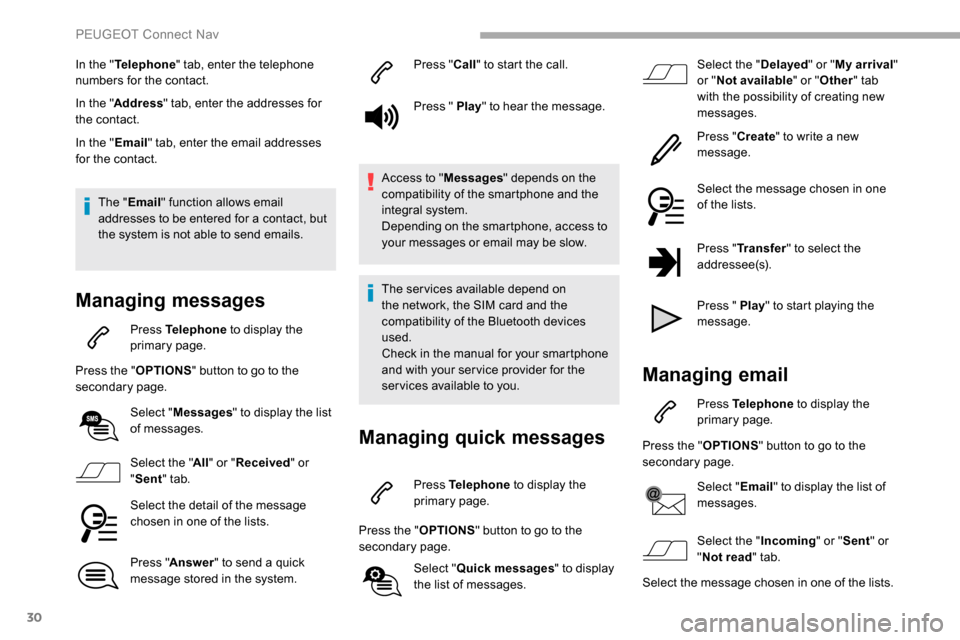
Press Telephone to display the
primary page.
Press the " OPTIONS" button to go to the
secondary page.
Select "Messages " to display the list
of messages.
Select the " All" or " Received " or
" Sent " tab.
Select the detail of the message
chosen in one of the lists.
Press " Answer " to send a quick
message stored in the system. Press "
Call" to start the call.
Press " Play " to hear the message.
Access to " Messages" depends on the
compatibility of the smartphone and the
integral system.
Depending on the smartphone, access to
your messages or email may be slow.
The services available depend on
the network, the SIM card and the
compatibility of the Bluetooth devices
used.
Check in the manual for your smartphone
and with your ser vice provider for the
services available to you.
Managing quick messages
Press Telephone to display the
primary page.
Press the " OPTIONS" button to go to the
secondary page.
Select "Quick messages " to display
the list of messages. Select the "
Delayed" or "My arrival "
or " Not available " or "Other " tab
with the possibility of creating new
messages.
Press " Create" to write a new
message.
Select the message chosen in one
of the lists.
Press " Transfer " to select the
addressee(s).
Press " Play " to start playing the
message.
Managing email
Press Telephone to display the
primary page.
Press the " OPTIONS" button to go to the
secondary page.
Select "Email" to display the list of
messages.
Select the " Incoming" or "Sent " or
" Not read " tab.
Select the message chosen in one of the lists.
PEUGEOT Connect Nav
Page 304 of 312
222
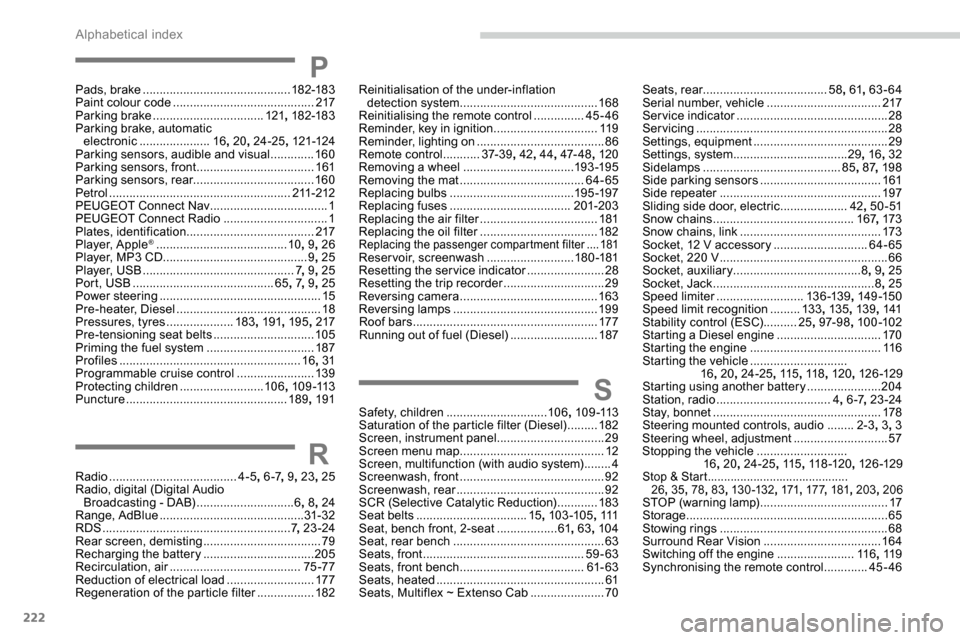
PPads, brake ............................................ 182-183
Paint colour code .......................................... 217
Parking brake
................................. 121, 182-183
Parking brake, automatic electronic
..................... 16, 20 , 24-25 , 121-124
Parking sensors, audible and visual
.............160
Parking sensors, front
...................................161
Parking sensors, rear .................................... 160
Petrol
...................................................... 211-212
PEUGEOT Connect Nav
...................................1
PEUGEOT Connect Radio
...............................1
P
lates, identification ...................................... 217
Player, Apple
® ....................................... 10, 9, 26
Player, MP3 CD ............................... ............9, 25
Player, USB
............................................. 7, 9 , 25
Port, USB
.......................................... 65, 7, 9 , 25
Power steering
...............................
.................15
Pre-heater, Diesel
........................................... 18
Pressures, tyres
.................... 183, 191 , 195 , 217
Pre-tensioning seat belts
.............................. 105
Priming the fuel system
................................ 187
Profiles
...................................................... 16, 31
Programmable cruise control
.......................13 9
Protecting children
......................... 10 6, 1 0 9 -113
Puncture
................................................ 189, 191
RRadio ...................................... 4-5, 6 -7 , 9, 23 , 25
Radio, digital (Digital Audio Broadcasting - DAB)
.............................6,
8, 24
Range, AdBlue
........................................... 31- 32
RDS
................
........................................ 7, 23 -24
Rear screen, demisting
...................................79
Recharging the battery
.................................205
Recirculation, air
....................................... 75 -77
Reduction of electrical load
..........................17 7
Regeneration of the particle filter
.................182
Reinitialisation of the under-inflation
detection system ......................................... 168
Reinitialising the remote control
............... 45
-46
Reminder, key in ignition
...............................11
9
Reminder, lighting on
...................................... 86
R
emote control
...........37- 3 9, 42, 44 , 47- 4 8 , 120
Removing a wheel
................................. 193 -195
Removing the mat
..................................... 64-65
Replacing bulbs
..................................... 19
5 -197
Replacing fuses
.................................... 201-203
Replacing the air filter
................................... 18
1
Replacing the oil filter
................................... 18
2
Replacing the passenger compartment filter ....181Reservoir, screenwash ..........................18 0 -181
Resetting the service indicator .......................28
Resetting the trip recorder
..............................29
Reversing camera
...............................
..........163
Reversing lamps
..............................
.............19 9
Roof bars
....................................................... 17 7
Running out of fuel (Diesel)
..........................187
SSafety, children .............................. 10 6, 1 0 9 -113
Saturation of the particle filter (Diesel) .........182
Screen, instrument panel
................................29
Screen menu map
........................................... 12
Screen, multifunction (with audio system)
........4
Screenwash, front
........................................... 92
Screenwash, rear
............................................ 92
SCR (Selective Catalytic Reduction)
............183
Seat belts
................................. 15, 103 -105 , 111
Seat, bench front, 2-seat
.................. 61,
63, 104
Seat, rear bench
............................................. 63
Seats, front
...............................
.................59-63
Seats, front bench
..................................... 61- 63
Seats, heated
.................................................. 61
Seats, Multiflex ~ Extenso Cab
......................70Seats, rear
.....................................
58, 61 , 63-64
Serial number, vehicle
..................................
217
Service indicator
.............................................
28
Servicing
......................................................... 28
S
ettings, equipment
........................................
29
Settings, system
..................................
29, 16 , 32
Sidelamps
......................................... 85,
87
, 198
Side parking sensors
.................................... 16
1
Side repeater
................................................
197
Sliding side door, electric ....................
42, 5 0 - 51
Snow chains
..........................................
167, 173
Snow chains, link
..........................................
173
Socket, 12 V accessory ............................
64-65
Socket, 220 V ..................................................
66
Socket, auxiliary
...................................... 8,
9
, 25
Socket, Jack
................................................
8, 25
Speed limiter
.......................... 13
6 -13 9
, 14 9 -15 0
Speed limit recognition
......... 13
3
, 13 5 , 13 9, 141
Stability control (ESC) ..........25, 97- 9 8 , 10 0 -102
Starting a Diesel engine
............................... 17
0
Starting the engine
....................................... 11
6
Starting the vehicle
.............................
16 ,
20
, 24-25 , 115, 11 8 , 120 , 126 -129
Starting using another battery
......................
204
Station, radio ............................... ...
4, 6 -7 , 23 -24
Stay, bonnet ..................................................178
Steering mounted controls, audio ........ 2-
3, 3 , 3
Steering wheel, adjustment
............................ 57
S
topping the vehicle
...........................
16 , 20 , 24-25 , 115, 11 8 -12 0 , 126 -129
Stop & Start ...........................................
26 , 35 , 78, 83 , 13 0 -132 , 171, 17 7 , 181 , 203 , 206
STOP (warning lamp) ...................................... 17
St orage ............................................................ 65
Stowing rings
.................................................. 68
Surround Rear Vision
................................... 16
4
Switching off the engine
.......................11 6, 11 9
Synchronising the remote control
.............45-46
Alphabetical index
Page 305 of 312
223
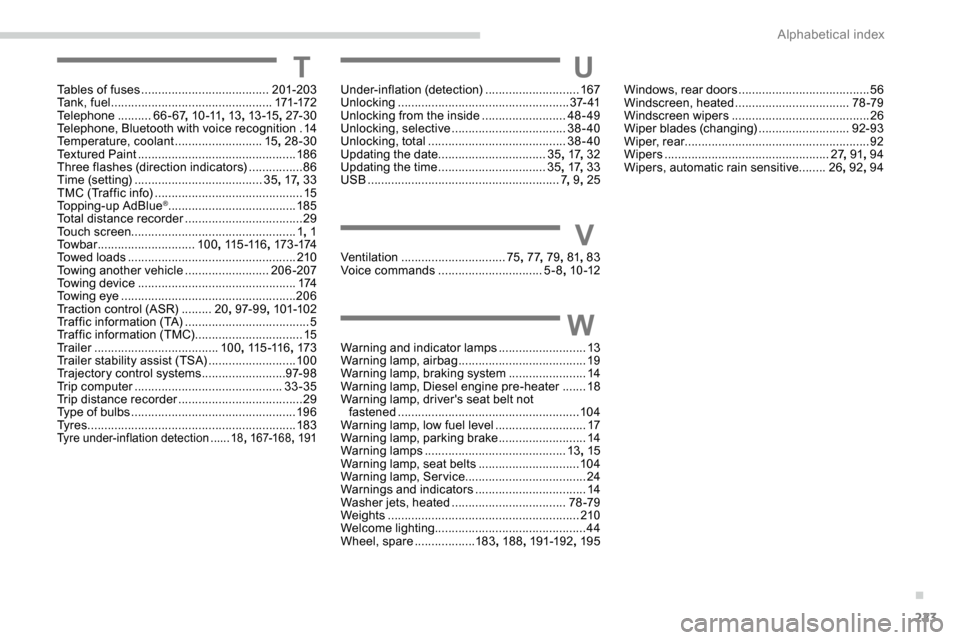
TTables of fuses ......................................20 1-203
Ta n k , f u e l ................................................ 171-172
Telephone
.......... 6
6- 67, 1 0 -11 , 13, 13 -15 , 27- 3 0
Telephone, Bluetooth with voice recognition
.14
Temperature, coolant
..........................15, 28-30
Textured Paint
............................................... 18 6
Three flashes (direction indicators)
................86
T
ime (setting) ...................................... 35, 17 , 33
TMC (Traffic info)
............................................ 15
T
opping-up AdBlue
®...................................... 185
Total distance recorder ................................... 29
Touch screen ................................................. 1 , 1
To w b a r
............................. 10
0, 115 -11 6 , 173 -174
Towed loads
.................................................. 210
Towing another vehicle
......................... 206-207
Towing device
............................................... 174
Towing eye
.................................................... 206
Traction control (ASR)
......... 20, 97- 9 9 , 101-102
Traffic information (TA)
..................................... 5
Traffic information (TMC)
................................ 15
Tr a i l e r
...............
...................... 10 0, 115 -11 6 , 173
Trailer stability assist (TSA)
.......................... 10
0
Trajectory control systems
......................... 9
7- 9 8
Trip computer
............................................ 33-35
Trip distance recorder
..................................... 29
T
ype of bulbs
...............................
..................19 6
Ty r e s
.............................................................. 183
Tyre under-inflation detection ......18, 167-168 , 191
UUnder-inflation (detection) ............................167
Unlocking ................................................... 37- 41
Unlocking from the inside
.........................48-49
Unlocking, selective
.................................. 38-40
Unlocking, total
......................................... 38-40
Updating the date
................................ 35,
17, 32
Updating the time
...............................
.35 , 17 , 33
USB
......................................................... 7, 9 , 25
VVentilation ............................... 75, 77 , 79 , 81, 83
Voice commands ............................... 5-8, 10 -12
WWarning and indicator lamps .......................... 13
W arning lamp, airbag ...................................... 19
W
arning lamp, braking system
.......................14
Warning lamp, Diesel engine pre-heater
.......18
Warning lamp, driver's seat belt not fastened
...............................
.......................104
Warning lamp, low fuel level
...........................17
Warning lamp, parking brake
..........................14
Warning lamps
.......................................... 13, 15
Warning lamp, seat belts
..............................104
Warning lamp, Service ....................................24
Warnings and indicators
.................................14
Washer jets, heated
.................................. 78 -79
Weights
...............
.......................................... 210
Welcome lighting ............................................. 44
Wheel, spare
.................. 18
3, 188 , 191-192 , 195 Windows, rear doors
.......................................
56
Windscreen, heated
..................................
78 -79
Windscreen wipers
.........................................
26
Wiper blades (changing)
...........................
92-93
Wiper, rear ....................................................... 92
Wipers
.................................................
27, 91 , 94
Wipers, automatic rain sensitive
........
26, 92 , 94
.
Alphabetical index