steering Peugeot Partner 2019 Service Manual
[x] Cancel search | Manufacturer: PEUGEOT, Model Year: 2019, Model line: Partner, Model: Peugeot Partner 2019Pages: 312, PDF Size: 9.56 MB
Page 241 of 312
3
In very hot conditions, the volume may
be limited to protect the system. It may go
into standby (screen and sound off) for at
least 5
minutes.
The return to normal takes place when
the temperature in the passenger
compartment has dropped.
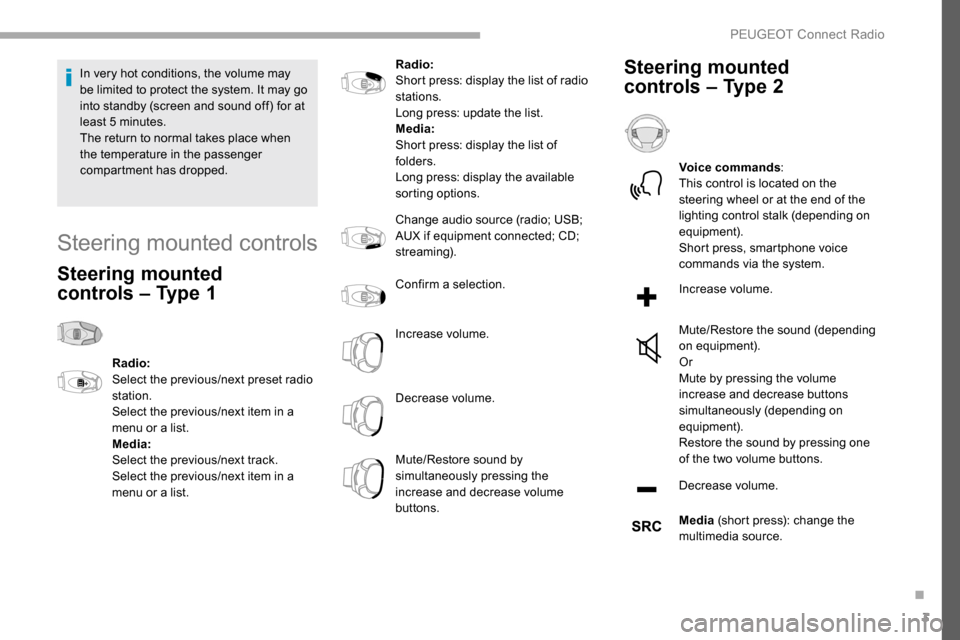
Steering mounted controls
Steering mounted
controls – Type 1
Radio:
Select the previous/next preset radio
station.
Select the previous/next item in a
menu or a list.
Media:
Select the previous/next track.
Select the previous/next item in a
menu or a list. Radio:
Short press: display the list of radio
stations.
Long press: update the list.
Media:
Short press: display the list of
folders.
Long press: display the available
sorting options.
Change audio source (radio; USB;
AUX if equipment connected; CD;
streaming).
Confirm a selection.
Increase volume.
Decrease volume.
Mute/Restore sound by
simultaneously pressing the
increase and decrease volume
buttons.
Steering mounted
controls – Type 2
Voice commands
:
This control is located on the
steering wheel or at the end of the
lighting control stalk (depending on
equipment).
Short press, smartphone voice
commands via the system.
Increase volume.
Mute/Restore the sound (depending
on equipment).
Or
Mute by pressing the volume
increase and decrease buttons
simultaneously (depending on
equipment).
Restore the sound by pressing one
of the two volume buttons.
Decrease volume.
Media (short press): change the
multimedia source.
.
PEUGEOT Connect Radio
Page 253 of 312
15
Press on the name of the telephone
chosen in the list to disconnect it.
Press again to connect it.
Deleting a telephone
Press the basket at the top right
of the screen to display a basket
alongside the telephone chosen.
Press the basket alongside the
telephone chosen to delete it.
Receiving a call
An incoming call is announced by a ring and a
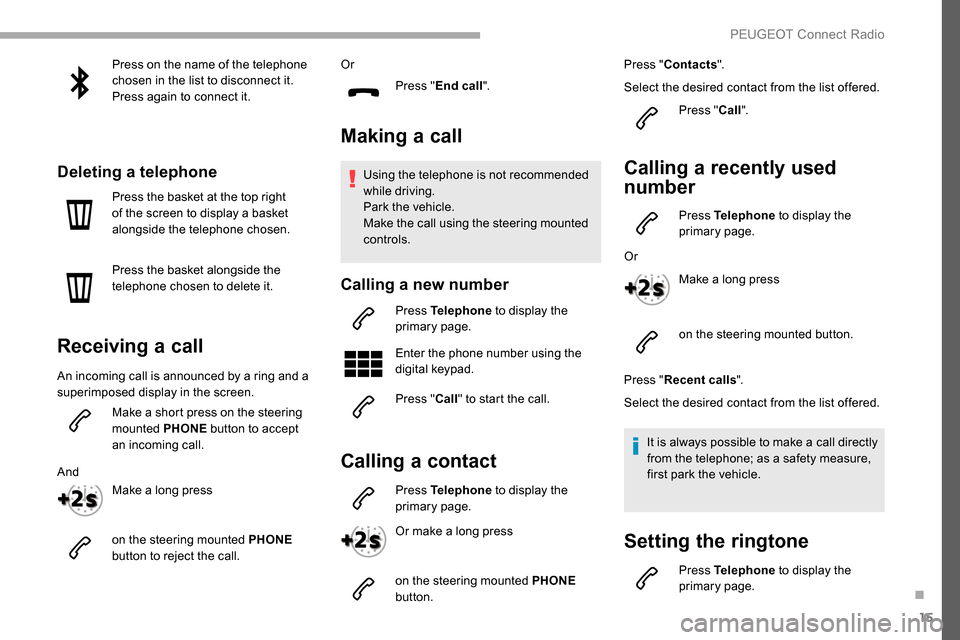
superimposed display in the screen.Make a short press on the steering
mounted PHONE button to accept
an incoming call.
And Make a long press
on the steering mounted PHONE
button to reject the call. Or
Press "End call".
Making a call
Using the telephone is not recommended
while driving.
Park the vehicle.
Make the call using the steering mounted
controls.
Calling a new number
Press Telephone to display the
primary page.
Enter the phone number using the
digital keypad.
Press " Call" to start the call.
Calling a contact
Press Telephone to display the
primary page.
Or make a long press
on the steering mounted PHONE
button. Press "
Contacts ".
Select the desired contact from the list offered. Press "Call".
Calling a recently used
number
Press Telephone to display the
primary page.
Or Make a long press
on the steering mounted button.
Press " Recent calls ".
Select the desired contact from the list offered.
It is always possible to make a call directly
from the telephone; as a safety measure,
first park the vehicle.
Setting the ringtone
Press Telephone to display the
primary page.
.
PEUGEOT Connect Radio
Page 263 of 312
3
In the "Settings" menu you can create
a profile for just one person or a group
of people with common points, with the
possibility of entering a multitude of
settings (radio presets, audio settings,
navigation history, contact favourites,
etc.); these settings are taken into account
automatically.
In very hot conditions, the volume may
be limited to protect the system. It may go
into standby (screen and sound off) for at
least 5
minutes.
The return to normal takes place when
the temperature in the passenger
compartment has dropped.
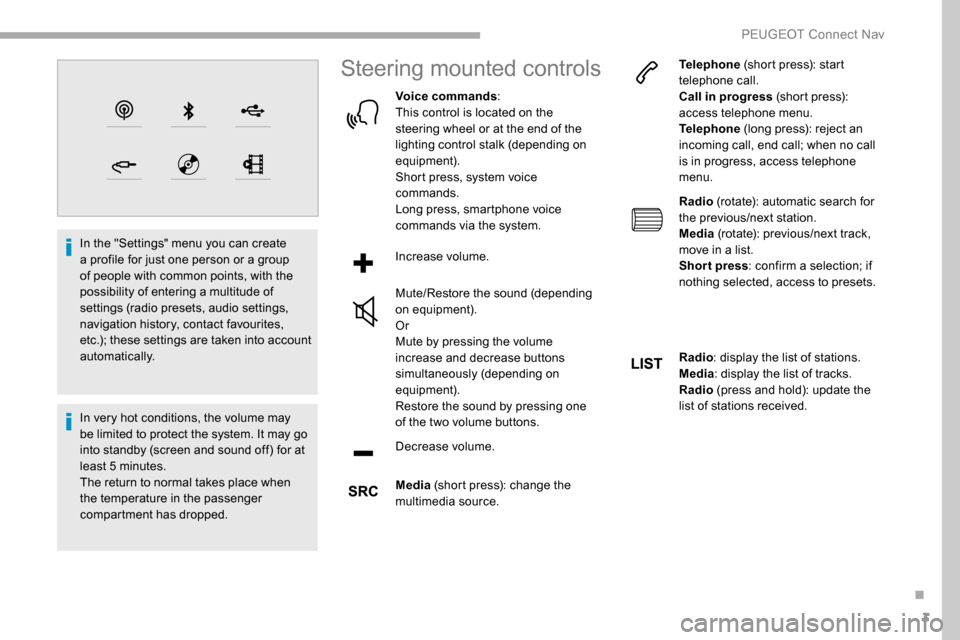
Steering mounted controls
Voice commands :
This control is located on the
steering wheel or at the end of the
lighting control stalk (depending on
equipment).
Short press, system voice
commands.
Long press, smartphone voice
commands via the system.
Increase volume.
Mute/Restore the sound (depending
on equipment).
Or
Mute by pressing the volume
increase and decrease buttons
simultaneously (depending on
equipment).
Restore the sound by pressing one
of the two volume buttons.
Decrease volume.
Media (short press): change the
multimedia source. Telephone
(short press): start
telephone call.
Call in progress (short press):
access telephone menu.
Telephone (long press): reject an
incoming call, end call; when no call
is in progress, access telephone
menu.
Radio (rotate): automatic search for
the previous/next station.
Media (rotate): previous/next track,
move in a list.
Short press : confirm a selection; if
nothing selected, access to presets.
Radio : display the list of stations.
Media : display the list of tracks.
Radio (press and hold): update the
list of stations received.
.
PEUGEOT Connect Nav
Page 265 of 312
5
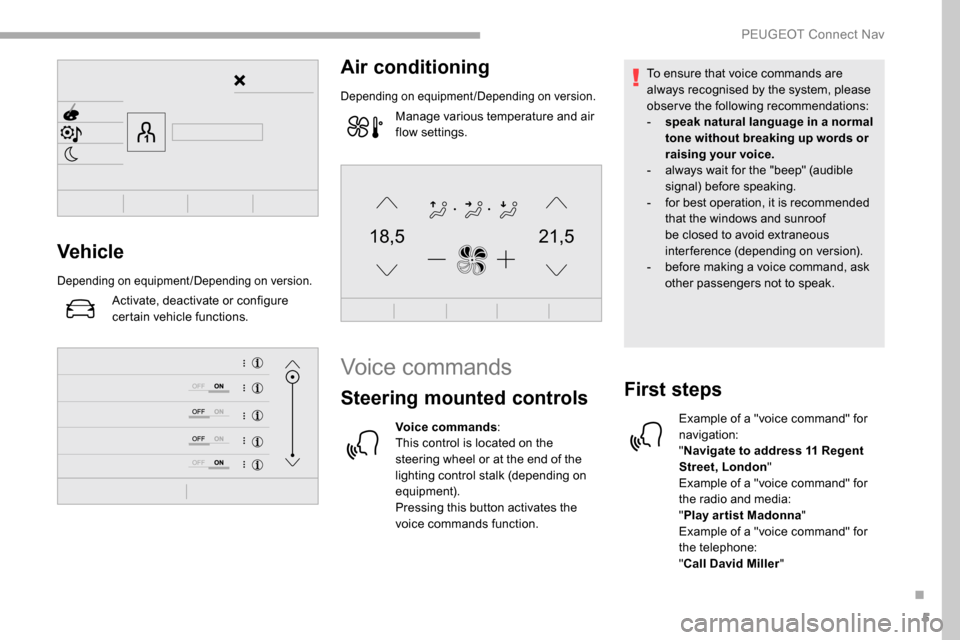
21,518,5Vehicle
Depending on equipment/Depending on version.
Activate, deactivate or configure
certain vehicle functions.
Air conditioning
Depending on equipment/Depending on version.
Manage various temperature and air
flow settings.
Voice commands
Steering mounted controls
Voice commands:
This control is located on the
steering wheel or at the end of the
lighting control stalk (depending on
equipment).
Pressing this button activates the
voice commands function. To ensure that voice commands are
always recognised by the system, please
observe the following recommendations:
-
s
peak natural language in a normal
tone without breaking up words or
raising your voice.
-
a
lways wait for the "beep" (audible
signal) before speaking.
-
f
or best operation, it is recommended
that the windows and sunroof
be closed to avoid extraneous
interference (depending on version).
-
b
efore making a voice command, ask
other passengers not to speak.
First steps
Example of a "voice command" for
navigation:
" Navigate to address 11 Regent
Street, London "
Example of a "voice command" for
the radio and media:
" Play ar tist Madonna "
Example of a "voice command" for
the telephone:
" Call David Miller "
.
PEUGEOT Connect Nav
Page 267 of 312
7
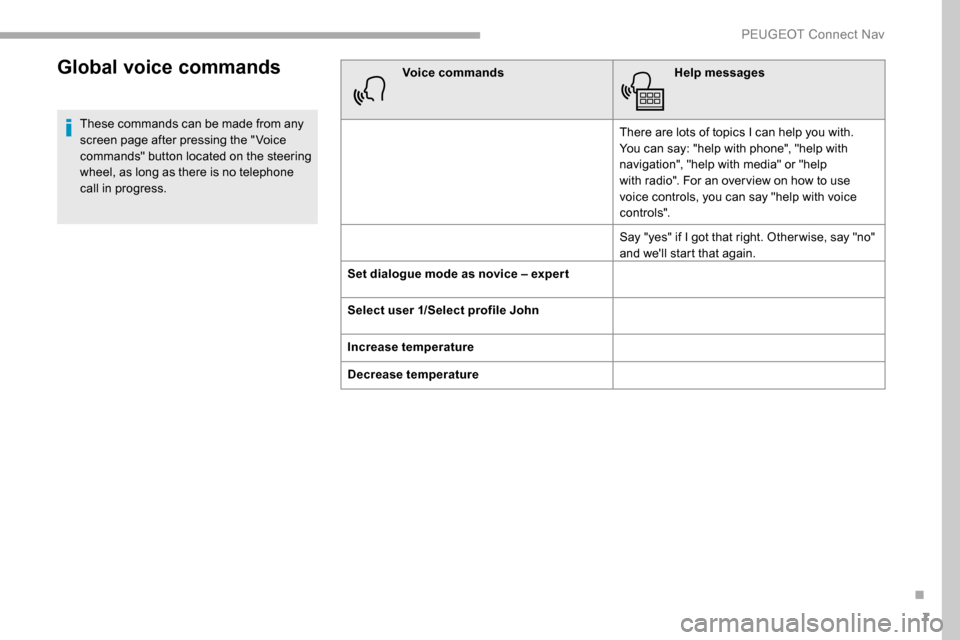
Global voice commands
These commands can be made from any
screen page after pressing the " Voice
commands" button located on the steering
wheel, as long as there is no telephone
call in progress.Voice commands
Help messages
There are lots of topics I can help you with.
You can say: "help with phone", "help with
navigation", "help with media" or "help
with radio". For an over view on how to use
voice controls, you can say "help with voice
c o nt ro ls".
Say "yes" if I got that right. Other wise, say "no"
and we'll start that again.
Set dialogue mode as novice – exper t
Select user 1/Select profile John
Increase temperature
Decrease temperature
.
PEUGEOT Connect Nav
Page 268 of 312
8
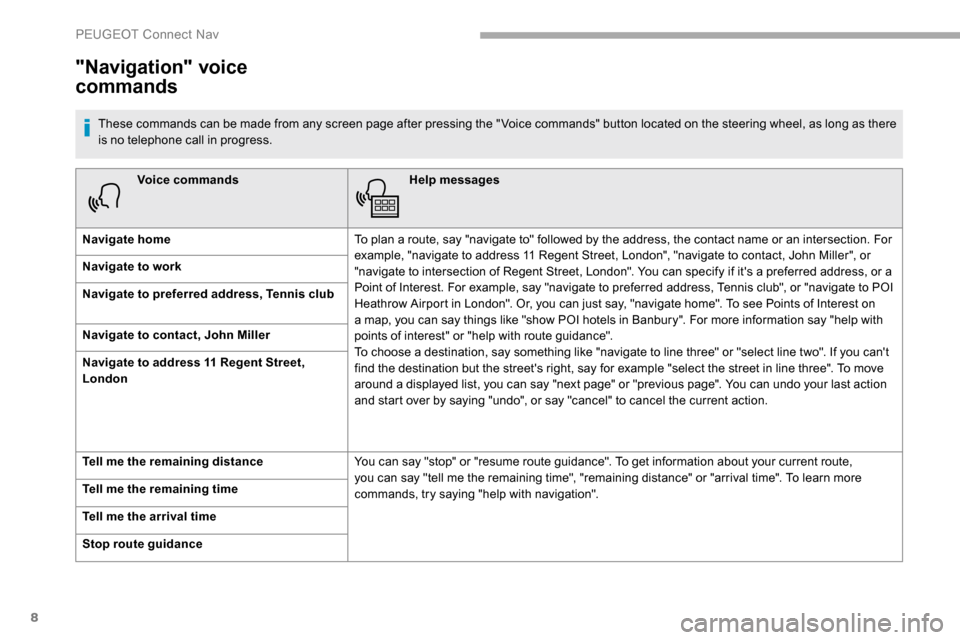
Voice commandsHelp messages
Navigate home To plan a route, say "navigate to" followed by the address, the contact name or an intersection. For
example, "navigate to address 11 Regent Street, London", "navigate to contact, John Miller", or
"navigate to intersection of Regent Street, London". You can specify if it's a preferred address, or a
Point of Interest. For example, say "navigate to preferred address, Tennis club", or "navigate to POI
Heathrow Airport in London". Or, you can just say, "navigate home". To see Points of Interest on
a map, you can say things like "show POI hotels in Banbury". For more information say "help with
points of interest" or "help with route guidance".
To choose a destination, say something like "navigate to line three" or "select line two". If you can't
find the destination but the street's right, say for example "select the street in line three". To move
around a displayed list, you can say "next page" or "previous page". You can undo your last action
and start over by saying "undo", or say "cancel" to cancel the current action.
Navigate to work
Navigate to preferred address, Tennis club
Navigate to contact, John Miller
Navigate to address 11 Regent Street,
London
Tell me the remaining distance
You can say "stop" or "resume route guidance". To get information about your current route,
you can say "tell me the remaining time", "remaining distance" or "arrival time". To learn more
commands, try saying "help with navigation".
Tell me the remaining time
Tell me the arrival time
Stop route guidance
"Navigation" voice
commands
These commands can be made from any screen page after pressing the " Voice commands" button located on the steering wheel, as long as there
is no telephone call in progress.
PEUGEOT Connect Nav
Page 270 of 312
10
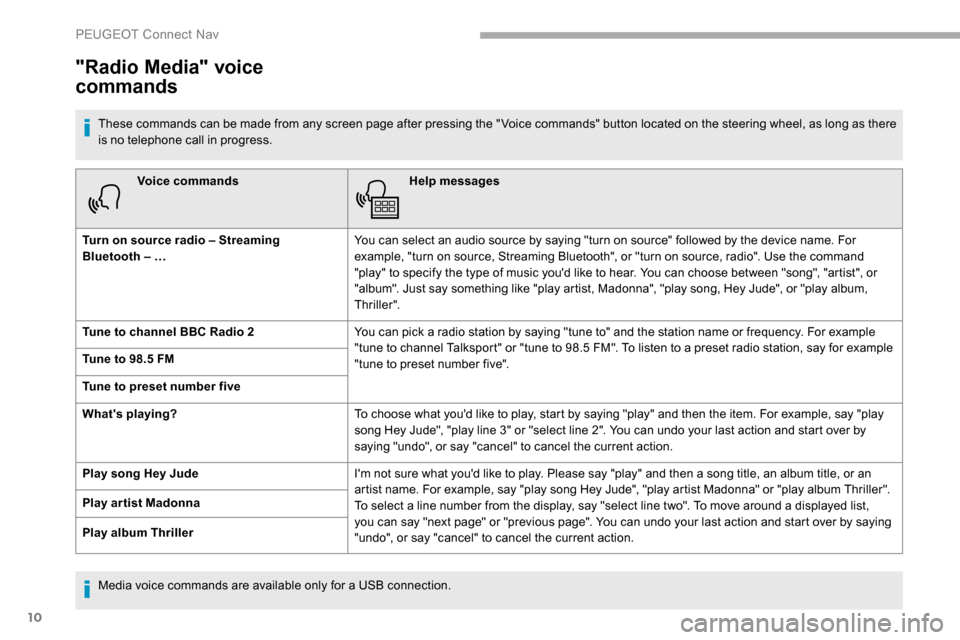
Voice commandsHelp messages
Turn on source radio – Streaming
Bluetooth – … You can select an audio source by saying "turn on source" followed by the device name. For
example, "turn on source, Streaming Bluetooth", or "turn on source, radio". Use the command
"play" to specify the type of music you'd like to hear. You can choose between "song", "artist", or
"album". Just say something like "play artist, Madonna", "play song, Hey Jude", or "play album,
Thriller".
Tune to channel BBC Radio 2 You can pick a radio station by saying "tune to" and the station name or frequency. For example
"tune to channel Talksport" or "tune to 98.5 FM". To listen to a preset radio station, say for example
"tune to preset number five".
Tune to 98.5 FM
Tune to preset number five
What's playing?
To choose what you'd like to play, start by saying "play" and then the item. For example, say "play
song Hey Jude", "play line 3" or "select line 2". You can undo your last action and start over by
saying "undo", or say "cancel" to cancel the current action.
Play song Hey Jude I'm not sure what you'd like to play. Please say "play" and then a song title, an album title, or an
artist name. For example, say "play song Hey Jude", "play artist Madonna" or "play album Thriller".
To select a line number from the display, say "select line two". To move around a displayed list,
you can say "next page" or "previous page". You can undo your last action and start over by saying
"undo", or say "cancel" to cancel the current action.
Play ar tist Madonna
Play album Thriller
"Radio Media" voice
commands
These commands can be made from any screen page after pressing the " Voice commands" button located on the steering wheel, as long as there
is no telephone call in progress.
Media voice commands are available only for a USB connection.
PEUGEOT Connect Nav
Page 271 of 312
11
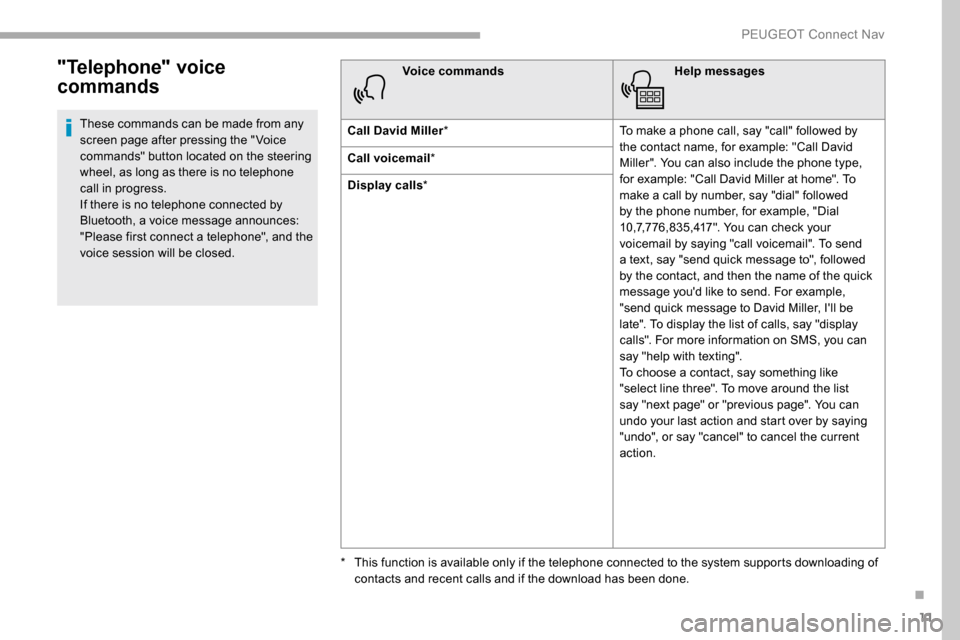
"Telephone" voice
commands
These commands can be made from any
screen page after pressing the " Voice
commands" button located on the steering
wheel, as long as there is no telephone
call in progress.
If there is no telephone connected by
Bluetooth, a voice message announces:
"Please first connect a telephone", and the
voice session will be closed.Voice commands
Help messages
Call David Miller * To make a phone call, say "call" followed by
the contact name, for example: "Call David
Miller". You can also include the phone type,
for example: "Call David Miller at home". To
make a call by number, say "dial" followed
by the phone number, for example, "Dial
10,7,776,835,417". You can check your
voicemail by saying "call voicemail". To send
a text, say "send quick message to", followed
by the contact, and then the name of the quick
message you'd like to send. For example,
"send quick message to David Miller, I'll be
late". To display the list of calls, say "display
calls". For more information on SMS, you can
say "help with texting".
To choose a contact, say something like
"select line three". To move around the list
say "next page" or "previous page". You can
undo your last action and start over by saying
"undo", or say "cancel" to cancel the current
action.
Call voicemail
*
Display calls *
*
T
his function is available only if the telephone connected to the system supports downloading of
contacts and recent calls and if the download has been done.
.
PEUGEOT Connect Nav
Page 272 of 312
12
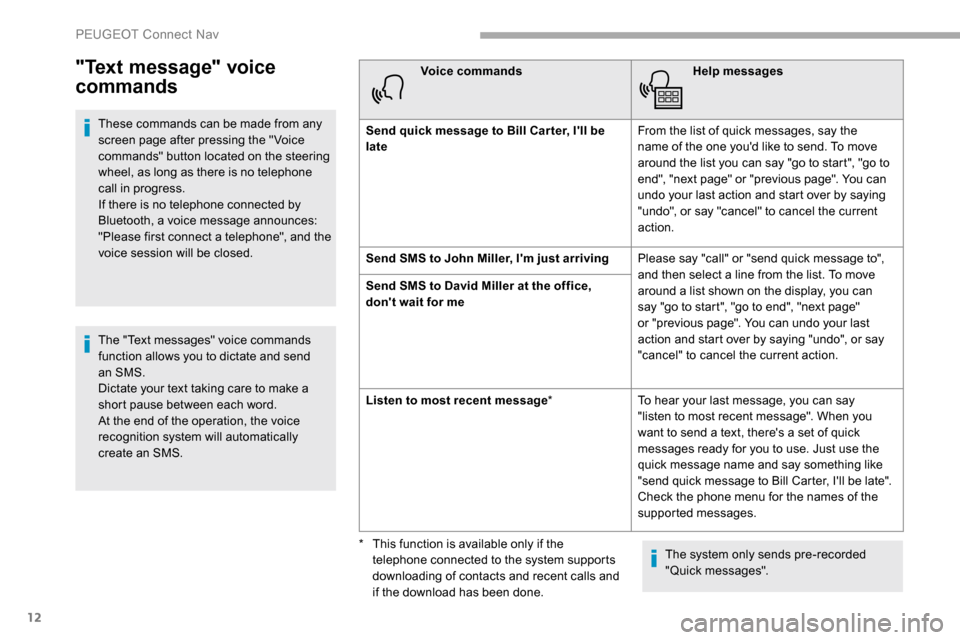
"Text message" voice
commands
These commands can be made from any
screen page after pressing the " Voice
commands" button located on the steering
wheel, as long as there is no telephone
call in progress.
If there is no telephone connected by
Bluetooth, a voice message announces:
"Please first connect a telephone", and the
voice session will be closed.
The "Text messages" voice commands
function allows you to dictate and send
an SMS.
Dictate your text taking care to make a
short pause between each word.
At the end of the operation, the voice
recognition system will automatically
create an SMS.Voice commands
Help messages
Send quick message to Bill Car ter, I'll be
late From the list of quick messages, say the
name of the one you'd like to send. To move
around the list you can say "go to start", "go to
end", "next page" or "previous page". You can
undo your last action and start over by saying
"undo", or say "cancel" to cancel the current
action.
Send SMS to John Miller, I'm just arriving Please say "call" or "send quick message to",
and then select a line from the list. To move
around a list shown on the display, you can
say "go to start", "go to end", "next page"
or "previous page". You can undo your last
action and start over by saying "undo", or say
"cancel" to cancel the current action.
Send SMS to David Miller at the office,
don't wait for me
Listen to most recent message
*To hear your last message, you can say
"listen to most recent message". When you
want to send a text, there's a set of quick
messages ready for you to use. Just use the
quick message name and say something like
"send quick message to Bill Carter, I'll be late".
Check the phone menu for the names of the
supported messages.
The system only sends pre-recorded
"Quick messages".
*
T
his function is available only if the
telephone connected to the system supports
downloading of contacts and recent calls and
if the download has been done.
PEUGEOT Connect Nav
Page 289 of 312
29
Press the basket alongside the
telephone chosen to delete it.
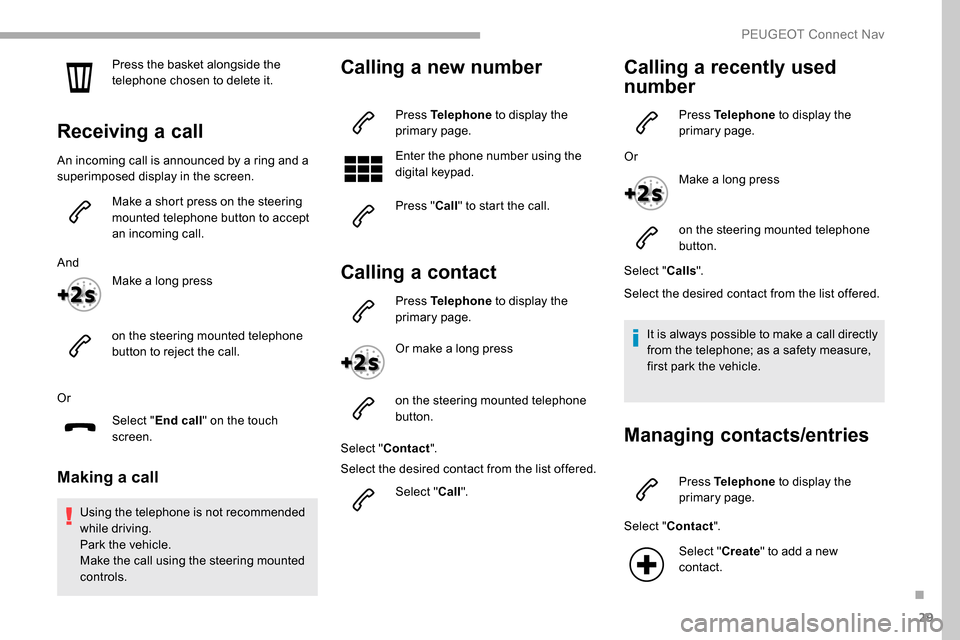
Receiving a call
An incoming call is announced by a ring and a
superimposed display in the screen.Make a short press on the steering
mounted telephone button to accept
an incoming call.
And Make a long press
on the steering mounted telephone
button to reject the call.
Or Select "End call" on the touch
screen.
Making a call
Using the telephone is not recommended
while driving.
Park the vehicle.
Make the call using the steering mounted
controls.
Calling a new number
Press Telephone to display the
primary page.
Enter the phone number using the
digital keypad.
Press " Call" to start the call.
Calling a contact
Press Telephone to display the
primary page.
Or make a long press
on the steering mounted telephone
button.
Select " Contact ".
Select the desired contact from the list offered.
Select "Call".
Calling a recently used
number
Press Telephone to display the
primary page.
Or Make a long press
on the steering mounted telephone
button.
Select " Calls".
Select the desired contact from the list offered.
It is always possible to make a call directly
from the telephone; as a safety measure,
first park the vehicle.
Managing contacts/entries
Press Telephone to display the
primary page.
Select " Contact ".
Select " Create" to add a new
contact.
.
PEUGEOT Connect Nav