ignition Peugeot Partner Tepee 2016 Owner's Guide
[x] Cancel search | Manufacturer: PEUGEOT, Model Year: 2016, Model line: Partner Tepee, Model: Peugeot Partner Tepee 2016Pages: 296, PDF Size: 10.76 MB
Page 57 of 296
55
Maintenance
Before working under the bonnet,
deactivate the Stop & Start
system to avoid any risk of injury
resulting from automatic operation of
START
mode.
This system requires a specific
battery with a special specification
and technology (reference numbers
available from a P
eugeo T dealer or a
qualified workshop).
Fitting a battery not listed by
P
eugeo T
introduces the risk of
malfunction of the system.
The Stop & Start system makes
use of advanced technology. All
work on this type of battery must
be done only by a P
eugeo T dealer or
a qualified workshop.
good practice when stopping
g
ood practice when starting
Diesel pre-heating warning
lamp
If the temperature is high
enough, the warning lamp
comes on for less than
one
second, you can start
without waiting.
In cold weather, wait for this warning
lamp to go off then operate the starter
(Starting position) until the engine
starts.
Door or bonnet open warning
lamp
If this comes on, a door or the bonnet
is not closed correctly, check!
Minimise engine and gearbox wear
When switching off the ignition, let the
engine run for a few seconds to allow
the turbocharger (Diesel engine) to
return to idle.
Do not press the accelerator when
switching off the ignition.
There is no need to engage a gear
after parking the vehicle.
StAR t IN g AND S to PPIN g
Running and accessories position.
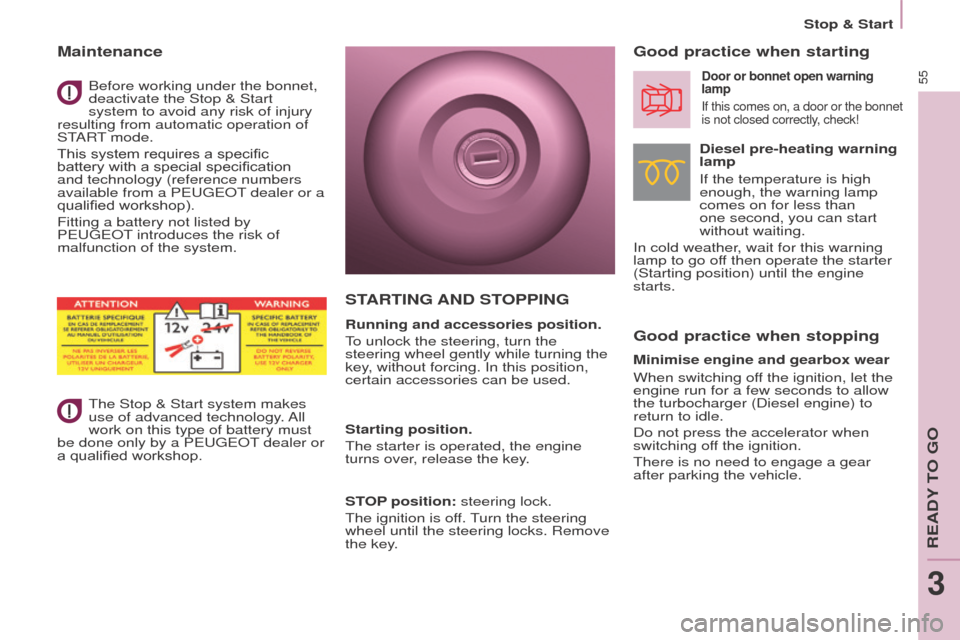
To unlock the steering, turn the
steering wheel gently while turning the
key, without forcing. In this position,
certain accessories can be used.
Starting position.
The starter is operated, the engine
turns over, release the key.
S
to P position: steering lock.
The ignition is off. Turn the steering
wheel until the steering locks. Remove
the key.
Stop & Start
ReADY To go
3
Page 60 of 296

58
DIReCtIoN INDICAto RS
"Motorway" function
Press the control up or down to flash
the corresponding direction indicator
three times.
LIgHtINg
Left: downwards passing the
point of resistance.
Right: upwards passing the
point of resistance.
Front and rear lighting
Lighting off
Automatic illumination of
headlamps
Sidelamps
Dipped beam (green)
Dipped beam/main beam change
Pull the stalk fully towards you.
Lighting-on audible warning
o
n switching off the ignition, all of the
lamps turn off, except dipped beam if
automatic guide-me-home lighting has
been activated.
Checking by means of the
indicator lamps in the instrument
panel is described in the
"Instruments and controls" section of
chapter 3.
Direction indicators
Selection is by turning this
ring. Main beam (blue)
To activate the lighting
control, turn this ring to
the lighting off position "0"
then to the selection of
your choice.
o
n opening the driver's door, there is
an audible warning if you have left the
lighting on.
Steering mounted controls
Page 62 of 296
60
If the sunshine sensor
does not function correctly,
the lighting comes on
accompanied by the service
warning lamp, an audible
signal and a message in the screen.
Contact a P
eugeo T dealer or a
qualified workshop.
guide-me-home lighting
Keeping the dipped beam headlamps
on temporarily with the ignition off,
makes the driver's exit easier when the
light is poor.
HeADLAMP B e AM
The beam setting must be adjusted to
suit the load in the vehicle.
0 - No load.
1 - Partial load.
2 - Average load.
3 - Maximum authorised load.
Manual operation
-
With the ignition of
f, "flash" the
headlamps within one minute after
switching off the ignition.
The guide-me-home lighting switches
off automatically after a set time.
Automatic operation
Refer to chapter 10, "Screen
menu map" section. Initial setting is position 0.
Activate the function via the
vehicle configuration menu.
Programming
The system is activated or deactivated
in the vehicle configuration menu.
The system is activated by default. Switching off
The system does not operate:
-
below a certain angle of rotation of
the steering wheel,
-
above 25 mph (40 km/h),
-
when reverse gear is engaged.
Switching on
This function starts:
-
when the corresponding direction
indicator is switched on,
or
-
from a certain angle of rotation of
the steering wheel.
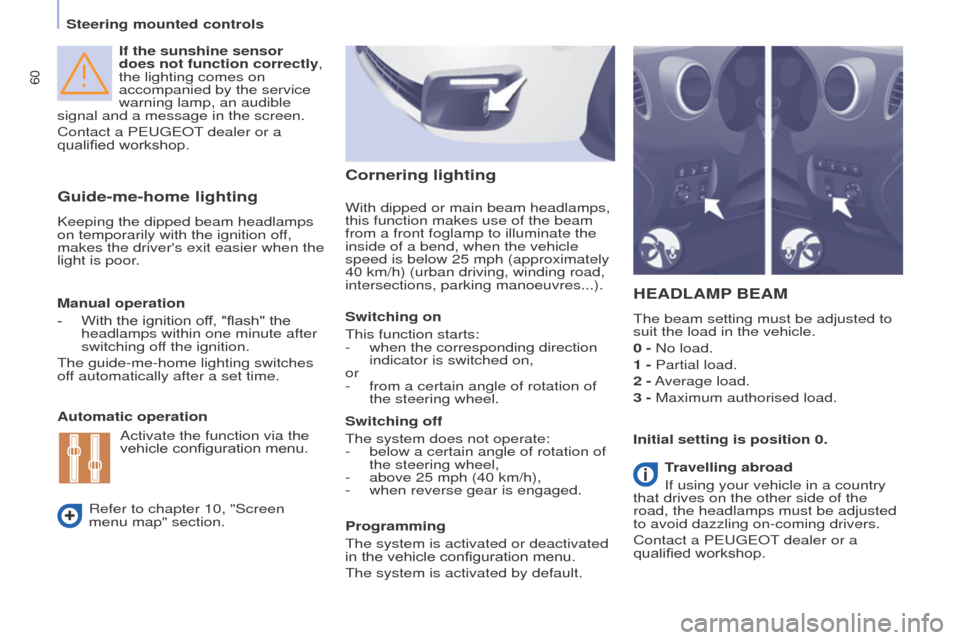
With dipped or main beam headlamps,
this function makes use of the beam
from a front foglamp to illu
minate the
inside of a bend, when the vehicle
speed is below 25 mph (approximately
40 km/h) (urban driving, winding road,
intersections, parking manoeuvres...).
Cornering lighting
travelling abroad
If using your vehicle in a country
that drives on the other side of the
road, the headlamps must be adjusted
to avoid dazzling on-coming drivers.
Contact a P
eugeo T dealer or a
qualified workshop.
Steering mounted controls
Page 63 of 296
61
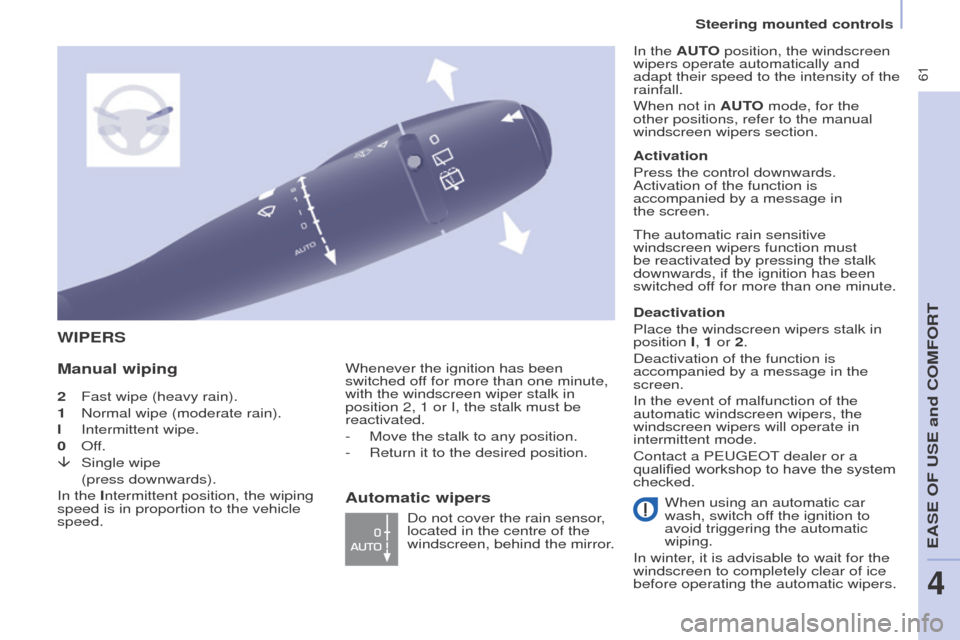
2 Fast wipe (heavy rain).
1
Normal wipe (moderate rain).
l
Intermittent wipe.
0
o ff.
â
Single wipe
(press downwards).
In the
Intermittent position, the wiping
speed is in proportion to the vehicle
speed.
WIPeRS
Manual wipingWhenever the ignition has been
switched off for more than one minute,
with the windscreen wiper stalk in
position 2, 1 or I, the stalk must be
reactivated.
-
Move the stalk to any position.
-
Return it to the desired position. Do not cover the rain sensor
,
located in the centre of the
windscreen, behind the mirror. Activation
Press the control downwards.
Activation of the function is
accompanied by a message in
the
screen.
Deactivation
Place the windscreen wipers stalk in
position I, 1 or 2.
Deactivation of the function is
accompanied by a message in the
screen.
In the event of malfunction of the
automatic windscreen wipers, the
windscreen wipers will operate in
intermittent mode.
Contact a P eugeo T dealer or a
qualified workshop to have the system
checked. In the A uto position, the windscreen
wipers operate automatically and
adapt their speed to the intensity of the
rainfall.
When not in A uto mode, for the
other positions, refer to the manual
windscreen wipers section.
The automatic rain sensitive
windscreen wipers function must
be reactivated by pressing the stalk
downwards, if the ignition has been
switched off for more than one minute.
When using an automatic car
wash, switch off the ignition to
avoid triggering the automatic
wiping.
In winter, it is advisable to wait for the
windscreen to completely clear of ice
before operating the automatic wipers.
Automatic wipers
Steering mounted controls
eASe oF uSe and CoMFoRt
4
Page 64 of 296
62
Screenwash and headlamp wash
Pull the stalk towards you, the wash-
wipe is accompanied by a timed sweep
of the wipers.
The headlamp wash is linked with the
wash-wipe, it is triggered if the dipped
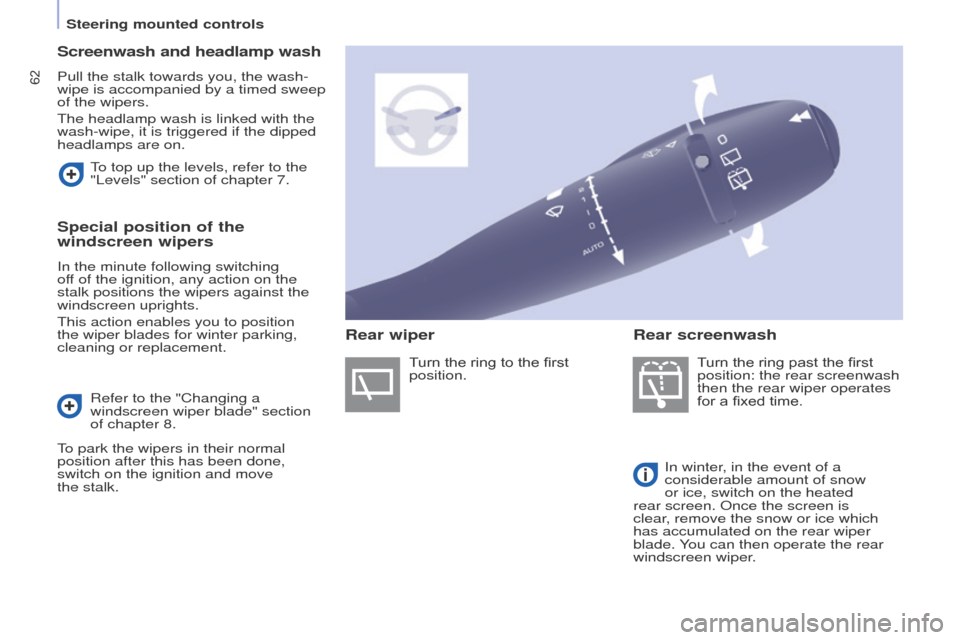
headlamps are on.Turn the ring past the first
position: the rear screenwash
then the rear wiper operates
for a fixed time.
In winter, in the event of a
considerable amount of snow
or ice, switch on the heated
rear screen.
o nce the screen is
clear, remove the snow or ice which
has accumulated on the rear wiper
blade. You can then operate the rear
windscreen wiper.
To top up the levels, refer to the
"Levels" section of chapter 7.
Special position of the
windscreen wipers
In the minute following switching
off of the ignition, any action on the
stalk positions the wipers against the
windscreen uprights.
This action enables you to position
the wiper blades for winter parking,
cleaning or replacement.
Refer to the "Changing a
windscreen wiper blade" section
of chapter 8.
To park the wipers in their normal
position after this has been done,
switch on the ignition and move
the
stalk. Turn the ring to the first
position.
Rear wiper
Rear screenwash
Steering mounted controls
Page 65 of 296
63
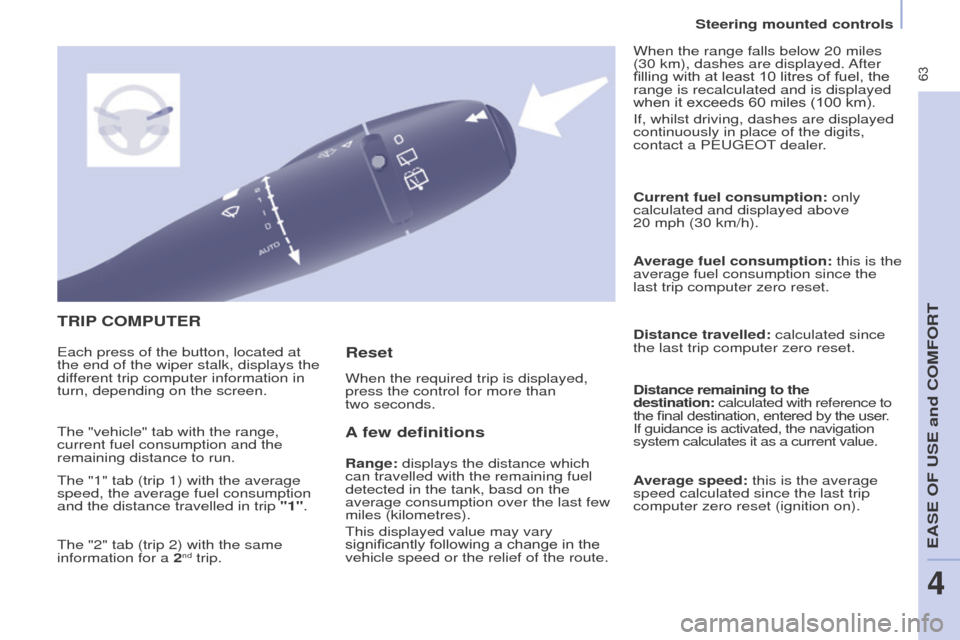
tRIP C o MP ute R
A
few definitions
Range: displays the distance which
can travelled with the remaining fuel
detected in the tank, basd on the
average consumption over the last few
miles (kilometres).
This displayed value may vary
significantly following a change in the
vehicle speed or the relief of the route. Current fuel consumption:
only
calculated and displayed above
20 mph (30 km/h).
Average fuel consumption: this is the
average fuel consumption since the
last trip computer zero reset.
Distance travelled: calculated since
the last trip computer zero reset.
Distance remaining to the
destination: calculated with reference to
the final destination, entered by the user.
If guidance is activated, the navigation
system calculates it as a current value.
Average speed: this is the average
speed calculated since the last trip
computer zero reset (ignition on).
e
ach press of the button, located at
the end of the wiper stalk, displays the
different trip computer information in
turn, depending on the screen. When the required trip is displayed,
press the control for more than
two seconds. When the range falls below 20 miles
(30 km), dashes are displayed. After
filling with at least 10 litres of fuel, the
range is recalculated and is displayed
when it exceeds 60 miles (100 km).
If, whilst driving, dashes are displayed
continuously in place of the digits,
contact a P
eugeo T dealer.
The "vehicle" tab with the range,
current fuel consumption and the
remaining distance to run.
The "1" tab (trip 1) with the average
speed, the average fuel consumption
and the distance travelled in trip "1".
The "2" tab (trip 2) with the same
information for a 2
nd trip.
Reset
Steering mounted controls
eASe oF uSe and CoMFoRt
4
Page 68 of 296
66
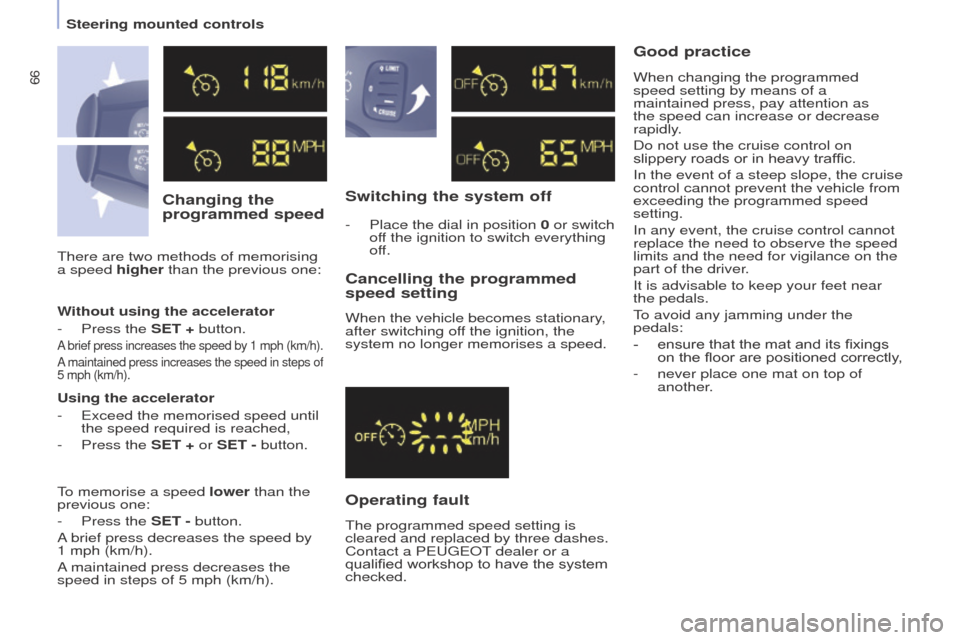
Changing the
programmed speedSwitching the system off
o
perating fault
Cancelling the programmed
speed setting
When the vehicle becomes stationary,
after switching off the ignition, the
system no longer memorises a speed.
There are two methods of memorising
a speed higher than the previous one:
-
Place the dial in position
0 or switch
off the ignition to switch everything
off.
good practice
Without using the accelerator
-
Press the
S et + button.
A brief press increases the speed by 1 mph (km/h).
A maintained press increases the speed in steps of
5 mph (km/h).
using the accelerator
- e xceed the memorised speed until
the speed required is reached,
-
Press the
S et + or S et - button.
To memorise a speed lower than the
previous one:
-
Press the
S et - button.
A brief press decreases the speed by
1
mph (km/h).
A maintained press decreases the
speed in steps of 5 mph (km/h). The programmed speed setting is
cleared and replaced by three dashes.
Contact a P
eugeo T dealer or a
qualified workshop to have the system
checked. When changing the programmed
speed setting by means of a
maintained press, pay attention as
the speed can increase or decrease
rapidly.
Do not use the cruise control on
slippery roads or in heavy traffic.
In the event of a steep slope, the cruise
control cannot prevent the vehicle from
exceeding the programmed speed
setting.
In any event, the cruise control cannot
replace the need to observe the speed
limits and the need for vigilance on the
part of the driver.
It is advisable to keep your feet near
the pedals.
To avoid any jamming under the
pedals:
-
ensure that the mat and its fixings
on the floor are positioned correctly
,
-
never place one mat on top of
another
.
Steering mounted controls
Page 71 of 296
69
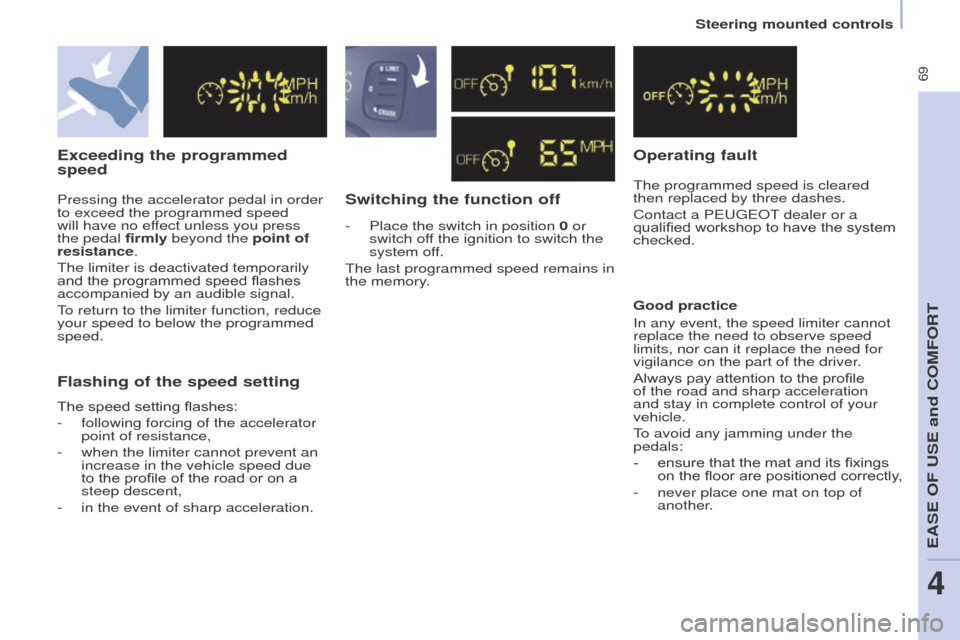
exceeding the programmed
speed
Switching the function offo perating fault
The programmed speed is cleared
then replaced by three dashes.
Contact a P
eugeo T dealer or a
qualified workshop to have the system
checked.
Flashing of the speed setting
good practice
In any event, the speed limiter cannot
replace the need to observe speed
limits, nor can it replace the need for
vigilance on the part of the driver
.
Always pay attention to the profile
of the road and sharp acceleration
and stay in complete control of your
vehicle.
To avoid any jamming under the
pedals:
-
ensure that the mat and its fixings
on the floor are positioned correctly
,
-
never place one mat on top of
another
.
Pressing the accelerator pedal in order
to exceed the programmed speed
will have no effect unless you press
the pedal firmly beyond the point of
resistance.
The limiter is deactivated temporarily
and the programmed speed flashes
accompanied by an audible signal.
To return to the limiter function, reduce
your speed to below the programmed
speed.
The speed setting flashes:
-
following forcing of the accelerator
point of resistance,
-
when the limiter cannot prevent an
increase in the vehicle speed due
to the profile of the road or on a
steep descent,
-
in the event of sharp acceleration. -
Place the switch in position
0 or
switch off the ignition to switch the
system off.
The last programmed speed remains in
the memory.
Steering mounted controls
eASe oF uSe and CoMFoRt
4
Page 74 of 296
72
good practice
For maximum cooling or heating of the
passenger compartment, it is possible
to exceed the value 15 by turning until
Lo is displayed or the value 27 by
turning until HI is displayed.
o
n entering the vehicle, the inside
temperature may be much colder (or
warmer) than is comfortable. There is
no advantage in changing the value
displayed in order to quickly reach the
level of comfort required. The system
will use its maximum performance to
reach the comfort value set.
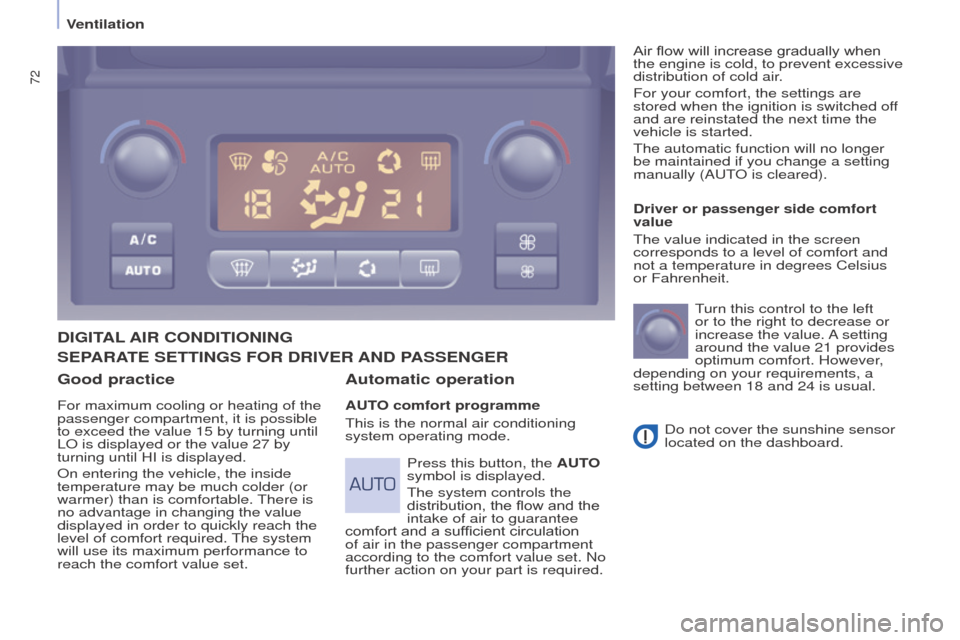
DIgItAL AIR C o NDI t I o NIN g
Automatic operation
Auto comfort programme
This is the normal air conditioning
system operating mode. Driver or passenger side comfort
value
The value indicated in the screen
corresponds to a level of comfort and
not a temperature in degrees Celsius
or Fahrenheit.
T urn this control to the left
or to the right to decrease or
increase the value. A setting
around the value 21 provides
optimum comfort. However,
depending on your requirements, a
setting between 18 and 24 is usual.
Do not cover the sunshine sensor
located on the dashboard.
Press this button, the A
uto
symbol is displayed.
The system controls the
distribution, the flow and the
intake of air to guarantee
comfort and a sufficient circulation
of air in the passenger compartment
according to the comfort value set. No
further action on your part is required. Air flow will increase gradually when
the engine is cold, to prevent excessive
distribution of cold air.
For your comfort, the settings are
stored when the ignition is switched off
and are reinstated the next time the
vehicle is started.
The automatic function will no longer
be maintained if you change a setting
manually (A
u T
o
is cleared).
SePARAte
S ett IN g S F o R DRIV e R AND PASS e N ge R
Ventilation
Page 106 of 296
104
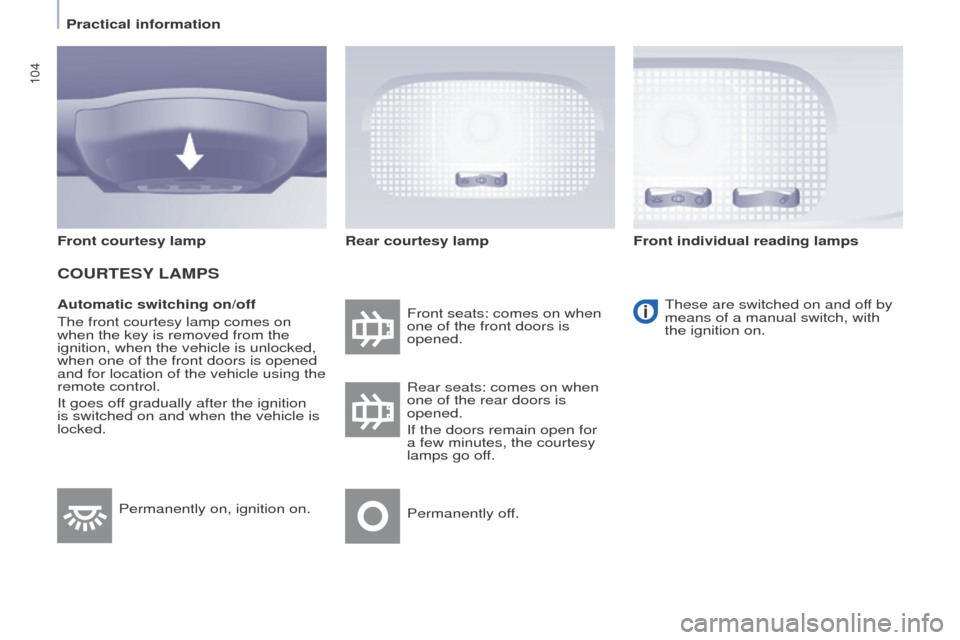
Automatic switching on/off
The front courtesy lamp comes on
when the key is removed from the
ignition, when the vehicle is unlocked,
when one of the front doors is opened
and for location of the vehicle using the
remote control.
It goes off gradually after the ignition
is switched on and when the vehicle is
locked.Front seats: comes on when
one of the front doors is
opened.
These are switched on and off by
means of a manual switch, with
the ignition on.
Rear seats: comes on when
one of the rear doors is
opened.
If the doors remain open for
a few minutes, the courtesy
lamps go off.
Permanently off.
Permanently on, ignition on.
Front courtesy lamp
CouRteSY
LAMPS
Rear courtesy lamp Front individual reading lamps
Practical information