alarm Peugeot Partner Tepee 2016 Owner's Manual
[x] Cancel search | Manufacturer: PEUGEOT, Model Year: 2016, Model line: Partner Tepee, Model: Peugeot Partner Tepee 2016Pages: 296, PDF Size: 10.76 MB
Page 4 of 296
2
ContentsKey 18
Alarm
20
Doors
21
T
ailgate 23
Rear roof flap
26
Central locking
27
Instrument panel
28
Date and time
29
W
arning lamps
32
Fuel gauge
40
Coolant
40
Under-inflation detection
41
Under-inflation detection with reinitialisation
43
Service indicator
47
Lighting dimmer
48
Steering wheel
adjustment
49
Manual gearbox
49g
ear shift indicator
50
6-speed electronic
gearbox
51
Stop & Start
53
Starting and stopping
55
Hill start assist
56
Driving
recommendations
57Lighting
58
Wipers
61
T
rip computer
63
Cruise control
64
Speed limiter
67
Heating /
Air conditioning
manual
70
digital
72
Demisting and
defrosting
75
Front seats
77
Rear bench seat
79
Rear seats
(5 seat version)
82
Rear seats
(7 seat version)
85
Modularity
92
Front fittings
94
Zenith roof
98
Roof bars
103
Courtesy lamps
104
Load space cover
(5 seat version)
105
Load space cover
(7 seat version)
109
Mirrors
111
e
lectric windows
1
13
3.
18-57
R
e ADY to go5 .
1
14-147
SAF
et Y
exterior 5
Interior 6 left hand drive
6 right hand drive
7
Instruments and controls
8 left hand drive
8 right hand drive
10
T
echnical data - Maintenance
12
oVeRVIeW
1
.
4-14
Hazard warning lamps 1 14
Horn 114
Parking brake
1
14
Parking sensors
1
15
Reversing camera
1
17
Anti-lock braking system
(ABS)
1
18
e
BA
118
ASR and DSC
1
19
g
rip control
120
Active City Brake
122
Seat belts
126
Airbags
129
Carrying children
133
Deactivating the passenger's front
airbag
136
Recommended seats
139
Installation
141
IS
o FIX mountings
143
Recommended IS
o FIX
seat
144
IS
o FIX locations
145
Child lock
147
4.
58-113eAS e o F u S e and
C
o MF o R t
2
.
15-17
e
C
o
-DRIVIN
g
environment 15
Eco-driving 16
The "V
isual Search" (visual
index) section assists
you in finding the controls
and functions and their
associated page numbers
on the schematic outlines of
the vehicle.
Instruments and controls
left hand drive
13 right hand drive
14
Page 16 of 296
14
Presentation
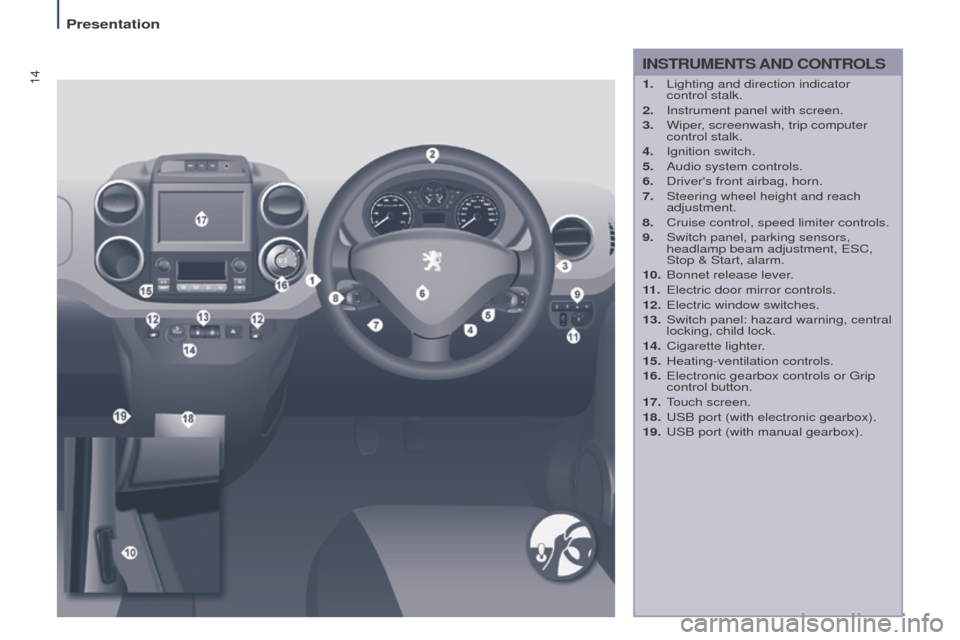
INStRuMeNtS AND Co N t R o LS
1. Lighting and direction indicator
control stalk.
2.
Instrument panel with screen.
3.
Wiper
, screenwash, trip computer
control stalk.
4.
Ignition switch.
5.
Audio system controls.
6.
Driver's front airbag, horn.
7.
Steering wheel height and reach
adjustment.
8.
Cruise control, speed limiter controls.
9.
Switch panel, parking sensors,
headlamp beam adjustment,
e SC,
Stop & Start, alarm.
10.
Bonnet release lever
.
11 .
e lectric door mirror controls.
12.
e lectric window switches.
13.
Switch panel: hazard warning, central
locking, child lock.
14.
Cigarette lighter
.
15.
Heating-ventilation controls.
16.
e lectronic gearbox controls or g rip
control button.
17.
T
ouch screen.
18.
u SB port (with electronic gearbox).
19.
u SB port (with manual gearbox).
Page 22 of 296
20
AccessDon't forget
When leaving the vehicle, check that
the lighting is off and nothing of value
is visible.
As a safety precaution (with children
on board), remove the key from the
ignition when leaving the vehicle, even
for a short time.
good practice
Do not make any modifications to the
electronic immobiliser system.
o
perating the remote control, even
when it is in your pocket, may result in
involuntary unlocking of the doors.
The simultaneous use of other
high frequency equipment (mobile
telephones, domestic alarms…), may
interfere with the operation of the
remote control temporarily.
The remote control does not operate
while the key is in the ignition, even if
the ignition is off.
eLeCtRoNIC IMMoBILISeR
If you lose your keys
Visit a P
eugeo T dealer with the
vehicle's V5 registration certificate and
your identification document.
A P
eugeo T dealer will be able
to retrieve the key code and
the transponder code so that a
replacement key can be ordered. When purchasing a second-hand
vehicle, have the keys memorised by
a P
eugeo T dealer, so as to be sure
that the keys in your possession are
the only ones that can be used to start
the vehicle.
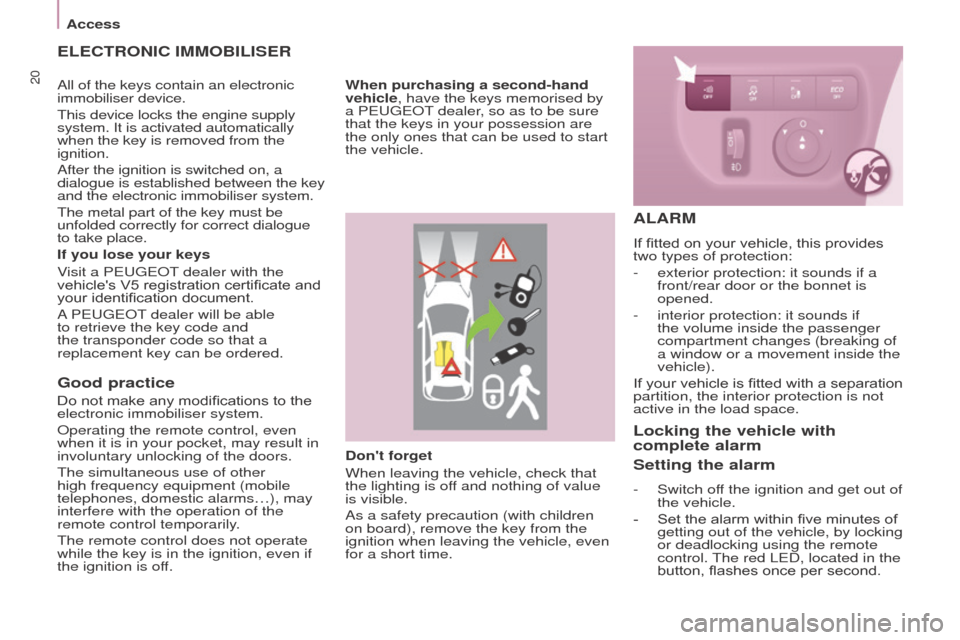
ALARM
If fitted on your vehicle, this provides
two types of protection:
-
exterior protection: it sounds if a
front/rear door or the bonnet is
opened.
-
interior protection: it sounds if
the volume inside the passenger
compartment changes (breaking of
a window or a movement inside the
vehicle).
If
your vehicle is fitted with a separation
partition, the interior protection is not
active in the load space.
Locking the vehicle with
complete alarm
Setting the alarm
- Switch of f the ignition and get out of
the vehicle.
-
Set the alarm within five minutes of
getting out of the vehicle, by locking
or deadlocking using the remote
control.
The red L e D, located in the
button, flashes once per second.
All of the keys contain an electronic
immobiliser device.
This device locks the engine supply
system. It is activated automatically
when the key is removed from the
ignition.
After the ignition is switched on, a
dialogue is established between the key
and the electronic immobiliser system.
The metal part of the key must be
unfolded correctly for correct dialogue
to take place.
Page 23 of 296
21
Access
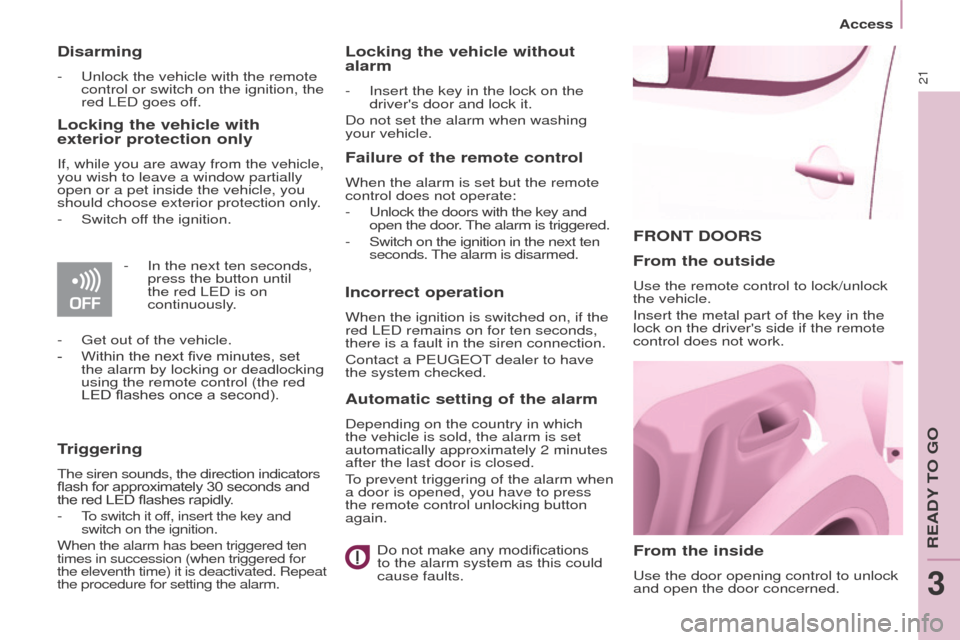
FRoNt DooRS
From the inside
use the door opening control to unlock
and open the door concerned.
From the outside
use the remote control to lock/unlock
the vehicle.
Insert the metal part of the key in the
lock on the driver's side if the remote
control does not work.
Disarming
- unlock the vehicle with the remote
control or switch on the ignition, the
red L
e D goes off.
Locking the vehicle with
exterior protection only
If, while you are away from the vehicle,
you wish to leave a window partially
open or a pet inside the vehicle, you
should choose exterior protection only.
-
Switch of
f the ignition.
-
In the next ten seconds,
press the button until
the red L
e D is on
continuously.
-
g et out of the vehicle.
-
Within the next five minutes, set
the alarm by locking or deadlocking
using the remote control (the red
LED flashes once a second).
triggering
The siren sounds, the direction indicators
flash for approximately 30 seconds and
the red LED flashes rapidly.
-
To switch it off, insert the key and
switch on the ignition.
When the alarm has been triggered ten
times in succession (when triggered for
the eleventh time) it is deactivated. Repeat
the procedure for setting the alarm.
Locking the vehicle without
alarm
- Insert the key in the lock on the
driver's door and lock it.
Do not set the alarm when washing
your vehicle.
Failure of the remote control
When the alarm is set but the remote
control does not operate:
-
u nlock the doors with the key and
open the door. The alarm is triggered.
-
Switch on the ignition in the next ten
seconds. The alarm is disarmed.
Incorrect operation
When the ignition is switched on, if the
red L e D remains on for ten seconds,
there is a fault in the siren connection.
Contact a P
eugeo T dealer to have
the system checked.
Automatic setting of the alarm
Depending on the country in which
the vehicle is sold, the alarm is set
automatically approximately 2 minutes
after the last door is closed.
To prevent triggering of the alarm when
a door is opened, you have to press
the remote control unlocking button
again.
Do not make any modifications
to the alarm system as this could
cause faults.
ReADY To go
3
Page 154 of 296
152
otHeR ACCeSSoRIeS
These accessories and parts, having
been tested and approved for reliability
and safety, are all adapted to your
vehicle. A wide range of recommended
accessories and genuine parts is
available.
A further range is also available,
structured around comfort, leisure and
maintenance:
Anti-theft alarm, window etching, first
aid kit, high visibility vest, front and
rear parking sensors, warning triangle,
security bolts for alloy wheels, ...
Seat covers compatible with airbags
for the front seats, bench seat, rubber
mats, carpet mats, snow chains, blinds,
tailgate bicycle carrier, ...
To prevent the mat from becoming
caught under the pedals:
-
ensure that the mat and its fixings
are positioned correctly
,
-
never fit one mat on top of another
.Audio equipment, hands-free kit,
speakers, CD changer, satellite
navigation system,
u
SB box, Video kit,
...
Regardless of the audio and telematic
equipment offered on the market, the
technical constraints associated with
the fitting of equipment of these product
groups mean that the special features
of the equipment and its compatibility
with the capacities of your vehicle's
standard equipment must be taken into
account. Please ask a P
eugeo T dealer
for more information before fitting such
equipment.
Maximum weights on bars
-
T
ransverse bars on longitudinal
bars: 75 Kg (these bars are not
compatible with the Zénith roof).
Installing radiocommunication
transmitters
You are advised to contact a
P
eugeo T dealer before installing
accessory radiocommunication
transmitters with external aerial on
your vehicle.
The P
eugeo T dealer network
will inform you of the specification
(frequency band, maximum output
power, aerial position, specific
conditions of installation) of the
transmitters which can be fitted, in
accordance with the Motor Vehicle
e
lectromagnetic Compatibility
Directive (2004/104/
e C).Front mud flaps, rear mud flaps,
15/17
inch alloy wheels, wheelarch
trim, leather steering wheel, ...
Screenwash, interior and exterior
cleaning and maintenance products,
spare bulbs, ...
The fitting of electrical equipment
or accessories which are not
recommended by P
eugeo T
may result in a failure of your vehicle's
electronic system. Please note this
specific warning. You are advised
to contact a dealer to be shown the
range of recommended equipment or
accessories.
Depending on the country in which
the vehicle is sold, it is compulsory
to have a high visibility vest, warning
triangle and spare bulbs available in
the vehicle.
equipment
Page 189 of 296

187
Dashboard fuses
Tilt the cover to gain access to the
fuses.Fuses
F Amperes
A Allocation
1 15 Rear wiper
2 - Not used
3 5 Airbag
4 10 Air conditioning, diagnostic socket, mirror control,
headlamp beam
5 30
e
lectric windows
6 30 Locks
7 5Rear courtesy lamp, front map reading lamp, roof
console
8 20 Audio equipment, screen, tyre under-inflation
detection, alarm and siren
9 30 Front and rear 12V socket
10 15 Central column 11 15 Low current ignition switch
12 15 Rain and sunshine sensor, airbag
13 5 Instrument panel
14 15 Parking sensors, digital air conditioning controls,
hands-free phone kit
15 30 Locks
16 - Not used
17 40 Rear screen/mirrors demist/defrost
8
QuICK HeLP
Changing a fuse
Page 220 of 296
218
Hazard zone / Danger zone
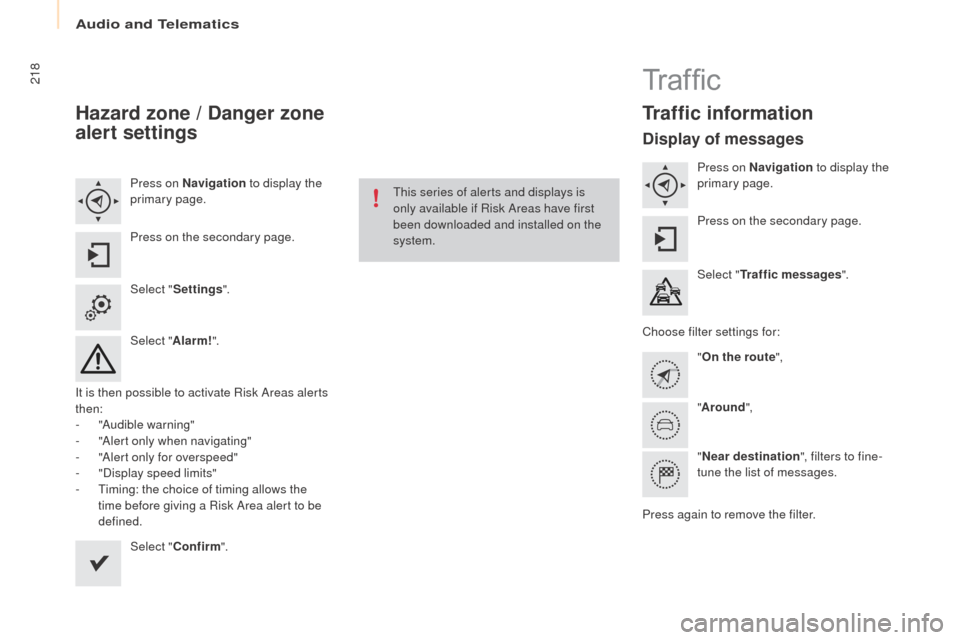
alert settings
Press on Navigation to display the
primary page.
Press on the secondary page.
Select " Settings ".
Select " Alarm!".
It is then possible to activate Risk Areas alerts
then:
-
"
Audible warning"
-
"
Alert only when navigating"
-
"
Alert only for overspeed"
-
"
Display speed limits"
-
T
iming: the choice of timing allows the
time before giving a Risk Area alert to be
defined.
Select " Confirm ". This series of alerts and displays is
only available if Risk Areas have first
been downloaded and installed on the
system.
Tr a f fi c
traffic information
Display of messages
Press on Navigation
to display the
primary page.
Press on the secondary page.
Select "
tra
ffic messages ".
Choose filter settings for: "
on t
he route",
" Around ",
" Near destination ", filters to fine-
tune the list of messages.
Press again to remove the filter.
Audio and Telematics