lighting Peugeot Partner Tepee 2017 User Guide
[x] Cancel search | Manufacturer: PEUGEOT, Model Year: 2017, Model line: Partner Tepee, Model: Peugeot Partner Tepee 2017Pages: 292, PDF Size: 10.49 MB
Page 50 of 292
48
Partner2VP_en_Chap03_Pret-a-partir_ed02-2016Partner2VP_en_Chap03_Pret-a-partir_ed02-2016
Trip recorder zero
reset button
After this operation, if you wish
to disconnect the battery, lock
the vehicle and wait for at least
five
minutes, otherwise the zero re-set
will not be registered.
Engine oil level indicator
Depending on your vehicle's engine,
when the ignition is switched on,
the engine oil level is indicated for
a few
seconds, after the service
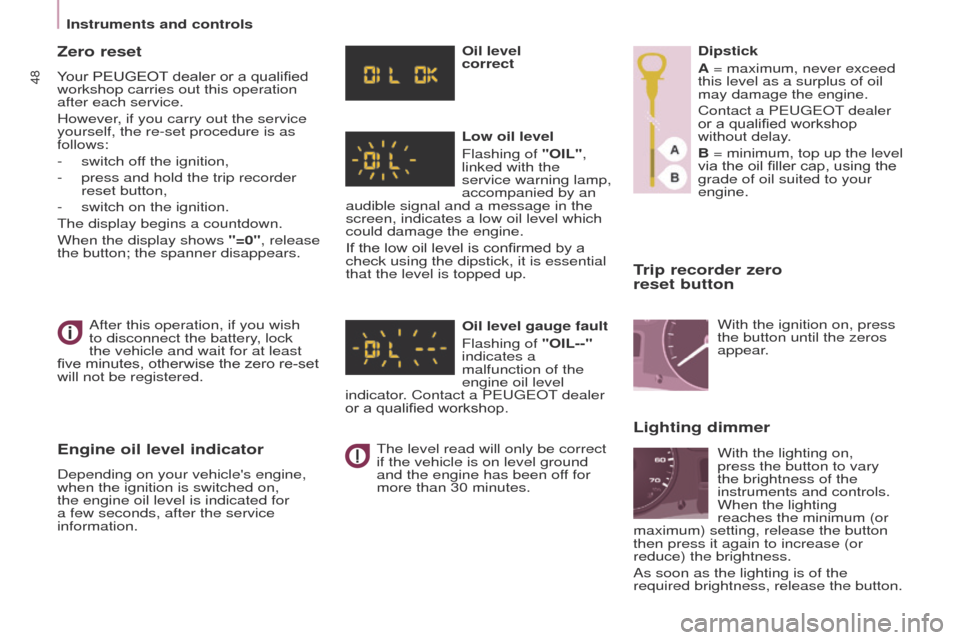
information. Oil level
correct
Low oil level
Flashing of "OIL",
linked with the
service warning lamp,
accompanied by an
audible signal and a message in the
screen, indicates a low oil level which
could damage the engine.
If the low oil level is confirmed by a
check using the dipstick, it is essential
that the level is topped up.
Oil level gauge fault
Flashing of "OIL--"
indicates a
malfunction of the
engine oil level
indicator. Contact a PEUGEOT dealer
or a qualified workshop.
The level read will only be correct
if the vehicle is on level ground
and the engine has been off for
more than 30 minutes. Dipstick
A = maximum, never exceed
this level as a surplus of oil
may damage the engine.
Contact a PEUGEOT dealer
or a qualified workshop
without delay.
B = minimum, top up the level
via the oil filler cap, using the
grade of oil suited to your
engine.
Lighting dimmer
With the ignition on, press
the button until the zeros
appear.
With the lighting on,
press the button to vary
the brightness of the
instruments and controls.
When the lighting
reaches the minimum (or
maximum) setting, release the button
then press it again to increase (or
reduce) the brightness.
As soon as the lighting is of the
required brightness, release the button.
Zero reset
Your PEUGEOT dealer or a qualified
workshop carries out this operation
after each service.
However, if you carry out the service
yourself, the re-set procedure is as
follows:
-
switch of
f the ignition,
-
press and hold the trip recorder
reset button,
-
switch on the ignition.
The display begins a countdown.
When the display shows
"=0", release
the button; the spanner disappears.
Instruments and controls
Page 60 of 292
58
Partner2VP_en_Chap04_Ergonomie_ed02-2016
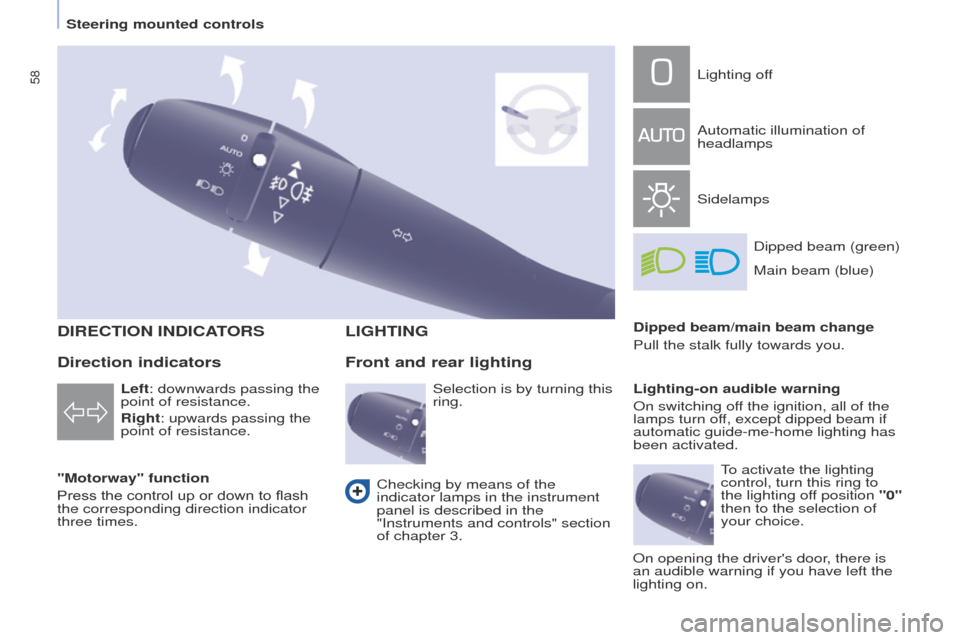
DIRECTION INDICATORS
"Motorway" function
Press the control up or down to flash
the corresponding direction indicator
three times.
LIGHTING
Left: downwards passing the
point of resistance.
Right: upwards passing the
point of resistance.
Front and rear lighting
Lighting off
Automatic illumination of
headlamps
SidelampsDipped beam (green)
Dipped beam/main beam change
Pull the stalk fully towards you.
Lighting-on audible warning
On switching off the ignition, all of the
lamps turn off, except dipped beam if
automatic guide-me-home lighting has
been activated.
Checking by means of the
indicator lamps in the instrument
panel is described in the
"Instruments and controls" section
of chapter 3.
Direction indicators
Selection is by turning this
ring. Main beam (blue)
To activate the lighting
control, turn this ring to
the lighting off position "0"
then to the selection of
your choice.
On opening the driver's door, there is
an audible warning if you have left the
lighting on.
Steering mounted controls
Page 61 of 292
59
Partner2VP_en_Chap04_Ergonomie_ed02-2016
LED DAYTIME RUNNING LAMPS
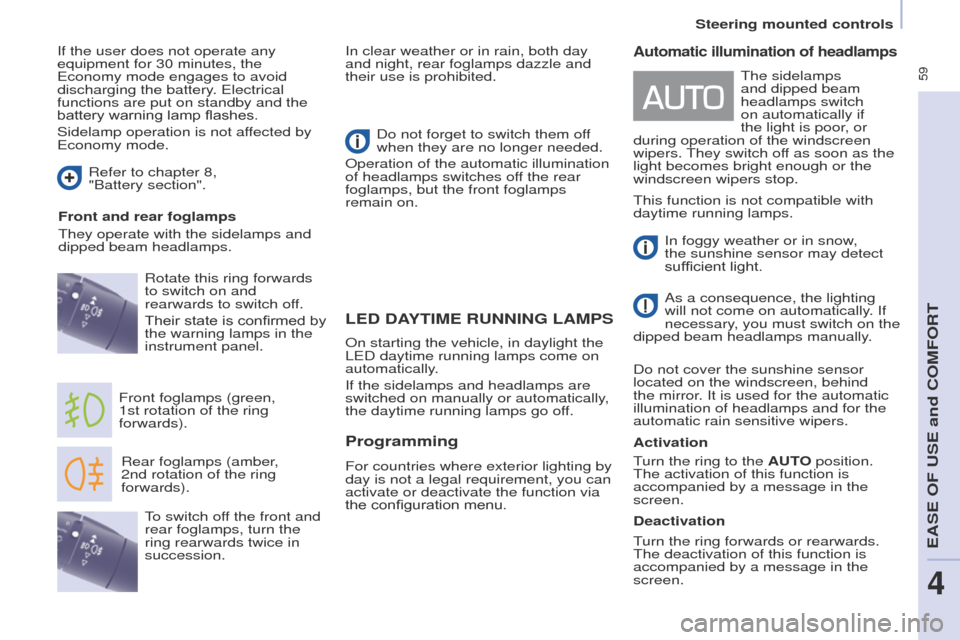
Rear foglamps (amber,
2nd rotation of the ring
forwards).
Front foglamps (green,
1st
rotation of the ring
forwards). Rotate this ring forwards
to switch on and
rearwards to switch off.
Their state is confirmed by
the warning lamps in the
instrument panel. Do not forget to switch them off
when they are no longer needed.
Operation of the automatic illumination
of headlamps switches off the rear
foglamps, but the front foglamps
remain on.
To switch off the front and
rear foglamps, turn the
ring rearwards twice in
succession.
Automatic illumination of headlamps
In foggy weather or in snow,
the sunshine sensor may detect
sufficient light.
As a consequence, the lighting
will not come on automatically. If
necessary, you must switch on the
dipped beam headlamps manually.
Do not cover the sunshine sensor
located on the windscreen, behind
the mirror. It is used for the automatic
illumination of headlamps and for the
automatic rain sensitive wipers.
Activation The sidelamps
and dipped beam
headlamps switch
on automatically if
the light is poor, or
during operation of the windscreen
wipers. They switch off as soon as the
light becomes bright enough or the
windscreen wipers stop.
On starting the vehicle, in daylight the
LED daytime running lamps come on
automatically.
If the sidelamps and headlamps are
switched on manually or automatically,
the daytime running lamps go off.
Programming
For countries where exterior lighting by
day is not a legal requirement, you can
activate or deactivate the function via
the configuration menu.
If the user does not operate any
equipment for 30 minutes, the
Economy mode engages to avoid
discharging the battery. Electrical
functions are put on standby and the
battery warning lamp flashes.
Sidelamp operation is not affected by
Economy mode.
In clear weather or in rain, both day
and night, rear foglamps dazzle and
their use is prohibited.
Refer to chapter 8,
"Battery
section".
Front and rear foglamps
They operate with the sidelamps and
dipped beam headlamps.
Turn the ring to the AUTO position.
The activation of this function is
accompanied by a message in the
screen.
Deactivation
Turn the ring forwards or rearwards.
The deactivation of this function is
accompanied by a message in the
screen. This function is not compatible with
daytime running lamps.
Steering mounted controls
EASE OF USE and COMFORT
4
Page 62 of 292
60
Partner2VP_en_Chap04_Ergonomie_ed02-2016
If the sunshine sensor
does not function correctly,
the lighting comes on
accompanied by the service
warning lamp, an audible
signal and a message in the screen.
Contact a PEUGEOT dealer or a
qualified workshop.
Guide-me-home lighting
Keeping the dipped beam headlamps
on temporarily with the ignition off,
makes the driver's exit easier when the
light is poor.
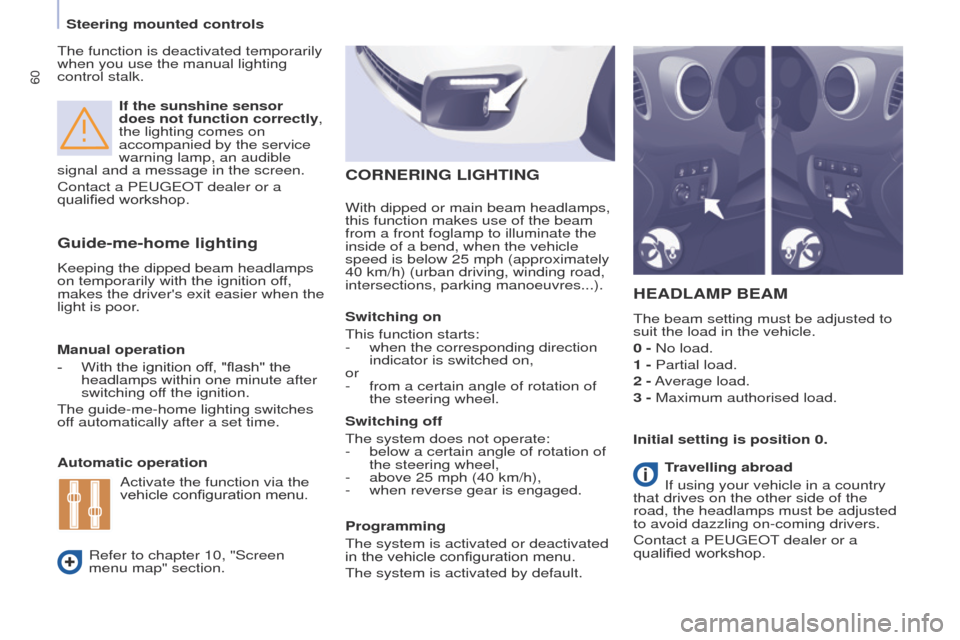
HEADLAMP BEAM
The beam setting must be adjusted to
suit the load in the vehicle.
0 - No load.
1 - Partial load.
2 - Average load.
3 - Maximum authorised load.
Manual operation
-
With the ignition of
f, "flash" the
headlamps within one minute after
switching off the ignition.
The guide-me-home lighting switches
off automatically after a set time.
Automatic operation
Refer to chapter 10, "Screen
menu map" section. Initial setting is position 0.
Activate the function via the
vehicle configuration menu. Programming
The system is activated or deactivated
in the vehicle configuration menu.
The system is activated by default. Switching off
The system does not operate:
-
below a certain angle of rotation of
the steering wheel,
-
above 25 mph (40 km/h),
-
when reverse gear is engaged.
Switching on
This function starts:
-
when the corresponding direction
indicator is switched on,
or
-
from a certain angle of rotation of
the steering wheel.
With dipped or main beam headlamps,
this function makes use of the beam
from a front foglamp to illu
minate the
inside of a bend, when the vehicle
speed is below 25 mph (approximately
40 km/h) (urban driving, winding road,
intersections, parking manoeuvres...).
CORNERING LIGHTING
Travelling abroad
If using your vehicle in a country
that drives on the other side of the
road, the headlamps must be adjusted
to avoid dazzling on-coming drivers.
Contact a PEUGEOT dealer or a
qualified workshop.
The function is deactivated temporarily
when you use the manual lighting
control stalk.
Steering mounted controls
Page 153 of 292
151
Partner2VP_en_Chap06_Accessoire_ed02-2016
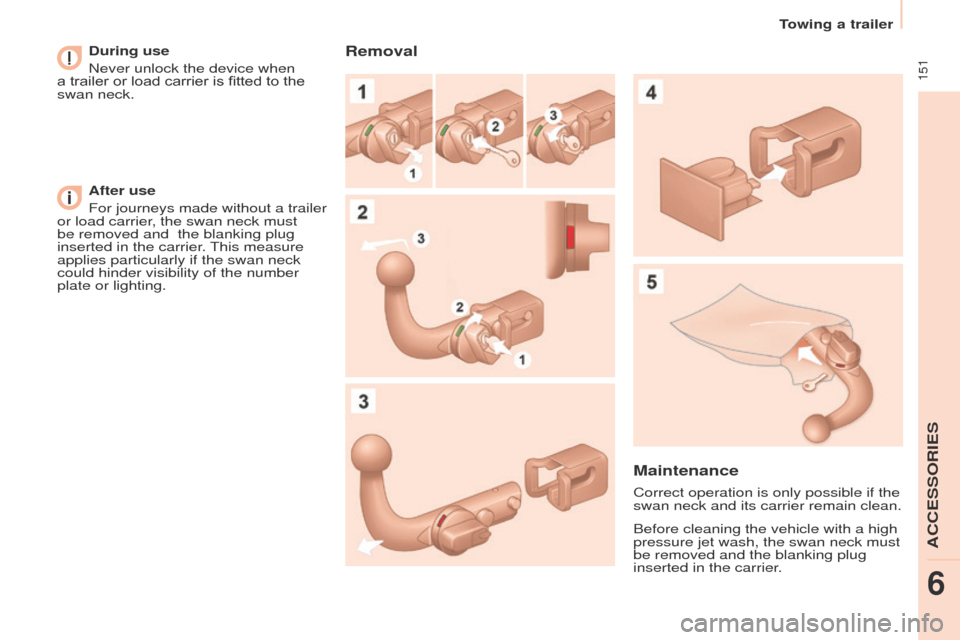
During use
Never unlock the device when
a trailer or load carrier is fitted to the
swan neck.
After use
For journeys made without a trailer
or load carrier, the swan neck must
be removed and
the blanking plug
inserted in the carrier. This measure
applies particularly if the swan neck
could hinder visibility of the number
plate or lighting.Removal
Maintenance
Correct operation is only possible if the
swan neck and its carrier remain clean.
Before cleaning the vehicle with a high
pressure jet wash, the swan neck must
be removed and the blanking plug
inserted in the carrier.
Towing a trailer
ACCESSORIES
6
Page 160 of 292
158
Partner2VP_en_Chap07_Verification_ed02-2016Partner2VP_en_Chap07_Verification_ed02-2016
Cooling system
Only use the fluid recommended by the
manufacturer.
Otherwise, you risk seriously damaging
your engine.
When the engine is warm, the
temperature of the coolant is controlled
by the engine fan. As this fan can
operate with the ignition key removed
and because the cooling system is
pressurised, wait for at least one hour
after the engine has stopped before
carrying out any work.
Slacken the cap by 1/4 of a turn to
release the pressure to prevent any
risk of scalding. When the pressure
has dropped, remove the cap and top
up the level with coolant.
If fluid has to be added frequently,
this indicates a fault which must be
checked by a PEUGEOT dealer as
soon as possible.
Power steering fluid level
The vehicle must be parked on level
ground with the engine cold. Unscrew
the cap integrated with the gauge and
check the level which must be between
the MIN and MAX marks.In order to regenerate the filter, you
are advised to drive at a speed higher
than 40 mph (60 km/h) for at least five
minutes as soon as possible, when
traffic conditions permit (until the
message disappears and the service
warning lamp goes off).
During regeneration of the particle
emission filter, the noise of a relay
operating may be heard under the
dashboard.
If the message is still displayed and
if the service warning lamp remains
on, contact a PEUGEOT dealer or a
qualified workshop.
Topping up
The level must be between the MIN
and MAX marks on the expansion
bottle. If more than 1 litre of fluid is
required to top up the level, have
the system checked by a PEUGEOT
dealer or a qualified workshop.
Screenwash level
For best quality cleaning and for your
safety, we would advise that you use
products of the PEUGEOT range.
For optimum cleaning and to avoid
freezing, this fluid must not be topped
up or replaced with plain water.
Capacity of the screenwash reservoir:
approximately 3 litres.
Diesel additive level
(Diesel with particle
filter)
Topping up
This additive must be topped up by
a PEUGEOT dealer or a qualified
workshop without delay.
Waste products
Avoid prolonged contact of used oil
with the skin.
Brake fluid is harmful to health and
very corrosive.
Do not dispose of used oil, brake fluid
or coolant into drains or into the ground
but into the containers dedicated to this
use at a PEUGEOT dealer (France) or
an authorised waste disposal site.
The minimum level of this additive
is indicated by lighting of the service
warning lamp, accompanied by an
audible signal and a message in the
screen.
When this occurs with the engine
running it is due to the start of
saturation of the particle filter
(exceptionally prolonged urban type
driving conditions: low speed, long
traffic jams, ...).
Levels
Page 245 of 292
243
Partner2VP_en_Chap10a_SMEGplus_ed02-2016
As a safety measure and because it
requires sustained attention by the
driver, using a smartphone when
driving is prohibited.
All operations must be done with the
vehicle stationary.
The synchronisation of a
smartphone allows applications on a
smartphone that are adapted to the
MirrorLink
TM technology to be displayed
i
n the vehicle's screen.
The principles and standards
are constantly evolving. For the
communication process between the
smartphone and the system to work
correctly, the smartphone must be
unlocked; update the operating system
of your smartphone as well as the date
and time in the smartphone and the
system.
For the list of eligible smartphones,
connect to the brand's internet website
in your country. As a safety measure, applications
can only be viewed with the vehicle
stationary; display is interrupted once
the vehicle is moving.When connecting a smartphone to
the system, it is recommended that
Bluetooth
® be started on the smartphone.
Start the application on the
smartphone (optional, depending
on the smartphone and operating
syste m).
Access to the different audio sources remains
accessible in the margin of the MirrorLink
TM
display, using touch buttons in the upper bar.
Access to the menus for the system is possible
at any time using the dedicated buttons During the procedure, several screen
pages relating to certain functions
are displayed.
Accept to start and end the
connection.
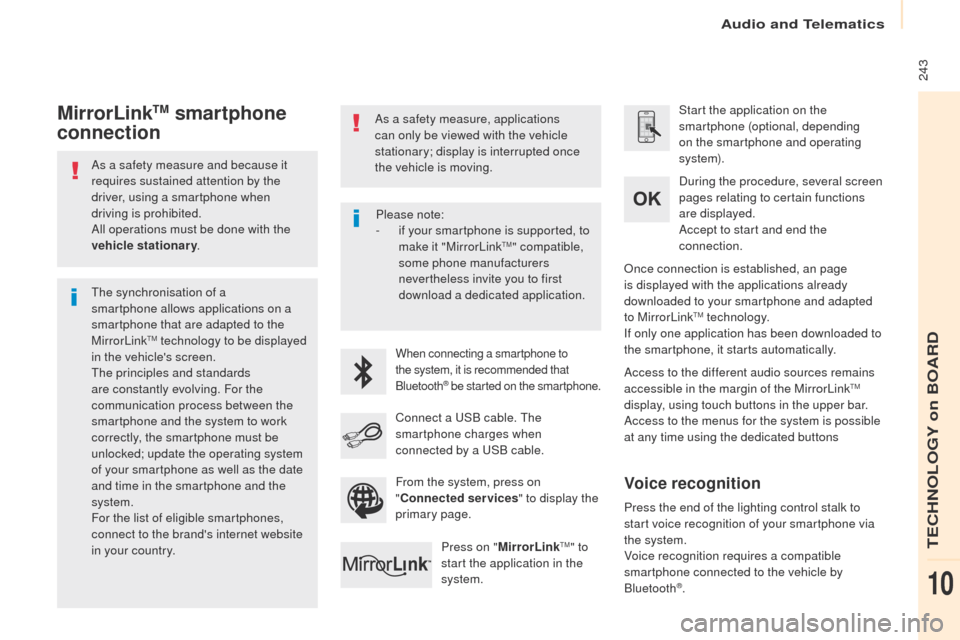
Connect a USB cable. The
smartphone charges when
connected by a USB cable. Press on " MirrorLink
TM" to
start the application in the
system. Once connection is established, an page
is displayed with the applications already
downloaded to your smartphone and adapted
to MirrorLink
TM technology.
If only one application has been downloaded to
the smartphone, it starts automatically.
MirrorLinkTM smartphone
connection
Press the end of the lighting control stalk to
start voice recognition of your smartphone via
the system.
Voice recognition requires a compatible
smartphone connected to the vehicle by
Bluetooth
®.
Voice recognition
Please note:
-
i f your smartphone is supported, to
make it "MirrorLink
TM" compatible,
some phone manufacturers
nevertheless invite you to first
download a dedicated application.
From the system, press on
" Connected services " to display the
primary page.
Audio and Telematics
TECHNOLOGY on BOARD
10
Page 249 of 292
247
Partner2VP_en_Chap10a_SMEGplus_ed02-2016
As a safety measure and because it
requires sustained attention by the
driver, using a smartphone when
driving is prohibited.
All operations must be done with the
vehicle stationary.
As a safety measure, applications
can only be viewed with the vehicle
stationary; display is interrupted once
the vehicle is moving. The synchronisation of a
smartphone allows applications on a
smartphone that are adapted to the
CarPlay
® technology to be displayed on
t
he vehicle's screen.
As the principles and standards are
constantly evolving, it is recommended
that you update the operating system of
your smartphone.
For the list of eligible smartphones,
connect to the brand's internet website
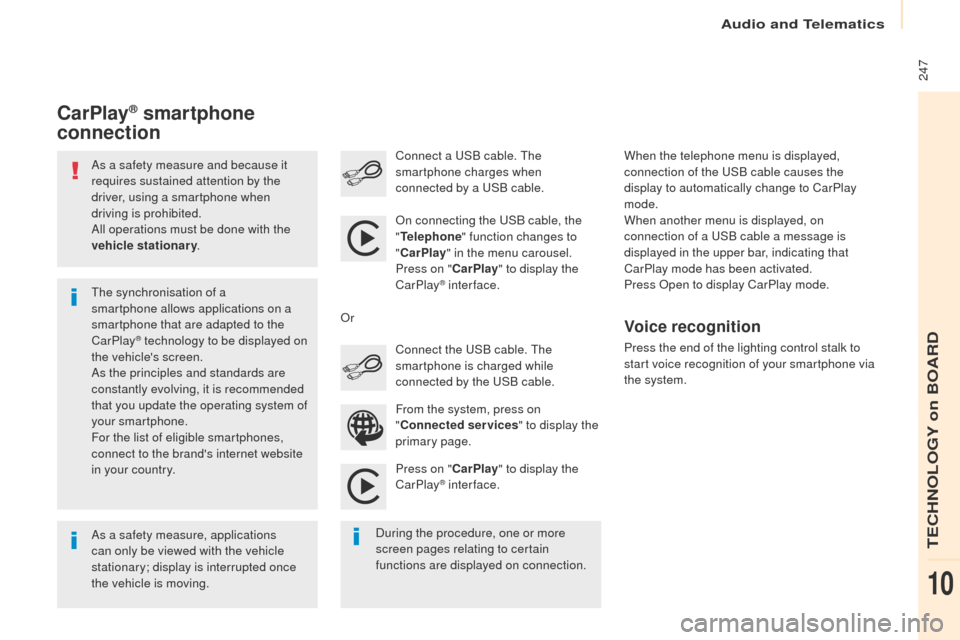
in your country. On connecting the USB cable, the
"
Telephone " function changes to
" CarPlay " in the menu carousel.
Press on " CarPlay" to display the
CarPlay
® inter face.
Press on " CarPlay" to display the
CarPlay
® inter face.
Connect a USB cable. The
smartphone charges when
connected by a USB cable.
Press the end of the lighting control stalk to
start voice recognition of your smartphone via
the system.
CarPlay® smartphone
connection
During the procedure, one or more
screen pages relating to certain
functions are displayed on connection. From the system, press on
"
Connected services " to display the
primary page. Connect the USB cable. The
smartphone is charged while
connected by the USB cable.
Or
Voice recognition
When the telephone menu is displayed,
connection of the USB cable causes the
display to automatically change to CarPlay
mode.
When another menu is displayed, on
connection of a USB cable a message is
displayed in the upper bar, indicating that
CarPlay
mode has been activated.
Press Open to display CarPlay mode.
Audio and Telematics
TECHNOLOGY on BOARD
10
Page 278 of 292
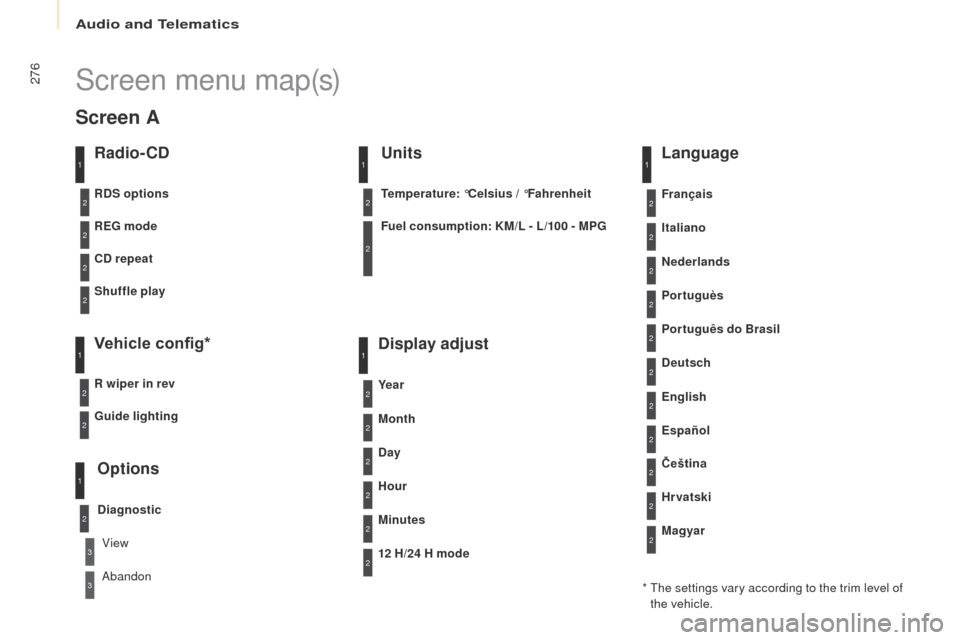
276
Partner2VP_en_Chap10b_RD45_ed02-2016
Screen menu map(s)
Radio- CD
REG mode
CD repeat
Shuffle play
Vehicle config*
R wiper in rev
Options
Diagnostic
RDS options
View
Abandon
1
2
3
3
1
2
2
2
2
1
2
Screen A
* The settings vary according to the trim level of the vehicle.
Guide lighting
2
Units
Temperature: °Celsius / °Fahrenheit
Fuel consumption: KM/L - L/100 - MPG
1
2
2
Display adjust
Month
Day
Hour
Minutes Ye a r
12 H/24 H mode
Language
Italiano
Nederlands
Portuguès
Português do Brasil Français
Deutsch
Čeština English
Hr vatski Español
Magyar
1
2
2
2
2
2
2
2
1
2
2
2
2
2
2
2
2
2
2
Audio and Telematics