navigation Peugeot Partner Tepee 2017 User Guide
[x] Cancel search | Manufacturer: PEUGEOT, Model Year: 2017, Model line: Partner Tepee, Model: Peugeot Partner Tepee 2017Pages: 292, PDF Size: 10.49 MB
Page 214 of 292
212
Partner2VP_en_Chap10a_SMEGplus_ed02-2016
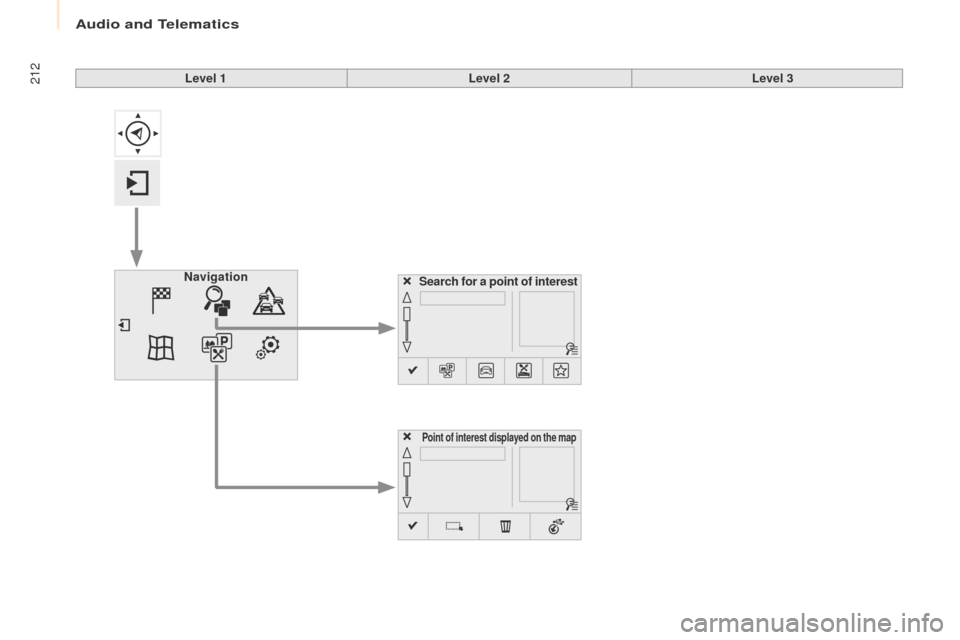
Search for a point of interest
Navigation
Point of interest displayed on the map
Level 1
Level 2Level 3
Audio and Telematics
Page 215 of 292
213
Partner2VP_en_Chap10a_SMEGplus_ed02-2016
Level 1Level 2 Level 3 Comments
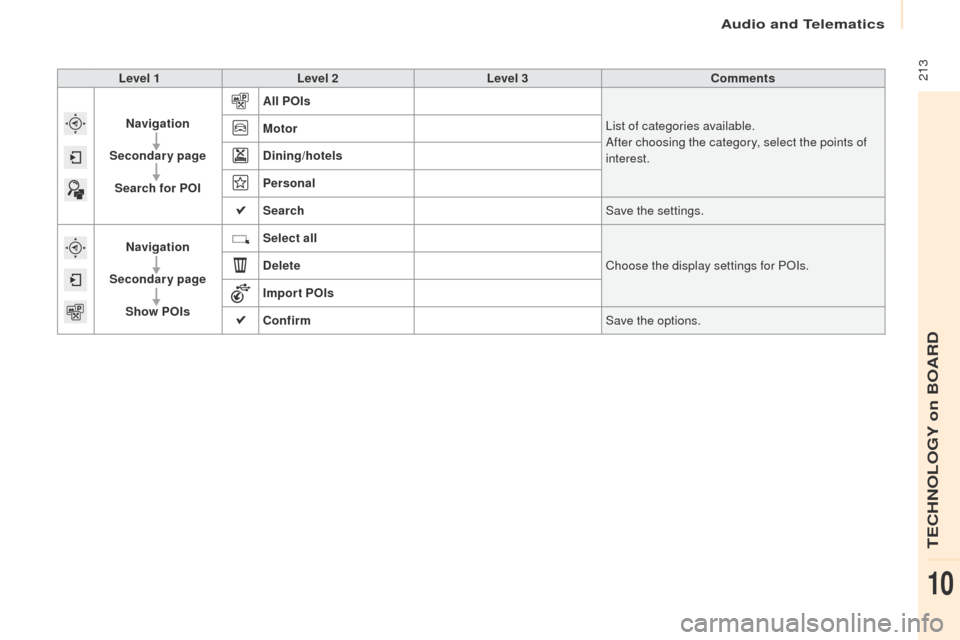
Navigation
Secondary page Search for POI All POIs
List of categories available.
After choosing the category, select the points of
interest.
Motor
Dining/hotels
Personal
Search
Save the settings.
Navigation
Secondary page Show POIs Select all
Choose the display settings for POIs.
Delete
Import POIs
Confirm Save the options.
Audio and Telematics
TECHNOLOGY on BOARD
10
Page 216 of 292
214
Partner2VP_en_Chap10a_SMEGplus_ed02-2016
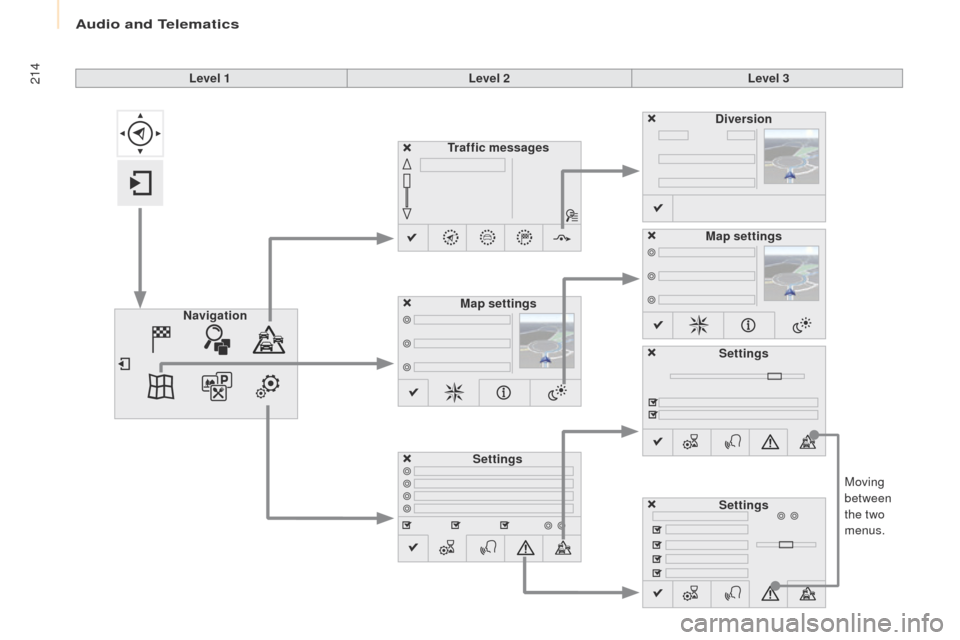
Moving
between
the two
menus.
Level 1
Level 2Level 3
Traffic messages
Settings Diversion
Map settings
Navigation Map settings
Settings
Settings
Audio and Telematics
Page 217 of 292
215
Partner2VP_en_Chap10a_SMEGplus_ed02-2016
Level 1Level 2 Level 3 Comments
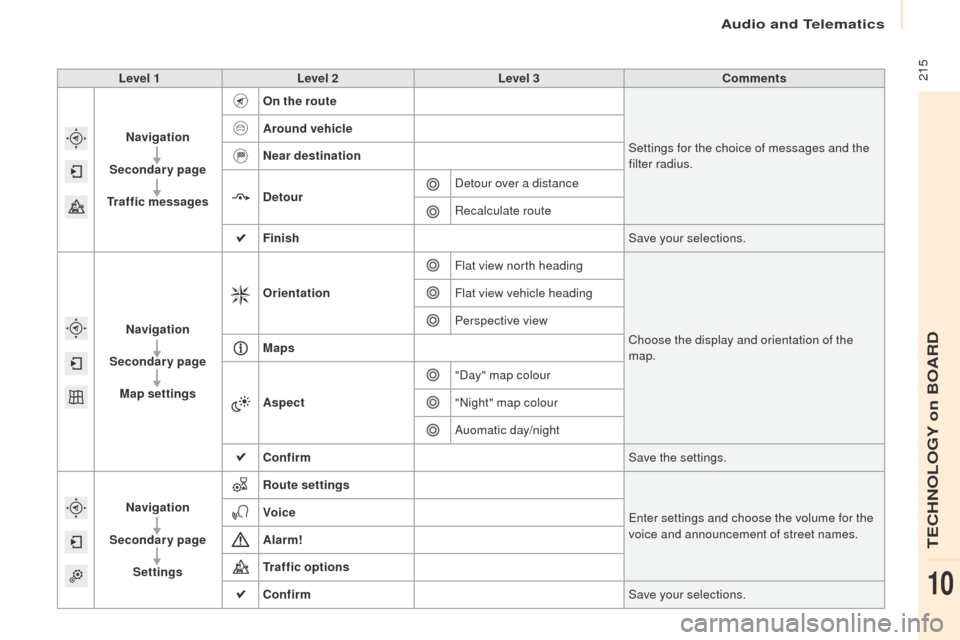
Navigation
Secondary page
Traffic messages On the route
Settings for the choice of messages and the
filter radius.
Around vehicle
Near destination
Detour
Detour over a distance
Recalculate route
Finish Save your selections.
Navigation
Secondary page Map settings Orientation
Flat view north heading
Choose the display and orientation of the
map.
Flat view vehicle heading
Perspective view
Maps
Aspect "Day" map colour
"Night" map colour
Auomatic day/night
Confirm Save the settings.
Navigation
Secondary page Settings Route settings
Enter settings and choose the volume for the
voice and announcement of street names.
Voice
Alarm!
Traffic options
Confirm
Save your selections.
Audio and Telematics
TECHNOLOGY on BOARD
10
Page 218 of 292
216
Partner2VP_en_Chap10a_SMEGplus_ed02-2016
Navigation - Guidance
Choosing a new destination
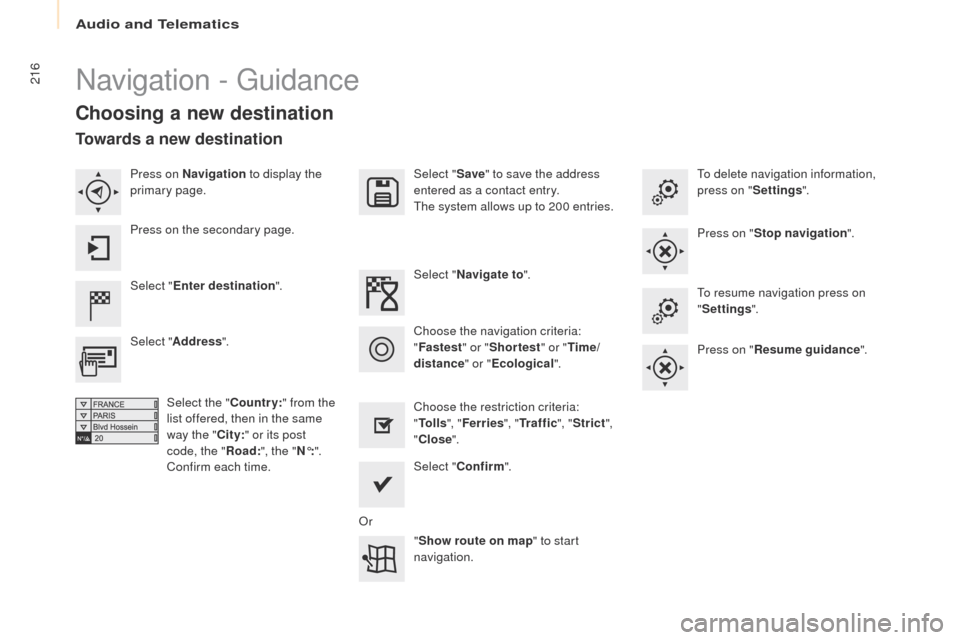
Select "Enter destination ". Select "
Save" to save the address
entered as a contact entry.
The system allows up to 200 entries.
Select " Confirm ".
" Show route on map " to start
navigation.
Select "
Address ".
Select the " Country:" from the
list offered, then in the same
way the " City:" or its post
code, the " Road:", the
"N°: ".
Confirm each time. Select "
Navigate to ".
Choose the restriction criteria:
" To l l s ", "Ferries ", "Tr a f f i c ", "Strict ",
" Close ".
Choose the navigation criteria:
"
Fastest " or "Shortest " or "Time/
distance " or "Ecological". To delete navigation information,
press on "
Settings".
Press on " Stop navigation ".
To resume navigation press on
" Settings ".
Press on " Resume guidance ".
Press on Navigation
to display the
primary page.
Press on the secondary page.
Towards a new destination
Or
Audio and Telematics
Page 219 of 292
217
Partner2VP_en_Chap10a_SMEGplus_ed02-2016
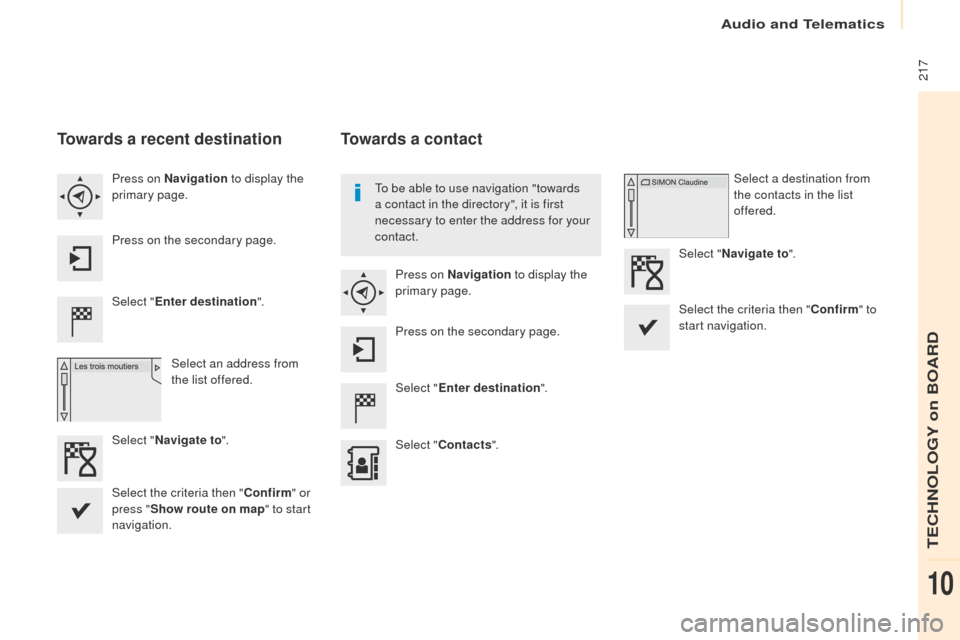
Towards a recent destination
Select "Enter destination ".
Select an address from
the list offered.
Press on Navigation
to display the
primary page.
Press on the secondary page.
Select " Navigate to ".
Towards a contact
Select "Enter destination ".
Select " Contacts ".
Press on Navigation
to display the
primary page.
Press on the secondary page. Select a destination from
the contacts in the list
offered.
Select " Navigate to ".
Select the criteria then " Confirm" to
start navigation.
To be able to use navigation "towards
a contact in the directory", it is first
necessary to enter the address for your
contact.
Select the criteria then " Confirm" or
press " Show route on map " to start
navigation.
Audio and Telematics
TECHNOLOGY on BOARD
10
Page 220 of 292
218
Partner2VP_en_Chap10a_SMEGplus_ed02-2016
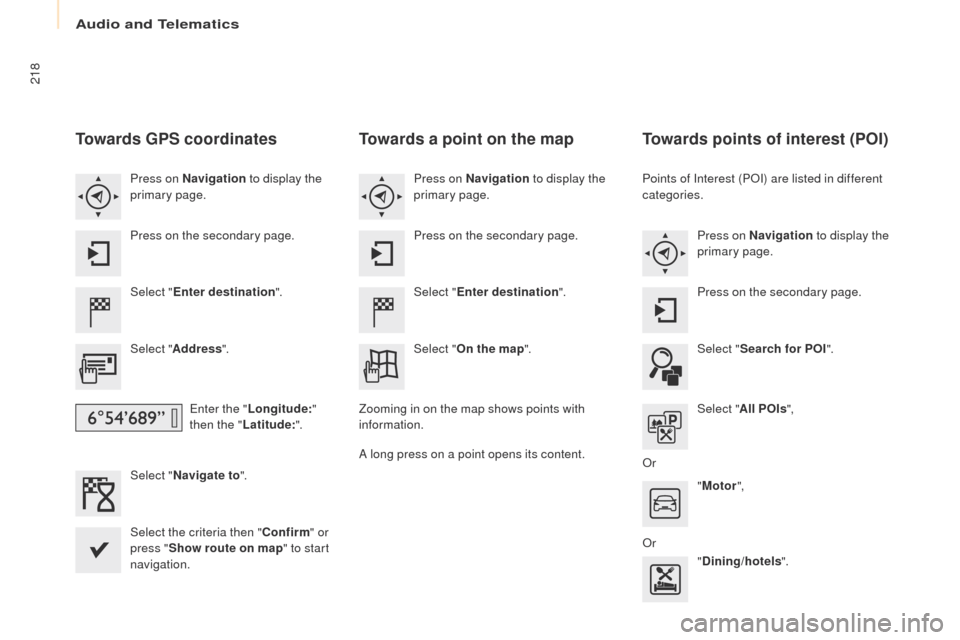
Towards GPS coordinates
Select "Enter destination ".
Select " Address ".
Enter the " Longitude: "
then the " Latitude: ".
Select " Navigate to ".
Select the criteria then " Confirm" or
press " Show route on map " to start
navigation. Press on Navigation to display the
primary page.
Press on the secondary page.
Towards a point on the map
Select " Enter destination ".
Select " On the map ".
Press on Navigation
to display the
primary page.
Press on the secondary page.
Zooming in on the map shows points with
information.
A long press on a point opens its content.
Towards points of interest (POI)
Points of Interest (POI) are listed in different
categories. Press on Navigation to display the
primary page.
Press on the secondary page.
Select " Search for POI ".
Select " All POIs ",
Or "Motor ",
Or "Dining/hotels ".
Audio and Telematics
Page 221 of 292
219
Partner2VP_en_Chap10a_SMEGplus_ed02-2016
An annual mapping update allows new
points of interest to be presented to
you.
You can also update the Risk areas /
Danger areas every month.
The detailed procedure is available on:
http://peugeot.navigation.com.
Audio and Telematics
TECHNOLOGY on BOARD
10
Page 222 of 292
220
Partner2VP_en_Chap10a_SMEGplus_ed02-2016
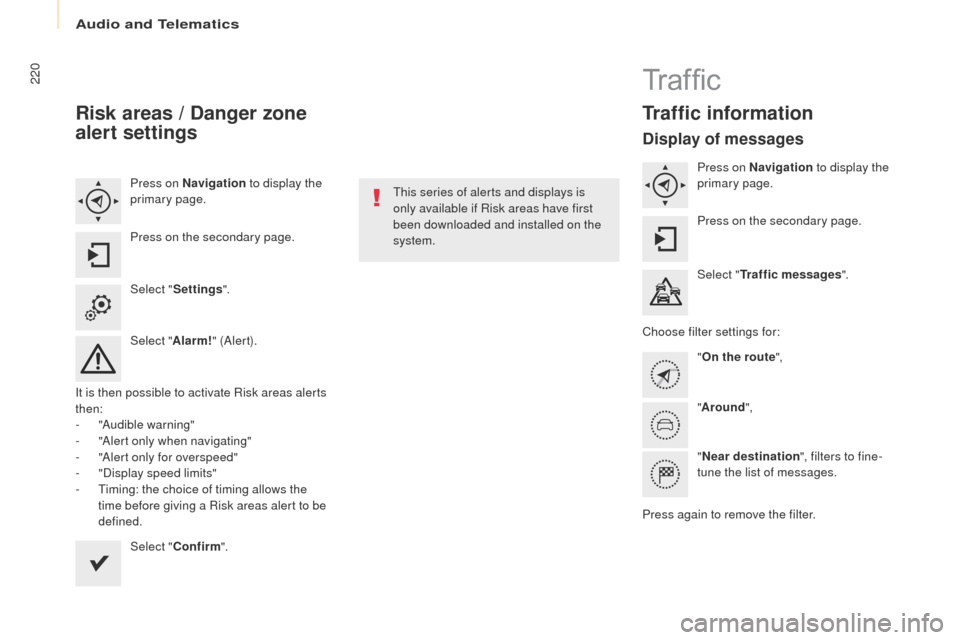
Risk areas / Danger zone
alert settings
Press on Navigation to display the
primary page.
Press on the secondary page.
Select " Settings ".
Select " Alarm!" (Aler t).
It is then possible to activate Risk areas alerts
then:
-
"
Audible warning"
-
"
Alert only when navigating"
-
"
Alert only for overspeed"
-
"
Display speed limits"
-
T
iming: the choice of timing allows the
time before giving a Risk areas alert to be
defined.
Select " Confirm ". This series of alerts and displays is
only available if Risk areas have first
been downloaded and installed on the
system.
Tr a f fi c
Traffic information
Display of messages
Press on Navigation
to display the
primary page.
Press on the secondary page.
Select " Traffic messages ".
Choose filter settings for: "On the route ",
" Around ",
" Near destination ", filters to fine-
tune the list of messages.
Press again to remove the filter.
Audio and Telematics
Page 223 of 292
221
Partner2VP_en_Chap10a_SMEGplus_ed02-2016
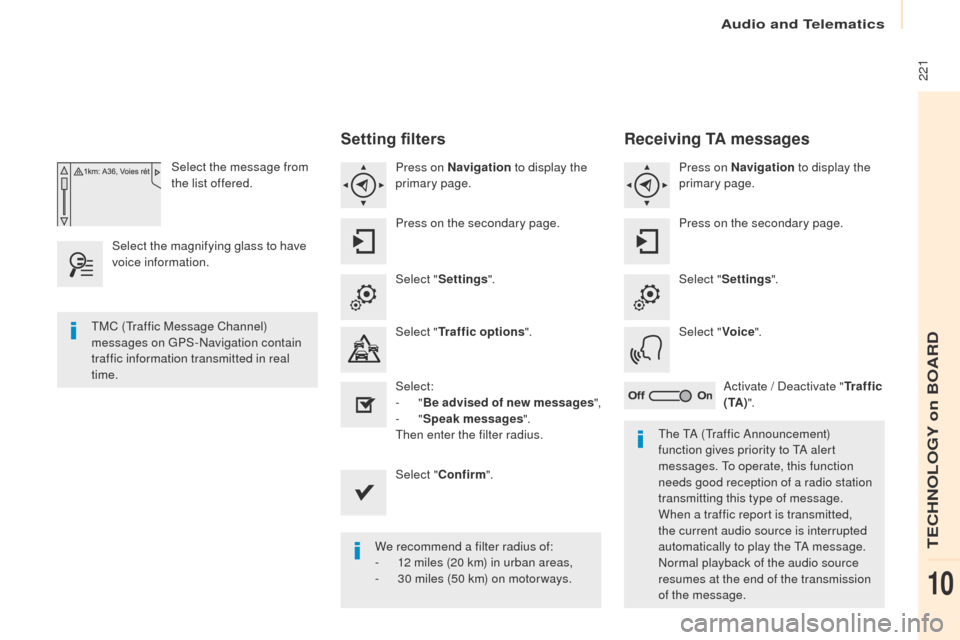
Select the message from
the list offered.
Select the magnifying glass to have
voice information.
Setting filters
Press on Navigation to display the
primary page.
Press on the secondary page.
Select " Settings ".
Select " Traffic options ".
Select:
-
"Be advised of new messages ",
-
"Speak messages ".
Then enter the filter radius.
Select " Confirm ".
We recommend a filter radius of:
-
1
2 miles (20 km) in urban areas,
-
3
0 miles (50 km) on motor ways.
TMC (Traffic Message Channel)
messages on GPS-Navigation contain
traffic information transmitted in real
time.
The TA (Traffic Announcement)
function gives priority to TA alert
messages. To operate, this function
needs good reception of a radio station
transmitting this type of message.
When a traffic report is transmitted,
the current audio source is interrupted
automatically to play the TA message.
Normal playback of the audio source
resumes at the end of the transmission
of the message.
Receiving TA messages
Press on Navigation to display the
primary page.
Press on the secondary page.
Select " Settings ".
Select " Voice".
Activate / Deactivate " Tr a f f i c
( TA ) ".
Audio and Telematics
TECHNOLOGY on BOARD
10