USB PEUGEOT PARTNER TEPEE 2020 User Guide
[x] Cancel search | Manufacturer: PEUGEOT, Model Year: 2020, Model line: PARTNER TEPEE, Model: PEUGEOT PARTNER TEPEE 2020Pages: 216, PDF Size: 8.46 MB
Page 190 of 216
14
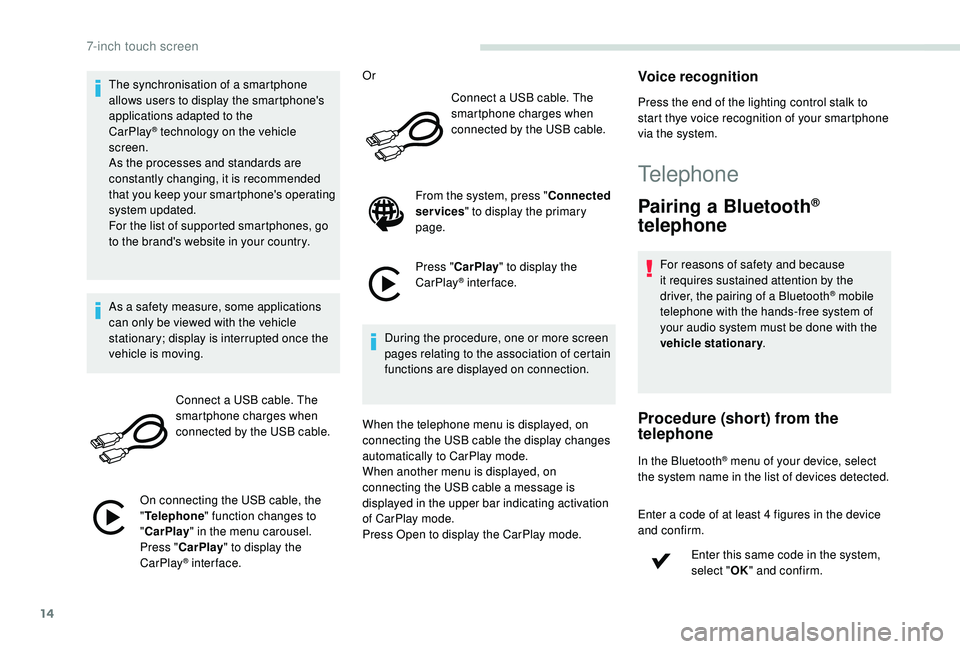
The synchronisation of a smartphone
allows users to display the smartphone's
applications adapted to the
CarPlay
® technology on the vehicle
sc
reen.
As the processes and standards are
constantly changing, it is recommended
that you keep your smartphone's operating
system updated.
For the list of supported smartphones, go
to the brand's website in your country.
As a safety measure, some applications
can only be viewed with the vehicle
stationary; display is interrupted once the
vehicle is moving.
Connect a USB cable. The
smartphone charges when
connected by the USB cable.
On connecting the USB cable, the
" Telephone " function changes to
" CarPlay " in the menu carousel.
Press " CarPlay " to display the
CarPlay
® inter face. Or
Connect a USB cable. The
smartphone charges when
connected by the USB cable.
From the system, press " Connected
services " to display the primary
page.
Press " CarPlay " to display the
CarPlay
® inter face.
During the procedure, one or more screen
pages relating to the association of certain
functions are displayed on connection.
When the telephone menu is displayed, on
connecting the USB cable the display changes
automatically to CarPlay mode.
When another menu is displayed, on
connecting the USB cable a message is
displayed in the upper bar indicating activation
of CarPlay mode.
Press Open to display the CarPlay mode.
Voice recognition
Press the end of the lighting control stalk to
start thye voice recognition of your smartphone
via the system.
Telephone
Pairing a Bluetooth®
telephone
For reasons of safety and because
it requires sustained attention by the
driver, the pairing of a Bluetooth
® mobile
telephone with the hands-free system of
your audio system must be done with the
vehicle stationary .
Procedure (short) from the
telephone
In the Bluetooth® menu of your device, select
the system name in the list of devices detected.
Enter a code of at least 4 figures in the device
and confirm.
Enter this same code in the system,
select "OK" and confirm.
7-inch touch screen
Page 196 of 216
20
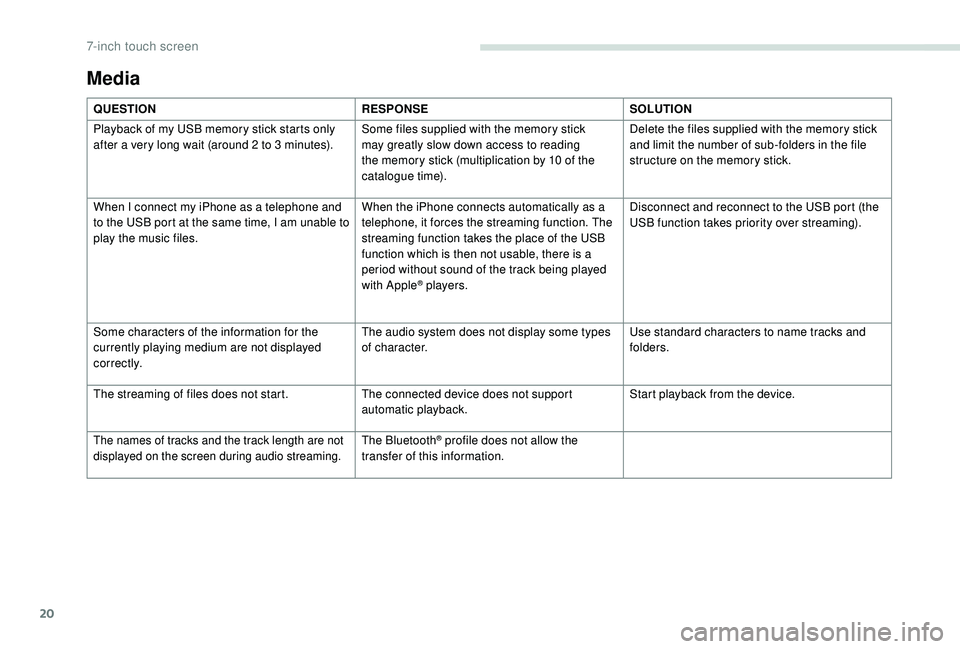
Media
QUESTIONRESPONSESOLUTION
Playback of my USB memory stick starts only
after a very long wait (around 2 to 3
minutes).Some files supplied with the memory stick
may greatly slow down access to reading
the memory stick (multiplication by 10 of the
catalogue time). Delete the files supplied with the memory stick
and limit the number of sub-folders in the file
structure on the memory stick.
When I connect my iPhone as a telephone and
to the USB port at the same time, I am unable to
play the music files. When the iPhone connects automatically as a
telephone, it forces the streaming function. The
streaming function takes the place of the USB
function which is then not usable, there is a
period without sound of the track being played
with Apple
® players.Disconnect and reconnect to the USB port (the
USB function takes priority over streaming).
Some characters of the information for the
currently playing medium are not displayed
c o r r e c t l y. The audio system does not display some types
of character.
Use standard characters to name tracks and
folders.
The streaming of files does not start. The connected device does not support
automatic playback.Start playback from the device.
The names of tracks and the track length are not
displayed on the screen during audio streaming.The Bluetooth® profile does not allow the
transfer of this information.
7-inch touch screen
Page 199 of 216
1
Peugeot Connect Sound (RD5)
Audio system/Bluetooth®
Contents
First steps
1
S
teering mounted controls
2
M
enus
2
R
adio 3
Media
4
Telephone
6
Frequently asked questions
8T
he system is coded in such a way that it
will only operate in your vehicle.
As a safety measure, the driver must
only carry out operations which require
sustained attention when the vehicle is
stationary.
To avoid discharging the battery, the audio
system may switch off after a few minutes
if the engine is not running.
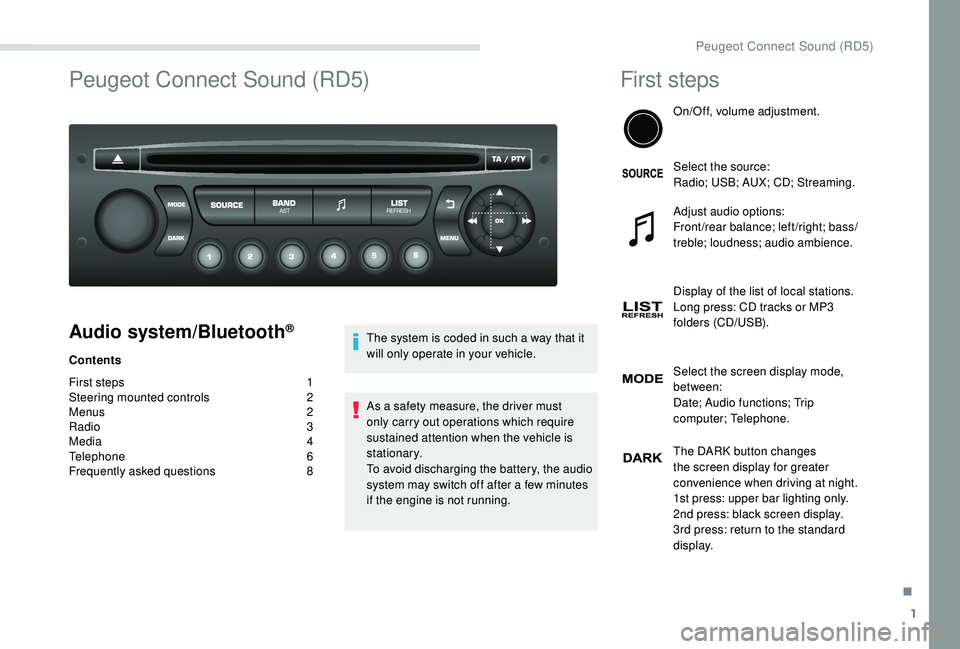
First steps
On/Off, volume adjustment.
Select the source:
Radio; USB; AUX; CD; Streaming.
Adjust audio options:
Front/rear balance; left/right; bass/
treble; loudness; audio ambience.
Display of the list of local stations.
Long press: CD tracks or MP3
folders (CD/USB).
Select the screen display mode,
between:
Date; Audio functions; Trip
computer; Telephone.
The DARK button changes
the screen display for greater
convenience when driving at night.
1st press: upper bar lighting only.
2nd press: black screen display.
3rd press: return to the standard
display.
.
Peugeot Connect Sound (RD5)
Page 200 of 216
2
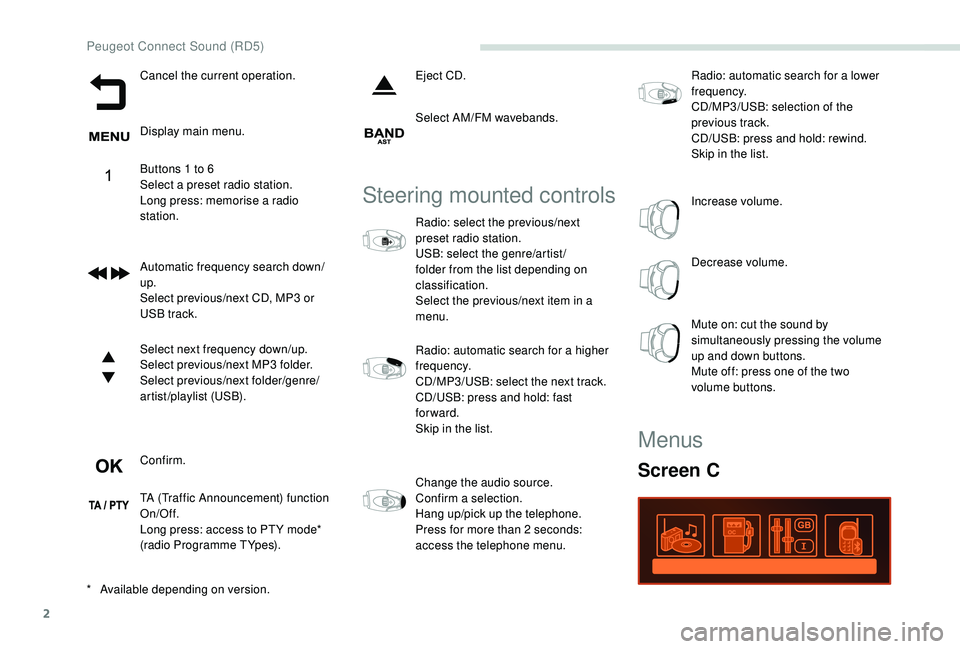
Cancel the current operation.
Display main menu.
Buttons 1 to 6
Select a preset radio station.
Long press: memorise a radio
station.
Automatic frequency search down/
up.
Select previous/next CD, MP3 or
USB track.
Select next frequency down/up.
Select previous/next MP3 folder.
Select previous/next folder/genre/
artist/playlist (USB).
Confirm.
TA (Traffic Announcement) function
On/Off.
Long press: access to PT Y mode*
(radio Programme TYpes).Eject CD.
Select AM/FM wavebands.
Steering mounted controls
Radio: select the previous/next
preset radio station.
USB: select the genre/artist /
folder from the list depending on
classification.
Select the previous/next item in a
menu.
Radio: automatic search for a higher
frequency.
CD/MP3/USB: select the next track.
CD/USB: press and hold: fast
forward.
Skip in the list.
Change the audio source.
Confirm a selection.
Hang up/pick up the telephone.
Press for more than 2
seconds:
access the telephone menu. Radio: automatic search for a lower
frequency.
CD/MP3/USB: selection of the
previous track.
CD/USB: press and hold: rewind.
Skip in the list.
Increase volume.
Decrease volume.
Mute on: cut the sound by
simultaneously pressing the volume
up and down buttons.
Mute off: press one of the two
volume buttons.
*
A
vailable depending on version.
Menus
Screen C
Peugeot Connect Sound (RD5)
Page 201 of 216
3
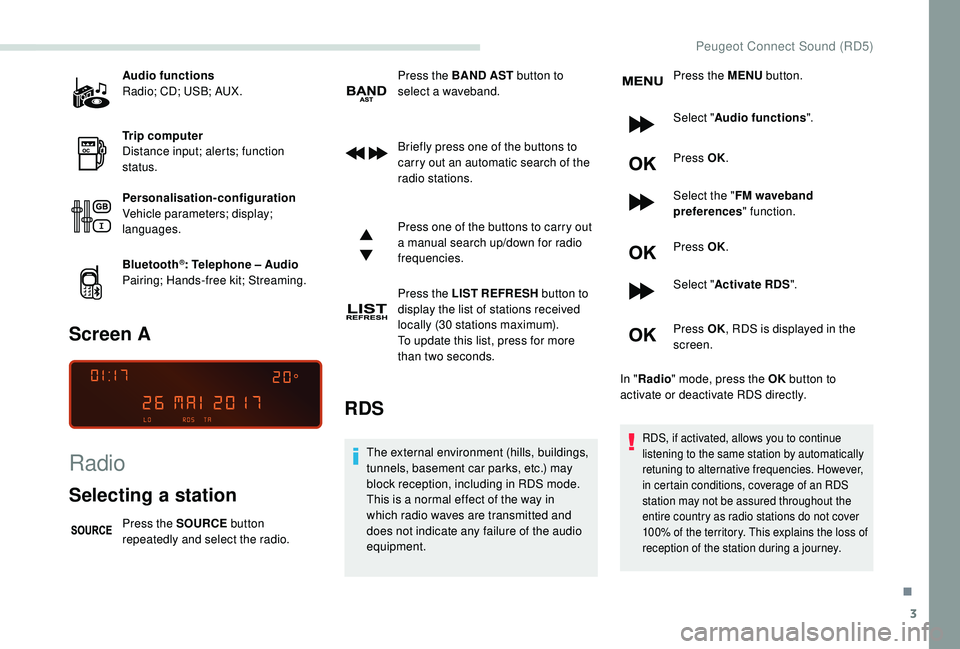
Audio functions
Radio; CD; USB; AUX.
Trip computer
Distance input; alerts; function
status.
Personalisation-configuration
Vehicle parameters; display;
languages.
Bluetooth
®: Telephone – Audio
Pairing; Hands-free kit; Streaming.
Screen A
Radio
Selecting a station
Press the SOURCE button
repeatedly and select the radio. Press the BAND
AST button to
select a waveband.
Briefly press one of the buttons to
carry out an automatic search of the
radio stations.
Press one of the buttons to carry out
a manual search up/down for radio
frequencies.
Press the LIST REFRESH button to
display the list of stations received
locally (30 stations maximum).
To update this list, press for more
than two seconds.
RDS
The external environment (hills, buildings,
tunnels, basement car parks, etc.) may
block reception, including in RDS mode.
This is a normal effect of the way in
which radio waves are transmitted and
does not indicate any failure of the audio
equipment. Press the MENU
button.
Select " Audio functions ".
Press OK.
Select the " FM waveband
preferences " function.
Press OK.
Select " Activate RDS ".
Press OK , RDS is displayed in the
screen.
In " Radio " mode, press the OK button to
activate or deactivate RDS directly.RDS, if activated, allows you to continue
listening to the same station by automatically
retuning to alternative frequencies. However,
in certain conditions, coverage of an RDS
station may not be assured throughout the
entire country as radio stations do not cover
100% of the territory. This explains the loss of
reception of the station during a journey.
.
Peugeot Connect Sound (RD5)
Page 202 of 216
4
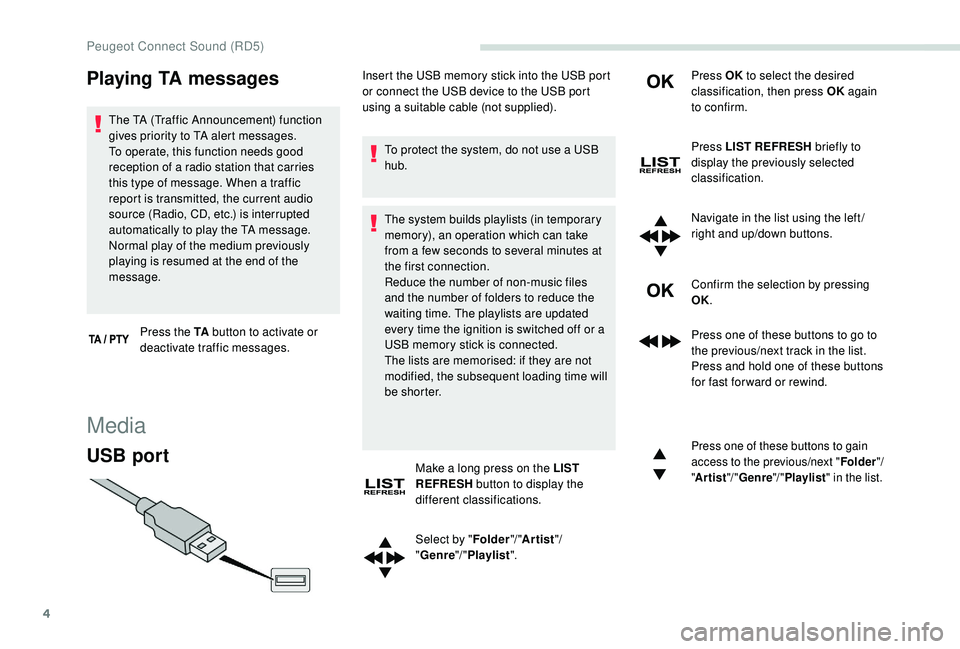
Playing TA messages
The TA (Traffic Announcement) function
gives priority to TA alert messages.
To operate, this function needs good
reception of a radio station that carries
this type of message. When a traffic
report is transmitted, the current audio
source (Radio, CD, etc.) is interrupted
automatically to play the TA message.
Normal play of the medium previously
playing is resumed at the end of the
message.Press the TA button to activate or
deactivate traffic messages.
Media
USB port
To protect the system, do not use a USB
hub.
The system builds playlists (in temporary
memory), an operation which can take
from a few seconds to several minutes at
the first connection.
Reduce the number of non-music files
and the number of folders to reduce the
waiting time. The playlists are updated
every time the ignition is switched off or a
USB memory stick is connected.
The lists are memorised: if they are not
modified, the subsequent loading time will
b e s h o r t e r.
Make a long press on the LIST
REFRESH button to display the
different classifications.
Select by " Folder"/ "Artist "/
" Genre "/ "Playlist ". Press OK
to select the desired
classification, then press OK again
to confirm.
Press LIST REFRESH briefly to
display the previously selected
classification.
Navigate in the list using the left /
right and up/down buttons.
Confirm the selection by pressing
OK.
Press one of these buttons to go to
the previous/next track in the list.
Press and hold one of these buttons
for fast for ward or rewind.
Press one of these buttons to gain
access to the previous/next " Folder"/
" Artist "/ "Genre "/ "Playlist " in the list.
Insert the USB memory stick into the USB port
or connect the USB device to the USB port
using a suitable cable (not supplied).
Peugeot Connect Sound (RD5)
Page 203 of 216
5
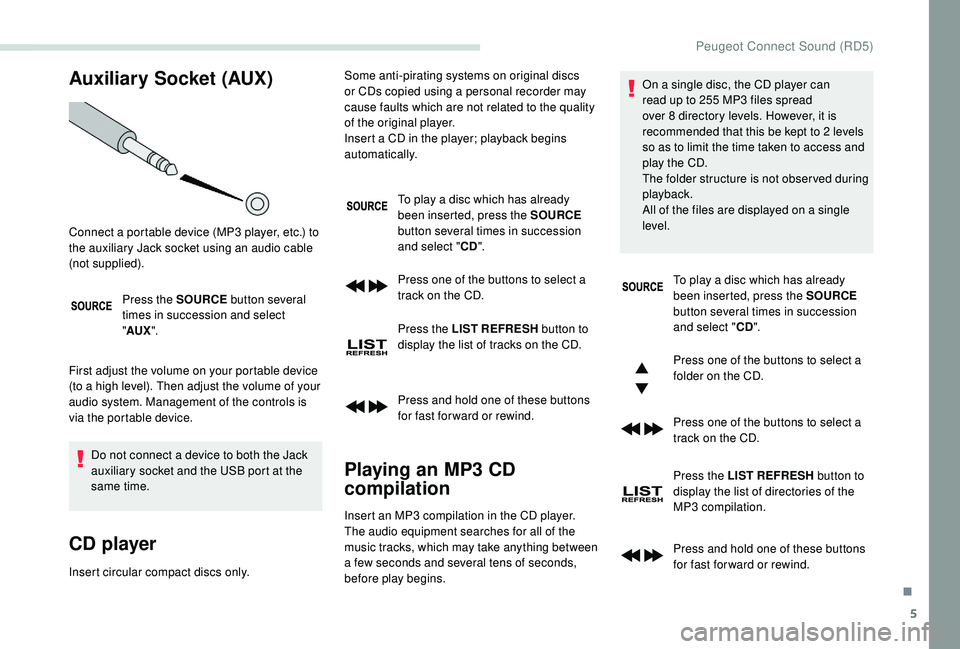
Auxiliary Socket (AUX)
Press the SOURCE button several
times in succession and select
" AUX ".
First adjust the volume on your portable device
(to a high level). Then adjust the volume of your
audio system. Management of the controls is
via the portable device. Do not connect a device to both the Jack
auxiliary socket and the USB port at the
same time.
CD player
Insert circular compact discs only. To play a disc which has already
been inserted, press the SOURCE
button several times in succession
and select " CD".
Press one of the buttons to select a
track on the CD.
Press the LIST REFRESH button to
display the list of tracks on the CD.
Press and hold one of these buttons
for fast for ward or rewind.
Playing an MP3 CD
compilation
Connect a portable device (MP3 player, etc.) to
the auxiliary Jack socket using an audio cable
(not supplied). Some anti-pirating systems on original discs
or CDs copied using a personal recorder may
cause faults which are not related to the quality
of the original player.
Insert a CD in the player; playback begins
automatically.
Insert an MP3 compilation in the CD player.
The audio equipment searches for all of the
music tracks, which may take anything between
a few seconds and several tens of seconds,
before play begins. On a single disc, the CD player can
read up to 255 MP3 files spread
over 8 directory levels. However, it is
recommended that this be kept to 2 levels
so as to limit the time taken to access and
play the CD.
The folder structure is not obser ved during
playback.
All of the files are displayed on a single
level.
To play a disc which has already
been inserted, press the SOURCE
button several times in succession
and select " CD".
Press one of the buttons to select a
folder on the CD.
Press one of the buttons to select a
track on the CD.
Press the LIST REFRESH button to
display the list of directories of the
MP3 compilation.
Press and hold one of these buttons
for fast for ward or rewind.
.
Peugeot Connect Sound (RD5)
Page 204 of 216
6
Information and advice
The audio system will only play files with
the ".mp3" extension with a sampling rate
of 22.05 kHz or 44.1 kHz. No other file type
(".wma", ".mp4", ".m3u", etc.) can be played.
It is recommended that file names be of no
more than 20 characters and without special
characters (e.g.: "
? ; ù) so as to avoid any
problem reading or displaying the files..
In order to be able to play a recorded CDR or
CDRW, when recording it is preferable to select
the ISO 9660 level 1.2 or Joliet standards.
If the disc is recorded in another format, it may
not be played correctly.
It is recommended that the same recording
standard is always used for an individual disc,
with as low a speed as possible (4x maximum)
for optimum sound quality.
In the particular case of a multi-session CD, the
Joliet standard is recommended.
Use only USB memory sticks in FAT32 format
(File Allocation Table).
To protect the system, do not use a USB
hub. It is recommended that you use genuine
Apple® USB cables for correct operation.
Bluetooth® audio streaming
Streaming allows you to listen to audio files on
your smartphone using the vehicle's speakers.
Connect the telephone: see the "
Telephone"
section.
Select in the menu " Bluetooth
®: Telephone –
Audio " the telephone to connect.
The audio system connects to a newly paired
telephone automatically.
Activate the streaming source by
pressing SOURCE.
In certain cases, playing of the
audio files must be initiated from the
keypad.
Connecting Apple® players
Connect the Apple® player to the USB port
using a suitable cable (not supplied).
Play starts automatically.
Control is via the audio system controls.
The classifications available are those of the
portable device connected (artists/albums/
genres/playlists/audiobooks/podcasts).
The version of the software in the audio system
may not be compatible with the generation of
your Apple
® p l aye r.
The control of common tracks is possible
via the audio system control buttons and the
steering mounted controls, if the telephone
supports the function.
The contextual information can be displayed in
the screen.
Telephone
Pairing a Bluetooth®
telephone
Screen C (availability depends on
model and version)
For reasons of safety and because
it requires sustained attention by the
driver, the pairing of a Bluetooth
® mobile
telephone with the Bluetooth® hands-free
system of your audio system must be done
with the vehicle stationary and the ignition
on.
Peugeot Connect Sound (RD5)
Page 208 of 216
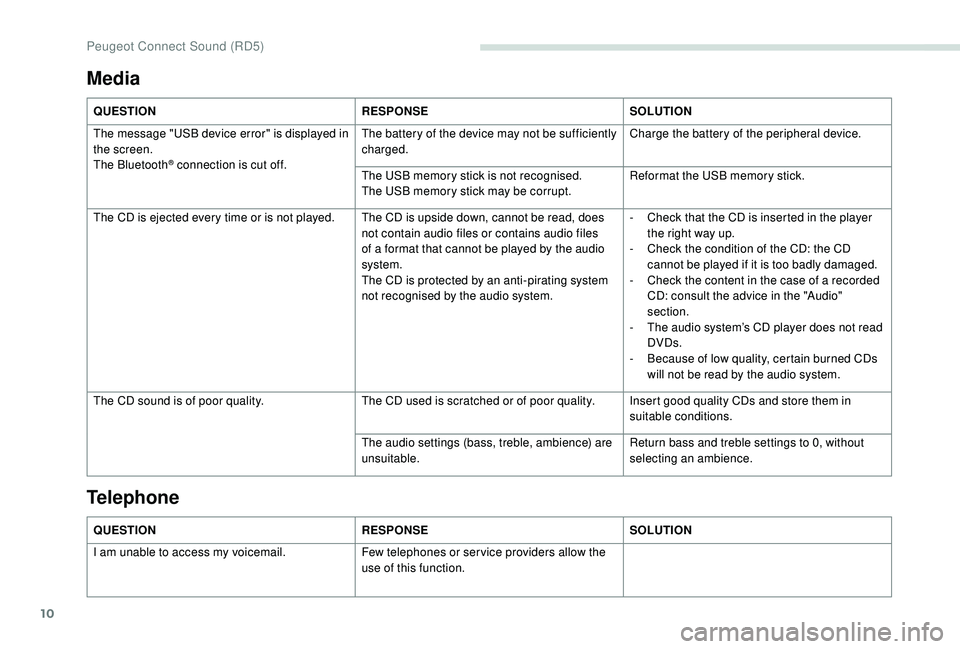
10
Media
QUESTIONRESPONSESOLUTION
The message "USB device error" is displayed in
the screen.
The Bluetooth
® connection is cut off. The battery of the device may not be sufficiently
charged.
Charge the battery of the peripheral device.
The USB memory stick is not recognised.
The USB memory stick may be corrupt. Reformat the USB memory stick.
The CD is ejected every time or is not played. The CD is upside down, cannot be read, does not contain audio files or contains audio files
of a format that cannot be played by the audio
system.
The CD is protected by an anti-pirating system
not recognised by the audio system.-
C
heck that the CD is inserted in the player
the right way up.
-
C
heck the condition of the CD: the CD
cannot be played if it is too badly damaged.
-
C
heck the content in the case of a recorded
CD: consult the advice in the "Audio"
section.
-
T
he audio system’s CD player does not read
DVDs.
-
B
ecause of low quality, certain burned CDs
will not be read by the audio system.
The CD sound is of poor quality. The CD used is scratched or of poor quality. Insert good quality CDs and store them in
suitable conditions.
The audio settings (bass, treble, ambience) are
unsuitable. Return bass and treble settings to 0, without
selecting an ambience.
QUESTION RESPONSESOLUTION
I am unable to access my voicemail. Few telephones or ser vice providers allow the
use of this function.
Telephone
Peugeot Connect Sound (RD5)
Page 210 of 216
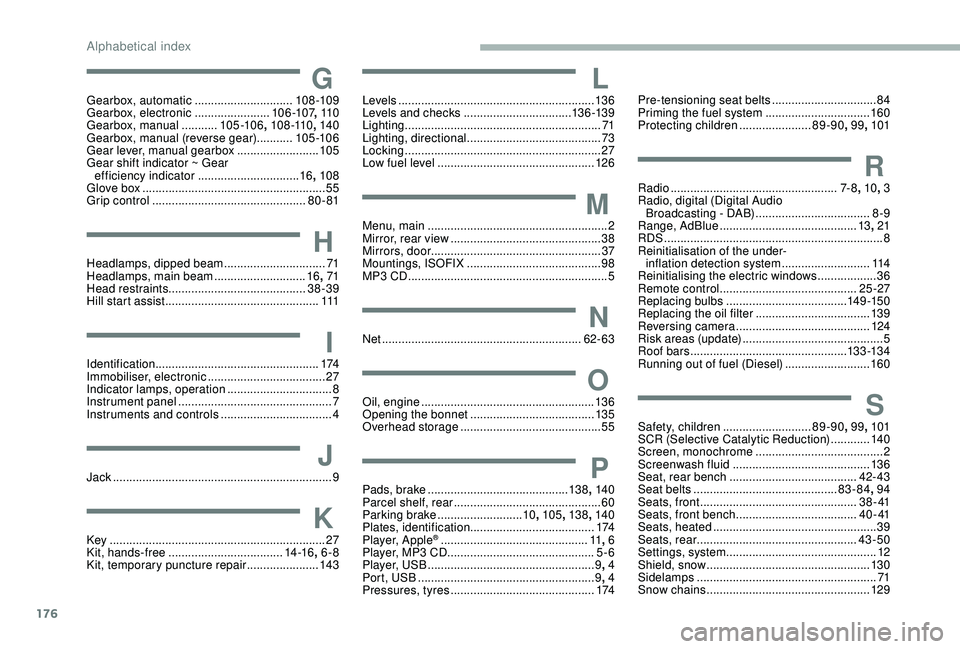
176
GGearbox, automatic ..............................108 -109
Gearbox, electronic .......................10 6 -107, 11 0
Gearbox, manual
...........105 -10 6 , 108 -110 , 140
Gearbox, manual (reverse gear) ...........105 -10 6
Gear lever, manual gearbox
.........................105
Gear shift indicator ~ Gear efficiency indicator
...............................16, 108
Glove box
........................................................ 55
Grip control
............................................... 80 - 81
HHeadlamps, dipped beam ...............................71
Headlamps, main beam ............................16, 71
Head restraints .......................................... 38-39
Hill start assist
............................................... 111
IIdentification.................................................. 174
Immobiliser, electronic ....................................27
Indicator lamps, operation
................................ 8
I
nstrument panel
............................................... 7
Instruments and controls
..................................4
JJack ............................... ....................................9
KKey .................................................................. 27
Kit, hands-free ................................... 1
4 -16, 6-8
Kit, temporary puncture repair
...................... 14
3
LLevels ............................................................ 13 6
Levels and checks .............................. ...13 6 -13 9
Lighting
............................................................ 71
Lighting, directional
......................................... 73
Locking
...............................
.............................27
Low fuel level
................................................ 12
6
MMenu, main .......................................................2
M irror, rear view .............................................. 38
Mirrors, door .................................................... 37
Mountings, ISOFIX
......................................... 98
MP3 CD
............................................................. 5
NNet ............................................................. 62- 63
OOil, engine ..................................................... 13 6
Opening the bonnet ...................................... 13 5
Overhead storage
........................................... 55
PPads, brake ........................................... 13 8, 140
Parcel shelf, rear ............................................. 60
Parking brake
.......................... 10, 105 , 13 8, 140
Plates, identification ...................................... 174
Player, Apple
® ............................................. 11, 6
Player, MP3 CD ............................... ..............5-6
Player, USB
................................................... 9, 4
Port, USB
...................................................... 9, 4
Pressures, tyres
............................................ 174
Pre-tensioning seat belts ................................84
Priming the fuel system ................................160
Protecting children
......................89-90, 99, 101
RRadio ................................................... 7- 8, 10 , 3
Radio, digital (Digital Audio Broadcasting - DAB)
...................................8
-9
Range, AdBlue
.......................................... 13, 21
RDS
................
................................................... 8
Reinitialisation of the under- inflation detection system
...........................114
Reinitialising the electric windows
.................. 36
R
emote control
.......................................... 25 -27
Replacing bulbs
..................................... 1
4 9 -15 0
Replacing the oil filter
................................... 13
9
Reversing camera
...............................
..........124
Risk areas (update)
........................................... 5
Roof bars
................................................13 3 -13 4
Running out of fuel (Diesel)
..........................160
SSafety, children ........................... 89-90, 99, 101
SCR (Selective Catalytic Reduction) ............140
Screen, monochrome
....................................... 2
Screenwash fluid
.......................................... 13 6
Seat, rear bench
....................................... 42- 43
Seat belts
............................................ 83-84, 94
Seats, front
...............................
.................3 8 - 41
Seats, front bench
..................................... 4 0 - 41
Seats, heated
.................................................. 39
Seats, rear
................................................. 43-50
Settings, system
.............................................. 12
Shield, snow
.................................................. 13
0
Sidelamps
....................................................... 71
S
now chains
.................................................. 12 9
Alphabetical index