steering PEUGEOT PARTNER TEPEE 2020 Owner's Manual
[x] Cancel search | Manufacturer: PEUGEOT, Model Year: 2020, Model line: PARTNER TEPEE, Model: PEUGEOT PARTNER TEPEE 2020Pages: 216, PDF Size: 8.46 MB
Page 162 of 216
160
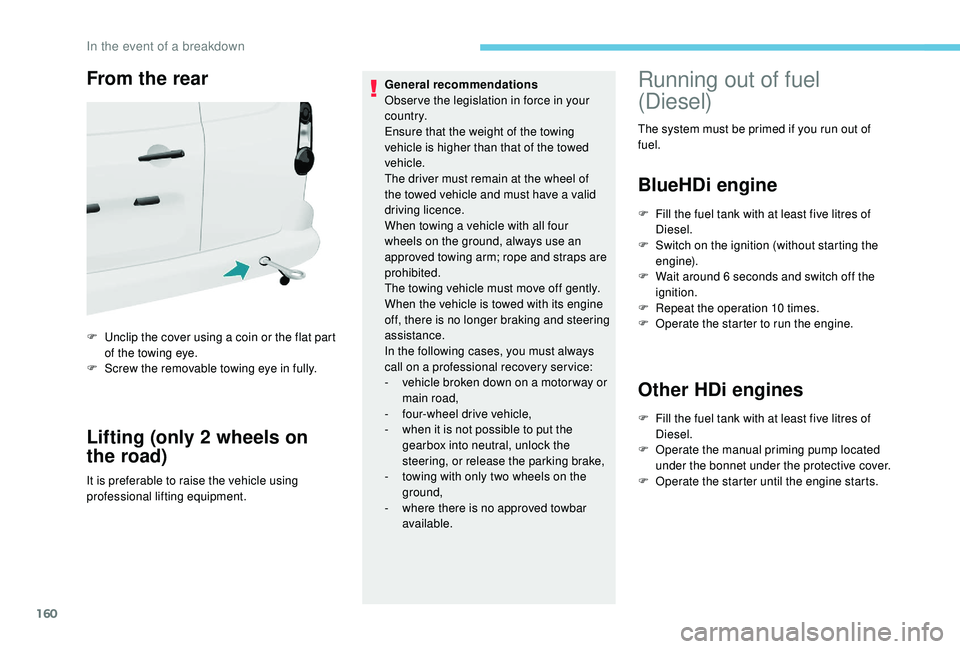
From the rear
F Unclip the cover using a coin or the flat part of the towing eye.
F
S
crew the removable towing eye in fully.
Lifting (only 2 wheels on
the road)
It is preferable to raise the vehicle using
professional lifting equipment. General recommendations
Obser ve the legislation in force in your
c o u nt r y.
Ensure that the weight of the towing
vehicle is higher than that of the towed
vehicle.
The driver must remain at the wheel of
the towed vehicle and must have a valid
driving licence.
When towing a vehicle with all four
wheels on the ground, always use an
approved towing arm; rope and straps are
prohibited.
The towing vehicle must move off gently.
When the vehicle is towed with its engine
off, there is no longer braking and steering
assistance.
In the following cases, you must always
call on a professional recovery ser vice:
-
v
ehicle broken down on a motor way or
main road,
-
f
our-wheel drive vehicle,
-
w
hen it is not possible to put the
gearbox into neutral, unlock the
steering, or release the parking brake,
- t owing with only two wheels on the
ground,
-
w
here there is no approved towbar
available.
Running out of fuel
(Diesel)
The system must be primed if you run out of
fuel.
BlueHDi engine
F Fill the fuel tank with at least five litres of Diesel.
F
S
witch on the ignition (without starting the
engine).
F
W
ait around 6 seconds and switch off the
ignition.
F
R
epeat the operation 10 times.
F
O
perate the starter to run the engine.
Other HDi engines
F Fill the fuel tank with at least five litres of Diesel.
F
O
perate the manual priming pump located
under the bonnet under the protective cover.
F
O
perate the starter until the engine starts.
In the event of a breakdown
Page 178 of 216
2
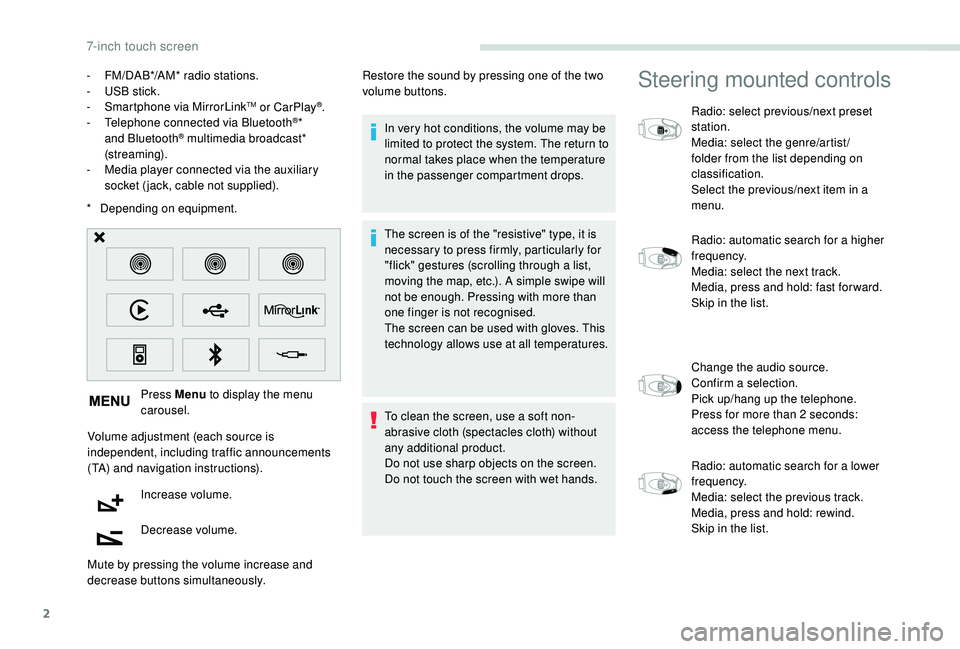
* Depending on equipment. Press Menu to display the menu
carousel.
Volume adjustment (each source is
independent, including traffic announcements
(TA) and navigation instructions). Increase volume.
Decrease volume.
Mute by pressing the volume increase and
decrease buttons simultaneously. In very hot conditions, the volume may be
limited to protect the system. The return to
normal takes place when the temperature
in the passenger compartment drops.
The screen is of the "resistive" type, it is
necessary to press firmly, particularly for
"flick" gestures (scrolling through a list,
moving the map, etc.). A simple swipe will
not be enough. Pressing with more than
one finger is not recognised.
The screen can be used with gloves. This
technology allows use at all temperatures.
To clean the screen, use a soft non-
abrasive cloth (spectacles cloth) without
any additional product.
Do not use sharp objects on the screen.
Do not touch the screen with wet hands.
-
F
M/DAB*/AM* radio stations.
-
U
SB stick.
-
S
martphone via MirrorLink
TM or CarPlay®.
- T
elephone connected via Bluetooth®*
and Bluetooth® multimedia broadcast*
(streaming).
-
M
edia player connected via the auxiliary
socket (jack, cable not supplied). Restore the sound by pressing one of the two
volume buttons.
Steering mounted controls
Radio: select previous/next preset
station.
Media: select the genre/artist/
folder from the list depending on
classification.
Select the previous/next item in a
menu.
Radio: automatic search for a higher
frequency.
Media: select the next track.
Media, press and hold: fast for ward.
Skip in the list.
Change the audio source.
Confirm a selection.
Pick up/hang up the telephone.
Press for more than 2
seconds:
access the telephone menu.
Radio: automatic search for a lower
frequency.
Media: select the previous track.
Media, press and hold: rewind.
Skip in the list.
7-inch touch screen
Page 186 of 216
10
Connect the portable device (MP3 player, etc.)
to the jack socket using an audio cable (not
supplied).
First adjust the volume of your portable device
(to a high level). Then adjust the volume of your
audio system.
Operation of controls is via the portable device.
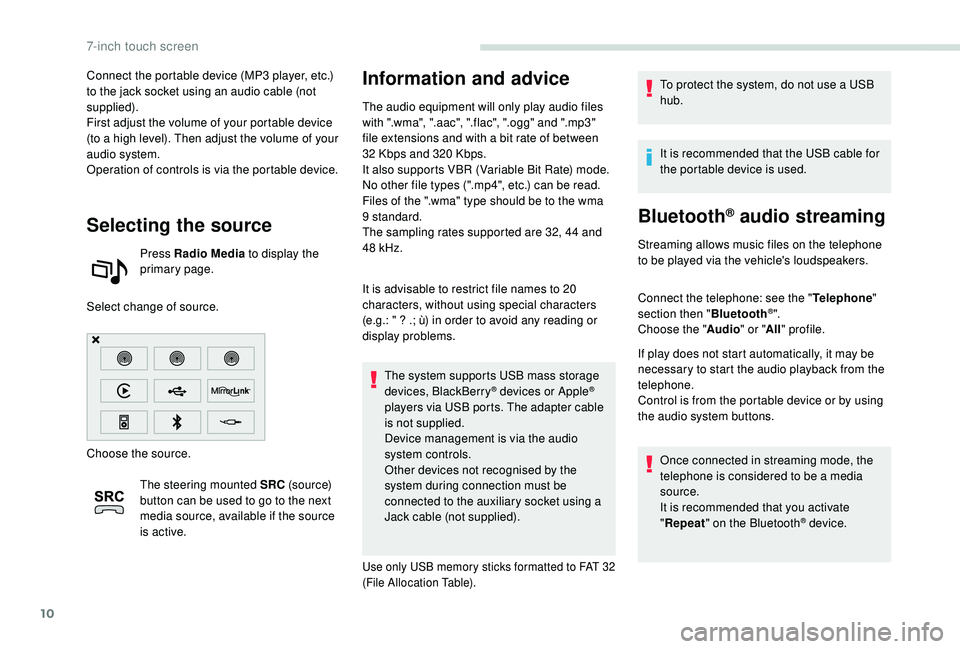
Selecting the source
Press Radio Media to display the
primary page.
Select change of source.
Choose the source. The steering mounted SRC (s o u r c e)
button can be used to go to the next
media source, available if the source
is active.
Information and advice
The audio equipment will only play audio files
with ".wma", ".aac", ".flac", ".ogg" and ".mp3"
file extensions and with a bit rate of between
32
Kbps and 320 Kbps.
It also supports VBR (Variable Bit Rate) mode.
No other file types (".mp4", etc.) can be read.
Files of the ".wma" type should be to the wma
9 standard.
The sampling rates supported are 32, 44 and
48
kHz.
It is advisable to restrict file names to 20
characters, without using special characters
(e.g.: " ? .; ù) in order to avoid any reading or
display problems. The system supports USB mass storage
devices, BlackBerry
® devices or Apple®
players via USB ports. The adapter cable
is not supplied.
Device management is via the audio
system controls.
Other devices not recognised by the
system during connection must be
connected to the auxiliary socket using a
Jack cable (not supplied).
Use only USB memory sticks formatted to FAT 32
(File Allocation Table).
To protect the system, do not use a USB
hub.
It is recommended that the USB cable for
the portable device is used.
Bluetooth® audio streaming
Streaming allows music files on the telephone
to be played via the vehicle's loudspeakers.
Connect the telephone: see the " Telephone"
section then " Bluetooth
®".
Choose the " Audio" or "All" profile.
If play does not start automatically, it may be
necessary to start the audio playback from the
telephone.
Control is from the portable device or by using
the audio system buttons.
Once connected in streaming mode, the
telephone is considered to be a media
source.
It is recommended that you activate
"Repeat " on the Bluetooth
® device.
7-inch touch screen
Page 192 of 216
16
Manual connection
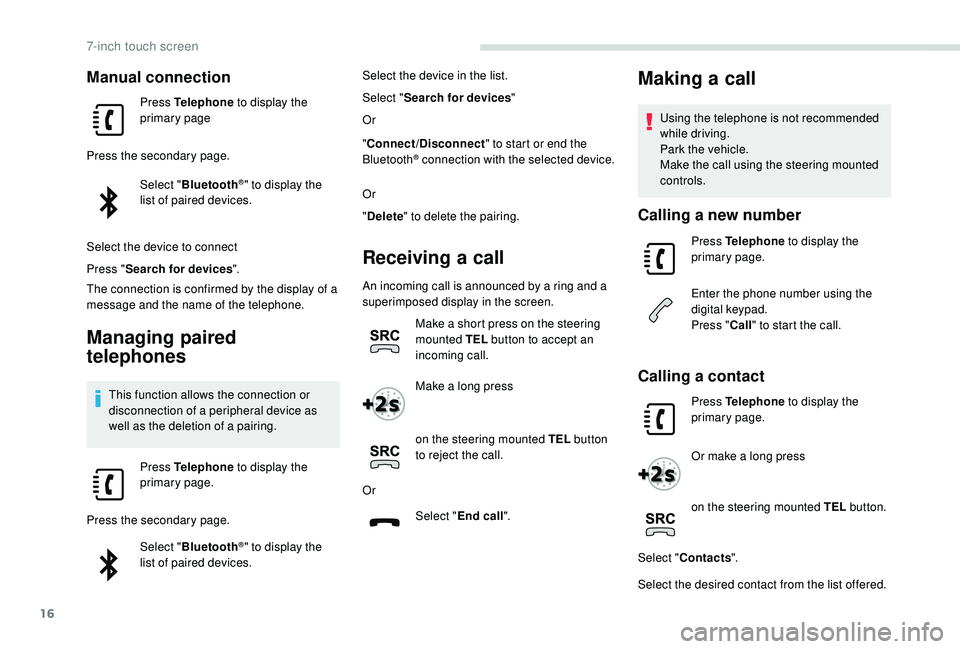
Press Telephone to display the
primary page
Press the secondary page. Select "Bluetooth
®" to display the
list of paired devices.
Select the device to connect
Press " Search for devices ".
The connection is confirmed by the display of a
message and the name of the telephone.
Managing paired
telephones
This function allows the connection or
disconnection of a peripheral device as
well as the deletion of a pairing.
Press Telephone to display the
primary page.
Press the secondary page. Select "Bluetooth
®" to display the
list of paired devices. Select the device in the list.
Select "
Search for devices "
Or
" Connect/Disconnect " to start or end the
Bluetooth
® connection with the selected device.
Or
" Delete " to delete the pairing.
Receiving a call
An incoming call is announced by a ring and a
superimposed display in the screen.
Make a short press on the steering
mounted TEL button to accept an
incoming call.
Make a long press
on the steering mounted TEL button
to reject the call.
Or Select "End call".
Making a call
Using the telephone is not recommended
while driving.
Park the vehicle.
Make the call using the steering mounted
controls.
Calling a new number
Press Telephone to display the
primary page.
Enter the phone number using the
digital keypad.
Press " Call" to start the call.
Calling a contact
Press Telephone to display the
primary page.
Or make a long press
on the steering mounted TEL button.
Select " Contacts ".
Select the desired contact from the list offered.
7-inch touch screen
Page 200 of 216
2
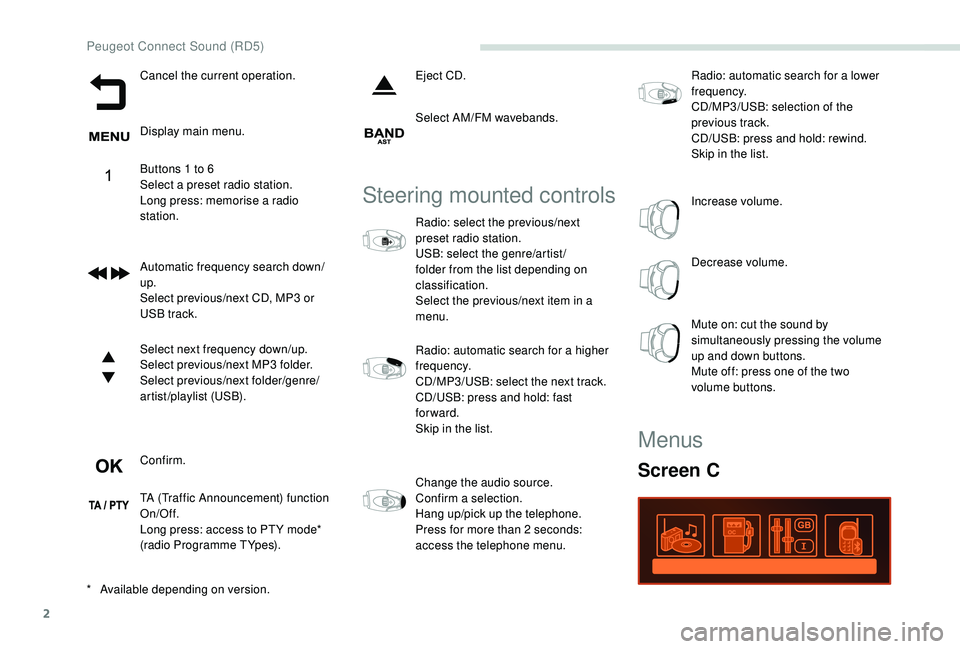
Cancel the current operation.
Display main menu.
Buttons 1 to 6
Select a preset radio station.
Long press: memorise a radio
station.
Automatic frequency search down/
up.
Select previous/next CD, MP3 or
USB track.
Select next frequency down/up.
Select previous/next MP3 folder.
Select previous/next folder/genre/
artist/playlist (USB).
Confirm.
TA (Traffic Announcement) function
On/Off.
Long press: access to PT Y mode*
(radio Programme TYpes).Eject CD.
Select AM/FM wavebands.
Steering mounted controls
Radio: select the previous/next
preset radio station.
USB: select the genre/artist /
folder from the list depending on
classification.
Select the previous/next item in a
menu.
Radio: automatic search for a higher
frequency.
CD/MP3/USB: select the next track.
CD/USB: press and hold: fast
forward.
Skip in the list.
Change the audio source.
Confirm a selection.
Hang up/pick up the telephone.
Press for more than 2
seconds:
access the telephone menu. Radio: automatic search for a lower
frequency.
CD/MP3/USB: selection of the
previous track.
CD/USB: press and hold: rewind.
Skip in the list.
Increase volume.
Decrease volume.
Mute on: cut the sound by
simultaneously pressing the volume
up and down buttons.
Mute off: press one of the two
volume buttons.
*
A
vailable depending on version.
Menus
Screen C
Peugeot Connect Sound (RD5)
Page 204 of 216
6
Information and advice
The audio system will only play files with
the ".mp3" extension with a sampling rate
of 22.05 kHz or 44.1 kHz. No other file type
(".wma", ".mp4", ".m3u", etc.) can be played.
It is recommended that file names be of no
more than 20 characters and without special
characters (e.g.: "
? ; ù) so as to avoid any
problem reading or displaying the files..
In order to be able to play a recorded CDR or
CDRW, when recording it is preferable to select
the ISO 9660 level 1.2 or Joliet standards.
If the disc is recorded in another format, it may
not be played correctly.
It is recommended that the same recording
standard is always used for an individual disc,
with as low a speed as possible (4x maximum)
for optimum sound quality.
In the particular case of a multi-session CD, the
Joliet standard is recommended.
Use only USB memory sticks in FAT32 format
(File Allocation Table).
To protect the system, do not use a USB
hub. It is recommended that you use genuine
Apple® USB cables for correct operation.
Bluetooth® audio streaming
Streaming allows you to listen to audio files on
your smartphone using the vehicle's speakers.
Connect the telephone: see the "
Telephone"
section.
Select in the menu " Bluetooth
®: Telephone –
Audio " the telephone to connect.
The audio system connects to a newly paired
telephone automatically.
Activate the streaming source by
pressing SOURCE.
In certain cases, playing of the
audio files must be initiated from the
keypad.
Connecting Apple® players
Connect the Apple® player to the USB port
using a suitable cable (not supplied).
Play starts automatically.
Control is via the audio system controls.
The classifications available are those of the
portable device connected (artists/albums/
genres/playlists/audiobooks/podcasts).
The version of the software in the audio system
may not be compatible with the generation of
your Apple
® p l aye r.
The control of common tracks is possible
via the audio system control buttons and the
steering mounted controls, if the telephone
supports the function.
The contextual information can be displayed in
the screen.
Telephone
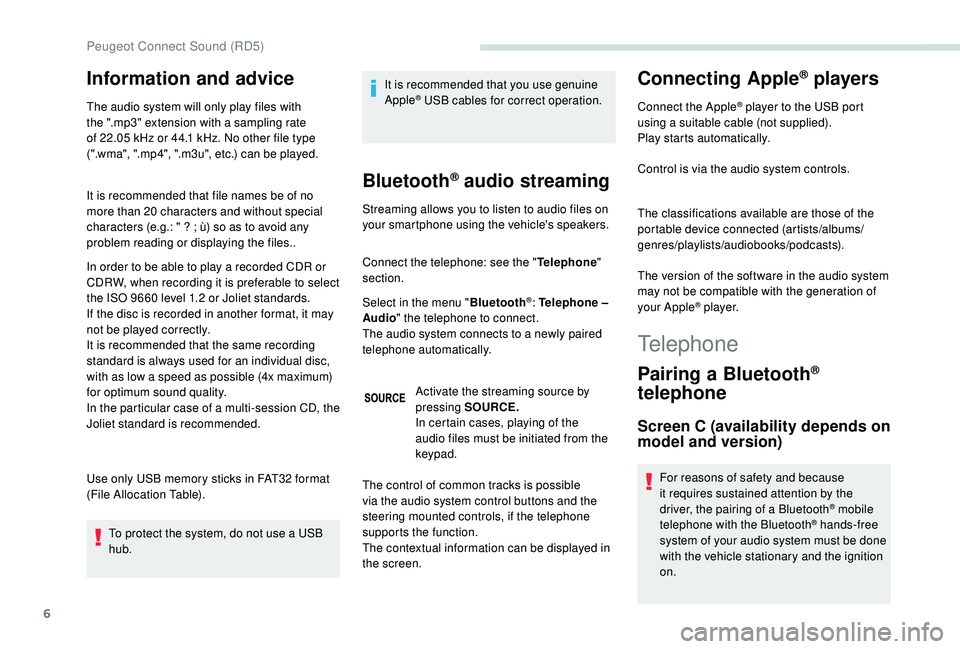
Pairing a Bluetooth®
telephone
Screen C (availability depends on
model and version)
For reasons of safety and because
it requires sustained attention by the
driver, the pairing of a Bluetooth
® mobile
telephone with the Bluetooth® hands-free
system of your audio system must be done
with the vehicle stationary and the ignition
on.
Peugeot Connect Sound (RD5)
Page 205 of 216
7
Visit www.peugeot.co.uk for more information
(compatibility, more help, etc.).
Activate the Bluetooth
® function on the
telephone and ensure that it is "visible to all"
(telephone configuration).
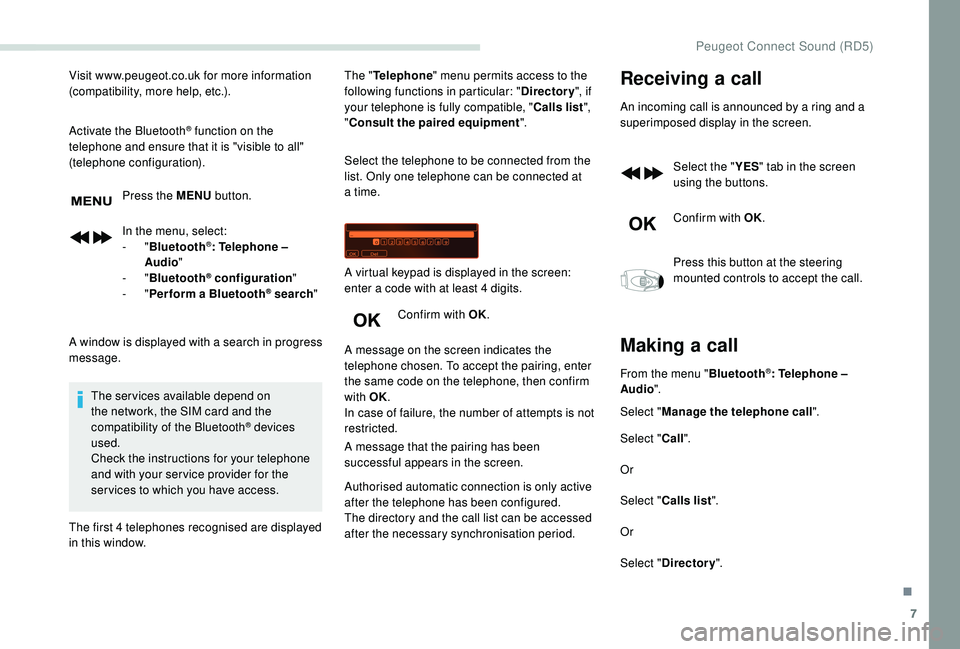
Press the MENU button.
In the menu, select:
-
" Bluetooth
®: Telephone –
Audio "
-
" Bluetooth
® configuration "
-
" Perform a Bluetooth® search "
A window is displayed with a search in progress
message. The services available depend on
the network, the SIM card and the
compatibility of the Bluetooth
® devices
used.
Check the instructions for your telephone
and with your ser vice provider for the
ser vices to which you have access.
The first 4 telephones recognised are displayed
in this window. The "
Telephone " menu permits access to the
following functions in particular: " Directory", if
your telephone is fully compatible, " Calls list",
" Consult the paired equipment ".
Select the telephone to be connected from the
list. Only one telephone can be connected at
a time.
Confirm with OK.
A message on the screen indicates the
telephone chosen. To accept the pairing, enter
the same code on the telephone, then confirm
with OK.
In case of failure, the number of attempts is not
restricted.
A message that the pairing has been
successful appears in the screen. A virtual keypad is displayed in the screen:
enter a code with at least 4 digits.
Authorised automatic connection is only active
after the telephone has been configured.
The directory and the call list can be accessed
after the necessary synchronisation period.
Receiving a call
An incoming call is announced by a ring and a
superimposed display in the screen.
Select the " YES" tab in the screen
using the buttons.
Confirm with OK.
Press this button at the steering
mounted controls to accept the call.
Making a call
From the menu " Bluetooth®: Telephone –
Audio ".
Select " Manage the telephone call".
Select " Call".
Or
Select " Calls list ".
Or
Select " Directory ".
.
Peugeot Connect Sound (RD5)
Page 209 of 216
175
AAccessories ..................................... 76, 13 4 -13 5
Active City Brake ............................... .....120 -121
AdBlue
® ............................................ 13, 140 -141
Adjusting seat ................................................. 38
Adjusting the date
........................................... 24
Adjusting the time
..................................... 23 -24
Advanced Grip Control
................................... 80
Advice on driving
.................................. 103 -104
Airbags
...............................
.......................85, 90
Airbags, curtain
......................................... 87- 8 8
Airbags, front ...................................... 86, 88 , 91
Airbags, lateral
.......................................... 86, 88
Air conditioning, automatic
.............................69
Air conditioning, manual
................................. 69
A
nti-lock braking system (ABS) ......................79
Anti-pinch
........................................................ 36
A
nti-slip regulation (ASR)
............................... 12
Apple CarPlay connection
.............................. 13
Armrest
................
...................................... 38-39
Assistance call
...............................
............7 7-78
Audio streaming (Bluetooth)
.......................10, 6
BBattery ................................................... 13 8, 15 8
Battery, remote control ...................................27
Blanking screen (snow shield)
......................13 0
BlueHDi
........................................... 21, 140 , 160
Bluetooth (hands-free)
....................... 1
4 -16, 6-8
Bluetooth (telephone)
................................. 1
4 -16
Bonnet
........................................................... 13 5
Boot lid
...................................................... 29-30
Brake discs
............................................ 13 8, 140
Brakes
................................................... 13 8, 140
Bulbs (changing)
.................................... 14 9 -15 0
CCab, crew ............................... ...................50-52
Cable, audio ...................................................... 9
Cable, Jack
....................................................... 9
Cartridge, fragrance
....................................... 58
CD
..................................................................... 5
CD, MP3
........................................................ 5-6
Central locking
.......................................... 33
-34
Changing a bulb
..................................... 1
4 9 -15 0
Changing a wiper blade
......................... 13
0 -131
Changing the remote control battery
..............26
Checking the levels
....................................... 13 6
Checks
................................................... 13 6 -14 0
Checks, routine
...................................... 13 8 -14 0
Child lock
................................................. 36, 102
Child seats
..................... 84,
89-90, 94-95 , 101
Child seats, conventional
................................94
Connection, Bluetooth
............................... 1
4 -16
Connection, MirrorLink
...................................12
Control, electric windows
................................36
Control, emergency door
................................ 29
C
ontrol, heated seats
...................................... 39
Control stalk, lighting
..........................15, 71 , 73
Control stalk, wipers
.................................. 7
3 -74
Courtesy lamp, front
....................................... 55
Cover, load space
............................... 60, 62- 63
Cruise control
......................................... 117-12 0
DDAB (Digital Audio
Broadcasting) - Digital radio ....................... 8
-9
Date (setting)
................................................... 24
Daytime running lamps, LED
..........................72
Deactivating the passenger's front airbag
....................................... 86, 90 -91
Dimensions
..............................
......169, 171-173
Direction indicators
......................................... 15
Display screen, instrument panel
.................108
Doors, rear
................................................ 30-32
Doors, side ............................... .................28-29
Doors, side-hinged ................................... 3
0-32
Driving abroad ................................................. 73
EElectric windows ............................................. 35
Electronic brake force distribution (EBFD) .....79
Electronic stability control (ESC)
........12,
79-80
Emergency braking assistance (EBA)
............79
Emergency call
.......................................... 7 7-78
Emissions control system, SCR
.............14, 140
Engine
........................................................... 13 6
Engine, Diesel
............................................... 128
Engine, petrol
...............................
.................128
Engines
......................................................... 161
FFilling the fuel tank ................................12 6, 128
Filter, air ........................................................ 13 8
Filter, oil
................
.................................. 13 8 -13 9
Filter, passenger compartment
.....................13 8
Fittings, front
................................................... 55
Fittings, interior
......................................... 5
4-56
Fittings, rear
.................................................... 60
Flap, fuel filler
................................................ 126
Fluid, brake
................................................... 13 6
Fluid, engine coolant
..................................... 13 6
Fluid, power steering
.................................... 13
6
Foglamps, front
............................................... 73
Fragrance diffuser ..................................... 57- 5 9
Frequency (radio)
........................................... 7- 8
Fuel ................................................................ 128
.
Alphabetical index
Page 211 of 216
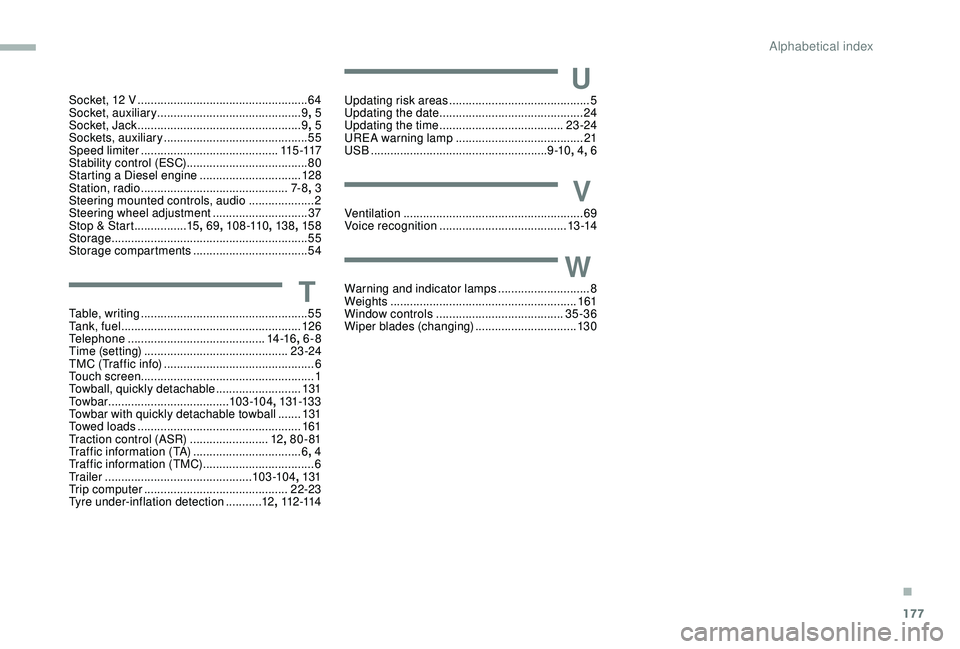
177
Socket, 12 V ....................................................64
S ocket, auxiliary ............................................ 9,
5
Socket, Jack
.................................................. 9, 5
Sockets, auxiliary
...............................
.............55
Speed limiter
.......................................... 11
5 -117
Stability control (ESC)..................................... 80
Starting a Diesel engine
............................... 12
8
Station, radio
...............................
..............7- 8, 3
Steering mounted controls, audio
.................... 2
S
teering wheel adjustment
.............................37
Stop & Start
................15, 69 , 108 -110 , 13 8, 15 8
Storage
............................................................ 55
Storage compartments
...................................54
TTable, writing ................................................... 55
Ta n k , f u e l ....................................................... 126
Telephone
..............................
............14 -16, 6-8
Time (setting)
............................................ 23 -24
TMC (Traffic info)
.............................................. 6
T
ouch screen ..................................................... 1
Towball, quickly detachable
..........................131
To w b a r
...............................
......103 -104 , 131-13 3
Towbar with quickly detachable towball
....... 13
1
Towed loads
.................................................. 161
Traction control (ASR)
........................12, 80 - 81
Traffic information (TA)
.................................6, 4
Traffic information (TMC)
..................................6
Tr a i l e r
...............
.............................. 103 -104, 131
Trip computer
............................................ 22-23
Tyre under-inflation detection
...........12, 112 -114
UUpdating risk areas ........................................... 5
Updating the date ............................................ 24
U
pdating the time
...............................
.......23 -24
UREA warning lamp
....................................... 21
USB
...................................................... 9 -10, 4, 6
VVentilation ....................................................... 69
Voice recognition ....................................... 13 -14
WWarning and indicator lamps ............................8
We ights ............... .......................................... 161
Window controls
....................................... 35-36
Wiper blades (changing)
...............................13 0
.
Alphabetical index