clock Peugeot Partner VP 2004 Owner's Manual
[x] Cancel search | Manufacturer: PEUGEOT, Model Year: 2004, Model line: Partner VP, Model: Peugeot Partner VP 2004Pages: 128, PDF Size: 1.49 MB
Page 2 of 128

22-12-2003
3YOUR PARTNER AT A GLANCE
1 -Speaker (tweeter).
2 - Windscreen demisting vents.
3 - Controls:- Electric windows.
- Demisting of rear door
windows or tailgate.
- Air conditioning.
- ASR/ESP.
4 - Central locking button.
5 - Multifunction display or clock.
6 - Hazard lights button.
7 - Central adjustable heating/ventilation vents.
8 - Lights and direction indica-tors stalk.
9 - Cruise control.
10 - Instrument panel.
11 - Driver's air bag.Horn. 12 -
Windscreen wash-wipe stalk.
13 - Audio equipment steeringwheel control.
14 - Steering lock and ignition.
15 - Fuse box.
16 - Passenger air bag disar-ming control*.
17 - Steering wheel adjustmentcontrol.
18 - Passenger's electric mirrorcontrol.
19 - Headlamp height adjustment.
20 - Heated seats control.
21 - Handbrake.
22 - 12 V accessories socket.
23 - Removable ashtray.
24 - Lighter.
25 - Storage.
26 - Gear lever. 27 -
Heating/air conditioningcontrols.
28 - Audio RB3 or RD3.
29 - Lower glove box.
30 - Upper glove box or passenger air bag.
31 - Bonnet release.
32 - Side adjustableheating/ventilation vents.
33 - Side window demistingvents.
* According to country.
Page 31 of 128
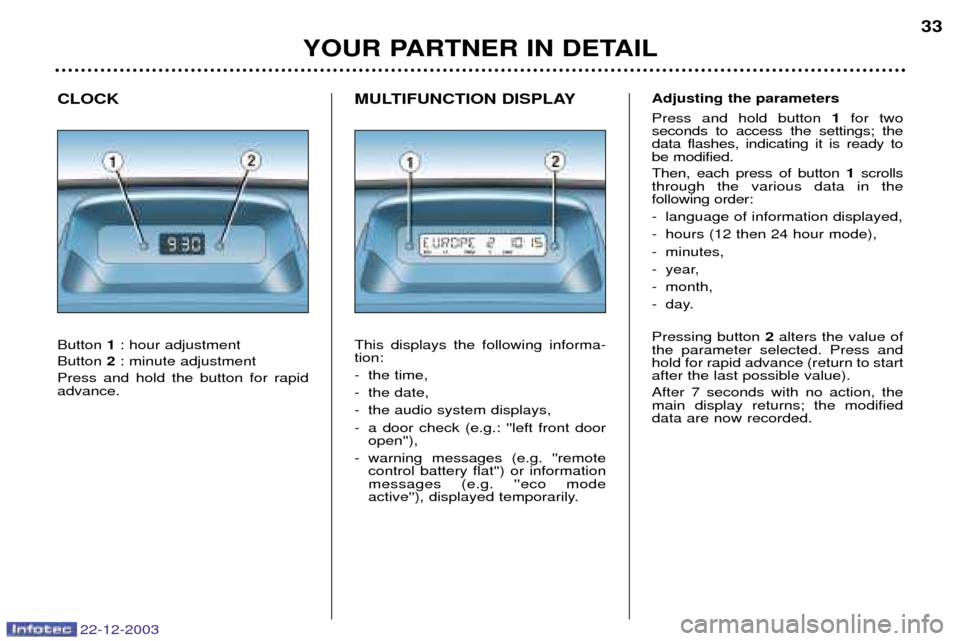
MULTIFUNCTION DISPLAY This displays the following informa- tion:
- the time,
- the date,
- the audio system displays,
- a door check (e.g.: ''left front dooropen''),
- warning messages (e.g. ''remote control battery flat'') or information messages (e.g. ''eco mode
active''), displayed temporarily.
CLOCK Button
1: hour adjustment
Button 2: minute adjustment
Press and hold the button for rapid advance.
YOUR PARTNER IN DETAIL 33
22-12-2003
Adjusting the parameters Press and hold button
1for two
seconds to access the settings; the data flashes, indicating it is ready tobe modified. Then, each press of button 1scrolls
through the various data in the following order:
- language of information displayed,
- hours (12 then 24 hour mode),
- minutes,
- year,
- month,
- day. Pressing button 2alters the value of
the parameter selected. Press and hold for rapid advance (return to startafter the last possible value). After 7 seconds with no action, the main display returns; the modifieddata are now recorded.
Page 32 of 128
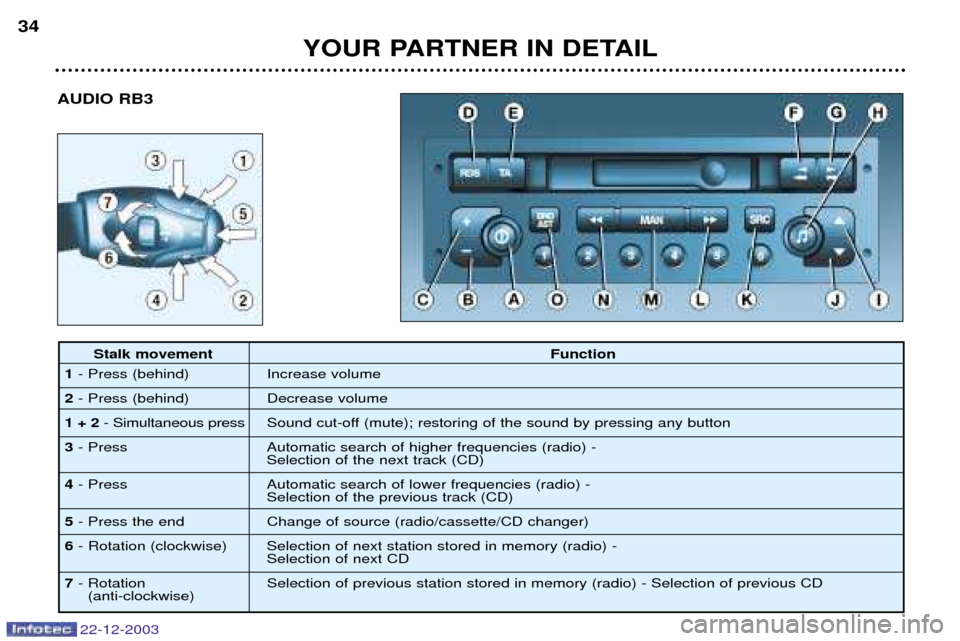
AUDIO RB3
YOUR PARTNER IN DETAIL
34
22-12-2003
Stalk movement
Function
1 - Press (behind) Increase volume
2 - Press (behind) Decrease volume
1 + 2 - Simultaneous press Sound cut-off (mute); restoring of the sound by pressing any button
3 - Press Automatic search of higher frequencies (radio) -
Selection of the next track (CD)
4 - Press Automatic search of lower frequencies (radio) -
Selection of the previous track (CD)
5 - Press the end Change of source (radio/cassette/CD changer)
6 - Rotation (clockwise) Selection of next station stored in memory (radio) -
Selection of next CD
7 - Rotation Selection of previous station stored in memory (radio) - Selection of previous CD
(anti-clockwise)
Page 41 of 128
YOUR PARTNER IN DETAIL
36
22-12-2003
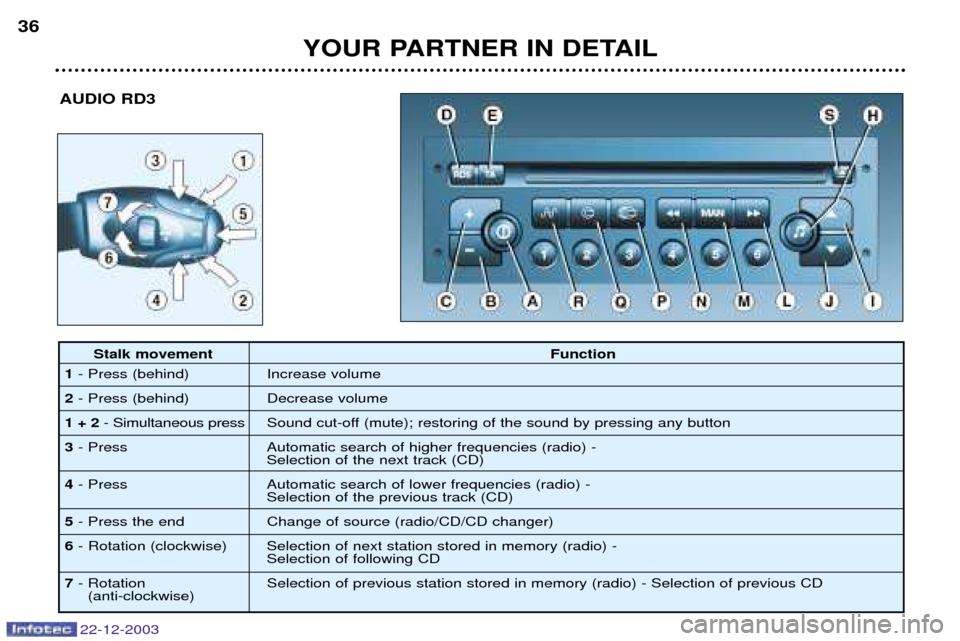
AUDIO RD3
Stalk movement
Function
1 - Press (behind) Increase volume
2 - Press (behind) Decrease volume
1 + 2 - Simultaneous press Sound cut-off (mute); restoring of the sound by pressing any button
3 - Press Automatic search of higher frequencies (radio) -
Selection of the next track (CD)
4 - Press Automatic search of lower frequencies (radio) -
Selection of the previous track (CD)
5 - Press the end Change of source (radio/CD/CD changer)
6 - Rotation (clockwise) Selection of next station stored in memory (radio) -
Selection of following CD
7 - Rotation Selection of previous station stored in memory (radio) - Selection of previous CD
(anti-clockwise)