engine PONTIAC BONNEVILLE 1993 Owner's Guide
[x] Cancel search | Manufacturer: PONTIAC, Model Year: 1993, Model line: BONNEVILLE, Model: PONTIAC BONNEVILLE 1993Pages: 322, PDF Size: 16.31 MB
Page 114 of 322
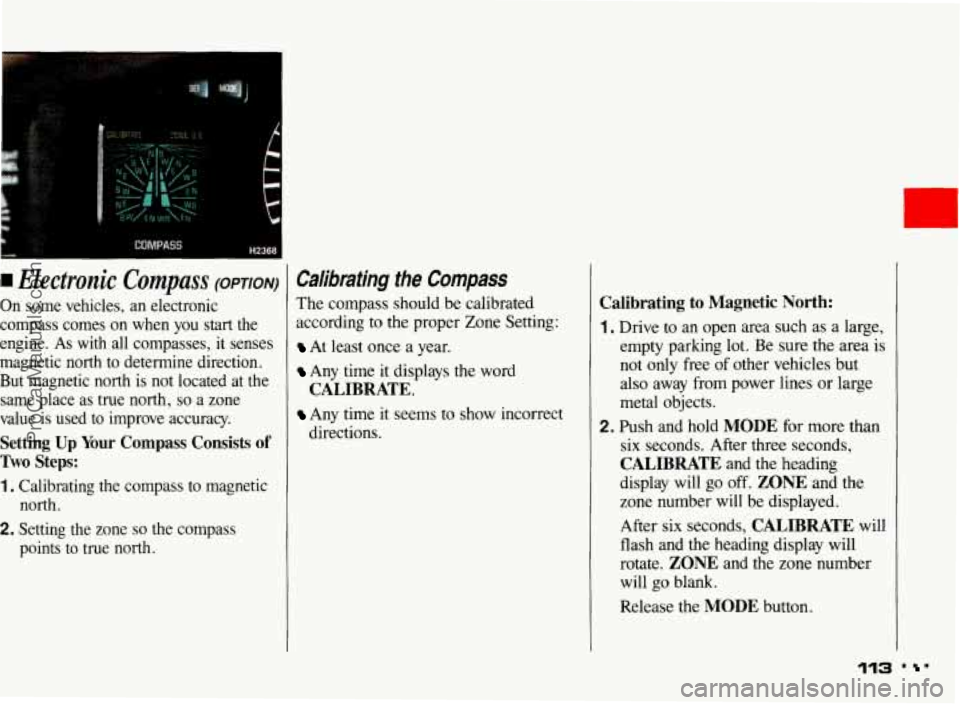
I Electronic Compass (OPTION)
On some vehicles, an electronic
compass comes on when you start the
engine. As
with all compasses, it senses
magnetic north to determine direction.
But magnetic north is not located at the same place as true north,
so a zone
value is used to improve accuracy.
Setting Up Your Compass Consists of
Two Steps:
1. Calibrating the compass to magnetic north.
2. Setting the zone so the compass
points to true north.
Calibrating the Compass
The compass should be calibrated
according to the proper Zone Setting:
At least once a year.
Any time it displays the word
Any time it seems to show incorrect
CALIBRATE.
directions.
Calibrating to Magnetic North:
1. Drive to an open area such as a large,
empty parking lot. Be sure the area is
not only free
of other vehicles but
also away from power lines or large
metal objects.
2. Push and hold MODE for more than
six seconds. After
three seconds,
CALIBRATE and the heading
display will
go off. ZONE and the
zone number will be displayed.
After six seconds,
CALIBRATE will
flash and the heading display will
rotate.
ZONE and the zone number
will go blank.
Release the
MODE button.
113 . '
ProCarManuals.com
Page 115 of 322
Features & Controls
Calibrating the Compass (CONT.)
3. Drive slowly in a circle at about
5 mph (8 km/h). Try to keep your
vehicle level.
4. When CALIBRATE stops flashing,
your compass is calibrated to
magnetic north.
If CALIBRATE stops flashing before
1% circles, the calibration may not be
accurate. However, if you are certain the
calibration is accurate after the zone is
set, then recalibration is not needed.
Otherwise, repeat the calibration. If this
condition continues, move the vehicle to
a new area and recalibrate.
If CALIBRATE continues to flash after
about seven circles, your compass is not
calibrated.
You could be too close to a
power line or large metal object, or
something magnetic
in your vehicle (like
a
CB antenna) could keep the compass
from calibrating.
If you are uncertain about where you are
in the calibration sequence, or want
to
start over, simply push and release the
MODE or SET button, or turn the
ignition off and restart the engine.
Setting the Zone
Setting the zone corrects for differences
between magnetic and true north.
You can set the zone in two ways: By
selecting the zone you are located in or
by pointing your vehicle north and
telling the compass the direction of
north. Perform only one
of the two
methods
(A or B) each time you change
zones. The last zone selection is
remembered.
... 114
ProCarManuals.com
Page 116 of 322
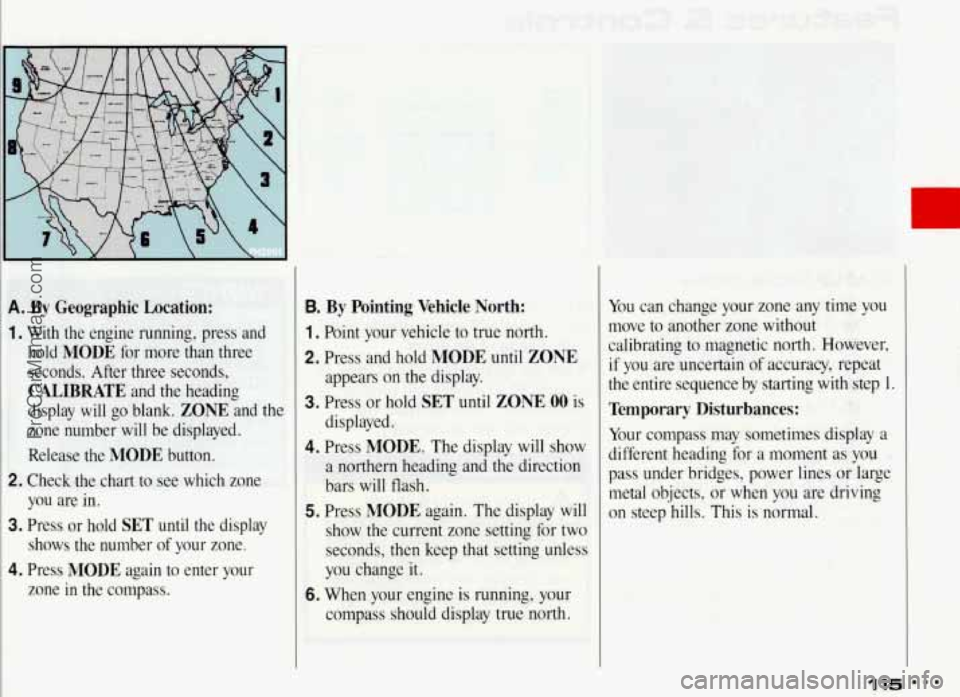
A. By Geographic Location:
1. With the engine running, press and hold
MODE for more than three
seconds. After three seconds,
CALIBRATE and the heading
display will go blank.
ZONE and the
zone number will be displayed.
Release the
MODE button.
2. Check,the chart to see which zone
you are in.
3. Press or hold SET until the display
shows the number
of your zone.
4. Press MODE again to enter your
zone in the compass.
B. By Pointing Vehicle North:
1 . Point your vehicle to true north.
2. Press and hold MODE until ZONE
appears on the display.
3. Press or hold SET until ZONE 00 is
displayed.
4. Press MODE. The display will show
a northern heading and the direction
bars will flash.
5. Press MODE again. The display will
show the current zone setting for two
seconds, then keep that setting unless
you change it.
6. When your engine is running, your
comoass should display true north. You
can change your zone any time you
move to another zone without
calibrating to magnetic north. However, if you are uncertain of accuracy, repeat
the entire sequence by starting with step 1.
Temporary Disturbances:
Your compass may sometimes display a
different heading for a moment
as you
pass under bridges, power lines
or large
metal objects,
or when you are driving
on steep hills. This is normal.
115 ProCarManuals.com
Page 118 of 322
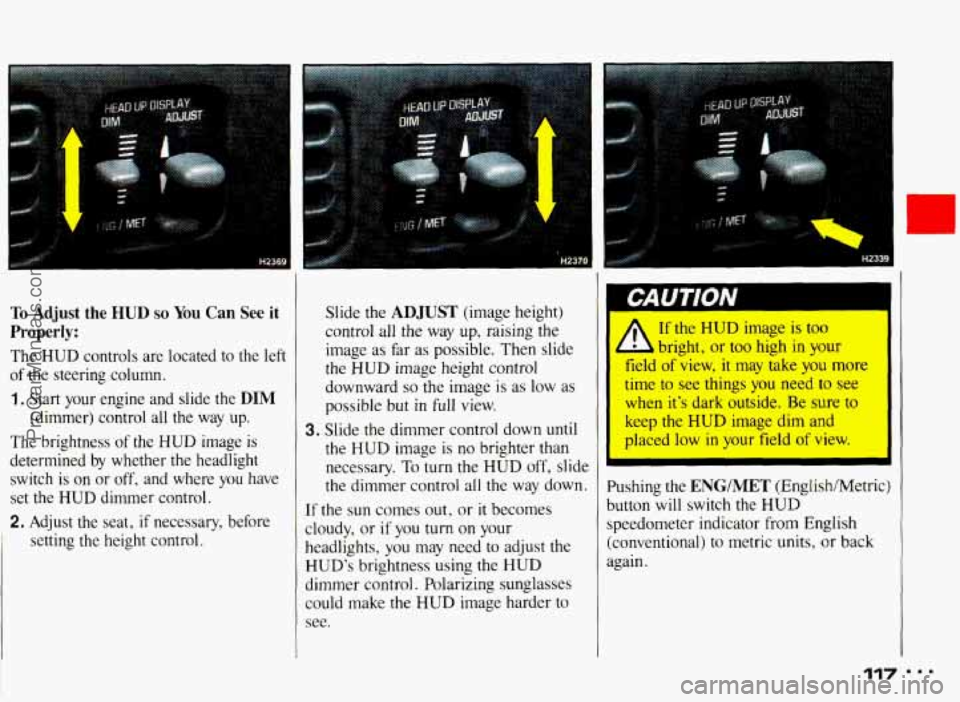
To Adjust the HUD so You Can See it
Properly:
The HUD controls are located to the left
of the steering column.
1, Start your engine and slide the DIM
(dimmer) control all the way up.
The brightness of the
HUD image is
determined by whether the headlight
switch
is on or off, and where you have
set the
HUD dimmer control.
2. Adjust the seat, if necessary, before
setting the height control. control all the
way up, raising the
image as far as possible. Then slide
the
HUD image height control
downward
so the image is as low as
possible but
in full view.
3. Slide the dimmer control down until
the
HUD image is no brighter than
necessary.
To turn the HUD off, slide
the dimmer control all
the way down.
If the sun comes
out, or it becomes
cloudy, or
if you turn on your
headlights,
you may need to adjust the
HUD’s brightness using the HUD
dimmer control. Polarizing sunglasses
could make the
HUD image harder to
see.
I bright, or too high in your
field of view,
it may take you more
time to see things you need
to see
when it’s dark outside. Be sure to
keep the
HUD image dim and
placed low
in your field of view.
Pushing the
ENGIMET (English/Metric)
button will switch the
HUD
speedometer indicator from English
(conventional) to metric units, or back
again.
117 I..
ProCarManuals.com
Page 121 of 322
Comfort Controls & Audio Systems ~ ~~
I
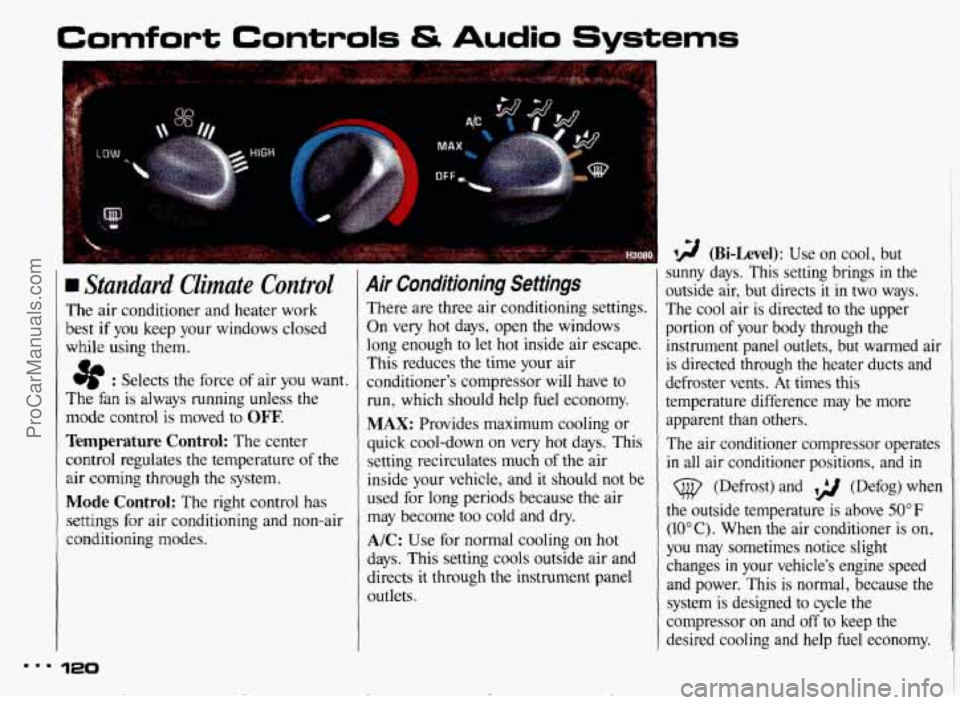
Standard Climate Control
The air conditioner and heater work
best
if you keep your windows closed
while using them.
e : Selects the force of air you want.
The fan is always running unless the
mode control
is moved to OFF.
Temperature Control: The center
control regulates the temperature
of the
air coming through the system.
Mode Control: The right control has
settings for air conditioning and non-air
conditioning modes.
120
Air Conditioning Settings
There are three air conditioning settings.
On very hot days, open the windows
long enough to let hot inside air escape.
This reduces the time your air
conditioner's compressor
will have to
run, which should help fuel economy.
MAX: Provides maximum cooling or
quick cool-down on very hot days. This
setting recirculates much
of the air
inside your vehicle, and it should not be
used for long periods because
the air
may become too cold and dry.
A/C: Use for normal cooling on hot
days. This setting cools outside air and
directs it through the instrument panel
outlets.
I 9 (Bi-Level): Use on cool, but
sunny days. This setting brings
in the
outside air, but directs
it in two ways.
The cool air
is directed to the upper
portion
of your body through the
instrument panel outlets, but warmed air
1
is directed through the heater ducts and ~
defroster vents. At times this
temperature difference may be more
apparent than others.
The air conditioner compressor operates
in all air conditioner positions, and in
(@ (Defrost) and ,> (Defog) when
the outside temperature is above 50°F
(IOOC). When the air conditioner is on,
you may sometimes notice slight
changes
in your vehicle's engine speed
and power. This is normal, because the system
is designed to cycle the
compressor on and off to keep the
desired cooling and help fuel economy.
I
c ProCarManuals.com
Page 122 of 322
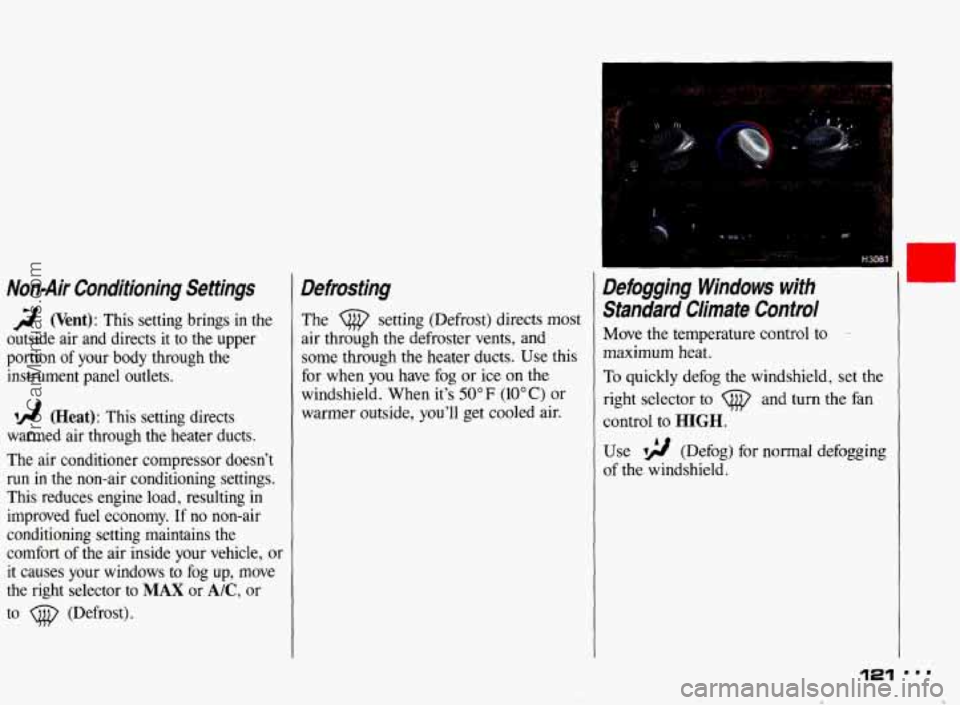
Non-Air Conditioning Settings
2 (Vent): This setting brings in the
outside air and directs it to the upper
portion of your body through the
instrument panel outlets.
A! (Heat): This setting directs
warmed air through the heater ducts.
The air conditioner compressor doesn’t
run in the non-air conditioning settings.
This reduces engine load, resulting in
improved fuel economy. If no non-air
conditioning setting maintains the
comfort of the air inside your vehicle, or
it causes your windows to fog
up, move
the right selector to
MAX or A/C, or
to
(@ (Defrost).
Defrosting
The setting (Defrost) directs most
air through the defroster vents, and
some through the heater ducts. Use this
for when you have fog or ice on the
windshield. When it’s
50°F (10°C) or
warmer outside, you’ll get cooled air.
Defogging Windows with
Standard Climate Control
Move the temperature control to --
maximum heat.
To quickly defog the windshield, set the
right selector to
(@ and turn the fan
control to
HIGH.
Use ~2 (Defog) for normal defogging
of the windshield.
U
121 smm
* ProCarManuals.com
Page 124 of 322
., . .. -.
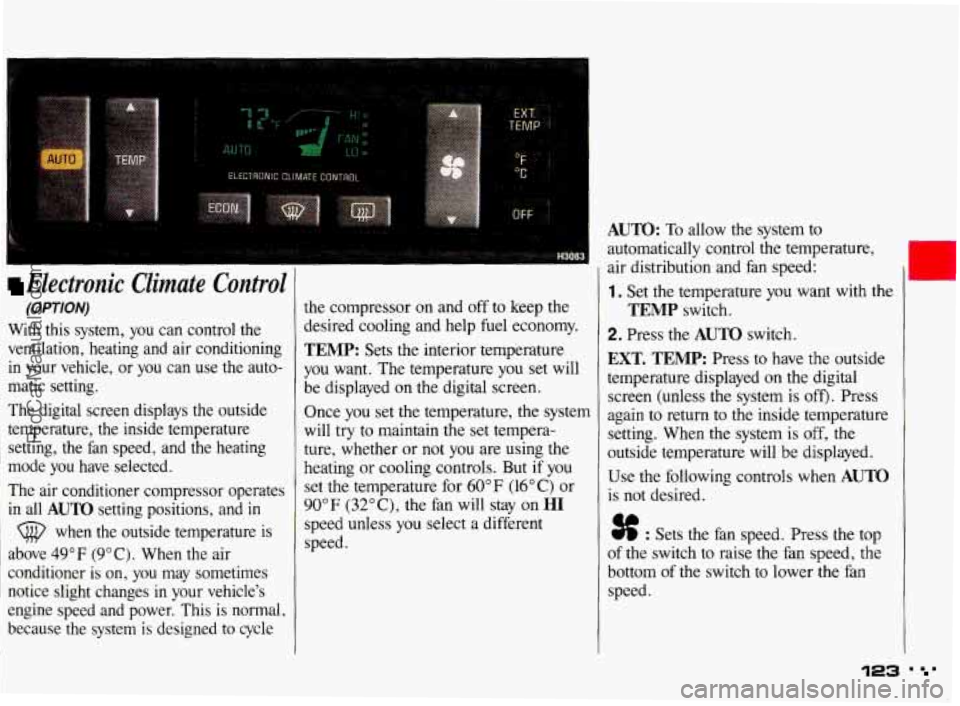
Electronic Climate Control
(OPTION)
With this system, you can control the
ventilation, heating and air conditioning
in your vehicle, or you can use the auto-
matic setting.
The digital screen displays the outside
temperature, the inside temperature setting, the fan speed, and the heating
mode you have selected.
The air conditioner compressor operates
in all
AUTO setting positions, and in
(@ when the outside temperature is
above 49°F (9°C). When the air
conditioner is on, you may sometimes
notice slight changes
in your vehicle's
engine speed and power. This is normal,
because the system
is designed to cycle
the compressor on and off to keep the
desired cooling and help
fuel economy.
TEMP: Sets the interior temperature
you want. The temperature you set will
be displayed on the digital screen.
Once you set the temperature, the system
will
try to maintain the set tempera-
ture, whether or not you are using the
heating or cooling controls. But
if you
set the temperature for 60°F (16°C) or
90"
F (32" C), the fan will stay on HI
speed unless you select a different
speed.
AUTO: To allow the system to
automatically control the temperature,
air distribution and fan speed:
1. Set the temperature you want with the
2. Press the AUTO switch.
TEMP switch.
EXT. TEMP: Press to have the outside
temperature displayed on the digital
screen (unless the system is
off). Press
again to return to the inside temperature
setting. When the system is
off, the
outside temperature will be displayed.
Use the following controls when
AUTO
is not desired.
% : Sets the fan speed. Press the top
of the switch to raise the fan speed, the
bottom of the switch to lower the fan
speed.
123 ' '
ProCarManuals.com
Page 126 of 322
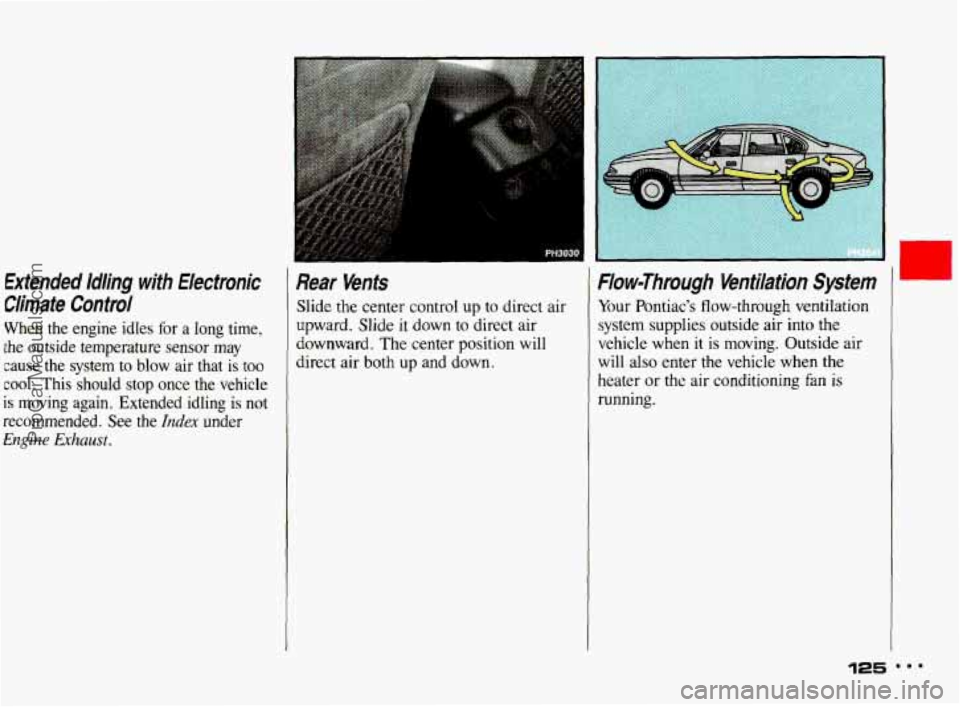
Extended Idling with Electronic Rear Venfs
Ciimate Control Slide the center control up to direct air
When the engine idles for
a long time, Upward.
Slide it down to direct air
the outside temperature sensor
may
cool. This should stop once the vehicle
cause the system to blow air that is too direct air both UP and dOwn.
downward.
The center position will
recommended. See
the Index under
is moving again. Extended idling is not
Engine Exhaust.
Flow-Through Ventilation System
Your Pontiac's flow-through ventilation
system supplies outside air into the
vehicle when it is moving. Outside air
will also enter the vehicle when the
heater or the air conditioning
fan is
running.
125
ProCarManuals.com
Page 128 of 322
Before you add any sound equipment to your vehicle-like a
tape player, CB radio, mobile
telephone or two-way radio-be
sure you can add what
you want. If
you can, it’s very important to do it
properly. Added sound equipment
may interfere with the operation
of
your vehicle’s engine, Delco@ radio
or other systems, and can even
damage them. And, your vehicle’s systems may interfere with the
operation of sound equipment that
has been added improperly.
So, before adding sound
equipment, check with your dealer and be sure to check federal rules
covering mobile radio and
telephone units.
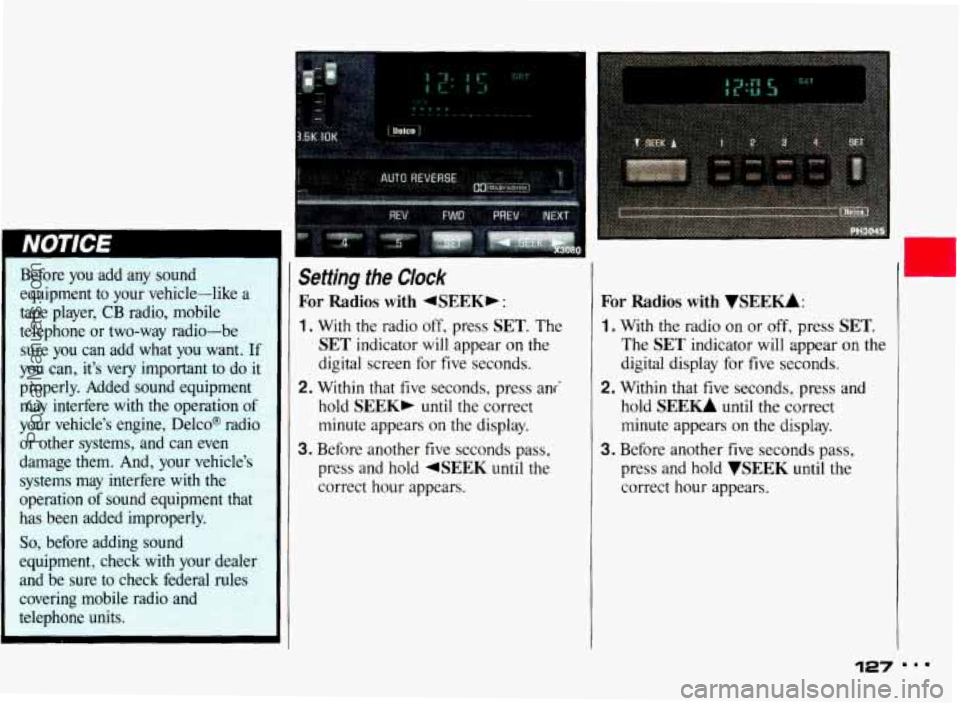
Setting the Clock
For Radios with 4SEEKb :
1. With the radio off, press SET. The
SET indicator will appear on the
digital screen for five seconds.
2. Within that five seconds, press ani
hold
SEEK, until the correct
minute appears
on the display.
3. Before another five seconds pass,
press and hold
4SEEK until the
correct hour appears.
For Radios with VSEEU:
1. With the radio on or off, press SET.
The SET indicator will appear on the
digital display for five seconds.
2. Within that five seconds, press and
hold
SEE- until the correct
minute appears
on the display.
3. Before another five seconds pass,
press and hold
WEEK until the
correct hour appears.
127 ...
ProCarManuals.com
Page 156 of 322
“Riding” your brakes can
1 cause them to overheat to the
point that they won’t work well.
You might not be able to stop your
vehicle in time to avoid an
accident. If you “ride” your
brakes, they will get so hot they
will require a lot of pedal force to
sIow you down. Avoid “riding” the
brakes.
’
I NOTICE I
“Riding” the brakes wears them
out much faster. You would need
costly brake replacement much sooner than normal, and
it also
reduces fuel economy.
!
If you keep pace with the traffic and
allow realistic following distances, you
will eliminate a lot
of unnecessary
braking. That means better braking and
longer brake life.
If your engine ever stops while you’re
driving, brake normally but don’t
pump your brakes. If you do,
the pedal
may get harder to push down.
If your
engine stops, you will still have some
power brake assist. But
you will use it
when you brake. Once the power
assist is used up,
it may take longer to
stop and the brake pedal will be
harder to push.
Anti-Lock Brakes
Your Pontiac has an advanced electronic
braking system that will help prevent
skidding.
ProCarManuals.com