light PONTIAC BONNEVILLE 1997 Workshop Manual
[x] Cancel search | Manufacturer: PONTIAC, Model Year: 1997, Model line: BONNEVILLE, Model: PONTIAC BONNEVILLE 1997Pages: 405, PDF Size: 18.83 MB
Page 161 of 405
Playing the Radio
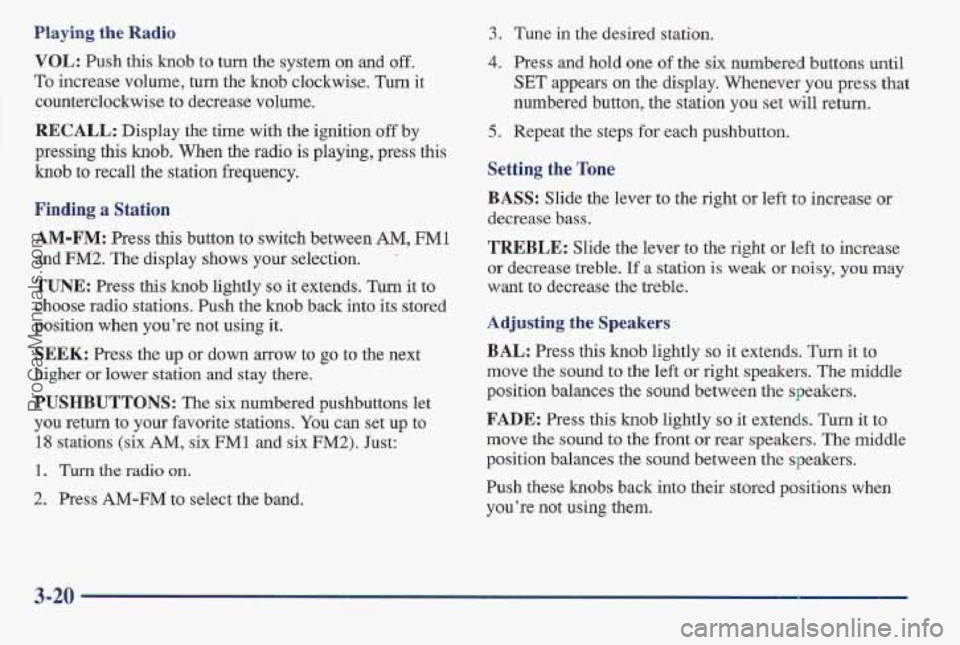
VOL: Push this knob to turn the system on and off.
To increase volume, turn the knob clockwise. Turn it
counterclockwise to decrease volume.
RECALL: Display the time with the ignition off by
pressing this
knob. When the radio is playing, press this
knob to recall the station frequency.
3. Tune in the desired station.
Finding a Station
AM-FM: Press this button to switch between AM, FM1
and FM2. The display shows your selection. ’
TUNE: Press this knob lightly so it extends. Turn it to
choose radio stations. Push
the knob back into its stored
position when you’re not using it.
SEEK: Press the up or down arrow to go to the next
higher or lower station
and stay there.
PUSHBUTTONS: The six numbered pushbuttons let
you return to your favorite stations.
You can set up to
18 stations (six AM, six FM1 and six FM2). Just:
1. Turn the radio on.
2. , Press AM-FM to select the band.
4. Press and hold one of the six numbered buttons until
SET appears on the display. Whenever you press that
numbered button,
the station you set will return.
5. Repeat the steps for each pushbutton.
Setting the Tone
BASS: Slide the lever to the right or left to increase or
decrease bass.
TREBLE: Slide the lever to the right or left to increase
or decrease treble. If a station is weak or noisy, you may
want to decrease the treble.
Adjusting the Speakers
BAL: Press this knob lightly so it extends. Turn it to
move the sound to the left
or right speakers. The middle
position balances the sound between the speakers.
FADE: Press this knob lightly so it extends. Turn it to
move the
sound to the front or rear speakers. The middle
position balances
the sound between the speakers.
Push these hobs back into their stored positions when
you’re not using them.
3-20
ProCarManuals.com
Page 164 of 405
Finding a Station
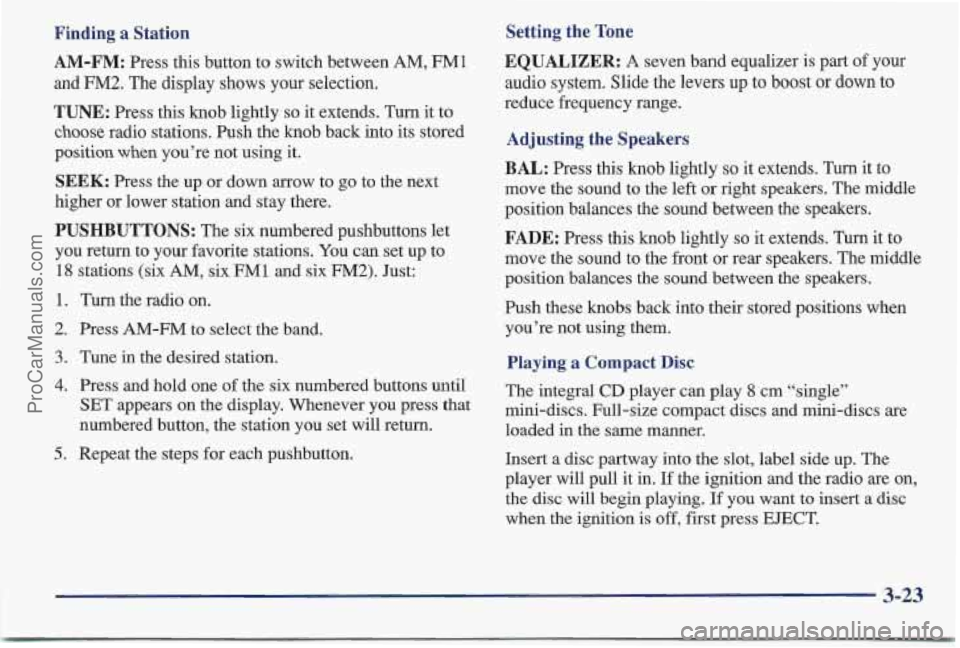
AM-FM: Press this button to switch between AM, FM1
and FM2. The display shows your selection.
TUNE: Press this knob lightly so it extends. Turn it to
choose radio stations. Push the knob back into its stored
position
when you’re not using it.
SEEK: Press the up or down arrow to go to the next
higher or lower station and stay there.
PUSHBUTTONS: The six numbered pushbuttons let
you return to your favorite stations. You can set up to
18 stations (six AM, six FM1 and six FM2). Just:
1. Turn the radio on.
2. Press AM-FM to select the band.
3. Tune in the desired station.
4. Press and hold one of the six numbered buttons until
SET appears on the display. Whenever you press that
numbered button, the station you set will return.
5. Repeat the steps for each pushbutton.
Setting the Tone
EQUALIZER:
A seven band equalizer is part of your
audio system. Slide the levers
up to boost or down to
reduce frequency range.
Adjusting the Speakers
BAL:
Press this knob lightly so it extends. Turn it to
move the sound to the left or right speakers. The middle
position balances the sound between the speakers.
FADE: Press this knob lightly so it extends. Turn it to
move the sound to the front or rear speakers. The middle
position balances the sound between the speakers.
Push these
knobs back into their stored positions when
you’re not using them.
Playing a Compact Disc
The integral CD player can play 8 cm “single”
mini-discs. Full-size compact discs and mini-discs are
loaded in the same manner.
Insert a disc partway into the slot, label side up. The
player will pull it in.
If the ignition and the radio are on,
the disc will begin playing.
If you want to insert a disc
when the ignition is off, first press EJECT.
ProCarManuals.com
Page 170 of 405
Care of Your Cassette Tape Player
A tape player that is not cleaned regularly can cause
reduced sound quality, ruined cassettes or a damaged
mechanism. Cassette tapes should be stored in their
cases away from contaminants, direct sunlight and
extreme heat. If they aren’t, they may not operate
properly or may cause failure of the tape player.
Your tape player should be cleaned regularly after every
50 hours of use. Your radio may display CLN to indicate
that you have used your tape player for
50 hours without
resetting the tape clean timer. If this message appears
on the display, your cassette tape player needs to be
cleaned. It will still play tapes, but you should clean it as
soon as possible to prevent damage to your tapes and
player. If you notice a reduction in sound quality, try a
known good cassette to see if it is the tape or the tape
player at fault.
If this other cassette has no improvement
in sound quality, clean the tape player.
Cleaning may be done with
a scrubbing action,
non-abrasive cleaning cassette with pads which scrub
the tape head
as the hubs of the cleaner cassette turn.
Follow these steps to prevent the cassette from being ejected due to the CUT TAPE DETECTION feature:
1. Turn the radio off and the ignition on.
2. Press and hold the TAPEPLAY button for three
seconds (tape indicator will flash for two seconds).
3. Insert the cleaner cassette (a CD adapter kit may also
be inserted).
The radio will default back to CUT TAPE DETECTION
when the cleaner cassette (or CD adapter kit) is ejected.
You may also choose a non-scrubbing action, wet-type
cleaner which uses a cassette with a fabric belt to dean
the tape head.
It may not clean as thoroughly as the
scrubbing type cleaner.
After you clean the player, press and hold
EJECT for
five seconds to reset the CLN indicator. The radio will
display
--- to show the indicator was reset.
Cassettes are subject to wear and the sound quality may
degrade over time. Always make sure the cassette tape is
in
good condition before you have your tape player serviced.
Care of Your Compact Discs
Handle discs carefully. Store them in their original cases
or other protective cases and away from direct sunlight
and dust.
If the surface of a disc is soiled, dampen a
clean, soft cloth in a mild, neutral detergent solution and
clean it, wiping from the center to the edge.
Be sure never to touch the signal
surface when handling
discs. Pick up discs by grasping the outer edges or the
edge of the hole and the outer edge.
ProCarManuals.com
Page 171 of 405
Fixed Mast Antenna
The fixed mast antenna can withstand most car washes
without being damaged. If the mast should ever become
slightly bent, you can straighten it out by hand.
If the
mast is badly bent, as it might be by vandals,
you should
replace it.
Check every once in a while to be sure the mast is still
tightened to the fender.
Power Antenna Mast Care
Your power antenna will look its best and work well
if it’s cleaned from time to time. To clean the
antenna mast:
1.
2.
3.
4.
5.
6.
Turn on the ignition and radio to raise the antenna.
Dampen a clean cloth with mineral spirits or
equivalent solvent.
Wipe the cloth over the mast sections, removing
any dirt.
Wipe dry with a clean cloth.
Make the antenna go
up and down by turning the
radio or ignition
off and on,
Repeat if necessary.
NOTICE:
~~ ~
Don’t lubricate the power antenna. Lubrication
could damage it.
NOTICE:
Before entering an automatic car wash, turn off
your radio to make the power antenna go down.
This will prevent the mast from possibly getting
damaged.
If the antenna does not go down when
you turn the radio off, it may be damaged or
need to be cleaned. In either case, lower the
antenna
by hand by carefully pressing the
antenna down.
If the mast portion of your antenna is damaged, you can
easily replace it. See your dealer for
a replacement kit
and
follow the instructions in the kit.
3-30
ProCarManuals.com
Page 180 of 405
Avoid needless heavy braking. Some people drive in
spurts
-- heavy acceleration followed by heavy
braking
-- rather than keeping pace with traffic. This is a
mistake. Your brakes may not have time to cool between
hard stops. Your brakes will wear out much faster
if you
do a lot of heavy braking.
If you keep pace with the
traffic and allow realistic following distances, you will
eliminate a lot of unnecessary braking. That means
better braking and longer brake life.
If your engine ever stops while you’re driving, brake
normally but don’t pump your brakes.
If you do, the
pedal may get harder to pus’h down.
If your engine
stops, you will still have some power brake assist. But
you will use
it when you brake. Once the power assist is
used up, it may take longer to stop and the brake pedal
will be harder to push.
Anti-Lock Brakes (ABS)
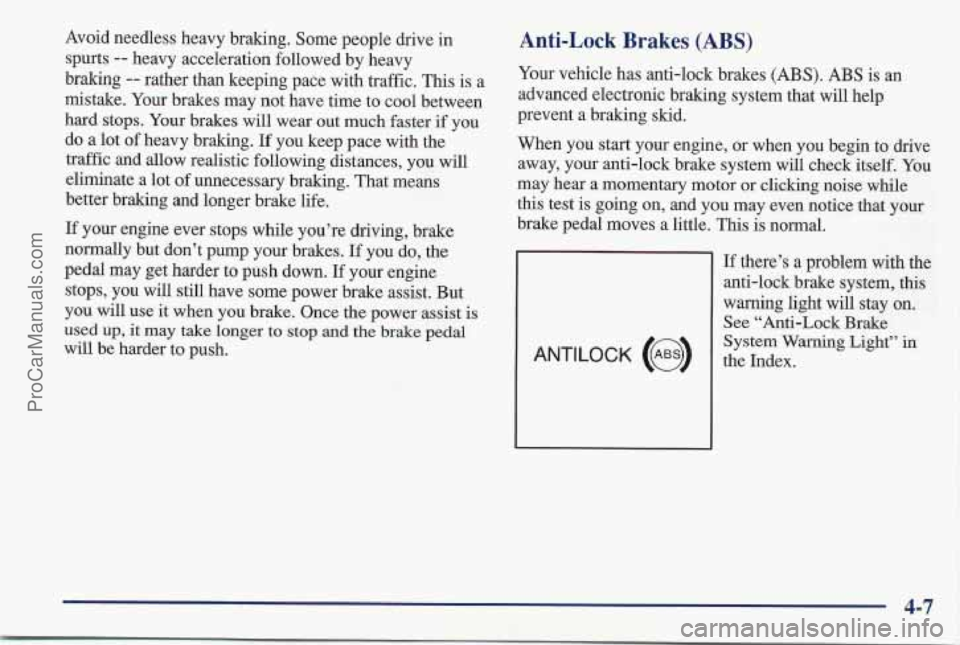
Your vehicle has anti-lock brakes (ABS). ABS is an
advanced electronic braking system that will help
prevent a braking skid.
When you start your engine, or when you begin to drive
away, your anti-lock brake system will check itself. You
may hear a momentary motor or clicking noise while
this test is going on, and you may even notice that
your
brake pedal moves a little. This is normal.
ANTILOCK (e)
If there’s a problem with the
anti-lock brake system, this
warning light will stay
on.
See “Anti-Lock Brake
System
Warning Light” in
the Index.
4-7
ProCarManuals.com
Page 182 of 405
Remember: Anti-lock doesn’t change the time you need
to get your foot up to the brake pedal or always decrease
stopping distance.
If you get too close to the vehicle in
front of you, you won’t have time to apply your brakes
if that vehicle suddenly slows or stops. Always leave
enough room
up ahead to stop, even though you have
anti-lock brakes.
Using Anti-Lock
Don’t pump the brakes. Just hold the brake pedal
down and let anti-lock work for you. You may feel the
system working, or you may notice some noise, but this
is normal.
Traction Control System (If Equipped)
Your vehicle may have a traction control system that
limits wheel spin. This is especially useful in slippery
road conditions. The system operates only
if it senses
that one or both of the front wheels are spinning or
beginning to lose traction. When this happens, the
system works the front brakes and reduces engine power
to limit wheel spin.
You may feel or hear the system working, but this
is normal.
If your vehicle is in cruise control when the traction
control system begins to limit wheel spin, the cruise control
will automatically disengage. When road
conditions allow you to safely use it again, you may
re-engage the cruise control. (See “Cruise Control”
in
the Index.)
L
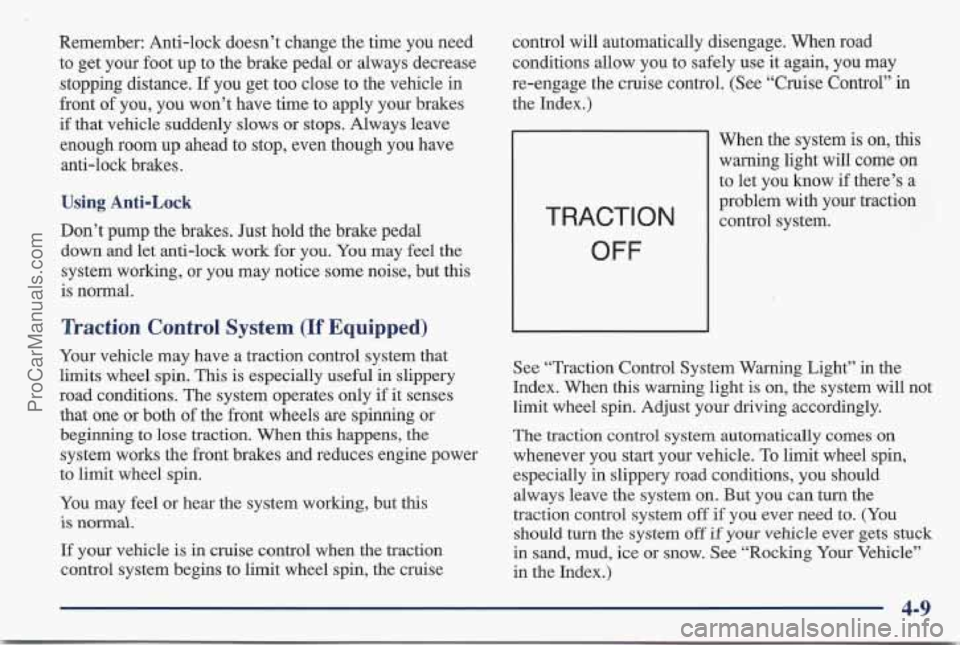
When the system is on, this
warning light will come on
to let you know if there’s a
problem with your traction
TRACT1 0 N control system.
OFF
-
See “Traction Control System Warning Light” in the
Index. When this warning light is on, the system will not
limit wheel spin. Adjust your driving accordingly.
The traction control system automatically comes
on
whenever you start your vehicle. To limit wheel spin,
especially in slippery road conditions,
you should
always leave the system on. But you can turn the
traction control system
off if you ever need to. (You
should turn
the system off if your vehicle ever gets stuck
in sand, mud, ice or snow. See “Rocking Your Vehicle’’
in the Index.)
4-9
ProCarManuals.com
Page 183 of 405
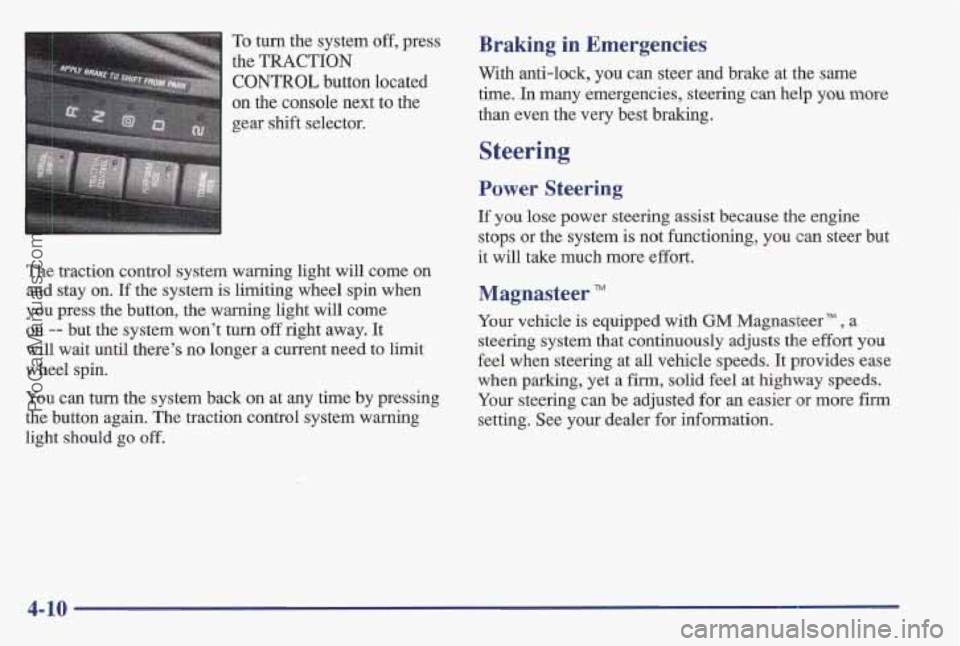
To turn the system off, press
the
TRACTION
CONTROL button located
on the console next to the
gear shift selector.
The traction control system warning light will come
on
and stay on. If the system is limiting wheel spin when
you press the button, the warning light will come
on -- but the system won’t turn off right away. It
will wait until there’s no longer a current need to limit
wheel spin.
You can
hm the system back on at my time by pressing
the button again. The traction control system warning
light should
go off.
Braking in Emergencies
With anti-lock, you can steer and brake at the same
time. In many emergencies, steering can help
you more
than even the very best braking.
Steering ~
Power Steering
If you lose power steering assist because the engine
stops or the system
is not functioning, you can steer but
it will take much more effort.
Magnasteer TM
Your vehicle is equipped with GM Magnasteer TM ? a
steering system that continuously
adjusts the effort you
feel when steering at
all vehicle speeds. It provides ease
when parking, yet a firm, solid feel at highway speeds.
Your steering can be adjusted for an easier or more firm
setting. See your dealer for information.
4- 10
ProCarManuals.com
Page 186 of 405
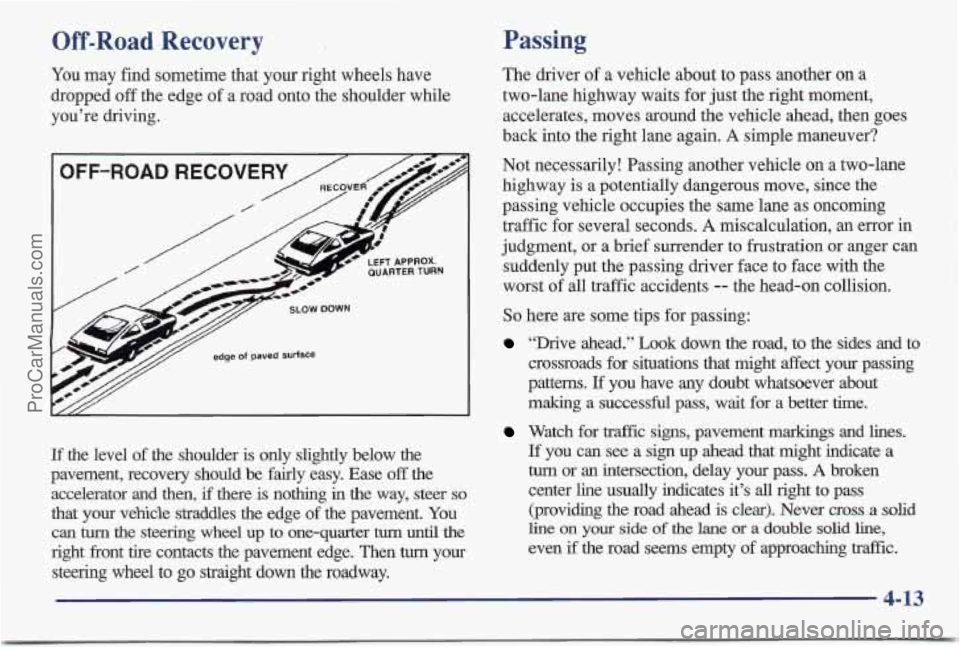
Off-Road Recovery
You may find sometime that your right wheels have
dropped off the edge
of a road onto the shoulder while
you’re driving.
If the level of the shoulder is only slightly below the
pavement, recovery should be fairly easy. Ease
off the
accelerator and then,
if there is nothing in the way, steer so
that your vehicle straddles the edge of the pavement. You
can turn the steering wheel up to one-quarter turn until the
right front tire contacts the pavement edge. Then turn your
steering wheel to
go straight down the roadway.
Passing
The driver of a vehicle about to pass another on a
two-lane highway waits for just the right moment,
accelerates, moves around the vehicle ahead, then goes
back into the right lane again.
A simple maneuver?
Not necessarily! Passing another vehicle on a two-lane
highway
is a potentially dangerous move, since the
passing vehicle occupies the same lane as oncoming
traffic for several seconds.
A miscalculation, an error in
judgment, or a brief surrender to frustration or anger can
suddenly put the passing driver face to face with the
worst of all traffic accidents
-- the head-on collision.
So here are some tips for passing:
“Drive ahead.” Look down the road, to the sides and to
crossroads for situations that might affect your passing
patterns.
If you have any doubt whatsoever about
making
a successful pass, wait for a better time.
Watch for traffic signs, pavement markings and lines.
If you can see a sign up ahead that might indicate a
turn or an intersection, delay your pass. A broken
center line usually indicates it’s
all right to pass
(providing the road ahead is clear). Never
cross a solid
line on your side of the lane or a double solid line,
even if the road seems empty of approaching traffic.
4-13
ProCarManuals.com
Page 189 of 405
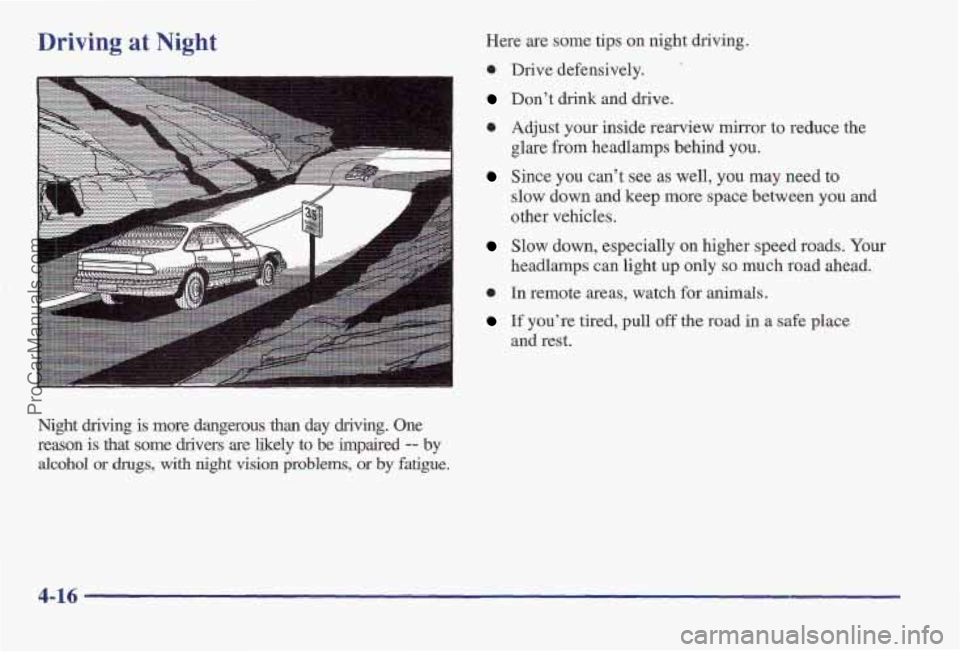
Driving at Night
Night driving is more dangerous than day driving. One
reason is that some drivers are likely to be impaired
-- by
alcohol or drugs, with night vision problems, or by fatigue.
Here are some tips on night driving.
0 Drive defensively.
Don’t drink and drive.
0 Adjust your inside rearview mirror to reduce the
glare from headlamps behind you.
Since you can’t see as well, you may need to
slow down and keep more space between you
and
other vehicles.
Slow down, especially on higher speed roads. Your
headlamps can light up only
so much road ahead.
0 In remote areas, watch for animals.
If you’re tired, pull off the road in a safe place
and rest.
4-16
ProCarManuals.com
Page 190 of 405
Night Vision
No one can see as well at night as in the daytime. But as
we get older these differences increase.
A 50-year-old
driver may require at least twice as much light to see the
same thing at night as a 20-year-old.
What you do in the daytime can also affect your night
vision. For example,
if you spend the day in bright
sunshine you are wise to wear sunglasses. Your eyes will
have less trouble adjusting to night. But
if you’re
driving, don’t
wear sunglasses at night. They may cut
down on glare from headlamps, but they also make a lot
of things invisible.
You can be temporarily blinded by approaching
headlamps. It can take a second or two, or even several
seconds, for your eyes to readjust to the dark. When you
are faced with severe glare
(as from a driver who
doesn’t lower the high beams, or a vehicle with
misaimed headlamps), slow down a little. Avoid staring
directly into the approaching headlamps. Keep
your windshield and all the glass on your vehicle
clean
-- inside and out. Glare at night is made much
worse by dirt on the glass. Even the inside
of the glass
can build up a film caused by dust. Dirty glass makes
lights dazzle and flash more than clean glass would,
making the pupils of your eyes contract repeatedly.
Remember that your headlamps light up far less
of a
roadway when you are in a turn or curve. Keep your
eyes moving; that way, it’s easier
to pick out dimly
lighted objects. Just as your headlamps should be
checked regularly for proper aim,
so should your eyes
be examined regularly. Some drivers suffer from night
blindness
-- the inability to see in dim light -- and
aren’t even aware of it.
ProCarManuals.com