ignition PONTIAC BONNEVILLE 1997 Owners Manual
[x] Cancel search | Manufacturer: PONTIAC, Model Year: 1997, Model line: BONNEVILLE, Model: PONTIAC BONNEVILLE 1997Pages: 405, PDF Size: 18.83 MB
Page 31 of 405
CAUTION:
For up to 10 minutes after the ignition key is
turned off and the battery
is disconnected, an air
bag can still inflate during improper service.
You
can be injured if you are close to an air bag when
it inflates. Avoid wires wrapped with yellow tape
or yellow connectors. They are probably part of
the
air bag system. Be sure to follow proper
service procedures, and make sure the person
performing work for you is qualified to do
so.
The air bag system does not need regular maintenance.
Center Passenger Position
Lap Belt
If your vehicle has front and rear bench seats, someone
can sit
in the center positions.
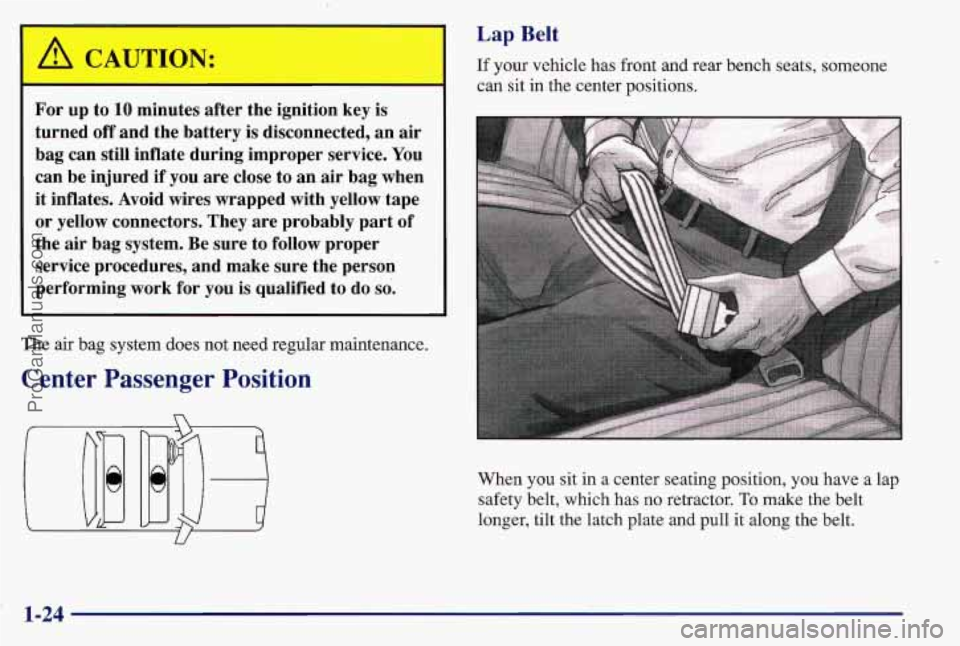
When you sit in a center seating position,
you have a lap
safety belt, which has no retractor.
To make the belt
longer, tilt the latch plate and pull
it along the belt.
1-24
ProCarManuals.com
Page 54 of 405
Section 2 Features and Controls
Here you can learn about the many standard and optional features on your Pontiac, and information on starting,
shifting and braking. Also explained are the instrument panel and the warning systems that tell you if everything
is
working properly -- and what to do if you have a problem.
2-2
2-4
2-9
2- 14
2-16
* 2-16
2-18
2-19
2-20
2-2
1
2-23
2-24
2-28
2-29
2-30
2-33
2-33
2-34 Keys
Door Locks
Remote Keyless Entry Trunk
Theft
Universal Theft-Deterrent
PASS-Key@
I1
New Vehicle “Break-In”
Ignition Positions
Starting
Your Engine
Engine Coolant Heater
Automatic Transaxle Operation Computer Command Ride
Parking Brake
Shifting Into PARK (P)
Shifting Out of PARK (P)
Parking Over Things That Bum
Engine Exhaust 2-34
2-3
5
2-3 6
2-36
2-37
1 2-43
~ 2-46
2-48
2-50
2-55
2-56
2-56
2-57
2-5 8
2-64
2-77
2-80
2-82 Running
Your Engine While You’re Parked
Windows
Horn
Tilt Wheel
Turn SignalMultifunction Lever
Exterior Lamps
Interior Lamps
Mirrors
Storage Compartments
Sun Visors
Air Inflator
System
Accessory Power Outlet
Sunroof
Instrument Panel
Warning Lights, Gages
and Indicators
Head-Up Display
Driver Information Center
Electronic Compass
2-.l
ProCarManuals.com
Page 55 of 405
Keys
A CAI JTION:
I
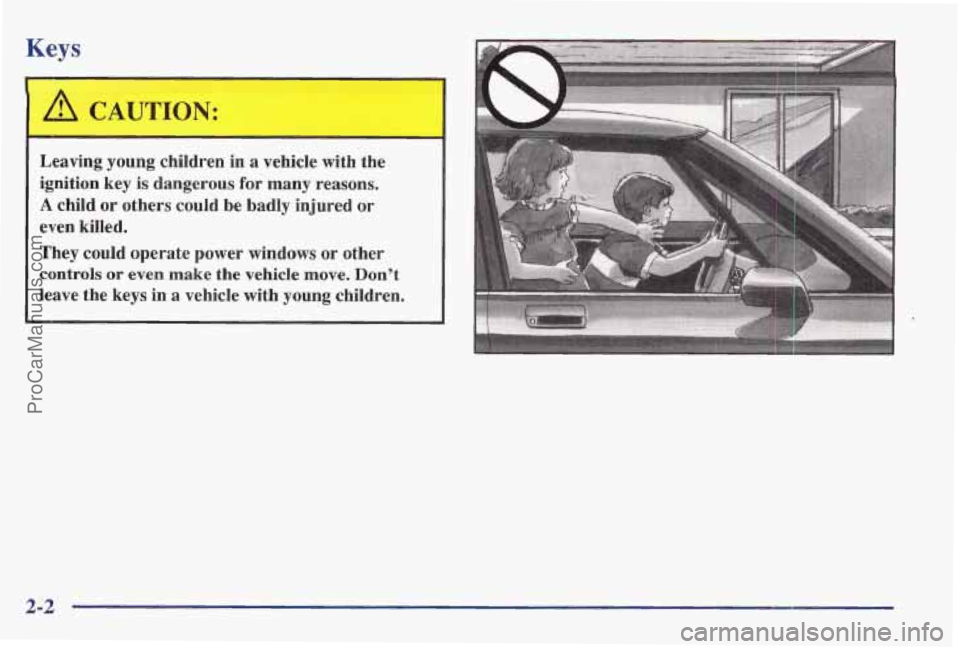
Leaving young children in a vehicle with the
ignition key is dangerous
for many reasons.
A child or others could be badly injured or
even kille'd.
They could operate power windows or other
controls
or even make the vehicle move, Don't
leave the keys in
a vehicle with young children.
2-2
ProCarManuals.com
Page 56 of 405
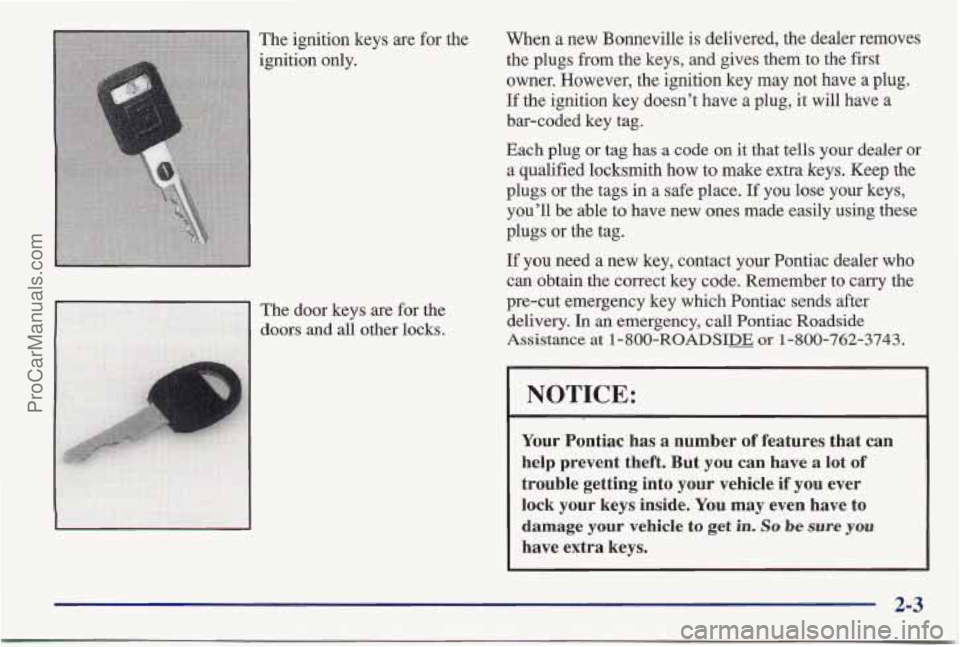
The ignition keys are for the
ignition only. When a
new Bonneville is delivered, the dealer removes
the plugs from the keys, and gives them to the first
owner. However, the ignition key
may not have a plug.
If the ignition key doesn’t have a plug, it will have a
bar-coded key tag.
Each plug
or tag has a code on it that tells your dealer or
a qualified locksmith how to make extra
keys. Keep the
plugs or the tags in a safe place. If you lose your keys,
you’ll be able to have new ones made easily using these
plugs or the tag.
If you. need a new key, contact your Pontiac dealer who
can obtain
the correct key code. Remember to carry the
pre-cut emergency key which Pontiac sends after
delivery. In an emergency, call Pontiac Roadside
Assistance at 1-800-ROADSIm or 1-800-762-3743.
NOTICE:
Your Pontiac has a number of features that can
help prevent theft. But you can have
a lot of
trouble getting into your vehicle if you ever lock your keys inside.
You may even have to
damage your vehicle to get in. So be sure you
have extra keys.
2-3
ProCarManuals.com
Page 58 of 405
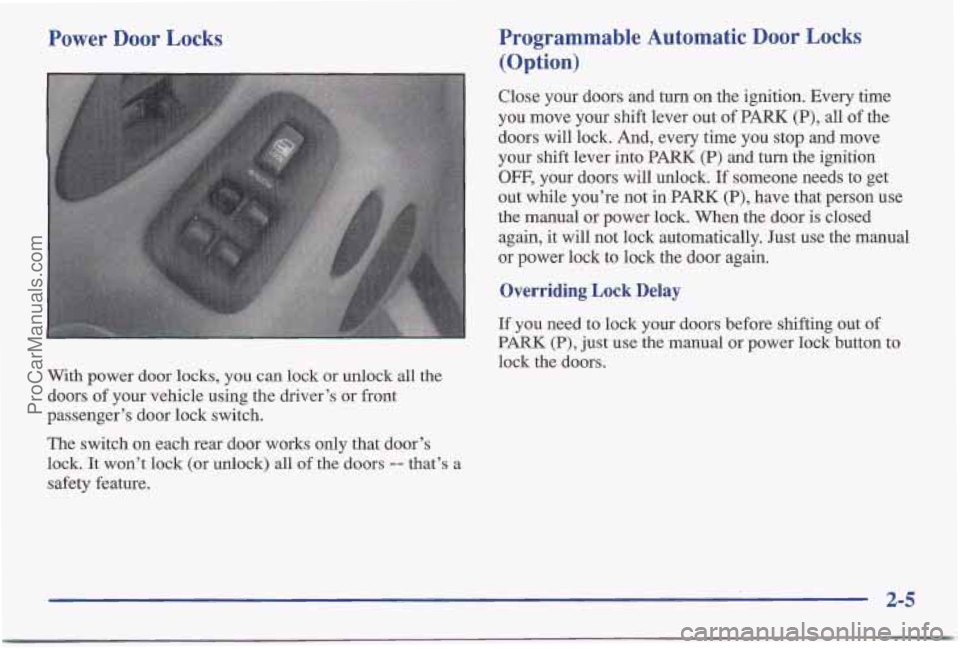
Power Door Locks
With power door locks, you can lock or unlock all the
doors of your vehicle using the driver’s or front
passenger’s door lock switch.
The switch on each rear door works only that door’s
lock. It won’t lock (or unlock) all of the doors -- that’s a
safety feature.
Programmable Automatic Door Locks
(0 p tion)
Close your doors and turn on the ignition. Every time
you move your shift lever out of PARK
(P), all of the
doors will lock. And, every time you stop and move
your shift lever into PARK
(P) and turn the ignition
OFF, your doors will unlock. If someone needs to get
out while you’re not in PARK
(P), have that person use
the manual or power lock. When the door is closed
again, it will not lock automatically. Just use the manual
or power lock to lock the door again.
Overriding Lock Delay
If you need to lock your doors before shifting out of
PARK (P), just use the manual or power lock button to
lock the doors.
2-5
ProCarManuals.com
Page 59 of 405
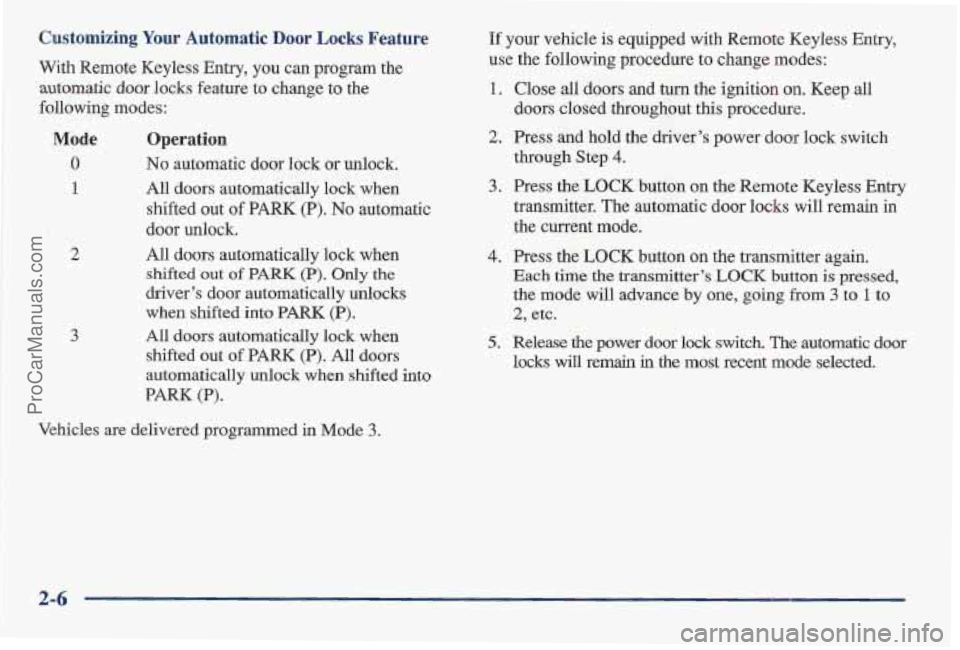
Customizing Your Automatic Door Locks Feature
With Rem'ote Keyless Entry, you can program the
automatic door locks feature to change to the
following modes:
Mode Operation
0 No automatic door lock or unlock.
1
2
3
All doors automatically lock when
shifted out
of PARK (P). No automatic
door unlock,
All
doors automatically lock when
shifted out of PARK (P). Only the
driver's door automatically unlocks
when shifted into PARK (P).
All doors automatically lo'ck when
shifted out
of PARK (P). All doors
automatically unlock when shifted
into
PARK (P).
Vehicles are delivered programmed in Mode 3.
If your vehicle is equipped with Remote Keyless Entry,
use the following procedure to change modes:
1. Close all doors and turn the ignition on. Keep all
doors closed throughout this procedure.
2. Press and hold the driver's power door lock switch
3. Press the LOCK button on the Remote Keyless Entry
through
Step
4.
transmitter. The automatilc door locks will remain in
the current mode.
4. Press the LOCK button on the transmitter again.
Each time the transmitter's LUCK button is pressed,
the mode will advance by one, going from 3 to 1 to
2, etc.
5. Release the power door lock switch. The automatic door
locks will remain in the most recent mode selected.
2-6
ProCarManuals.com
Page 60 of 405
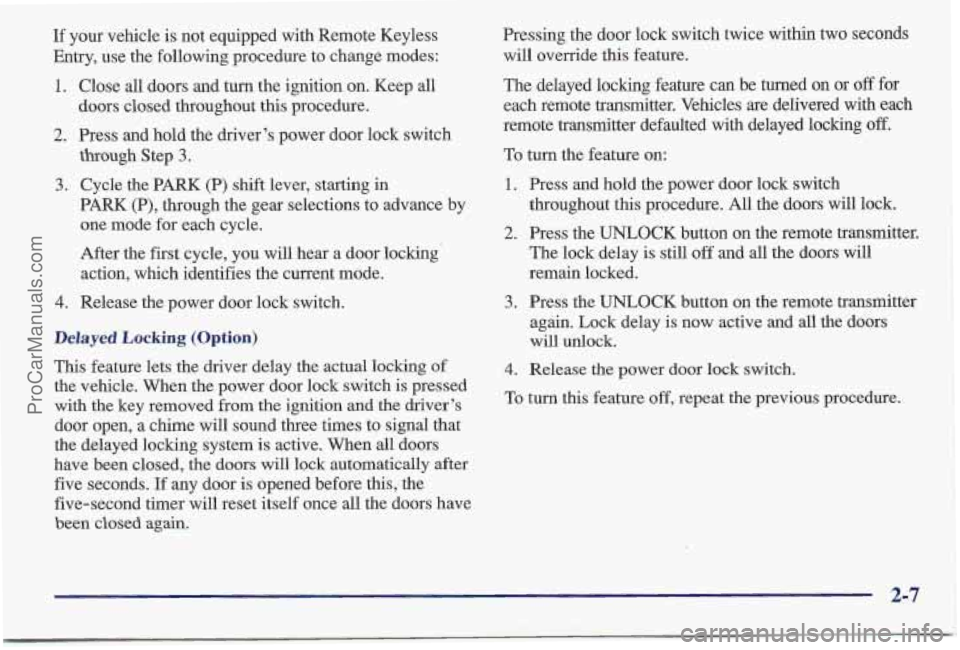
If your vehicle is not equipped with Remote Keyless
Entry, use the following procedure to change modes:
1. Close all doors and turn the ignition on. Keep all
2. Press and hold the driver’s power door lock switch
3. Cycle the PARK (P) shift lever, starting in
doors closed throughout
this procedure.
though Step
3.
PARK (P), through the gear selections to advance by
one mode
for each cycle.
After the
first cycle, you will hear a door locking
action, which identifies the current mode.
4. Release the power door lock switch.
Delayed Locking (Option)
This feature lets the driver delay the actual locking of
the vehicle. When the power door lock switch is pressed
with
the key removed from the ignition and the driver’s
door open, a chime will sound three times to signal that
the delayed locking system is active. When all doors
have been closed, the doors will lock automatically after
five seconds. If any door is opened before this, the
five-second timer will reset itself once all the doors have
been closed again.
Pressing the door lock switch twice within two seconds
will override this feature.
The delayed locking feature can
be turned on or off for
each remote transmitter. Vehicles
are delivered with each
remote transmitter defaulted with delayed locking
off.
To turn the feature on:
1. Press and hold the power door lock switch
throughout this procedure. All the doors will lock.
2. Press the UNLOCK button on the remote transmitter.
The lock delay is still
off and all the doors will
remain locked.
3. Press the UNLOCK button on the remote transmitter
again. Lock delay
is now active and all the doors
will unlock.
4. Release the power door lock switch.
To turn this feature off, repeat the previous procedure.
ProCarManuals.com
Page 61 of 405
If your vehicle is not equipped with Remote Keyless
Entry, the delayed locking feature can be turned on or
off by using the following procedure:
1. With the ignition on, press and hold the driver’s
power door lock switch. All
doors will lock.
2. Cycle the headlamp switch four times. On the
third cycle, the doors will unlock to confirm that
the feature has been turned
on. Your doors will
remain locked if delayed locking is now in the
non-active mode.
3. To change modes, cycle the headlamp switch once
4. Release the power door lock switch.
This procedure must
be completed within 10 seconds of
pressing the power door lock switch. To turn the feature
off, repeat the previous procedure.
more.
A locking action will
confirm the new mode.
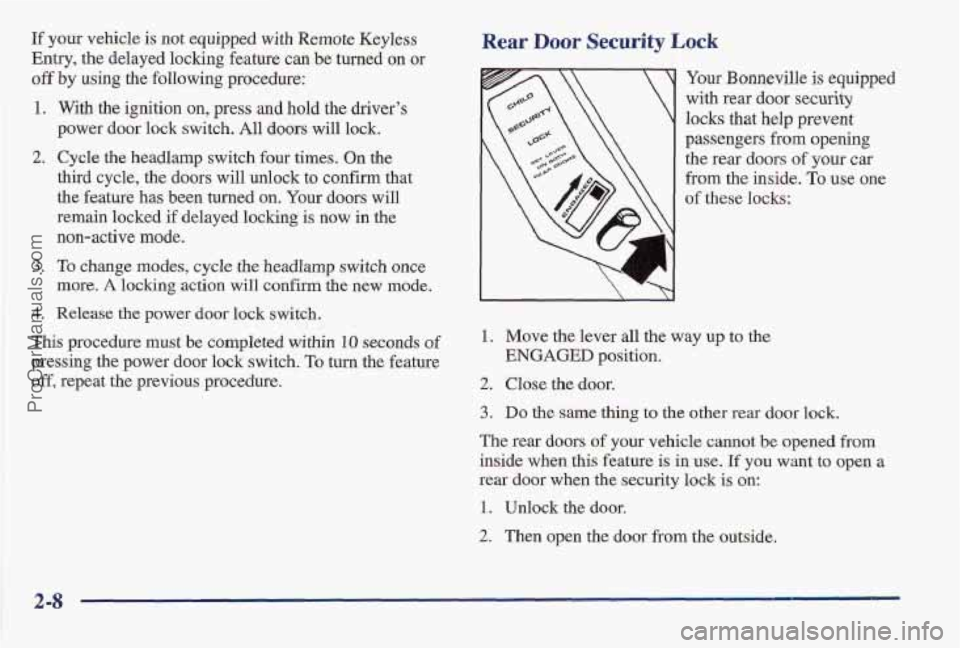
Rear Door Security Lock
i
Your Bonneville is equipped
with rear door
security
locks that help prevent
passengers from opening
the rear doors
of your car
from the inside. To use one
of these locks:
1. Move the lever all the way up to the
2. Close the door.
ENGAGED position.
3. Do the same thing to the other rear door lock.
The rear doors of your vehicle cannot
be opened from
inside when this feature is in use, If you want to open
a
rear door when the security lock is on:
1. Unlock the door.
2. Then open the door from the outside.
2-8
ProCarManuals.com
Page 62 of 405
If you don’t cancel the security lock feature, adults or
older children who ride in the rear won’t be able to open
the rear door from the inside. You should let adults and
older children know how these security locks work, and
how
to cancel the locks.
To cancel the rear door lock:
1. Unlock the door and open the door from the outside.
2. Move the lever all the way down.
3. D’o the same for the other rear door.
The rear door locks will now work normally.
Anti-Lockout Feature
The power door locks will not work if the key is left in the
ignition with
the driver’s door open. You can override this
feature by holding the power door lock switch for more than three seconds, unless the engine is running.
Leaving Your Vehicle
If you are leaving the vehicle, take your keys, open your
door and set
the locks from the inside. Then get out and
close the door. You may also use the lock button on the
remote keyless entry transmitter after shutting the doors.
If your vehicle
has a theft-deterrent system, see
“Universal Theft-Deterrent” in the Index.
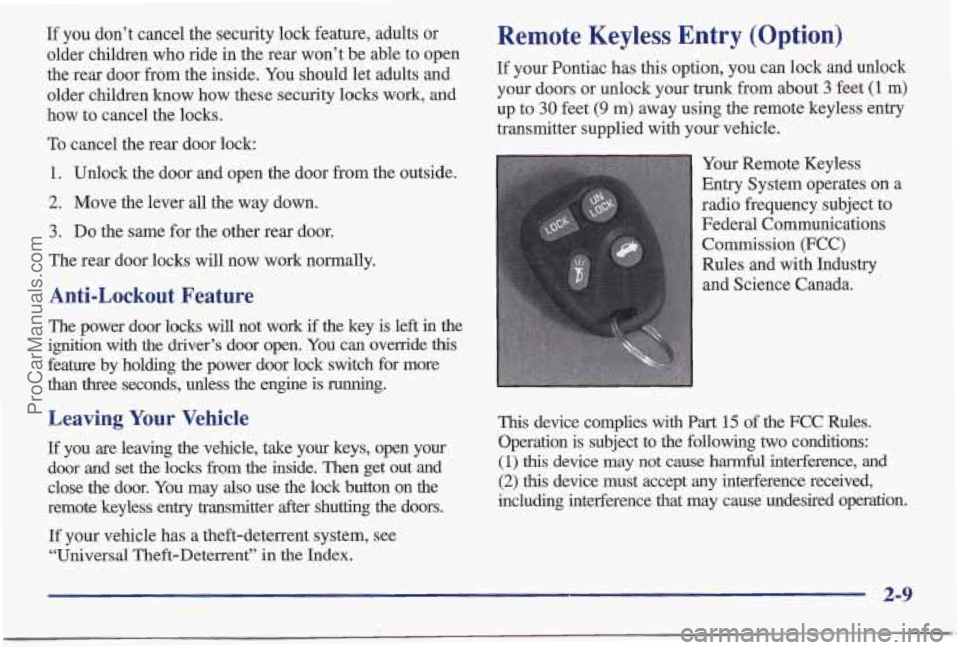
Remote Keyless Entry (Option)
If your Pontiac has this option, you can lock and unlock
your doors or unlock your trunk from about
3 feet (1 m)
up to 30 feet (9 m) away using the remote keyless entry
transmitter supplied with your vehicle.
Your Remote Keyless
Entry System operates
on a
radio frequency subject to
Federal Communications Commission
(FCC)
Rules and with Industry
and Science Canada.
This device complies with Part 15 of the FCC Rules.
Operation is subject to the following
two conditions:
(1) this device may not cause harmful interference, and
(2) this device must accept any interference received,
including interference that may cause undesired operation.
2-9
ProCarManuals.com
Page 64 of 405
Panic Mode Security Feedback
This
provides feedback to the driver when the vehicle
receives a command from the key transmitter. The
following modes may be selected:
When the button with the horn symbol
on the key
transmitter is pressed, the horn will sound and the
headlamps and taillamps will flash for up to two minutes.
This can be turned off by pressing the panic button or by
turning
the ignition to ON. If your vehicle is equipped
with the Universal Theft Deterrent feature, you may also
turn off the alarm by unlocking the vehicle with a key.
Resynchronization
If only the panic button works, the transmitter needs to
be resynchronized to the receiver. Do this by pressing
and holding both the
LOCK and UNLOCK buttons
for about eight seconds; you must be within range of
the vehicle.
When the system has been resynchronized, the horn will
chirp and the exterior lamps will flash once. The system
should now operate properly.
Mode
0
1
2
3
4
5
Security Feedback
No feedback when locking or
unlocking vehicle.
No feedback when locking; exterior
lamps flash when unlocking vehicle.
Exterior lamps flash when locking; no
feedback when unlocking vehicle.
Exterior
lamps flash when locking and
when unlocking vehicle.
Exterior lamps
flash and horn chirps
when locking; no feedback when
unlocking vehicle.
Exterior lamps flash and horn chirps
when locking; exterior lamps flash
when unlocking.
2-11
ProCarManuals.com