ignition PONTIAC BONNEVILLE 1998 Owner's Manual
[x] Cancel search | Manufacturer: PONTIAC, Model Year: 1998, Model line: BONNEVILLE, Model: PONTIAC BONNEVILLE 1998Pages: 395, PDF Size: 17.6 MB
Page 82 of 395
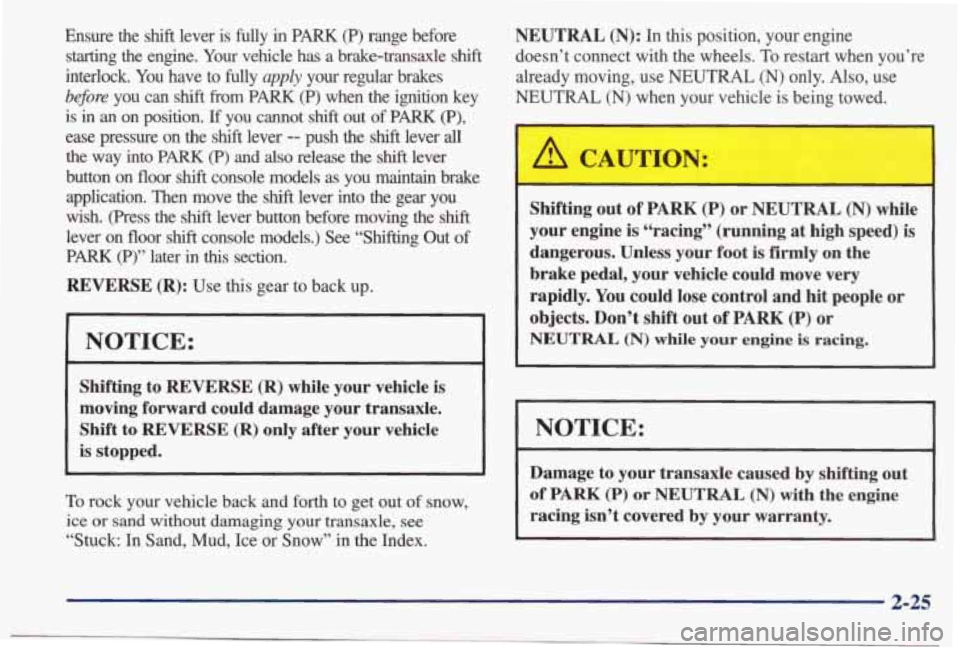
Ensure the shift lever is fully in PARK (P) range before
starting the engine. Your vehicle has a brake-transaxle shift
interlock. You have to fully apply your regular brakes
b#ore you can shift from PARK (P) when the ignition key
is
in an on position. If you cannot shift out of PARK (P),
ease pressure on the shift lever -- push the shift lever all
the way into PARK (P) and also release the shift lever
button on floor
shift console models as you maintain brake
application. Then move the
shift lever into the gear you
wish. (Press the
shift lever button before moving the shift
lever on floor shift console models.) See “Shifting Out of
PARK (P)” later in this section.
REVERSE (R): Use this gear to back up.
NOTICE:
Shifting to REVERSE (R) while your vehicle is
moving forward could damage your transaxle.
Shift to
REVERSE (R) only after your vehicle
is stopped.
To rock your vehicle back and forth to get out of snow,
ice or sand without damaging your transaxle, see
“Stuck: In Sand, Mud, Ice or Snow” in the Index.
NEUTRAL (N): In this position, your engine
doesn’t connect with the wheels. To restart when you’re
already moving, use NEUTRAL
(N) only. Also, use
NEUTRAL (N) when your vehicle is being towed.
A CAUTION:
Shifting out of PARK (P) or NEUTRAL (N) while
your engine is “racing” (running at
high speed) is
dangerous. Unless your foot is
firmly on the
brake pedal, your vehicle could move very
rapidly. You
could lose control and hit people or
objects. Don’t shift out of PARK (P) or
NEUTRAL (N) while your engine is racing.
NOTICE:
Damage to your transaxle caused by shifting out
of PARK (P) or NEUTRAL (N) with the engine
racing isn’t covered
by your warranty.
2-25
Page 85 of 395
Computer Command Ride (Option)
Vehicles equipped with computer command ride provide
improved passenger ride comfort under
a variety of road
and driving conditions.
For normal driving conditions, press the
TOURING
RIDE button to get a more refined comfortable ride.
When driving conditions require improved
handling,
press the PERFORM RIDE button to get a fm ride.
This mode minimizes how much the passenger
compartment leans in turns,
and decreases the
up-and-down motion of the front and rear
of the vehicle
during acceleration or
braking.
Even in the TOURING RIDE mode, the system will
adjust
to rapid cornering, acceleration or braking.
If the computer command ride detects a problem in the
system, the lights on the
TOURING RIDE and
PERFORM RIDE buttons will both come on. If this
happens, have your vehicle serviced.
Parking Brake
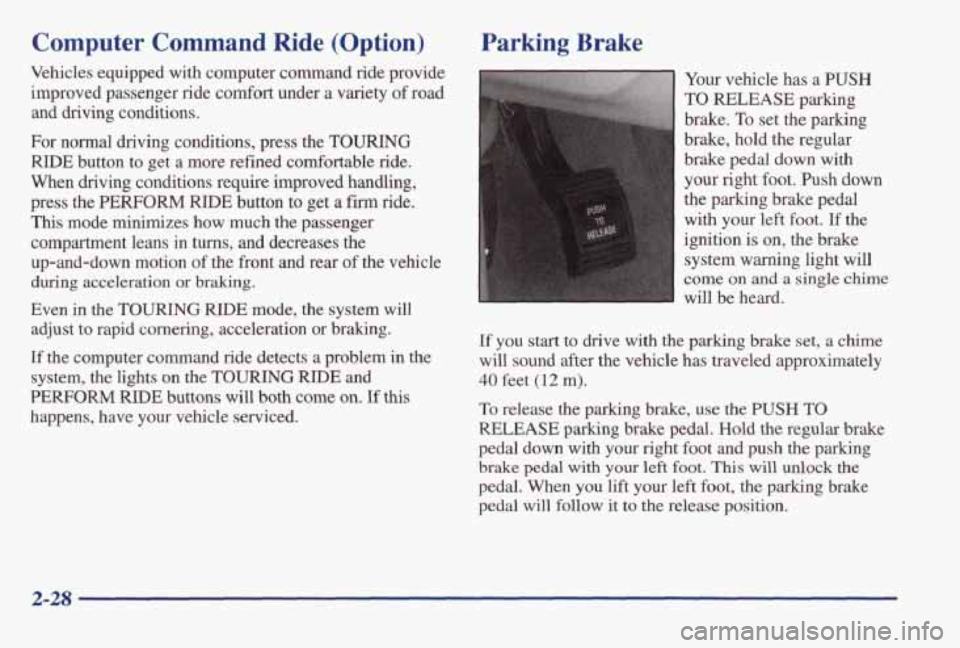
Your vehicle has a PUSH
TO RELEASE parking
brake.
To set the parking
brake, hold the regular
brake pedal down with
your right foot. Push down
the parking brake pedal
with your left foot.
If the
ignition is on, the brake
system warning light will
come on and a single chime
will be heard.
If you start to drive with the parking brake set, a chime
will sound after
the vehicle has traveled approximately
40 feet (12 m).
To release the parking brake, use the PUSH TO
RELEASE parking brake pedal. Hold the regular brake
pedal down with
your right foot and push the parking
brake pedal with your left foot. This will unlock the
pedal. When you lift your left foot, the parking brake
pedal will follow
it to the release position.
2-28
Page 87 of 395
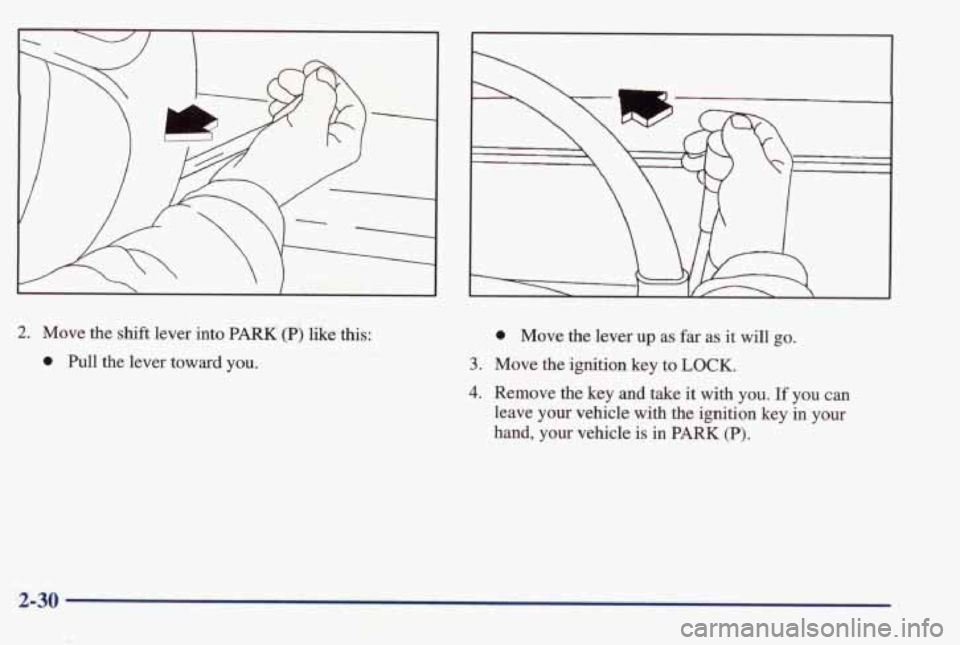
2. Move the shift lever into PARK (P) like this:
0 Pull the lever toward you.
0 Move the lever up as far as it will go.
3. Move the ignition key to LOCK.
4. Remove the key and take it with you. If you can
leave your vehicle with the ignition key in your
hand, your vehicle is in PARK (P).
2-30
Page 88 of 395
Console Shift Lever Leaving Your Vehicle With
the
Engine Running
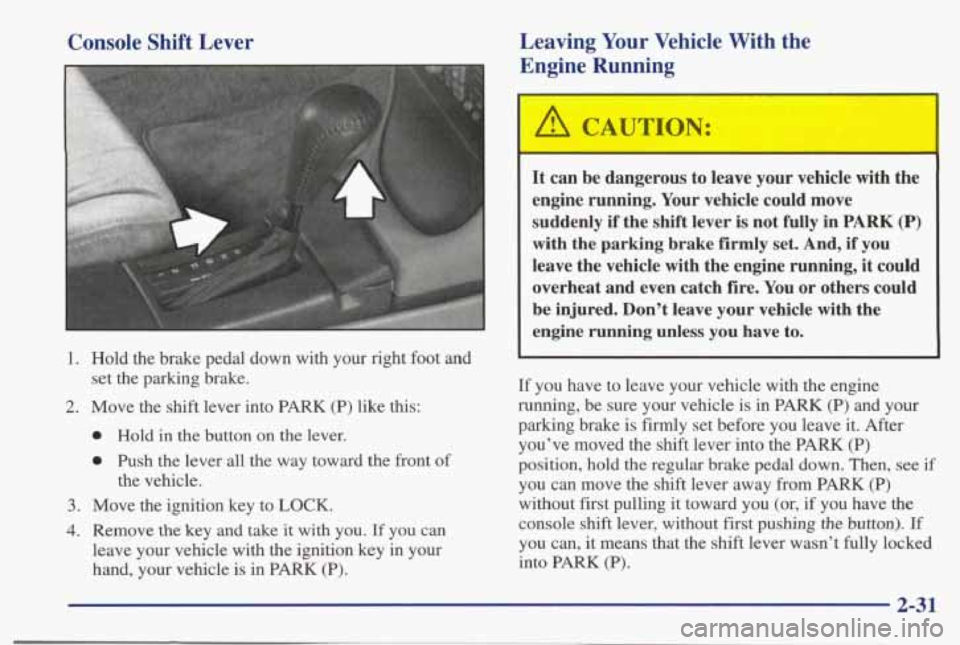
1. Hold the brake pedal down with your right foot and
2. Move the shift lever into PARK (P) like this:
set the parking brake.
,I
0 Hold in the button on the lever.
0 Push the lever all the way toward the front of
the vehicle.
3. Move the ignition key to LOCK.
4. Remove the key and take it with you. If you can
leave your vehicle with the ignition key in your
hand, your vehicle is in PARK
(P).
A CAUTION:
It can be dangerous to leave your vehicle with the
engine running. Your vehicle could move
suddenly
if the shift lever is not fully in PARK (P)
with the parking brake firmly set. And, if you
leave the vehicle with the engine running,
it could
overheat and even catch fire. You or others could
be injured. Don’t leave your vehicle with the
engine running unless you have to.
If you have to leave your vehicle with the engine
running, be sure your vehicle is in PARK (P) and your
parking brake is firmly set before you leave it. After you’ve moved the shift lever into the PARK (P)
position, hold the regular brake pedal down. Then,
see if
you can move the shift lever away from PARK (P)
without first pulling it toward you (or,
if you have the
console shift lever, without first pushing
the button). If
you can, it means that the shift lever wasn’t fully locked
into PARK (P).
2-31
Page 89 of 395
Torque Lock
If you are parking on a hill and you don’t shift your
transaxle into
PARK (P) properly, the weight of the
vehicle may put too much force on the parking pawl in
the transaxle. You may find it difficult to pull the
shift
lever out of PARK (P). This is called “torque lock.” To
prevent torque lock, set the parking brake and then shift
into
PARK (P) properly before you leave the driver’s
seat.
To find out how, see “Shifting Into PARK (P)” in
the Index.
When you are ready to drive, move the shift lever out of
PARK (P) before you release the parking brake.
If torque lock does occur, you may need to have another
vehicle push yours a little uphill to take some of the
pressure from the parking pawl in the transaxle,
so you
can pull the shift lever out of PARK
(P).
Shifting Out of PARK (P)
Your vehicle has a Brake-Transaxle Shift Interlock
(BTSI). You have to fully apply your regular brake
before you can shift from PARK (P) when the ignition is
in
RUN. See “Automatic Transaxle” in the Index.
If you cannot
shift out of PARK (P), ease pressure on
the
shift lever -- push the shift lever all the way into
PARK (P) as you maintain brake application. Then
move
the shift lever into the gear you want. If you ever
hold the brake pedal down but still can’t shift out of
PARK (P), try this:
1. Turn the ignition key to OFF. Open and close the
driver’s door
to turn off the Retained Accessory
Power feature.
2. Apply and hold the brake until the end of Step 4.
3. Shift to NEUTRAL (N).
4. Start the vehicle and then shift to the drive gear
you want.
5. Take your vehicle to an authorized service center as
soon as you can.
2-32
Page 92 of 395
Windows
Power Windows
Express-Down Window
When the driver’s window switch is held rearward for
more than
half a second, the window will lower
completely. The window can be opened
in smaller
amounts by pressing the switch rearward and releasing
it immediately.
To stop the window while it is lowering, press the
switch again, then release.
To raise the window, hold the
switch forward.
Horn
Nearly the entire surface of the center pad of the
steering wheel is
an active horn switch. Press anywhere
on the pad to sound the horn.
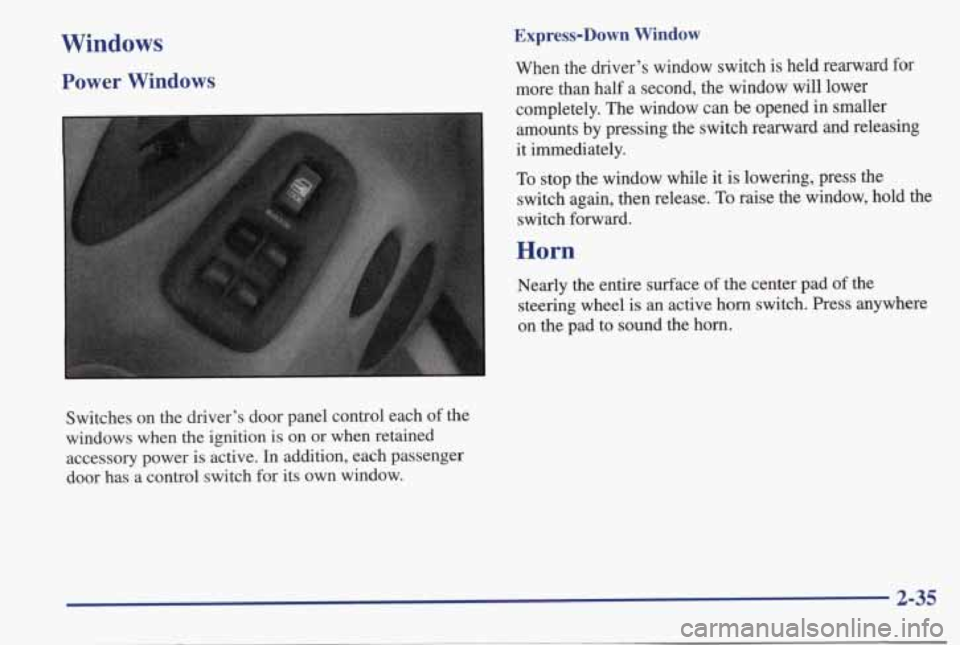
Switches on the driver’s door panel control each of the
windows
when the ignition is on or when retained
accessory power is active.
In addition, each passenger
door has
a control switch for its own window.
2-35
Page 99 of 395
Increasing Speed While Using Cruise Control
There are two ways to go to a higher speed.
Use the accelerator pedal to get to the higher speed.
Push in the button at the end
of the lever, then
release
the button and the accelerator pedal. You’ll
now
cruise at the higher speed.
Move the cruise switch from ON to WA. Hold it
there until you get up to the speed
you want, and
then release the switch.
To increase your speed in
very small amounts, move the switch to
RfA briefly
and then release it. Each time
you do this, your
vehicle will go about 1 mph (1.6 km/h) faster.
The accelerate feature will only work after you have set
the cruise control speed by pushing the
SET button. 0
Reducing Speed While Using Cruise Control
There are two ways to reduce your speed while using
cruise control:
0 Push in the button at the end of the lever until you
reach the lower speed
you want, then release it.
To slow down in very small amounts, push the
button briefly. Each time you do
this, you’ll go
1 mph (1.6 kmk) slower.
Passing Another Vehicle While Using Cruise Control
Use the accelerator pedal to increase your speed. When
you take your foot off the pedal, your vehicle will slow
down to the cruise control speed you set earlier.
Using Cruise Control on Hills
How well your cruise control will work on hills depends
upon your speed, load and the steepness
of the hills.
When going
up steep hills, you may have to step on the
accelerator
pedal to maintain your speed. When going
downhill, you may have to brake or
shift to a lower gear
to keep your speed down.
Of course, applying the brake
takes you out
of cruise control. Many drivers find this to
be too much trouble and don’t use cruise control on
steep hills.
Ending Cruise Control
There are two ways to turn off the cruise control:
Step lightly on the brake pedal; or
Move the cruise switch to OFF.
Erasing Speed Memory
When you turn off the cruise control or the ignition,
your cruise control set speed memory
is erased.
2-42
Page 100 of 395
Exterior Lamps
Headlamps
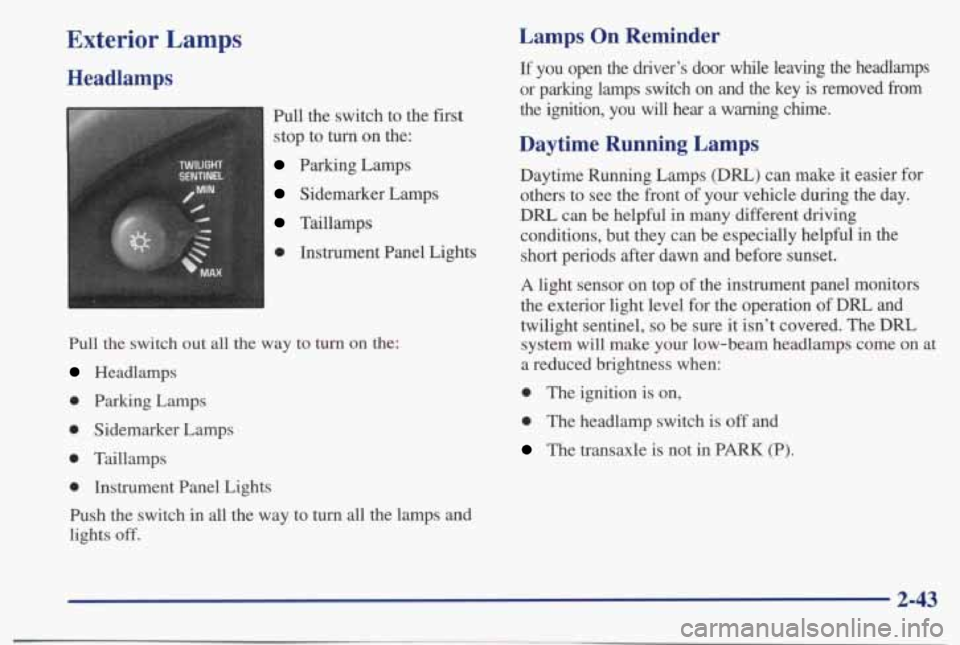
Pull the switch to the first
stop to turn on the:
Parking Lamps
Sidemarker Lamps
Taillamps
0 Instrument Panel Lights
Pull the switch out all the way to turn on the:
Headlamps
0 Parking Lamps
0 Sidemarker Lamps
0 Taillamps
0 Instrument Panel Lights
Push the switch
in all the way to turn all the lamps and
lights
off.
Lamps On Reminder
If you open the driver’s door while leaving the headlamps
or parking lamps switch on and the key is removed
from
the ignition, you will hear a warning chime.
Daytime Running Lamps
Daytime Running Lamps (DIU) can make it easier for
others to see the front of your vehicle during the day.
DRL can be helpful in many different driving
conditions, but they can be especially helpful
in the
short periods after dawn and before sunset.
A light sensor on top of the instrument panel monitors
the exterior light level for the operation
of DRL and
twilight sentinel,
so be sure it isn’t covered. The DRL
system
will make your low-beam headlamps come on at
a reduced brightness when:
0 The ignition is on,
0 The headlamp switch is off and
The transaxle is not in PARK (P).
2-43
Page 103 of 395
Twilight sentinel will keep your headlamps on for
up to three minutes, to light your way when you leave
your vehicle.
To operate twilight sentinel, turn the control to MAX for
the three minute delay.
Turn it the other way to reduce
the delay.
Turn the control to MIN to turn twilight
sentinel
off.
Also, it’s possible that your headlamps may go out if
you drive fiom a dark area into a bright area like a
lighted parking
lot. If this happens, turn on your
headlamps with the regular headlamp switch.
Interior Lamps
Instrument Panel IntensityBrightness
Control
You can brighten or dim your instrument cluster lights
by
turning the headlamp switch. Turn the switch to the
right to brighten the instrument cluster lights and
displays. Turn the switch to the right all the way to turn
on the interior courtesy lamps. Turn the switch to the
left to dim the instrument cluster lights and displays
and
to turn off the courtesy lamps.
Delayed Illumination
When you open the door to enter your vehicle, the
interior lamps
will come on. When you close the door
with the ignition off, the interior lamps will stay on for
25 seconds or until the ignition is turned to an on
position. Please note that locking the doors with the
power door lock switch
will override the delayed
illumination feature
and the lamps will turn off
right away.
Page 104 of 395
Theater Dimming
This feature allows for a three to five-second fade out of
the courtesy lamps instead of immediate turn off.
Exit Lighting
With this feature, the interior lamps will come on for
25 seconds after you remove the key from the ignition.
This will give you time to find the door pull handle or
lock switches as you exit the vehicle.
Illuminated Entry (Option)
When you press the unlock button on the optional
remote keyless entry transmitter, the lamps inside your
vehicle will
go on. These lamps will go off after about
25 seconds, or when you start your engine. Pressing the
lock button on your remote keyless entry transmitter
will turn the lights immediately
off.
If a door is left ajar, your interior lamps will turn off
after 10 minutes to save your battery.
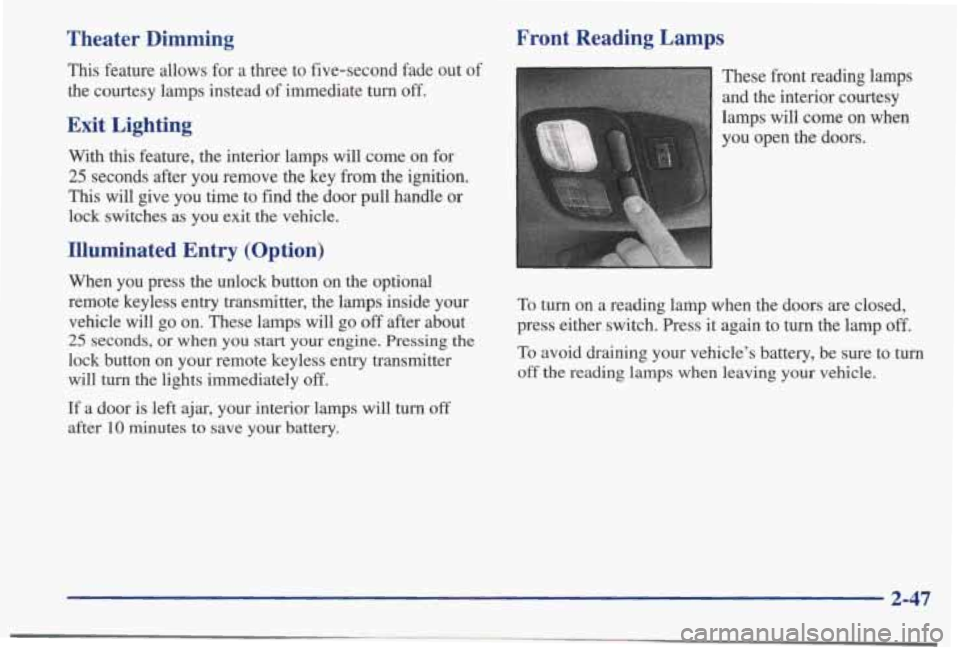
Front Reading Lamps
These front reading lamps
and the interior courtesy
lamps will come on when
you open the doors.
To turn on a reading lamp when the doors are closed,
press either switch. Press it again to turn the lamp
off.
To avoid draining your vehicle’s battery, be sure to turn
off the reading lamps when leaving your vehicle.
2-47