ignition PONTIAC BONNEVILLE 1998 Service Manual
[x] Cancel search | Manufacturer: PONTIAC, Model Year: 1998, Model line: BONNEVILLE, Model: PONTIAC BONNEVILLE 1998Pages: 395, PDF Size: 17.6 MB
Page 129 of 395
Check Oil Level Warning Light
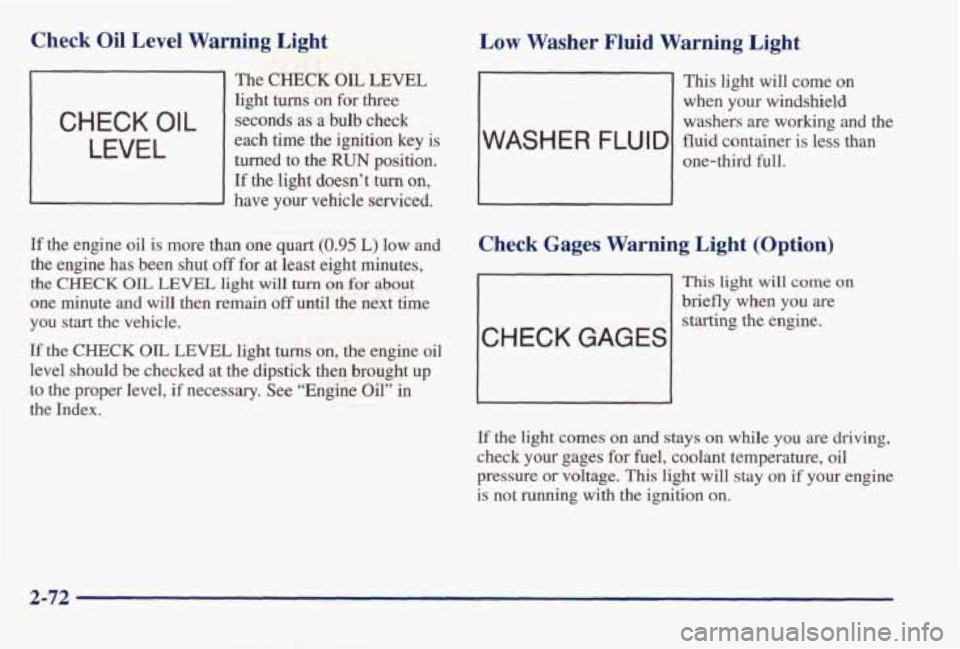
The CHECK OIL LEVEL
light turns on for three
each time the ignition key is turned to the
RUN position.
If the light doesn’t turn on,
- have your vehicle serviced.
C H EC K 0 I L seconds as a bulb check
LEVEL
If the engine oil is more than one quart (0.95 L) low and
the engine has been shut off for at least eight minutes,
the CHECK OIL LEVEL light will turn on for about
one minute and will then remain off until the next time
you start the vehicle.
If the CHECK OIL LEVEL light turns on, the engine oil
level should be checked at the dipstick then brought up
to the proper level, if necessary. See “Engine Oil” in
the Index.
Low Washer Fluid Warning Light
- This light will come on
when your windshield
washers are working
and the
one-third full.
WASH E R FLU I D fluid container is less than
Check Gages Warning Light (Option)
CHECK GAGES
This light will come on
briefly when you are
starting
the engine.
If
the light comes on and stays on while you are driving,
check your gages for fuel, coolant temperature, oil
pressure
or voltage. This light will stay on if your engine
is not running with the ignition
on.
2-72
Page 130 of 395
Fuel Gage
UNLEADED
FUEL ONLY
UNLEADED
FUEL ONLY
Cluster with Gages Cluster with Compass
and Gages
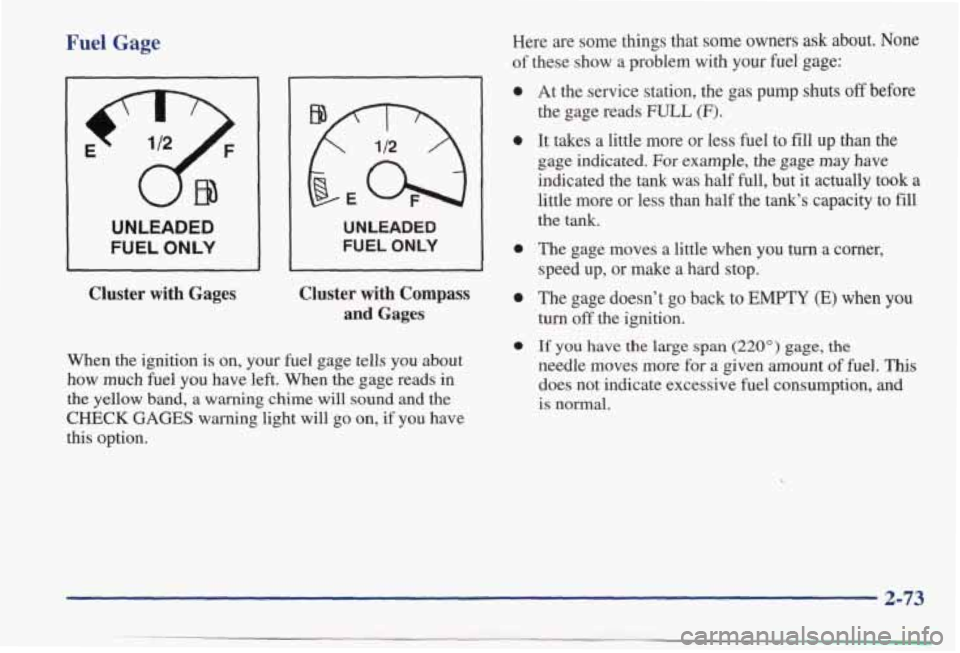
When the ignition
is on, your fuel gage tells you about
how much
fuel you have left. When the gage reads in
the yellow band, a warning
chime will sound and the
CHECK GAGES warning light will go on, if you have
this option. Here are some things that some owners ask about. None
of these show a problem with your fuel gage:
0
0
0
0
0
At
the service station, the gas pump shuts off before
the gage reads
FULL (F).
It takes a little more or less fuel to fill up than the
gage indicated. For example, the gage may have
indicated the tank was half
full, but it actually took a
little more or less than half the tank's capacity to fill
the tank.
The gage moves a little when you
turn a comer,
speed up, or make a hard stop.
The gage doesn't go back to
EMPTY (E) when you
turn off the ignition.
If you have the large span (220") gage, the
needle moves more for a given amount of fuel. This
does not indicate excessive fuel consumption, and
is normal.
2-73
Page 132 of 395
CHECK GAGES 0
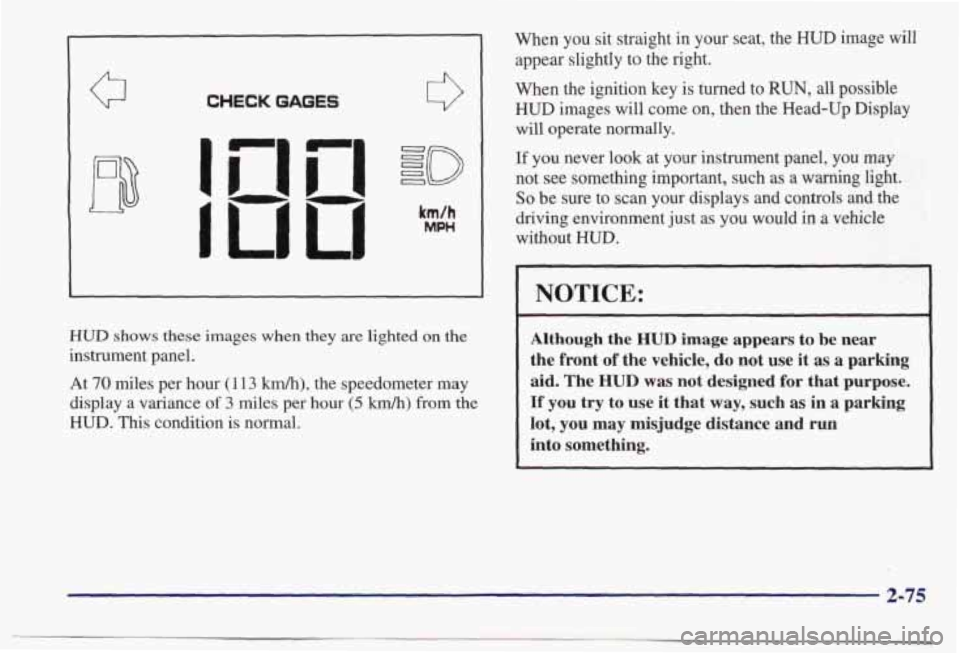
HUD shows these images when they are lighted on the
instrument panel. At
70 miles per hour (1 13 kmk), the speedometer may
display a variance
of 3 miles per hour (5 km/h) from the
HUD. This condition is normal. When you sit straight
in your seat, the HUD image will
appear slightly to the
right.
When the ignition key is turned to RUN, all possible
HUD images will come on, then the Head-Up Display
will operate normally.
If you never look at your instrument panel, you may
not see something important, such as a warning light.
So be sure to scan your displays and controls and the
driving environment just as you
would in a vehicle
without
HUD.
NOTICE:
Although the HUD image appears to be near
the front
of the vehicle, do not use it as a parking
aid.
The HUD was not designed for that purpose.
If you try to use it that way, such as in a parking
lot, you may misjudge distance and run
into something.
2-75
Page 134 of 395
If you can’t see the HUD image when the ignition is on,
check to see if:
0 The headlamps are on.
0 The HUD unit is covered.
0 The HUD dimmer control is adjusted correctly.
0 The HUD image is adjusted to the proper height.
A fuse in the fuse panel may be blown. See “Fuses
and Circuit Breakers” in the Index.
If the HUD image is not clear, it could be too bright.
Move the HUD dimmer control further downward. You
may need to clean the windshield and
HUD lens.
Your windshield is part of the HUD system. If you ever
have to have a new
windshield, be sure to get one
designed for HUD. If you don’t, the HUD image may
look blurred
and out of focus.
Driver Information Center (Option)
DRIVER
CHECK OIL LEVEL
WABHER
FLUID
LOW COOLANT
CHECK WE8
HOOD DOOR
TRUNK
AJAR
MILES
888888
m
LAMP
MONITOR
HI BEAM HEAD
PARK
LAMP
TURN WONAL
BACK UP TAIL
BRAKE LAMP
TRIP
8 s 8 8.8
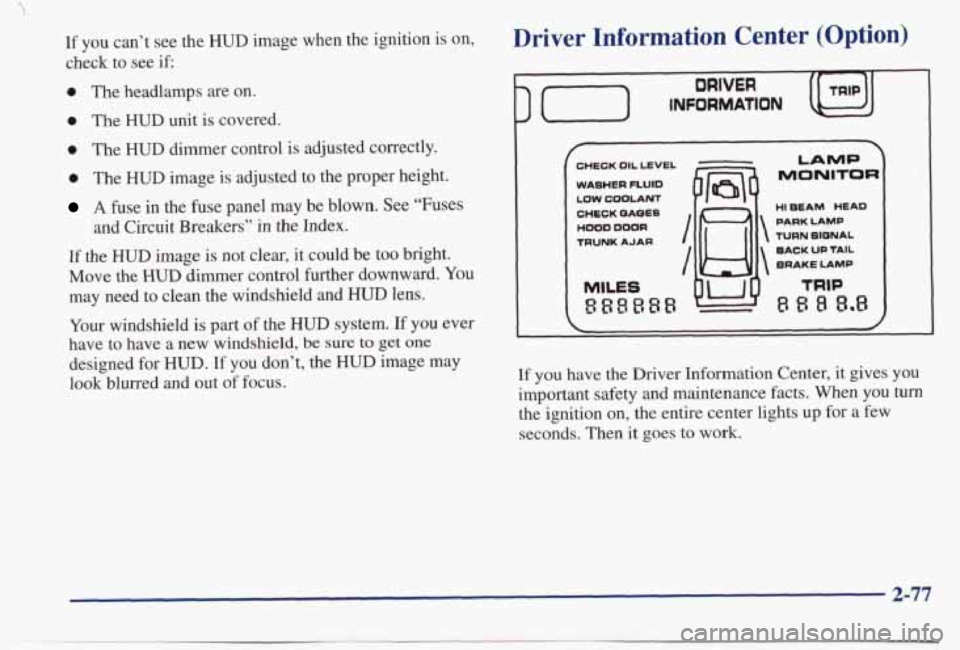
If you have the Driver Information Center, it gives you
important safety and maintenance facts.
When you turn
the ignition on, the entire center lights up for a few
seconds. Then it goes
to work.
2-77
Page 152 of 395
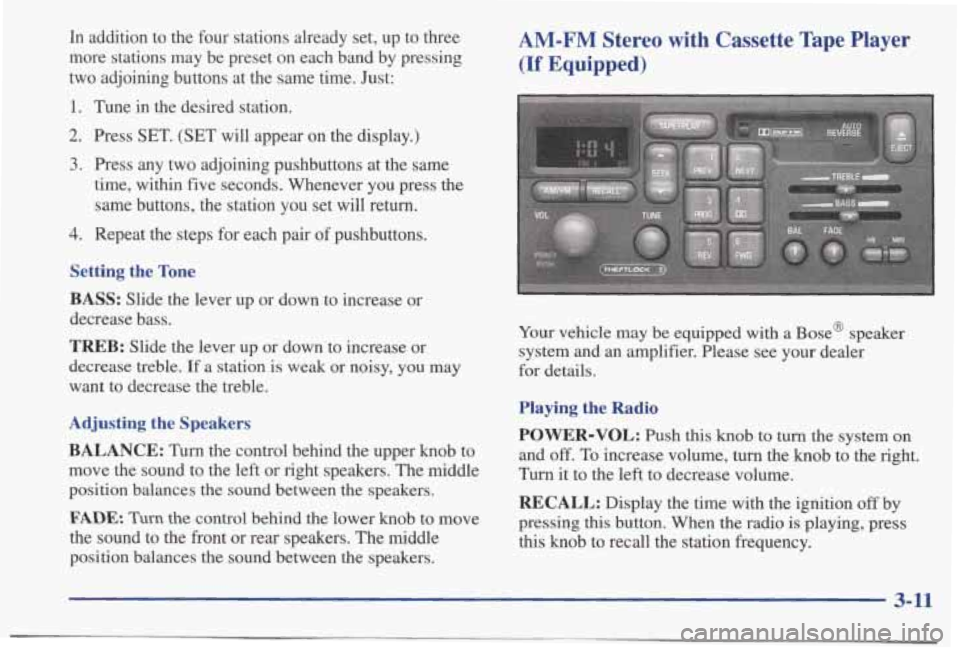
In addition to the four stations already set, up to three
more stations may be preset on each band by pressing
two adjoining buttons at the same time. Just:
1. Tune in the desired station.
2. Press SET. (SET will appear on the display.)
3. Press any two adjoining pushbuttons at the same
time,
within five seconds. Whenever you press the
same buttons, the station you set will return.
4. Repeat the steps for each pair of pushbuttons.
Setting the Tone
BASS:
Slide the lever up or down to increase or
decrease bass.
TREB: Slide the lever up or down to increase or
decrease treble.
If a station is weak or noisy, you may
want to decrease the treble.
Adjusting the Speakers
BALANCE:
Turn the control behind the upper knob to
move the sound to the left or right speakers. The middle
position balances the sound between the speakers.
FADE. Turn the control behind the lower knob to move
the sound to the front or rear speakers. The middle
position balances the sound between the speakers.
AM-FM Stereo with Cassette Tape Player
(If Equipped)
Your vehicle may be equipped with a Base@ speaker
system and an amplifier. Please see your dealer
for details.
Playing the Radio
POWER-VOL:
Push this knob to turn the system on
and off. To increase volume, turn the knob to the right.
Turn it to the left to decrease volume.
RECALL: Display the time with the ignition off by
pressing this button. When the radio is playing, press
this knob to recall the station frequency.
3-11
Page 155 of 395
Dolby Noise Reduction is manufactured under a license
from Dolby Laboratories Licensing Corporation. Dolby and the double-D symbol
are trademarks of Dolby
Laboratories Licensing Corporation.
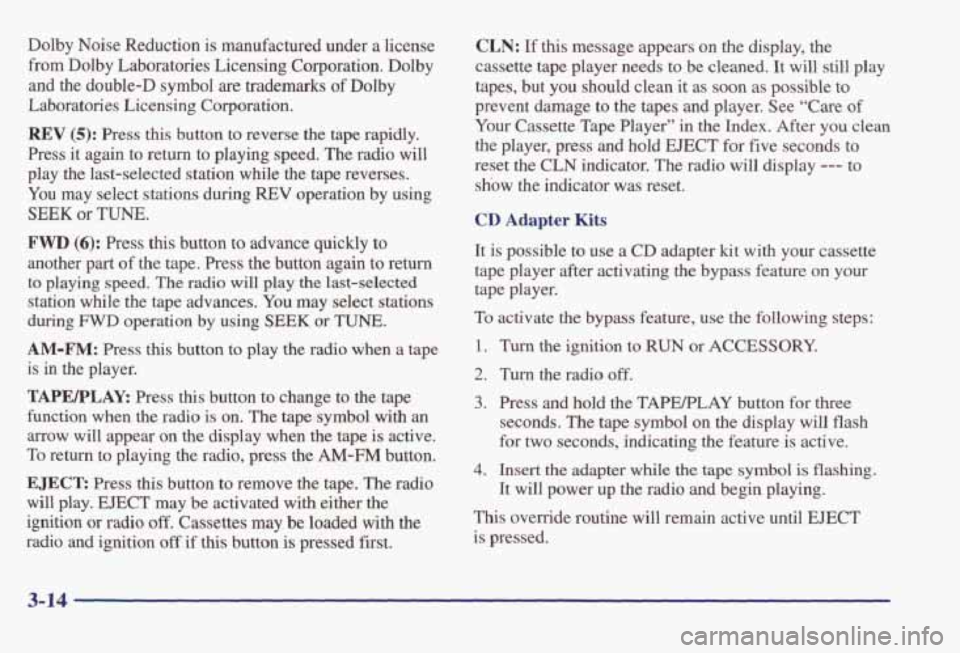
REV (5): Press this button to reverse the tap rapidly.
Press it again to return to playing speed. The radio will
play the last-selected station while the tape reverses.
You may select stations during REV operation by using
SEEK or TUNE.
FWD (6): Press this button to advance quickly to
another part of the tape. Press the button again to return
to playing speed. The radio will play the last-selected
station while the tape advances.
You may select stations
during
FWD operation by using SEEK or TUNE.
AM-F”: Press this button to play the radio when a tape
is
in the player.
TAPWLAk Press this button to change to the tape
function when the radio is on. The tape symbol with
an
arrow will appear on the display when the tape is active.
To return to playing the radio, press the
AM-FM button.
EJECT: Press this button to remove the tape. The radio
will play.
EJECT may be activated with either the
ignition or radio
off. Cassettes may be loaded with the
radio and ignition
off if this button is pressed first.
CLN: If this message appears on the display, the
cassette tape player needs to be cleaned. It will still play
tapes, but you should clean
it as soon as possible to
prevent damage to the tapes and player. See “Care
of
Your Cassette Tape Player” in the Index. After you clean
the player, press and hold EJECT for five seconds to
reset
the CLN indicator. The radio will display --- to
show the indicator was reset.
CD Adapter Kits
It is possible to use a CD adapter kit with your cassette
tape player after activating the bypass feature on your
tape player.
To activate the bypass feature, use the following steps:
1. Turn the ignition to RUN or ACCESSORY.
2. Turn the radio off.
3. Press and hold the TAPERLAY button for three
seconds. The tape symbol on the display will flash
for two seconds, indicating the feature is active.
4. Insert the adapter while the tape symbol is flashing.
It will power up the radio
and begin playing.
This override routine
will remain active until EJECT
is pressed.
Page 156 of 395
AM-FM Stereo with Cassette Tape Player
and Equalizer
(If Equipped)
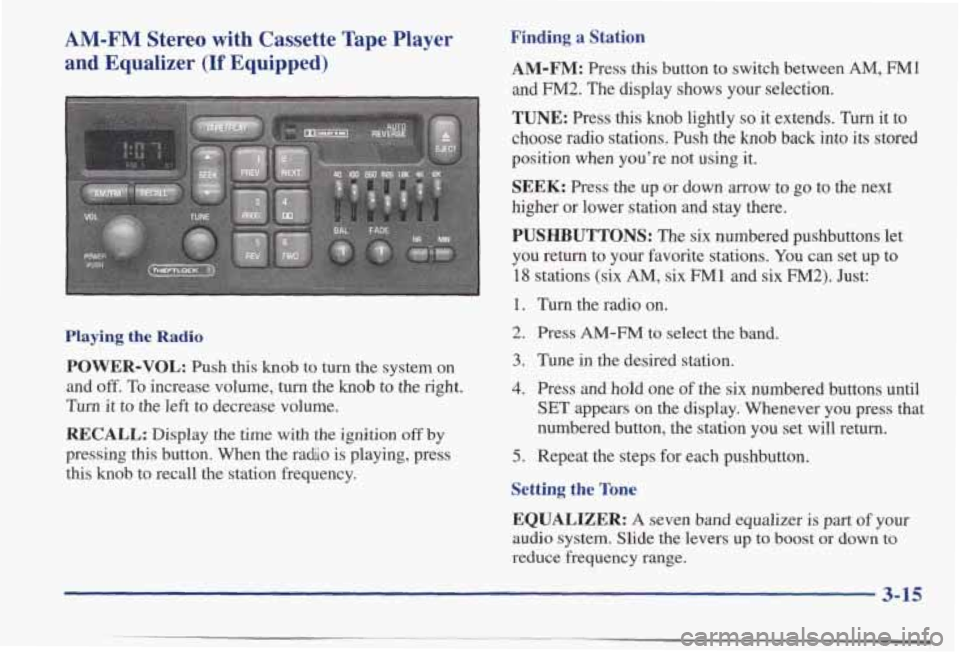
Playing the Radio
POWER-VOL: Push this knob to turn the system on
and
off. To increase volume, turn the knob to the right.
Turn it to the left to decrease volume.
RECALL: Display the time with the ignition off by
pressing this button. When the ra&o is playing, press
this
knob to recall the station frequency.
Finding a Station
AM-FM: Press this button to switch between AM, FM1
and FM2. The display shows your selection.
TUNE: Press this knob lightly so it extends. Turn it to
choose radio stations.
Push the knob back into its stored
position when you’re not using it.
SEEK: Press the up or down arrow to go to the next
higher or lower station and stay there.
PUSHBUTTONS: The six numbered pushbuttons let
you return to your favorite stations.
You can set up to
18 stations (six AM, six FM 1 and six FM2). Just:
1. Turn the radio on.
2. Press AM-FM to select the band.
3. Tune in the desired station.
4. Press and hold one of the six numbered buttons until
SET appears on the display. Whenever you press that
numbered button, the station you set will return.
5. Repeat the steps for each pushbutton.
Setting the Tone
EQUALIZER:
A seven band equalizer is part of your
audio system. Slide the levers up to boost or down to
reduce frequency range.
3-15
Page 158 of 395
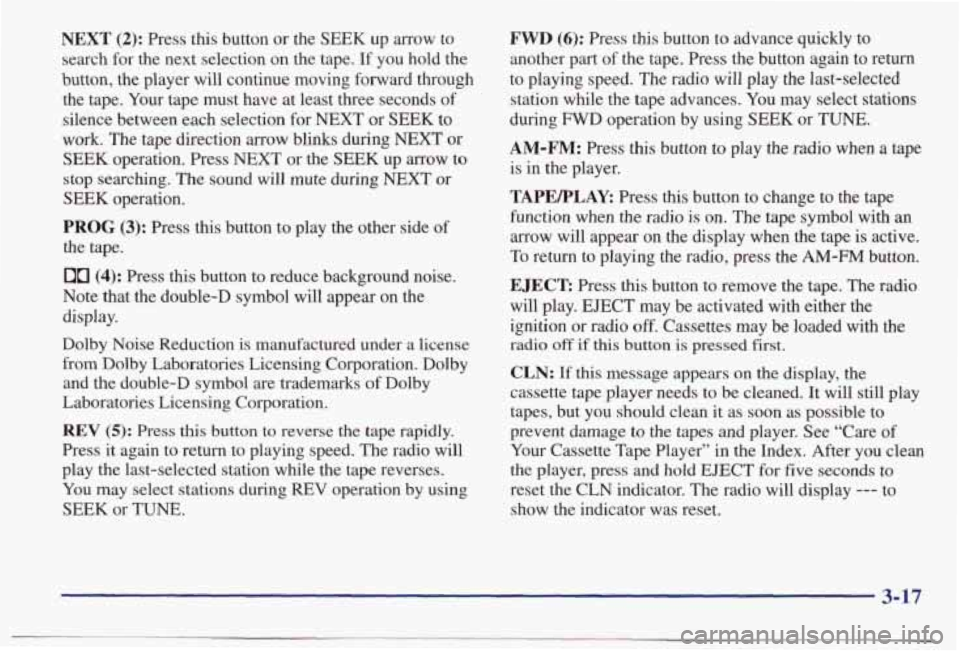
NEXT (2): Press this button or the SEEK up arrow to
search for the next selection on the tape. If you hold the
button, the player will continue moving forward through the tape. Your tape must have at least three seconds of
silence between each selection for NEXT or
SEEK to
work. The tape direction
arrow blinks during NEXT or
SEEK operation. Press NEXT or the SEEK up arrow to
stop searching. The sound will mute during NEXT or
SEEK operation.
PROG (3): Press this button to play the other side of
the tape.
00 (4): Press this button to reduce background noise.
Note that the double-D symbol
will appear on the
display.
Dolby Noise Reduction is manufactured under a license
from Dolby Laboratories Licensing Corporation. Dolby and the double-D symbol are trademarks of Dolby
Laboratories Licensing Corporation.
REV (5): Press this button to reverse the tape rapidly.
Press it again to return to playing speed. The radio will
play the last-selected station while the tape reverses.
You may select stations during
REV operation by using
SEEK or TUNE.
FWD (6): Press this button to advance quickly to
another part of the tape. Press the button again to return
to playing speed. The radio will play the last-selected station while the tape advances. You may select stations
during
FWD operation by using SEEK or TUNE.
AM-FM: Press this button to play the radio when a tape
is
in the player.
TAPEFLAR Press this button to change to the tape
function when the radio
is on. The tape symbol with an
arrow will appear on the display when the tape is active.
To return to playing the radio, press the AM-FM button.
EJECT: Press this button to remove the tape. The radio
will play.
EJECT may be activated with either the
ignition or radio
off. Cassettes may be loaded with the
radio off if this button is pressed first.
CLN: If this message appears on the display, the
cassette tape player needs to be cleaned.
It will still play
tapes, but you should clean it as soon as possible to
prevent damage to the tapes and player. See “Care of
Your Cassette Tape Player” in the Index. After you clean
the player, press and hold
EJECT for five seconds to
reset the CLN indicator. The radio will display
--- to
show the indicator was reset.
3-17
Page 159 of 395
CD Adapter Kits
It is possible to use a CD adapter kit with your cassette
tape player after activating the bypass feature
on your
tape player.
To activate the bypass feature, use the following steps:
1. Turn the ignition to RUN or ACCESSORY.
2. Turn the radio off.
3. Press and hold the TAPEPLAY button for three
seconds.
The tape symbol on the display will flash
for two seconds, indicating the feature is active.
4. Insert the adapter while the tape symbol is flashing.
It will power up the radio and begin playing.
This override routine will remain active until EJECT
is pressed.
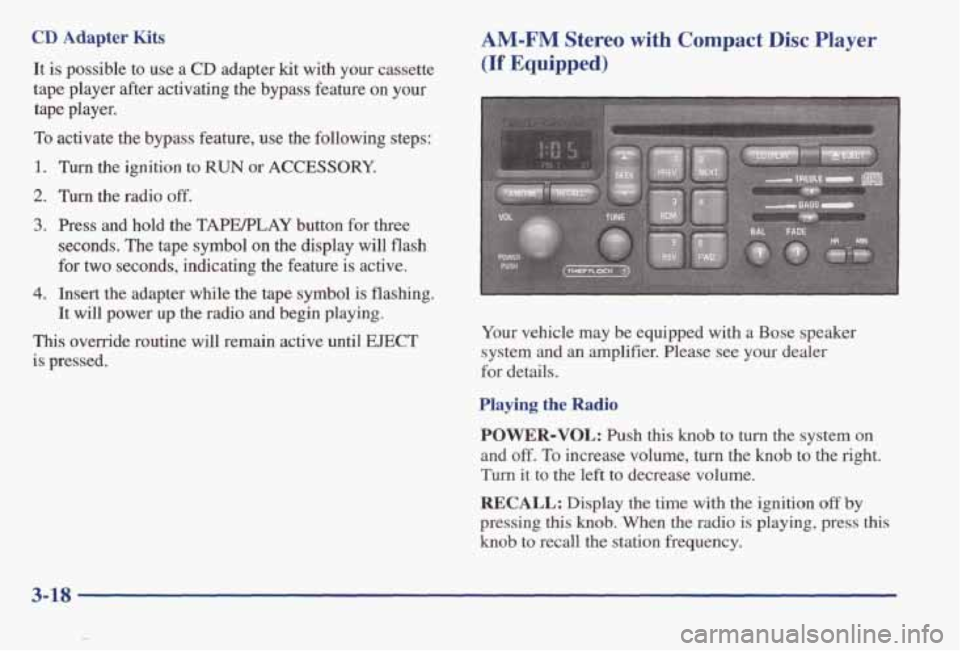
AM-FM Stereo with Compact Disc Player
(If Equipped)
Your vehicle may be equipped with a Bose speaker
system
and an amplifier. Please see your dealer
for details.
Playing the Radio
POWER-VOL:
Push this knob to turn the system on
and
off. To increase volume, turn the knob to the right.
Turn it to the left to decrease volume.
RECALL: Display the time with the ignition off by
pressing this knob. When the radio is playing, press this
knob to recall the station frequency.
3-18
Page 161 of 395
Playing a Compact Disc
Insert a disc partway into the slot, label side up. The
player will pull it in. The compact disc symbol
will
appear on the display. If the ignition and the radio are
on, the disc will begin playing.
CD will appear on the
display next
to the compact disc symbol. If you want to
insert a disc when the ignition is
off, fist press EJECT.
The integral CD player can play the smaller 8 cm
“single” discs. Full-size compact discs and the smaller
discs
are loaded in the same manner.
If you’re driving on a very rough road or if it’s very hot,
the disc may not play and E (error) and a number may
appear on the radio display. If the disc comes out, it
could be that:
The disc is upside down.
It is dirty, scratched or wet.
The air is very humid. (If so, wait about an hour and
If any error occurs repeatedly
or if an error can’t be
corrected, please contact your dealer.
If your radio
displays
an error number, write it down and provide it to
your dealer when reporting the problem.
try again.)
PREV (1): Press this button or the SEEK down arrow to
go to the start of the current track if more than eight
seconds
have played. If you hold the button or press it
more
than once, the player will continue moving back
through the disc.
NEXT (2): Press this button or the SEEK up arrow to
go to the start of the next track. If you hold the button or
press it more than once, the player will continue moving
forward through the disc.
RDM (3): Press this button to hear the tracks in random,
rather
than sequential, order. The display will show
RDM. Press RDM again to turn off random play.
REV (5): Press and hold this button to quickly reverse
within a track. Release it to play the passage. You will
hear sound at a reduced volume. The display will show
elapsed time.
3-20