tow PONTIAC BONNEVILLE 2003 User Guide
[x] Cancel search | Manufacturer: PONTIAC, Model Year: 2003, Model line: BONNEVILLE, Model: PONTIAC BONNEVILLE 2003Pages: 418, PDF Size: 20.24 MB
Page 99 of 418
Leaving Your Vehicle With the Engine
Running
It can be dangerous to leave your vehicle with
the engine running. Your vehicle could move
suddenly if the shift lever is not fully in
PARK
(P) with the parking brake firmly set.
And, if you leave the vehicle with the engine
running, it could overheat and even catch fire.
You or others could be injured. Don’t leave
your vehicle with the engine running.
If you have to leave your vehicle with the engine
running, be sure your vehicle is in PARK (P) and your
parking brake is firmly set before you leave it. After
you’ve moved the shift lever into PARK (P), hold
the regular brake pedal down. Then, see
if you can
move the shift lever away from PARK (P) without first
pulling it toward you (or,
if you have the console
shift lever, without first pushing the button). If you can,
it
means that the shift lever wasn’t fully locked into
PARK (P).
Torque Lock
If you are parking on a hill and you don’t shift your
transaxle into PARK (P) properly, the weight of
the vehicle may put
too much force on the parking pawl
in the transaxle. You may find it difficult to pull the
shift lever out of PARK (P). This is called “torque lock.’’
To prevent torque lock, set the parking brake and
then shift into PARK (P) properly before you leave the
driver’s seat. To find out how, see
Shifting Into Park (P)
on page 2-32.
When you are ready to drive, move the shift lever out OT
PARK (P) before you release the parking brake.
If torque lock does occur, you may need
to have another
vehicle push yours a little uphill to take some of the
pressure from the parking pawl in the transaxle,
so you
can pull the shift lever out of PARK
(P).
2-34
Page 103 of 418
Mirrors
Manual Rearview Mirror
When you are sitting in a comfortable driving position,
adjust the mirror
so you can see clearly behind your
vehicle. Grip the mirror in the center to move it up
or down and side to side. The dayhight adjustment
allows you
to adjust the mirror to avoid glare from any
headlamps behind you. Push the tab away from
you for daytime use; pull it toward you for night use.
Automatic Dimming Rearview Mirror
Your vehicle may have an automatic dimming rearview
mirror. Your vehicle’s mirror may also contain Onstar@
controls. See
OnStaP System on page 2-40 for
more information.
At night, when the glare is too high, the mirror will
gradually darken to reduce glare. This change may take
a few seconds. The mirror will return to its clear
daytime state when the glare is reduced.
Mirror Operation
AUTO: Press this button to turn on the automatic
dimming feature.
OFF: Press this button to turn off the automatic
dimming feature.
6 (On/Off): For mirrors equipped with OnStaP
controls, press this button to turn on the automatic
dimming feature. To turn
off automatic dimming, press
this button again.
The indicator light will be illuminated when this feature
is active.
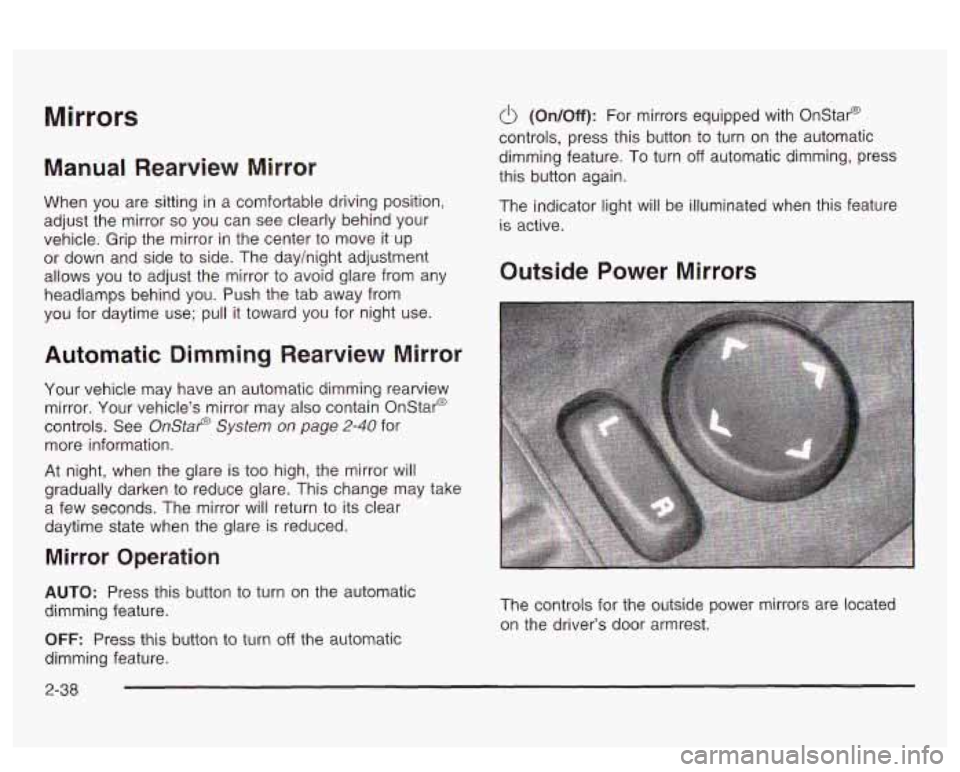
Outside Power Mirrors
The controls for the outside power mirrors are located
on the driver’s door armrest.
2-38
Page 112 of 418
Sunroof
Your vehicle may be equipped with a sunroof.
The sunroof has both manual and express features for
opening the glass panel and sunshade. Comfort
Stop: Press and
release the switch rearward
to the second position to express open the glass
panel to the comfort stop position. The comfort stop
position
is designed to help reduce noise and make
passengers more comfortable.
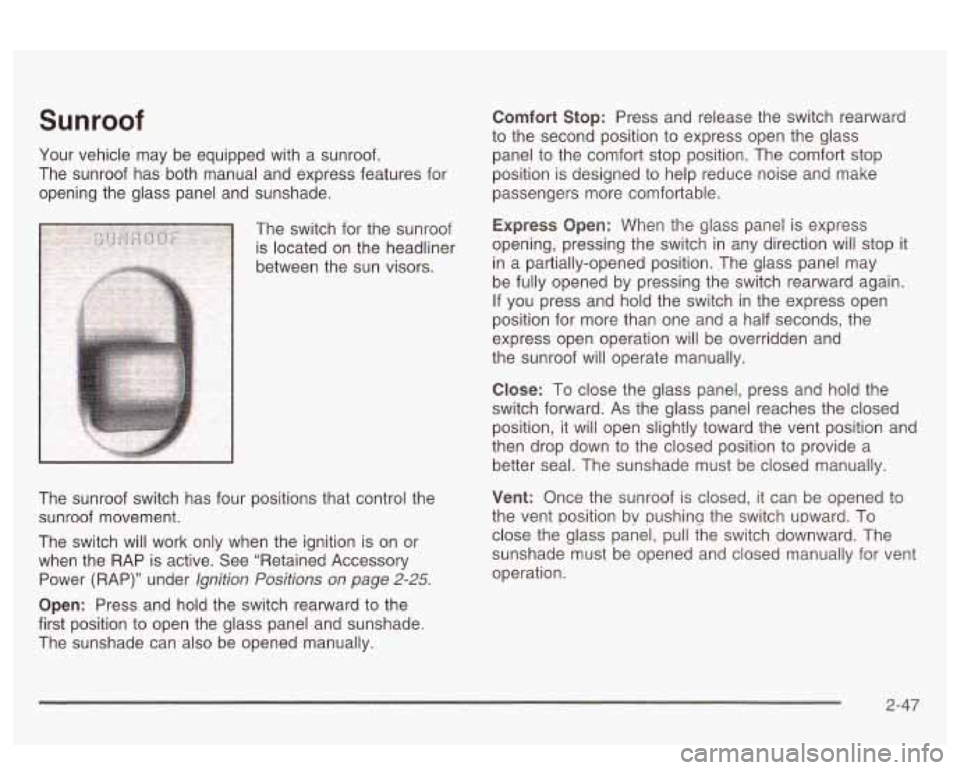
The switch for the sunroof
Express Opefl: When the glass panel is express
is located on the headliner opening,
pressing the switch in any direction
Will Stop it
between the sun visors. in
a partially-opened position. The glass panel may
be fully opened by pressing the switch rearward again.
If you press and hold the switch in the express open
position for more than one and a half seconds, the
express open operation will be overridden and
the sunroof will operate manually.
The sunroof switch has four positions that control the
sunroof movement.
The switch will work only when the ignition is on or
when the RAP is active. See “Retained Accessory
Power (RAP)” under
lgnition Positions on page 2-25.
Open: Press and hold the switch rearward to the
first position to open the glass panel and sunshade.
The sunshade can also be opened manually.
C!ose: To close the g!ass panel, press and held the
switch forward. As the glass panel reaches the closed
position, it will open slightly toward the vent position and
then drop down to the closed position to provide a
better seal. The sunshade must be closed manually.
Vent: Once the sunroof is closed, it can be opened to
the vent position bv pushina the switch upward. To
close the glass panel, pull the switch downward. The
sunshade must be opened and closed manually for vent
operation.
2-47
Page 121 of 418
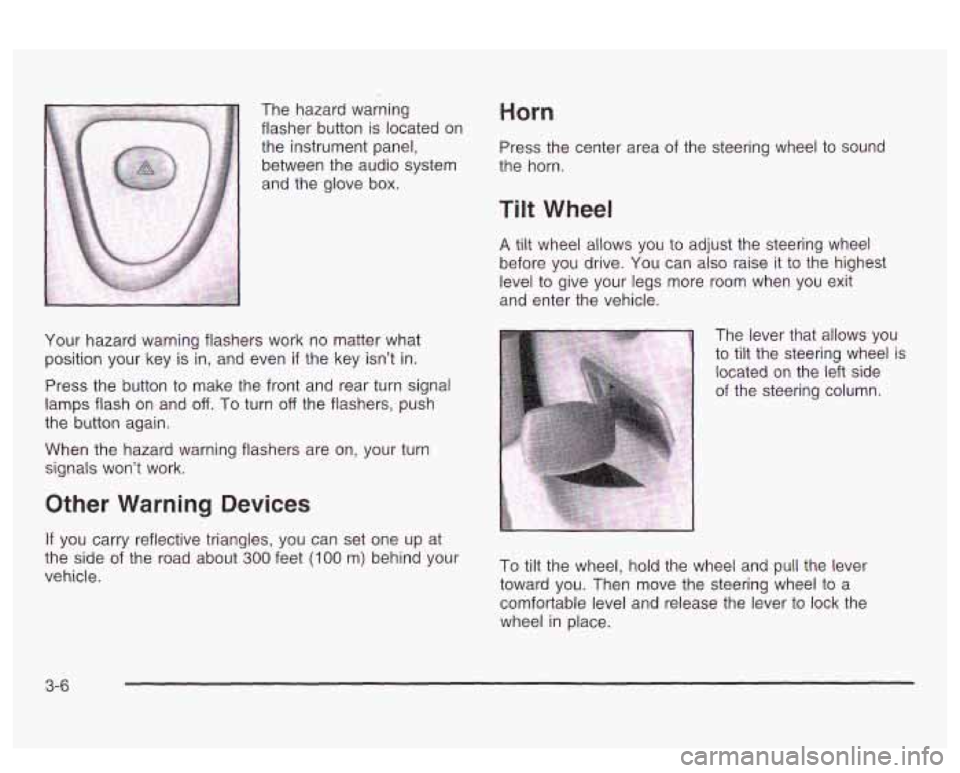
The hazard warning
flasher button is located on
the instrument panel,
between the audio system
and the glove box. Horn
Press the center area of the steering wheel to sound
the horn.
Tilt Wheel
A tilt wheel allows you to adjust the steering wheel
before you drive. You can
also raise it to the highest
level to give your legs more room when you exit
and enter the vehicle.
Your hazard warning flashers work no matter what
position your key is
in, and even if the key isn't in.
Press the button to make the front and rear turn signal
lamps flash on and off. To turn off the flashers, push
the button again.
When the hazard warning flashers are on, your turn
signals won't work. The lever that allows you
to
tilt the steering wheel is
located
on the left side
of the steering column.
Other Warning Devices
If you carry reflective triangles, you can set one up at
vehicle.
the side Of the road about 300 feet (loo m, behind your To tiit the wheel, hold the wheel and pull the lever
toward you. Then move the steering wheel to a
comfortable level and release the lever to lock the
wheel in place.
3-6
Page 123 of 418
Turn Signal On Chime
If your turn signal is left on for more than 3/4 of a mile
(1.2 km), a chime will sound at each flash of the
turn signal. To turn
off the chime, move the turn signal
lever
to the off position.
Headlamp High/Low-Beam Changer
To change the headlamps from low beam to high beam,
push the lever forward. To change from high beam
to
low beam, pull the turn signal lever toward you,
then release it.
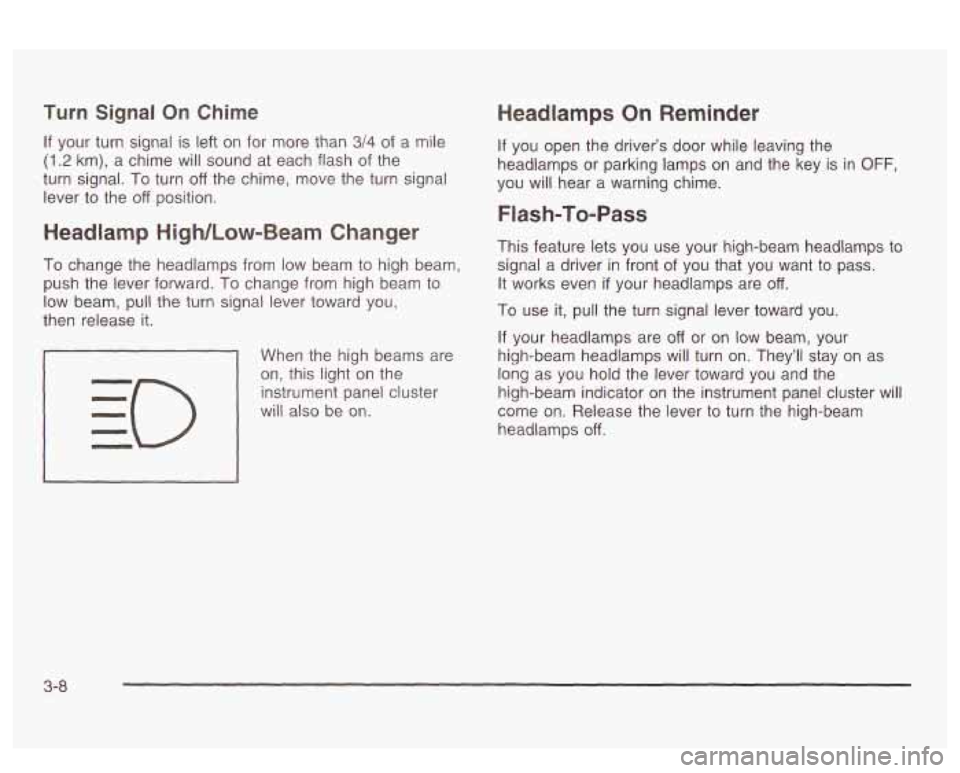
When the high beams are
on, this light on the
instrument panel cluster
will also be on.
Headlamps On Reminder
If you open the driver’s door while leaving the
headlamps or parking lamps
on and the key is in OFF,
you will hear a warning chime.
Flash-To-Pass
This feature lets you use your high-beam headlamps to
signal a driver in front of you that you want to pass.
It works even
if your headlamps are off.
To use it, pull the turn signal lever toward you.
If your headlamps are off or on low beam, your
high-beam headlamps will turn on. They’ll stay on as
long as you hold the lever toward you and the
high-beam indicator on the instrument panel cluster will
come on. Release the lever
to turn the high-beam
headlamps
off.
3-8
Page 127 of 418
You’ll go right back up to your chosen speed and stay
there. Remember that
if you hold the lever at R/A,
the vehicle will keep going faster until you release the
It to
switch or apply the brake--
So unless you wat
go faster, don’t hold the lever at R/A.
Increasing Speed While Using Cru
Control
There are two ways to go to a higher speed.
ise
Use the accelerator pedal to get to the higher
speed. Press the SET button and then release it as
well as the accelerator pedal. You’ll now cruise
at the higher speed.
Move the cruise switch to R/A. Hold it there until
you get up to the speed you want, and then
release it.
To increase your speed in very small
amounts, move the switch to RIA briefly and then
release it. Each time you do this, your vehicle will go
about 1 mph
(1 -6 km/h) faster.
The accelerate feature will only work after you have set
the cruise control speed by pressing the SET button.
Reducing Speed While Using Cruise
Control
There are two ways to reduce your speed while using
cruise control:
Press and hold the SET button until you get to the
speed you want, and then release it.
To slow down in very small amounts, press and
release the
SET button briefly. Each time you
do this, you’ll go about 1 mph (1.6 km/h) slower.
Passing Another Vehicle While Using
Cruise Control
Use the accelerator pedal to increase your speed.
When you take your foot
off the pedal, your vehicle will
slow down to the cruise control speed you set earlier.
Using Cruise Control on Hills
How well your cruise control will work on hills depends
upon your speed, load and the steepness
of the
hills. When going up steep hills, you may have to step
on the accelerator pedal to maintain your speed.
When going downhill, you may have to brake or shift to
a lower gear to keep your speed down. Of course,
applying the brake takes you out of cruise control. Many
drivers find this to be too much trouble and don’t use
cruise control on steep hills.
Ending Cruise Control
There are three ways to turn off the cruise control:
Step lightly on the brake pedal,
move.the cruise switch to OFF, or
pull the multifunction lever toward the driver.
3-1
2
Page 144 of 418
Manual Operation
DRIVER (Driver’s Side Temperature): The knob on
the left is used to change the temperature of the
air coming through the system on the driver’s side of
the vehicle. Push this knob to turn the system on and
off.
Turn the knob toward the blue area to decrease the
set temperature, and toward the red area to increase the
set temperature. When this knob is adjusted, the word
DRIVER will be displayed under the set temperature.
When the passenger’s set temperature is not active, this
knob controls both the driver’s and passenger’s side,
and both DRIVER and PASS will be displayed under the
set temperature.
PASS (Passenger’s Side Temperature): The knob on
the right is used to change the temperature of the air
coming through the system on the passenger’s side of
the vehicle. Push this knob to turn the system on
and
off. Turn the knob toward the blue area to decrease
the set temperature, and toward the red area to
increase the set temperature. When this knob is
adjusted, only the word PASS will be displayed under
the set temperature.
@ FAN: Pressing the FAN button will display and hold
the current fan speed while in manual mode. Press
the
HIGH side to increase fan speed and the LOW side
to decrease the fan speed.
MODE: Press this button repeatedly to cycle through
and choose the mode of air delivery into the vehicle. The
system will stay in the selected mode until MODE is
pressed again or until the AUTO button is pressed.
FLOOR: This mode directs most of the airflow to the
floor outlets with some directed to the outboard
outlets (for the side windows) and the windshield.
BI-LEVEL: This mode directs airflow through the
instrument panel outlets and slightly warmer air through
the floor outlets.
PANEL: This mode directs airflow through the
instrument panel outlets.
Whenever MODE is pressed, the display will show the
current system settings for five seconds before
returning the display to the exterior temperature.
The mode button can also be used to select the DEFOG
mode. Information
on defogging and defrosting can
be found later in this section.
(Uulslut: nrrj. r ttaa Lilia UULIWI I cu LCII~I *---*-:-n- a:--\- nu-,, +L:- L,,++-- tr +ha
outside air mode on or off. When this mode is on,
outside air will circulate through your vehicle. When the
button is pressed, an indicator light in the button will
come on
to let you know that it is activated. The outside
air mode can be used with all modes except the
recirculation mode.
3-29
Page 157 of 418
On vehicles with a DIC, a CHECK CHARGE SYSTEM
message will be displayed and a warning chime will
sound
if there is a problem in the electrical system. Have
your vehicle serviced immediately. See
DIC Warnings
and Messages on page
3-60 for more information.
Brake System Warning Light
Your vehicle’s hydraulic brake system is divided into two
parts.
If one part isn’t working, the other part can still
work and stop you. For good braking, though, you need
both parts working well.
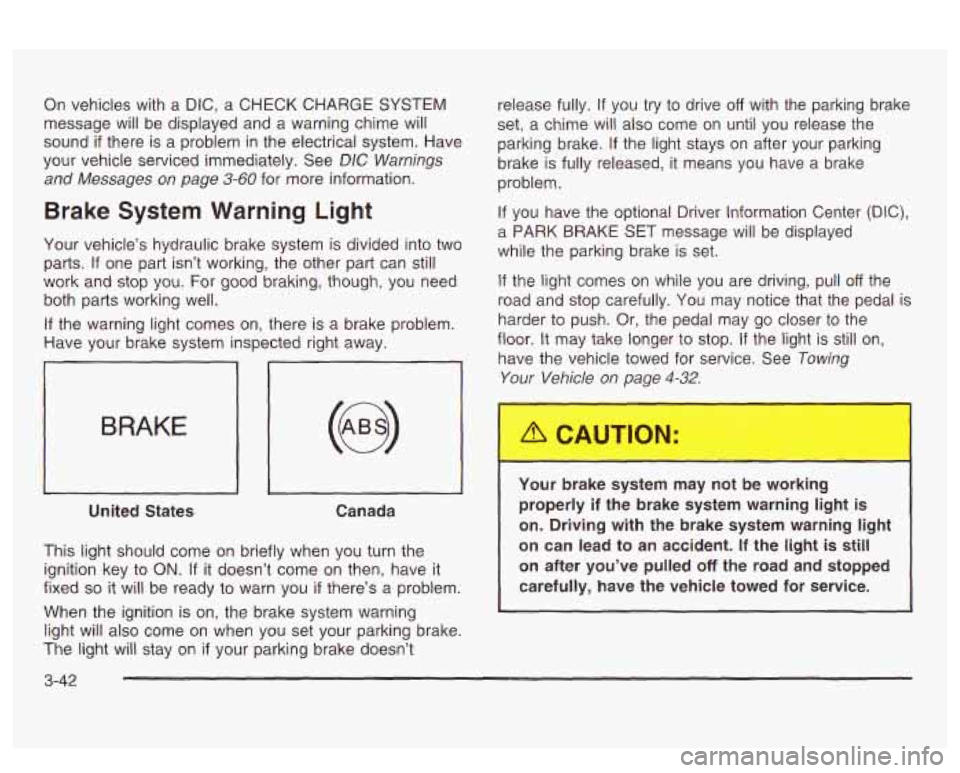
If the warning light comes on, there is a brake problem.
Have your brake system inspected right away.
iL
BRAKE
United States Canada
This light should come on briefly when you turn the
ignition key to
ON. If it doesn’t come on then, have it
fixed
so it will be ready to warn you if there’s a problem.
When the ignition is on, the brake system warning
light will also come on when you set your parking brake.
The light will stay on
if your parking brake doesn’t release fully.
If you
try to drive off with the parking brake
set,
a chime will also come on until you release the
parking brake.
If the light stays on after your parking
brake is fully released, it means you have a brake
problem.
If you have the optional Driver Information Center (DIC),
a PARK BRAKE SET message will be displayed
while the parking brake is set.
If the light comes on while you are driving, pull off the
road and stop carefully. You may notice that the pedal is
harder to push. Or, the pedal may go closer to the
floor.
It may take longer to stop. If the light is still on,
have the vehicle towed for service. See
Towing
Your Vehicle on page 4-32.
Your brake system may not be working
properly
if the brake system warning light is
on. Driving with the brake system warning light
on can lead to an accident.
If the light is still
on after you’ve pulled
off the road and stopped
carefully, have the vehicle towed for service.
I
3-42
Page 162 of 418
comes on to indicate that there is a problem and service
is required. Malfunctions often will be indicated by the
system before any problem is apparent. This may
prevent more serious damage to your vehicle. This
system is also designed to assist your service technician
in correctly diagnosing any malfunction.
Notice: If you keep driving your vehicle with this
light on, after a while, your emission controls
may not work
as well, your fuel economy may not
be as good and your engine may not run as
smoothly. This could lead to costly repairs that may not be covered by your warranty.
N~tice: Msdifications made to the engine,
transaxle, exhaust, intake or fuel system of your vehicle or the replacement of the original tires with
other than those of the same Tire Performance
Criteria (TPC) can affect your vehicle’s emission
controls and may cause this light to come on.
Modifications to these systems could lead to costly
repairs
mi covered by your warraiiiy. This zzy
also result in a failure to pass a required Emission
lnspection/Maintenance test.
This light should come on, as a check to show you it is
working, when the ignition is on and the engine is
not running.
if the iight cioesn’i corns on, LA. ,_ :I IIclVG I1
repaired. This light will also come on during a
malfunction in one of two ways:
0 Light Flashing - A misfire condition has been
detected. A misfire increases vehicle emissions
and may damage the emission control system on
your vehicle. Dealer or qualified service center
diagnosis and service may be required.
Light On Steady
- An emission control system
malfunction has been detected on your vehicle.
Dealer or qualified service center diagnosis
and service may be required.
If the Light Is Flashing
The following may prevent more serious damage to
your vehicle:
Reducing vehicle speed.
Avoiding hard accelerations.
Avoiding steep uphill grades.
0 If you are towing a trailer, reduce the amount of
cargo being irauied as suwh as it is p~~sibk.
If the light stops flashing and remains on steady, see “If
the Light
Is On Steady” following.
If the light continues to flash, when
it is safe to do so,
stop the vehicle.
3-47
Page 190 of 418
Adjusting the Speakers (Balance/Fade)
BAL (Balance): Press and release this button until
BAL appears on the display. The SELECT LED indicator
will light to show that the speakers can be adjusted.
Turn the SELECT knob to move the sound toward the
left or the right speakers.
FADE: Press and release this button until FADE
appears on the display. The SELECT LED indicator will
light to show that the speakers can be adjusted.
Turn the SELECT knob to move the sound toward the
front or the speakers.
Pressing and holding the BAL FADE button for two
seconds
will return all speaker settings t~ the middle
position.
Finding a PTY Station (RDS, and XMTM)
To select and find a desired PTY perform the following:
1. Press PROG TYPE. The PTY symbol will be
2. Select a category by turning the SELECT knob.
eis;!2yed 2r! the screen.
3. Once the desired category is displayed, press either
SEEK arrow to select the category and take you to
the category’s first station.
4. If you want to go to another station within that
category and the category is displayed, press
either SEEK arrow once.
If the category is not
displayed, press either SEEK arrow twice to display
the category and then to go to another station.
5. Press PROG TYPE to exit program type mode.
SCAN: You can also scan through the channels within
a category by performing the following:
1. Press PROG TYPE. The PTY symbol will be
2. Select a category by turning the SELECT knob.
3. Once the desired category is displayed, press and
hold either SCAN arrow, and the radio will begin
scanning within your chosen category.
particular station.
displayed
on the screen.
4. Press either SCAN
arrow again to stop at a
3-75