service PONTIAC G3 2010 Owner's Manual
[x] Cancel search | Manufacturer: PONTIAC, Model Year: 2010, Model line: G3, Model: PONTIAC G3 2010Pages: 368, PDF Size: 3.94 MB
Page 171 of 368
When the Light Flashes First and Then is
On Steady
This indicates that there may be a problem with the Tire
Pressure Monitor System. The light flashes for about a
minute and then stays on steady for the remainder of
the ignition cycle. This sequence will repeat with every
ignition cycle. SeeTire Pressure Monitor System
on
page 6‑58for more information.
Malfunction Indicator Lamp
Check Engine Light
A computer system called OBD II (On-Board
Diagnostics-Second Generation) monitors operation
of the fuel, ignition, and emission control systems.
It makes sure that emissions are at acceptable levels
for the life of the vehicle, helping to produce a cleaner
environment.
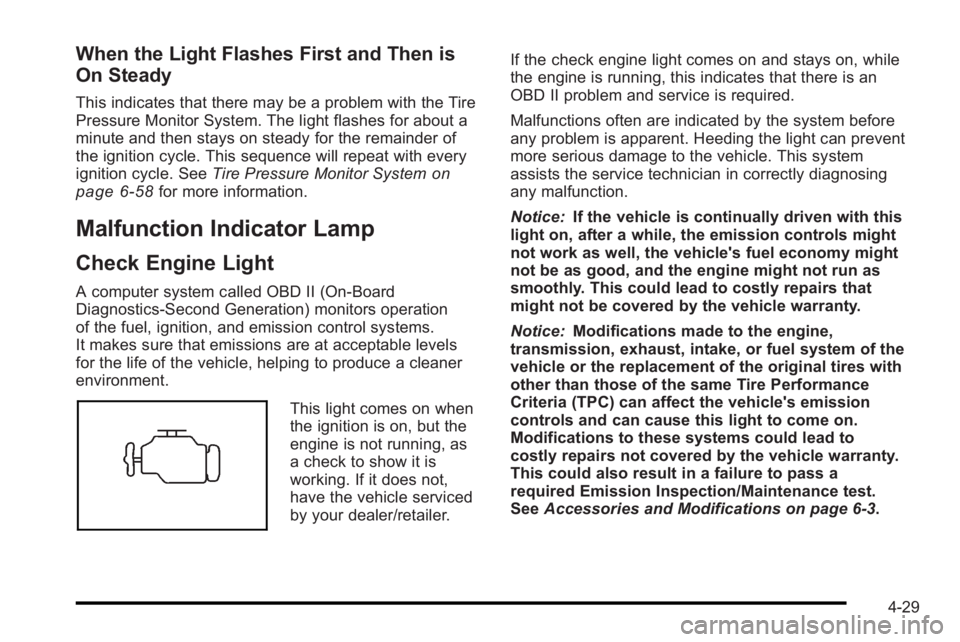
This light comes on when
the ignition is on, but the
engine is not running, as
a check to show it is
working. If it does not,
have the vehicle serviced
by your dealer/retailer. If the check engine light comes on and stays on, while
the engine is running, this indicates that there is an
OBD II problem and service is required.
Malfunctions often are indicated by the system before
any problem is apparent. Heeding the light can prevent
more serious damage to the vehicle. This system
assists the service technician in correctly diagnosing
any malfunction.
Notice:
If the vehicle is continually driven with this
light on, after a while, the emission controls might
not work as well, the vehicle's fuel economy might
not be as good, and the engine might not run as
smoothly. This could lead to costly repairs that
might not be covered by the vehicle warranty.
Notice: Modifications made to the engine,
transmission, exhaust, intake, or fuel system of the
vehicle or the replacement of the original tires with
other than those of the same Tire Performance
Criteria (TPC) can affect the vehicle's emission
controls and can cause this light to come on.
Modifications to these systems could lead to
costly repairs not covered by the vehicle warranty.
This could also result in a failure to pass a
required Emission Inspection/Maintenance test.
See Accessories and Modifications on page 6‑3.
4-29
Page 172 of 368

This light comes on during a malfunction in one of
two ways:
Light Flashing :A misfire condition has been
detected. A misfire increases vehicle emissions and
could damage the emission control system on the
vehicle. Diagnosis and service might be required.
The following can prevent more serious damage to the
vehicle:
.Reduce vehicle speed.
.Avoid hard accelerations.
.Avoid steep uphill grades.
If the light continues to flash, when it is safe to do so,
stop the vehicle. Find a safe place to park the vehicle.
Turn the key off, wait at least 10 seconds, and restart
the engine. If the light is still flashing, follow the
previous steps and see your dealer/retailer for service
as soon as possible.
Light On Steady : An emission control system
malfunction has been detected on the vehicle.
Diagnosis and service might be required.
An emission system malfunction might be corrected by
doing the following:
.Make sure the fuel cap is fully installed. See Filling
the Tankon page 6‑8. The diagnostic system
can determine if the fuel cap has been left off or improperly installed. A loose or missing fuel cap
allows fuel to evaporate into the atmosphere. A few
driving trips with the cap properly installed should
turn the light off.
.If the vehicle has been driven through a deep
puddle of water, the vehicle's electrical system
might be wet. The condition is usually corrected
when the electrical system dries out. A few driving
trips should turn the light off.
.Make sure to fuel the vehicle with quality fuel.
Poor fuel quality causes the engine not to run as
efficiently as designed and may cause: stalling
after start-up, stalling when the vehicle is changed
into gear, misfiring, hesitation on acceleration,
or stumbling on acceleration. These conditions
might go away once the engine is warmed up.
If one or more of these conditions occurs, change
the fuel brand used. It will require at least one full
tank of the proper fuel to turn the light off.
See
Gasoline Octane on page 6‑6.
If none of the above have made the light turn off, have
your dealer/retailer check the vehicle. The dealer/
retailer has the proper test equipment and diagnostic
tools to fix any mechanical or electrical problems that
might have developed.
4-30
Page 174 of 368
The oil light could also come on in three other
situations:
.When the ignition is on but the engine is not
running, the light will come on as a test to show it
is working. It goes out when the ignition is turned
on. If it does not come on with the ignition on,
there may be a problem with the fuse or bulb.
Have it fixed right away.
.If the vehicle comes to a hard stop, the light may
come on for a moment. This is normal.
{WARNING:
Do not keep driving if the oil pressure is low.
The engine can become so hot that it catches fire.
Someone could be burned. Check the oil as soon
as possible and have the vehicle serviced.
Notice: Lack of proper engine oil maintenance can
damage the engine. The repairs would not be
covered by the vehicle warranty. Always follow the
maintenance schedule in this manual for changing
engine oil.
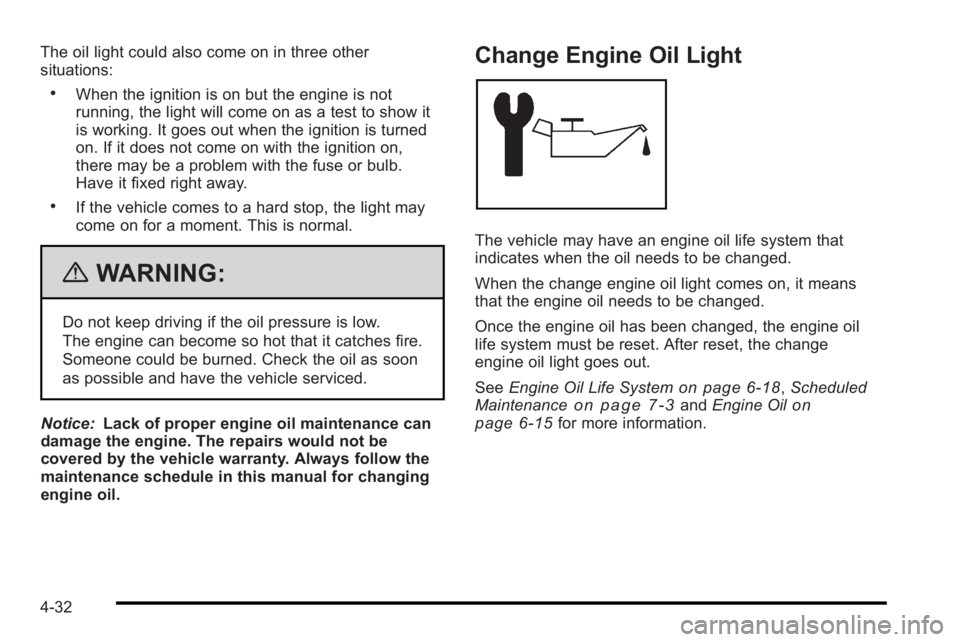
Change Engine Oil Light
The vehicle may have an engine oil life system that
indicates when the oil needs to be changed.
When the change engine oil light comes on, it means
that the engine oil needs to be changed.
Once the engine oil has been changed, the engine oil
life system must be reset. After reset, the change
engine oil light goes out.
See Engine Oil Life System
on page 6‑18,Scheduled
Maintenanceon page 7‑3and Engine Oilon
page 6‑15for more information.
4-32
Page 177 of 368

Here are four things that some owners ask about. None
of these show a problem with the fuel gage:
.At the service station, the gas pump shuts off
before the vehicle's fuel gage reads full.
.It takes a little more or less fuel to fill up than the
fuel gage indicated. For example, the gage may
have indicated the fuel tank was half full, but it
actually took a little more or less than half the
tank's capacity to fill the tank.
.The indicator moves a little when the vehicle turns
a corner or accelerates.
.The fuel gage indicator goes back to empty when
the ignition is turned off.
Low Fuel Warning Light
This light comes on when
the vehicle is low on fuel.
The low fuel warning light comes on when there is
approximately 1.7 gallons (6.0 liters) of fuel remaining in
the tank.
To turn the light off, add fuel to the fuel tank. See Filling
the Tank on page 6‑8.
4-35
Page 182 of 368
Adjusting the Fade
To adjust the fade:1. Press SOUND.
2. Press the pushbutton below the Fad tab on the display.
3. Turn
Oto adjust the setting.
4. The settings are saved after five seconds.
Setting the EQ
SOUND (Equalization) : Press to select an
equalization setting.
Setting the EQ
To set the EQ:
1. Press SOUND.
2. Press the pushbutton below the P.EQ tab on the display. The Pop, Rock, Ctry, Voice, Jazz, Clas
tabs appear on the display.
3. Press the pushbutton below the desired selection to set the EQ. Pressing the same pushbutton again
cancels the EQ setting.
XM Satellite Radio Service
XM is a satellite radio service that is based in the
48 contiguous United States and 10 Canadian
provinces. XM Satellite Radio has a wide variety
of programming and commercial-free music,
coast-to-coast, and in digital-quality sound. A service
fee is required to receive the XM service. For more
information, contact XM at www.xmradio.com or call
1-800-929-2100 in the U.S. and www.xmradio.ca or
call 1-877-438-9677 in Canada.
Radio Messages for XM Only
See XM Radio Messageson page 4‑51later in this
section for further detail.
Using the Auxiliary Input Jack
The radio system has a 3.5 mm (1/8 in) auxiliary input
jack located on the lower right side of the faceplate.
This is not an audio output; do not plug headphones
into the 3.5 mm (1/8 in) auxiliary input jack. An external
audio device such as an iPod
®, laptop computer,
MP3 player, CD changer, etc. can be connected to the
3.5 mm (1/8 in) auxiliary input jack for use as another
audio source.
4-40
Page 187 of 368

Setting the EQ
SOUND (Equalization) :Press to select an
equalization setting.
Setting the EQ
To set the EQ:
1. Press SOUND.
2. Press the pushbutton below the P.EQ tab on the display. The Pop, Rock, Ctry, Voice, Jazz, Clas
tabs appear on the display.
3. Press the pushbutton below the desired selection to set the EQ. Pressing the same pushbutton again
cancels the EQ setting.
XM Satellite Radio Service
XM is a satellite radio service that is based in the
48 contiguous United States and 10 Canadian
provinces. XM Satellite Radio has a wide variety
of programming and commercial-free music,
coast-to-coast, and in digital-quality sound. A service
fee is required to receive the XM service. For more
information, contact XM at www.xmradio.com or call
1-800-929-2100 in the U.S. and www.xmradio.ca or
call 1-877-438-9677 in Canada.
Radio Messages for XM Only
See XM Radio Messageson page 4‑51later in this
section for further detail.
Playing a CD
Insert a CD partway into the slot, label side up. The
player pulls it in and the CD begins playing. A CD can
be loaded while the ignition is in the OFF position.
When the CD is inserted, CDP appears on the display.
As the CD is loading, LOADING appears on the display.
As each new track starts to play, the track number
displays.
If the ignition or radio is turned off with a CD in the
player, it will stay in the player. When a CD is in the
player and the ignition is in the ON/RUN position, the
radio must be turned on before the CD will start playing.
When the ignition and radio are turned on, the CD will
start playing where it stopped, if it was the last selected
audio source.
The CD player can play the smaller 8 cm (3 in) single
CDs with an adapter ring. Full-size CDs and the smaller
CDs are loaded in the same manner.
[TUNE (Next Track): Press[TUNE to go to the
next track. The track number will appear on the display.
The player will continue moving forward through the CD
with each press of
[TUNE.
4-45
Page 193 of 368
XM Radio Messages
UPDATING :The encryption code in the receiver is
being updated, and no action is required. This process
should take no longer than 30 seconds.
NO SIGNAL : The system is functioning correctly, but
the vehicle is in a location that is blocking the XM™
signal. When the vehicle is moved into an open area,
the signal should return.
LOADING : The audio system is acquiring and
processing audio and text data. No action is needed.
This message should disappear shortly.
OFF AIR : This channel is not currently in service.
Tune in to another channel.
CH UNAVAILABLE : This previously assigned channel
is no longer assigned. Tune to another station. If this
station was one of the presets, choose another station
for that preset button.
RADIO ID : If tuned to channel 0, this message
alternates with the XM™ Radio 8 digit radio ID label.
This label is needed to activate the service.
CHECK XM TUNER : If this message does not clear
within a short period of time, the receiver could have a
fault. Consult with your dealer/retailer.
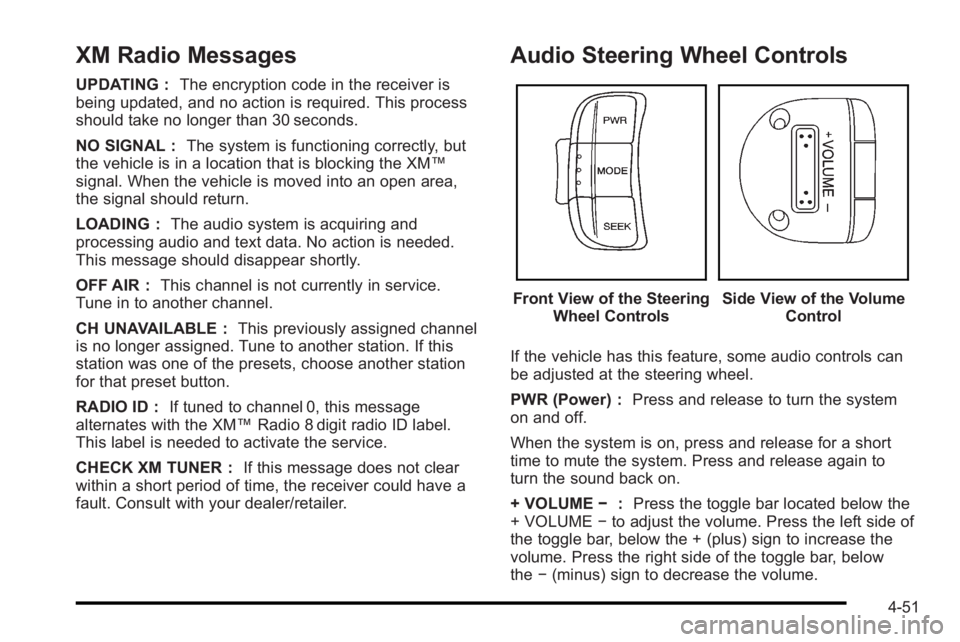
Audio Steering Wheel Controls
Front View of the Steering Wheel ControlsSide View of the Volume Control
If the vehicle has this feature, some audio controls can
be adjusted at the steering wheel.
PWR (Power) : Press and release to turn the system
on and off.
When the system is on, press and release for a short
time to mute the system. Press and release again to
turn the sound back on.
+ VOLUME −:Press the toggle bar located below the
+ VOLUME −to adjust the volume. Press the left side of
the toggle bar, below the + (plus) sign to increase the
volume. Press the right side of the toggle bar, below
the −(minus) sign to decrease the volume.
4-51
Page 194 of 368

MODE :Press and release this button multiple times
to cycle through the audio playback options that are
available on the vehicle. Options may include FM, AM,
XM, CD, and AUX.
SEEK : Press and release to go to the next preset
station.
Press and hold for a long time to go to the next AM, FM,
or XM station. The radio seeks stations only with a
strong signal that are in the selected band.
When playing a CD, press and release to go to the next
track. Press and hold to fast forward through the tracks.
Radio Reception
Frequency interference and static can occur during
normal radio reception if items such as cell phone
chargers, vehicle convenience accessories, and
external electronic devices are plugged into the
accessory power outlet. If there is interference or static,
unplug the item from the accessory power outlet.
AM
The range for most AM stations is greater than for FM,
especially at night. The longer range can cause station
frequencies to interfere with each other. For better radio
reception, most AM radio stations boost the power
levels during the day, and then reduce these levels
during the night. Static can also occur when things like
storms and power lines interfere with radio reception.
When this happens, try reducing the treble on the radio.
FM Stereo
FM signals only reach about 10 to 40 miles
(16 to 65 km). Although the radio has a built-in electronic
circuit that automatically works to reduce interference,
some static can occur, especially around tall buildings
or hills, causing the sound to fade in and out.
XM™ Satellite Radio Service
XM Satellite Radio Service gives digital radio reception
from coast-to-coast in the 48 contiguous United States,
and in Canada. Just as with FM, tall buildings or hills
can interfere with satellite radio signals, causing the
sound to fade in and out. In addition, traveling or
standing under heavy foliage, bridges, garages,
or tunnels may cause loss of the XM signal for a period
of time.
4-52
Page 196 of 368
If static is heard on the radio, when the rear window
defogger is turned on, it could mean that a defogger
grid line has been damaged. If this is true, the grid line
must be repaired.
If adding a cellular telephone to the vehicle, and the
antenna needs to be attached to the glass, make sure
that the grid lines for the AM-FM antenna are not
damaged. There is enough space between the grid
lines to attach a cellular telephone antenna without
interfering with radio reception.Multi-Band Antenna
Vehicles with OnStar®have a multi-band antenna that is
located on the roof of the vehicle. The antenna is used
for the AM/FM radio, OnStar
®and the XM™ Satellite
Radio Service System. Keep the antenna clear of
obstructions for clear reception. If the vehicle has a
sunroof, the performance of the AM/FM radio, OnStar
®,
and the XM system may be affected if the sunroof
is open.
4-54
Page 206 of 368
Other Rainy Weather Tips
Besides slowing down, other wet weather driving tips
include:
.Allow extra following distance.
.Pass with caution.
.Keep windshield wiping equipment in good shape.
.Keep the windshield washer fluid reservoir filled.
.Have good tires with proper tread depth. SeeTireson page 6‑50.
.Turn off cruise control.
Before Leaving on a Long Trip
To prepare your vehicle for a long trip, consider having
it serviced by your dealer/retailer before departing.
Things to check on your own include:
.Windshield Washer Fluid:Reservoir full? Windows
clean —inside and outside?
.Wiper Blades: In good shape?
.Fuel, Engine Oil, Other Fluids: All levels checked?
.Lamps:Do they all work and are lenses clean?
.Tires:Are treads good? Are tires inflated to
recommended pressure?
.Weather and Maps: Safe to travel? Have
up-to-date maps?
Highway Hypnosis
Always be alert and pay attention to your surroundings
while driving. If you become tired or sleepy, find a safe
place to park your vehicle and rest.
Other driving tips include:
.Keep the vehicle well ventilated.
.Keep interior temperature cool.
.Keep your eyes moving —scan the road ahead
and to the sides.
.Check the rearview mirror and vehicle instruments
often.
Hill and Mountain Roads
Driving on steep hills or through mountains is different
than driving on flat or rolling terrain. Tips for driving in
these conditions include:
.Keep the vehicle serviced and in good shape.
.Check all fluid levels and brakes, tires, cooling
system, and transmission.
.Going down steep or long hills, shift to a
lower gear.
5-10