brake light PONTIAC G3 2010 Owners Manual
[x] Cancel search | Manufacturer: PONTIAC, Model Year: 2010, Model line: G3, Model: PONTIAC G3 2010Pages: 368, PDF Size: 3.94 MB
Page 4 of 368
Safety Warnings and Symbols
Warning messages found on vehicle labels and in this
manual describe hazards and what to do to avoid or
reduce them.
Dangerindicates a hazard with a high level of risk
which will result in serious injury or death.
Warning orCaution indicates a hazard that could result
in injury or death.
{WARNING:
These mean there is something that could hurt
you or other people.
Notice: This means there is something that could
result in property or vehicle damage. This would not
be covered by the vehicle's warranty.
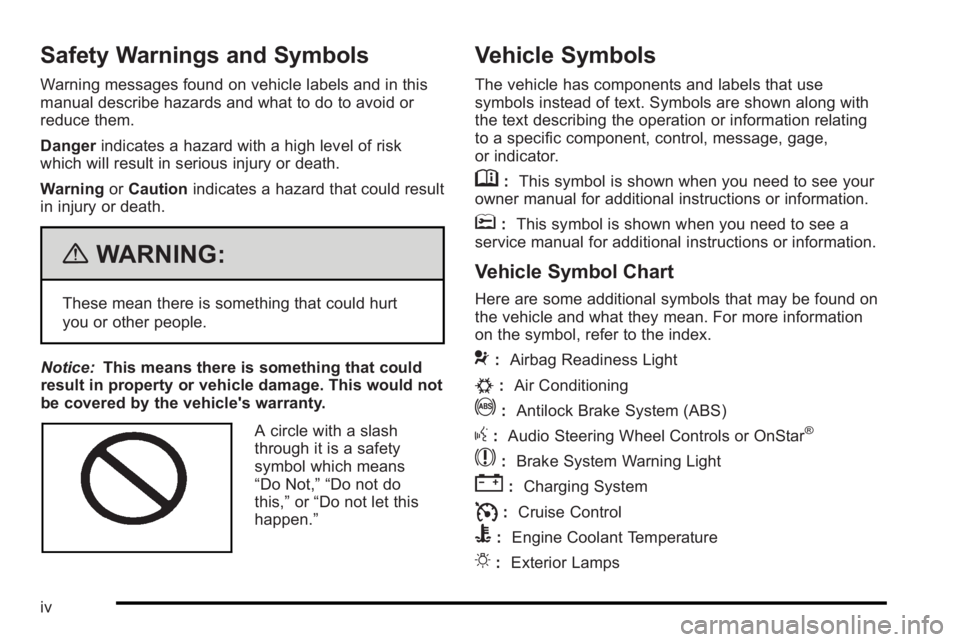
A circle with a slash
through it is a safety
symbol which means
“Do Not,” “Do not do
this,” or“Do not let this
happen.”
Vehicle Symbols
The vehicle has components and labels that use
symbols instead of text. Symbols are shown along with
the text describing the operation or information relating
to a specific component, control, message, gage,
or indicator.
M: This symbol is shown when you need to see your
owner manual for additional instructions or information.
*: This symbol is shown when you need to see a
service manual for additional instructions or information.
Vehicle Symbol Chart
Here are some additional symbols that may be found on
the vehicle and what they mean. For more information
on the symbol, refer to the index.
9: Airbag Readiness Light
#:Air Conditioning
!:Antilock Brake System (ABS)
g:Audio Steering Wheel Controls or OnStar®
$: Brake System Warning Light
":Charging System
I:Cruise Control
B: Engine Coolant Temperature
O:Exterior Lamps
iv
Page 128 of 368

Notice:Shifting out of P (Park) or N (Neutral) with
the engine running at high speed may damage the
transmission. The repairs would not be covered by
the vehicle warranty. Be sure the engine is not
running at high speed when shifting the vehicle.
D4 (Automatic Overdrive) : This position is for normal
driving.
When operating the vehicle in severe cold conditions,
the transmission may be prevented from shifting into
D4 gear until the transmission fluid has warmed up to
it's operational temperature.
Notice: If the vehicle seems to start up rather
slowly or not shift gears when you go faster, and
you continue to drive the vehicle that way, you
could damage the transmission. Have the vehicle
serviced right away. You can drive in 2 (Second)
when you are driving less than 35 mph (55 km/h)
and D4 (Automatic Overdrive) for higher speeds
until then.
2 (Second) : This position gives you more power but
lower fuel economy. You can use 2 (Second) on hills.
It can help control vehicle speed as you go down steep
mountain roads, while using the brakes off and on. Notice:
Do not drive in 2 (Second) at speeds over
65 mph (105 km/h), or you can damage the
transmission. Use D4 (Automatic Overdrive) as
much as possible. Do not shift into 2 (Second)
unless you are going slower than 65 mph (105 km/h)
or you can damage the engine.
1 (First) : This position gives you even more power but
lower fuel economy than 2 (Second). You can use it on
very steep hills, or in deep snow or mud. If the shift
lever is put in 1 (First), the transmission will not shift into
first gear until the vehicle is going slowly enough.
Notice: Spinning the tires or holding the vehicle in
one place on a hill using only the accelerator pedal
may damage the transmission. The repair will not be
covered by the vehicle warranty. If you are stuck, do
not spin the tires. When stopping on a hill, use the
brakes to hold the vehicle in place.
If there is a malfunction with the automatic transmission,
the malfunction indicator lamp (MIL) or the HOLD
indicator light will turn on or flash. See Malfunction
Indicator Lamp on page 4‑29.
Have the vehicle fixed as soon as possible.
3-24
Page 131 of 368
R (Reverse) :To back up, press down the clutch
pedal, lift up the ring on the shift lever and shift into
R (Reverse). Let up on the clutch pedal slowly while
pressing the accelerator pedal.
Notice: Shifting to R (Reverse) while the vehicle is
moving forward could damage the transmission.
The repairs would not be covered by the vehicle
warranty. Shift to R (Reverse) only after the vehicle
is stopped.
Also, use R (Reverse), along with the parking brake, for
parking the vehicle.
Shift Speeds
{WARNING:
If you skip a gear when you downshift, you could
lose control of the vehicle. You could injure
yourself or others. Do not shift down more than
one gear at a time when you downshift.
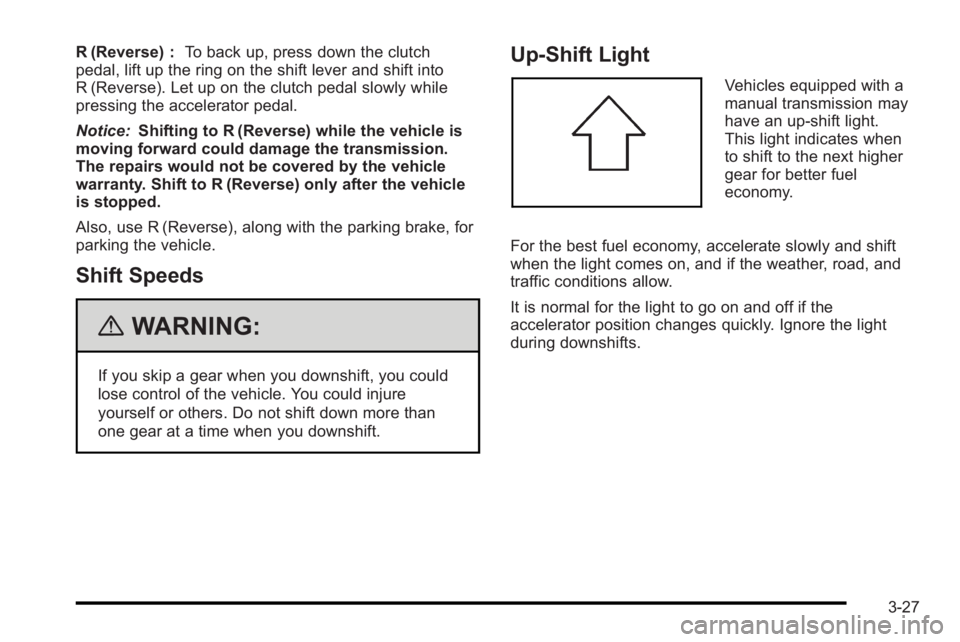
Up‐Shift Light
Vehicles equipped with a
manual transmission may
have an up-shift light.
This light indicates when
to shift to the next higher
gear for better fuel
economy.
For the best fuel economy, accelerate slowly and shift
when the light comes on, and if the weather, road, and
traffic conditions allow.
It is normal for the light to go on and off if the
accelerator position changes quickly. Ignore the light
during downshifts.
3-27
Page 132 of 368
Parking Brake
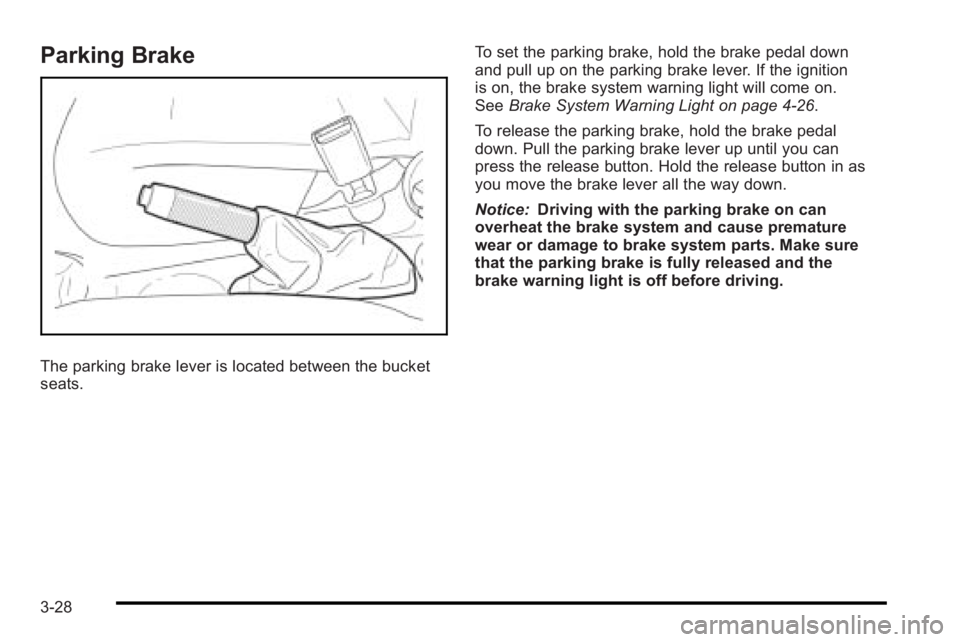
The parking brake lever is located between the bucket
seats.To set the parking brake, hold the brake pedal down
and pull up on the parking brake lever. If the ignition
is on, the brake system warning light will come on.
See
Brake System Warning Light on page 4‑26.
To release the parking brake, hold the brake pedal
down. Pull the parking brake lever up until you can
press the release button. Hold the release button in as
you move the brake lever all the way down.
Notice: Driving with the parking brake on can
overheat the brake system and cause premature
wear or damage to brake system parts. Make sure
that the parking brake is fully released and the
brake warning light is off before driving.
3-28
Page 143 of 368

Section 4 Instrument Panel
Instrument Panel Overview. . . . . . . . . . . . . . . . . . . . . . . .4-3
Hazard Warning Flashers . . . . . . . . . . . . . . . . . . . . . . . 4-3
Horn . . . . . . . . . . . . . . . . . . . . . . . . . . . . . . . . . . . . . . . . . . . . 4-3
Tilt Wheel . . . . . . . . . . . . . . . . . . . . . . . . . . . . . . . . . . . . . . . 4-3
Turn Signal/Multifunction Lever . . . . . . . . . . . . . . . . . . 4-4
Turn and Lane-Change Signals . . . . . . . . . . . . . . . . . 4-4
Headlamp High/Low-Beam Changer . . . . . . . . . . . . 4-5
Flash-to-Pass . . . . . . . . . . . . . . . . . . . . . . . . . . . . . . . . . . . 4-5
Windshield Wipers . . . . . . . . . . . . . . . . . . . . . . . . . . . . . . 4-6
Windshield Washer . . . . . . . . . . . . . . . . . . . . . . . . . . . . . 4-7
Rear Window Wiper/Washer . . . . . . . . . . . . . . . . . . . . 4-7
Cruise Control . . . . . . . . . . . . . . . . . . . . . . . . . . . . . . . . . . 4-8
Exterior Lamps . . . . . . . . . . . . . . . . . . . . . . . . . . . . . . . . . 4-11
Daytime Running Lamps (DRL) . . . . . . . . . . . . . . . . 4-11
Fog Lamps . . . . . . . . . . . . . . . . . . . . . . . . . . . . . . . . . . . . 4-12
Instrument Panel Brightness . . . . . . . . . . . . . . . . . . . 4-12
Dome Lamp . . . . . . . . . . . . . . . . . . . . . . . . . . . . . . . . . . . 4-13
Inadvertent Power Battery Saver . . . . . . . . . . . . . . . 4-13
Accessory Power Outlet(s) . . . . . . . . . . . . . . . . . . . . . 4-13
Ashtray(s) and Cigarette Lighter . . . . . . . . . . . . . . . 4-14
Clock . . . . . . . . . . . . . . . . . . . . . . . . . . . . . . . . . . . . . . . . . . 4-15 Climate Controls
. . . . . . . . . . . . . . . . . . . . . . . . . . . . . . . . . . 4-15
Climate Control System . . . . . . . . . . . . . . . . . . . . . . . . 4-15
Outlet Adjustment . . . . . . . . . . . . . . . . . . . . . . . . . . . . . . 4-18
Passenger Compartment Air Filter . . . . . . . . . . . . . 4-18
Warning Lights, Gages, and Indicators . . . . . . . . . .4-20
Instrument Panel Cluster . . . . . . . . . . . . . . . . . . . . . . . 4-21
Speedometer and Odometer . . . . . . . . . . . . . . . . . . . 4-22
Trip Odometer . . . . . . . . . . . . . . . . . . . . . . . . . . . . . . . . . 4-22
Tachometer . . . . . . . . . . . . . . . . . . . . . . . . . . . . . . . . . . . . 4-22
Safety Belt Reminders . . . . . . . . . . . . . . . . . . . . . . . . . 4-23
Airbag Readiness Light . . . . . . . . . . . . . . . . . . . . . . . . 4-23
Passenger Airbag Status Indicator . . . . . . . . . . . . . 4-24
Charging System Light . . . . . . . . . . . . . . . . . . . . . . . . 4-25
Up-Shift Light . . . . . . . . . . . . . . . . . . . . . . . . . . . . . . . . . . 4-26
Brake System Warning Light . . . . . . . . . . . . . . . . . . . 4-26
Antilock Brake System (ABS) Warning Light . . . 4-27
Hold Mode Light . . . . . . . . . . . . . . . . . . . . . . . . . . . . . . . 4-27
Engine Coolant Temperature Gage . . . . . . . . . . . . 4-28
Tire Pressure Light . . . . . . . . . . . . . . . . . . . . . . . . . . . . 4-28
Malfunction Indicator Lamp . . . . . . . . . . . . . . . . . . . . 4-29
4-1
Page 151 of 368
Setting Cruise Control
{WARNING:
If you leave your cruise control on when you are
not using cruise, you might hit a button and go
into cruise when you do not want to. You could be
startled and even lose control. Keep the cruise
control switch off until you want to use cruise
control.
1. Press
I/Oto turn cruise control on.
2. Accelerate to the speed desired.
3. Press the SET− button and release it. The cruise
control light comes on in the instrument panel
cluster to show that the cruise control is on.
4. Take your foot off the accelerate pedal.
Resuming a Set Speed
If the cruise control is set to a desired speed and then
the brakes are applied, or the clutch pedal if you have a
manual transmission, the cruise control shuts off. But it
does not need to be reset. Once the vehicle is going about 39 km/h (24 mph) or
more, briefly press the RES+ button. The vehicle
returns to the previously set speed and stays there.
If the RES+ button is held, the vehicle speed will
continue to increase until the button is released or the
brake pedal is applied. Do not hold in the RES+ button,
unless you want the vehicle to go faster.
Increasing Speed While Using Cruise
Control
There are two ways to go to a higher speed.
.Use the accelerator pedal to get to a higher speed.
Press the SET−
button, then release the button
and the accelerator pedal.
.Press the RES+ button. Hold it there until the
desired speed is reached, and then release it.
To increase the vehicle speed in small amounts,
briefly press the RES+ button and then release it.
Each time this is done, the vehicle goes about
1.6 km/h (1 mph) faster.
The accelerate feature only works after the cruise
control is turned on by pressing the SET− button.
4-9
Page 152 of 368
Reducing Speed While Using Cruise
Control
There are two ways to reduce the vehicle speed while
using cruise control:
.Press the SET−button until the lower speed
desired is reached, then release it.
.To slow down in small amounts, briefly press the
SET− button. Each time this is done, the vehicle
goes about 1.6 km/h (1 mph) slower.
Passing Another Vehicle While Using
Cruise Control
Use the accelerator pedal to increase the vehicle
speed. When you take your foot off the pedal, the
vehicle slows down to the cruise control speed set
earlier.
Using Cruise Control on Hills
How well the cruise control works on hills depends upon
the vehicle speed, load, and the steepness of the hills.
When going up steep hills, you might have to step on
the accelerator pedal to maintain the vehicle's speed.
When going downhill, you might have to brake or shift
to a lower gear to keep the vehicle's speed down.
When the brakes are applied the cruise control turns off.
Ending Cruise Control
There are two ways to turn off the cruise control:
.Step lightly on the brake pedal, or press the clutch
pedal, if you have a manual transmission.
.PressI/Oon the cruise control pad.
Erasing Speed Memory
The cruise control set speed memory is erased when
the cruise control or the ignition is turned off.
4-10
Page 153 of 368

Exterior Lamps
Uplevel shown, Base similar
The lever on the left side of the steering column
operates the exterior lamps.
The exterior lamp band has three positions:
3 (Headlamps) : Turns on the headlamps, together
with the following:
.Taillamps
.License Plate Lamp
.Instrument Panel Lights
.Parking Lamps
The headlamps automatically turn off when the ignition
key is turned to LOCK/OFF or ACC/ACCESSORY. ;
(Parking Lamps) : Turns on the parking lamps,
together with the taillamps, license plate lamp, and
instrument panel lights.
OFF : Turns all the lamps off, except the Daytime
Running Lamps (DRL).
Daytime Running Lamps (DRL)
Daytime Running Lamps (DRL) can make it easier for
others to see the front of your vehicle during the day.
Fully functional daytime running lamps are required on
all vehicles first sold in Canada.
The DRL system makes the headlamps come on when
the following conditions are met:
.The ignition is on.
.The exterior lamp band is in OFF or in the parking
lamp position.
.The parking brake is released.
An indicator light on instrument panel cluster comes on
when the DRL system is on.
When the DRL system is on, the taillamps, sidemarker
lamps, parking lamps and instrument panel lights do not
come on unless the exterior lamps control is turned to
the parking lamp or headlamp position.
4-11
Page 154 of 368

The DRL system turns off when one of the following
conditions are met:
.The ignition is off.
.The parking brake is on.
.The high-beam headlamps are on.
.The low-beam headlamps are on.
.The flash-to-pass feature is used.
The regular headlamp system should be used when
needed.
Fog Lamps
For vehicles with fog lamps, they are controlled by
the
#band located on the middle of the turn signal/
multifunction lever.
To use the fog lamps, the ignition must be turned to
ON/RUN and the low-beam headlamps or parking
lamps must be on.
Turn the band to
#to turn the fog lamps on. The band
automatically returns to its starting position when
released. The fog lamp indicator light comes on in the
instrument panel cluster. See Fog Lamp Light
on
page 4‑33.
To turn the fog lamps off, turn the band to
#again.
The fog lamp indicator light will go off. The fog lamps will also turn off when the high-beam
headlamps are turned on. When the high-beam
headlamps are turned off, the fog lamps will turn on
again.
Some localities have laws that require the headlamps to
be on along with the fog lamps.
Instrument Panel Brightness
This feature controls the brightness of the instrument
panel lights.
The thumbwheel for this feature is located on the
instrument panel to the left of the steering column.
Turn the thumbwheel to brighten or dim the lights.
4-12
Page 155 of 368
Dome Lamp
The vehicle has a dome lamp located in the overhead
console.
Move the switch to the following positions:
ON :The light comes on and stays on.
O (Door) : The light comes on when a door is opened.
The light turns off when all the doors are closed.
OFF : The light remains off even when a door is
opened.
Be sure all doors and trunk lid or hatch are completely
closed or the battery may drain.
Inadvertent Power Battery Saver
This feature is designed to protect the vehicle's battery
against drainage. If the exterior lamps control is left in
the
;or2position, the key is removed and the driver
door is opened, the lights will turn off automatically.
If the key is removed and the driver door is opened
while the dome lamp is on, the dome lamp will not
turn off automatically.
Accessory Power Outlet(s)
Accessory power outlets can be used to plug in
auxiliary electrical equipment, such as a cellular phone.
The accessory power outlet is located next to the
parking brake on the center console.
To use the accessory power outlet, remove the
protective cap. When not in use, always cover the
outlet with the protective cap. The accessory power
outlet is operational when the ignition is turned to
ACC/ACCESSORY or ON/RUN.
Notice: Leaving electrical equipment on for
extended periods will drain the battery. Always turn
off electrical equipment when not in use and do not
plug in equipment that exceeds the
maximum amperage rating.
Certain electrical accessories may not be compatible
with the accessory power outlet and could result in
blown vehicle or adapter fuses. If you experience a
problem, see your dealer/retailer for additional
information on accessory power outlets.
4-13