service PONTIAC G5 2007 User Guide
[x] Cancel search | Manufacturer: PONTIAC, Model Year: 2007, Model line: G5, Model: PONTIAC G5 2007Pages: 428, PDF Size: 2.46 MB
Page 109 of 428

Column Lock Release
For vehicles with an automatic transaxle, The
following procedure allows the ignition to be turned
to LOCK and for ignition key removal in case of
a dead battery or low voltage battery.
1. Make sure the shift lever is in PARK (P).
2. Using a tool, pry off the cover from the bottom
of the steering column.3. Place your nger into the access hole and
locate the plunger.
4. Press and hold the plunger toward the driver’s
door while turning the ignition key to LOCK.
Remove the key.
Have your vehicle serviced at your GM dealer as
soon as possible.
109
Page 121 of 428

Shifting Out of Park (P)
(Automatic Transaxle)
This vehicle is equipped with an electronic shift
lock release system. The shift lock release is
designed to:
Prevent ignition key removal unless the shift
lever is in PARK (P) with the shift lever
button fully released, and
Prevent movement of the shift lever out of
PARK (P) unless the ignition is in a position
other than LOCK.
The shift lock release is always functional except
in the case of a an uncharged or low voltage
(less than 9 volt) battery.
If your vehicle has an uncharged battery or a
battery with low voltage, try charging or jump
starting the battery. SeeJump Starting on
page 304for more information.To shift out of PARK (P) use the following
sequence:
1. Apply the brake pedal.
2. Then press the shift lever button.
3. Move the shift lever to the desired position.
If you still are unable to shift out of PARK (P):
1. Fully release the shift lever button.
2. While holding down the brake pedal, press
the shift lever button again.
3. Move the shift lever to the desired position.
If you still cannot move the shift lever from
PARK (P), consult your dealer or a professional
towing service.
121
Page 125 of 428

Mirrors
Manual Rearview Mirror
While sitting in a comfortable driving position, adjust
the mirror so you can see clearly behind your
vehicle. Grip the mirror in the center to move it up or
down and side to side. The control at the bottom of
the mirror is the day/night feature that allows
adjustment to the mirror so that the glare of
headlamps from behind is reduced. Push the
control for daytime use; pull it for night use.
Manual Rearview Mirror with
OnStar
®
Mirror Operation
Your vehicle may have a manual rearview mirror
with the OnStar®System. You can adjust the mirror
for day or night driving. Press the tab forward for
day driving. Pull the tab back for night driving.There are also three OnStar
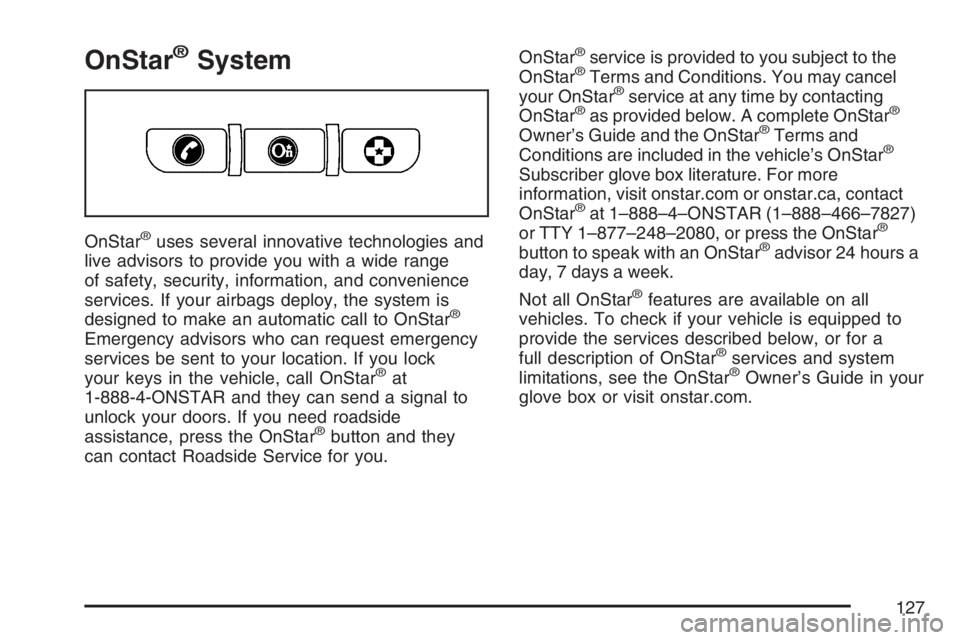
®buttons located at
the bottom of the mirror. See your dealer for more
information on the system and how to subscribe
to OnStar
®. SeeOnStar®System on page 127for
more information about the services OnStar®
provides.
Cleaning the Mirror
When cleaning the mirror, use a paper towel or
similar material dampened with glass cleaner. Do
not spray glass cleaner directly on the mirror
housing.
Outside Remote Control Mirror
Adjust the driver’s outside mirror with the control
lever located on the driver’s door. Adjust the
outside mirrors so that the side of the vehicle can
be seen while sitting in a comfortable driving
position.
To adjust the passenger’s outside mirror, sit in the
driver’s seat and have a passenger adjust the
mirror for you. The mirror is a manual fold design.
125
Page 127 of 428
OnStar®System
OnStar®uses several innovative technologies and
live advisors to provide you with a wide range
of safety, security, information, and convenience
services. If your airbags deploy, the system is
designed to make an automatic call to OnStar
®
Emergency advisors who can request emergency
services be sent to your location. If you lock
your keys in the vehicle, call OnStar
®at
1-888-4-ONSTAR and they can send a signal to
unlock your doors. If you need roadside
assistance, press the OnStar
®button and they
can contact Roadside Service for you.OnStar
®service is provided to you subject to the
OnStar®Terms and Conditions. You may cancel
your OnStar®service at any time by contacting
OnStar®as provided below. A complete OnStar®
Owner’s Guide and the OnStar®Terms and
Conditions are included in the vehicle’s OnStar®
Subscriber glove box literature. For more
information, visit onstar.com or onstar.ca, contact
OnStar
®at 1–888–4–ONSTAR (1–888–466–7827)
or TTY 1–877–248–2080, or press the OnStar®
button to speak with an OnStar®advisor 24 hours a
day, 7 days a week.
Not all OnStar
®features are available on all
vehicles. To check if your vehicle is equipped to
provide the services described below, or for a
full description of OnStar
®services and system
limitations, see the OnStar®Owner’s Guide in your
glove box or visit onstar.com.
127
Page 128 of 428

OnStar®Services
For new vehicles equipped with OnStar®, the Safe
& Sound Plan, or the Directions & Connections®
Plan is included for one year from the date of
purchase. You can extend this plan beyond the
rst year, or upgrade to the Directions &
Connections
®Plan. For more information, press
the OnStar®button to speak with an advisor. Some
OnStar®services (such as Remote Door Unlock
or Stolen Vehicle Location Assistance) may not be
available until you register with OnStar
®.
Available Services with Safe & Sound®Plan
Automatic Notication of Airbag Deployment
Advanced Automatic Crash Notication (AACN)
(If equipped)
Link to Emergency Services
Roadside Assistance
Stolen Vehicle Location Assistance
AccidentAssist
Remote Door Unlock/Vehicle Alert
OnStar®Vehicle Diagnostics
GM®Goodwrench®On Demand Diagnostics
OnStar®Hands-Free Calling with
30 complimentary minutes
OnStar®Virtual Advisor
Available Services included with Directions
& Connections®Plan
All Safe and Sound Plan Services
Driving Directions - Advisor delivered or
OnStar®Turn-by-Turn Navigation (If equipped)
RideAssist
Information and Convenience Services
OnStar®Hands-Free Calling
OnStar®Hands-Free Calling allows eligible
OnStar®subscribers to make and receive calls
using voice commands. Hands-Free Calling is fully
integrated into the vehicle, and can be used with
OnStar
®Pre-Paid Minute Packages. Hands-Free
Calling may also be linked to a Verizon Wireless
service plan, depending on eligibility. To nd out
more, refer to the OnStar
®Owner’s Guide in the
vehicle’s glove box, visit www.onstar.com or
www.onstar.ca, or speak with an OnStar
®advisor
by pressing the OnStar®button or calling
1-888-4-ONSTAR (1-888-466-7827).
128
Page 129 of 428

OnStar®Virtual Advisor
OnStar®Virtual Advisor is a feature of OnStar®
Hands-Free Calling that uses your minutes
to access location-based weather, local traffic
reports, and stock quotes. By pressing the phone
button and giving a few simple voice commands,
you can browse through the various topics.
See the OnStar
®Owner’s Guide for more
information.
OnStar®Steering Wheel Controls
Your vehicle may have a Talk/Mute button that
can be used to interact with OnStar®Hands-Free
Calling. SeeAudio Steering Wheel Controls on
page 214for more information.
On some vehicles, you may have to hold the
button for a few seconds and give the command
“ONSTAR” in order to activate the OnStar
®
Hands-Free Calling feature.
On some vehicles, the mute button can be used to
dial numbers into voicemail systems, or to dial
phone extensions. See the OnStar
®Owner’s
Guide for more information.
How OnStar®Service Works
In order to provide you with OnStar®services,
your vehicle’s OnStar®system has the capability
of recording and transmitting vehicle information.
This information is automatically sent to an
OnStar
®Call Center at the time of an OnStar®
button press, Emergency button press or if
your airbags or AACN system deploys. The vehicle
information usually includes your GPS location
and, in the event of a crash, additional information
regarding the accident that your vehicle has
been involved in (e.g. the direction from which
your vehicle was hit). When you use the Virtual
Advisor feature of OnStar
®Hands-Free Calling,
your vehicle also sends OnStar®your GPS
location so that we can provide you with
location-based services.
129
Page 130 of 428

OnStar®service cannot work unless your vehicle
is in a place where OnStar®has an agreement
with a wireless service provider for service in that
area. OnStar
®service also cannot work unless
you are in a place where the wireless service
provider OnStar
®has hired for that area
has coverage, network capacity and reception
when the service is needed, and technology that
is compatible with the OnStar
®service. Not all
services are available everywhere, particularly in
remote or enclosed areas, or at all times.
OnStar
®service that involves location information
about your vehicle cannot work unless GPS
satellite signals are unobstructed and available in
that place as well.Your vehicle must have a working electrical
system (including adequate battery power) for the
OnStar
®equipment to operate. There are other
problems OnStar®cannot control that may prevent
OnStar®from providing OnStar®service to you
at any particular time or place. Some examples are
damage to important parts of your vehicle in an
accident, hills, tall buildings, tunnels, weather
or wireless phone network congestion.
Your Responsibility
You may need to increase the volume of your radio
to hear the OnStar®advisor. If the light next to the
OnStar®buttons is red, this means that your system
is not functioning properly and should be checked
by a dealer. If the light appears clear (no light is
appearing), your OnStar
®subscription has expired.
You can always press the blue OnStar®button to
conrm that your OnStar®equipment is active.
130
Page 161 of 428

Airbag Readiness Light
There is an airbag readiness light on the instrument
panel cluster, which shows the airbag symbol. The
system checks the airbag’s electrical system for
malfunctions. The light tells you if there is an
electrical problem. The system check includes the
airbag sensor, the airbag modules, the wiring and
the crash sensing and diagnostic module. For more
information on the airbag system, seeAirbag
System on page 64.
This light will come on
when you start your
vehicle, and it will ash
for a few seconds. Then
the light should go out.
This means the system
is ready.
If the airbag readiness light stays on after you
start the vehicle or comes on when you are driving,
your airbag system may not work properly.
Have your vehicle serviced right away.{CAUTION:
If the airbag readiness light stays on after
you start your vehicle, it means the airbag
system may not be working properly. The
airbags in your vehicle may not inate in
a crash, or they could even inate without
a crash. To help avoid injury to yourself
or others, have your vehicle serviced right
away if the airbag readiness light stays on
after you start your vehicle.
The airbag readiness light should ash for a few
seconds when you turn the ignition key to RUN.
If the light does not come on then, have it xed so
it will be ready to warn you if there is a problem.
161
Page 163 of 428
{CAUTION:
Even though the passenger sensing
system is designed to turn off the
passenger’s frontal airbag if the system
detects a rear-facing child restraint,
no system is failsafe, and no one can
guarantee that an airbag will not deploy
under some unusual circumstance, even
though it is turned off. We recommend
that rear-facing child restraints be secured
in the rear seat, even if the airbag is off.
If the word OFF or the off symbol is lit on the airbag
status indicator, it means that the passenger
sensing system has turned off the right front
passenger’s frontal airbag. SeePassenger Sensing
System on page 73for more on this, including
important safety information.If, after several seconds, all status indicator lights
remain on, or if there are no lights at all, there
may be a problem with the lights or the passenger
sensing system. See your dealer for service.
{CAUTION:
If the off indicator and the airbag readiness
light ever come on together, it means that
something may be wrong with the airbag
system. If this ever happens, have the
vehicle serviced promptly, because an
adult-size person sitting in the right
front passenger seat may not have the
protection of the frontal airbag. SeeAirbag
Readiness Light on page 161.
163
Page 165 of 428
Brake System Warning Light
Your vehicle’s hydraulic brake system is divided
into two parts. If one part is not working, the other
part can still work and stop you. For good braking,
though, you need both parts working well.
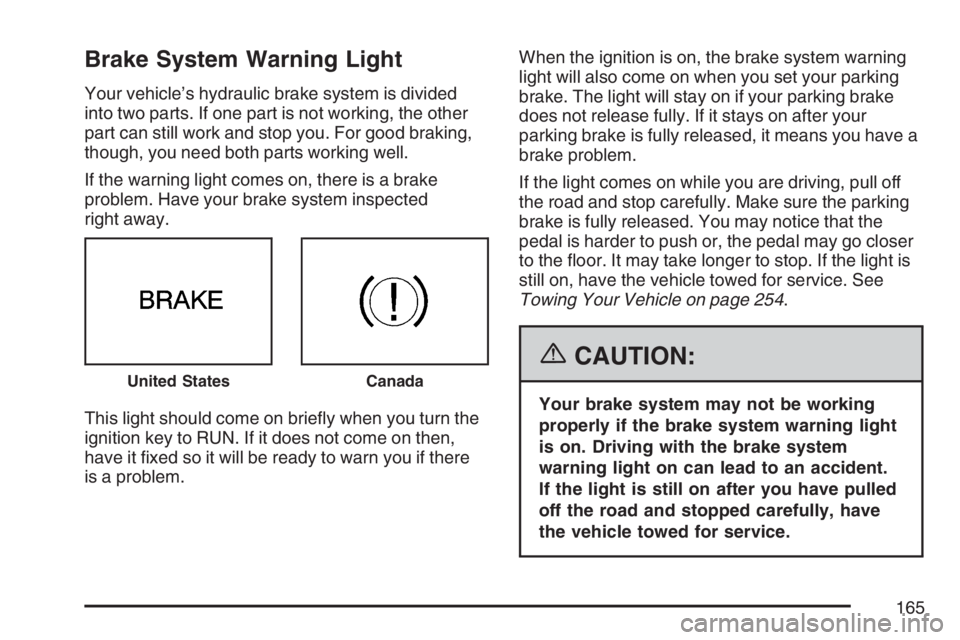
If the warning light comes on, there is a brake
problem. Have your brake system inspected
right away.
This light should come on briey when you turn the
ignition key to RUN. If it does not come on then,
have it xed so it will be ready to warn you if there
is a problem.When the ignition is on, the brake system warning
light will also come on when you set your parking
brake. The light will stay on if your parking brake
does not release fully. If it stays on after your
parking brake is fully released, it means you have a
brake problem.
If the light comes on while you are driving, pull off
the road and stop carefully. Make sure the parking
brake is fully released. You may notice that the
pedal is harder to push or, the pedal may go closer
to the oor. It may take longer to stop. If the light is
still on, have the vehicle towed for service. See
Towing Your Vehicle on page 254.
{CAUTION:
Your brake system may not be working
properly if the brake system warning light
is on. Driving with the brake system
warning light on can lead to an accident.
If the light is still on after you have pulled
off the road and stopped carefully, have
the vehicle towed for service.
United StatesCanada
165