service PONTIAC G5 2007 Owner's Guide
[x] Cancel search | Manufacturer: PONTIAC, Model Year: 2007, Model line: G5, Model: PONTIAC G5 2007Pages: 428, PDF Size: 2.46 MB
Page 195 of 428
Radio Data System (RDS)
The audio system has a Radio Data System (RDS).
The RDS feature is available for use only on FM
stations that broadcast RDS information. This
system relies upon receiving specic information
from these stations and only works when the
information is available. While the radio is tuned to
an FM-RDS station, the station name or call letters
appears on the display. In rare cases, a radio
station can broadcast incorrect information that
causes the radio features to work improperly.
If this happens, contact the radio station.
XM™ Satellite Radio Service
XM™ is a satellite radio service that is based in the
48 contiguous United States and Canada. XM™
offers a large variety of coast-to-coast channels
including music, news, sports, talk, traffic/weather
(U.S. subscribers), and children’s programming.
XM™ provides digital quality audio and text
information that includes song title and artist name.
A service fee is required in order to receive the
XM™ service. For more information, contact XM™;
In the U.S. at www.xmradio.com or call
1-800-852-XMXM (9696) or in Canada at
www.xmradio.ca or call 1-877-GET-XMSR
(438-9677).
Playing the Radio
O
(Power/Volume):Press this knob to turn the
system on and off.
Turn this knob clockwise or counterclockwise to
increase or decrease the volume.
Speed Compensated Volume (SCV):The radio
has Speed Compensated Volume (SCV). While
SCV is on, the radio volume automatically adjusts
to compensate for road and wind noise as your
speed changes while driving. That way, the volume
level should sound about the same as you
drive. To activate SCV:
1. Set the radio volume to the desired level.
2. Press the MENU button to display the radio
setup menu.
3. Press the pushbutton under the AUTO VOLUM
(automatic volume) label on the radio display.
4. Press the pushbutton under the desired Speed
Compensated Volume setting (OFF, Low, Med
(medium), or High) to select the level of radio
volume compensation. The display times out
after approximately 10 seconds. Each higher
setting allows for more radio volume
compensation at faster vehicle speeds.
195
Page 196 of 428
Finding a Station
BAND:Press this button to switch between AM,
FM, or XM™ (if equipped). The selection displays.
f(Tune):Turn this knob to select radio
stations.
©SEEK¨:Press the right or left SEEK arrow
to go to the next or to the previous station and
stay there.
To scan stations, press and hold either SEEK
arrow for a few seconds until a beep sounds. The
radio goes to a station, plays for a few seconds,
then goes on to the next station. Press either
SEEK arrow again to stop scanning.
The radio only seeks and scans stations with a
strong signal that are in the selected band.
4(Information) (XM™ Satellite Radio Service,
MP3, and RDS Features):Press the information
button to display additional text information related
to the current FM-RDS or XM™ station, or MP3
song. A choice of additional information such as:
Channel, Song, Artist, and CAT (category) can
display. Continue pressing the information button to
highlight the desired label, or press the pushbutton
positioned under any one of the labels and the
information about that label displays.
While information is not available, No Info displays.
Storing a Radio Station as a Favorite
Drivers are encouraged to set up their radio station
favorites while the vehicle is parked. Tune to your
favorite stations using the presets, favorites button,
and steering wheel controls if the vehicle has this
feature. SeeDefensive Driving on page 218.
196
Page 200 of 428

Radio Messages
Calibration Error:The audio system has been
calibrated for your vehicle from the factory. If
Calibration Error displays, it means that the radio
has not been congured properly for your vehicle
and it must be returned to your dealer for service.
Locked:This message displays when the
THEFTLOCK
®system has locked up the radio.
Take the vehicle to your dealer for service.
If any error occurs repeatedly or if an error cannot
be corrected, contact your dealer.
Radio Messages for XM Only
SeeXM Radio Messages on page 212later in this
section for further detail.
Playing a CD (Single CD Player)
Insert a CD partway into the slot, label side up.
The player pulls it in and the CD should begin
playing.
Playing a CD(s) (Six-Disc CD Player)
LOAD^:Press this button to load CDs into the
CD player. This CD player holds up to six CDs.
To insert one CD, do the following:
1. Press and release the load button.
2. Wait for the message to insert the disc.
3. Load a CD. Insert the CD partway into the slot,
label side up. The player pulls the CD in.
To insert multiple CDs, do the following:
1. Press and hold the load button for two
seconds. You will hear a beep and Load
All Discs displays.
2. Follow the displayed instruction on when to
insert the discs. The CD player takes up to
six CDs.
3. Press the Load button again to cancel loading
more CDs.
If the ignition or radio is turned off, with a CD in the
player, it stays in the player. When the ignition or
radio is turned on, the CD starts playing where it
stopped, if it was the last selected audio source.
200
Page 212 of 428

XM Radio Messages
Radio Display Message Condition Action Required
XL (Explicit Language
Channels)XL on the radio display,
after the channel name,
indicates content with
explicit language.These channels, or any others, can be blocked at a
customer’s request, by calling 1-800-852-XMXM (9696).
XM Updating Updating encryption code The encryption code in the receiver is being updated, and
no action is required. This process should take no longer
than 30 seconds.
No XM Signal Loss of signal The system is functioning correctly, but the vehicle is in a
location that is blocking the XM™ signal. When you move
into an open area, the signal should return.
Loading XM Acquiring channel audio
(after four second delay)The audio system is acquiring and processing audio and
text data. No action is needed. This message should
disappear shortly.
Channel Off Air Channel not in service This channel is not currently in service. Tune to another
channel.
Channel Unavail Channel no longer
availableThis previously assigned channel is no longer assigned.
Tune to another station. If this station was one of the
presets, choose another station for that preset button.
No Artist Info Artist Name/Feature
not availableNo artist information is available at this time on this channel.
The system is working properly.
No Title Info Song/Program
Title not availableNo song title information is available at this time on this
channel. The system is working properly.
212
Page 213 of 428

Radio Display Message Condition Action Required
No CAT Info Category Name not
availableNo category information is available at this time on this
channel. The system is working properly.
No Information No Text/Informational
message availableNo text or informational messages are available at this time
on this channel. The system is working properly.
CAT Not Found No channel available for
the chosen categoryThere are no channels available for the selected category.
The system is working properly.
XM Theft Locked Theftlock
®active The XM™ receiver in the vehicle may have previously been
in another vehicle. For security purposes, XM™ receivers
cannot be swapped between vehicles. If this message
displays after having your vehicle serviced, check with
your dealer.
XM Radio ID Radio ID label (channel 0) If tuned to channel 0, this message alternates with the
XM™ Radio eight digit radio ID label. This label is needed
to activate the service.
Unknown Radio ID not known
(should only be if
hardware failure)If this message is received when tuned to channel 0,
there could be a receiver fault. Consult with your dealer.
Check XM Receivr Hardware failure If this message does not clear within a short period of time,
the receiver could have a fault. Consult with your dealer.
XM Not Available XM™ Not Available If this message does not clear within a short period of time,
the receiver could have a fault. Consult with your dealer.
213
Page 215 of 428

+−(Volume):Press the plus or minus button to
increase or to decrease the volume.
g(Mute/Voice Activation):Press this button to
silence the system. Press this button again to turn
the sound on. If your vehicle is equipped with
OnStar
®, press and hold this button for two seconds
to activate voice on the OnStar system. See the
OnStar
®System on page 127in this manual for
more information.
Radio Reception
You may experience frequency interference
and static during normal radio reception if items
such as cellphone chargers, vehicle convenience
accessories, and external electronic devices are
plugged into the accessory power outlet. If there is
interference or static, unplug the item from the
accessory power outlet.
AM
The range for most AM stations is greater than for
FM, especially at night. The longer range can cause
station frequencies to interfere with each other.For better radio reception, most AM radio stations
boosts the power levels during the day, and
then reduce these levels during the night. Static can
also occur when things like storms and power lines
interfere with radio reception. When this happens,
try reducing the treble on your radio.
FM Stereo
FM stereo gives the best sound, but FM signals
reach only about 10 to 40 miles (16 to 65 km).
Tall buildings or hills can interfere with FM signals,
causing the sound to fade in and out.
XM™ Satellite Radio Service
XM™ Satellite Radio Service gives digital radio
reception from coast-to-coast in the 48 contiguous
United States, and in Canada. Just as with FM, tall
buildings or hills can interfere with satellite radio
signals, causing the sound to fade in and out. In
addition, traveling or standing under heavy foliage,
bridges, garages, or tunnels can cause loss of the
XM™ signal for a period of time. The radio could
display NO XM SIGNAL to indicate interference.
215
Page 226 of 428

Enhanced Traction System (ETS)
Your vehicle may have an Enhanced Traction
System (ETS) that limits wheel spin. This is
especially useful in slippery road conditions.
The system operates only if it senses that one
or both of the front wheels are spinning or
beginning to lose traction. When this happens,
the system reduces engine power and may
also upshift the transaxle to limit wheel spin.
You may feel or hear the system working, but this
is normal.
A LOW TRACTION message will appear on the
Driver Information Center (DIC) when the traction
control system is actively limiting wheel spin.
Slippery road conditions may exist if this message
is displayed, so adjust your driving accordingly.
If your vehicle is in cruise control when the
Enhanced Traction System begins to limit wheel
spin, the cruise control will automatically
disengage. When road conditions allow you to
safely use it again, you may re-engage the cruise
control. SeeCruise Control on page 143.When the system is on,
this warning light will
come on to let you know
there’s a problem.
If the warning light stays on, or comes on when
you’re driving, there may be a problem with
your Enhanced Traction System and your vehicle
may need service. When this warning light is
on, the system will not limit wheel spin. Adjust your
driving accordingly.
The Enhanced Traction System warning light may
come on for the following reasons:
If you turn the system off by moving the
shift lever to LOW (L), the warning light
will come on and stay on. To turn the system
back on, move the shift lever back to a
position other than LOW (L). The warning light
should go off.
226
Page 227 of 428

The warning light will come on when you set
your parking brake with the engine running,
and it will stay on if your parking brake
does not release fully. If the transaxle shift
lever is in any position other than LOW (L) and
the warning light stays on after your parking
brake is fully released, it means there is
a problem with the system.
If the traction control system is affected by an
engine related problem, the system will turn
off and the warning light will come on.
If the Enhanced Traction System warning light
comes on and stays on for an extended period of
time when the transaxle shift lever is in any
position other than LOW (L), your vehicle needs
service.
Adding non-GM accessories can affect your
vehicle’s performance. SeeAccessories and
Modications on page 268for more information.
Steering
Electric Power Steering
If the engine stalls while you are driving, the
power steering assist system will continue
to operate until you are able to stop your vehicle.
If you lose power steering assist because the
electric power steering system is not functioning,
you can steer, but it will take more effort.
If you turn the steering wheel in either direction
several times until it stops, or hold the steering
wheel in the stopped position for an extended
amount of time, you may notice a reduced amount
of power steering assist. The normal amount of
power steering assist should return shortly after a
few normal steering movements.
The electric power steering system does not
require regular maintenance. If you suspect
steering system problems and/or the POWER
STEERING message comes on, contact
your dealer for service repairs. SeeDIC Warnings
and Messages on page 177.
227
Page 240 of 428

Once you are moving on the freeway, make
certain you allow a reasonable following distance.
Expect to move slightly slower at night.
When you want to leave the freeway, move to the
proper lane well in advance. If you miss your
exit, do not, under any circumstances, stop and
back up. Drive on to the next exit.
The exit ramp can be curved, sometimes quite
sharply. The exit speed is usually posted. Reduce
your speed according to your speedometer, not
to your sense of motion. After driving for any
distance at higher speeds, you may tend to think
you are going slower than you actually are.
Before Leaving on a Long Trip
Make sure you are ready. Try to be well rested.
If you must start when you are not fresh — such as
after a day’s work — do not plan to make too
many miles that rst part of the journey. Wear
comfortable clothing and shoes you can easily
drive in.
Is your vehicle ready for a long trip? If you keep it
serviced and maintained, it is ready to go. If it
needs service, have it done before starting out.Of course, you will nd experienced and able
service experts in GM dealerships all across
North America. They will be ready and willing to
help if you need it.
Here are some things you can check before a trip:
Windshield Washer Fluid:Is the reservoir
full? Are all windows clean inside and outside?
Wiper Blades:Are they in good shape?
Fuel, Engine Oil, Other Fluids:Have you
checked all levels?
Lamps:Are they all working? Are the lenses
clean?
Tires:They are vitally important to a safe,
trouble-free trip. Is the tread good enough
for long-distance driving? Are the tires
all inated to the recommended pressure?
Weather Forecasts:What is the weather
outlook along your route? Should you
delay your trip a short time to avoid a major
storm system?
Maps:Do you have up-to-date maps?
240
Page 241 of 428
Highway Hypnosis
Is there actually such a condition as highway
hypnosis? Or is it just plain falling asleep at the
wheel? Call it highway hypnosis, lack of
awareness, or whatever.
There is something about an easy stretch of road
with the same scenery, along with the hum of the
tires on the road, the drone of the engine, and the
rush of the wind against the vehicle that can make
you sleepy. Do not let it happen to you! If it does,
your vehicle can leave the road in less than a
second, and you could crash and be injured.
What can you do about highway hypnosis?
First, be aware that it can happen.
Then here are some tips:
Make sure your vehicle is well ventilated,
with a comfortably cool interior.
Keep your eyes moving. Scan the road ahead
and to the sides. Check your rearview mirrors
and your instruments frequently.
If you get sleepy, pull off the road into a rest,
service, or parking area and take a nap, get
some exercise, or both. For safety, treat
drowsiness on the highway as an emergency.
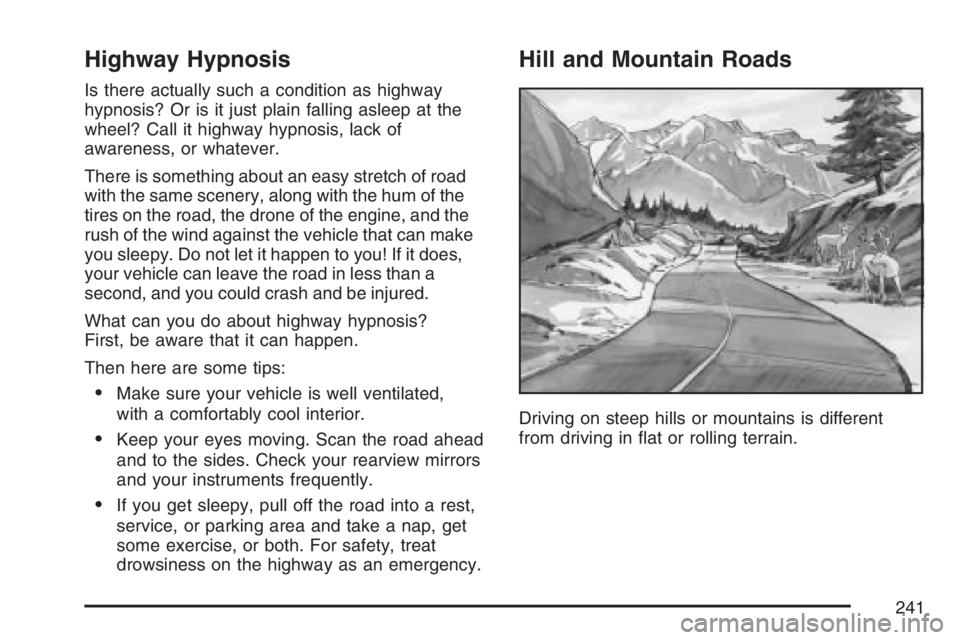
Hill and Mountain Roads
Driving on steep hills or mountains is different
from driving in at or rolling terrain.
241