light PONTIAC G5 2008 Owner's Manual
[x] Cancel search | Manufacturer: PONTIAC, Model Year: 2008, Model line: G5, Model: PONTIAC G5 2008Pages: 388, PDF Size: 2.22 MB
Page 101 of 388

DRIVE (D):This position is for normal driving with the
automatic transmission. It provides the best fuel
economy for your vehicle. If you need more power for
passing, and you are:
Going less than about 35 mph (55 km/h), push your
accelerator pedal about halfway down.
Going about 35 mph (55 km/h), push your
accelerator all the way down.
Downshifting the transmission in slippery road conditions
could result in skidding, see “Skidding” underLoss of
Control on page 4-15.
INTERMEDIATE (I):This position is also used for
normal driving. However, it reduces vehicle speed
without using your brakes for slight downgrades where
the vehicle would otherwise accelerate due to
steepness of grade. If constant upshifting or
downshifting occurs while driving up steep hills, this
position can be used to prevent repetitive types of shifts.
You might choose INTERMEDIATE (I) instead of
DRIVE (D) when driving on hilly, winding roads and
when towing a trailer, so that there is less shifting
between gears.LOW (L):This position reduces vehicle speed more
than INTERMEDIATE (I) without actually using
your brakes. You can use it on very steep hills, or in
deep snow or mud. If the shift lever is put in LOW (L),
the transmission will not shift into LOW (L) until the
vehicle is going slowly enough.
Notice:Spinning the tires or holding the vehicle in
one place on a hill using only the accelerator
pedal may damage the transmission. The repair will
not be covered by your warranty. If you are stuck,
do not spin the tires. When stopping on a hill,
use the brakes to hold the vehicle in place.
2-29
Page 103 of 388
Shift Speeds
{CAUTION:
If you skip a gear when you downshift, you
could lose control of your vehicle. You could
injure yourself or others. Do not shift down
more than one gear at a time when you
downshift.
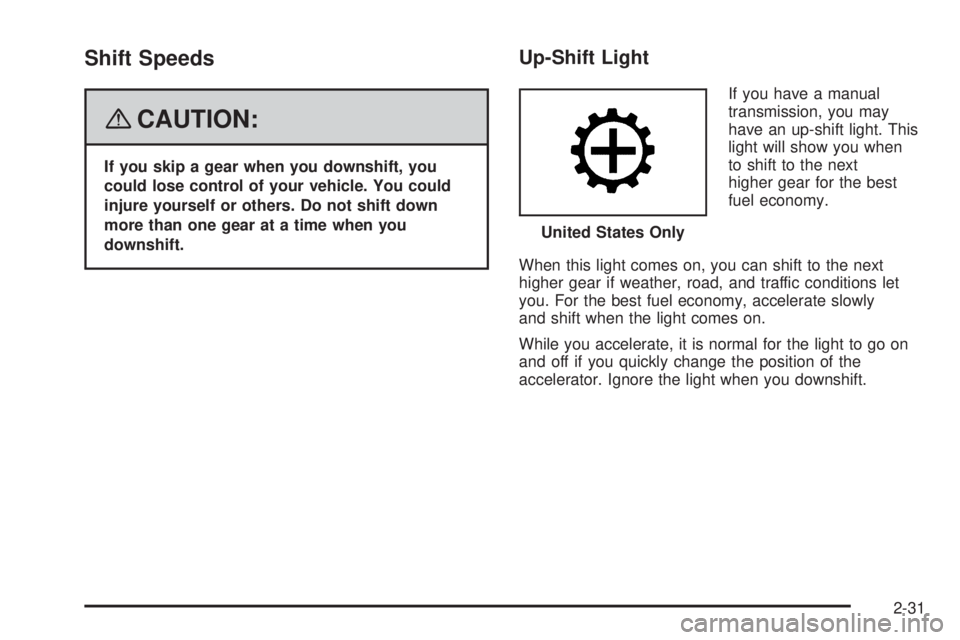
Up-Shift Light
If you have a manual
transmission, you may
have an up-shift light. This
light will show you when
to shift to the next
higher gear for the best
fuel economy.
When this light comes on, you can shift to the next
higher gear if weather, road, and traffic conditions let
you. For the best fuel economy, accelerate slowly
and shift when the light comes on.
While you accelerate, it is normal for the light to go on
and off if you quickly change the position of the
accelerator. Ignore the light when you downshift.United States Only
2-31
Page 104 of 388
Parking Brake
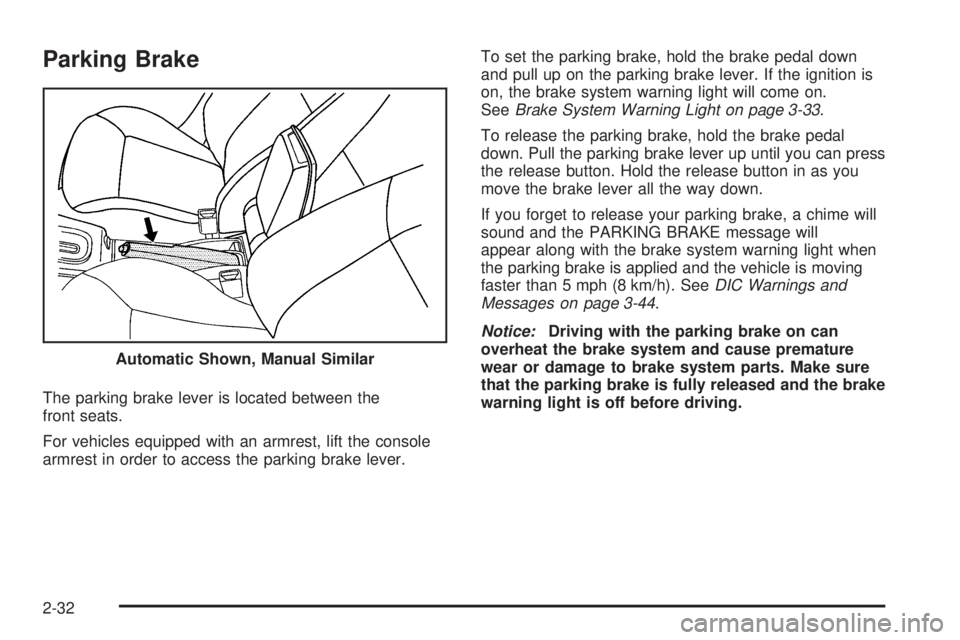
The parking brake lever is located between the
front seats.
For vehicles equipped with an armrest, lift the console
armrest in order to access the parking brake lever.To set the parking brake, hold the brake pedal down
and pull up on the parking brake lever. If the ignition is
on, the brake system warning light will come on.
SeeBrake System Warning Light on page 3-33.
To release the parking brake, hold the brake pedal
down. Pull the parking brake lever up until you can press
the release button. Hold the release button in as you
move the brake lever all the way down.
If you forget to release your parking brake, a chime will
sound and the PARKING BRAKE message will
appear along with the brake system warning light when
the parking brake is applied and the vehicle is moving
faster than 5 mph (8 km/h). SeeDIC Warnings and
Messages on page 3-44.
Notice:Driving with the parking brake on can
overheat the brake system and cause premature
wear or damage to brake system parts. Make sure
that the parking brake is fully released and the brake
warning light is off before driving. Automatic Shown, Manual Similar
2-32
Page 115 of 388
Your Responsibility
Increase the radio volume if you cannot hear the OnStar
advisor. If the light next to the OnStar buttons is red,
this means that your system is not functioning properly
and should be checked by your dealer/retailer. If the
light appears clear (no light is appearing), your OnStar
subscription has expired. You can always press the
OnStar button to conrm that your OnStar equipment
is active.
Storage Areas
Glove Box
To open the glove box, lift up on the lever.
Cupholder(s)
There are two cupholders located at the front of the
center console, in front of the shift lever. There are also
cupholders for the rear seat passengers located at
the rear of the center console.
Center Console Storage
Your vehicle may have a center console armrest with
storage area. Use the lever on the front of the console
to open it.
Driver’s Storage Compartment
The driver’s storage compartment is located near the
left side of the steering column on the bottom of
the instrument panel. Pull the cover down to open.
Convenience Net
Your vehicle may have a convenience net in the rear of
the vehicle. Store small loads as far forward as possible.
The net should not be used to store heavy loads.
2-43
Page 117 of 388
Instrument Panel Overview...............................3-4
Hazard Warning Flashers................................3-6
Other Warning Devices...................................3-6
Horn.............................................................3-6
Tilt Wheel.....................................................3-7
Turn Signal/Multifunction Lever.........................3-7
Turn and Lane-Change Signals........................3-8
Headlamp High/Low-Beam Changer..................3-8
Flash-to-Pass.................................................3-8
Windshield Wipers..........................................3-9
Windshield Washer.......................................3-10
Cruise Control..............................................3-10
Headlamps..................................................3-14
Wiper Activated Headlamps............................3-14
Headlamps on Reminder................................3-15
Daytime Running Lamps (DRL).......................3-15
Fog Lamps..................................................3-16
Instrument Panel Brightness...........................3-16
Dome Lamp.................................................3-16
Entry/Exit Lighting.........................................3-17
Mirror Reading Lamps...................................3-17
Electric Power Management...........................3-17
Battery Run-Down Protection..........................3-18
Accessory Power Outlet(s).............................3-18
Ashtray(s) and Cigarette Lighter......................3-19Climate Controls............................................3-19
Climate Control System.................................3-19
Outlet Adjustment.........................................3-22
Passenger Compartment Air Filter...................3-23
Warning Lights, Gages, and Indicators............3-25
Instrument Panel Cluster................................3-26
Speedometer and Odometer...........................3-27
Tachometer.................................................3-27
Safety Belt Reminders...................................3-28
Airbag Readiness Light..................................3-29
Passenger Airbag Status Indicator...................3-30
Charging System Light..................................3-32
Up-Shift Light...............................................3-32
Brake System Warning Light..........................3-33
Anti-lock Brake System (ABS) Warning Light. . . .3-34
Enhanced Traction System Warning Light.........3-34
Electronic Stability Control (ESC)/Traction
Control System (TCS) Indicator/Warning
Light........................................................3-35
Engine Coolant Temperature Warning Light......3-36
Tire Pressure Light.......................................3-36
Malfunction Indicator Lamp.............................3-37
Oil Pressure Light.........................................3-40
Security Light...............................................3-40
Fog Lamp Light............................................3-40
Highbeam On Light.......................................3-41
Fuel Gage...................................................3-41
Section 3 Instrument Panel
3-1
Page 121 of 388
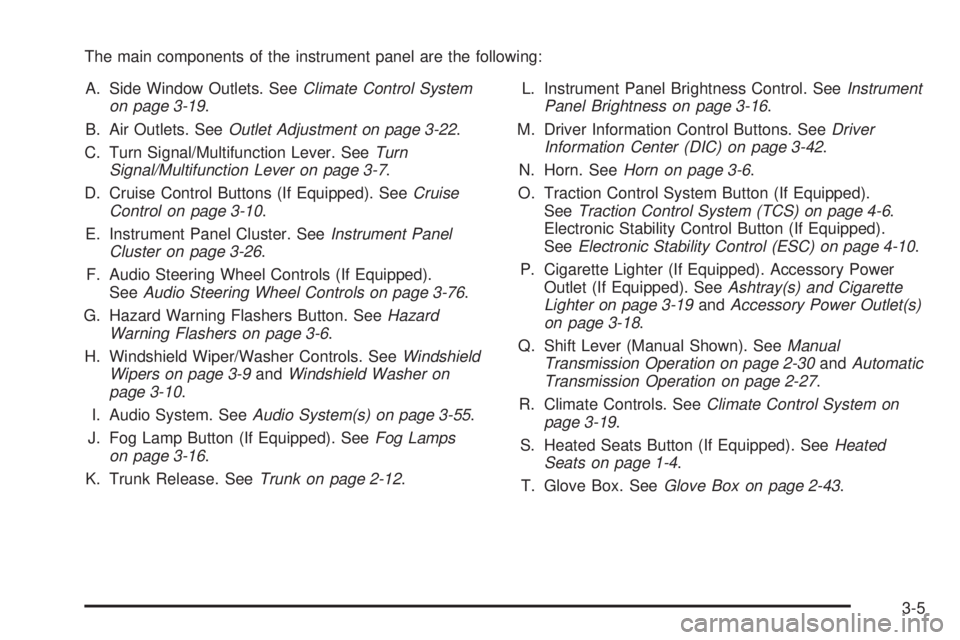
The main components of the instrument panel are the following:
A. Side Window Outlets. SeeClimate Control System
on page 3-19.
B. Air Outlets. SeeOutlet Adjustment on page 3-22.
C. Turn Signal/Multifunction Lever. SeeTurn
Signal/Multifunction Lever on page 3-7.
D. Cruise Control Buttons (If Equipped). SeeCruise
Control on page 3-10.
E. Instrument Panel Cluster. SeeInstrument Panel
Cluster on page 3-26.
F. Audio Steering Wheel Controls (If Equipped).
SeeAudio Steering Wheel Controls on page 3-76.
G. Hazard Warning Flashers Button. SeeHazard
Warning Flashers on page 3-6.
H. Windshield Wiper/Washer Controls. SeeWindshield
Wipers on page 3-9andWindshield Washer on
page 3-10.
I. Audio System. SeeAudio System(s) on page 3-55.
J. Fog Lamp Button (If Equipped). SeeFog Lamps
on page 3-16.
K. Trunk Release. SeeTrunk on page 2-12.L. Instrument Panel Brightness Control. SeeInstrument
Panel Brightness on page 3-16.
M. Driver Information Control Buttons. SeeDriver
Information Center (DIC) on page 3-42.
N. Horn. SeeHorn on page 3-6.
O. Traction Control System Button (If Equipped).
SeeTraction Control System (TCS) on page 4-6.
Electronic Stability Control Button (If Equipped).
SeeElectronic Stability Control (ESC) on page 4-10.
P. Cigarette Lighter (If Equipped). Accessory Power
Outlet (If Equipped). SeeAshtray(s) and Cigarette
Lighter on page 3-19andAccessory Power Outlet(s)
on page 3-18.
Q. Shift Lever (Manual Shown). SeeManual
Transmission Operation on page 2-30andAutomatic
Transmission Operation on page 2-27.
R. Climate Controls. SeeClimate Control System on
page 3-19.
S. Heated Seats Button (If Equipped). SeeHeated
Seats on page 1-4.
T. Glove Box. SeeGlove Box on page 2-43.
3-5
Page 124 of 388
Turn and Lane-Change Signals
The turn signal has two upward (for right) and
two downward (for left) positions. These positions allow
you to signal a turn or a lane change.
To signal a turn, move the lever all the way up or down.
When the turn is nished, the lever will return
automatically.
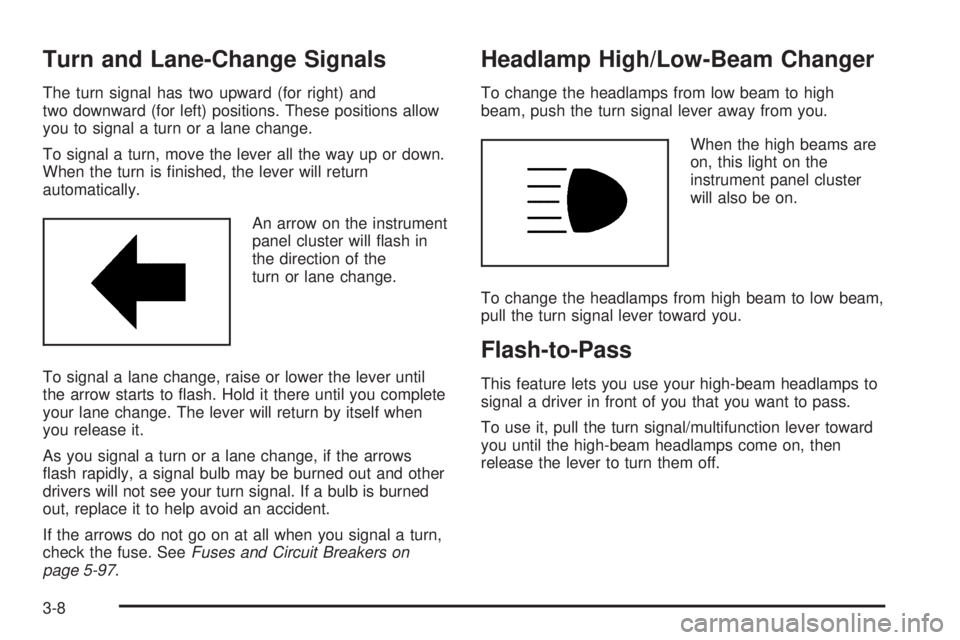
An arrow on the instrument
panel cluster will ash in
the direction of the
turn or lane change.
To signal a lane change, raise or lower the lever until
the arrow starts to ash. Hold it there until you complete
your lane change. The lever will return by itself when
you release it.
As you signal a turn or a lane change, if the arrows
ash rapidly, a signal bulb may be burned out and other
drivers will not see your turn signal. If a bulb is burned
out, replace it to help avoid an accident.
If the arrows do not go on at all when you signal a turn,
check the fuse. SeeFuses and Circuit Breakers on
page 5-97.
Headlamp High/Low-Beam Changer
To change the headlamps from low beam to high
beam, push the turn signal lever away from you.
When the high beams are
on, this light on the
instrument panel cluster
will also be on.
To change the headlamps from high beam to low beam,
pull the turn signal lever toward you.
Flash-to-Pass
This feature lets you use your high-beam headlamps to
signal a driver in front of you that you want to pass.
To use it, pull the turn signal/multifunction lever toward
you until the high-beam headlamps come on, then
release the lever to turn them off.
3-8
Page 127 of 388
Setting Cruise Control
{CAUTION:
If you leave your cruise control on when you
are not using cruise, you might hit a button
and go into cruise when you do not want to.
You could be startled and even lose control.
Keep the cruise control switch off until you
want to use cruise control.
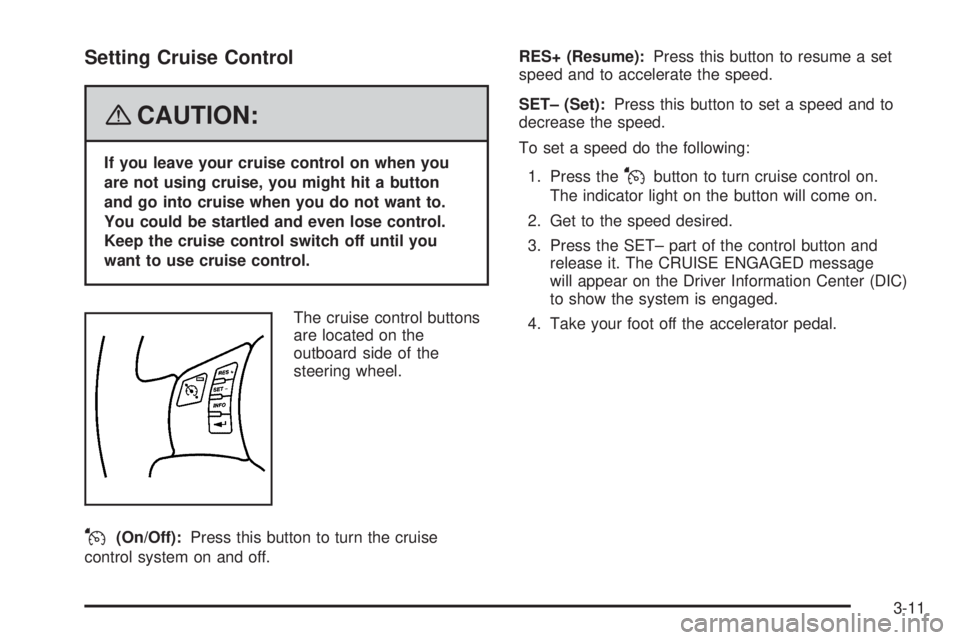
The cruise control buttons
are located on the
outboard side of the
steering wheel.
J(On/Off):Press this button to turn the cruise
control system on and off.RES+ (Resume):Press this button to resume a set
speed and to accelerate the speed.
SET– (Set):Press this button to set a speed and to
decrease the speed.
To set a speed do the following:
1. Press the
Jbutton to turn cruise control on.
The indicator light on the button will come on.
2. Get to the speed desired.
3. Press the SET– part of the control button and
release it. The CRUISE ENGAGED message
will appear on the Driver Information Center (DIC)
to show the system is engaged.
4. Take your foot off the accelerator pedal.
3-11
Page 129 of 388
Using Cruise Control on Hills
How well the cruise control will work on hills depends
upon the vehicle speed, load, and the steepness of the
hills. When going up steep hills, you might have to
step on the accelerator pedal to maintain the vehicle’s
speed. When going downhill, you might have to brake or
shift to a lower gear to keep the vehicle’s speed
down. Applying the brake will turn off the cruise control.
Many drivers nd this to be too much trouble and do
not use cruise control on steep hills.
Ending Cruise Control
There are two ways to end cruise control:
Step lightly on the brake pedal or the clutch pedal if
the vehicle has a manual transmission. This will
only end the current cruise control session.
Press the cruise controlJon/off button to turn the
system completely off.
Erasing Speed Memory
The cruise control set speed memory is erased when
the cruise control or the ignition is turned off.
3-13
Page 130 of 388
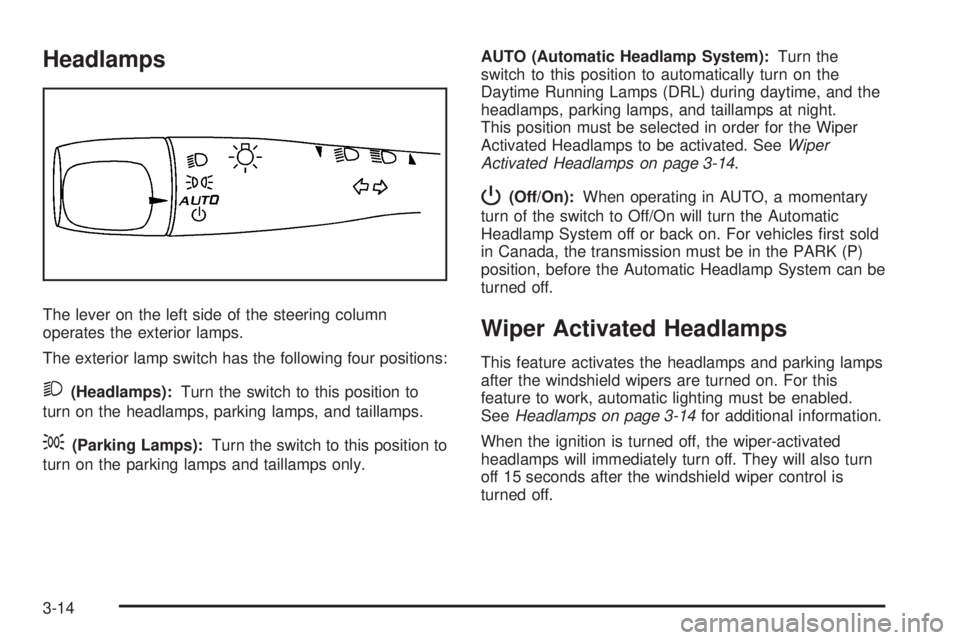
Headlamps
The lever on the left side of the steering column
operates the exterior lamps.
The exterior lamp switch has the following four positions:
2(Headlamps):Turn the switch to this position to
turn on the headlamps, parking lamps, and taillamps.
;(Parking Lamps):Turn the switch to this position to
turn on the parking lamps and taillamps only.AUTO (Automatic Headlamp System):Turn the
switch to this position to automatically turn on the
Daytime Running Lamps (DRL) during daytime, and the
headlamps, parking lamps, and taillamps at night.
This position must be selected in order for the Wiper
Activated Headlamps to be activated. SeeWiper
Activated Headlamps on page 3-14.
P(Off/On):When operating in AUTO, a momentary
turn of the switch to Off/On will turn the Automatic
Headlamp System off or back on. For vehicles rst sold
in Canada, the transmission must be in the PARK (P)
position, before the Automatic Headlamp System can be
turned off.
Wiper Activated Headlamps
This feature activates the headlamps and parking lamps
after the windshield wipers are turned on. For this
feature to work, automatic lighting must be enabled.
SeeHeadlamps on page 3-14for additional information.
When the ignition is turned off, the wiper-activated
headlamps will immediately turn off. They will also turn
off 15 seconds after the windshield wiper control is
turned off.
3-14