light PONTIAC G5 2008 Repair Manual
[x] Cancel search | Manufacturer: PONTIAC, Model Year: 2008, Model line: G5, Model: PONTIAC G5 2008Pages: 388, PDF Size: 2.22 MB
Page 178 of 388
3. Press and hold one of the six pushbuttons until a
beep sounds. When that pushbutton is pressed
and released, the station that was set, returns.
4. Repeat the steps for each pushbutton radio station
you want stored as a favorite.
The number of favorites pages can be setup using the
MENU button. To setup the number of favorites
pages, perform the following steps:
1. Press the MENU button to display the radio
setup menu.
2. Press the pushbutton located below the FAV 1
through 6 label.
3. Select the desired number of favorites pages by
pressing the pushbutton located below the
displayed page numbers.
4. Press the FAV button, or let the menu time out, to
return to the original main radio screen showing the
radio station frequency labels and to begin the
process of programming your favorites for the
chosen amount of numbered pages.Setting the Tone (Bass/Treble)
(Radio with CD (Base Only))
BASS/TREB (Bass/Treble):To adjust the bass or
treble, press the
fknob until the desired tone control
label displays. Turn the
fknob clockwise or
counterclockwise to increase or decrease the setting.
The current bass or treble level displays. If a station’s
frequency is weak, or has static, decrease the treble.
EQ (Equalization):Press to adjust BASS and TREBLE
Settings.
Setting the Tone
(Bass/Midrange/Treble)
BASS/MID/TREB (Bass, Midrange, or Treble):To
adjust bass, midrange, or treble, press the
fknob until
the tone control labels display. Continue pressing to
highlight the desired label, or press the pushbutton
positioned under the desired label. Turn the
fknob
clockwise or counterclockwise to adjust the highlighted
setting. The highlighted setting can be adjusted by
pressing either SEEK arrow,
\FWD (forward),
or
sREV (reverse) button until the desired levels are
obtained. If a station’s frequency is weak, or has
static, decrease the treble.
3-62
Page 179 of 388
To quickly adjust bass, midrange, or treble to the middle
position, press the pushbutton positioned under the
BASS, MID, or TREB label for more than two seconds.
A beep sounds and the level adjusts to the middle
position.
To quickly adjust all tone and speaker controls to the
middle position, press the
fknob for more than
two seconds until a beep sounds.
EQ (Equalization):Press to select preset equalization
settings.
To return to the manual mode, press until Manual
displays or start to manually adjust the bass, midrange,
or treble by pressing the
fknob.
Adjusting the Speakers (Balance/Fade)
(Radio with CD (Base Only))
`
BAL/FADE (Balance/Fade):To adjust the balance
or fade, press this button or the
fknob until the
desired speaker control label displays. Turn the
fknob
clockwise or counterclockwise to adjust the setting.
Adjusting the Speakers (Balance/Fade)
BAL/FADE (Balance/Fade):To adjust balance or
fade, press the
fknob until the speaker control labels
display. Continue pressing to highlight the desired
label, or press the pushbutton positioned under the
desired label. Turn the
fknob clockwise or
counterclockwise to adjust the highlighted setting.
The highlighted setting can be adjusted by pressing
either SEEK arrow,
\FWD, orsREV button
until the desired levels are obtained.
To quickly adjust balance or fade to the middle position,
press the pushbutton positioned under the BAL or
FADE label for more than two seconds. A beep sounds
and the level adjusts to the middle position.
To quickly adjust all speaker and tone controls to the
middle position, press the
fknob for more than
two seconds until a beep sounds.
3-63
Page 182 of 388
If the ignition or radio is turned off, with a CD in the
player, it stays in the player. When the ignition or radio
is turned on, the CD starts playing where it stopped,
if it was the last selected audio source.
When a CD is inserted, the CD symbol displays on
the CD. As each new track starts to play, the track
number displays.
The CD player can play the smaller 3 inch (8 cm) single
CDs with an adapter ring. Full-size CDs and the
smaller CDs are loaded in the same manner.
Care of Your CDs
If playing a CD-R, the sound quality can be reduced due
to CD-R quality, the method of recording, the quality of
the music that has been recorded, and the way the CD-R
has been handled. Handle them carefully. Store CD-R(s)
in their original cases or other protective cases and away
from direct sunlight and dust. The CD player scans the
bottom surface of the disc. If the surface of a CD is
damaged, such as cracked, broken, or scratched, the CD
does not play properly or not at all. Do not touch the
bottom side of a CD while handling it; this could damage
the surface. Pick up CDs by grasping the outer edges or
the edge of the hole and the outer edge.
If the surface of a CD is soiled, take a soft, lint free cloth
or dampen a clean, soft cloth in a mild, neutral detergent
solution mixed with water, and clean it. Make sure the
wiping process starts from the center to the edge.
If there is no apparent damage, try a known good CD.
Care of Your CD Player
Do not add any label to a CD, it could get caught in the
CD player. If a CD is recorded on a personal computer
and a description label is needed, try labeling the top of
the recorded CD with a marking pen instead.
The use of CD lens cleaners for CDs is not advised,
due to the risk of contaminating the lens of the CD optics
with lubricants internal to the CD player mechanism.
Notice:If a label is added to a CD, or more than one
CD is inserted into the slot at a time, or an attempt
is made to play scratched or damaged CDs, the
CD player could be damaged. While using the CD
player, use only CDs in good condition without any
label, load one CD at a time, and keep the CD
player and the loading slot free of foreign materials,
liquids, and debris.
If an error displays, see “CD Messages” later in this
section.
ZEJECT:Press to eject CD(s). To eject the CD that
is currently playing, press and release this button. A beep
sounds and Ejecting Disc displays. Once the disc is
ejected, Remove Disc displays. The CD can be removed.
If the CD is not removed after several seconds, the
CD automatically pulls back into the player and begins
playing.
For the Six-Disc CD player, press and hold this button for
two seconds to eject all discs.
3-66
Page 193 of 388
FM Stereo
FM stereo gives the best sound, but FM signals only
reach about 10 to 40 miles (16 to 65 km). Tall buildings
or hills can interfere with FM signals, causing the
sound to fade in and out.
XM™ Satellite Radio Service
XM™ Satellite Radio Service gives digital radio
reception from coast-to-coast in the 48 contiguous
United States, and in Canada. Just as with FM,
tall buildings or hills can interfere with satellite radio
signals, causing the sound to fade in and out.
In addition, traveling or standing under heavy foliage,
bridges, garages, or through tunnels could cause loss
of the XM signal for a period of time. The radio may
display NO XM SIGNAL to indicate interference.
Fixed Mast Antenna
The xed mast antenna can withstand most car washes
without being damaged. If the mast should ever
become slightly bent, straighten it out by hand. If the
mast is badly bent, replace it.
Check occasionally to make sure the mast is still
tightened to its base. If tightening is required, tighten by
hand, then with a wrench one quarter turn.
XM™ Satellite Radio Antenna
System
Your vehicle may have the XM™ Satellite Radio
antenna that is located on the trunk of your vehicle.
Keep this antenna clear of snow and ice build up
for clear radio reception.
3-77
Page 198 of 388
Braking
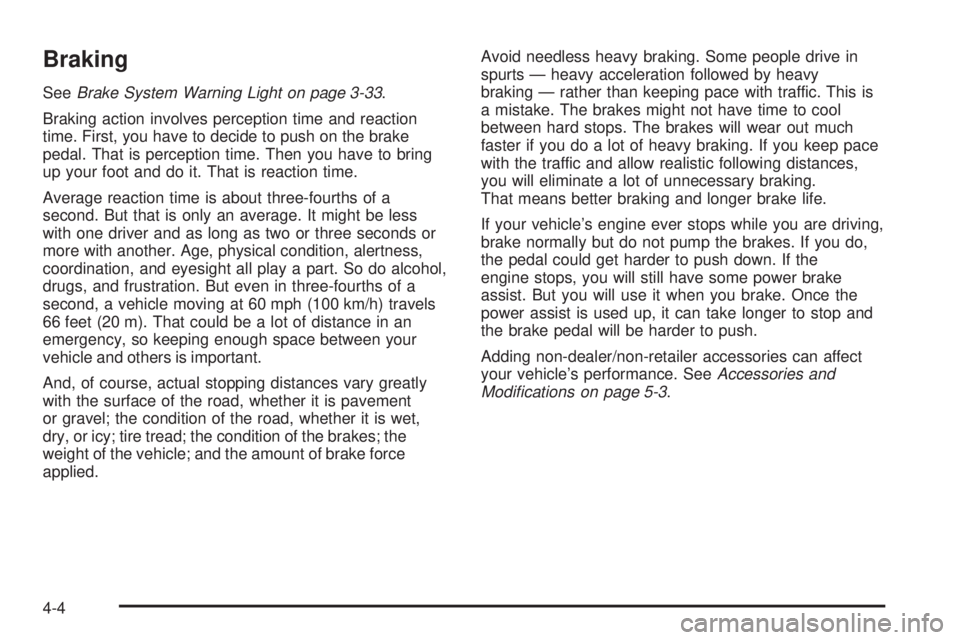
SeeBrake System Warning Light on page 3-33.
Braking action involves perception time and reaction
time. First, you have to decide to push on the brake
pedal. That is perception time. Then you have to bring
up your foot and do it. That is reaction time.
Average reaction time is about three-fourths of a
second. But that is only an average. It might be less
with one driver and as long as two or three seconds or
more with another. Age, physical condition, alertness,
coordination, and eyesight all play a part. So do alcohol,
drugs, and frustration. But even in three-fourths of a
second, a vehicle moving at 60 mph (100 km/h) travels
66 feet (20 m). That could be a lot of distance in an
emergency, so keeping enough space between your
vehicle and others is important.
And, of course, actual stopping distances vary greatly
with the surface of the road, whether it is pavement
or gravel; the condition of the road, whether it is wet,
dry, or icy; tire tread; the condition of the brakes; the
weight of the vehicle; and the amount of brake force
applied.Avoid needless heavy braking. Some people drive in
spurts — heavy acceleration followed by heavy
braking — rather than keeping pace with traffic. This is
a mistake. The brakes might not have time to cool
between hard stops. The brakes will wear out much
faster if you do a lot of heavy braking. If you keep pace
with the traffic and allow realistic following distances,
you will eliminate a lot of unnecessary braking.
That means better braking and longer brake life.
If your vehicle’s engine ever stops while you are driving,
brake normally but do not pump the brakes. If you do,
the pedal could get harder to push down. If the
engine stops, you will still have some power brake
assist. But you will use it when you brake. Once the
power assist is used up, it can take longer to stop and
the brake pedal will be harder to push.
Adding non-dealer/non-retailer accessories can affect
your vehicle’s performance. SeeAccessories and
Modifications on page 5-3.
4-4
Page 199 of 388
Antilock Brake System (ABS)
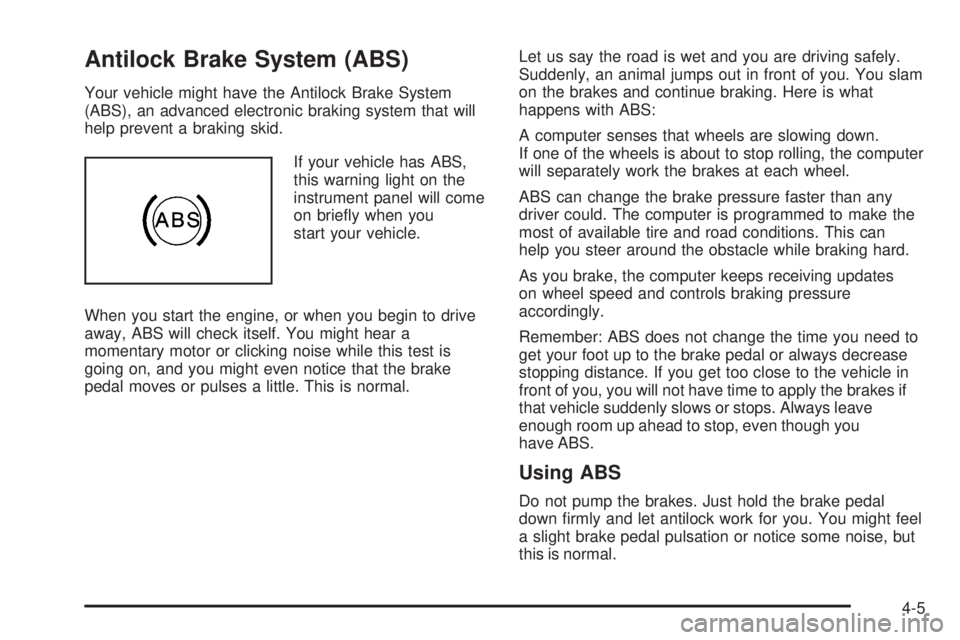
Your vehicle might have the Antilock Brake System
(ABS), an advanced electronic braking system that will
help prevent a braking skid.
If your vehicle has ABS,
this warning light on the
instrument panel will come
on briey when you
start your vehicle.
When you start the engine, or when you begin to drive
away, ABS will check itself. You might hear a
momentary motor or clicking noise while this test is
going on, and you might even notice that the brake
pedal moves or pulses a little. This is normal.Let us say the road is wet and you are driving safely.
Suddenly, an animal jumps out in front of you. You slam
on the brakes and continue braking. Here is what
happens with ABS:
A computer senses that wheels are slowing down.
If one of the wheels is about to stop rolling, the computer
will separately work the brakes at each wheel.
ABS can change the brake pressure faster than any
driver could. The computer is programmed to make the
most of available tire and road conditions. This can
help you steer around the obstacle while braking hard.
As you brake, the computer keeps receiving updates
on wheel speed and controls braking pressure
accordingly.
Remember: ABS does not change the time you need to
get your foot up to the brake pedal or always decrease
stopping distance. If you get too close to the vehicle in
front of you, you will not have time to apply the brakes if
that vehicle suddenly slows or stops. Always leave
enough room up ahead to stop, even though you
have ABS.
Using ABS
Do not pump the brakes. Just hold the brake pedal
down rmly and let antilock work for you. You might feel
a slight brake pedal pulsation or notice some noise, but
this is normal.
4-5
Page 200 of 388
Braking in Emergencies
At some time, nearly every driver gets into a situation
that requires hard braking.
If you have ABS, you can steer and brake at the same
time. However, if you do not have ABS, your rst
reaction — to hit the brake pedal hard and hold it
down — might be the wrong thing to do. Your wheels
can stop rolling. Once they do, the vehicle cannot
respond to your steering. Momentum will carry it in
whatever direction it was headed when the wheels
stopped rolling. That could be off the road, into the very
thing you were trying to avoid, or into traffic.
If you do not have ABS, use a “squeeze” braking
technique. This will give you maximum braking while
maintaining steering control. You can do this by pushing
on the brake pedal with steadily increasing pressure.
In an emergency, you will probably want to squeeze the
brakes hard without locking the wheels. If you hear or
feel the wheels sliding, ease off the brake pedal.
This will help you retain steering control. If you do have
ABS, it is different. SeeAntilock Brake System (ABS)
on page 4-5.
In many emergencies, steering can help you more than
even the very best braking.
Traction Control System (TCS)
Your vehicle may have a Traction Control System (TCS)
that limits wheel spin. This is especially useful in
slippery road conditions. The system operates only if it
senses that the wheels are spinning too much or are
beginning to lose traction. When this happens, the
system works the front brakes and reduces engine power
by closing the throttle and managing engine spark to limit
wheel spin.
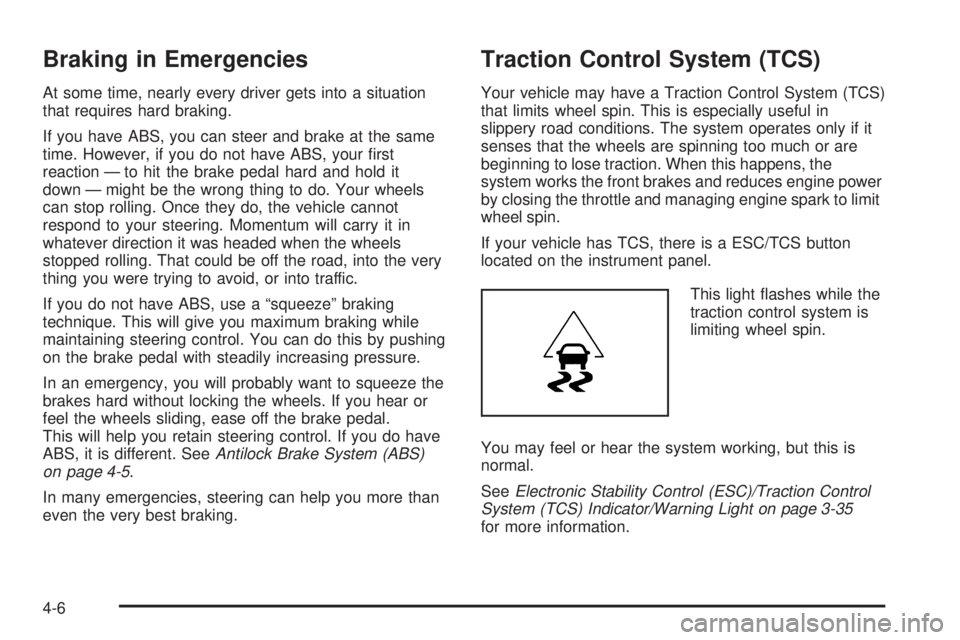
If your vehicle has TCS, there is a ESC/TCS button
located on the instrument panel.
This light ashes while the
traction control system is
limiting wheel spin.
You may feel or hear the system working, but this is
normal.
SeeElectronic Stability Control (ESC)/Traction Control
System (TCS) Indicator/Warning Light on page 3-35
for more information.
4-6
Page 201 of 388
If your vehicle is in cruise control while TCS begins to
limit wheel spin, the cruise control will automatically
disengage. When road conditions allow you to safely
use it again, the cruise control can be re-engaged. See
Turn Signal/Multifunction Lever on page 3-7.
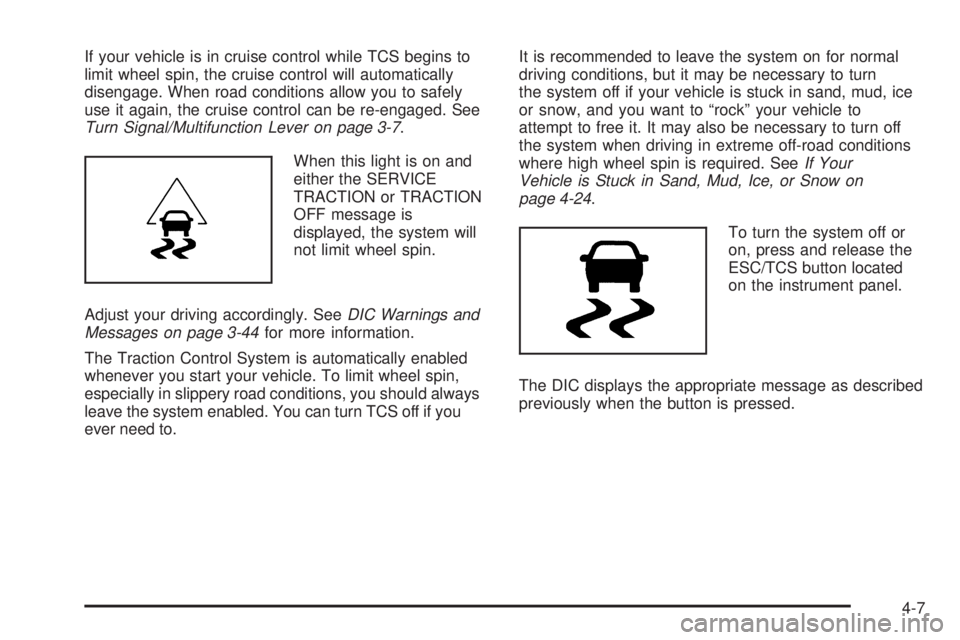
When this light is on and
either the SERVICE
TRACTION or TRACTION
OFF message is
displayed, the system will
not limit wheel spin.
Adjust your driving accordingly. SeeDIC Warnings and
Messages on page 3-44for more information.
The Traction Control System is automatically enabled
whenever you start your vehicle. To limit wheel spin,
especially in slippery road conditions, you should always
leave the system enabled. You can turn TCS off if you
ever need to.It is recommended to leave the system on for normal
driving conditions, but it may be necessary to turn
the system off if your vehicle is stuck in sand, mud, ice
or snow, and you want to “rock” your vehicle to
attempt to free it. It may also be necessary to turn off
the system when driving in extreme off-road conditions
where high wheel spin is required. SeeIf Your
Vehicle is Stuck in Sand, Mud, Ice, or Snow on
page 4-24.
To turn the system off or
on, press and release the
ESC/TCS button located
on the instrument panel.
The DIC displays the appropriate message as described
previously when the button is pressed.
4-7
Page 202 of 388
Traction Control Operation
Traction control limits wheel spin by reducing engine
power to the wheels (engine speed management)
and by applying brakes to each individual wheel
(brake-traction control) as necessary.
The traction control system is enabled automatically
when you start your vehicle, and it will activate and ash
the ESC/TCS light and display the LOW TRACTION
message if it senses that any of the wheels are spinning
or beginning to lose traction while driving. For more
information on the LOW TRACTION message,
seeDriver Information Center (DIC) on page 3-42.
Notice:If you allow the wheel(s) of one axle to spin
excessively while the ESC/TCS, ABS and Brake
warning lights and the SERVICE ESC and/or
SERVICE TRACTION messages are displayed, you
could damage the differential. The repairs would not
be covered by your warranty. Reduce engine power
and do not spin the wheel(s) excessively while these
lights and this message are displayed.Notice:When traction control is turned off, or
Competitive Driving Mode is active, it is possible to
lose traction. If you attempt to shift with the front
wheels spinning with a loss of traction, it is possible
to cause damage to the transmission. Do not
attempt to shift when the front wheels do not have
traction. Damage caused by misuse of the vehicle is
not covered. See your warranty book for additional
information.
The traction control system may activate on dry or
rough roads or under conditions such as heavy
acceleration while turning or abrupt upshifts/downshifts
of the transmission. When this happens, you may notice
a reduction in acceleration, or may hear a noise or
vibration. This is normal.
If your vehicle is in cruise control while the system
activates, the ESC/TCS light ashes and the cruise
control automatically disengages. When road conditions
allow you to use cruise control again, you may
re-engage the cruise control. SeeCruise Control on
page 3-10.
Adding non-dealer/non-retailer accessories can affect
your vehicle’s performance. SeeAccessories and
Modifications on page 5-3for more information.
4-8
Page 203 of 388
Enhanced Traction System (ETS)
Your vehicle may have an Enhanced Traction System
(ETS) that limits wheel spin. This is especially useful in
slippery road conditions. The system operates only if it
senses that one or both of the front wheels are spinning
or beginning to lose traction. When this happens, the
system reduces engine power and may also upshift the
transmission to limit wheel spin. You may feel or hear the
system working, but this is normal.
If your vehicle has ETS, there is not an ESC/TCS button
on the instrument panel. To turn the system off, shift to
LOW (L) or REVERSE (R). There is more information
about how to turn the system off later in this section.
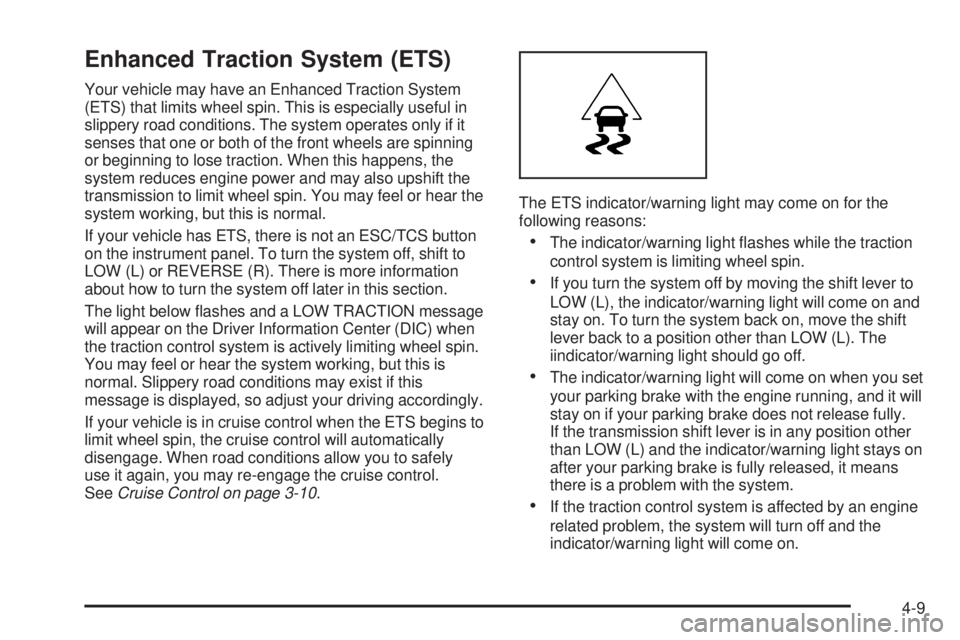
The light below ashes and a LOW TRACTION message
will appear on the Driver Information Center (DIC) when
the traction control system is actively limiting wheel spin.
You may feel or hear the system working, but this is
normal. Slippery road conditions may exist if this
message is displayed, so adjust your driving accordingly.
If your vehicle is in cruise control when the ETS begins to
limit wheel spin, the cruise control will automatically
disengage. When road conditions allow you to safely
use it again, you may re-engage the cruise control.
SeeCruise Control on page 3-10.The ETS indicator/warning light may come on for the
following reasons:
The indicator/warning light ashes while the traction
control system is limiting wheel spin.
If you turn the system off by moving the shift lever to
LOW (L), the indicator/warning light will come on and
stay on. To turn the system back on, move the shift
lever back to a position other than LOW (L). The
iindicator/warning light should go off.
The indicator/warning light will come on when you set
your parking brake with the engine running, and it will
stay on if your parking brake does not release fully.
If the transmission shift lever is in any position other
than LOW (L) and the indicator/warning light stays on
after your parking brake is fully released, it means
there is a problem with the system.
If the traction control system is affected by an engine
related problem, the system will turn off and the
indicator/warning light will come on.
4-9