ECO mode PONTIAC G5 2009 User Guide
[x] Cancel search | Manufacturer: PONTIAC, Model Year: 2009, Model line: G5, Model: PONTIAC G5 2009Pages: 402, PDF Size: 2.22 MB
Page 186 of 402
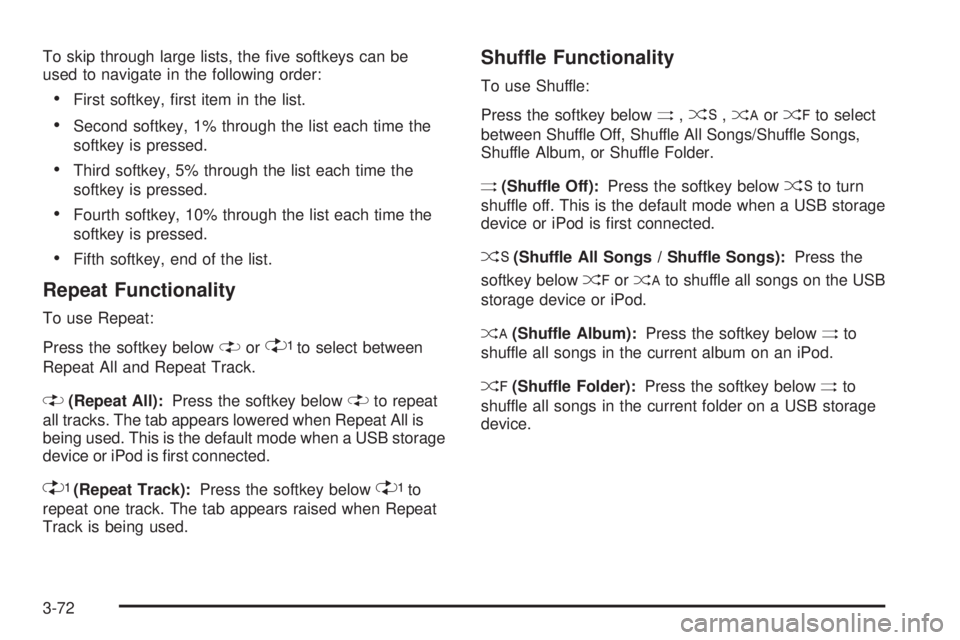
To skip through large lists, the ve softkeys can be
used to navigate in the following order:
First softkey, rst item in the list.
Second softkey, 1% through the list each time the
softkey is pressed.
Third softkey, 5% through the list each time the
softkey is pressed.
Fourth softkey, 10% through the list each time the
softkey is pressed.
Fifth softkey, end of the list.
Repeat Functionality
To use Repeat:
Press the softkey below
"or'to select between
Repeat All and Repeat Track.
"(Repeat All):Press the softkey below"to repeat
all tracks. The tab appears lowered when Repeat All is
being used. This is the default mode when a USB storage
device or iPod is rst connected.
'(Repeat Track):Press the softkey below'to
repeat one track. The tab appears raised when Repeat
Track is being used.
Shuffle Functionality
To use Shuffle:
Press the softkey below
>,2,
Shuffle Album, or Shuffle Folder.
>(Shuffle Off):Press the softkey below2to turn
shuffle off. This is the default mode when a USB storage
device or iPod is rst connected.
2(Shuffle All Songs / Shuffle Songs):Press the
softkey below
=or
<(Shuffle Album):Press the softkey below>to
shuffle all songs in the current album on an iPod.
=(Shuffle Folder):Press the softkey below>to
shuffle all songs in the current folder on a USB storage
device.
3-72
Page 301 of 402

TPMS Matching Process for Vehicles
with Remote Keyless Entry (RKE)
1. Set the parking brake.
2. Turn the ignition switch to ON/RUN with the
engine off.
3. Press and hold the Remote Keyless Entry (RKE)
transmitter’s lock and unlock buttons, at the same
time, for about ve seconds to start the TPMS learn
mode. The horn sounds twice indicating the TPMS
receiver is ready and in learn mode.
4. Start with the driver side front tire. The driver side
front turn signal also comes on to indicate that
corner’s sensor is ready to be learned.
5. Remove the valve cap from the tire’s valve
stem. Activate the TPMS sensor by increasing
or decreasing the tire’s air pressure for about
eight seconds. The horn chirp, can take up to
30 seconds to sound. It chirps one time and then all
the turn signals ash one time to conrm the sensor
identication code has been matched to the tire/
wheel position.6. The passenger side front turn signal comes on to
indicate that corner sensor is ready to be learned.
Proceed to the passenger side front tire and
repeat the procedure in Step 5.
7. The passenger side rear turn signal comes on to
indicate that corner sensor is ready to be learned.
Proceed to the passenger side rear tire and repeat
the procedure in Step 5.
8. The driver side rear turn signal comes on to indicate
that corner sensor is ready to be learned. Proceed to
the driver side rear tire, and repeat the procedure in
Step 5.
9. After hearing the single horn chirp for the driver side
rear tire, two additional horn chirps sound to indicate
the tire learning process is done. Turn the ignition
switch to LOCK/OFF.
If no tires are learned after entering the TPMS learn
mode, or if communication with the receiver stops, or
if the time limit has expired, turn the ignition switch to
LOCK/OFF and start over beginning with Step 2.
10. Set all four tires to the recommended air pressure
level as indicated on the Tire and Loading
Information label.
11. Put the valve caps back on the valve stems.
5-61
Page 302 of 402

TPMS Matching Process for Vehicles
without Remote Keyless Entry (RKE)
1. Set the parking brake.
2. Turn the ignition switch to ON/RUN with the
engine off.
3. Using the Driver Information Center (DIC), press the
INFO and Set/Reset buttons at the same time for
about one second. Then press and release the INFO
button until the TIRE LEARN? message displays.
4. Press and hold the Set/Reset DIC button for
approximately three seconds to start the TPMS
learn mode. The horn sounds twice to indicate the
TPMS receiver is ready and the TIRE LEARN
ON message displays. The driver side front turn
signal also comes on to indicate that corner sensor
is ready to be learned.
5. Start with the driver side front tire.
6. Remove the valve cap from the tire’s valve
stem. Activate the TPMS sensor by increasing
or decreasing the tire’s air pressure for about
eight seconds. The horn chirp, can take up to
30 seconds to sound. It chirps one time and then
all the turn signals ash one time to conrm the
sensor identication code has been matched to the
tire/wheel position.7. The passenger side front turn signal comes on to
indicate that corner sensor is ready to be learned.
Proceed to the passenger side front tire and
repeat the procedure in Step 6.
8. The passenger side rear turn signal comes on to
indicate that corner sensor is ready to be learned.
Proceed to the passenger side rear tire and
repeat the procedure in Step 6.
9. The driver side rear turn signal comes on to indicate
that corner sensor is ready to be learned. Proceed to
the driver side rear tire, and repeat the procedure in
Step 6.
10. After hearing the single horn chirp for the driver side
rear tire, two additional horn chirps sound to indicate
the tire learning process is done. The LEARN
COMPLETE message displays if all four tire
positions are learned. Turn the ignition switch to
LOCK/OFF.
If no tires are learned after entering the TPMS learn
mode, or if communication with the receiver stops,
or if the time limit has expired, the TIRE LEARN?
message displays on the DIC. Turn the ignition
switch to LOCK/OFF and start over beginning with
Step 2.
11. Set all four tires to the recommended air pressure
level as indicated on the Tire and Loading
Information label.
12. Put the valve caps back on the valve stems.
5-62
Page 323 of 402
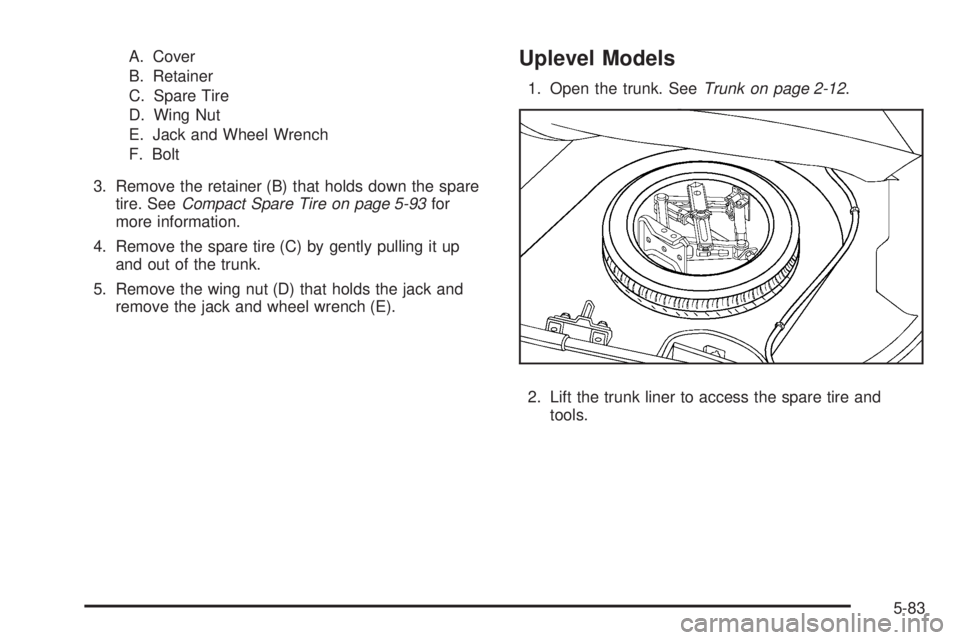
A. Cover
B. Retainer
C. Spare Tire
D. Wing Nut
E. Jack and Wheel Wrench
F. Bolt
3. Remove the retainer (B) that holds down the spare
tire. SeeCompact Spare Tire on page 5-93for
more information.
4. Remove the spare tire (C) by gently pulling it up
and out of the trunk.
5. Remove the wing nut (D) that holds the jack and
remove the jack and wheel wrench (E).Uplevel Models
1. Open the trunk. SeeTrunk on page 2-12.
2. Lift the trunk liner to access the spare tire and
tools.
5-83
Page 385 of 402

Current and Past Model Order Forms
Technical Service Bulletins and Manuals are available
for current and past model GM vehicles. To request
an order form, specify year and model name of
the vehicle.
ORDER TOLL FREE: 1-800-551-4123
Monday-Friday 8:00 AM - 6:00 PM
Eastern Time
For Credit Card Orders Only
(VISA-MasterCard-Discover), visit Helm, Inc.
on the World Wide Web at: helminc.com
Or you can write to:
Helm, Incorporated
P.O. Box 07130
Detroit, MI 48207
Prices are subject to change without notice and without
incurring obligation. Allow ample time for delivery.
Note to Canadian Customers: All listed prices are
quoted in U.S. funds. Canadian residents are to make
checks payable in U.S. funds.
Vehicle Data Recording and
Privacy
Your GM vehicle has a number of sophisticated
computers that record information about the vehicle’s
performance and how it is driven. For example, your
vehicle uses computer modules to monitor and control
engine and transmission performance, to monitor the
conditions for airbag deployment and deploy airbags
in a crash and, if so equipped, to provide antilock braking
to help the driver control the vehicle. These modules
may store data to help your dealer/retailer technician
service your vehicle. Some modules may also store data
about how you operate the vehicle, such as rate of fuel
consumption or average speed. These modules may also
retain the owner’s personal preferences, such as radio
pre-sets, seat positions, and temperature settings.
7-17