traction control PONTIAC G5 2010 User Guide
[x] Cancel search | Manufacturer: PONTIAC, Model Year: 2010, Model line: G5, Model: PONTIAC G5 2010Pages: 422, PDF Size: 2.22 MB
Page 180 of 422

ESC (Electronic Stability Control) NOT
READY
If your vehicle has Electronic Stability Control (ESC), this
message may display briefly after starting the vehicle if
the system’s sensors are not yet calibrated. The system
is not functional until the message stops displaying.
Adjust your driving accordingly. When the message is no
longer displayed, the system is functional. SeeElectronic
Stability Control (ESC) on page 5-6 for more information.
ESC (Electronic Stability Control) OFF
If your vehicle has Electronic Stability Control (ESC),
this message displays and the ESC/TCS light on the
instrument panel cluster comes on solid when ESC is
turned off. Adjust your driving accordingly. See Electronic
Stability Control (ESC) on page 5-6 andElectronic
Stability Control (ESC)/Traction Control System (TCS)
Indicator/Warning Light on page 4-28 for more
information.
ICE POSSIBLE
This message displays when the outside air temperature
is cold enough to create icy road conditions. Adjust
your driving accordingly.
KEY FOB BATT (Battery) LOW
This message displays if the Remote Keyless Entry
(RKE) transmitter battery is low. Replace the battery
in the transmitter. See “Battery Replacement” under
Remote Keyless Entry (RKE) System Operation
on page 3-3.
LEARN COMPLETE
On vehicles without the Remote Keyless Entry (RKE)
system, this message displays when the Tire Pressure
Monitor System (TPMS) has completed the tire learning
process. See Tire Pressure Monitor System on page 6-56
for more information.
LOW FUEL
This message displays when your vehicle is low on
fuel. Refill the fuel tank as soon as possible. See Fuel
Gage on page 4-34 ,Fuel on page 6-5, and Filling
the Tank on page 6-8 for more information.
4-40
Page 181 of 422

LOW TRACTION
If your vehicle has the Enhanced Traction System (ETS)
or Traction Control System (TCS), this message displays
and the ETS light or the ESC/TCS light on the instrument
panel cluster flashes when the system is actively limiting
wheel spin. Slippery road conditions may exist if this
message is displayed, so adjust your driving accordingly.
This message stays on for a few seconds after the
system stops limiting wheel spin. SeeEnhanced Traction
System (ETS) on page 5-11 orTraction Control System
(TCS) on page 5-8 andEnhanced Traction System (ETS)
Indicator/Warning Light on page 4-27 orElectronic
Stability Control (ESC)/Traction Control System (TCS)
Indicator/Warning Light on page 4-28 for more
information.
PARKING BRAKE
This message displays if the parking brake is left
engaged. See Parking Brake on page 3-29 for more
information.
POWER STEERING
This message displays if a problem has been detected
with the electric power steering. Have your vehicle
serviced by your dealer/retailer immediately.
SERVICE AIR BAG
This message displays when there is a problem with
the airbag system. Have your vehicle serviced by your
dealer/retailer immediately.
SERVICE ESC (ELECTRONIC STABILITY
CONTROL)
If your vehicle has Electronic Stability Control (ESC), this
message displays and a chime sounds if there has been
a problem detected with ESC. The ESC/TCS light also
appears on the instrument panel cluster. This light stays
on solid as long as the detected problem remains
present. When this message displays, the system is not
working. Adjust your driving accordingly. See Electronic
Stability Control (ESC) on page 5-6 andElectronic
Stability Control (ESC)/Traction Control System (TCS)
Indicator/Warning Light on page 4-28 for more
information.
If this message turns on while you are driving, pull off the
road as soon as possible and stop carefully. Try resetting
the system by turning the ignition off and then back on.
If this message still stays on or turns back on again while
you are driving, your vehicle needs service. Have the
ESC inspected by your dealer/retailer as soon as
possible.
4-41
Page 182 of 422

SERVICE TRACTION
If your vehicle has the Enhanced Traction System (ETS)
or Traction Control System (TCS), this message displays
and a chime sounds when the system is not functioning
properly. The ETS light or the ESC/TCS light also
appears on the instrument panel cluster. This light stays
on solid as long as the detected problem remains
present. When this message displays, the system is not
working. Adjust your driving accordingly. SeeEnhanced
Traction System (ETS) on page 5-11 orTraction Control
System (TCS) on page 5-8 andEnhanced Traction
System (ETS) Indicator/Warning Light on page 4-27
or Electronic Stability Control (ESC)/Traction Control
System (TCS) Indicator/Warning Light on page 4-28
for more information. Have the system serviced by
your dealer/retailer as soon as possible.
SVC (Service) TIRE MONITOR
If your vehicle is equipped with a Tire Pressure
Monitoring System (TPMS), this message displays
if a part on the TPMS is not working properly. The tire
pressure light also flashes and then remains on during
the same ignition cycle. See Tire Pressure Light on
page 4-29. Several conditions may cause this message
to appear. See Tire Pressure Monitor Operation on
page 6-58 for more information. If the warning comes on
and stays on, there may be a problem with the TPMS.
See your dealer/retailer.
TIRE LEARN ON
If your vehicle is equipped with a Tire Pressure
Monitoring System (TPMS) and does not have the
Remote Keyless Entry (RKE) system, this message
displays when the TPMS is re-learning the tire positions
on your vehicle. The tire positions must be re-learned
after rotating the tires or after replacing a tire or sensor.
See Tire Inspection and Rotation on page 6-62 ,
Tire Pressure Monitor System on page 6-56 , and
Ination - Tire Pressure on page 6-55 for more
information.
TIRE LOW ADD AIR
If your vehicle is equipped with a Tire Pressure
Monitoring System (TPMS), this message displays when
the pressure in one or more of the vehicle’s tires is low.
The low tire pressure warning light will also come on.
See Tire Pressure Light on page 4-29 . If a tire pressure
message appears on the DIC, stop as soon as you can.
Have the tire pressures checked and set to those shown
on the Tire Loading Information label. See Tires on
page 6-48, Loading the Vehicle on page 5-24 , and
Ination - Tire Pressure on page 6-55 . The DIC also
shows the tire pressure values. See DIC Operation
and Displays on page 4-36 .
4-42
Page 183 of 422

TRACTION OFF
If your vehicle has the Enhanced Traction System (ETS)
or Traction Control System (TCS), this message displays
and the ETS light or the ESC/TCS light on the instrument
panel cluster comes on solid when the system is turned
off. Adjust your driving accordingly. SeeEnhanced
Traction System (ETS) on page 5-11 orTraction Control
System (TCS) on page 5-8 andEnhanced Traction
System (ETS) Indicator/Warning Light on page 4-27
or Electronic Stability Control (ESC)/Traction Control
System (TCS) Indicator/Warning Light on page 4-28
for more information.
TRUNK AJAR
This message displays when the trunk is not closed
completely. Make sure that the trunk is closed
completely. See Trunk on page 3-11.
DIC Vehicle Personalization
Your vehicle has personalization capabilities that allow
you to program certain features to a preferred setting.
All of the features listed may not be available on your
vehicle. Only the features available will be displayed
on the DIC.
The default settings for the features were set when your
vehicle left the factory, but may have been changed
from their default state since that time.
To change feature settings, use the following procedure:
Entering Personalization Menu
1. Turn the ignition on while the vehicle is stopped.
To avoid excessive drain on the battery, it is
recommended that the headlamps are turned off.
2. Press and hold the information and reset buttons at the same time for one second, then release to enter
the personalization menu.
If the vehicle speed is greater than 3 km/h (2 mph),
only the UNITS menu will be accessible.
3. Press the information button to scroll through the available personalization menu modes.
Press the reset button to scroll through the available
settings for each mode.
If you do not make a selection within ten seconds,
the display will go back to the previous information
displayed.
4-43
Page 225 of 422
Your Driving, the Road, and the Vehicle............5-2
Defensive Driving .......................................... .5-2
Drunk Driving ................................................ .5-2
Control of a Vehicle ....................................... .5-3
Braking ........................................................ .5-3
Antilock Brake System (ABS) ...........................5-4
Braking in Emergencies .................................. .5-5
Electronic Stability Control (ESC) ......................5-6
Traction Control System (TCS) .........................5-8
Enhanced Traction System (ETS) ....................5-11
Steering ..................................................... .5-13
Off-Road Recovery ...................................... .5-15
Passing ...................................................... .5-15
Loss of Control ............................................ .5-15
Driving at Night ........................................... .5-17Driving in Rain and on Wet Roads
..................5-18
Before Leaving on a Long Trip .......................5-19
Highway Hypnosis ....................................... .5-19
Hill and Mountain Roads ................................5-20
Winter Driving ............................................. .5-21
If Your Vehicle is Stuck in Sand, Mud, Ice, or Snow .................................................. .5-23
Rocking Your Vehicle to Get It Out .................5-24
Loading the Vehicle ..................................... .5-24
Towing ......................................................... .5-30
Towing Your Vehicle .................................... .5-30
Recreational Vehicle Towing ...........................5-30
Towing a Trailer (Automatic Transmission) ........5-33
Towing a Trailer (Manual Transmission) ...........5-39
Section 5 Driving Your Vehicle
5-1
Page 227 of 422
For persons under 21, it is against the law in every
U.S. state to drink alcohol. There are good medical,
psychological, and developmental reasons for
these laws.
The obvious way to eliminate the leading highway
safety problem is for people never to drink alcohol and
then drive.
Medical research shows that alcohol in a person’s
system can make crash injuries worse, especially
injuries to the brain, spinal cord, or heart. This means
that when anyone who has been drinking — driver
or passenger — is in a crash, that person’s chance of
being killed or permanently disabled is higher than if the
person had not been drinking.
Control of a Vehicle
The following three systems help to control the vehicle
while driving — brakes, steering, and accelerator. At
times, as when driving on snow or ice, it is easy to ask
more of those control systems than the tires and road can
provide. Meaning, you can lose control of the vehicle.See
Traction Control System (TCS) on page 5-8 ,
Enhanced Traction System (ETS) on page 5-11 , and
Electronic Stability Control (ESC) on page 5-6 .
Adding non-dealer/non-retailer accessories can affect
vehicle performance. See Accessories and Modications
on page 6-3.
Braking
See Brake System Warning Light on page 4-26 .
Braking action involves perception time and reaction
time. Deciding to push the brake pedal is perception
time. Actually doing it is reaction time.
Average reaction time is about three-fourths of a second.
But that is only an average. It might be less with one
driver and as long as two or three seconds or more with
another. Age, physical condition, alertness, coordination,
and eyesight all play a part. So do alcohol, drugs, and
frustration. But even in three-fourths of a second, a
vehicle moving at 100 km/h (60 mph) travels 20 m
(66 feet). That could be a lot of distance in an emergency,
so keeping enough space between the vehicle and others
is important.
5-3
Page 230 of 422
Electronic Stability Control (ESC)
The vehicle may have an Electronic Stability Control
(ESC) system which combines antilock brake, and
traction and stability control systems that help the driver
maintain directional control of the vehicle in most
driving conditions.
When the vehicle is started and begins to move, the
system performs several diagnostic checks to ensure
there are no problems. The system may be heard or felt
while it is working. This is normal and does not mean
there is a problem with the vehicle. The system
should initialize before the vehicle reaches 20 mph
(32 km/h).
If the system fails to turn on or activate, the ESC/TCS
light comes on, and the ESC OFF and/or SERVICE ESC
message displays.
For more information, seeDriver Information Center
(DIC) on page 4-35 andElectronic Stability Control
(ESC)/Traction Control System (TCS) Indicator/Warning
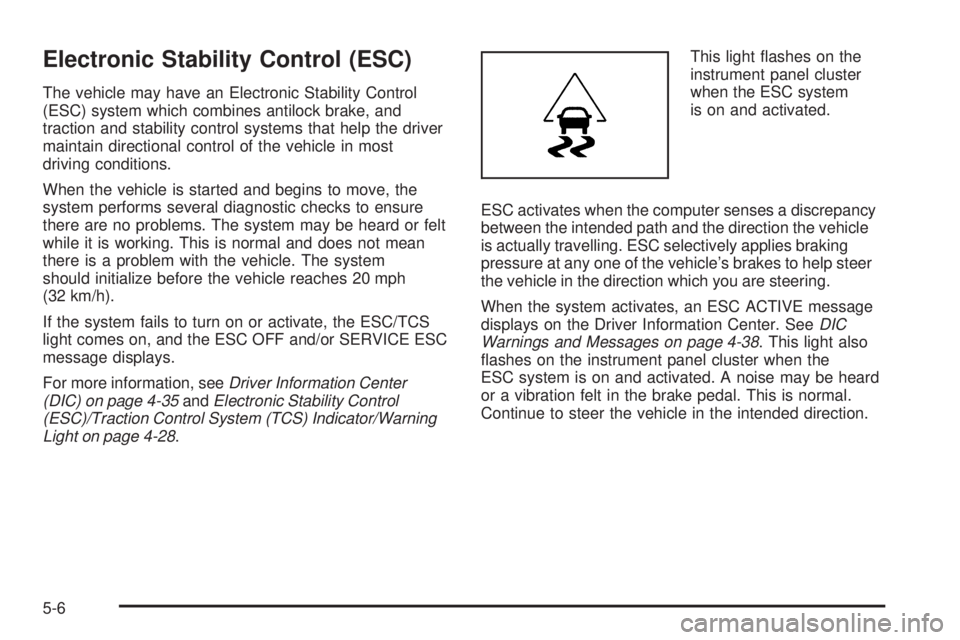
Light on page 4-28. This light flashes on the
instrument panel cluster
when the ESC system
is on and activated.
ESC activates when the computer senses a discrepancy
between the intended path and the direction the vehicle
is actually travelling. ESC selectively applies braking
pressure at any one of the vehicle’s brakes to help steer
the vehicle in the direction which you are steering.
When the system activates, an ESC ACTIVE message
displays on the Driver Information Center. See DIC
Warnings and Messages on page 4-38 . This light also
flashes on the instrument panel cluster when the
ESC system is on and activated. A noise may be heard
or a vibration felt in the brake pedal. This is normal.
Continue to steer the vehicle in the intended direction.
5-6
Page 231 of 422

When the light is on solid and the message(s),
SERVICE ESC, ESC OFF, or both display, the system
will not assist the driver in maintaining directional
control of the vehicle. Adjust your driving accordingly.
SeeDIC Warnings and Messages on page 4-38 .
The ESC system is automatically enabled whenever the
vehicle is started. To assist the driver with vehicle
directional control, especially in slippery road conditions,
the system should always be left on. But, ESC can
be turned off if needed.
If cruise control is being used when ESC activates, the
cruise control automatically disengages. The cruise
control can be reengaged when road conditions allow.
See Cruise Control on page 4-7 . The ESC/TCS button is
located on the instrument
panel.
The traction control system can be turned off or back on
by pressing the ESC/TCS button. To disable both
traction control and ESC, press and hold the button from
five to ten seconds.
When the ESC system is turned off, the TRACTION
OFF and ESC OFF messages appear, and the
ESC/TCS light comes on to warn the driver that both
traction control and ESC are disabled.
5-7
Page 232 of 422

It is recommended that the system remain on for normal
driving conditions, but it may be necessary to turn the
system off if the vehicle is stuck in sand, mud, ice
or snow, and you want to “rock” the vehicle to attempt
to free it. It may also be necessary to turn off the system
when driving in extreme off-road conditions where
high wheel spin is required. SeeIf Your Vehicle is Stuck
in Sand, Mud, Ice, or Snow on page 5-23 .
ESC may also turn off automatically if it determines that a
problem exists with the system. The ESC OFF and
SERVICE ESC messages and the ESC/TCS light comes
on to warn the driver that ESC is disabled and requires
service. If the problem does not clear after restarting the
vehicle, see your dealer/retailer for service. See DIC
Warnings and Messages on page 4-38 for more
information.
Adding non-dealer/non-retailer accessories can affect
the vehicle’s performance. See Accessories and
Modications on page 6-3 for more information.Traction Control System (TCS)
The vehicle may have a Traction Control System (TCS)
that limits wheel spin. This is especially useful in slippery
road conditions. The system operates only if it senses
that the front wheels are spinning too much or are
beginning to lose traction. When this happens, the
system works the front brakes and reduces engine power
by closing the throttle and managing engine spark to limit
wheel spin.
This light flashes while the
traction control system is
limiting wheel spin.
The system may be heard or felt while it is working.
This is normal and does not mean there is a problem
with the vehicle.
See Electronic Stability Control (ESC)/Traction Control
System (TCS) Indicator/Warning Light on page 4-28
for more information.
5-8
Page 233 of 422

If the vehicle is in cruise control while TCS begins to
limit wheel spin, the cruise control will automatically
disengage. The cruise control can be re-engaged when
road conditions allow. SeeTurn Signal/Multifunction
Lever on page 4-4.
When this light is on and
either the SERVICE
TRACTION or TRACTION
OFF message is displayed,
the system will not limit
wheel spin.
Adjust your driving accordingly. See DIC Warnings and
Messages on page 4-38 for more information.
The Traction Control System comes on automatically
whenever the vehicle is started. It is recommended to
leave the system on for normal driving conditions, but it may be necessary to turn the system off if the vehicle is
stuck in sand, mud, ice or snow, and you want to “rock”
your vehicle to attempt to free it. It may also be necessary
to turn off the system when driving in off-road conditions
where high wheel spin is required. See
If Your Vehicle is
Stuck in Sand, Mud, Ice, or Snow on page 5-23 .
To turn the system off or
on, press and release the
ESC/TCS button located
on the instrument panel.
The DIC displays the appropriate message as described
previously when the button is pressed.
5-9