traction control PONTIAC G5 2010 Owners Manual
[x] Cancel search | Manufacturer: PONTIAC, Model Year: 2010, Model line: G5, Model: PONTIAC G5 2010Pages: 422, PDF Size: 2.22 MB
Page 5 of 422
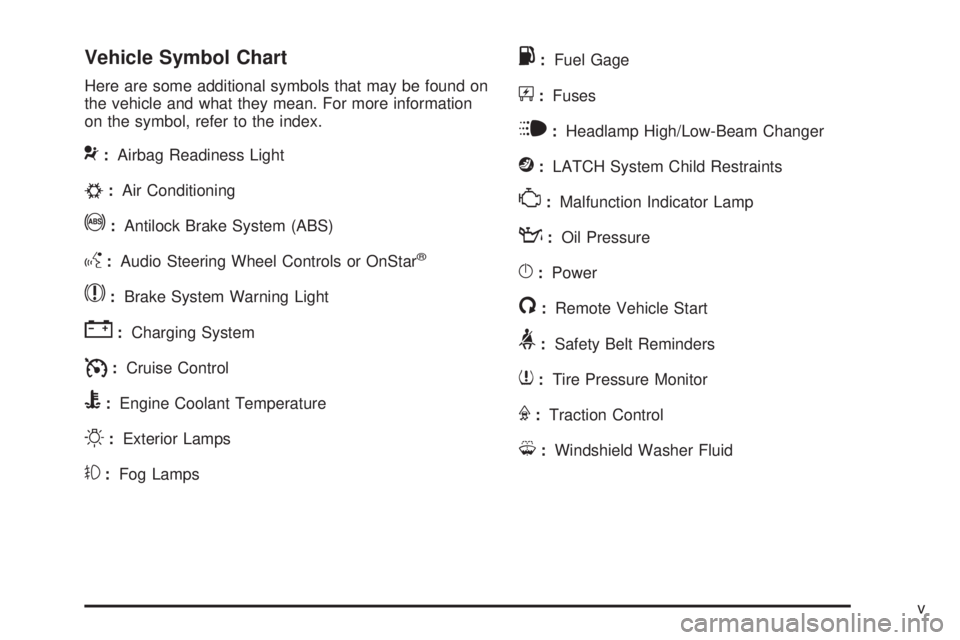
Vehicle Symbol Chart
Here are some additional symbols that may be found on
the vehicle and what they mean. For more information
on the symbol, refer to the index.
9:Airbag Readiness Light
#:Air Conditioning
!:Antilock Brake System (ABS)
g:Audio Steering Wheel Controls or OnStar®
$:Brake System Warning Light
":Charging System
I:Cruise Control
B:Engine Coolant Temperature
O:Exterior Lamps
#:Fog Lamps
.:Fuel Gage
+:Fuses
i:Headlamp High/Low-Beam Changer
j:LATCH System Child Restraints
*:Malfunction Indicator Lamp
::Oil Pressure
}:Power
/:Remote Vehicle Start
>:Safety Belt Reminders
7:Tire Pressure Monitor
F:Traction Control
M:Windshield Washer Fluid
v
Page 7 of 422
Instrument Panel............................................. .1-2
Initial Drive Information ....................................1-4
Remote Keyless Entry (RKE) System ................1-4
Remote Vehicle Start ..................................... .1-4
Door Locks ................................................... .1-5
Trunk Release .............................................. .1-6
Windows ...................................................... .1-6
Seat Adjustment ............................................ .1-6
Head Restraint Adjustment ...............................1-9
Safety Belt ................................................... .1-9
Sensing System for Passenger Airbag ...............1-9
Mirror Adjustment ........................................ .1-10
Steering Wheel Adjustment ............................1-11
Interior Lighting ........................................... .1-11
Exterior Lighting .......................................... .1-12
Windshield Wiper/Washer ...............................1-13
Climate Controls .......................................... .1-14Vehicle Features
............................................ .1-14
Radio(s) ..................................................... .1-14
Satellite Radio ............................................. .1-16
Portable Audio Devices (Auxiliary Input or USB Port) ............................................... .1-16
Steering Wheel Controls ................................1-17
Bluetooth
®.................................................. .1-17
Cruise Control ............................................. .1-18
Power Outlets ............................................. .1-18
Performance and Maintenance .........................1-18
Traction Control System (TCS) .......................1-18
Electronic Stability Control (ESC) ....................1-19
Tire Pressure Monitor ................................... .1-19
Tire Sealant and Compressor Kit ....................1-20
Engine Oil Life System ................................. .1-20
Driving for Better Fuel Economy .....................1-21
Roadside Assistance Program ........................1-21
OnStar
®..................................................... .1-22
Section 1 In Brief
1-1
Page 9 of 422
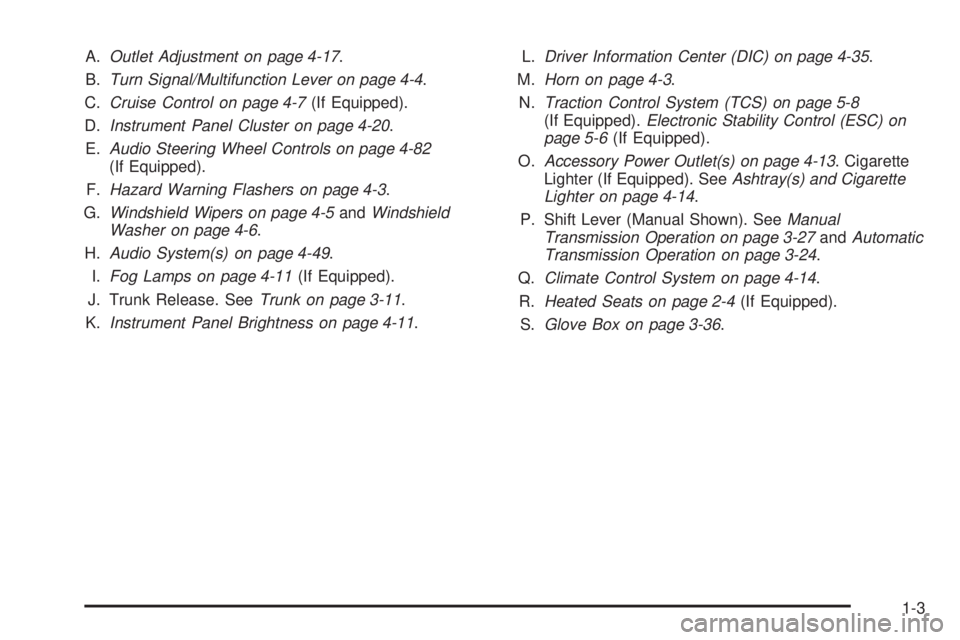
A.Outlet Adjustment on page 4-17 .
B. Turn Signal/Multifunction Lever on page 4-4 .
C. Cruise Control on page 4-7 (If Equipped).
D. Instrument Panel Cluster on page 4-20 .
E. Audio Steering Wheel Controls on page 4-82
(If Equipped).
F. Hazard Warning Flashers on page 4-3 .
G. Windshield Wipers on page 4-5 andWindshield
Washer on page 4-6.
H. Audio System(s) on page 4-49 .
I. Fog Lamps on page 4-11 (If Equipped).
J. Trunk Release. See Trunk on page 3-11.
K. Instrument Panel Brightness on page 4-11 .L.
Driver Information Center (DIC) on page 4-35 .
M. Horn on page 4-3.
N. Traction Control System (TCS) on page 5-8
(If Equipped). Electronic Stability Control (ESC) on
page 5-6 (If Equipped).
O. Accessory Power Outlet(s) on page 4-13 . Cigarette
Lighter (If Equipped). See Ashtray(s) and Cigarette
Lighter on page 4-14 .
P. Shift Lever (Manual Shown). See Manual
Transmission Operation on page 3-27 andAutomatic
Transmission Operation on page 3-24 .
Q. Climate Control System on page 4-14 .
R. Heated Seats on page 2-4 (If Equipped).
S. Glove Box on page 3-36 .
1-3
Page 24 of 422

Cruise Control
The cruise control buttons
are located on the left side
of the steering wheel.
J:On/Off.
RES+: Press to resume or accelerate speed.
SET−: Press to set or decrease speed.
For more information, see Cruise Control on page 4-7 .
Power Outlets
Accessory power outlets can be used to connect
electrical equipment, such as a cellular phone.
The accessory power outlet is located in the center
console, rearward of the shift lever.
To use the accessory power outlet, remove the cover.
SeeAccessory Power Outlet(s) on page 4-13 and
Ashtray(s) and Cigarette Lighter on page 4-14
(If Equipped).
Performance and Maintenance
Traction Control System (TCS)
The traction control system limits wheel spin. The
system turns on automatically every time the vehicle is
started.
•To turn off traction control, press and releasedon
the instrument panel.
Filluminates and the
appropriate DIC message displays. See DIC
Warnings and Messages on page 4-38 .
•Press and release the button again to turn on
traction control.
For more information, see Traction Control System
(TCS) on page 5-8.
1-18
Page 25 of 422

Electronic Stability Control (ESC)
The Electronic Stability Control system assists with
directional control of the vehicle in difficult driving
conditions. The system turns on automatically every
time the vehicle is started.
•To turn off both traction control and Electronic
Stability Control, press and hold
duntilF
illuminates and the appropriate DIC message
displays. SeeDIC Warnings and Messages on
page 4-38.
•Press and release the button again to turn on both
systems.
For more information, see Electronic Stability Control
(ESC) on page 5-6.
Tire Pressure Monitor
This vehicle may have a Tire Pressure Monitor
System (TPMS).
The Tire Pressure Monitor
alerts you when a
significant reduction in
pressure occurs in one or
more of the vehicle’s tires
by illuminating the low tire
pressure warning light on
the instrument cluster.
The warning light will remain on until the tire pressure is
corrected. The proper tire pressures for your vehicle
are listed on the Tire and Loading Information label
located on the driver side center pillar (B pillar). See
Loading the Vehicle on page 5-24 .
1-19
Page 141 of 422
Instrument Panel Overview...............................4-3
Hazard Warning Flashers ................................4-3
Horn ............................................................ .4-3
Tilt Wheel .................................................... .4-3
Turn Signal/Multifunction Lever .........................4-4
Turn and Lane-Change Signals ........................4-4
Headlamp High/Low-Beam Changer ..................4-5
Flash-to-Pass ................................................ .4-5
Windshield Wipers ......................................... .4-5
Windshield Washer ........................................ .4-6
Cruise Control ............................................... .4-7
Headlamps ................................................... .4-9
Wiper Activated Headlamps ............................4-10
Headlamps on Reminder ................................4-10
Daytime Running Lamps (DRL) .......................4-10
Fog Lamps ................................................. .4-11
Instrument Panel Brightness ...........................4-11
Dome Lamp ................................................ .4-11
Entry/Exit Lighting ........................................ .4-12
Mirror Reading Lamps .................................. .4-12
Electric Power Management ...........................4-12Battery Run-Down Protection
..........................4-13
Accessory Power Outlet(s) .............................4-13
Ashtray(s) and Cigarette Lighter ......................4-14
Climate Controls ........................................... .4-14
Climate Control System .................................4-14
Outlet Adjustment ........................................ .4-17
Passenger Compartment Air Filter ...................4-18
Warning Lights, Gages, and Indicators ............4-19
Instrument Panel Cluster ................................4-20
Speedometer and Odometer ...........................4-21
Tachometer ................................................ .4-21
Safety Belt Reminders .................................. .4-22
Airbag Readiness Light ................................. .4-23
Passenger Airbag Status Indicator ...................4-24
Charging
System Light ................................. .4-25
Up-Shift Light .............................................. .4-25
Brake System Warning Light ..........................4-26
Antilock Brake System (ABS) Warning Light .....4-27
Enhanced Traction System (ETS) Indicator/ Warning Light .......................................... .4-27
Section 4 Instrument Panel
4-1
Page 142 of 422
Electronic Stability Control (ESC)/TractionControl System (TCS) Indicator/Warning
Light ....................................................... .4-28
Engine Coolant Temperature Warning Light ......4-29
Tire Pressure Light ...................................... .4-29
Malfunction Indicator Lamp .............................4-30
Oil Pressure Light ........................................ .4-33
Security Light .............................................. .4-33
Fog Lamp Light ........................................... .4-34
Highbeam On Light ...................................... .4-34
Fuel Gage .................................................. .4-34
Driver Information Center (DIC) .......................4-35
DIC Operation and Displays ...........................4-36
DIC Warnings and Messages .........................4-38
DIC Vehicle Personalization ............................4-43Audio System(s)
............................................ .4-49
Setting the Clock ......................................... .4-50
Radio(s) ..................................................... .4-51
Using an MP3 ............................................. .4-63
XM Radio Messages .................................... .4-70
Bluetooth
®.................................................. .4-71
Theft-Deterrent Feature ................................. .4-81
Audio Steering Wheel Controls .......................4-82
Radio Reception .......................................... .4-83
Fixed Mast Antenna ..................................... .4-84
XM™ Satellite Radio Antenna System .............4-84
Section 4 Instrument Panel
4-2
Page 147 of 422
Cruise Control
With cruise control, a speed of about 40 km/h (25 mph)
or more can be maintained without keeping your foot
on the accelerator. Cruise control does not work
at speeds below 40 km/h (25 mph).
The brake must be applied at least one time, after the
vehicle has been started, before cruise control will
function.
{WARNING:
Cruise control can be dangerous where you
cannot drive safely at a steady speed. So, do not
use the cruise control on winding roads or in
heavy traffic.
Cruise control can be dangerous on slippery roads.
On such roads, fast changes in tire traction can
cause excessive wheel slip, and you could lose
control. Do not use cruise control on slippery roads.
Setting Cruise Control
{WARNING:
If you leave your cruise control on when you are not
using cruise, you might hit a button and go into
cruise when you do not want to. You could be
startled and even lose control. Keep the cruise
control switch off until you want to use cruise
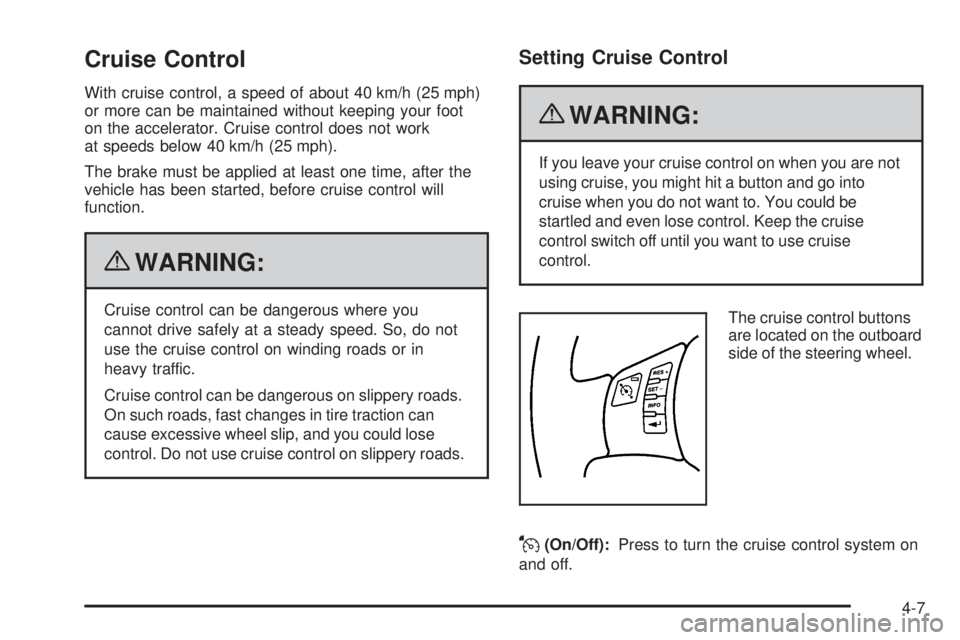
control.The cruise control buttons
are located on the outboard
side of the steering wheel.
J(On/Off):Press to turn the cruise control system on
and off.
4-7
Page 168 of 422
Electronic Stability Control (ESC)/
Traction Control System (TCS)
Indicator/Warning Light
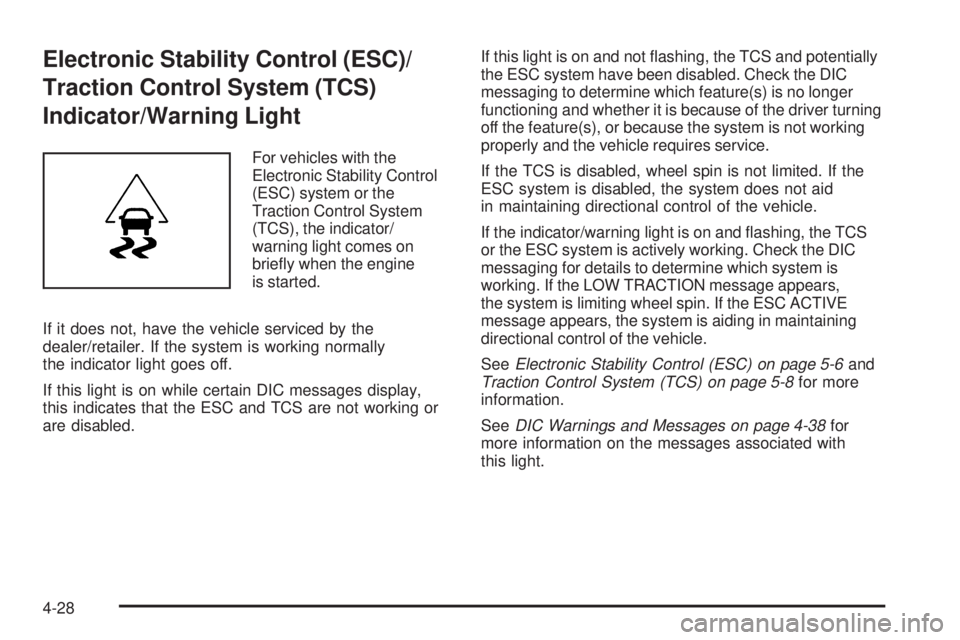
For vehicles with the
Electronic Stability Control
(ESC) system or the
Traction Control System
(TCS), the indicator/
warning light comes on
briefly when the engine
is started.
If it does not, have the vehicle serviced by the
dealer/retailer. If the system is working normally
the indicator light goes off.
If this light is on while certain DIC messages display,
this indicates that the ESC and TCS are not working or
are disabled. If this light is on and not flashing, the TCS and potentially
the ESC system have been disabled. Check the DIC
messaging to determine which feature(s) is no longer
functioning and whether it is because of the driver turning
off the feature(s), or because the system is not working
properly and the vehicle requires service.
If the TCS is disabled, wheel spin is not limited. If the
ESC system is disabled, the system does not aid
in maintaining directional control of the vehicle.
If the indicator/warning light is on and flashing, the TCS
or the ESC system is actively working. Check the DIC
messaging for details to determine which system is
working. If the LOW TRACTION message appears,
the system is limiting wheel spin. If the ESC ACTIVE
message appears, the system is aiding in maintaining
directional control of the vehicle.
See
Electronic Stability Control (ESC) on page 5-6 and
Traction Control System (TCS) on page 5-8 for more
information.
See DIC Warnings and Messages on page 4-38 for
more information on the messages associated with
this light.
4-28
Page 179 of 422

COOLING MODE ON
This message may display on some vehicles. Under
severe conditions, hot ambient temperatures, steep
grades, and towing, your vehicle may experience more
transmission shifting. This is temporary and normal
under these conditions. This does not require engine
or transmission service.
CRUISE ENGAGED
This message displays when the cruise control system
is active. SeeCruise Control on page 4-7 for more
information.
DOOR AJAR
This message displays if one or more of the vehicle’s
doors are open. Make sure that the door(s) are
closed completely.
ENGINE DISABLED
This message displays if the starting of the engine
is disabled. Have your vehicle serviced by your
dealer/retailer immediately.
ENG (Engine) PWR (Power) REDUCED
This message displays to inform you that the vehicle has
reduced engine power to avoid damaging the engine.
Reduced engine power can affect the vehicle’s ability
to accelerate. If this message is on, but there is no
reduction in performance, proceed to your destination.
The performance may be reduced the next time the
vehicle is driven. The vehicle may be driven at a reduced
speed while this message is on, but acceleration and
speed may be reduced. Anytime this message stays on,
the vehicle should be taken to your dealer/retailer for
service as soon as possible.
ESC (Electronic Stability Control) ACTIVE
If your vehicle has Electronic Stability Control (ESC),
this message displays and the ESC/TCS light on the
instrument panel cluster flashes when ESC is assisting
you with directional control of the vehicle. You may feel
or hear the system working and see this message
displayed in the DIC. Slippery road conditions may exist
when this message is displayed, so adjust your driving
accordingly. This message may stay on for a few
seconds after ESC stops assisting you with directional
control of the vehicle. This is normal when the system
is operating. See Electronic Stability Control (ESC) on
page 5-6 andElectronic Stability Control (ESC)/Traction
Control System (TCS) Indicator/Warning Light on
page 4-28 for more information.
4-39