instrument panel PONTIAC G5 2010 Service Manual
[x] Cancel search | Manufacturer: PONTIAC, Model Year: 2010, Model line: G5, Model: PONTIAC G5 2010Pages: 422, PDF Size: 2.22 MB
Page 182 of 422

SERVICE TRACTION
If your vehicle has the Enhanced Traction System (ETS)
or Traction Control System (TCS), this message displays
and a chime sounds when the system is not functioning
properly. The ETS light or the ESC/TCS light also
appears on the instrument panel cluster. This light stays
on solid as long as the detected problem remains
present. When this message displays, the system is not
working. Adjust your driving accordingly. SeeEnhanced
Traction System (ETS) on page 5-11 orTraction Control
System (TCS) on page 5-8 andEnhanced Traction
System (ETS) Indicator/Warning Light on page 4-27
or Electronic Stability Control (ESC)/Traction Control
System (TCS) Indicator/Warning Light on page 4-28
for more information. Have the system serviced by
your dealer/retailer as soon as possible.
SVC (Service) TIRE MONITOR
If your vehicle is equipped with a Tire Pressure
Monitoring System (TPMS), this message displays
if a part on the TPMS is not working properly. The tire
pressure light also flashes and then remains on during
the same ignition cycle. See Tire Pressure Light on
page 4-29. Several conditions may cause this message
to appear. See Tire Pressure Monitor Operation on
page 6-58 for more information. If the warning comes on
and stays on, there may be a problem with the TPMS.
See your dealer/retailer.
TIRE LEARN ON
If your vehicle is equipped with a Tire Pressure
Monitoring System (TPMS) and does not have the
Remote Keyless Entry (RKE) system, this message
displays when the TPMS is re-learning the tire positions
on your vehicle. The tire positions must be re-learned
after rotating the tires or after replacing a tire or sensor.
See Tire Inspection and Rotation on page 6-62 ,
Tire Pressure Monitor System on page 6-56 , and
Ination - Tire Pressure on page 6-55 for more
information.
TIRE LOW ADD AIR
If your vehicle is equipped with a Tire Pressure
Monitoring System (TPMS), this message displays when
the pressure in one or more of the vehicle’s tires is low.
The low tire pressure warning light will also come on.
See Tire Pressure Light on page 4-29 . If a tire pressure
message appears on the DIC, stop as soon as you can.
Have the tire pressures checked and set to those shown
on the Tire Loading Information label. See Tires on
page 6-48, Loading the Vehicle on page 5-24 , and
Ination - Tire Pressure on page 6-55 . The DIC also
shows the tire pressure values. See DIC Operation
and Displays on page 4-36 .
4-42
Page 183 of 422

TRACTION OFF
If your vehicle has the Enhanced Traction System (ETS)
or Traction Control System (TCS), this message displays
and the ETS light or the ESC/TCS light on the instrument
panel cluster comes on solid when the system is turned
off. Adjust your driving accordingly. SeeEnhanced
Traction System (ETS) on page 5-11 orTraction Control
System (TCS) on page 5-8 andEnhanced Traction
System (ETS) Indicator/Warning Light on page 4-27
or Electronic Stability Control (ESC)/Traction Control
System (TCS) Indicator/Warning Light on page 4-28
for more information.
TRUNK AJAR
This message displays when the trunk is not closed
completely. Make sure that the trunk is closed
completely. See Trunk on page 3-11.
DIC Vehicle Personalization
Your vehicle has personalization capabilities that allow
you to program certain features to a preferred setting.
All of the features listed may not be available on your
vehicle. Only the features available will be displayed
on the DIC.
The default settings for the features were set when your
vehicle left the factory, but may have been changed
from their default state since that time.
To change feature settings, use the following procedure:
Entering Personalization Menu
1. Turn the ignition on while the vehicle is stopped.
To avoid excessive drain on the battery, it is
recommended that the headlamps are turned off.
2. Press and hold the information and reset buttons at the same time for one second, then release to enter
the personalization menu.
If the vehicle speed is greater than 3 km/h (2 mph),
only the UNITS menu will be accessible.
3. Press the information button to scroll through the available personalization menu modes.
Press the reset button to scroll through the available
settings for each mode.
If you do not make a selection within ten seconds,
the display will go back to the previous information
displayed.
4-43
Page 228 of 422

And, of course, actual stopping distances vary greatly
with the surface of the road, whether it is pavement or
gravel; the condition of the road, whether it is wet, dry, or
icy; tire tread; the condition of the brakes; the weight of
the vehicle; and the amount of brake force applied.
Avoid needless heavy braking. Some people drive
in spurts — heavy acceleration followed by heavy
braking — rather than keeping pace with traffic. This is a
mistake. The brakes might not have time to cool between
hard stops. The brakes will wear out much faster with a
lot of heavy braking. Keeping pace with the traffic and
allowing realistic following distances eliminates a lot of
unnecessary braking. That means better braking and
longer brake life.
If the engine ever stops while the vehicle is being driven,
brake normally but do not pump the brakes. If the brakes
are pumped, the pedal could get harder to push down.
If the engine stops, there will still be some power brake
assist but it will be used when the brake is applied. Once
the power assist is used up, it can take longer to stop and
the brake pedal will be harder to push.
Adding non-dealer/non-retailer accessories can affect
vehicle performance. SeeAccessories and Modications
on page 6-3.Antilock Brake System (ABS)
The vehicle might have the Antilock Brake System
(ABS), an advanced electronic braking system that helps
prevent a braking skid.
If the vehicle has ABS,
this warning light on the
instrument panel comes on
briefly when the vehicle is
started.
When the engine is started, or when the vehicle begins
to drive away, ABS checks itself. A momentary motor
or clicking noise might be heard while this test is going
on, and it might even be noticed that the brake pedal
moves or pulses a little. This is normal.
5-4
Page 230 of 422
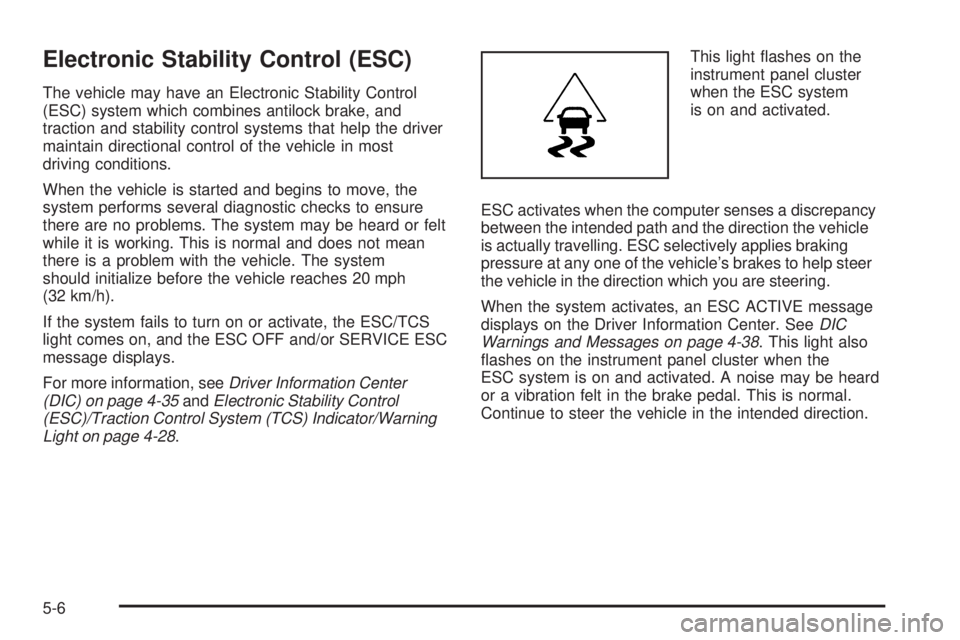
Electronic Stability Control (ESC)
The vehicle may have an Electronic Stability Control
(ESC) system which combines antilock brake, and
traction and stability control systems that help the driver
maintain directional control of the vehicle in most
driving conditions.
When the vehicle is started and begins to move, the
system performs several diagnostic checks to ensure
there are no problems. The system may be heard or felt
while it is working. This is normal and does not mean
there is a problem with the vehicle. The system
should initialize before the vehicle reaches 20 mph
(32 km/h).
If the system fails to turn on or activate, the ESC/TCS
light comes on, and the ESC OFF and/or SERVICE ESC
message displays.
For more information, seeDriver Information Center
(DIC) on page 4-35 andElectronic Stability Control
(ESC)/Traction Control System (TCS) Indicator/Warning
Light on page 4-28. This light flashes on the
instrument panel cluster
when the ESC system
is on and activated.
ESC activates when the computer senses a discrepancy
between the intended path and the direction the vehicle
is actually travelling. ESC selectively applies braking
pressure at any one of the vehicle’s brakes to help steer
the vehicle in the direction which you are steering.
When the system activates, an ESC ACTIVE message
displays on the Driver Information Center. See DIC
Warnings and Messages on page 4-38 . This light also
flashes on the instrument panel cluster when the
ESC system is on and activated. A noise may be heard
or a vibration felt in the brake pedal. This is normal.
Continue to steer the vehicle in the intended direction.
5-6
Page 231 of 422

When the light is on solid and the message(s),
SERVICE ESC, ESC OFF, or both display, the system
will not assist the driver in maintaining directional
control of the vehicle. Adjust your driving accordingly.
SeeDIC Warnings and Messages on page 4-38 .
The ESC system is automatically enabled whenever the
vehicle is started. To assist the driver with vehicle
directional control, especially in slippery road conditions,
the system should always be left on. But, ESC can
be turned off if needed.
If cruise control is being used when ESC activates, the
cruise control automatically disengages. The cruise
control can be reengaged when road conditions allow.
See Cruise Control on page 4-7 . The ESC/TCS button is
located on the instrument
panel.
The traction control system can be turned off or back on
by pressing the ESC/TCS button. To disable both
traction control and ESC, press and hold the button from
five to ten seconds.
When the ESC system is turned off, the TRACTION
OFF and ESC OFF messages appear, and the
ESC/TCS light comes on to warn the driver that both
traction control and ESC are disabled.
5-7
Page 233 of 422

If the vehicle is in cruise control while TCS begins to
limit wheel spin, the cruise control will automatically
disengage. The cruise control can be re-engaged when
road conditions allow. SeeTurn Signal/Multifunction
Lever on page 4-4.
When this light is on and
either the SERVICE
TRACTION or TRACTION
OFF message is displayed,
the system will not limit
wheel spin.
Adjust your driving accordingly. See DIC Warnings and
Messages on page 4-38 for more information.
The Traction Control System comes on automatically
whenever the vehicle is started. It is recommended to
leave the system on for normal driving conditions, but it may be necessary to turn the system off if the vehicle is
stuck in sand, mud, ice or snow, and you want to “rock”
your vehicle to attempt to free it. It may also be necessary
to turn off the system when driving in off-road conditions
where high wheel spin is required. See
If Your Vehicle is
Stuck in Sand, Mud, Ice, or Snow on page 5-23 .
To turn the system off or
on, press and release the
ESC/TCS button located
on the instrument panel.
The DIC displays the appropriate message as described
previously when the button is pressed.
5-9
Page 235 of 422

Enhanced Traction System (ETS)
The vehicle may have an Enhanced Traction System
(ETS) that limits wheel spin. This is especially useful in
slippery road conditions. The system operates only if
it senses that one or both of the front wheels are
spinning or beginning to lose traction. When this
happens, the system reduces engine power and may
also upshift the transmission to limit wheel spin.
If the vehicle has ETS, there is not an ESC/TCS button
on the instrument panel. To turn the system off, shift
to L (Low) or R (Reverse). There is more information
about how to turn the system off later in this section.
The ETS indicator/warning light flashes and LOW
TRACTION appears on the Driver Information Center
(DIC) when the traction control system is actively limiting
wheel spin. The system may be heard or felt while it
is working, but this is normal. Slippery road conditions
may exist if this message is displayed, so adjust
your driving accordingly.
If the vehicle is in cruise control when the ETS begins
to limit wheel spin, the cruise control will automatically
disengage. The cruise control can be re-engaged
when road conditions allow. SeeCruise Control on
page 4-7. The ETS indicator/warning light may come on for the
following reasons:
•The indicator/warning light flashes while the traction
control system is limiting wheel spin.
•If the system is turned off by moving the shift lever
to L (Low), the indicator/warning light comes on
and stays on. To turn the system back on, move the
shift lever back to a position other than L (Low).
The indicator/warning light should go off.
•The indicator/warning light will come on when the
parking brake is set with the engine running, and it
will stay on if the parking brake does not release fully.
If the transmission shift lever is in any position other
than L (Low) and the indicator/warning light stays on
after the parking brake is fully released, there is a
problem with the system.
•If the traction control system is affected by an engine
related problem, the system will turn off and the
indicator/warning light will come on.
5-11
Page 246 of 422

Blizzard Conditions
Being stuck in snow can be in a serious situation. Stay
with the vehicle unless there is help nearby. If possible,
use theRoadside Assistance Program on page 8-7 .
To get help and keep everyone in the vehicle safe:
•Turn on the Hazard Warning Flashers on page 4-3 .
•Tie a red cloth to an outside mirror.
{WARNING:
Snow can trap engine exhaust under the vehicle.
This may cause exhaust gases to get inside.
Engine exhaust contains carbon monoxide (CO)
which cannot be seen or smelled. It can cause
unconsciousness and even death.
If the vehicle is stuck in the snow:
•Clear away snow from around the base of
your vehicle, especially any that is blocking
the exhaust pipe.
•Check again from time to time to be sure
snow does not collect there.
WARNING: (Continued)
WARNING: (Continued)
•
Open a window about 5 cm (two inches) on
the side of the vehicle that is away from the
wind to bring in fresh air.
•Fully open the air outlets on or under the
instrument panel.
•Adjust the Climate Control system to a setting
that circulates the air inside the vehicle and
set the fan speed to the highest setting. See
Climate Control System in the Index.
For more information about carbon monoxide, see
Engine Exhaust on page 3-33 .
Snow can trap exhaust gases under your vehicle.
This can cause deadly CO (carbon monoxide) gas
to get inside. CO could overcome you and kill you.
You cannot see it or smell it, so you might not
know it is in your vehicle. Clear away snow from
around the base of your vehicle, especially any
that is blocking the exhaust.
Run the engine for short periods only as needed to
keep warm, but be careful.
To save fuel, run the engine for only short periods as
needed to warm the vehicle and then shut the engine off
and close the window most of the way to save heat.
5-22
Page 262 of 422

Turn Signals When Towing a Trailer
The arrows on the instrument panel flash whenever
signaling a turn or lane change. Properly hooked up, the
trailer lamps also flash, telling other drivers the vehicle
is turning, changing lanes or stopping.
When towing a trailer, the arrows on the instrument
panel flash for turns even if the bulbs on the trailer are
burned out. For this reason you may think other
drivers are seeing the signal when they are not. It is
important to check occasionally to be sure the
trailer bulbs are still working.
Driving on Grades
Notice:Do not tow on steep continuous grades
exceeding 6 miles (9.6 km). Extended, higher
than normal engine and transmission temperatures
may result and damage the vehicle. Frequent
stops are very important to allow the engine and
transmission to cool.
Reduce speed and shift to a lower gear beforestarting
down a long or steep downgrade. If the transmission is
not shifted down, the brakes might have to be used so
much that they would get hot and no longer work well.
On a long uphill grade, shift down and reduce the
vehicle’s speed to around 45 mph (70 km/h) to reduce
the possibility of the engine and the transmission
overheating. Vehicles can tow in D (Drive). Shift the transmission to
a lower gear if the transmission shifts too often under
heavy loads and/or hilly conditions.
Pay attention to the engine coolant gage. If the indicator
is in the red area, turn off the air conditioning to reduce
engine load. See
Engine Overheating on page 6-27 .
When towing under severe conditions such as hot
ambient temperatures or steep grades, the vehicle may
experience more transmission shifting. A COOLING
MODE ON message may also appear in the DIC. This
alerts the driver that the shifting mode is in progress
and is aiding engine cooling. See DIC Warnings
and Messages on page 4-38 DIC Warnings and
Messages for more information.Parking on Hills
{WARNING:
Parking the vehicle on a hill with the trailer
attached can be dangerous. If something goes
wrong, the rig could start to move. People can be
injured, and both the vehicle and the trailer can be
damaged. When possible, always park the rig on a
flat surface.
5-38
Page 266 of 422

Buying New Tires........................................ .6-64
Different Size Tires and Wheels ......................6-66
Uniform Tire Quality Grading ..........................6-67
Wheel Alignment and Tire Balance ..................6-68
Wheel Replacement ..................................... .6-68
Tire Chains ................................................. .6-70
If a Tire Goes Flat ....................................... .6-70
Tire Sealant and Compressor Kit ....................6-72
Tire Sealant and Compressor Kit Storage .........6-79
Changing a Flat Tire .................................... .6-80
Removing the Spare Tire and Tools ................6-81
Removing the Flat Tire and Installing the Spare Tire ............................................... .6-86
Storing a Flat or Spare Tire and Tools ............6-90
Compact Spare Tire ..................................... .6-93
Appearance Care ........................................... .6-94
Interior Cleaning .......................................... .6-94
Fabric/Carpet .............................................. .6-95
Leather ...................................................... .6-96
Instrument Panel, Vinyl, and Other Plastic Surfaces ................................................. .6-96
Care of Safety Belts ..................................... .6-96
Weatherstrips .............................................. .6-97Washing Your Vehicle
.................................. .6-97
Cleaning Exterior Lamps/Lenses .....................6-97
Finish Care ................................................. .6-98
Windshield and Wiper Blades .........................6-98
Aluminum or Chrome-Plated Wheels and Trim ................................................. .6-99
Tires ........................................................ .6-100
Sheet Metal Damage .................................. .6-100
Finish Damage .......................................... .6-100
Underbody Maintenance ...............................6-100
Chemical Paint Spotting ...............................6-100
Vehicle Identication .................................... .6-101
Vehicle Identification Number (VIN) ................6-101
Service
Parts Identification Label ...................6-101
Electrical System ......................................... .6-102
Add-On Electrical Equipment .........................6-102
Headlamp Wiring ....................................... .6-102
Windshield Wiper Fuses ...............................6-102
Power Windows and Other Power Options ......6-102
Fuses and Circuit Breakers ..........................6-103
Floor Console Fuse Block ............................6-103
Engine Compartment Fuse Block ...................6-105
Capacities and Specications ........................6-109
Section 6 Service and Appearance Care
6-2