ets PONTIAC G6 2005 User Guide
[x] Cancel search | Manufacturer: PONTIAC, Model Year: 2005, Model line: G6, Model: PONTIAC G6 2005Pages: 354, PDF Size: 2.27 MB
Page 115 of 354

The main components of your instrument panel are the following:
A. Side Air Outlets. SeeOutlet Adjustment on
page 3-23.
B. Side Window Outlets. SeeOutlet Adjustment on
page 3-23.
C. Turn Signal/Multifunction Lever. SeeTurn
Signal/Multifunction Lever on page 3-7.
D. Steering Wheel Controls and Cruise Controls.
SeeAudio Steering Wheel Controls on page 3-76
andCruise Control on page 3-10.
E. Instrument Panel Cluster. SeeInstrument Panel
Cluster on page 3-24.
F. Windshield Wiper and Washer Lever. See
Windshield Wipers on page 3-9andWindshield
Washer on page 3-10.
G. Ignition Switch. SeeIgnition Positions on page 2-20.
H. Center Air Outlets. SeeOutlet Adjustment on
page 3-23.
I. Hazard Warning Flashers Button. SeeHazard
Warning Flashers on page 3-6.
J. Audio System. SeeAudio System(s) on page 3-44.K. Adjustable Pedal Buttons (If Equipped). See
Adjustable Throttle and Brake Pedal on page 2-22.
L. Instrument Panel Brightness Control. SeeInstrument
Panel Brightness on page 3-16.
M. Fog Lamps. SeeFog Lamps on page 3-16.
N. Hood Release Handle. SeeHood Release on
page 5-11.
O. Horn. SeeHorn on page 3-6.
P. Climate Control System. SeeClimate Control
System on page 3-19.
Q. Shift Lever. SeeAutomatic Transaxle Operation on
page 2-24.
R. Accessory Power Outlet. SeeAccessory Power
Outlets on page 3-18.
S. Traction Control System Button (If Equipped).
SeeTraction Control System (TCS) on page 4-8.
Enhanced Traction System Button. SeeEnhanced
Traction System (ETS) on page 4-10.
T. Glove Box. SeeGlove Box on page 2-41.
3-5
Page 118 of 354
Turn and Lane-Change Signals
The turn signal has two upward (for right) and
two downward (for left) positions. These positions
allow you to signal a turn or a lane change.
To signal a turn, move the lever all the way up or
down. When the turn is nished, the lever will return
automatically.
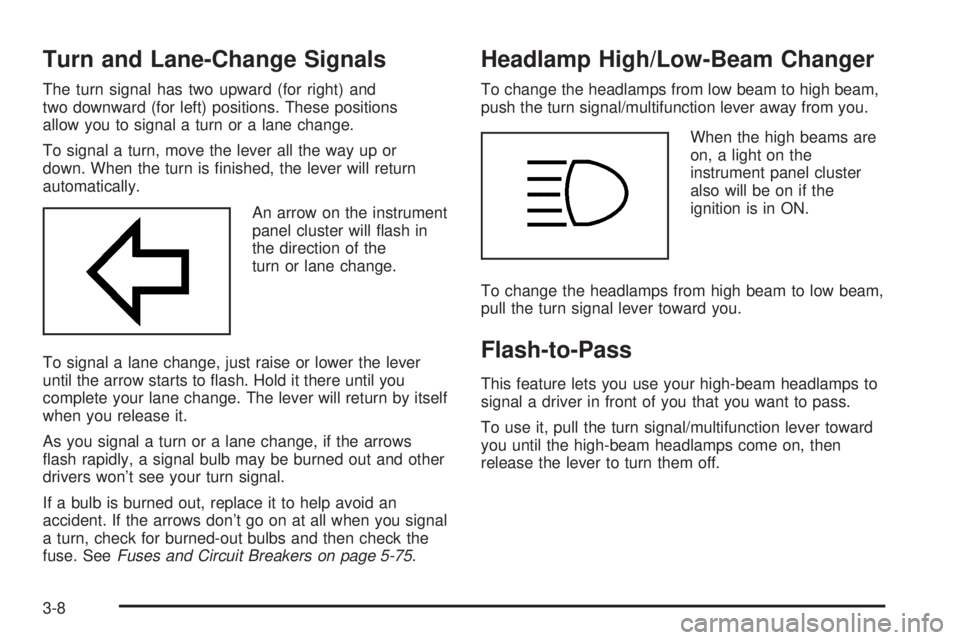
An arrow on the instrument
panel cluster will ash in
the direction of the
turn or lane change.
To signal a lane change, just raise or lower the lever
until the arrow starts to ash. Hold it there until you
complete your lane change. The lever will return by itself
when you release it.
As you signal a turn or a lane change, if the arrows
ash rapidly, a signal bulb may be burned out and other
drivers won’t see your turn signal.
If a bulb is burned out, replace it to help avoid an
accident. If the arrows don’t go on at all when you signal
a turn, check for burned-out bulbs and then check the
fuse. SeeFuses and Circuit Breakers on page 5-75.
Headlamp High/Low-Beam Changer
To change the headlamps from low beam to high beam,
push the turn signal/multifunction lever away from you.
When the high beams are
on, a light on the
instrument panel cluster
also will be on if the
ignition is in ON.
To change the headlamps from high beam to low beam,
pull the turn signal lever toward you.
Flash-to-Pass
This feature lets you use your high-beam headlamps to
signal a driver in front of you that you want to pass.
To use it, pull the turn signal/multifunction lever toward
you until the high-beam headlamps come on, then
release the lever to turn them off.
3-8
Page 119 of 354
Windshield Wipers
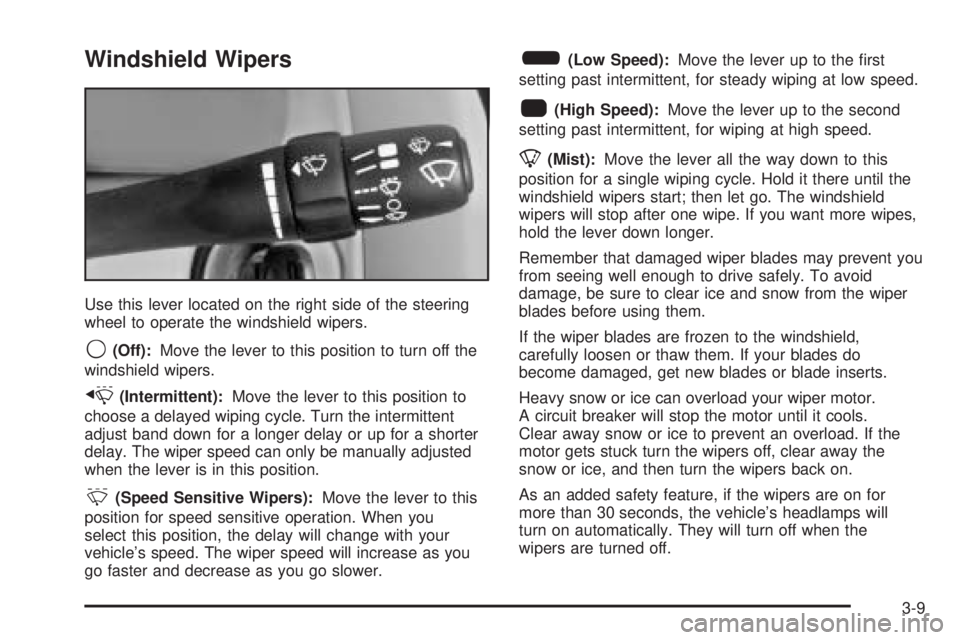
Use this lever located on the right side of the steering
wheel to operate the windshield wipers.
9(Off):Move the lever to this position to turn off the
windshield wipers.
x(Intermittent):Move the lever to this position to
choose a delayed wiping cycle. Turn the intermittent
adjust band down for a longer delay or up for a shorter
delay. The wiper speed can only be manually adjusted
when the lever is in this position.
&(Speed Sensitive Wipers):Move the lever to this
position for speed sensitive operation. When you
select this position, the delay will change with your
vehicle’s speed. The wiper speed will increase as you
go faster and decrease as you go slower.
6(Low Speed):Move the lever up to the rst
setting past intermittent, for steady wiping at low speed.
1(High Speed):Move the lever up to the second
setting past intermittent, for wiping at high speed.
8(Mist):Move the lever all the way down to this
position for a single wiping cycle. Hold it there until the
windshield wipers start; then let go. The windshield
wipers will stop after one wipe. If you want more wipes,
hold the lever down longer.
Remember that damaged wiper blades may prevent you
from seeing well enough to drive safely. To avoid
damage, be sure to clear ice and snow from the wiper
blades before using them.
If the wiper blades are frozen to the windshield,
carefully loosen or thaw them. If your blades do
become damaged, get new blades or blade inserts.
Heavy snow or ice can overload your wiper motor.
A circuit breaker will stop the motor until it cools.
Clear away snow or ice to prevent an overload. If the
motor gets stuck turn the wipers off, clear away the
snow or ice, and then turn the wipers back on.
As an added safety feature, if the wipers are on for
more than 30 seconds, the vehicle’s headlamps will
turn on automatically. They will turn off when the
wipers are turned off.
3-9
Page 121 of 354
Setting Cruise Control
{CAUTION:
If you leave your cruise control on when you
are not using cruise, you might hit a button
and go into cruise when you do not want to.
You could be startled and even lose control.
Keep the cruise control switch off until you
want to use cruise control.
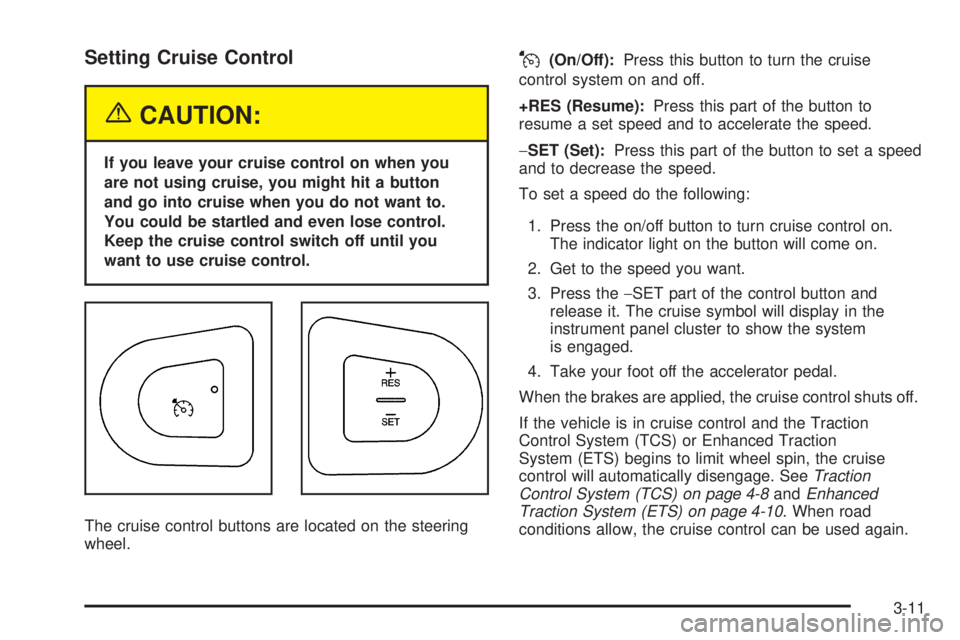
The cruise control buttons are located on the steering
wheel.
J(On/Off):Press this button to turn the cruise
control system on and off.
+RES (Resume):Press this part of the button to
resume a set speed and to accelerate the speed.
−SET (Set):Press this part of the button to set a speed
and to decrease the speed.
To set a speed do the following:
1. Press the on/off button to turn cruise control on.
The indicator light on the button will come on.
2. Get to the speed you want.
3. Press the−SET part of the control button and
release it. The cruise symbol will display in the
instrument panel cluster to show the system
is engaged.
4. Take your foot off the accelerator pedal.
When the brakes are applied, the cruise control shuts off.
If the vehicle is in cruise control and the Traction
Control System (TCS) or Enhanced Traction
System (ETS) begins to limit wheel spin, the cruise
control will automatically disengage. SeeTraction
Control System (TCS) on page 4-8andEnhanced
Traction System (ETS) on page 4-10. When road
conditions allow, the cruise control can be used again.
3-11
Page 128 of 354
Accessory Power Outlets
Accessory power outlets can be used to connect
auxiliary electrical equipment such as a cellular
telephone or CB radio.
There is one accessory power outlet located on the
center console below the climate controls and another
in the center storage console.
To use the outlet, remove the protective cap. When not
in use, always cover the outlet with the protective
cap. The accessory power outlet is operational when
the ignition is turned to ACC or on.
Notice:Leaving electrical equipment on for
extended periods will drain the battery. Always turn
off electrical equipment when not in use and do
not plug in equipment that exceeds the maximum
amperage rating.Certain electrical accessories may not be compatible
with the accessory power outlet and could result
in blown vehicle or adapter fuses. If you experience a
problem, see your dealer for additional information
on the accessory power outlet.
Notice:Adding any electrical equipment to your
vehicle may damage it or keep other components
from working as they should. The repairs would not
be covered by your warranty. Check with your
dealer before adding electrical equipment.
When adding electrical equipment, be sure to follow
the proper installation instructions included with
the equipment.
Notice:Improper use of the power outlet can cause
damage not covered by your warranty. Do not
hang any type of accessory or accessory bracket
from the plug because the power outlets are
designed for accessory power plugs only.
3-18
Page 129 of 354
Climate Controls
Climate Control System
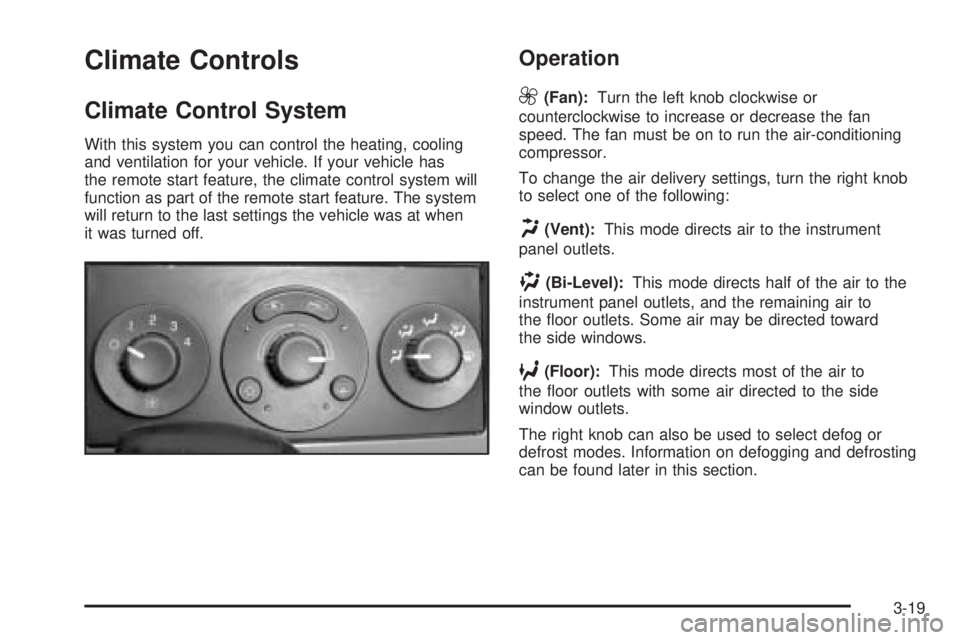
With this system you can control the heating, cooling
and ventilation for your vehicle. If your vehicle has
the remote start feature, the climate control system will
function as part of the remote start feature. The system
will return to the last settings the vehicle was at when
it was turned off.
Operation
9
(Fan):Turn the left knob clockwise or
counterclockwise to increase or decrease the fan
speed. The fan must be on to run the air-conditioning
compressor.
To change the air delivery settings, turn the right knob
to select one of the following:
H(Vent):This mode directs air to the instrument
panel outlets.
)(Bi-Level):This mode directs half of the air to the
instrument panel outlets, and the remaining air to
the oor outlets. Some air may be directed toward
the side windows.
6(Floor):This mode directs most of the air to
the oor outlets with some air directed to the side
window outlets.
The right knob can also be used to select defog or
defrost modes. Information on defogging and defrosting
can be found later in this section.
3-19
Page 131 of 354
#(Air Conditioning):Press this button to turn the air
conditioning system on or off. When the air conditioning
button is pressed, an indicator light will come on to let you
know that air conditioning is activated.
On hot days, open the windows to let hot inside air
escape; then close them. This helps to reduce the time
it takes for your vehicle to cool down. It also helps
the system to operate more efficiently.
For quick cool down on hot days, do the following:
1. Select the vent mode.
2. Select the highest fan speed.
3. Select air conditioning.
4. Select the recirculation mode.
5. Select the coolest temperature.
Using these settings together for long periods of time
may cause the air inside of your vehicle to become
too dry. To prevent this from happening, after the air in
your vehicle has cooled, turn the recirculation mode off.
The air-conditioning system removes moisture from the
air, so you may sometimes notice a small amount of
water dripping underneath your vehicle while idling
or after turning off the engine. This is normal.Defogging and Defrosting
Fog on the inside of windows is a result of high humidity
(moisture) condensing on the cool window glass.
This can be minimized if the climate control system is
used properly. There are two modes to choose from
to clear fog or frost from your windshield. Use the defog
mode to clear the windows of fog or moisture and
warm the passengers. Use the defrost mode to remove
fog or frost from the windshield more quickly.
Turn the right knob to select the defog or defrost mode.
-(Defog):This mode splits the air between the
windshield and the oor outlets with a small amount
directed to the side windows. When you select this
mode, the system turns off recirculation automatically.
The air-conditioning compressor will run unless the
outside temperature is at or below freezing. The
air-conditioning compressor will operate although the
indicator light will not be on. The air-conditioning
indicator light will turn off when defog is selected.
If the air-conditioning button is pressed while in defog
mode, the indicator light will turn on. If the button
is pressed again, the light will turn off. The recirculation
mode cannot be selected while in the defog mode.
Do not drive the vehicle until all the windows are clear.
3-21
Page 133 of 354

If your vehicle has the remote start feature, the rear
defogger will automatically be turned on if it is cold
outside. The indicator light will be on. When the vehicle
transitions out of the remote start mode, the rear
defogger will turn off.
Notice:Don’t use anything sharp on the inside of
the rear window. If you do, you could cut or damage
the warming grid, and the repairs wouldn’t be
covered by your warranty. Do not attach a temporary
vehicle license, tape, a decal or anything similar
to the defogger grid.
Outlet Adjustment
Rotate the instrument panel outlets and move the
louvers on the outlets to change the direction and
amount of airow in your vehicle.
Operation Tips
Clear away any ice, snow or leaves from the air
inlets at the base of the windshield that may
block the ow of air into your vehicle.
Use of non-GM approved hood deectors may
adversely affect the performance of the system.
Keep the path under the front seats clear of objects
to help circulate the air inside of your vehicle more
effectively.
When an objectionable odor outside the vehicle is
encountered, use the MAX mode, with the
temperature knob at a comfortable setting to
prevent the odor from entering the vehicle through
the ventilation system. This can be helpful when
driving through a long tunnel with poor ventilation.
However, extended usage of this mode in cold
or cool weather can cause window fogging.
3-23
Page 136 of 354

Speedometer and Odometer
Your speedometer lets you see your speed in both
miles per hour (mph) and kilometers per hour (km/h).
Your odometer shows how far your vehicle has
been driven, in either miles (used in the United States)
or kilometers (used in Canada).
Your vehicle has a tamper resistant odometer.
The digital odometer will read 999,999 if someone
tries to turn it back.
Repair or replacement of your instrument panel cluster
should only be performed by a qualied GM service
center.
Trip Odometer
The trip odometer can display how far you have driven
since you last reset it.
For more information seeDIC Operation and Displays
on page 3-37.
Tachometer
The tachometer shows
your engine speed in
revolutions per
minute (rpm).
Safety Belt Reminder Light
When the key is turned to ON or START, a chime will
come on for several seconds to remind people to fasten
their safety belts, unless the driver’s safety belt is
already buckled.
The safety belt light will
also come on and stay on
for several seconds,
then it will ash for
several more.
If the driver’s belt is already buckled, neither the chime
nor the light will come on.
3-26
Page 157 of 354

To scan preset stations, press and hold either SEEK
button for more than four seconds until you hear
two beeps. The radio will go to the rst preset station
stored on the pushbuttons, play for a few seconds, then
go on to the next preset station. Press either SEEK
button again to stop scanning presets.
The radio will only seek and scan stations with a strong
signal that are in the selected band.
Setting Preset Stations
Up to 18 stations (six FM1, six FM2, and six AM),
can be programmed on the six numbered pushbuttons,
by performing the following steps:
1. Turn the radio on.
2. Press AM/FM/CD to select FM1, FM2, or AM.
3. Tune in the desired station.
4. Press and hold one of the six numbered pushbuttons
until you hear a beep. Whenever that numbered
pushbutton is pressed, the station that was set
will return.
5. Repeat the steps for each pushbutton.
Setting the Tone (Bass/Treble)
TONE /P/Q(Bass/Treble):To adjust the bass or the
treble, press and release the tone button until BASS
or TREB appears on the display. Turn the ADJ knob to
increase or to decrease. If a station is weak or noisy,
decrease the treble.
To adjust bass or treble to the middle position, select
BASS or TREB. Then press and hold the tone button for
more than two seconds. You will hear a beep and the
level will be adjusted to the middle position.
To adjust the tone controls to the middle position, rst end
out of tone by pressing another button, causing the radio
to perform that function, or by waiting ve seconds for the
display to return to the default display. Then press and
hold the tone button for more than two seconds until you
hear a beep. ALL CENTERED will appear on the display.
3-47