lights PONTIAC G6 2005 User Guide
[x] Cancel search | Manufacturer: PONTIAC, Model Year: 2005, Model line: G6, Model: PONTIAC G6 2005Pages: 354, PDF Size: 2.27 MB
Page 125 of 354
Automatic Headlamp System
When it is dark enough outside, your automatic
headlamp system will turn on your headlamps at the
normal brightness along with other lamps such as
the taillamps, sidemarker, parking lamps and the
instrument panel lights. The radio lights will also be dim.
Your vehicle is equipped with a light sensor on the
top of the instrument panel under the defroster
grill, so be sure it is not covered which will cause the
automatic headlamp system to be on whenever the
ignition is on.
The automatic headlamp system may also be on when
driving through a parking garage, heavy overcast
weather or a tunnel. This is normal.
There is a delay in the transition between the daytime
and nighttime operation of the DRL and the automatic
headlamp systems so that driving under bridges or
bright overhead street lights does not affect the system.
The DRL and automatic headlamp systems will only
be affected when the light sensor sees a change
in lighting lasting longer than this delay.If you start your vehicle in a dark garage, the automatic
headlamp system will come on immediately. Once
you leave the garage, it will take approximately
one minute for the automatic headlamp system to
change to DRL if it is light outside. During that delay,
your instrument panel cluster may not be as bright
as usual. Make sure your instrument panel brightness
control is in the full bright position. See “Instrument
Panel Brightness Control” underInstrument Panel
Brightness on page 3-16.
To idle your vehicle with the automatic headlamp
system off, set the parking brake while the ignition
is off. Then start the vehicle. The automatic headlamp
system will stay off until you release the parking brake.
As with any vehicle, you should turn on the regular
headlamps when you need them.
3-15
Page 126 of 354
Fog Lamps
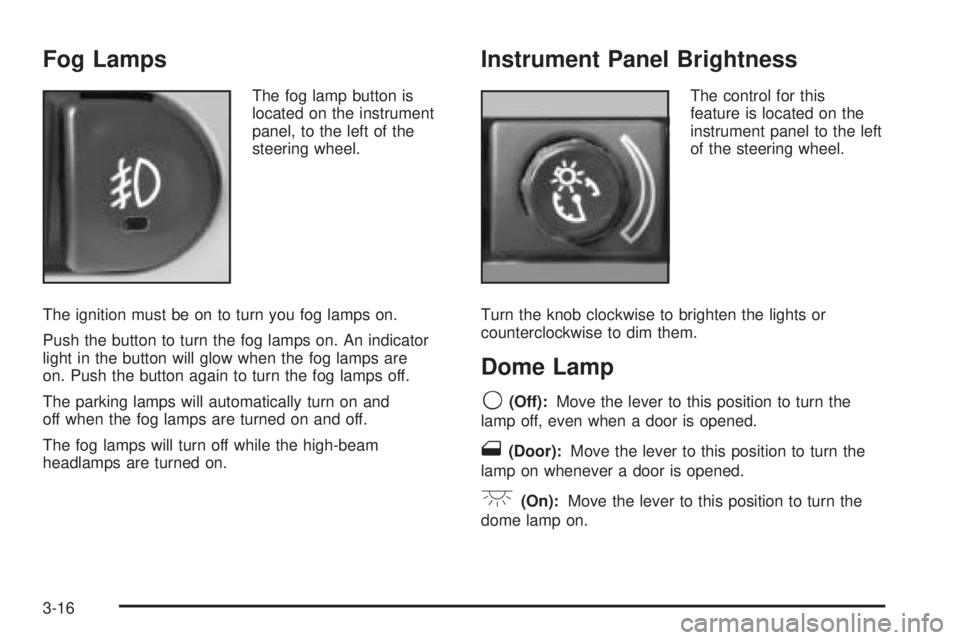
The fog lamp button is
located on the instrument
panel, to the left of the
steering wheel.
The ignition must be on to turn you fog lamps on.
Push the button to turn the fog lamps on. An indicator
light in the button will glow when the fog lamps are
on. Push the button again to turn the fog lamps off.
The parking lamps will automatically turn on and
off when the fog lamps are turned on and off.
The fog lamps will turn off while the high-beam
headlamps are turned on.
Instrument Panel Brightness
The control for this
feature is located on the
instrument panel to the left
of the steering wheel.
Turn the knob clockwise to brighten the lights or
counterclockwise to dim them.
Dome Lamp
9(Off):Move the lever to this position to turn the
lamp off, even when a door is opened.
1(Door):Move the lever to this position to turn the
lamp on whenever a door is opened.
+(On):Move the lever to this position to turn the
dome lamp on.
3-16
Page 134 of 354
Warning Lights, Gages, and
Indicators
This part describes the warning lights and gages that
may be on your vehicle. The pictures will help you
locate them.
Warning lights and gages can signal that something is
wrong before it becomes serious enough to cause
an expensive repair or replacement. Paying attention to
your warning lights and gages could also save you
or others from injury.
Warning lights come on when there may be or is a
problem with one of your vehicle’s functions. As you will
see in the details on the next few pages, some
warning lights come on briey when you start the
engine just to let you know they are working. If you are
familiar with this section, you should not be alarmed
when this happens.Gages can indicate when there may be or is a problem
with one of your vehicle’s functions. Often gages
and warning lights work together to let you know when
there is a problem with your vehicle.
When one of the warning lights comes on and stays on
when you are driving, or when one of the gages
shows there may be a problem, check the section
that tells you what to do about it. Please follow this
manual’s advice. Waiting to do repairs can be
costly — and even dangerous. So please get to know
your warning lights and gages. They are a big help.
Instrument Panel Cluster
Your instrument panel cluster is designed to let you
know at a glance how your vehicle is running. You will
know how fast you are going, how much fuel you
have, and many other things you’ll need to drive safely
and economically.
3-24
Page 135 of 354
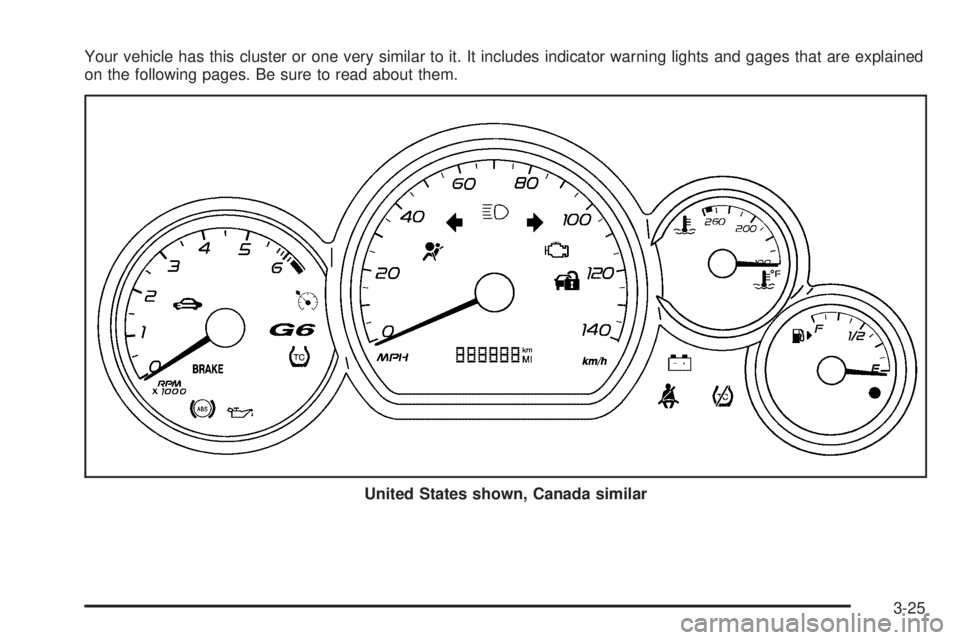
Your vehicle has this cluster or one very similar to it. It includes indicator warning lights and gages that are explained
on the following pages. Be sure to read about them.
United States shown, Canada similar
3-25
Page 150 of 354
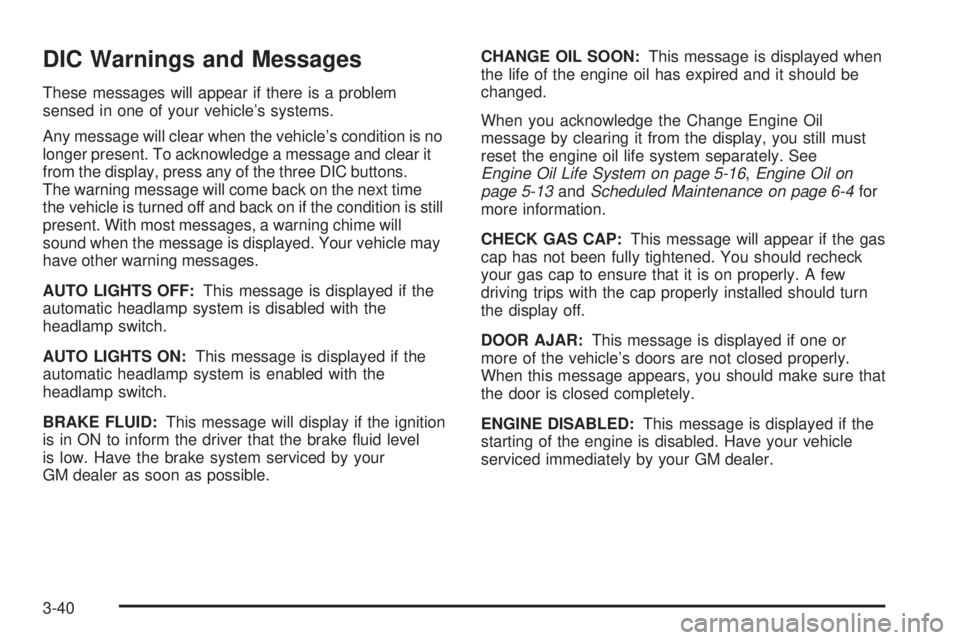
DIC Warnings and Messages
These messages will appear if there is a problem
sensed in one of your vehicle’s systems.
Any message will clear when the vehicle’s condition is no
longer present. To acknowledge a message and clear it
from the display, press any of the three DIC buttons.
The warning message will come back on the next time
the vehicle is turned off and back on if the condition is still
present. With most messages, a warning chime will
sound when the message is displayed. Your vehicle may
have other warning messages.
AUTO LIGHTS OFF:This message is displayed if the
automatic headlamp system is disabled with the
headlamp switch.
AUTO LIGHTS ON:This message is displayed if the
automatic headlamp system is enabled with the
headlamp switch.
BRAKE FLUID:This message will display if the ignition
is in ON to inform the driver that the brake uid level
is low. Have the brake system serviced by your
GM dealer as soon as possible.CHANGE OIL SOON:This message is displayed when
the life of the engine oil has expired and it should be
changed.
When you acknowledge the Change Engine Oil
message by clearing it from the display, you still must
reset the engine oil life system separately. See
Engine Oil Life System on page 5-16,Engine Oil on
page 5-13andScheduled Maintenance on page 6-4for
more information.
CHECK GAS CAP:This message will appear if the gas
cap has not been fully tightened. You should recheck
your gas cap to ensure that it is on properly. A few
driving trips with the cap properly installed should turn
the display off.
DOOR AJAR:This message is displayed if one or
more of the vehicle’s doors are not closed properly.
When this message appears, you should make sure that
the door is closed completely.
ENGINE DISABLED:This message is displayed if the
starting of the engine is disabled. Have your vehicle
serviced immediately by your GM dealer.
3-40
Page 153 of 354

UNLOCK HORN:If your vehicle has remote keyless
entry, this option which allows the vehicle’s horn to chirp
every time the unlock button on the remote keyless
entry transmitter is pressed, can be enabled or disabled.
When UNLOCK HORN appears on the display, press
the enter button to move between ON and OFF.
When you have made your choice, press the MENU
button to record your selection. The initial setting from
the factory is OFF.
LIGHT FLASH:If your vehicle has remote keyless
entry, this option which allows the vehicle’s exterior
perimeter lighting to ash every time the lock or unlock
button on the remote keyless entry transmitter is
pressed, can be enabled or disabled. When LIGHT
FLASH appears on the display, press the enter button
to move between OFF and ON. When you have
made your choice, press the MENU button to record
your selection. The initial setting from the factory is ON.
DELAY LOCK:The delayed locking option, which
delays the actual locking of the vehicle, can be enabled
or disabled. When DELAY LOCK appears on the
display, press the enter button to move between OFF
and ON. When you have made your choice, press
the MENU button to record your selection. The initial
setting from the factory is ON.AUTO UNLK:The automatic door unlocking option,
which allows the vehicle to automatically unlock certain
doors can be enabled or disabled. When AUTO UNLK
appears on the display, press the enter button to
move between: ALL, DRIVER or NONE. When you
have made your choice, press and the MENU button
to record your selection. The initial setting from the
factory is ALL.
UNLK:This option determines when the automatic door
unlocking will occur, when either the key is turned to
OFF or the vehicle is shifted into PARK (P). When UNLK
appears on the display, press the enter button to move
between KEY OFF and SHIFT TO P. When you have
made your choice, press the MENU button to record
your selection. The initial setting from the factory
is SHIFT TO P.
EXT LIGHTS:If your vehicle has remote keyless entry,
this option which allows the vehicle’s exterior perimeter
lighting to turn on each time the unlock button on
the remote keyless entry transmitter is pressed, can be
enabled or disabled. When EXT LIGHTS appears on
the display, press the enter button to move between
ON and OFF. When you have made your choice, press
the MENU button to record your selection. The initial
setting from the factory is ON.
3-43
Page 205 of 354
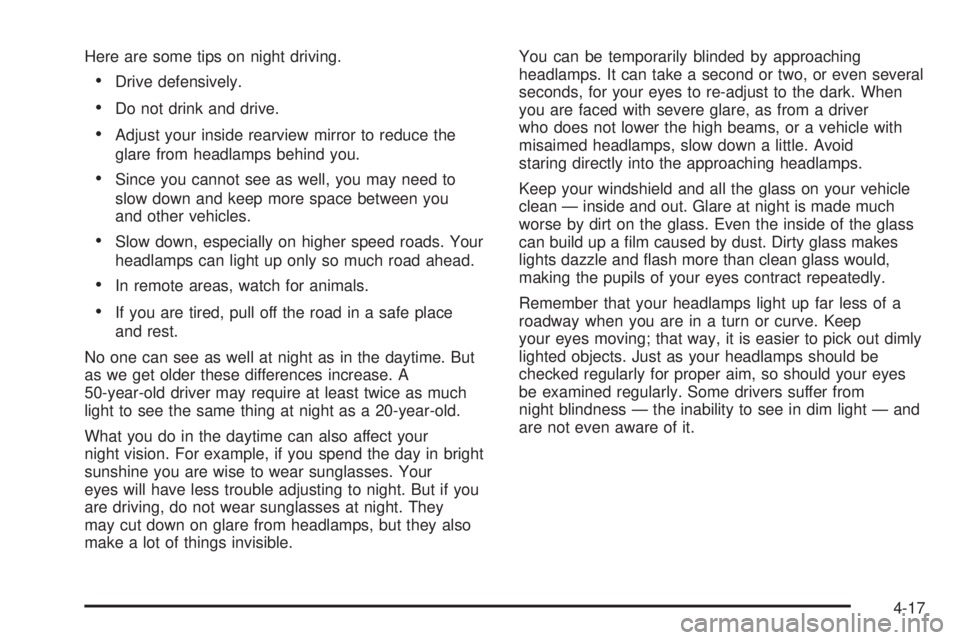
Here are some tips on night driving.
Drive defensively.
Do not drink and drive.
Adjust your inside rearview mirror to reduce the
glare from headlamps behind you.
Since you cannot see as well, you may need to
slow down and keep more space between you
and other vehicles.
Slow down, especially on higher speed roads. Your
headlamps can light up only so much road ahead.
In remote areas, watch for animals.
If you are tired, pull off the road in a safe place
and rest.
No one can see as well at night as in the daytime. But
as we get older these differences increase. A
50-year-old driver may require at least twice as much
light to see the same thing at night as a 20-year-old.
What you do in the daytime can also affect your
night vision. For example, if you spend the day in bright
sunshine you are wise to wear sunglasses. Your
eyes will have less trouble adjusting to night. But if you
are driving, do not wear sunglasses at night. They
may cut down on glare from headlamps, but they also
make a lot of things invisible.You can be temporarily blinded by approaching
headlamps. It can take a second or two, or even several
seconds, for your eyes to re-adjust to the dark. When
you are faced with severe glare, as from a driver
who does not lower the high beams, or a vehicle with
misaimed headlamps, slow down a little. Avoid
staring directly into the approaching headlamps.
Keep your windshield and all the glass on your vehicle
clean — inside and out. Glare at night is made much
worse by dirt on the glass. Even the inside of the glass
can build up a lm caused by dust. Dirty glass makes
lights dazzle and ash more than clean glass would,
making the pupils of your eyes contract repeatedly.
Remember that your headlamps light up far less of a
roadway when you are in a turn or curve. Keep
your eyes moving; that way, it is easier to pick out dimly
lighted objects. Just as your headlamps should be
checked regularly for proper aim, so should your eyes
be examined regularly. Some drivers suffer from
night blindness — the inability to see in dim light — and
are not even aware of it.
4-17
Page 251 of 354
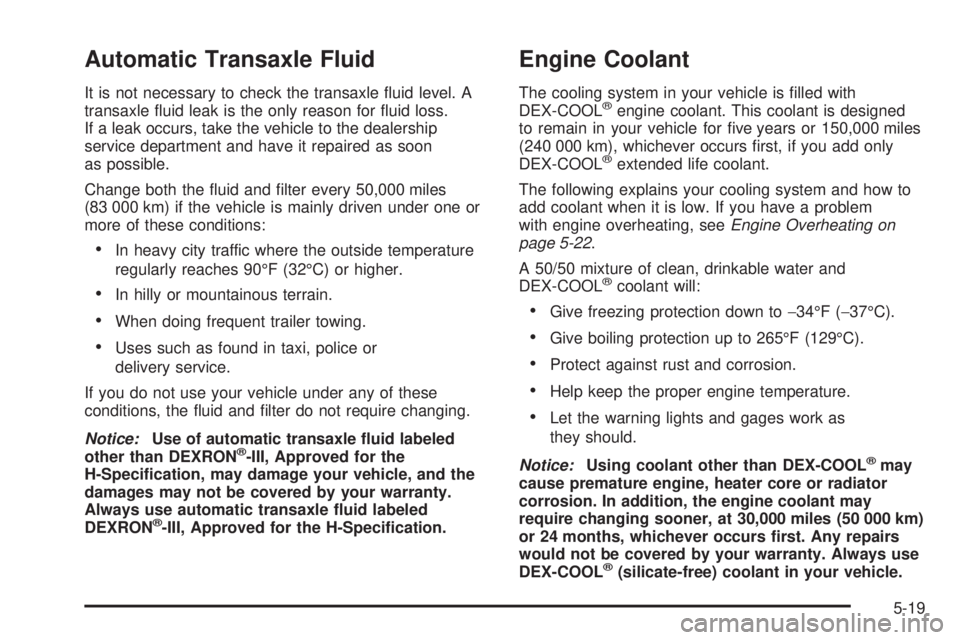
Automatic Transaxle Fluid
It is not necessary to check the transaxle uid level. A
transaxle uid leak is the only reason for uid loss.
If a leak occurs, take the vehicle to the dealership
service department and have it repaired as soon
as possible.
Change both the uid and lter every 50,000 miles
(83 000 km) if the vehicle is mainly driven under one or
more of these conditions:
In heavy city traffic where the outside temperature
regularly reaches 90°F (32°C) or higher.
In hilly or mountainous terrain.
When doing frequent trailer towing.
Uses such as found in taxi, police or
delivery service.
If you do not use your vehicle under any of these
conditions, the uid and lter do not require changing.
Notice:Use of automatic transaxle uid labeled
other than DEXRON
®-III, Approved for the
H-Specication, may damage your vehicle, and the
damages may not be covered by your warranty.
Always use automatic transaxle uid labeled
DEXRON
®-III, Approved for the H-Specication.
Engine Coolant
The cooling system in your vehicle is lled with
DEX-COOL®engine coolant. This coolant is designed
to remain in your vehicle for ve years or 150,000 miles
(240 000 km), whichever occurs rst, if you add only
DEX-COOL
®extended life coolant.
The following explains your cooling system and how to
add coolant when it is low. If you have a problem
with engine overheating, seeEngine Overheating on
page 5-22.
A 50/50 mixture of clean, drinkable water and
DEX-COOL
®coolant will:
Give freezing protection down to−34°F (−37°C).
Give boiling protection up to 265°F (129°C).
Protect against rust and corrosion.
Help keep the proper engine temperature.
Let the warning lights and gages work as
they should.
Notice:Using coolant other than DEX-COOL
®may
cause premature engine, heater core or radiator
corrosion. In addition, the engine coolant may
require changing sooner, at 30,000 miles (50 000 km)
or 24 months, whichever occurs rst. Any repairs
would not be covered by your warranty. Always use
DEX-COOL
®(silicate-free) coolant in your vehicle.
5-19
Page 309 of 354
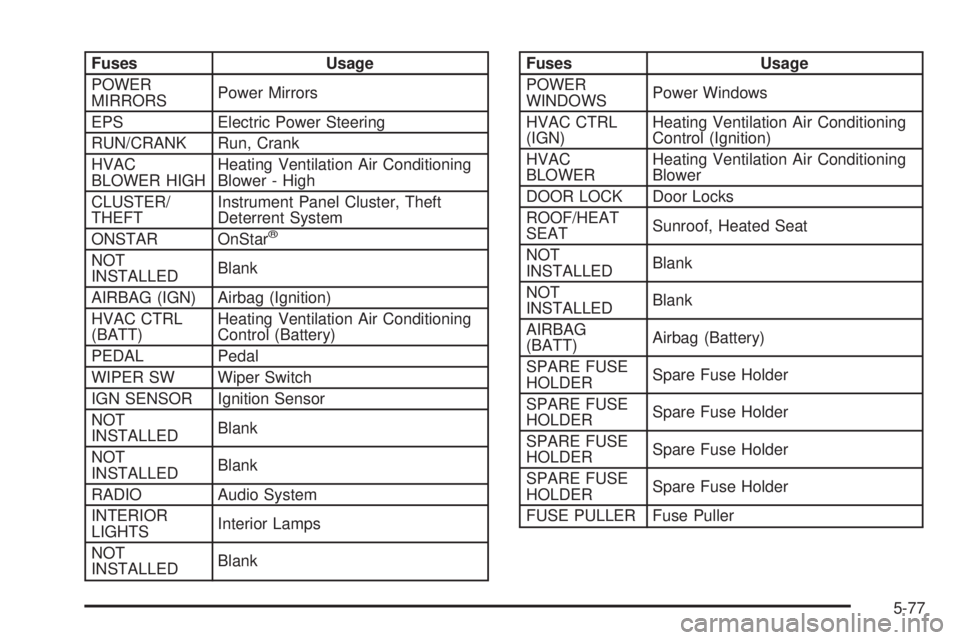
Fuses Usage
POWER
MIRRORSPower Mirrors
EPS Electric Power Steering
RUN/CRANK Run, Crank
HVAC
BLOWER HIGHHeating Ventilation Air Conditioning
Blower - High
CLUSTER/
THEFTInstrument Panel Cluster, Theft
Deterrent System
ONSTAR OnStar
®
NOT
INSTALLEDBlank
AIRBAG (IGN) Airbag (Ignition)
HVAC CTRL
(BATT)Heating Ventilation Air Conditioning
Control (Battery)
PEDAL Pedal
WIPER SW Wiper Switch
IGN SENSOR Ignition Sensor
NOT
INSTALLEDBlank
NOT
INSTALLEDBlank
RADIO Audio System
INTERIOR
LIGHTSInterior Lamps
NOT
INSTALLEDBlank
Fuses Usage
POWER
WINDOWSPower Windows
HVAC CTRL
(IGN)Heating Ventilation Air Conditioning
Control (Ignition)
HVAC
BLOWERHeating Ventilation Air Conditioning
Blower
DOOR LOCK Door Locks
ROOF/HEAT
SEATSunroof, Heated Seat
NOT
INSTALLEDBlank
NOT
INSTALLEDBlank
AIRBAG
(BATT)Airbag (Battery)
SPARE FUSE
HOLDERSpare Fuse Holder
SPARE FUSE
HOLDERSpare Fuse Holder
SPARE FUSE
HOLDERSpare Fuse Holder
SPARE FUSE
HOLDERSpare Fuse Holder
FUSE PULLER Fuse Puller
5-77
Page 354 of 354
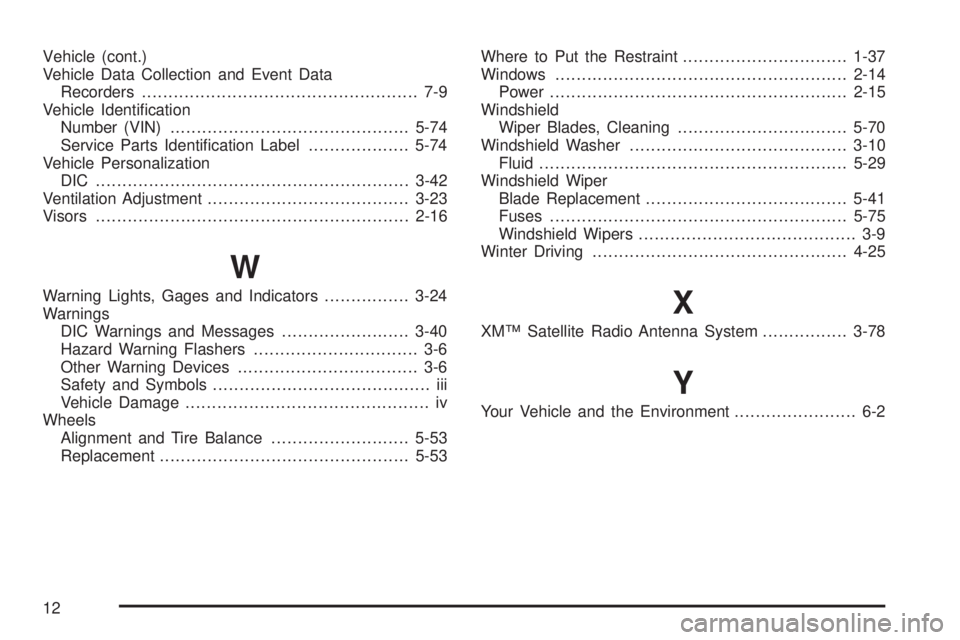
Vehicle (cont.)
Vehicle Data Collection and Event Data
Recorders.................................................... 7-9
Vehicle Identication
Number (VIN).............................................5-74
Service Parts Identication Label...................5-74
Vehicle Personalization
DIC ...........................................................3-42
Ventilation Adjustment......................................3-23
Visors...........................................................2-16
W
Warning Lights, Gages and Indicators................3-24
Warnings
DIC Warnings and Messages........................3-40
Hazard Warning Flashers............................... 3-6
Other Warning Devices.................................. 3-6
Safety and Symbols......................................... iii
Vehicle Damage.............................................. iv
Wheels
Alignment and Tire Balance..........................5-53
Replacement...............................................5-53Where to Put the Restraint...............................1-37
Windows.......................................................2-14
Power........................................................2-15
Windshield
Wiper Blades, Cleaning................................5-70
Windshield Washer.........................................3-10
Fluid..........................................................5-29
Windshield Wiper
Blade Replacement......................................5-41
Fuses........................................................5-75
Windshield Wipers......................................... 3-9
Winter Driving................................................4-25X
XM™ Satellite Radio Antenna System................3-78
Y
Your Vehicle and the Environment....................... 6-2
12