check engine light PONTIAC G8 2009 User Guide
[x] Cancel search | Manufacturer: PONTIAC, Model Year: 2009, Model line: G8, Model: PONTIAC G8 2009Pages: 356, PDF Size: 1.83 MB
Page 120 of 356
Notice:Before adding any sound
equipment to your vehicle, such
as an audio system, CD player,
CB radio, mobile telephone, or
two-way radio, make sure that it
can be added by checking with
your dealer/retailer. Also, check
federal rules covering mobile
radio and telephone units. If
sound equipment can be added, it
is very important to do it properly.
Added sound equipment may
interfere with the operation of your
vehicle’s engine, radio, or other
systems, and even damage them.
Your vehicle’s systems may
interfere with the operation of
sound equipment that has been
added.
The vehicle has Retained Accessory
Power (RAP), and the audio system
can be played after the ignition is
turned off. SeeRetained Accessory
Power (RAP) on page 8-3for more
information.Setting the Clock
Radio with Single CD Player
The time and date can be adjusted
when the radio is either on or
off, press
Gto display the date.
To adjust the time and date:
1. Press and hold
Guntil the
display shows the Set Clock
screen and the hour display
ashes.
2. Turn the volume knob to adjust
the hour.
3. Press the volume knob and the
minute display will ash to
adjust the minutes.
4. Turn the volume knob to adjust
the minutes.
5. Repeat these steps to adjust the
month, date, and year.
6. Press
Gto save the settings.
If no adjustments are made for
eight seconds, the radio will
automatically save the settings.
Radio with Six-Disc CD Player
The time and date can be adjusted
when the radio is either on or
off, press
Gto display the date.
To adjust the time and date:
1. Press and hold
Gfor more than
two seconds to display the
Options menu.
2. Turn the MENU knob to highlight:
Hour, Minute, Date, Month,
and Year.
3. Highlight Hour and Press the
MENU knob.
4. Turn the MENU knob to adjust
the hours.
5. Press the MENU knob to return
to the Options menu.
6. Repeat steps 2 through 5 to
adjust the minutes, date, month,
and year.
7. Press
Gto save the settings.
If no adjustments are made for
eight seconds, the radio will
automatically save the settings.
6-2 Infotainment
Page 184 of 356
And, of course, actual stopping
distances vary greatly with the
surface of the road, whether it is
pavement or gravel; the condition of
the road, whether it is wet, dry, or icy;
tire tread; the condition of the brakes;
the weight of the vehicle; and the
amount of brake force applied.
Avoid needless heavy
braking. Some people drive in
spurts — heavy acceleration
followed by heavy braking — rather
than keeping pace with traffic.
This is a mistake. The brakes might
not have time to cool between
hard stops. The brakes will wear out
much faster if you do a lot of
heavy braking. If you keep pace
with the traffic and allow realistic
following distances, you will
eliminate a lot of unnecessary
braking. That means better braking
and longer brake life.
If your vehicle’s engine ever stops
while you are driving, brake normally
but do not pump the brakes. If you
do, the pedal could get harder topush down. If the engine stops, you
will still have some power brake
assist. But you will use it when you
brake. Once the power assist is used
up, it can take longer to stop and the
brake pedal will be harder to push.
Adding non-dealer/non-retailer
accessories can affect your vehicle’s
performance. SeeAccessories
and Modifications on page 9-3.
Antilock Brake
System (ABS)
Your vehicle has the Antilock Brake
System (ABS), an advanced
electronic braking system that will
help prevent a braking skid.
When you start the engine and
begin to drive away, ABS will check
itself. You might hear a momentary
motor or clicking noise while this
test is going on, and you might even
notice that the brake pedal moves
a little. This is normal.If there is a problem with ABS, this
warning light will stay on. See
Antilock Brake System (ABS)
Warning Light on page 4-16.
Let us say the road is wet and you
are driving safely. Suddenly, an
animal jumps out in front of you.
You slam on the brakes and continue
braking. Here is what happens
with ABS:
A computer senses that the wheels
are slowing down. If one of the
wheels is about to stop rolling, the
computer will separately work
the brakes at each wheel.
ABS can change the brake pressure
to each wheel, as required, faster
than any driver could. This can help
you steer around the obstacle while
braking hard.
8-18 Driving and Operating
Page 224 of 356
Engine Overheating
The vehicle has an indicator to
warn of engine overheating.
There is an engine coolant
temperature warning light on
your vehicle’s instrument panel.
SeeEngine Coolant Temperature
Gage on page 4-17.
You may decide not to lift the hood
when this warning appears, but
instead get service help right away.
SeeRoadside Assistance Program
on page 12-6.
If you do decide to lift the hood,
make sure the vehicle is parked on
a level surface.Then check to see if the engine
cooling fans are running. If the
engine is overheating, both fans
should be running. If they are
not, do not continue to run the
engine and have the vehicle
serviced.
Notice:Engine damage from
running the engine without
coolant is not covered by the
warranty.
Notice:If the engine catches re
because of being driven with
no coolant, your vehicle can be
badly damaged. The costly
repairs would not be covered by
the vehicle warranty.
If Steam Is Coming From The
Engine Compartment
{CAUTION
Steam from an overheated engine
can burn you badly, even if you
just open the hood. Stay away
from the engine if you see or hear
steam coming from it. Just turn it
off and get everyone away from
the vehicle until it cools down.
Wait until there is no sign of
steam or coolant before you
open the hood.
If you keep driving when your
engine is overheated, the liquids
in it can catch re. You or others
could be badly burned. Stop your
engine if it overheats, and get out
of the vehicle until the engine
is cool.
9-20 Vehicle Service and Care
Page 277 of 356
{CAUTION
Idling the engine in a closed-in
place or with the climate control
system off can cause deadly
carbon monoxide (CO). See
Engine Exhaust on page 8-14.
5. Start the vehicle. The vehicle
must be running while using
the air compressor.
{CAUTION
Overination could cause the tire
to rupture, and you or others could
be injured. Be sure to read the
inator instructions, and inate the
tire to its recommended pressure.
Do not exceed 36 psi (248 kPa).
6. Push the On/Off switch (G) to
the I (on) position.
Check the pressure gage (F).
If there is not a pressure reading
while the compressor isrunning, check for leaks at the
connection between the
hose and the tire valve stem.
7. Inate the tire up to the
recommended ination pressure
using the air pressure gage (F)
on the top of the unit. See
Inflation - Tire Pressure on
page 9-49.
The pressure gage (F) reads
slightly high while the compressor
is on. Turn the compressor off to
get an accurate reading. The
compressor may be turned on
and off until the correct pressure
is reached.
8. Push the On/Off switch (G) to
the O (off) position.
Be careful while handling the tire
sealant and compressor kit as
they could be hot after usage.
9. Unplug the air compressor
accessory plug (A) from the
accessory power outlet in
the vehicle and stow it in its
original location.10. Disconnect the air-only hose (E)
from the tire valve stem and
stow it back in its original
location.
11. Replace the tire valve
stem cap.
{CAUTION
Storing the tire sealant and
compressor kit or other equipment
in the passenger compartment of
the vehicle could cause injury. In
a sudden stop or collision, loose
equipment could strike someone.
Store the tire sealant and
compressor kit in its original
location.
12. Place the equipment in the
original location in the trunk
of your vehicle.
Vehicle Service and Care 9-73
Page 298 of 356
Turn Signals When Towing a
Trailer
When you tow a trailer, your vehicle
may need a different turn signal
asher and/or extra wiring. Check
with your dealer/retailer. The arrows
on your instrument panel will ash
whenever you signal a turn or lane
change. Properly hooked up, the
trailer lamps will also ash, telling
other drivers you are about to turn,
change lanes or stop.
When towing a trailer, the arrows on
your instrument panel will ash
for turns even if the bulbs on the
trailer are burned out. Thus,
you may think drivers behind you
are seeing your signal when
they are not. It is important to check
occasionally to be sure the trailer
bulbs are still working.
Your vehicle has bulb warning
lights. When you plug a trailer
lighting system into your vehicle’s
lighting system, its bulb warning
lights may not let you know if one of
your lamps goes out. So, whenyou have a trailer lighting system
plugged in, be sure to check
your vehicle and trailer lamps from
time to time to be sure they are
all working. Once you disconnect the
trailer lamps, the bulb warning
lights again can tell you if one of
your vehicle lamps is out.
Driving On Grades
Reduce speed and shift to a lower
gearbeforeyou start down a long or
steep downgrade. If you do not shift
down, you might have to use your
brakes so much that they would get
hot and no longer work well.
On a long uphill grade, shift down to
a lower gear and reduce your
speed to around 45 mph (70 km/h)
to reduce the possibility of engine
and transmission overheating.
Parking on Hills
{CAUTION
Parking the vehicle on a hill with
the trailer attached can be
dangerous. If something goes
wrong, the rig could start to move.
People can be injured, and both
the vehicle and the trailer can be
damaged. When possible, always
park the rig on a at surface.
But if you ever have to park your rig
on a hill, here is how to do it:
1. Apply your regular brakes, but do
not shift into P (Park) yet.
2. Have someone place chocks
under the trailer wheels.
3. When the wheel chocks are in
place, release the regular brakes
until the chocks absorb the load.
4. Reapply the regular brakes.
Then apply your parking
brake, and then shift to P (Park).
5. Release the regular brakes.
9-94 Vehicle Service and Care
Page 299 of 356
When You Are Ready to Leave
After Parking on a Hill
1. Apply your regular brakes and
hold the pedal down while you:
Start your engine.
Shift into a gear.
Release the parking brake.
2. Let up on the brake pedal.
3. Drive slowly until the trailer is
clear of the chocks.
4. Stop and have someone pick up
and store the chocks.
Maintenance When Trailer
Towing
Your vehicle will need service more
often when you’re pulling a trailer.
See the Maintenance Schedule for
more on this. Things that are
especially important in trailer
operation are automatic transmission
uid (don’t overll), engine oil, drivebelt, cooling system and brake
system. Each of these is covered in
this manual, and the Index will help
you nd them quickly. If you’re
trailering, it’s a good idea to review
this information before you start
your trip.
Check periodically to see that all
hitch nuts and bolts are tight.
Engine Cooling When Trailer
Towing
Your cooling system may
temporarily overheat during severe
operating conditions. SeeEngine
Overheating on page 9-20.
Appearance Care
Interior Cleaning
Your vehicle’s interior will continue to
look its best if it is cleaned often.
Although not always visible, dust and
dirt can accumulate on your
upholstery. Dirt can damage carpet,
fabric, leather, and plastic surfaces.
Regular vacuuming is recommended
to remove particles from the
upholstery. It is important to keep
your upholstery from becoming and
remaining heavily soiled. Soils
should be removed as quickly as
possible. Your vehicle’s interior may
experience extremes of heat that
could cause stains to set rapidly.
Lighter colored interiors may require
more frequent cleaning. Use care
because newspapers and garments
that transfer color to your home
furnishings may also transfer color
to your vehicle’s interior.
Vehicle Service and Care 9-95
Page 318 of 356
(e)Make sure the safety belt
reminder light and safety belt
assemblies are working properly.
Look for any other loose or damaged
safety belt system parts. If you see
anything that might keep a safety belt
system from doing its job, have it
repaired. Have any torn or frayed
safety belts replaced. Also see
Airbag System Check on page 1-33.
(f)Lubricate all key lock cylinders,
door hinges and latches, hood
hinges and latches and trunk lid
hinges and latches. More frequent
lubrication may be required when
exposed to a corrosive environment.
Applying silicone grease on
weatherstrips with a clean cloth will
make them last longer, seal
better, and not stick or squeak.
(g)Visually inspect belt for fraying,
excessive cracks, or obvious
damage. Replace belt if necessary.(h)Change automatic transmission
fluid and filter if the vehicle is
mainly driven under one or more of
these conditions:
In heavy city traffic where the
outside temperature regularly
reaches 90°F (32°C) or higher.
In hilly or mountainous terrain.
When doing frequent trailer
towing.
Uses such as found in taxi,
police, or delivery service.
(i)Drain, flush, and refill cooling
system. This service can be
complex; you should have your
dealer/retailer perform this service.
See Engine Coolant on page 9-15
for what to use. Inspect hoses.
Clean radiator, condenser, pressure
cap, and filler neck. Pressure test the
cooling system and pressure cap.(j)A fluid loss in any vehicle system
could indicate a problem. Have the
system inspected and repaired and
the fluid level checked. Add fluid
if needed.
(k)If you drive regularly under dusty
conditions, inspect the filter at
each engine oil change.
(l)If you drive regularly under dusty
conditions, the filter may require
replacement more often.
(m)Drain, flush, and refill brake
hydraulic system at a regular service
interval (IorII) every two years.
This service can be complex;
you should have your dealer/retailer
perform this service. See Brakes
on page 9-25.
11-8 Service and Maintenance
Page 347 of 356
A
Accessories and
Modications...................... 9-3
Accessory Power Outlets........ 4-9
Adding Equipment to Your
Airbag-Equipped Vehicle....1-32
Additives, Fuel.....................8-36
Add-On Electrical
Equipment.......................9-36
Air Cleaner/Filter, Engine.......9-11
Air Conditioning...............7-1, 7-4
Airbag
Passenger Status
Indicator.......................4-14
Readiness Light................4-13
System, Replacing Parts
After a Crash................1-33
Airbag System.....................1-20
Adding Equipment to Your
Airbag-Equipped
Vehicle........................1-32
Check.............................1-33
How Does an Airbag
Restrain?.....................1-25Airbag System (cont.)
Passenger Sensing
System........................1-27
Servicing Your
Airbag-Equipped
Vehicle........................1-31
What Makes an Airbag
Inate?........................1-25
What Will You See After
an Airbag Inates?........1-25
When Should an Airbag
Inate?........................1-23
Where Are the Airbags?.....1-22
Antenna, Fixed Mast............6-37
Antenna, XM™ Satellite
Radio Antenna System......6-37
Antilock Brake
System (ABS)..................8-18
Antilock Brake, System
Warning Light...................4-16
Appearance Care
Chemical Paint
Spotting.....................9-102
Exterior Cleaning..............9-98Appearance Care (cont.)
Finish Damage...............9-102
Interior Cleaning...............9-95
Sheet Metal Damage.......9-102
Underbody Maintenance . . . 9-102
Appointments, Scheduling
Service...........................12-8
Audio System........................ 6-1
Audio Steering Wheel
Controls.......................6-36
Fixed Mast Antenna..........6-37
Radio Reception...............6-36
Setting the Clock................ 6-2
Theft-Deterrent Feature......6-35
XM™ Satellite Radio
Antenna System............6-37
Audio System(s).................... 6-3
Automatic Climate Control
System............................. 7-4
Automatic Headlamp
System............................. 5-2
Automatic Transmission
Operation.......................... 8-6
INDEX i-1
Page 348 of 356
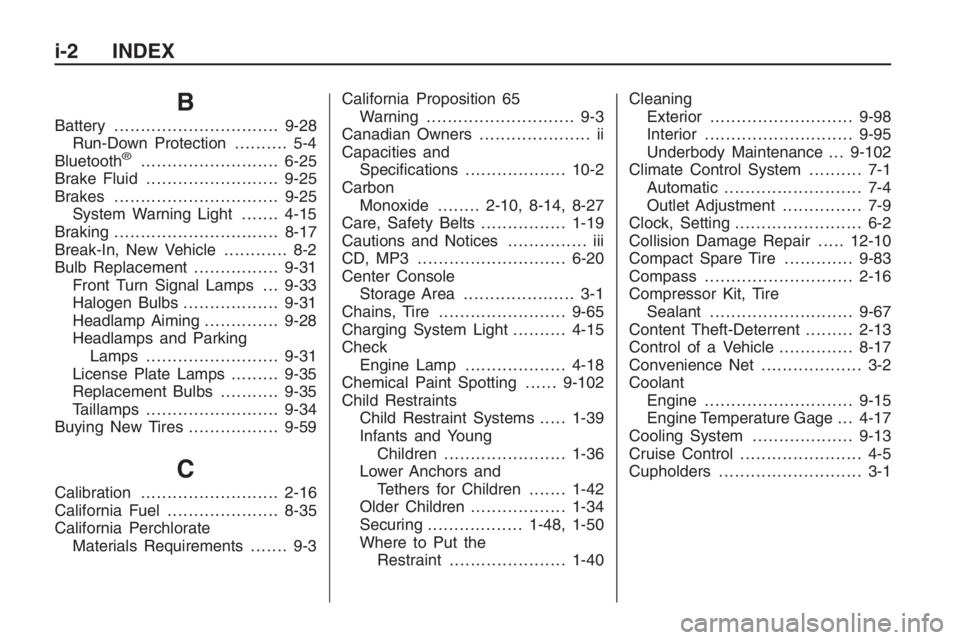
B
Battery...............................9-28
Run-Down Protection.......... 5-4
Bluetooth
®..........................6-25
Brake Fluid.........................9-25
Brakes...............................9-25
System Warning Light.......4-15
Braking...............................8-17
Break-In, New Vehicle............ 8-2
Bulb Replacement................9-31
Front Turn Signal Lamps . . . 9-33
Halogen Bulbs..................9-31
Headlamp Aiming..............9-28
Headlamps and Parking
Lamps .........................9-31
License Plate Lamps.........9-35
Replacement Bulbs...........9-35
Taillamps.........................9-34
Buying New Tires.................9-59
C
Calibration..........................2-16
California Fuel.....................8-35
California Perchlorate
Materials Requirements....... 9-3California Proposition 65
Warning............................ 9-3
Canadian Owners..................... ii
Capacities and
Specications...................10-2
Carbon
Monoxide........2-10, 8-14, 8-27
Care, Safety Belts................1-19
Cautions and Notices............... iii
CD, MP3 ............................6-20
Center Console
Storage Area..................... 3-1
Chains, Tire........................9-65
Charging System Light..........4-15
Check
Engine Lamp...................4-18
Chemical Paint Spotting......9-102
Child Restraints
Child Restraint Systems.....1-39
Infants and Young
Children.......................1-36
Lower Anchors and
Tethers for Children.......1-42
Older Children..................1-34
Securing..................1-48, 1-50
Where to Put the
Restraint......................1-40Cleaning
Exterior...........................9-98
Interior............................9-95
Underbody Maintenance . . . 9-102
Climate Control System.......... 7-1
Automatic.......................... 7-4
Outlet Adjustment............... 7-9
Clock, Setting........................ 6-2
Collision Damage Repair.....12-10
Compact Spare Tire.............9-83
Compass............................2-16
Compressor Kit, Tire
Sealant...........................9-67
Content Theft-Deterrent.........2-13
Control of a Vehicle..............8-17
Convenience Net................... 3-2
Coolant
Engine............................9-15
Engine Temperature Gage . . . 4-17
Cooling System...................9-13
Cruise Control....................... 4-5
Cupholders........................... 3-1
i-2 INDEX
Page 350 of 356
Electrical System (cont.)
Power Windows and
Other Power Options.....9-36
Rear Compartment
Fuse Block...................9-41
Windshield Wiper Fuses....9-36
Electronic Stability Program....8-19
Engine
Air Cleaner/Filter...............9-11
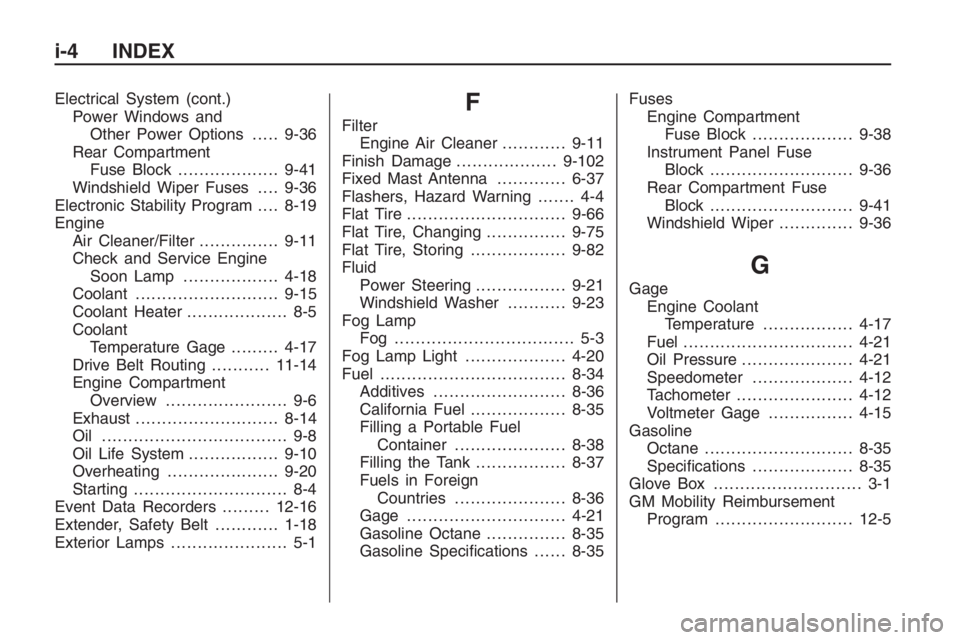
Check and Service Engine
Soon Lamp..................4-18
Coolant...........................9-15
Coolant Heater................... 8-5
Coolant
Temperature Gage.........4-17
Drive Belt Routing...........11-14
Engine Compartment
Overview....................... 9-6
Exhaust...........................8-14
Oil ................................... 9-8
Oil Life System.................9-10
Overheating.....................9-20
Starting............................. 8-4
Event Data Recorders.........12-16
Extender, Safety Belt............1-18
Exterior Lamps...................... 5-1F
Filter
Engine Air Cleaner............9-11
Finish Damage...................9-102
Fixed Mast Antenna.............6-37
Flashers, Hazard Warning....... 4-4
Flat Tire..............................9-66
Flat Tire, Changing...............9-75
Flat Tire, Storing..................9-82
Fluid
Power Steering.................9-21
Windshield Washer...........9-23
Fog Lamp
Fog .................................. 5-3
Fog Lamp Light...................4-20
Fuel...................................8-34
Additives.........................8-36
California Fuel..................8-35
Filling a Portable Fuel
Container.....................8-38
Filling the Tank.................8-37
Fuels in Foreign
Countries.....................8-36
Gage ..............................4-21
Gasoline Octane...............8-35
Gasoline Specications......8-35Fuses
Engine Compartment
Fuse Block...................9-38
Instrument Panel Fuse
Block...........................9-36
Rear Compartment Fuse
Block...........................9-41
Windshield Wiper..............9-36
G
Gage
Engine Coolant
Temperature.................4-17
Fuel................................4-21
Oil Pressure.....................4-21
Speedometer...................4-12
Tachometer......................4-12
Voltmeter Gage................4-15
Gasoline
Octane............................8-35
Specications...................8-35
Glove Box............................ 3-1
GM Mobility Reimbursement
Program..........................12-5
i-4 INDEX