maintenance PONTIAC G8 2009 Owners Manual
[x] Cancel search | Manufacturer: PONTIAC, Model Year: 2009, Model line: G8, Model: PONTIAC G8 2009Pages: 356, PDF Size: 1.83 MB
Page 1 of 356
Seats and Restraints......... 1-1
Front Seats
.................... 1-2
Rear Seats
.................... 1-5
Safety Belts
................... 1-5
Airbag System
..............1-20
Child Restraints
.............1-34
Keys, Doors and
Windows............................ 2-1
Keys
............................. 2-2
Doors and Locks
............ 2-8
Theft-Deterrent
Systems
...................2-11
Windows
......................2-14
Mirrors
.........................2-16
Sunroof
........................2-18
Storage.............................. 3-1
Storage
......................... 3-1
Instruments and
Controls............................. 4-1
Instrument Panel
Overview
.................... 4-2
Warning Lights, Gages, and
Indicators
..................4-10Driver Information
Center (DIC)
.............4-22
OnStar
®System
............4-35
Lighting............................. 5-1
Lighting
......................... 5-1
Infotainment...................... 6-1
Audio System(s)
............. 6-1
Climate Controls............... 7-1
Climate Controls
............. 7-1
Driving and Operating....... 8-1
Starting and Operating
Your Vehicle
............... 8-2
Driving Your Vehicle
......8-16
Fuel
............................8-34
Vehicle Service
and Care............................ 9-1
Service
.......................... 9-2
Owner Checks
................ 9-5
Headlamp Aiming
..........9-28
Bulb Replacement
.........9-31
Electrical System
...........9-36
Tires
...........................9-42Tire Changing
...............9-66
Jump Starting
...............9-84
Towing
........................9-88
Appearance Care
..........9-95
Technical Data.................10-1
Vehicle Identication
......10-1
Capacities and
Specications
............10-2
Service and
Maintenance.....................11-1
Service and
Maintenance
..............11-1
Customer Information......12-1
Customer Information
.....12-1
Reporting Safety
Defects
...................12-14
Vehicle Data Recording
and Privacy
.............12-16
Index....................................i-1
2009 Pontiac G8 Owner ManualM
Page 37 of 356
In addition, your dealer/retailer
and the service manual have
information about the location of
the airbag sensors, sensing
and diagnostic module and
airbag wiring.
Airbag System Check
The airbag system does not need
regularly scheduled maintenance
or replacement. Make sure the
airbag readiness light is working.
SeeAirbag Readiness Light
on page 4-13for more information.
Notice:If an airbag covering
is damaged, opened, or broken,
the airbag may not work properly.
Do not open or break the airbag
coverings. If there are any opened
or broken airbag covers, have
the airbag covering and/or
airbag module replaced. For the
location of the airbag modules,
seeWhat Makes an Airbag
Inflate? on page 1-25. See your
dealer/retailer for service.
Replacing Airbag System
Parts After a Crash
{CAUTION
A crash can damage the
airbag systems in your vehicle.
A damaged airbag system may not
work properly and may not protect
you and your passenger(s) in a
crash, resulting in serious injury or
even death. To help make sure
your airbag systems are working
properly after a crash, have them
inspected and any necessary
replacements made as soon as
possible.If an airbag inates, you will need
to replace airbag system parts.
See your dealer/retailer for service.
If the airbag readiness light stays
on after the vehicle is started
or comes on when you are driving,
the airbag system may not work
properly. Have the vehicle serviced
right away. SeeAirbag Readiness
Light on page 4-13for more
information.
Seats and Restraints 1-33
Page 94 of 356
Malfunction
Indicator Lamp
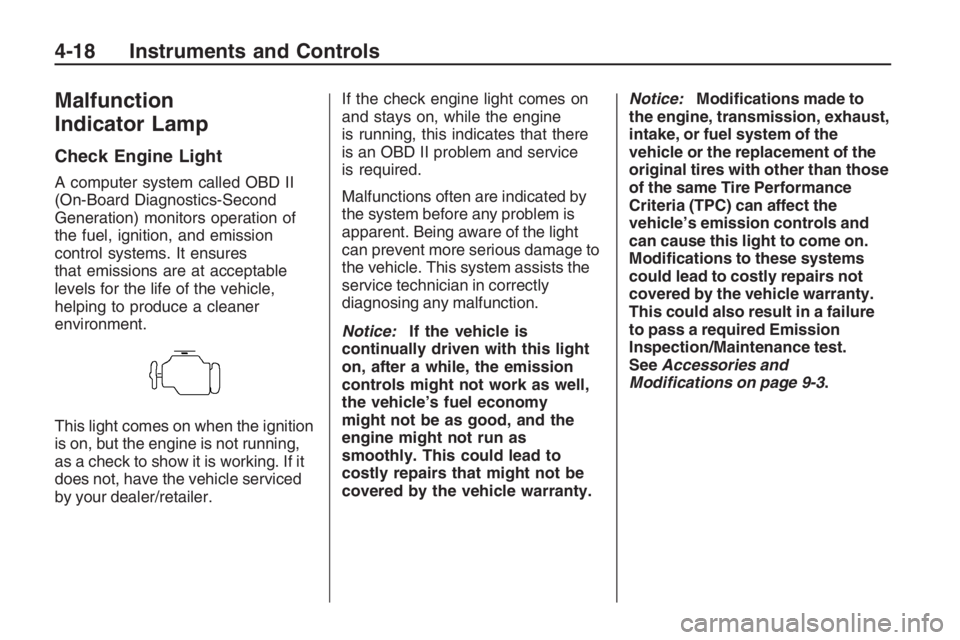
Check Engine Light
A computer system called OBD II
(On-Board Diagnostics-Second
Generation) monitors operation of
the fuel, ignition, and emission
control systems. It ensures
that emissions are at acceptable
levels for the life of the vehicle,
helping to produce a cleaner
environment.
This light comes on when the ignition
is on, but the engine is not running,
as a check to show it is working. If it
does not, have the vehicle serviced
by your dealer/retailer.If the check engine light comes on
and stays on, while the engine
is running, this indicates that there
is an OBD II problem and service
is required.
Malfunctions often are indicated by
the system before any problem is
apparent. Being aware of the light
can prevent more serious damage to
the vehicle. This system assists the
service technician in correctly
diagnosing any malfunction.
Notice:If the vehicle is
continually driven with this light
on, after a while, the emission
controls might not work as well,
the vehicle’s fuel economy
might not be as good, and the
engine might not run as
smoothly. This could lead to
costly repairs that might not be
covered by the vehicle warranty.Notice:Modications made to
the engine, transmission, exhaust,
intake, or fuel system of the
vehicle or the replacement of the
original tires with other than those
of the same Tire Performance
Criteria (TPC) can affect the
vehicle’s emission controls and
can cause this light to come on.
Modications to these systems
could lead to costly repairs not
covered by the vehicle warranty.
This could also result in a failure
to pass a required Emission
Inspection/Maintenance test.
SeeAccessories and
Modifications on page 9-3.
4-18 Instruments and Controls
Page 96 of 356
Emissions Inspection and
Maintenance Programs
Some state/provincial and local
governments have or might begin
programs to inspect the emission
control equipment on the vehicle.
Failure to pass this inspection could
prevent getting a vehicle registration.
Here are some things to know to
help the vehicle pass an inspection:
The vehicle will not pass this
inspection if the check engine
light is on with the engine
running, or if the key is in the
ON/RUN and the light is
not on.
The vehicle will not pass this
inspection if the OBD II
(on-board diagnostic) system
determines that critical emission
control systems have not
been completely diagnosed by
the system. The vehicle would
be considered not ready forinspection. This can happen if
the battery has recently been
replaced or if the battery has run
down. The diagnostic system
is designed to evaluate critical
emission control systems
during normal driving. This can
take several days of routine
driving. If this has been done
and the vehicle still does not
pass the inspection for lack of
OBD II system readiness,
your dealer/retailer can prepare
the vehicle for inspection.
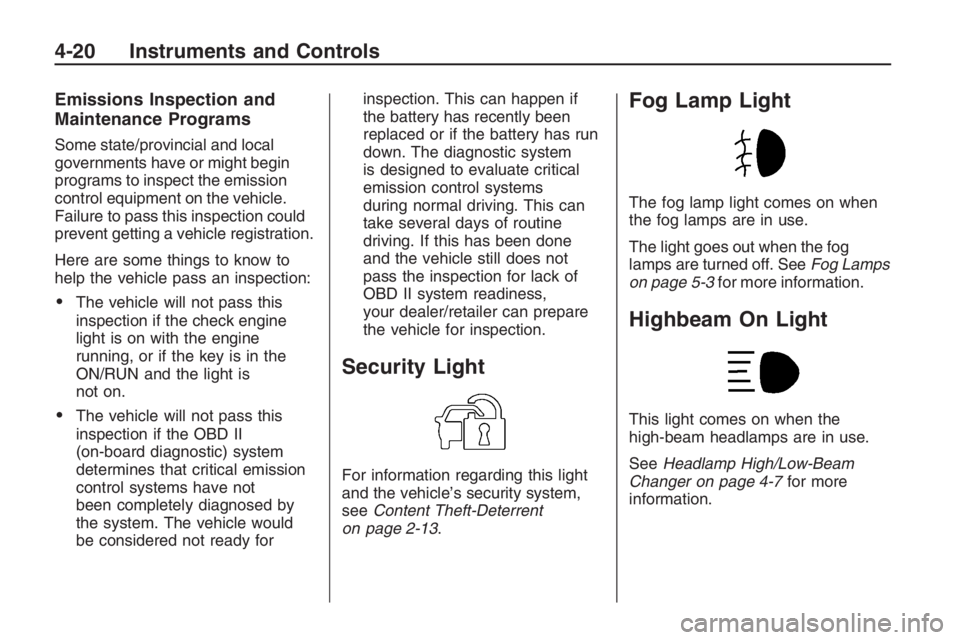
Security Light
For information regarding this light
and the vehicle’s security system,
seeContent Theft-Deterrent
on page 2-13.
Fog Lamp Light
The fog lamp light comes on when
the fog lamps are in use.
The light goes out when the fog
lamps are turned off. SeeFog Lamps
on page 5-3for more information.
Highbeam On Light
This light comes on when the
high-beam headlamps are in use.
SeeHeadlamp High/Low-Beam
Changer on page 4-7for more
information.
4-20 Instruments and Controls
Page 97 of 356
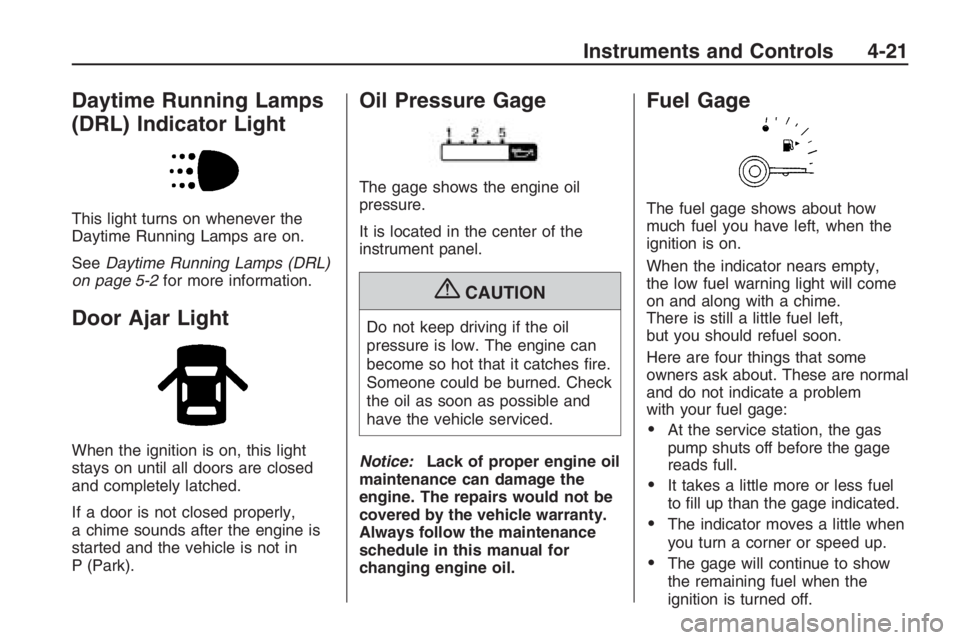
Daytime Running Lamps
(DRL) Indicator Light
This light turns on whenever the
Daytime Running Lamps are on.
SeeDaytime Running Lamps (DRL)
on page 5-2for more information.
Door Ajar Light
When the ignition is on, this light
stays on until all doors are closed
and completely latched.
If a door is not closed properly,
a chime sounds after the engine is
started and the vehicle is not in
P (Park).
Oil Pressure Gage
The gage shows the engine oil
pressure.
It is located in the center of the
instrument panel.
{CAUTION
Do not keep driving if the oil
pressure is low. The engine can
become so hot that it catches re.
Someone could be burned. Check
the oil as soon as possible and
have the vehicle serviced.
Notice:Lack of proper engine oil
maintenance can damage the
engine. The repairs would not be
covered by the vehicle warranty.
Always follow the maintenance
schedule in this manual for
changing engine oil.
Fuel Gage
The fuel gage shows about how
much fuel you have left, when the
ignition is on.
When the indicator nears empty,
the low fuel warning light will come
on and along with a chime.
There is still a little fuel left,
but you should refuel soon.
Here are four things that some
owners ask about. These are normal
and do not indicate a problem
with your fuel gage:
At the service station, the gas
pump shuts off before the gage
reads full.
It takes a little more or less fuel
to ll up than the gage indicated.
The indicator moves a little when
you turn a corner or speed up.
The gage will continue to show
the remaining fuel when the
ignition is turned off.
Instruments and Controls 4-21
Page 106 of 356
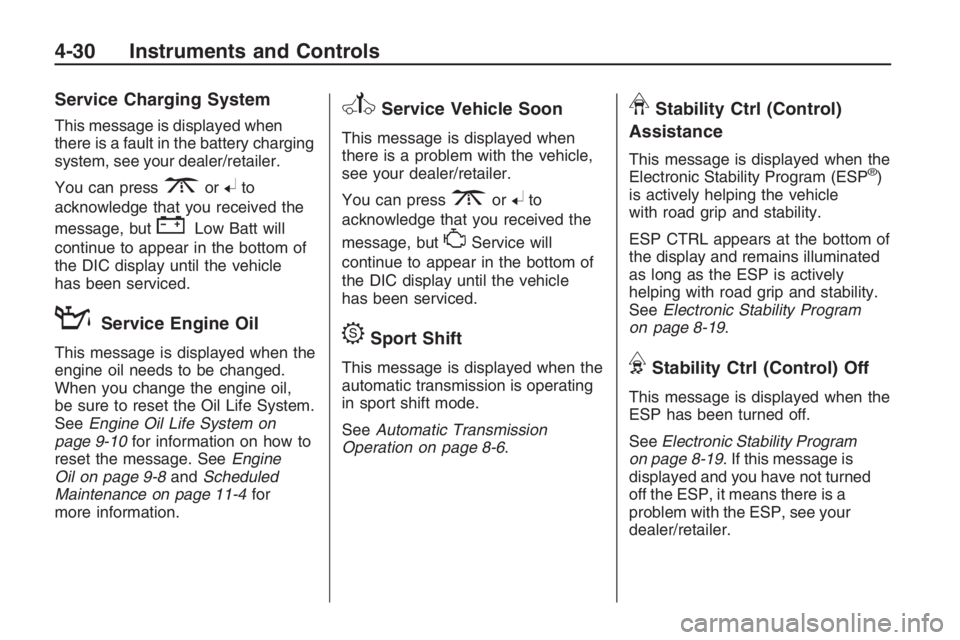
Service Charging System
This message is displayed when
there is a fault in the battery charging
system, see your dealer/retailer.
You can press
3or8to
acknowledge that you received the
message, but
"Low Batt will
continue to appear in the bottom of
the DIC display until the vehicle
has been serviced.
:Service Engine Oil
This message is displayed when the
engine oil needs to be changed.
When you change the engine oil,
be sure to reset the Oil Life System.
SeeEngine Oil Life System on
page 9-10for information on how to
reset the message. SeeEngine
Oil on page 9-8andScheduled
Maintenance on page 11-4for
more information.
vService Vehicle Soon
This message is displayed when
there is a problem with the vehicle,
see your dealer/retailer.
You can press
3or8to
acknowledge that you received the
message, but
*Service will
continue to appear in the bottom of
the DIC display until the vehicle
has been serviced.
DSport Shift
This message is displayed when the
automatic transmission is operating
in sport shift mode.
SeeAutomatic Transmission
Operation on page 8-6.
LStability Ctrl (Control)
Assistance
This message is displayed when the
Electronic Stability Program (ESP®)
is actively helping the vehicle
with road grip and stability.
ESP CTRL appears at the bottom of
the display and remains illuminated
as long as the ESP is actively
helping with road grip and stability.
SeeElectronic Stability Program
on page 8-19.
FStability Ctrl (Control) Off
This message is displayed when the
ESP has been turned off.
SeeElectronic Stability Program
on page 8-19. If this message is
displayed and you have not turned
off the ESP, it means there is a
problem with the ESP, see your
dealer/retailer.
4-30 Instruments and Controls
Page 200 of 356
If you put things inside the
vehicle — like suitcases,
tools, packages, or anything
else — they will go as fast as
the vehicle goes. If you have
to stop or turn quickly, or if there
is a crash, they will keep going.
{CAUTION
Things you put inside the
vehicle can strike and injure
people in a sudden stop or
turn, or in a crash.
Put things in the trunk of
your vehicle. In a trunk,
put them as far forward as
you can. Try to spread the
weight evenly.
(Continued)
CAUTION (Continued)
Never stack heavier
things, like suitcases,
inside the vehicle so that
some of them are above
the tops of the seats.
Do not leave an unsecured
child restraint in the
vehicle.
When you carry something
inside the vehicle, secure it
whenever you can.
Do not leave a seat folded
down unless you need to.
Fuel
Use of the recommended fuel is
an important part of the proper
maintenance of this vehicle.
To help keep the engine clean and
maintain optimum vehicle
performance, we recommend the
use of gasoline advertised as
TOP TIER Detergent Gasoline.
The 8th digit of the Vehicle
Identication Number (VIN) shows
the code letter or number that
identies the vehicle’s engine.
The VIN is at the top left of the
instrument panel. SeeVehicle
Identification Number (VIN) on
page 10-1.
8-34 Driving and Operating
Page 206 of 356
Uniform Tire Quality
Grading...........................9-62
Wheel Alignment and
Tire Balance....................9-64
Wheel Replacement..........9-64
Tire Chains.......................9-65
Tire Changing
If a Tire Goes Flat............9-66
Tire Sealant and
Compressor Kit
(V8 Engine)
.....................9-67
Changing a Flat Tire.........9-75
Removing the Spare
Tire and Tools.................9-76
Removing the Flat Tire
and Installing the
Spare Tire
.......................9-77
Storing a Flat or Spare
Tire and Tools.................9-82
Compact Spare Tire..........9-83
Jump Starting
Jump Starting...................9-84
Towing
Towing Your Vehicle.........9-88
Shift Lock Manual
Release...........................9-88
Recreational Vehicle
Towing............................9-89
Towing a Trailer................9-89
Appearance Care
Interior Cleaning................9-95
Exterior Cleaning..............9-98
Sheet Metal Damage.......9-102
Finish Damage................9-102
Underbody Maintenance. . .9-102
Chemical Paint
Spotting.........................9-102
Service
For service and parts needs, visit
your dealer/retailer. You will receive
genuine GM parts and GM-trained
and supported service people.
Genuine GM parts have one
of these marks:
9-2 Vehicle Service and Care
Page 208 of 356
Doing Your Own
Service Work
{CAUTION
You can be injured and the vehicle
could be damaged if you try to do
service work on a vehicle without
knowing enough about it.
Be sure you have sufficient
knowledge, experience, the
proper replacement parts, and
tools before attempting any
vehicle maintenance task.
Be sure to use the proper
nuts, bolts, and other
fasteners. English and metric
fasteners can be easily
confused. If the wrong
fasteners are used, parts
can later break or fall off.
You could be hurt.If doing some of your own service
work, use the proper service
manual. It tells you much more
about how to service the vehicle
than this manual can. To order the
proper service manual, see
Service Publications Ordering
Information on page 12-15.
This vehicle has an airbag system.
Before attempting to do your
own service work, seeAirbag
System Check on page 1-33.
Keep a record with all parts receipts
and list the mileage and the date
of any service work performed.
SeeMaintenance Record on
page 11-15.
Adding Equipment to the
Outside of the Vehicle
Things added to the outside of the
vehicle can affect the airow
around it. This can cause wind
noise and can affect fuel economy
and windshield washer performance.
Check with your dealer/retailer
before adding equipment to
the outside of the vehicle.
9-4 Vehicle Service and Care
Page 215 of 356
What to Do with Used Oil
Used engine oil contains certain
elements that can be unhealthy for
your skin and could even cause
cancer. Do not let used oil stay on
your skin for very long. Clean your
skin and nails with soap and water,
or a good hand cleaner. Wash or
properly dispose of clothing or rags
containing used engine oil. See the
manufacturer’s warnings about the
use and disposal of oil products.
Used oil can be a threat to the
environment. If you change your own
oil, be sure to drain all the oil from the
lter before disposal. Never dispose
of oil by putting it in the trash, pouring
it on the ground, into sewers, or into
streams or bodies of water. Recycle
it by taking it to a place that collects
used oil.
Engine Air Cleaner/Filter
SeeEngine Compartment Overview
on page 9-6for the location of the
engine air cleaner/lter.
When to Inspect the Engine
Air Cleaner/Filter
Inspect the air cleaner/lter at the
MaintenanceIIintervals and replace
it at the rst oil change after each
50,000 mile (83 000 km) interval.
See “Schedule Maintenance”
in Service and Maintenance for
more information. If you are driving
in dusty/dirty conditions, inspect
the lter at each engine oil change.
How to Inspect the Engine
Air Cleaner/Filter
To inspect the air cleaner/lter,
remove the lter from the vehicle
and lightly shake the lter to release
loose dust and dirt. If the lter
remains caked with dirt, a new lter
is required.
To inspect or replace the engine air
cleaner/lter:
1. Open the hood. SeeHood
Release on page 9-5.
2. Locate the air lter housing on
the front of the driver side of
the engine compartment.
SeeEngine Compartment
Overview on page 9-6.
Vehicle Service and Care 9-11