ECU PONTIAC GRAND-AM 1994 User Guide
[x] Cancel search | Manufacturer: PONTIAC, Model Year: 1994, Model line: GRAND-AM, Model: PONTIAC GRAND-AM 1994Pages: 274, PDF Size: 15.01 MB
Page 40 of 274
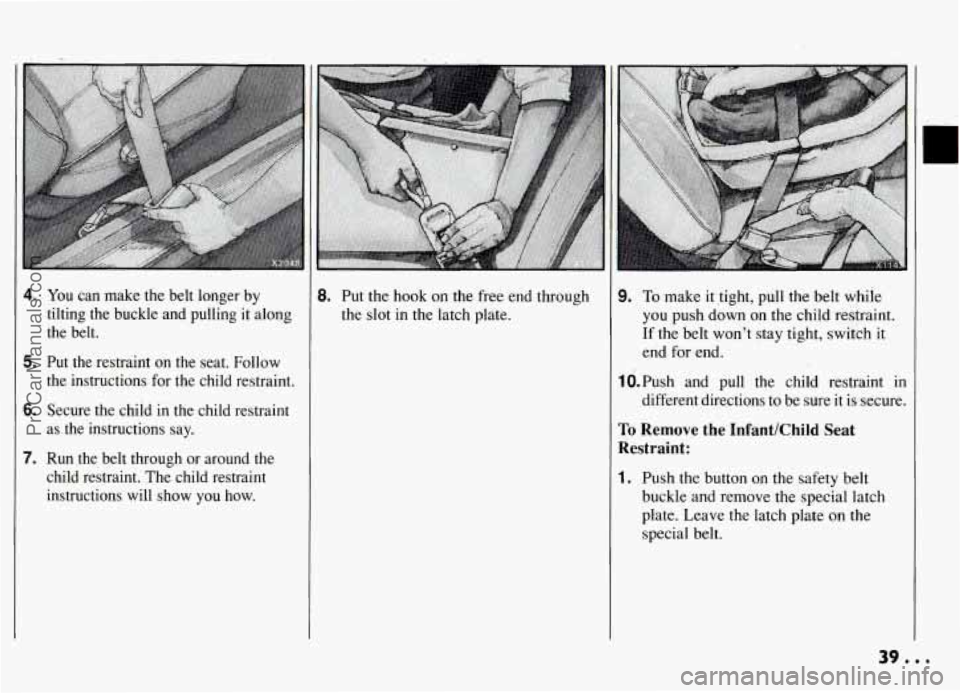
4. You can make the belt longer by
tilting the buckle and pulling it along
the belt.
5. Put the restraint on the seat. Follow
the instructions for the child restraint.
6. Secure the child in the child restraint
as the instructions say.
7. Run the belt through or around the
child restraint. The child restraint
instructions will show you how.
8. Put the hook on the free end through
the slot in the latch plate.
9. To make it tight, pull the belt while
you push down on the child restraint.
If the belt won't stay tight, switch it
end for end.
1O.Push and pull the child restraint in
different directions to be sure
it is secure.
To Remove the InfantKhild Seat
Restraint:
1. Push the button on the safety belt
buckle and remove the special latch
plate. Leave the latch plate on the
special belt.
39.0.
ProCarManuals.com
Page 41 of 274
Seats & Restraint Systems
P,
Securing a Child Restraint
in the Right Front Seat
(CONT.)
2. Push the spring on the hook near the
door and remove the special belt.
3. Put the belt away in a safe place in .
your vehicle, so it won’t fly around in
a crash and injure someone.
4. Remember to reattach the automatic
belt again, once the child restraint is
removed. Be sure it isn’t twisted.
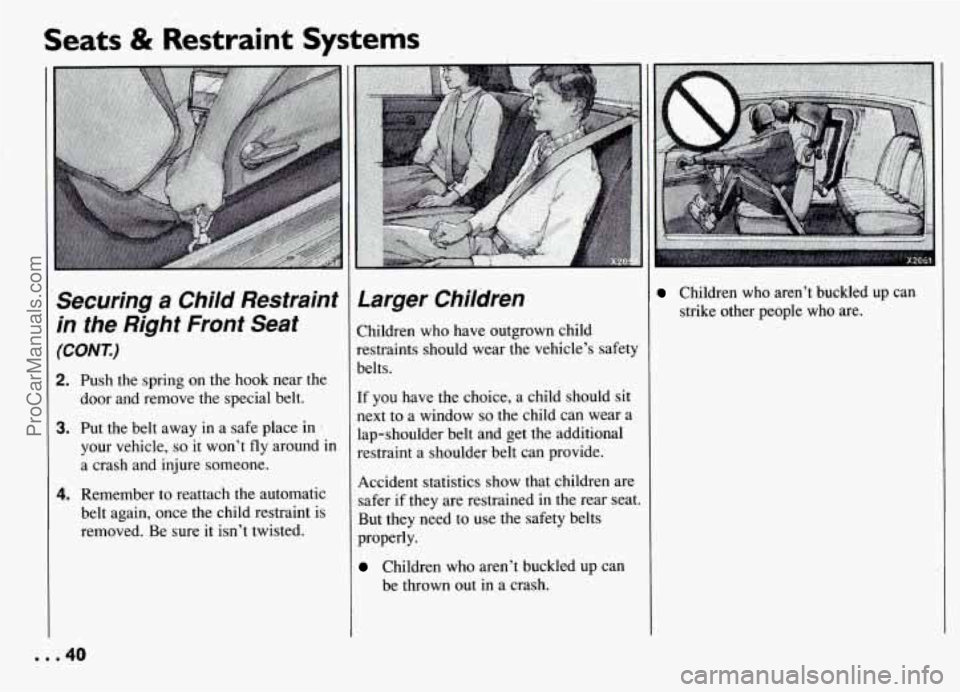
Larger Children
Children who have outgrown child
restraints should wear the vehicle’s safety
belts.
If you have the choice, a child should sit
next to a window
so the child can wear a
lap-shoulder belt and get the additional
restraint a shoulder belt can provide.
Accident statistics show that children are
safer if they are restrained in the rear seat.
But they need to use the safety belts
properly.
Children who aren’t buckled up can
be thrown out in a crash.
Children who aren’t buckled up can
strike other people who are.
. . .40
ProCarManuals.com
Page 50 of 274
Illuminated EPttrylExit
System
When you lift the outside handle of either
front door or open a rear door, the lights
inside your vehicle will go on. These
lights will go
off after about 40 seconds
(4 secQnds if the ignition was recently
turned off).
If the ignition has been off for less than
two minutes, the lights inside your vehicle
will stay on for 15 seconds when your key
is removed from the ignition switch to
provide an illuminated exit. When interior
lights go off they will fade
out like in a
movie theatre.
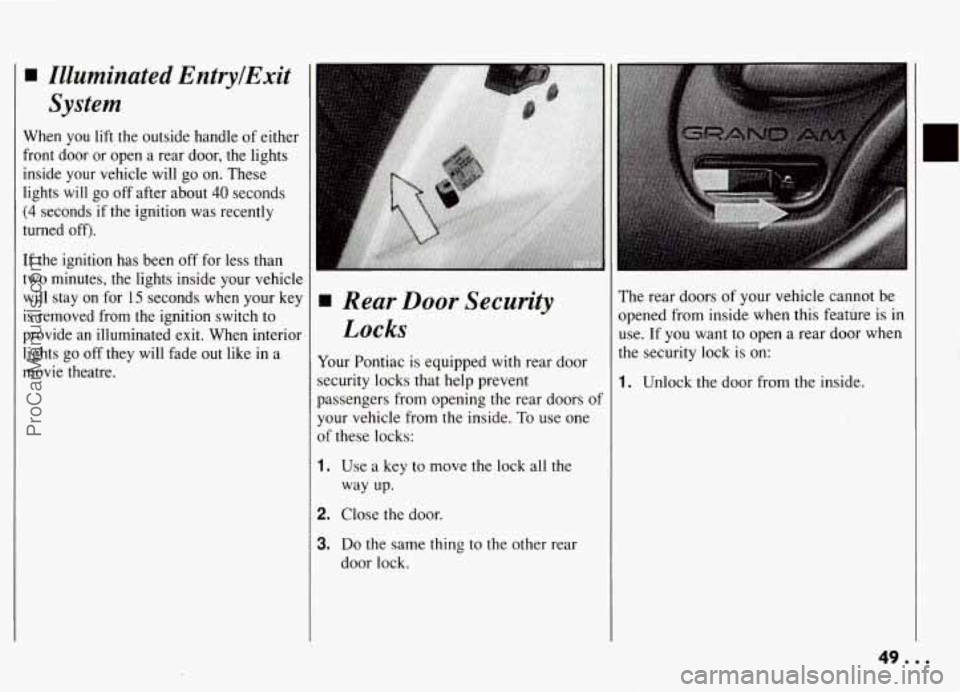
Rear Door Security
Locks
Your Pontiac is equipped with rear door
security locks that help prevent
passengers from opening the rear doors of
your vehicle from the inside.
To use one
of these locks:
1. Use a key to move the lock all the
way up.
2. Close the door.
3. Do the same thing to the other rear
door lock.
The rear doors of your vehicle cannot be
opened from inside when this feature is in
use. If you want to open a rear door when
the security lock is on:
?!. .
1. Unlock the door from the inside.
. ..
y.
ProCarManuals.com
Page 51 of 274
Features & Controls
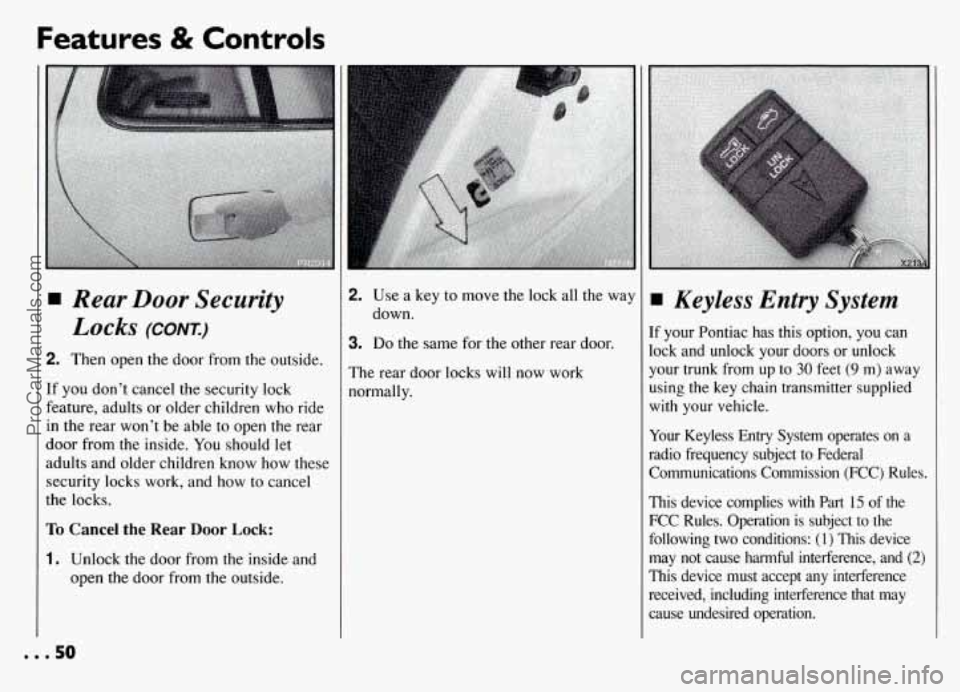
Rear Door Security
Locks (CONT.)
2. Then open the door from the outside.
If you don’t cancel the security lock
feature, adults or older children who ride
in the rear won’t be able to open the rear
door from the inside. You should let
adults and older children’know how these
security locks work, and how to cancel
the locks.
To Cancel the Rear Door Lock:
1. Unlock the door from the inside and
open the door from the outside.
2. Use a key to move the lock all the way
down.
3. Do the same for the other rear door.
The rear door locks will now work
normally.
Keyless Entry System
If your Pontiac has this option, you can
lock and unlock your doors or unlock
your trunk from up to
30 feet (9 m) away
using the key chain transmitter supplied
with your vehicle.
Your Keyless Entry System operates on a
radio frequency subject to Federal
Communications Commission (FCC) Rules.
This device complies with Part 15 of the
FCC Rules. Operation is subject
to the
following two conditions:
(1) This device
may not cause harmful interference, and
(2)
This device must accept any interference
received, including interference that may cause undesired operation.
... 50
ProCarManuals.com
Page 117 of 274
Comfort Controls & Audio Systems
CD Player Anti-Theft
Feature
(CONT.)-
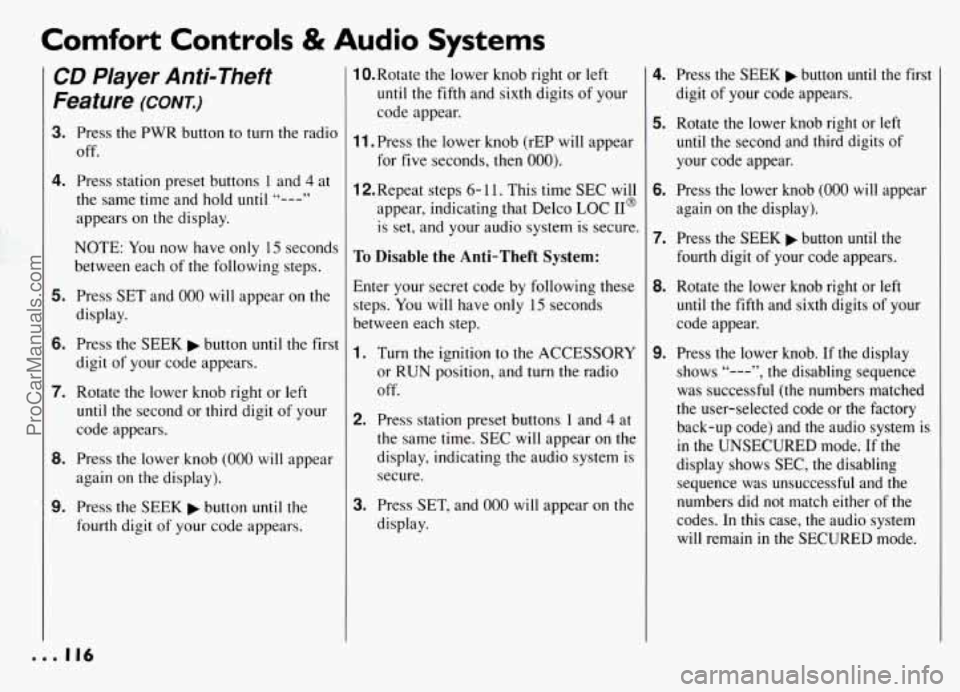
3. Press the PWR button to turn the radio
off.
4. Press station preset buttons 1 and 4 at
the same time and hold until
"---"
appears on the display.
NOTE: You now have only 15 seconds
between each of the following steps.
5. Press SET and 000 will appear on the
display.
6. Press the SEEK button until the first
digit of your code appears.
7. Rotate the lower knob right or left
until the second or third digit of your
code appears.
8. Press the lower knob (000 will appear
again on the display).
9. Press the SEEK button until the
fourth digit of your code appears.
1O.Rotate the lower knob right or left
until the fifth and sixth digits of your
code appear.
11. Press the lower knob (rEP will appear
for five seconds, then 000).
12.Repeat steps 6- 11. This time SEC will
appear, indicating that Delco LOC 11'
is set, and your audio system is secure.
To Disable the Anti-Theft System:
Enter your secret code by following these
steps. You will have only
15 seconds
between each step.
1. Turn the ignition to the ACCESSORY
or RUN position, and turn the radio
off.
2. Press station preset buttons 1 and 4 at
the same time. SEC
will appear on the
display, indicating the audio system
is
secure.
3. Press SET, and 000 will appear on the
display.
4. Press the SEEK button until the first
digit of your code appears.
5. Rotate the lower knob right or left
until the second and third digits of
your code appear.
6. Press the lower knob (000 will appear
again on the display).
7. Press the SEEK button until the
fourth digit of your code appears.
8. Rotate the lower knob right or left
until the fifth and sixth digits of your
code appear.
9. Press the lower knob. If the display
shows "---", the disabling sequence
was successful (the numbers matched
the user-selected code or the factory back-up code) and the audio system is
in the UNSECURED mode. If the
display shows SEC, the disabling sequence was unsuccessful and the
numbers did not match either of the
codes. In this case, the audio system
will remain in the SECURED mode.
... 116
ProCarManuals.com
Page 118 of 274
To Unlock the System After a Power
Loss:
When battery power is reapplied to a
secured audio system after
a loss of
power, the audio system
will not turn on
and LOC will appear on the digital
display.
You will need to unlock the
Delco LOC II@ system.
1. Turn the ignition to the ACCESSORY
or
RUN position, and turn the radio
off.
2. Press SET, and 000 will appear on the
display.
3. Follow steps 4-8 for disabling your
anti-theft system.
4. Press the lower knob. The time will
appear on the digital display if you are
successful. If SEC appears, however,
the numbers did not match
and your
audio system is still locked.
Understanding Radio
Reception
FM Stereo
FM stereo will give you the best sound,
but FM signals
will reach only about 10
to
40 miles (16 to 65 km). Tall buildings
or hills can interfere
with FM signals,
causing the sound to come and go.
AM
The range for most AM stations is greater
than for
FM, especially at night. The
longer range, however, can cause stations
to interfere
with each other. AM can also
pick
up noise from things like storms and
power lines. To lower this noise,
try
reducing the treble level.
Care of Your Cassette
Tape Player
A tape player that is not cleaned regularly
can cause reduced sound quality, ruined
cassettes, or a damaged mechanism.
Cassette tapes should be stored
in their
cases away from contaminants, direct
sunlight, and extreme heat. If they aren’t,
they may not operate properly or cause
failure of the tape player.
Your tape player should be cleaned after
every 50 hours of use. If you notice a
reduction
in sound quality, try a known
good cassette
to see if the tape or the tape
player is at fault. If this other cassette has
no improvement
in sound quality, clean
the tape player.
Cleaning may be done with a scrubbing
action, non-abrasive cleaning cassette.
This system uses a cleaning cassette with
pads which scrub the tape head as the
hubs of the cleaner cassette turn. It is
normal for the cartridge to eject while
cleaning. Insert the cassette at least
3
times to ensure thorough cleaning. A
scrubbing action cleaning cassette is
available through your Pontiac dealership.
117...
ProCarManuals.com
Page 137 of 274
Your Driving and the Road
Winter Driving
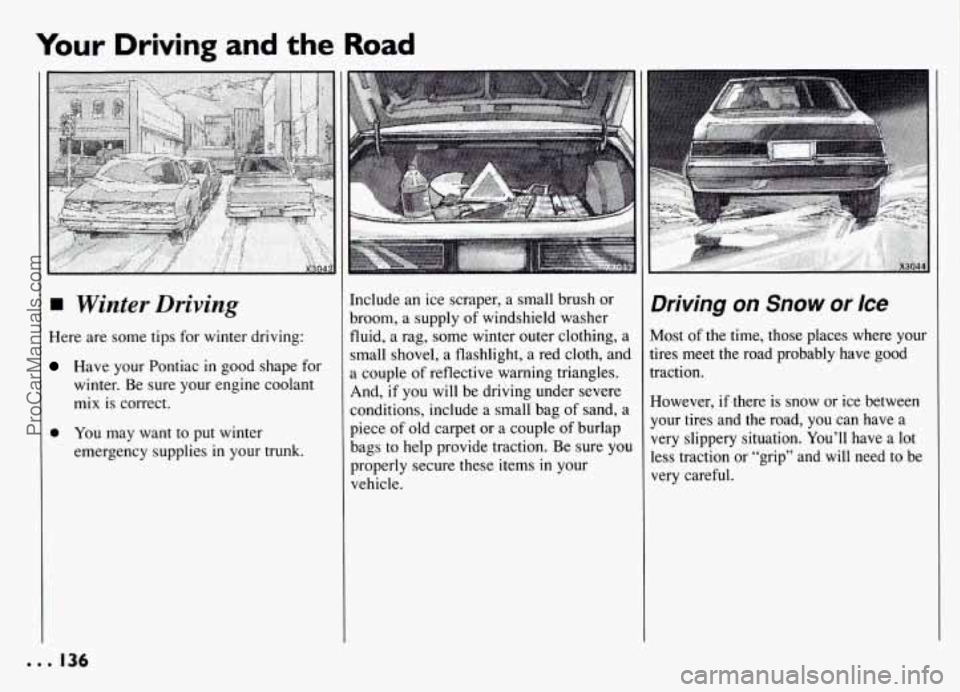
Here are some tips for winter driving:
Have your Pontiac in good shape for
winter. Be sure your engine coolant
mix is correct.
0 You may want to put winter
emergency supplies in your trunk.
Include an ice scraper, a small brush or
broom, a supply
of windshield washer
fluid, a rag, some winter outer clothing, a
small shovel, a flashlight, a red cloth, and
a couple of reflective warning triangles.
And, if you will be driving under severe
conditions, include a small bag of sand, a
piece of old carpet or a couple
of burlap
bags
to help provide traction. Be sure you
properly secure these items
in your
vehicle.
Driving on Snow or Ice
Most of the time, those places where your
tires meet the road probably have good
traction.
However, if there is snow or ice between
your tires and the road, you can have a
very slippery situation. You’ll have a lot
less traction or “grip” and will need to be
very careful.
. . . 136
ProCarManuals.com
Page 145 of 274
Your Driving and the Road
I Driving with a Trailer
Towing a trailer requires a certain amount
of experience. Before setting out for the
open road, you’ll want to get to know
your rig. Acquaint yourself with the feel
of handling and braking with the added
weight
of the trailer. And always keep in
mind that the vehicle you are driving is
now a good deal longer and not nearly
so
.responsive as your vehicle is by itself.
Before you start, check the trailer hitch
and platform, safety chains, electrical
connector, lights, tires and mirror
adjustment. If the trailer has electric
brakes, start your vehicle and trailer
moving and then apply the trailer brake
controller by hand to be sure the brakes
are working. This lets you check your
electrical connection at the same time.
During your trip, check occasionally to be
sure that the load is secure, and that the
lights and any trailer brakes are still
working.
Following Distance
Stay at least twice as far behind the
vehicle ahead as you would when driving
your vehicle without a trailer. This can
help you avoid situations that require
heavy braking and sudden turns.
Passing
You’ll need more passing distance up
ahead when you’re towing a trailer. And,
because you’re a good deal longer, you’ll
need to go much farther beyond the
passed vehicle before you can return to
your lane.
Backing Up
Hold the bottom of the steering wheel
with one hand. Then, to move the trailer
to the left, just move that hand to the left.
To move the trailer to the right, move
your hand to the right. Always back up
slowly and,
if possible, have someone
guide you.
Making Turns
When you’re turning with a trailer, make
wider turns than normal. Do this
so your
railer won’t strike soft shoulders, curbs,
road signs, trees, or other objects. Avoid
ierky or sudden maneuvers. Signal well
in
3dvance.
Turn Signals When
Towing
a Trailer
When you tow a trailer, your vehicle has
to have a different turn signal flasher and
extra wiring. The green arrows on your
instrument panel will flash whenever you
signal a
turn or lane change. Properly
hooked up, the trailer lights will also
flash, telling other drivers you’re about to
turn, change lanes or stop.
When towing a trailer, the green arrows
on your instrument panel will flash for
turns even
if the bulbs on the trailer are
burned out. Thus, you may
think drivers
behind you are seeing your signal when
they are not. It’s important to check
occasionally to be sure the trailer bulbs
are still working.
. . . 144
ProCarManuals.com
Page 164 of 274
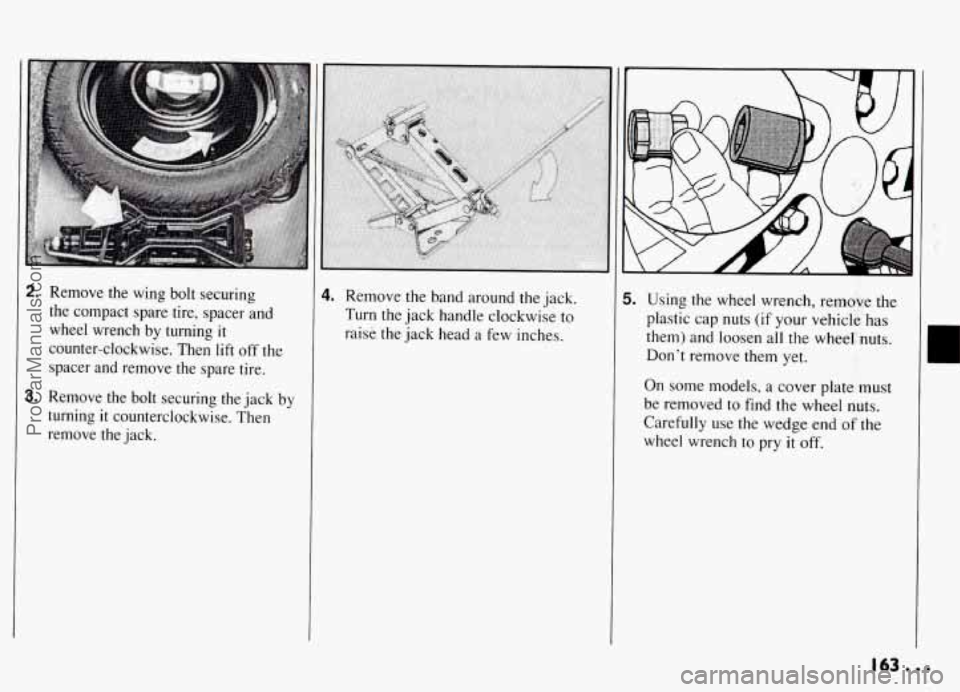
2. Remove the wing bolt securing
the compact spare tire, spacer and
wheel wrench by turning
it
counter-clockwise. Then lift off the
spacer and remove the spare tire.
3. Remove the bolt securing the jack by
turning
it counterclockwise. Then
remove the jack.
4. Remove the band around the jack.
Turn the jack handle clockwise to
raise the jack head a few inches. 5. Using the wheel wrench, remove the
plastic cap nuts (if your vehicle has
them) and loosen all the wheel nuts.
Don’t remove them yet.
On some models, a cover plate must
be removed to find
the wheel nuts.
Carefully use the wedge end of the
wheel wrench to pry
it off.
163...
ProCarManuals.com
Page 167 of 274
Problems on the Road
II
Changing a Flat Tire
(CONT.)
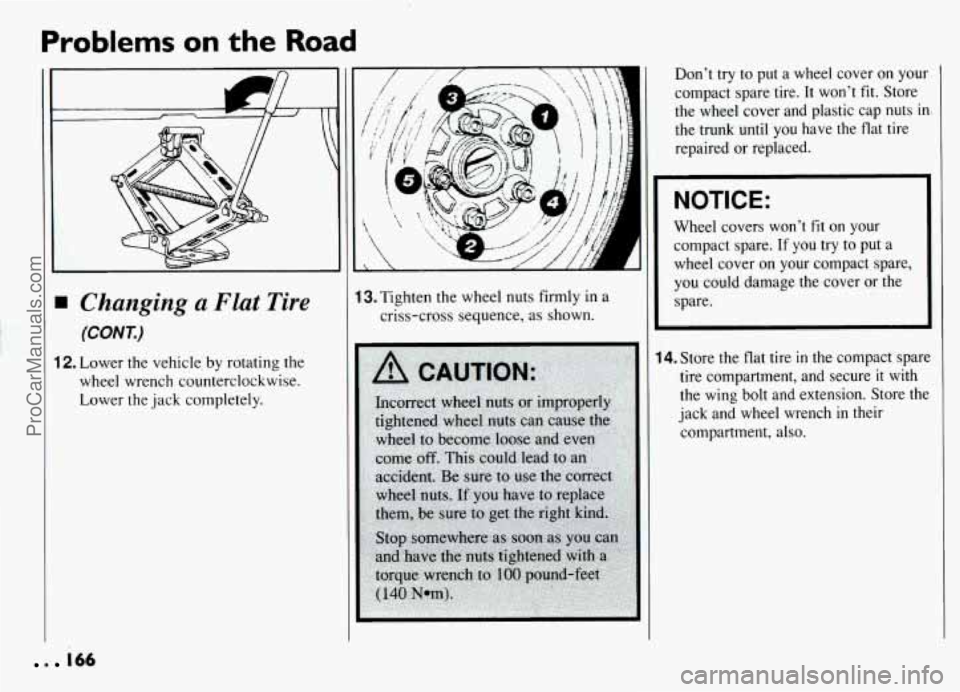
12. Lower the vehicle by rotating the
wheel wrench counterclockwise.
Lower the jack completely.
A
13. Tighten the wheel nuts firmly in a
criss-cross sequence, as shown.
Don’t try to put a wheel cover on your
compact spare tire. It won’t
fit. Store
the wheel cover and plastic cap nuts
int
the trunk until you have the flat tire
repaired or replaced.
NOTICE:
Wheel covers won’t fit on your
compact spare.
If you try to put a
wheel cover on your compact spare,
you could damage the cover or the
spare.
14. Store the flat tire in the compact spare
tire compartment, and secure
it with
the wing bolt and extension. Store the
jack and wheel wrench
in their
compartment, also.
. 166
ProCarManuals.com