light PONTIAC GRAND-AM 1994 User Guide
[x] Cancel search | Manufacturer: PONTIAC, Model Year: 1994, Model line: GRAND-AM, Model: PONTIAC GRAND-AM 1994Pages: 274, PDF Size: 15.01 MB
Page 56 of 274
LOCK
ACCESSORY
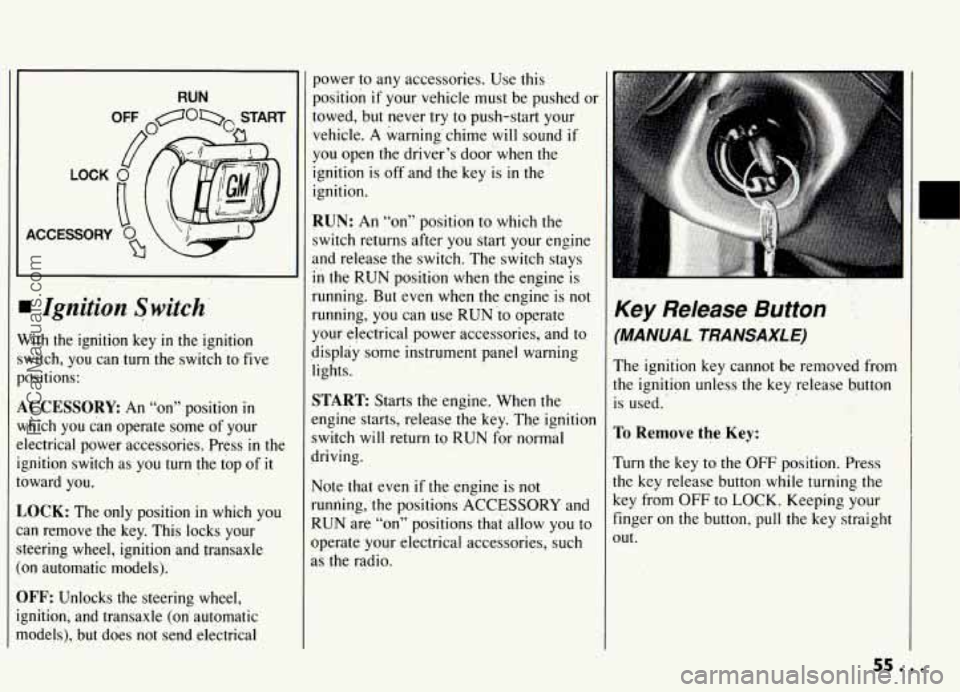
I Ignition Switch-
Vith the ignition key in the ignition
witch, you can
turn the switch ‘to five
ositions:
,CCESSORE An “on” position in
lhich you can operate some of your
lectrical power accessories. Press
in the
;nition switch as you turn the top of
it
)ward you.
,OCK: The only position in which you
!n remove the key. This locks your
:cering wheel, ignition and transaxle
~n automatic models).
IFF: Unlocks the steering wheel,
;nition, and transaxle (on’ automatic
todels), but.does not send electrical
power to any accessories. Use this
position if your vehicle must be pushed or
towed, but never try
to push-start your
vehicle.
A warning’chime will sound if
you open the driver’s door when the
ignition is off and the key is in the
ignition.
RUN: An “on” position to which the
switch returns after you start your engine
and release the switch. The switch stays
in the RUN position when the engine is
running. But ‘even when the engine is not
running, you can use RUN io operate
your electrical power accessories,
and to
display
some instrument panel warning
lights.
START: Starts the engine. When the
engine starts, release the key. The ignition
switch
will return to RUN for normal
driving.
Note that even if the engine is not
running, ‘the positions
ACCESSORY and
RUN are “on” positions that allow you to
operate your electrical accessories, such
as the radio.
,.
Key Release Button
‘MANUAL TRANSAXLE)
The ignition key cannot be removed from
he ignition unless.the key release button
s used.
ro Remwe the Key:
rum the key to the OFF position. Press
he key release button while turning
the
Ley from OFF to LOCK. Keeping your
inger on
the button, pull the key straight
)Ut.
sa...
ProCarManuals.com
Page 66 of 274
1 3 5
2 4 R
C
E
il
F
4
h
II
t'
C
4
I1
C
F
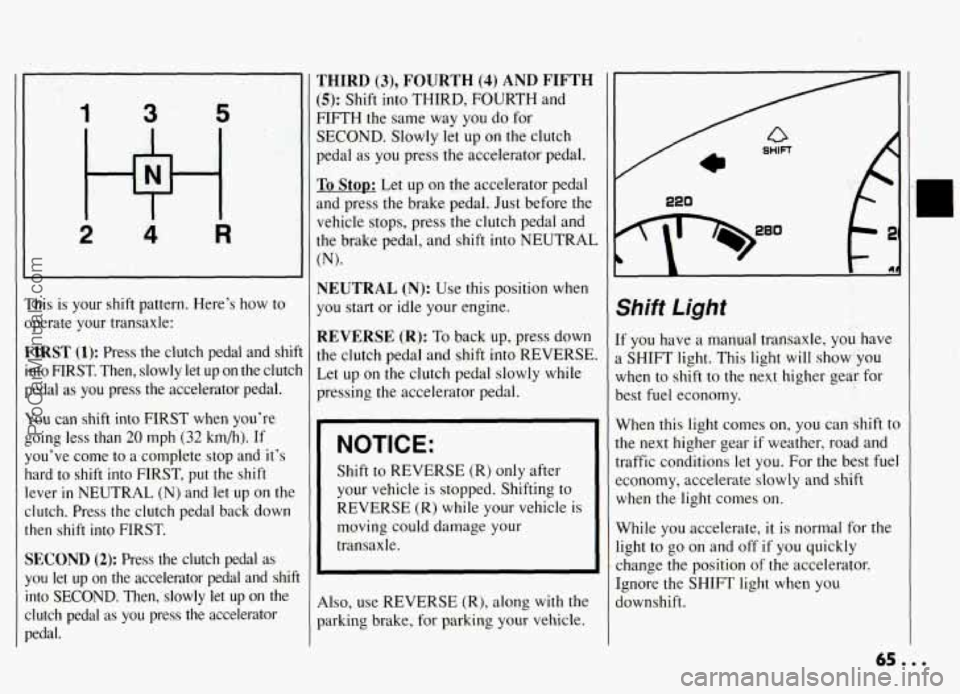
'his is your shift pattern. Here's how to
bperate your transaxle:
rIRST (1): Press the clutch pedal and shi
nto FIRST. Then, slowly let up on the clutc
kedal as you press the accelerator pedal.
lou can shift into FIRST when you're
;oing less than
20 mph (32 km/h). If
fou've come to a complete stop and it's
lard to
shift into FIRST, put the shift
ever
in NEUTRAL (N) and let up on the
Iutch. Press the clutch pedal back down
hen shift into FIRST.
iECOND (2): Press the clutch pedal as
'ou let up on the accelerator pedal and shij
nto
SECOND. Then, slowly let up on the
:lutch pedal as
you press the accelerator
Iedal.
HIRD (3), FOURTH (4) AND FIFTH
;): Shift into THIRD, FOURTH and
IFTH the same way you do for
ECOND. Slowly let up on the clutch
:dal as you press the accelerator pedal.
o Stop: Let up on the accelerator pedal
Id press the brake pedal. Just before the
:hicle stops, press
the clutch pedal and
le brake pedal, and shift into NEUTRAL
9.
'EUTRAL (N): Use this position when
3u start or idle your engine.
.EVERSE (R): To back up, press down
Le clutch pedal and shift into REVERSE.
et
up on the clutch pedal slowly while
ressing the accelerator pedal. ~
NOTICE:
Shift
to REVERSE (R) only after
your vehicle is stopped. Shifting to
REVERSE (R) while your vehicle is
moving could damage your
transaxle.
ho, use REVERSE (R), along with the
arking brake, for parking your vehicle.
Shift Light
If you have a manual transaxle, you have
a SHIFT light. This light will show you
when to shift to the next higher gear for
best fuel economy.
When this light comes on, you can shift to
the next higher gear if weather, road and
traffic conditions let you. For the best fuel
economy, accelerate slowly and shift
when the light comes on.
While you accelerate, it is normal for the
light to go on and off if you quickly
change the position of the accelerator.
Ignore the SHIFT light when you
downshift.
ProCarManuals.com
Page 67 of 274
Features & Controls
Shift Speeds
(Manual Transaxle)
This chart shows when to shift to the next
higher gear for best fuel economy.
Acceleration Shift Speeds for 2.3L
OHC and 2.3L High Output Quad 4
Engines (Codes 3 and A):
FIRST to SECOND 15 mph (24 km/h)
SECOND to THIRD
25 mph (40 km/h)
THIRD to FOURTH 40 mph
(64 km/h)
FOURTH to FIFTH 45 mph (72 km/h)
If your speed drops below 20 mph
(32 km/h), or if the engine is not running
smoothly, you should downshift to the
next lower gear.
You may have to
downshift two or more gears to keep the
engine running smoothly or for good
performance.
NOTICE:
If you skip more than one gear
when you downshift, or if you race
the engine when you downshift, you
can damage the clutch or transaxle.
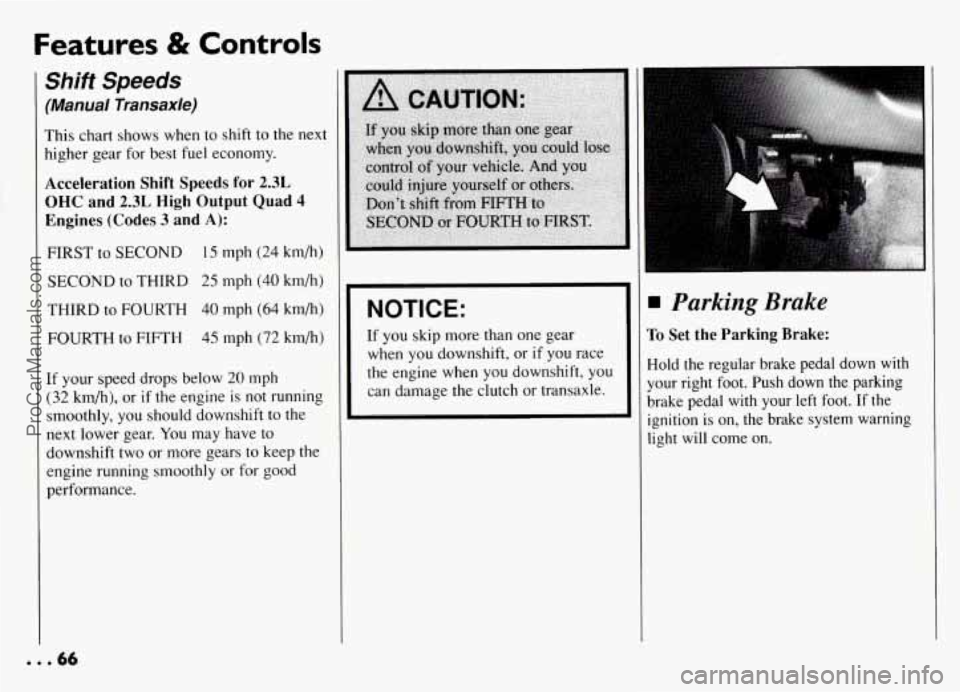
Parking Brake
To Set the Parking Brake:
Hold the regular brake pedal down with
your right foot. Push down the parking
brake pedal with your left foot. If the
ignition is on, the brake system warning
light will come on.
... 66
ProCarManuals.com
Page 74 of 274
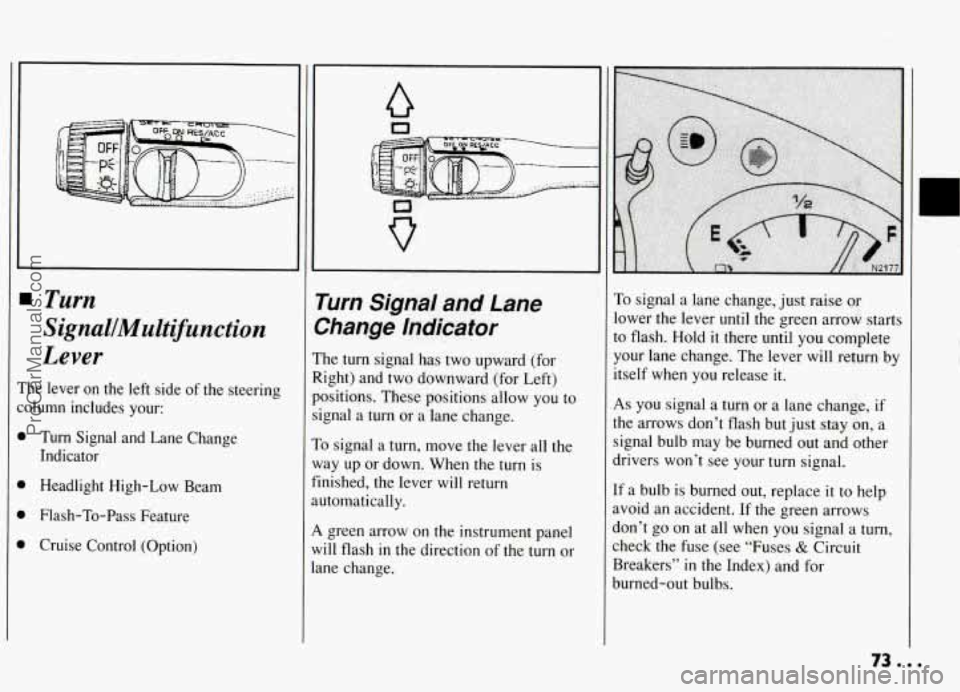
Turn
SignalJMultifunction
Lever
‘he lever on the left side of the steering
olumn includes your:
1 Turn Signal and Lane Change
Indicator
Headlight High-Low Beam
Flash-To-Pass Feature
Cruise Control (Option)
a
Turn Sl’na! and Lane
>hange Indicator ..
he turn signal has two upward (for
.ight) and two downward (for Left)
ositiuns. These positions allow you to
.gnal a
turn or a lane change.
o signal a turn, move the lever all the
lay up or down. When the
turn is
nished, the lever will return
ltomatically.
. green arrow on the instrument panel
,ill flash in the direction
of the turn or
.ne change.
To signal a lane change, just raise cnr
lower the lever until the green arrow starts
to flash. Hold
it there until you complete
your lane change. The lever will return by
itself when you release
it.
As you signal a turn or a lane change, if
the arrows don’t flash but just stay on, a
signal bulb may be burned out and other
drivers won’t see your turn signal.
If a bulb is burned out, replace it to help
avoid an accident. If the green arrows
don’t
go on at all when you signal a turn,
check the fuse (see “Fuses
& Circuit
Breakers”
in the Index) and for
burned-out bulbs.
ProCarManuals.com
Page 77 of 274
Features & Controls
To Reduce Speed While
Using Cruise Control
There are two ways to reduce your speed
while using cruise control:
0 Push in the button at the end of the
lever until you reach the lower speed
you want, then release
it.
0 To slow down in very small amounts,
push the button for less than half a
second. Each
time you do this, you’ll
go
1 mph (1.6 km/h) slower.
Passing Another Vehicle
While Using Cruise
Control
Use the accelerator pedal to increase your
speed. When you take your foot off the
pedal, your vehicle
will slow down to the
Cruise Control speed you set earlier.
Using Cruise Control on
Hills
How well your Cruise Control will work
on hills depends upon your speed, load,
and the steepness of the hills. When going
up steep hills, you may have to step on
the accelerator pedal to maintain your
speed. When going downhill, you may
have to brake or shift to
a lower gear to
keep your speed down. Of course,
applying the brake takes you out of
Cruise Control. Many drivers find this
to
be too much trouble and don’t use Cruise
Control on steep hills.
To Get Out of Cruise
Control
There are two ways to turn off the Cruise
Control:
0 Step lightly on the brake pedal or push
the clutch pedal,
if you have a manual
transaxle;
OR
Move the Cruise switch to OFF.
To Erase Cruise Speed
Memory
When you turn off the Cruise Control or
the ignition, your Cruise Control set speed
memory
is erased.
ProCarManuals.com
Page 78 of 274
rn Light Controls
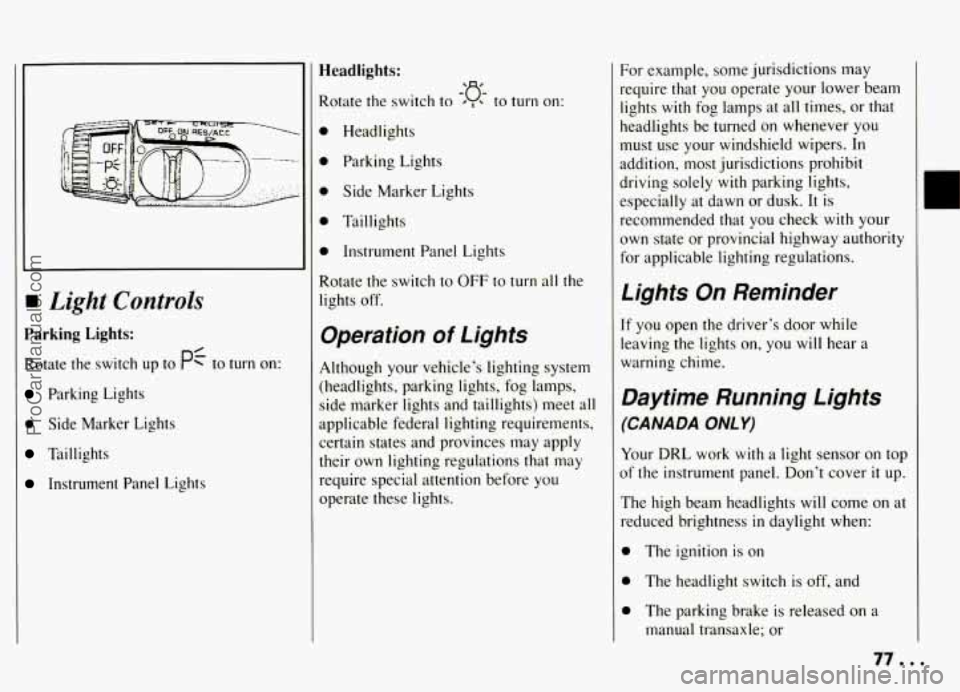
Parking Lights:
Rotate the switch up to PC to turn on:
Parking Lights
0 Side Marker Lights
Taillights
Instrument Panel Lights
Headlights:
Rotate the switch to ’ , to turn on:
0 Headlights
0 Parking Lights
0 Side Marker Lights
0 Taillights
0 Instrument Panel Lights
Rotate the switch
to OFF to turn all the
lights off.
-‘a-
Operation of Lights
Although your vehicle’s lighting system
(headlights, parking lights, fog lamps,
side marker lights and taillights)
meet all
applicable federal lighting requirements,
certain states and provinces may apply
their own lighting regulations that may
require special attention before you
operate these lights.
For example, some jurisdictions may
require that you operate your lower beam
lights with fog lamps at all times, or that
headlights be turned
on whenever you
must use your windshield wipers.
In
addition, most jurisdictions prohibit
driving solely with parking lights,
especially at dawn or dusk.
It is
recommended that you check with your
own state or provincial highway authority
for applicable lighting regulations.
Lights On Reminder
If you open the driver’s door while
leaving the lights
on, you will hear a
warning chime.
Daytime Running Lights
(CANADA ONLY)
Your DRL work with a light sensor on top
of the instrument panel. Don’t cover
it up.
The high beam headlights will come
on at
reduced brightness in daylight when:
0 The ignition is on
0 The headlight switch is off, and
0 The parking brake is released on a
manual transaxle; or
77 a I
ProCarManuals.com
Page 79 of 274
Features & Controls
Daytime Running Lights
(CANADA ONLY) (CONT.)
The shift lever is shifted out of PARK
(P) or NEUTRAL (N) on an automatic
transaxle.
At dusk, the exterior lights and headlights
will come on automatically. At dawn, the
exterior lights will go out and the high
beams will change to the reduced
brightness of DRL again (if the headlight
switch is off).
Of course, you may still turn on the
headlights any time you need to.
To idle your vehicle with the DRL off, set
the parking brake
on a manual transaxle
or put the vehicle
in PARK (P) or
NEUTRAL
(N) on an automatic
transaxle, while the ignition is in the OFF
or LOCK position. Then start the vehicle.
The DRL will stay off until
you release
the parking brake on a manual transaxle
or shift out of PARK (P) or NEUTRAL
(N) on an automatic transaxle.
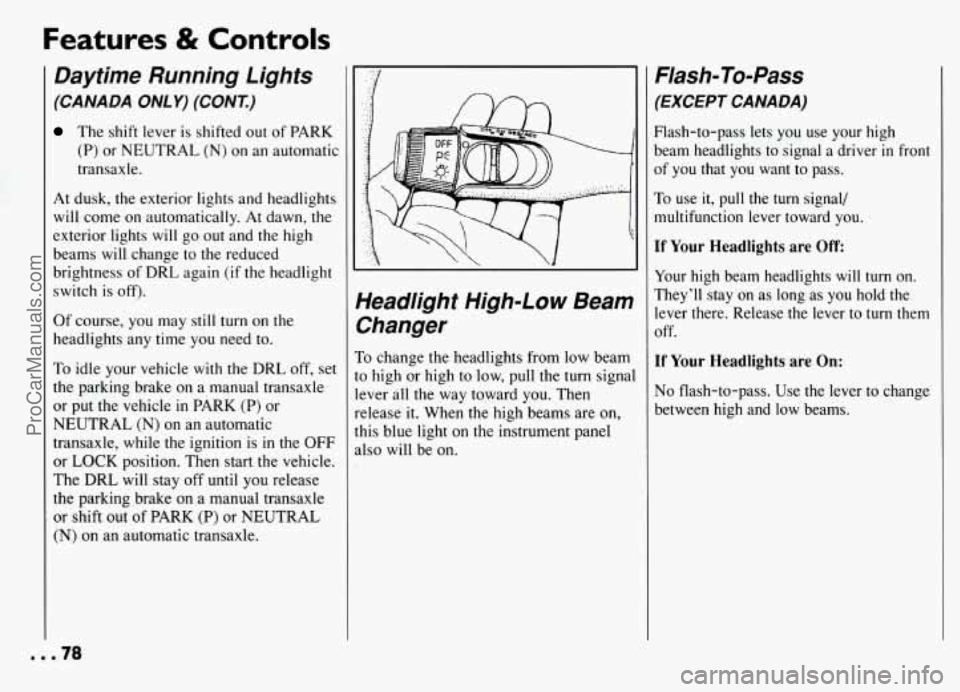
Yeadlight High-Low Beam
%anger
To change the headlights from low beam
o high or high to low, pull the turn signal
ever all the way toward you. Then
elease it. When the high beams are on,
his blue light on the instrument panel
dso will be on.
Flash-To-Pass
(EXCEPT CANADA)
Flash-to-pass lets you use your high
beam headlights to signal a driver
in front
of you that you want to pass.
To use it, pull the turn signal/
multifunction lever toward you.
If Your Headlights are Off
Your high beam headlights will turn on.
They’ll stay on as long as you hold the
lever there. Release the lever to turn them
off.
If Your Headlights are On:
No flash-to-pass. Use the lever to change
between high and low beams.
mm.78
ProCarManuals.com
Page 80 of 274
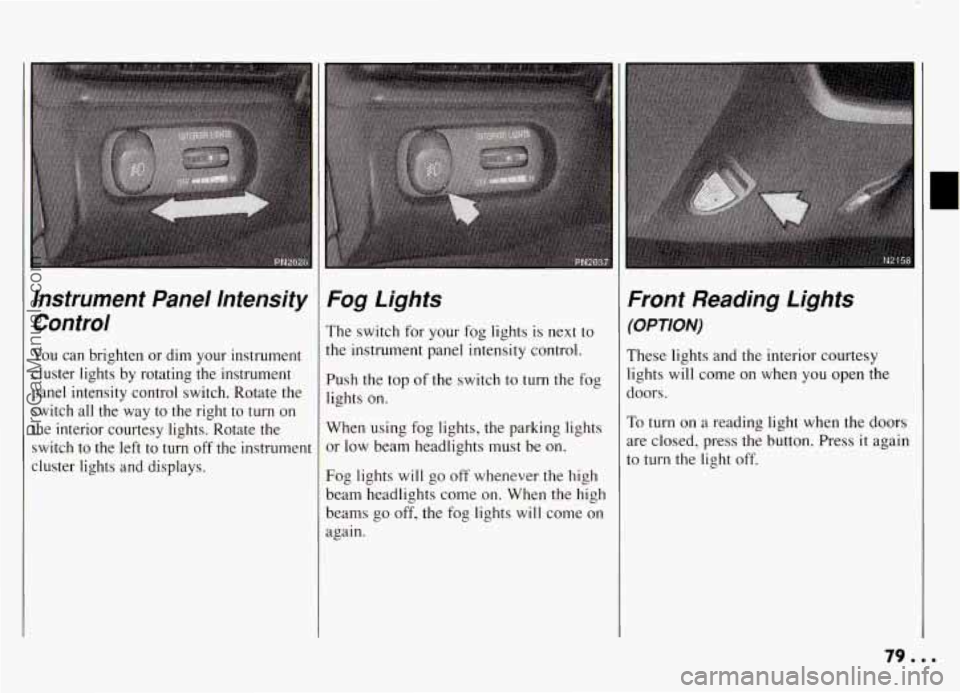
Instrument Panel Intensity Control
You can brighten or dim your instrument
cluster lights by rotating the instrument
panel intensity control switch. Rotate the switch all the way to the right to turn on
the interior courtesy lights. Rotate the
switch to the left to turn
off the instrument
cluster lights and displays.
Fog Lights
The switch for your fog lights is next to
the instrument panel intensity control.
Push the top of the switch to turn the fog
lights on.
When using fog lights, the parking lights
or low beam headlights must be on.
Fog lights will go off whenever the high
beam headlights come on. When the high
beams go off, the fog lights will come on
again.
Front Reading Lights
(OPTION)
These lights and the interior courtesy
lights will come on when
you open the
doors.
To turn on a reading light when the doors
are closed, press the button. Press it again
to turn the light off.
79.8.
ProCarManuals.com
Page 81 of 274
Features & Controls
Rear Reading Lights
(OPTION)
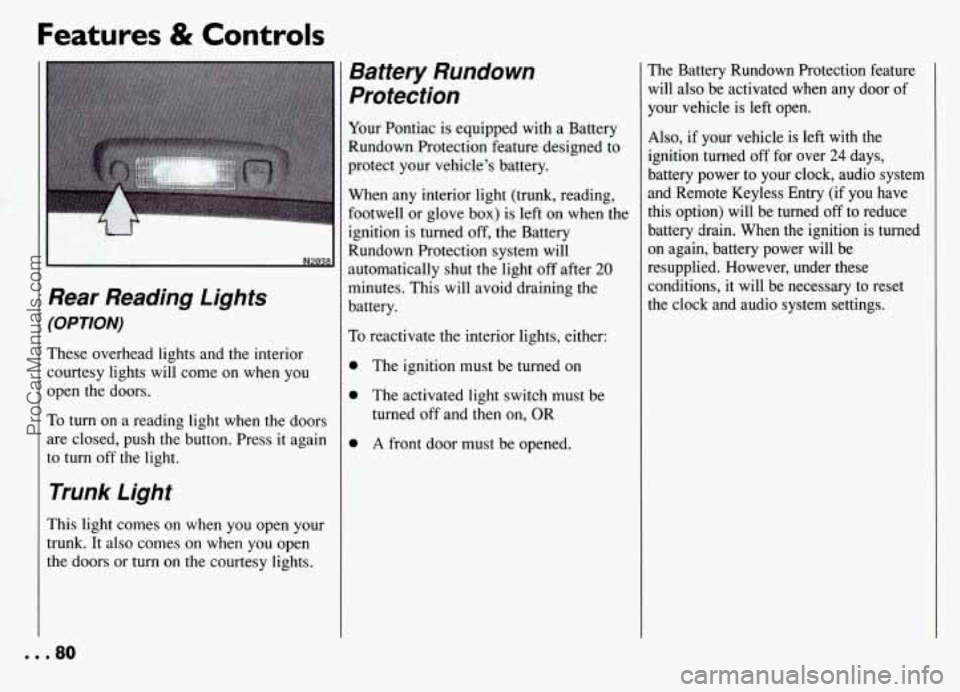
These overhead lights and the interior courtesy lights will come on when you
open the doors.
To turn on a reading light when the doors
are closed, push the button. Press it again
to turn
off the light.
Trunk Light
This light comes on when you open your
trunk. It also comes on when you open
the doors or
turn on the courtesy lights.
Battery Rundown
Protection
Your Pontiac is equipped with a Battery
Rundown Protection feature designed to
protect your vehicle's battery.
When any interior light (trunk, reading,
footwell or glove
box) is left on when the
ignition is turned
off, the Battery
Rundown Protection system will
automatically shut the light
off after 20
minutes. This will avoid draining the
battery.
To reactivate the interior lights, either:
0 The ignition must be turned on
0 The activated light switch must be
turned off and then on, OR
0 A front door must be opened.
The Battery Rundown Protection feature
will also be activated when any door of
your vehicle is left open.
Also, if your vehicle is left with the
ignition turned
off for over 24 days,
battery power to your clock, audio system
and Remote Keyless Entry (if you have
this option) will be turned
off to reduce
battery drain. When
the ignition is turned
on again, battery power will be
resupplied. However, under these
conditions, it will be necessary to reset
the clock and audio system settings.
... 80
ProCarManuals.com
Page 82 of 274
Windshield Wipers
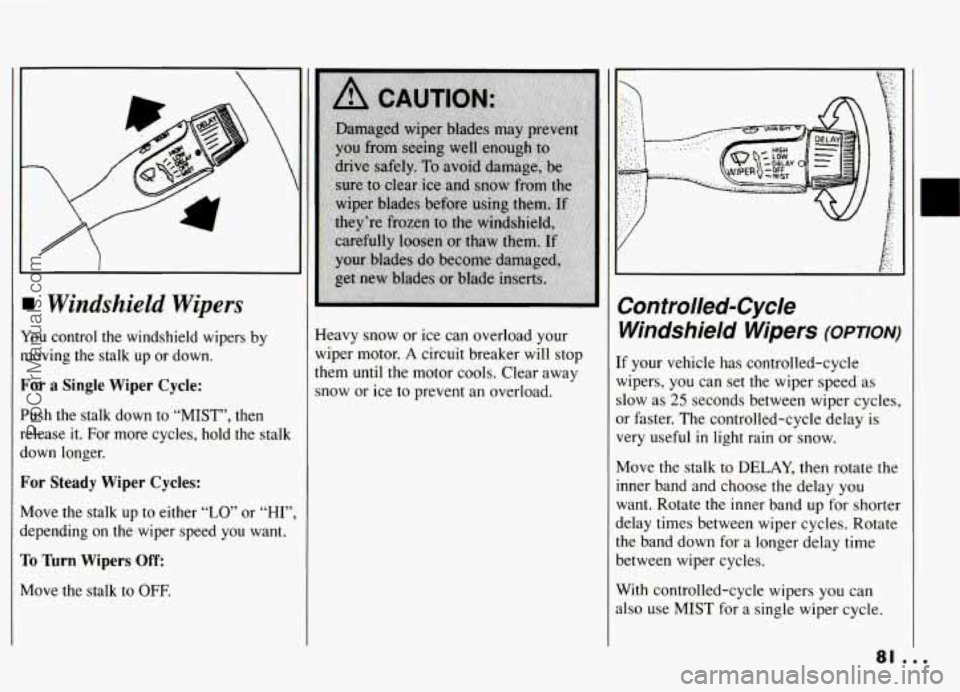
You control the windshield wipers by
moving the stalk up or down.
For a Single Wiper Cycle:
Push the stalk down to “MIST”, then
release it. For more cycles, hold the stalk
down longer.
For Steady Wiper Cycles:
Move the stalk up to either “LO” or “HI”
depending on the-wiper speed you want.
To lhrn Wipers Off:
Move the stalk to OFF.
Heavy snow or ice can overload your
wiper motor.
A circuit breaker will stop
them until the motor cools. Clear away
snow or ice to prevent an overload.
E
Controlled-Cycle
Windshield Wipers
(OPTIoN)
If your vehicle has controlled-cycle
wipers, you can set the wiper speed as
slow as
25 seconds between wiper cycles,
or faster. The controlled-cycle delay is
very useful
in light rain or snow.
Move the stalk to DELAY, then rotate the
inner band and choose the delay you
want. Rotate the inner band
up for shorter
delay times between wiper cycles. Rotate
the band down for a longer delay time
between wiper cycles.
With controlled-cycle wipers you can
also use
MIST for a single wiper cycle.
ProCarManuals.com