lock PONTIAC GRAND-AM 1996 Owner's Manual
[x] Cancel search | Manufacturer: PONTIAC, Model Year: 1996, Model line: GRAND-AM, Model: PONTIAC GRAND-AM 1996Pages: 356, PDF Size: 17.17 MB
Page 68 of 356
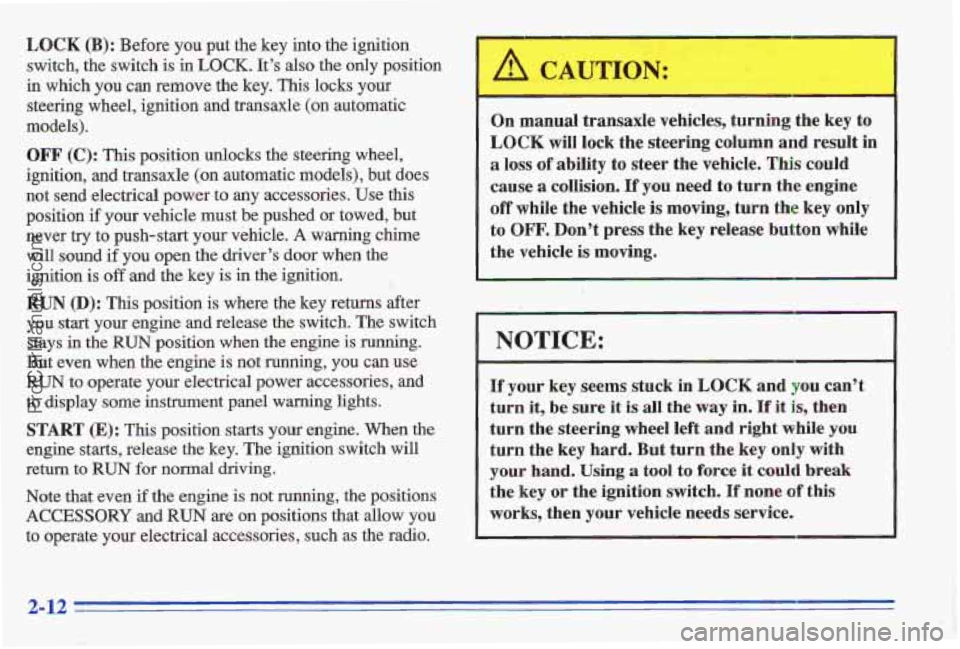
LOCK (B): Before you pur: the key into the ignition
switch, the switch is
in LOCK. It’s also the only position
in which you can remove the key. This locks your
steering wheel, ignition and transaxle
(on automatic
models).
OFF (C): This position unlocks the steering wheel,
ignition,
and transaxle (on automatic models), but does
not send electrical power to any accessories. Use this
position
if your vehicle must be pushed or towed, but
never
try to push-start your vehicle. A warning chime
will sound if you open the driver’s
door when the
ignition
is off and the key is in the ignition. 1
RUN (D): This position is where the key returns after
you
start your engine and release the switch. The switch
stays
in the RUN position when the engine is running.
But even when the engine
is not running, you can use
RUN to operate your electrical power accessories, and
to display
some instrument panel warning lights.
START (E): This position starts your engine. When the
engine
starts, release the key. The ignition switch will
return
to RUN for normal driving.
Note that even if the engine is not running, the positions
ACCESSORY and RUN are on positions that allow you
to operate your electrical accessories, such as the radio. On manual transaxle
vehicles, turning the key to
LOCK will lock the steering column and result in
a loss of ability to steer the vehicle. This could
cause
a collision. If you need to turn the engine
off while the vehicle is moving, turn the key only
to
OFF. Don’t press the key release button while
the vehicle is moving.
NOTICE:
If your key seems stuck in LOCK and you can’t
turn it,
be sure it is all the way in. If it is, then
turn the steering wheel
left and right while you
turn the key hard. But turn the key only with
your hand. Using a tool to force it could break
the key or the ignition switch. If none of this
works, then your vehicle needs service.
2-12
ProCarManuals.com
Page 69 of 356
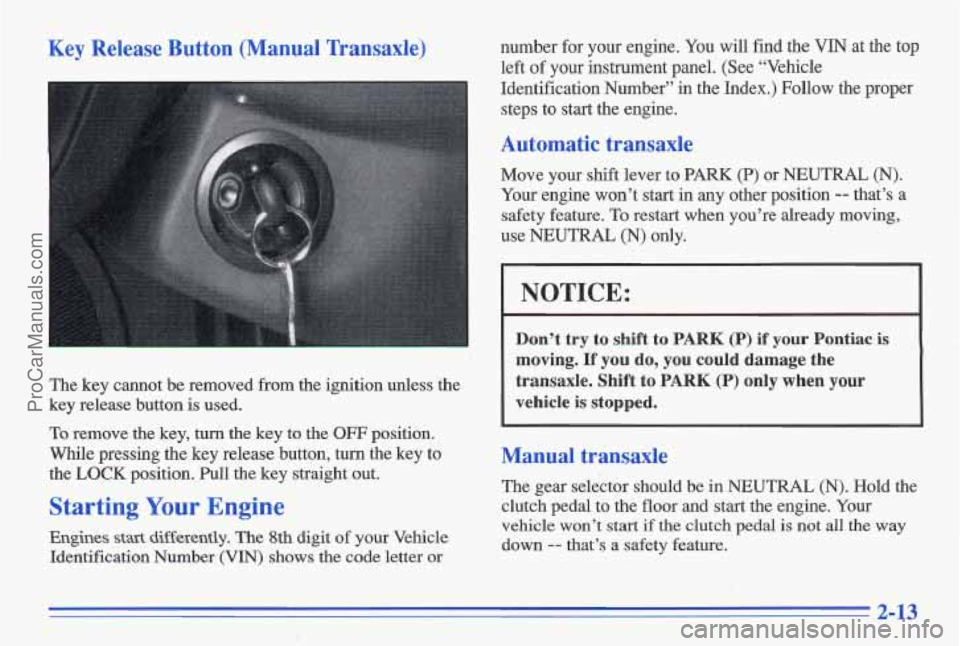
Key Release Button (Manual Transaxle)
The key cannot be removed from the ignition unless the
key release button is used.
To remove the key, turn the key to the
OFF position.
While pressing the key release button, tufn the key to
the
LOCK position. Pull the key straight out.
Starting Your Engine
Engines stast differently. The 8th digit of your Vehicle
Identification Number
(VIN) shows the code letter or number for your engine.
You will find
the VIN at the top
left of your instrument panel. (See “Vehicle
Identification Number” in the Index.) Follow the proper
steps to start the engine.
Automatic transaxle
Move your shift lever to PARK (P) or NEUTRAL (N).
Your engine won’t start in any other position
-- that’s a
safety feature. To restart when you’re already moving,
use NEUTRAL
(N) only.
NOTICE:
Don’t try to shift to PARK (P) if your Pontiac is
moving.
If you do, you could damage the
transaxle. Shift to
PARK (P) only when your
vehicle is
stopped.
Manual transaxle
The gear selector should be in NEUTRAL (N). Hold the
clutch pedal to the floor and start the engine. Your
vehicle won’t
stat? if the clutch pedal is not all the way
down
-- that’s a safety feature.
2-13
ProCarManuals.com
Page 74 of 356
Automatic Transaxle Operation
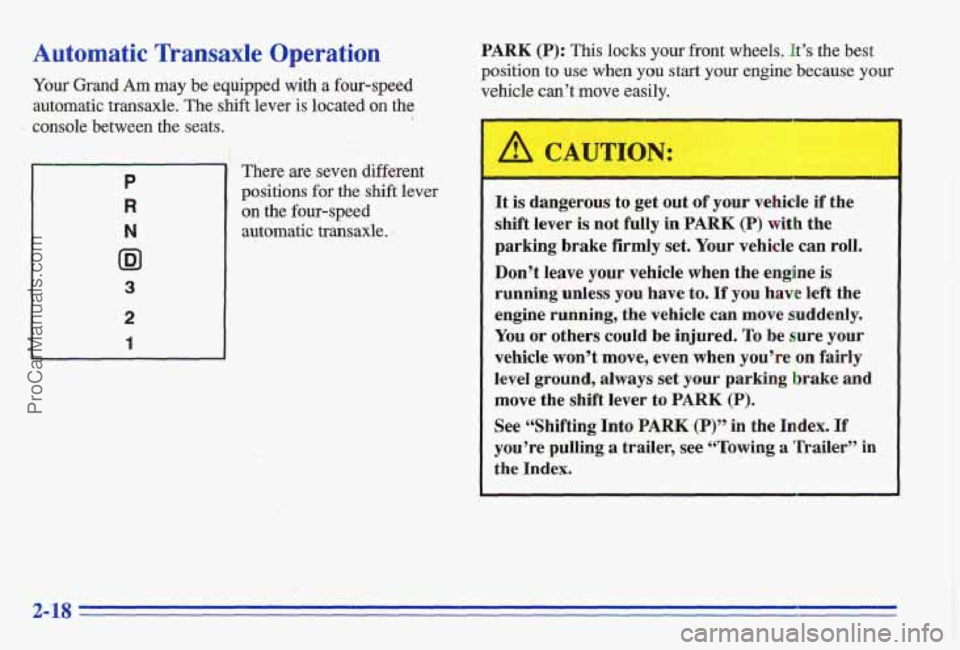
Your Grand Am may be.equipped with a four-speed
automatic transaxle. The shift lever
is located on the
console between the seats. i
P
R
N
ID1
3
2
1
There are seven different
positions
for the shift lever
on the four-speed
autom&ic transaxle.
PARK (P): This locks your front wheels. It’s the best
position to use when you start your engine because your
vehicle can’t move easily.
It is dangerous to get out of your vehicle if the
shift lever
is not fully in PARK (P) with the
parking brake firmly set. Your vehicle can roll.
Don’t leave your vehicle when the engine is
running unless you have to, If you have left the
engine running, the vehicle can move suddenly.
You or others could be injured. To be sure your
vehicle.won’t move, even when
you’re on fairly
level ground, always set your parking brake and
move the shift lever to PARK (P).
See &‘Shifting Into PARK,(P)” in the Index, Tf
you’re pulling a trailer, see “Towing a in
the Index.
2- 18
ProCarManuals.com
Page 75 of 356
I
Ensure the shift lever is fully in PARK (P) range before
1 ’. I . starting the engine. Your Pontiac has a brake-transaxle !’ 2 . shift interlock. You have to fully apply your regular
brakes before you can shift from PARK (P) when the
ignition key is in the
RUN position. If you cannot shift
out of PARK (P), ease pressure on the shift lever -- push
the shift lever all the way into PARK
(P) -- as you
maintain brake application. Then move the shift lever
into the gear you wish. (Press the shift lever button
before moving the shift lever.) See “Shifting Out
of
PARK (I?)” later in this section.
REVERSE (R):
Use this gear to back up.
NOTICE:
Shifting to REVERSE (R) while your vehicle is
moving forward could damage
your transaxle.
Shift to REVERSE (R) only after your vehicle
is
stopped.
To rock your vehicle back and forth to get out of snow,
ice or sand without damaging your transaxle, see
“If
You’re Stuck: In Sand, Mud, Ice or Snow” in the Index. NEUTRAL
(N):
In this position, your engine doesn’t
connect with the wheels.
To restart when you’re
already moving, use
NEUTRAL (N) only. Also, use
NEUTRAL (N) when your vehicle is being towed.
I
Shifting out of PARK (P) or NEUTRAL (N) while
your engine
is “racing” (running at high speed) is
dangerous. Unless your foot is firmly on. the
brake pedal, your vehicle could move very
rapidly.
You could lose control and hit people or
objects. Don’t shift out of PARK
(P) or
NEUTRAL
(N) while your engine is racing. .
NOTICE:
Damage to your transaxle caused’by shifting ‘out
of PARK
(P) or NEUTRAL (N) with the engine
racing isn’t covered
by your warranty.
ProCarManuals.com
Page 81 of 356
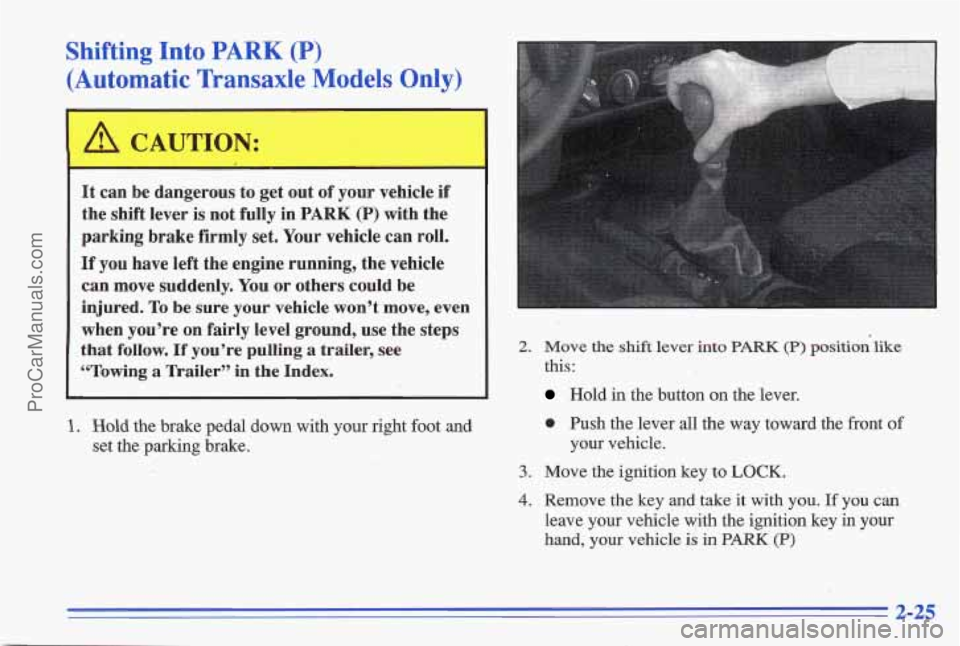
Shifting Into PARK (P)
(Automatic Transaxle Models Only)
It can be dangerous to get out of your vehicle if
the shift lever
is not fully in PARK (P) with the
parking brake firmly
set. Your vehicle can roll.
If you have left the engine running, the vehicle
can move suddenly.
You or others could be
injured.
To be sure your vehicle won’t move, even
when you’re on fairly level ground, use the steps
that
follow. If you’re pulling a trailer, see
YI‘owing
a Trailer” in the Index.
2. Hold the brake pedal down with your right foot and
set the parking brake.
2. Move the shift lever into PARK (P) position‘like
this:
Hold in the button on the lever.
0 Push the lever all the way toward the front of
your vehicle.
3. Move the ignition key to LOCK.
4. Remove the key and take it with you. If you can
leave your vehicle yith the ignition key in your
hand, your vehicle is in PARK (P)
2-25
ProCarManuals.com
Page 82 of 356
Leaving Your Vehicle With the Engine
Running (Automatic Transaxle
Models Only) -
It can be dangerous to leave your vehicle with the.
engine running, Your vehicle
could move
suddenly if the shift lever
is not fully in PARK (P)
with the parking brake firmly set. And, if you
leave the vehicle with the engine running, it could
overheat and even catch fire.
You or others could
b’e injured. Don’t leave your vehicle with the
engine running unless
you have to,
If you have to leave your vehicle with the engine
running,
be sure your vehicle is in PARK (P) and your
parking brake is firmly set before you leave it. After
you’ve moved the
shift lever into the PARK (P)
I
position, hold the regular brake pedal down. Then, see if
you can move the shift lever away from PARK (P)
without first pushing the button.
If you can, it means that the shift lever wasn’t fully
locked into PARK
(P).
Torque Lock (Automatic Transaxle)
If you are parking’on a hill and you don’t shift your
transaxle into
PARK (P) properly, the weight of the
vehicle may put too much force
on the parking pawl in
the transaxle. YOU may find it difficult to pull the shift
lever out of PARK (P), This is called “torque lock.” To
prevent torque l’ock, set &e parking brake and then shift
into
BARK (P) properly before you leave the driver’s
seat.
To find out how, see “Shifting Into PARK (P)” in
the Index.
When you
are ready to drive, move the shift lever out Qf
PARK (P) before you release the parking brake.
If torque lock does opcus, you may need to have another
vehicle push yours
a little uphill to take some of the
pressure from the transaxle,
so you can pull the shift
lever out of PARK (P).
2-26
ProCarManuals.com
Page 83 of 356
Shifting Out of PARK (P)
(Automatic Transaxle Models Only)
Your Pontiac has a brake-transaxle shift interlock. You
have to fully apply your regular brakes before you can
shift from PARK (P) when the ignition is in the RUN
position. See “Automatic-Transaxle Operation” in the
Index.
If you cannot shift out of
PARK (P), ease pressure wn
the shift lever -- push the shift lever all the way into
PARK (P)
-- as you maintain brake application. Then
move the shift lever into the gear you want. (Press the
shift lever button before moving the shift lever.)
If you ever hold the brake pedal down but still can’t
shift
out of PARK (P), try this:
1. Turn the key to OFF, not LOCK. , ,<. j:~+!-,. , , ‘(, . .I. ”
,..I_ . , , . P ., , :. a -9 -- ....,. 4 -’. .:‘.I..: .,:- ;.
i.. ’ .--4 ..
2.
3.
4.
5.
Apply and hold the regular brake until the end of
Step
4.
Shift to NEUTRAL (N).
Start the vehicle and then shift to the drive gear you
want.
Have the vehicle fixed
as soon as you can.
Parking Your Vehicle
(Manual Transaxle Models Only)
Before you get out of your vehicle, put your manual
transaxle in’REVERSE
(R) and firmly apply the-parking
brake.
If you are parking on a hill, or if your vehic1e.k
equipped to tow
a trailer, see “Towing a Trailer” in the
Index.
ProCarManuals.com
Page 86 of 356
Windows
On a vehicle with manual windows, use the window
crank located on the inside of each door to open and
close each window.
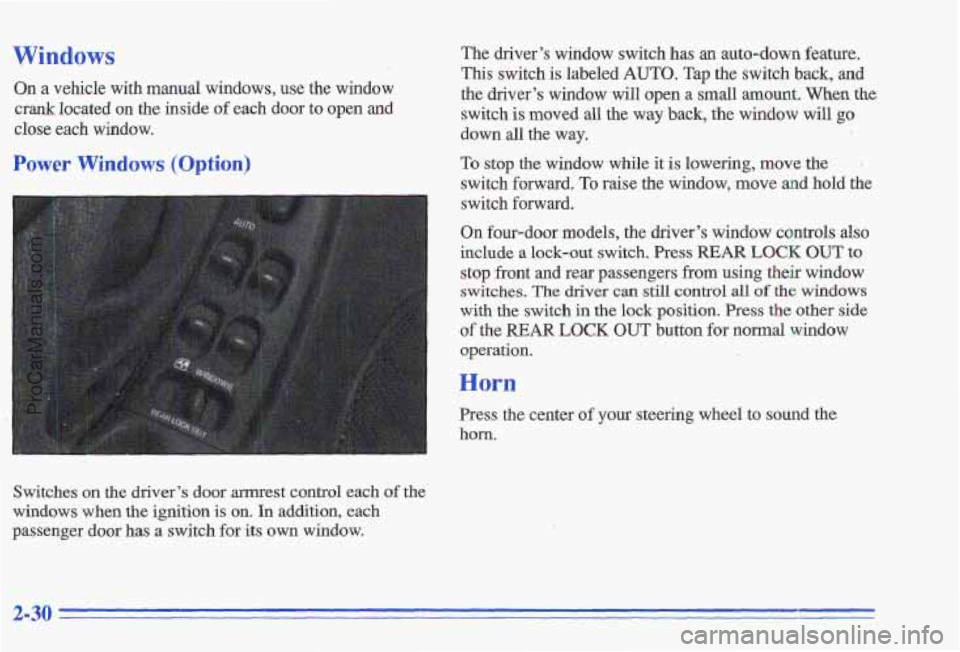
Power Windows (Option)
Switches on the driver’s door armrest control each of the
windows when the ignition is on.
In addition, each
passenger door has a switch for its own window. The driver’s window switch has
an auto-down feature.
This switch
is labeled AUTO. Tap the switch back, and
the driver’s window will open a
small amount. When the
switch is moved all the way back, the window will go
down all the way.
To stop the window while it is lowering, move the .
switch forward. To raise the window, move and hold the
switch forward.
On four-door models, the driver’s window controls also
include a lock-out switch.
Press REAR LOCK OUT to
stop front and rear passengers from using their window switches.
The driver can still control all of the windows
with the switch in the lock position. Press the other side
of the
REAR LOCK OUT button for normal window
operation.
--
Horn
Press the center of your steering wheel to sound the
horn.
2-30
ProCarManuals.com
Page 87 of 356
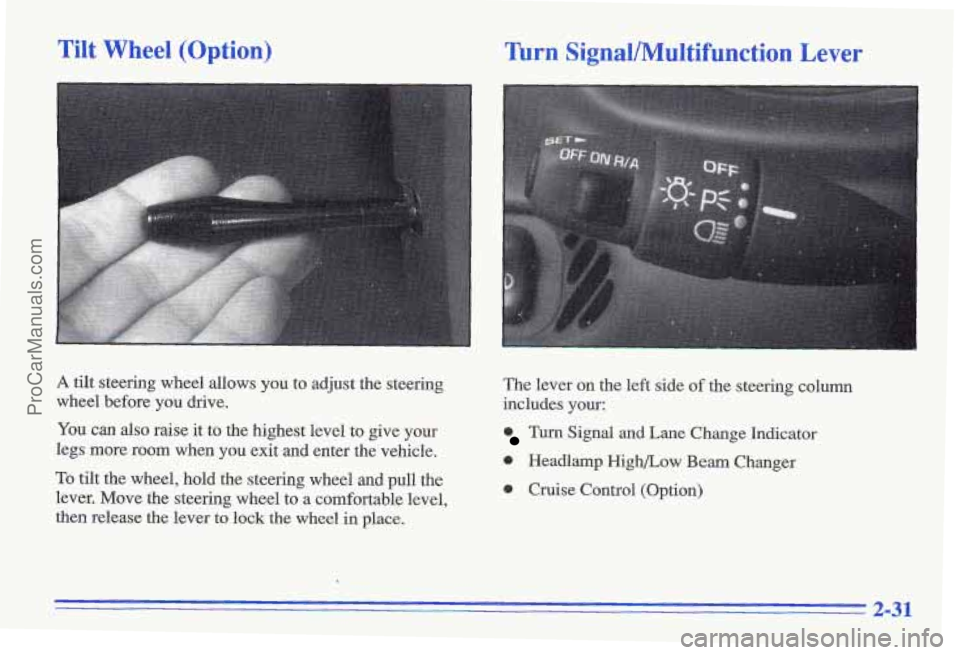
Tilt Wheel (Option)
A tilt steering wheel allows you to adjust the steering
wheel before you drive.
You can also raise it to the highest level to give your
legs more room when
you exit and enter the vehicle.
To tilt the wheel, hold the steering wheel and pull the
lever. Move the steering wheel to a comfortable level,
then release the lever to lock the wheel in place.
Turn SignallMultifunction Lever
The lever on the left side of the steering column
includes your:
Turn Signal and Lane Change Indicator
0 Headlamp High/Low Beam Changer
0 Cruise Control (Option)
2-31
ProCarManuals.com
Page 89 of 356
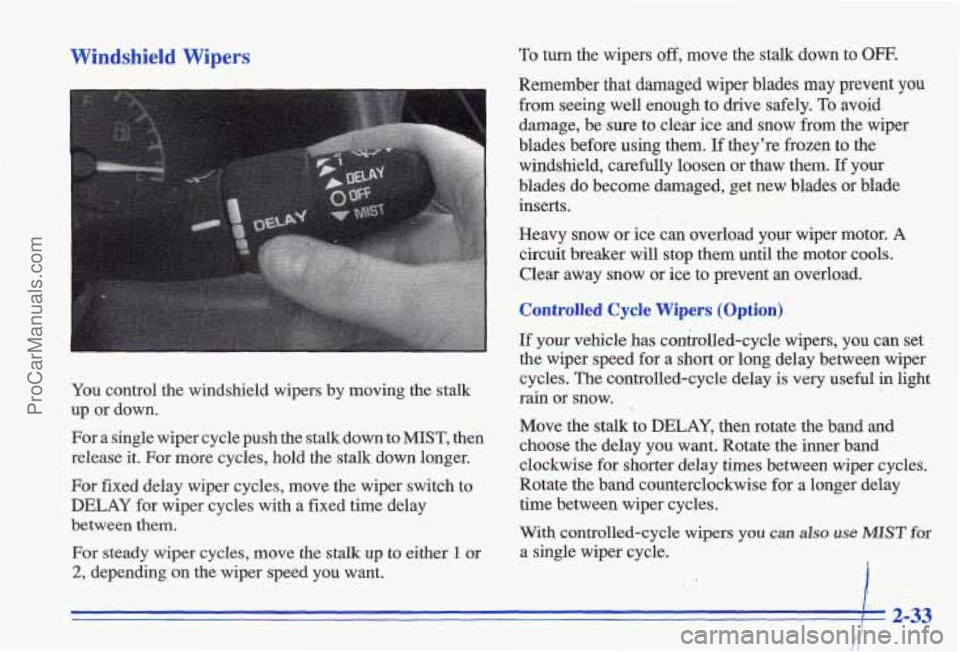
Windshield Wipers
You control the windshield wipers by moving the stalk
up or down.
For a single wiper cycle push the stalk down
to MIST, then
release it. For more cycles, hold the stalk down longer.
For fixed delay wiper cycles, move the wiper switch to
DELAY for wiper cycles with a fixed time delay
between them.
For steady wiper cycles, move the stalk up to either 1 or
2, depending on the wiper speed you want.
To turn the wipers off, move the stalk down to OFF.
Remember that damaged wiper blades may prevent you
from seeing well enough to drive safely. To avoid
damage, be
sure to clear ice and snow from the wiper
blades before using them.
If they're frozen to the
windshield, carefully loosen or thaw them. If your
blades do become damaged, get new blades or blade
inserts.
Heavy snow or ice c& overload your wiper motor. A
circuit breaker will stop them until the motor cools.
Clear away snow or ice to prevent an overload.
Controlled Cycle Wipers (Option)
If your vehicle has controlled-cycle wipers, you can set
the wiper speed for a short or long delay between wiper
cycles. The controlled-cycle delay is very useful
in light
rain or snow.
Move the stalk to DELAY, then rotate the band and
choose the delay you want. Rotate the inner band
clockwise for shorter delay times between wiper cycles.
Rotate the band counterclockwise for a longer delay
time between wiper cycles.
With controlled-cycle wipers
you can also use MIST for
a single wiper cycle. ,
I I 2-33
ProCarManuals.com