lock PONTIAC GRAND-AM 1996 Service Manual
[x] Cancel search | Manufacturer: PONTIAC, Model Year: 1996, Model line: GRAND-AM, Model: PONTIAC GRAND-AM 1996Pages: 356, PDF Size: 17.17 MB
Page 126 of 356
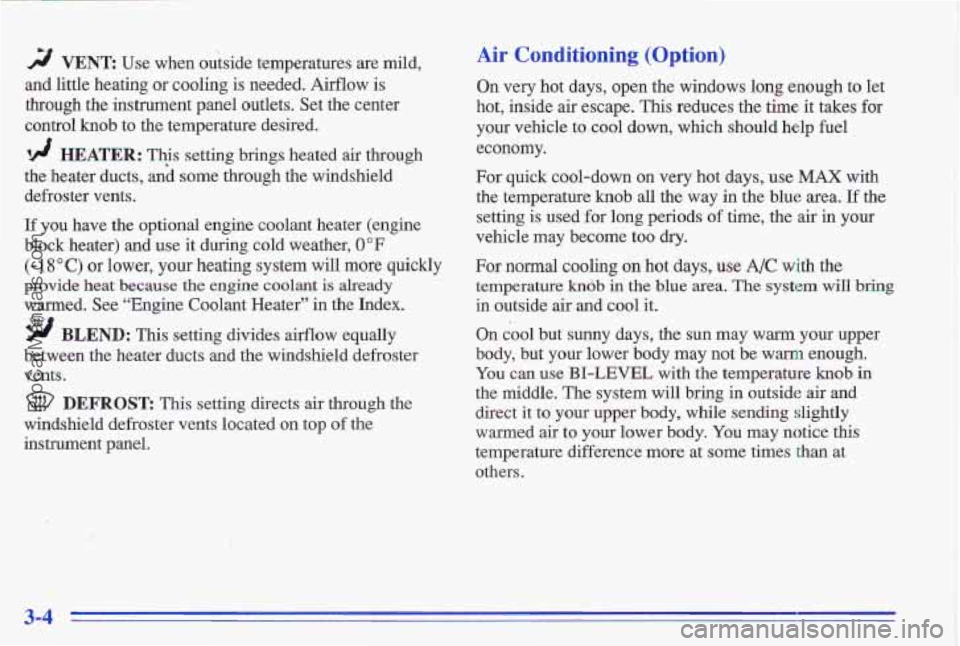
rF/ VENT Use when outside temperatures are mild,
and little heating or cooling is needed. Airflow is
through the instrument panel outlets. Set the center
control
knob to the temperature desired.
‘!! HEATER: This setting brings heated air through
the heater ducts, aid some through the windshield
defroster vents.
If you have the optional engine coolant heater (engine
block heater) and use it during cold weather,
0°F
(- 1 8 O C) or lower, your heating system will more quickly
provide heat because
the engine coolant is already
warmed. See “Engine Coolant Heater”
in the Index.
9 BLEND: This setting divides aeflow equally
between the heater ducts and the windshield defroster
vents.
DEFROST This setting directs air through the
windshield defroster vents located on top of the
instrument panel.
Air Conditioning (Option)
On very hot days, open the windows long enough to let
hot, inside air escape. This reduces the time it takes for
your vehicle to cool down, which should help fuel
economy.
For quick cool-down on very hot days,
use MAX with
the temperature
knob all the way in the blue area. If the
setting is used for long periods
of time, the air in your
vehicle may become too dry.
For normal cooling on hot days, use A/C with the
temperature
kndb in the blue area. The system will bring
in outside air and cool it.
On cool but sunny days, the sun may warm your upper
body, but your lower body may not be warm enough.
You can use BI-LEVEL with the temperature knob in
the middle. The system will bring in outside air and
direct it to your upper body, while sending slightly
warmed air
to your lower body. You may notice this
temperature difference more at some times than at
others.
3-4
ProCarManuals.com
Page 127 of 356
Hc-4ing
‘lix---lg the right control knob to HEATER and the
center control
knob clockwise sends some heated air
through the heater ducts toward your feet and some
through the defroster vents.
Veri, 3ys1
Use when outside temperatures are mild, and little
heating or cooling is needed. Turn the right knob to
VENT. Airflow is directed through the instrument panel
outlets. Set the center knob to the temperature desired.
VENT and HEATER are economical positions because Your Pontiac’s flow-through ventilation system supplies
the air conditioner compressor doesn’t run in these two outs\
ide air into the vehicle when it is moving. Outside
settings. This reduces engine load, resulting in improved
air will also enter the vehicle when the heater or the air
fuel economy.
If either setting fails to keep you conditioning fan is running.
comfortable, or causes your windows to fog up, turn
the right control
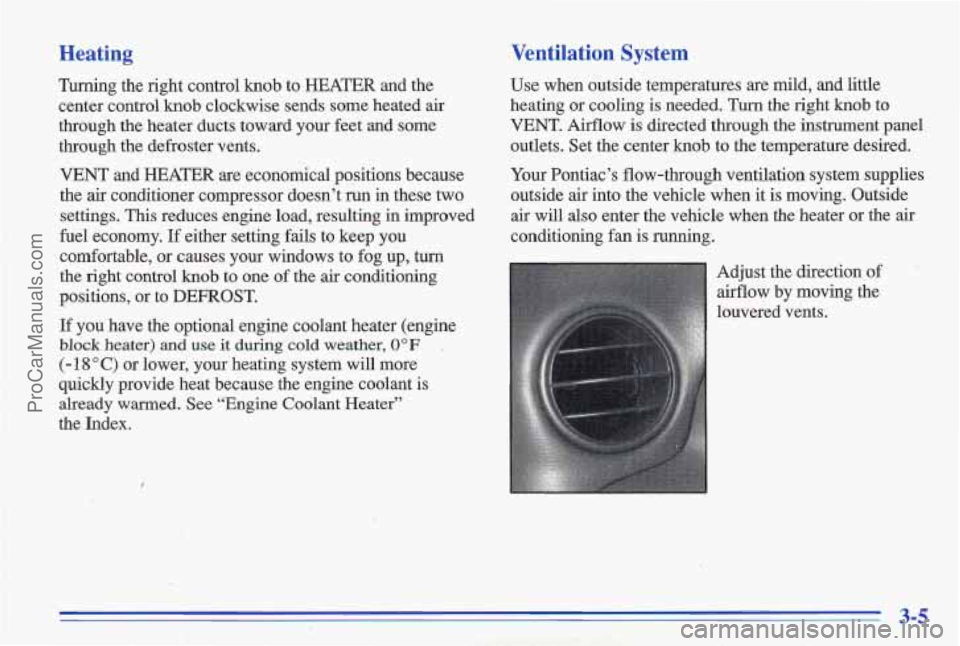
knob to one of the air conditioning Adjust the direction of
positions, or to DEFROST. airflow by moving the
If
you have the optional engine coolant heater (engine
block heater) and use it during cold weather, 0 OF ,
(- 18 O C) or lower, your heating system will more
quickly provide heat because the engine coolant is
already
warmed. See “Engine Coolant Heater”
the Index. louvered vents.
3-5
ProCarManuals.com
Page 130 of 356
Audio Systems
Your Delco@ audio system has been designed to operate
easiIy
and give years of listening pleasure. You will get
the most enjoyment out of it if you acquaint yourself
with
if first. Find out what your Delco system can do
and how to operate all its controls, to be sure you're
getting the most out of the advanced engineering that
went into it.
Setting the Clock for AM-FM Stereo
Press SET. Within five seconds, press and hold the
SEEK down mow until the correct hour appears on the
display. Press and hold the SEEK up arrow until the
correct minute appears on the display.
Setting the Clock for All Systems Except
AM-FM Stereo
Press and hold HR until the correct hour appears. Press
and hold
MIN until the correct minute appears. There
will
be a two-second delay before the clock goes into
time-set mode,
and the colon on the display will blink
while in this mode.
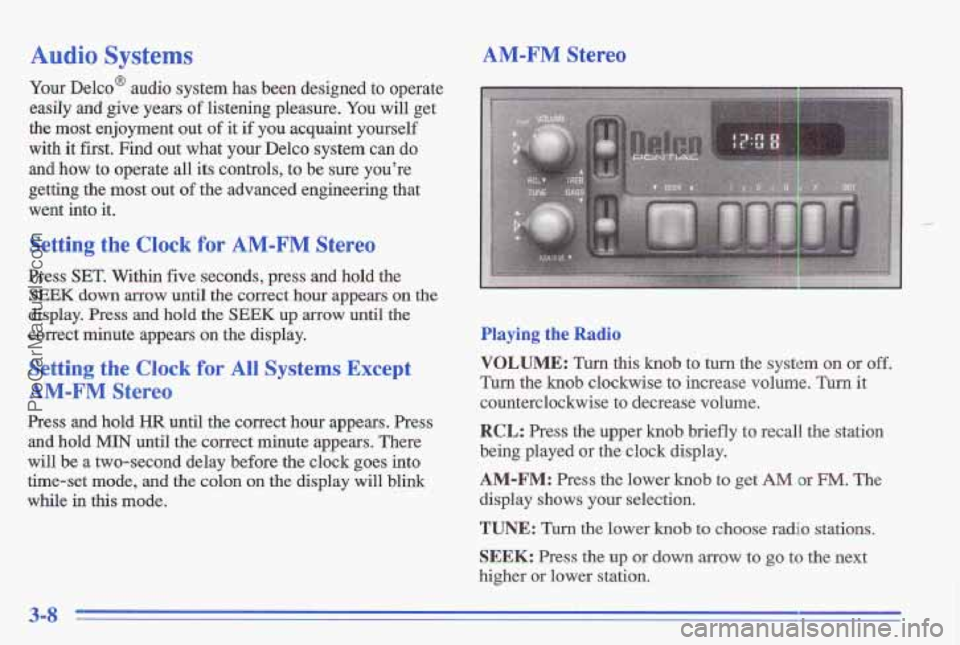
AM-FM Stereo
Playing the Radio
VOLUME: Turn this knob to turn the system on or off.
Turn the knob clockwise to increase volume. Turn it
count'erclockwise to decrease volume.
RCL: Press the upper knob briefly t'o recall the station
being played
or the clock display.
AM-FM: Press the lower hob to get AM or FM. The
display shows your selection.
TUNE: Turn the lower knob to choose radio stations.
SEEK: Press the up or down arrow to go to the next
higher or lower station.
3-8
ProCarManuals.com
Page 132 of 356
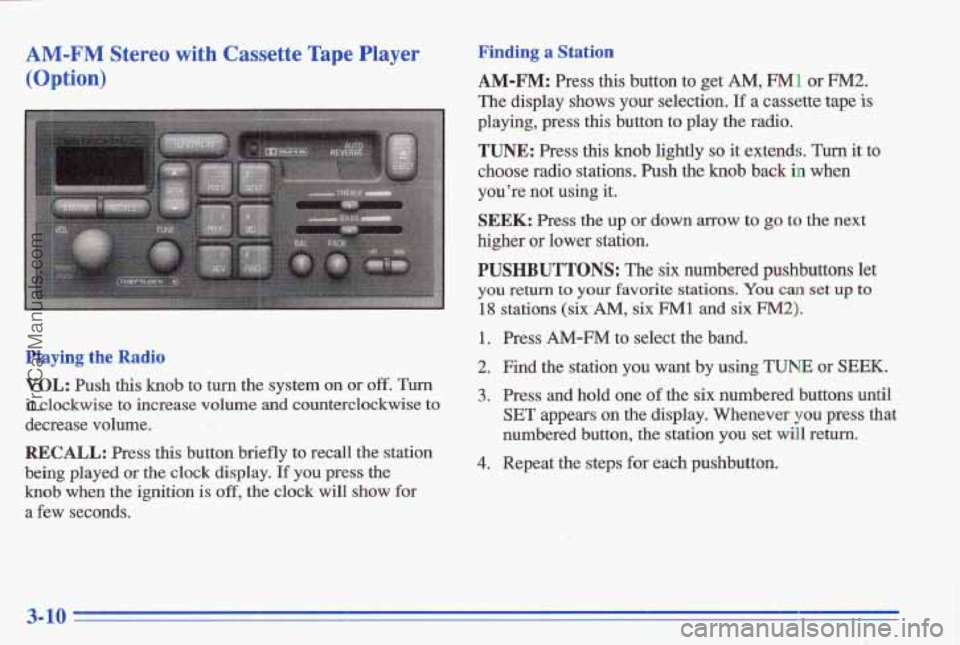
AM-FM Stereo with Cassette Tape Player
(Option)
Playing the Radio
VOL: Push this knob to turn the system on or off. Turn
it clockwise to increase volume and counterclockwise to
decrease volume.
RECALL: Press this button briefly to recall the station
being played or the clock display. If you press the
knob when the ignition is off, the clock will show for
a few seconds.
Finding a Station
AM-FM: Press this button to get AM, FM1 or FM2.
The display shows your selection. If a cassette tape is
playing, press this button to play the radio.
TUNE: Press this knob lightly so it extends. Turn it to
choose radio stations. Push the knob back in when
you’re not wing it.
SEEK: Press the up or down arrow to go to the next
higher
or lower station.
PUSHBUTTONS: The six numbered pushbuttons let
you return to your favorite stations. You can set up to
18 stations (six-AM, six FM1 and six FM2).
1. Press AM-FM to select the band.
2. Find the station you want by using TUNE or SEEK.
3. Press and hold one of the six numbered buttons until
SET appears an the display. Whenever you press that
numbered button, the station you set will return.
4. Repeat the steps for each pushbutton.
3-10
ProCarManuals.com
Page 133 of 356
Tone Settin, __
BASS: Slide the lever to the right or left to increase or
decrease bass. The middle position
is a detent.
TREBLE: Slide the lever to the right or left to increase
of decrease treble. The middle position is a detent. If a
stati'on is weak or noisy, slide the lever down to reduce
the noise.
Adjusting. the'speakers
BAL:
press this knob lightly so it extends. Turn this
knob to move the sound to the left or right speakers. The
middle position
is a detent and balances the speakers.
Push the knob
back in when you're not using it.
FADE: Press this knob lightly so it extends. Turn this'
knob to move the sound to the front or rear speakers. The
middle position is a detent and balances the speakers.
Push the knob back in when you're not using it.
Playing a Cassette Tape
Your tape player is built to work best with tapes that are
30 to 45 minutes long on each side. Tapes longer than
that are
so thin they may not work well in this player.
While the tape iS playing, use the VOL, FADE, BAL,
TREBLE
and BASS controls just as you do for the
radio. The display will show an arrow to show which side
of the tape is playing. When the down indicator
arrow is lit,
selections listed on the bottom side of the I
cassette are playing. When the up arrow is lit, selections
listed on the top side
of the cassette are playing. The
tape player automatically begins playing
the other side
when it reayhes the end
of the tape.
If E and a number appear on the display, the tape won't
play because
of an error.
0 E10: The tape is'tight and the player can't turn
the tape hubs. Remove the tape. Hold the tape with
the open end down and try to tunithe right hub
counterclockwise with
a pencil. Turn the tape over
and try to turn the right hub.
If the hubs do not turn
easily, your tape may be damaged and should not be
used
in the player. Try a new tape to make sure your
player is working properly.
0 Ell: The tape is broken. ..
0 E12: There is a communication problem betweei the
PREV (1): Press this button or the'SEEK down arrow to
search for the previous selection on the tape. Your tape
must have at least three seconds
of silence between each
selection for PREV or SEEK to.work. The tape direction
arrow blinks during PREV or SEEK operation. Press
cassette mechanism and
the radio.
,. i . \. " ,- '-. .
,3-11
ProCarManuals.com
Page 135 of 356
CD Adapter Kits
It is possible to use a CD adapter kit with your cassette
tape player after activating the bypass feature
on your
tape player.
To activate the bypass feature, the ignition must be on.
Turn your radio off. Press TAPEPLAY and hold for .
three seconds. After three seconds, the tape symbol
in the display will flash for two seconds indicating
the feature is active. Turn the radio on and insert
the adapter.
This override feature will remain active until
EJECT
is pressed.
.1 *
AM-FM Stereo with Cassette Tape Player
and Equalizer (Option)
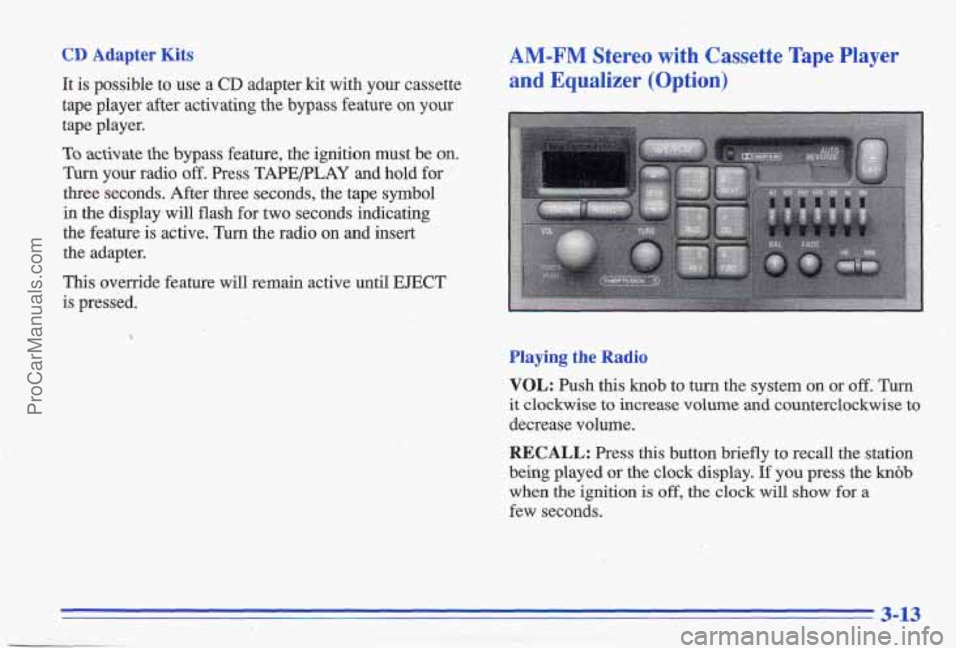
Playing the Radio
VOL: Push this knob to turn the system on or off. Turn
it clockwise to increase volume and counterclockwise to
decrease volume.
RECALL: Press this button briefly to recall the station
being played or the clock display.
If you press the knob
when the ignition is off, the clock will show for a
few seconds.
'i-
3-13
ProCarManuals.com
Page 137 of 356
0 ElO: The tape is tight and the player can’t turn
the tape hubs.
Remove the tape. Hold the tape with
the open end down and try to turn the right hub
counterclockwise with a pencil. Turn the tape over and try to turn the right hub. If the hubs do not turn
easily, your tape may be damaged and should not be
used in the player. Try a new tape to make sure your
player is working properly.
Ell: The tape is broken.
E12: There is a communication problem between the
cassette mechanism and the radio.
PREV (1): Press this button or the SEEK down arrow to
search for the previous selection on the tape. Your tape
must have at least three seconds of silence between each
selection for PREV or SEEK to work. The tape direction
arrow blinks during PREV or SEEK operation. Press
PREV or the SEEK down
arrow to stop searching. The
sound is muted during PREV or SEEK operation.
NEXT (2): Press this button or the SEEK up arrow to
search for the next selection on the tape. If you hold the
button or press it more
than once, the player will
continue moving forward through the tape. Your tape
must have at least three seconds
of silence between each
selection for NEXT
or SEEK to work. The tape
direction arrow blinks during NEXT or SEEK operation.
Press PREV or the SEEK up arrow to stop searching.
The sound is muted during NEXT or SEEK operation.
PROG (3): Press this button to play the other side of
the tape.
I
00 (4): Press this button to reduce background noise.
Note ,that the double-D symbol will appear on the
display.
Dolby Noise Reduction is manufactured under a license
from Dolby Laboratories Licensing Corporation. Dolby
and the double-D symbol are trademarks of Dolby
Laboratories Licensing Corporation.
REV (5): Press this button to reverse the tape rapidly.
Press
it again to return to playing speed. The radio will
play the last-selected station while the tape reverses.
You may select stations during REV operation by using
SEEK or TUNE.
ProCarManuals.com
Page 139 of 356
AM-FM Stereo with Compact Disc Player
and Equalizer (Option)
Playing the Radio
VOL: Push this knob to turn the system on or off. Turn
it clockwise to increase volume and counterclockwise to
decrease volume.
RECALL: Press this button briefly to recall the station
being played or the clock display.
If you press the knob
when the ignition is off, the clock will show for a few
seconds.
Finding a Station
AM-FM: Press this button to get AM, FM1 or FM2.
The display shows your selection. If a cassette tape is
playing, press this button
to play the radio.
TUNE: Press this knob lightly so it extends. Turn it to
choose radio stations. Push the knob back in when
you’re not using it.
SEEK: Press the up or down arrow to go to the next
higher or lower station.
PUSHBUTTONS: The six numbered pushbuttons let
you return to your favorite stations.
You can set up to
18 stations (six AM, six FM1 and six FM2).
1. Press AM-FM to select the band.
2. Find the station you want by using TUNE or SEEK.
3. Press and hold one of the six numbered buttons until
SET appears on the display. Whenever you press that
numbered button, the station you set will return.
4. Repeat the steps for each pushbutton.
Setting the Tone
EQUALIZER: A seven band equalizer is part of your
audio system. Slide the levers up to boost or down to
reduce frequency range.
3-17
ProCarManuals.com
Page 143 of 356
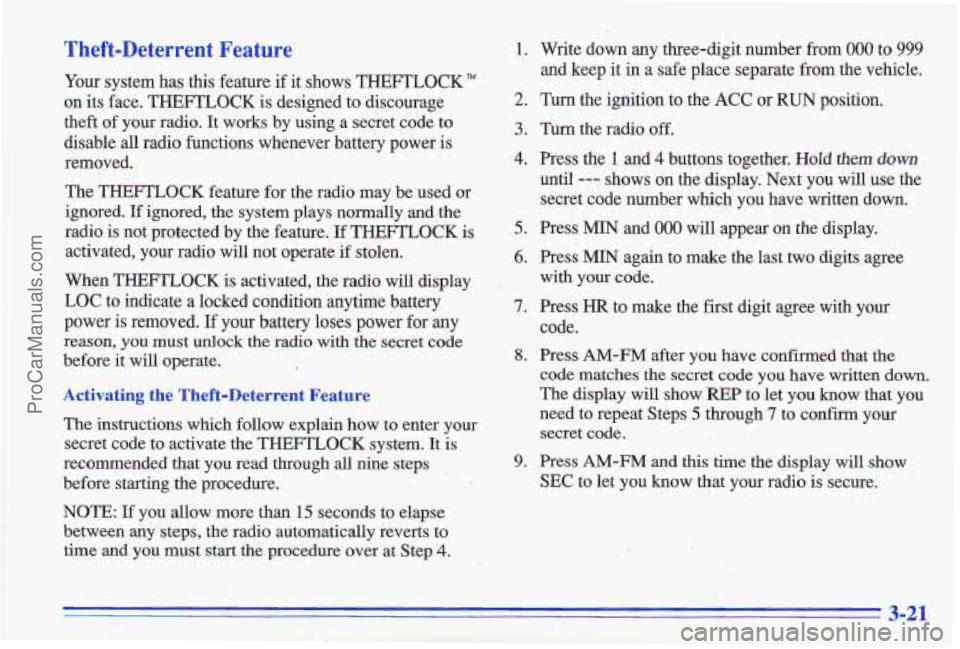
Theft-Deterrent Feature
Your system has this feature if it shows THEFTLOCK"
on its face. THEFTLOCK is designed to discourage
theft of your radio.
It works by using a secret code to
disable all radio functions whenever battery power is
removed.
The THEFTLOCK feature for the radio may be used or
ignored. If ignored, the system plays normally and ,the
radio is not protected by the feature.
If THEFTLOCK is
activated, your radio will not operate if stolen.
When THEFTLOCK is activated, the radio will display
LOC to indicate
a locked condition anytime battery
power
is removed. If your battery loses power for my
reason, you must unlock the radio with the secret code
before it will operate.
Activating the Theft-Deterrent Feature
The instructions which follow explain how to enter your
secret code to activate the THEFTLOCK system. It is
recommended that you read through all nine steps
before starting the procedure.
NOTE:
If you allow more than 15 seconds to elapse
between
any steps, the radio automatically reverts to
time and
you must start the procedure over at Step 4.
1. Write down any three-digit number from 000 to 999
and keep it in a safe place separate from the vehicle.
2. Turn the ignition to the ACC or RUN position.
3. Turn the radio off.
4. Press the 1 and 4 buttons together. Hold them down
until --- shows on the display. Next you will use the
secret code number which you have written down.
5. Press MIN and 000 will appear on the display.
6. Press MIN again to make .the last two digits agree
7. Press HR to make the first digit agree with your
8. Press AM-FM after you have confirmed that the
with your code.
code.
code matches the secret code you have written down.
The display will show
REP to let you know that you
need to repeat Steps
5 through 7 to confirm your
secret code.
9. Press AM-FM and this time the display will show
SEC to let you know that your radio is secure.
3-21
ProCarManuals.com
Page 144 of 356
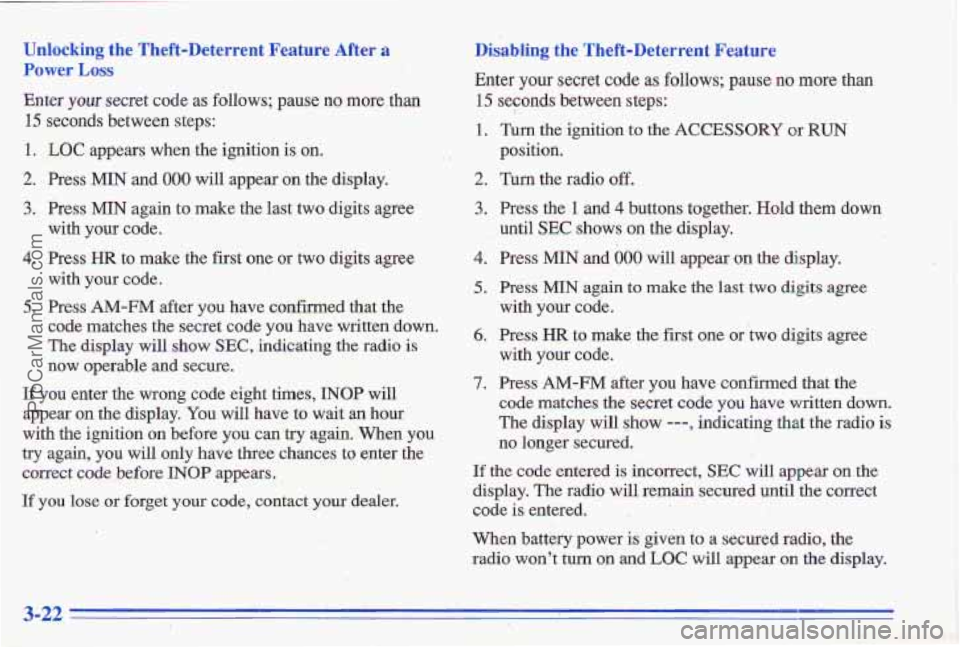
Unlocking the Theft-Deterrent Feature After a Disablling the Theft-Deterrent Feature
Power
LOSS
Enter your secret code as follows; pause no more than 15 seconds between s'teps:
15 seconds between steps: ..: id.'.
1. LOC appe.ars when.the ignition is on. :' : . ~ position.
2. Press MIN and 000 will appear on the display. 2. Turn the radio off.
Enter
your slecret code as follows; pause
no rn'ore than
::'!bJ' -. 1. Turn the ignition,to the AC'CESSORY or RUN , _-.- . . ..p, ,
3. Press MIN again to make the last two digits agree
with
.your code.
4. Press HR to make the first one or two digits agree
5. Press AM-FM after you have confirmed that the
with
your code.
code matches the secret code you have written down.
The display will show
SEC, indicating the radio is
now operable and secure.
If you enter the wrong code eight times, INOP will
appear on the display. You will have to wait an hour
with the ignition
on before you c& try again. When you
try again, you will only have three chances to, enter the
corre~t code before INOP appears.
If you lose or forget your code, contact your deak.
3. Press the 1 and 4 buttons together. Hold them down
until
SEC shows on the display.
4. Press MIN and 000 will appear on the display.
5. Press MIN again to make the last two digits agree
with
you code.
6. Press HR to make the first one or two digits agree
with your code.
7. Press AM-FM after you have confirmed that the
code matches the secret code you have written down.
The display will $how ---, indicating that the radio is
no longer secured.
If the code entered is incorrect, SEC will appear on the
display. The radio will remain secured until the correct
&de
is entered.
When battery power
is given to a secured radio, the
radio won't turn on
md-LOC will appear on the display.
3-22
ProCarManuals.com