light PONTIAC GRAND-AM 1996 Owner's Guide
[x] Cancel search | Manufacturer: PONTIAC, Model Year: 1996, Model line: GRAND-AM, Model: PONTIAC GRAND-AM 1996Pages: 356, PDF Size: 17.17 MB
Page 125 of 356
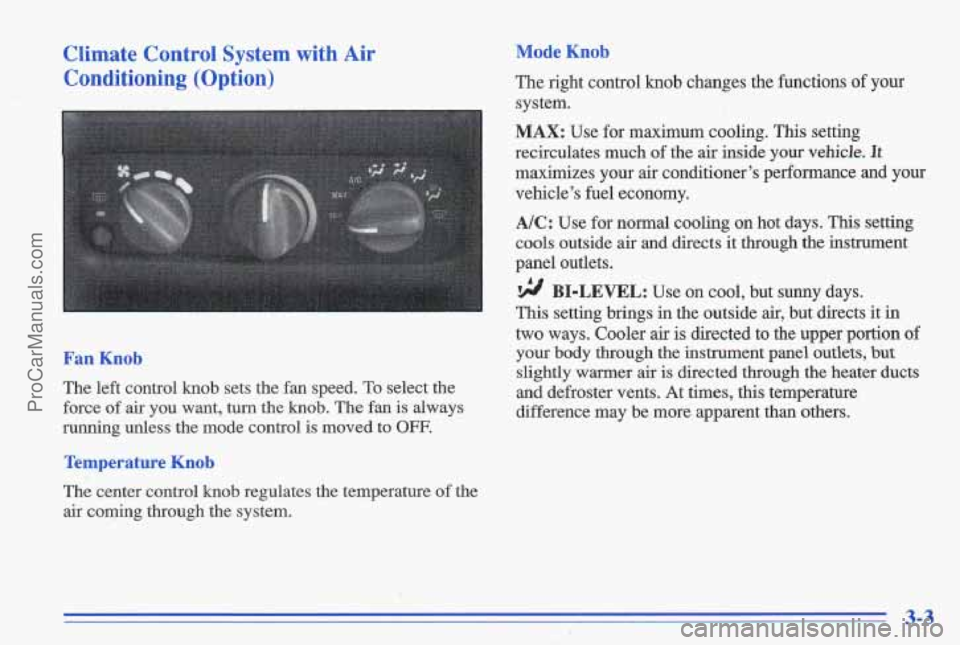
Climate Control System with Air Conditioning (Option)
< _.-
1 !
Mode Knob
The right control knob changes the functions of your
system.
MAX: Use for maximum cooling. This setting
recirculates much
of the air inside your vehicle. It
maximizes your air conditioner’s performance and your
vehicle’s fuel economy.
A/C: Use for normal cooling on hot days. This setting
cools outside air and directs it through the instrument
panel outlets.
BI-LEVEL: Use on cool, but sunny days.
This setting brings in the outside air, but directs it in
two ways. Cooler air
is directed to the upper portion of
Fan Knob your body through the instrument panel outlets, but
slightly warmer air is directed through the heater ducts
The left control
knob sets the fan speed. To select the and defroster vents. At times, this temperature
force of air
you want, turn the knob. The fan is always difference may be more apparent than others.
running unless the mode control is moved to
OFF.
Temperature Knob
The center control knob regulates the temperature of the
air coming through the system.
3-3
ProCarManuals.com
Page 126 of 356
rF/ VENT Use when outside temperatures are mild,
and little heating or cooling is needed. Airflow is
through the instrument panel outlets. Set the center
control
knob to the temperature desired.
‘!! HEATER: This setting brings heated air through
the heater ducts, aid some through the windshield
defroster vents.
If you have the optional engine coolant heater (engine
block heater) and use it during cold weather,
0°F
(- 1 8 O C) or lower, your heating system will more quickly
provide heat because
the engine coolant is already
warmed. See “Engine Coolant Heater”
in the Index.
9 BLEND: This setting divides aeflow equally
between the heater ducts and the windshield defroster
vents.
DEFROST This setting directs air through the
windshield defroster vents located on top of the
instrument panel.
Air Conditioning (Option)
On very hot days, open the windows long enough to let
hot, inside air escape. This reduces the time it takes for
your vehicle to cool down, which should help fuel
economy.
For quick cool-down on very hot days,
use MAX with
the temperature
knob all the way in the blue area. If the
setting is used for long periods
of time, the air in your
vehicle may become too dry.
For normal cooling on hot days, use A/C with the
temperature
kndb in the blue area. The system will bring
in outside air and cool it.
On cool but sunny days, the sun may warm your upper
body, but your lower body may not be warm enough.
You can use BI-LEVEL with the temperature knob in
the middle. The system will bring in outside air and
direct it to your upper body, while sending slightly
warmed air
to your lower body. You may notice this
temperature difference more at some times than at
others.
3-4
ProCarManuals.com
Page 129 of 356
Rear Window Defogger (Option)
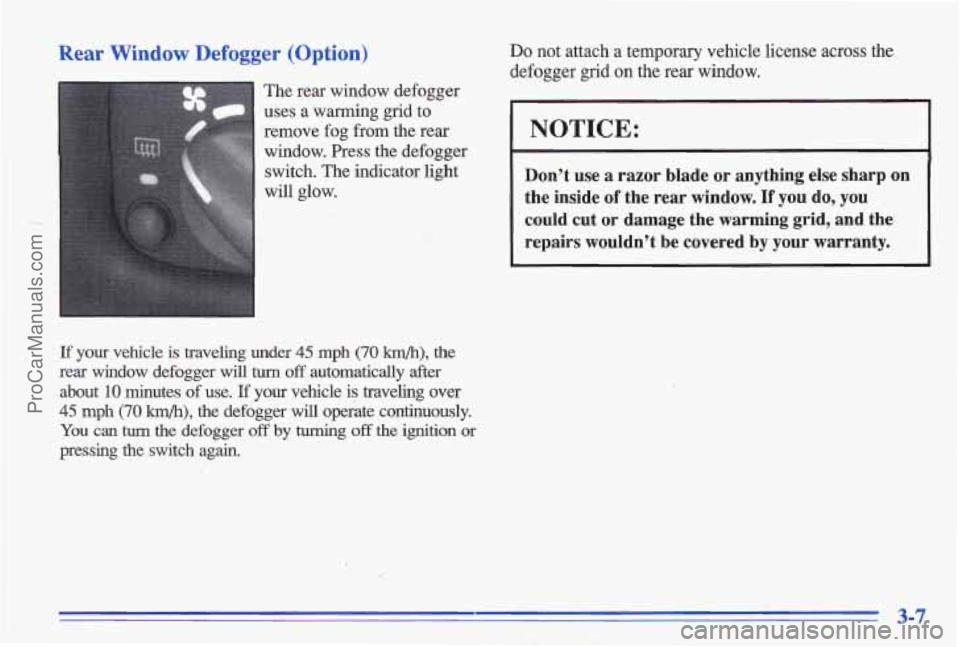
The rear window defogger
uses a warming grid to remove fog from the rear
window. Press the defogger switch. The indicator light
will glow.
If your vehicle is traveling under 45 mph (70 krn/h), the
rear window defogger will
turn off automatically after
about
10 minutes of use. If your vehicle is traveling over
45 mph (70 km/h), the defogger will operate continuously.
You can tum the defogger off by turning off the ignition or
pressing the switch again.
Do not attach a temporary vehicle license across the
defogger grid
on the rear window.
I NOTICE:
Don’t use a razor blade or anything else sharp on
the inside
of the rear window. If you do, you
could cut
or damage the warming grid, and the
repairs wouldn’t be covered by your warranty.
3-7
ProCarManuals.com
Page 132 of 356
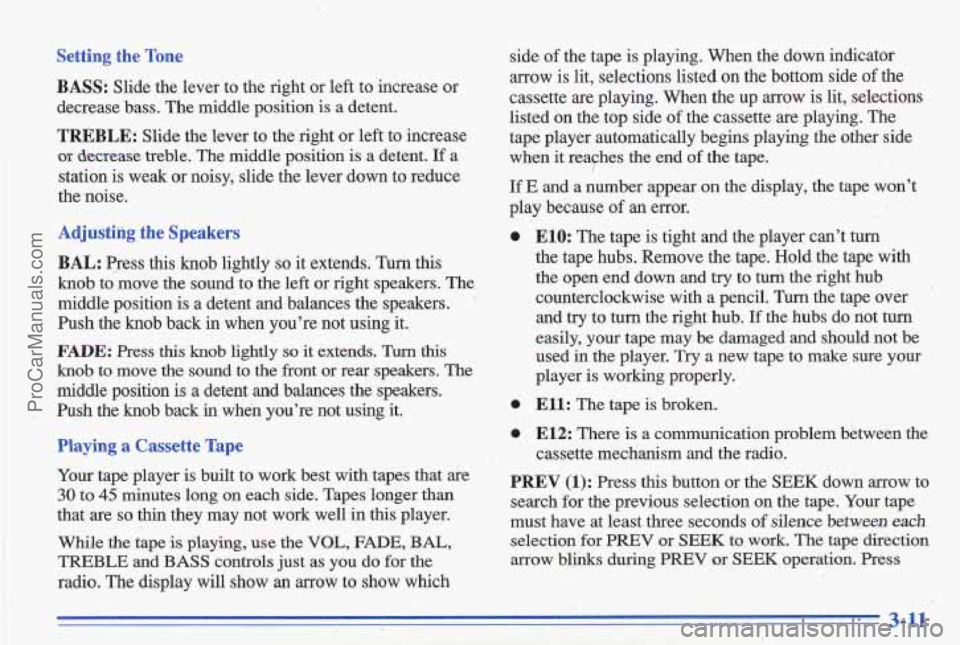
AM-FM Stereo with Cassette Tape Player
(Option)
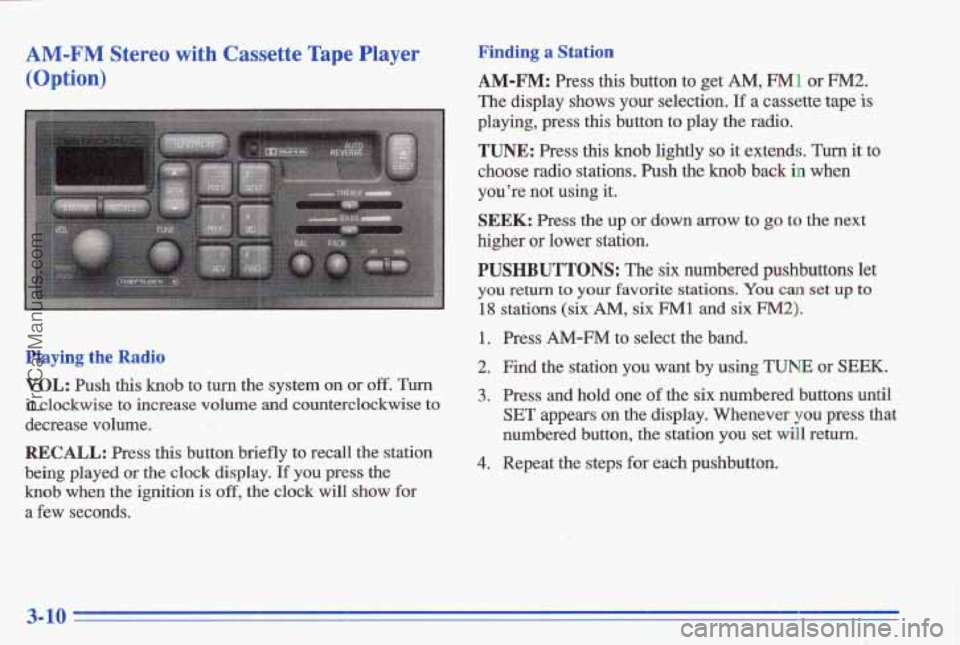
Playing the Radio
VOL: Push this knob to turn the system on or off. Turn
it clockwise to increase volume and counterclockwise to
decrease volume.
RECALL: Press this button briefly to recall the station
being played or the clock display. If you press the
knob when the ignition is off, the clock will show for
a few seconds.
Finding a Station
AM-FM: Press this button to get AM, FM1 or FM2.
The display shows your selection. If a cassette tape is
playing, press this button to play the radio.
TUNE: Press this knob lightly so it extends. Turn it to
choose radio stations. Push the knob back in when
you’re not wing it.
SEEK: Press the up or down arrow to go to the next
higher
or lower station.
PUSHBUTTONS: The six numbered pushbuttons let
you return to your favorite stations. You can set up to
18 stations (six-AM, six FM1 and six FM2).
1. Press AM-FM to select the band.
2. Find the station you want by using TUNE or SEEK.
3. Press and hold one of the six numbered buttons until
SET appears an the display. Whenever you press that
numbered button, the station you set will return.
4. Repeat the steps for each pushbutton.
3-10
ProCarManuals.com
Page 133 of 356
Tone Settin, __
BASS: Slide the lever to the right or left to increase or
decrease bass. The middle position
is a detent.
TREBLE: Slide the lever to the right or left to increase
of decrease treble. The middle position is a detent. If a
stati'on is weak or noisy, slide the lever down to reduce
the noise.
Adjusting. the'speakers
BAL:
press this knob lightly so it extends. Turn this
knob to move the sound to the left or right speakers. The
middle position
is a detent and balances the speakers.
Push the knob
back in when you're not using it.
FADE: Press this knob lightly so it extends. Turn this'
knob to move the sound to the front or rear speakers. The
middle position is a detent and balances the speakers.
Push the knob back in when you're not using it.
Playing a Cassette Tape
Your tape player is built to work best with tapes that are
30 to 45 minutes long on each side. Tapes longer than
that are
so thin they may not work well in this player.
While the tape iS playing, use the VOL, FADE, BAL,
TREBLE
and BASS controls just as you do for the
radio. The display will show an arrow to show which side
of the tape is playing. When the down indicator
arrow is lit,
selections listed on the bottom side of the I
cassette are playing. When the up arrow is lit, selections
listed on the top side
of the cassette are playing. The
tape player automatically begins playing
the other side
when it reayhes the end
of the tape.
If E and a number appear on the display, the tape won't
play because
of an error.
0 E10: The tape is'tight and the player can't turn
the tape hubs. Remove the tape. Hold the tape with
the open end down and try to tunithe right hub
counterclockwise with
a pencil. Turn the tape over
and try to turn the right hub.
If the hubs do not turn
easily, your tape may be damaged and should not be
used
in the player. Try a new tape to make sure your
player is working properly.
0 Ell: The tape is broken. ..
0 E12: There is a communication problem betweei the
PREV (1): Press this button or the'SEEK down arrow to
search for the previous selection on the tape. Your tape
must have at least three seconds
of silence between each
selection for PREV or SEEK to.work. The tape direction
arrow blinks during PREV or SEEK operation. Press
cassette mechanism and
the radio.
,. i . \. " ,- '-. .
,3-11
ProCarManuals.com
Page 136 of 356
Finding a Station Adjusting, the Speakers
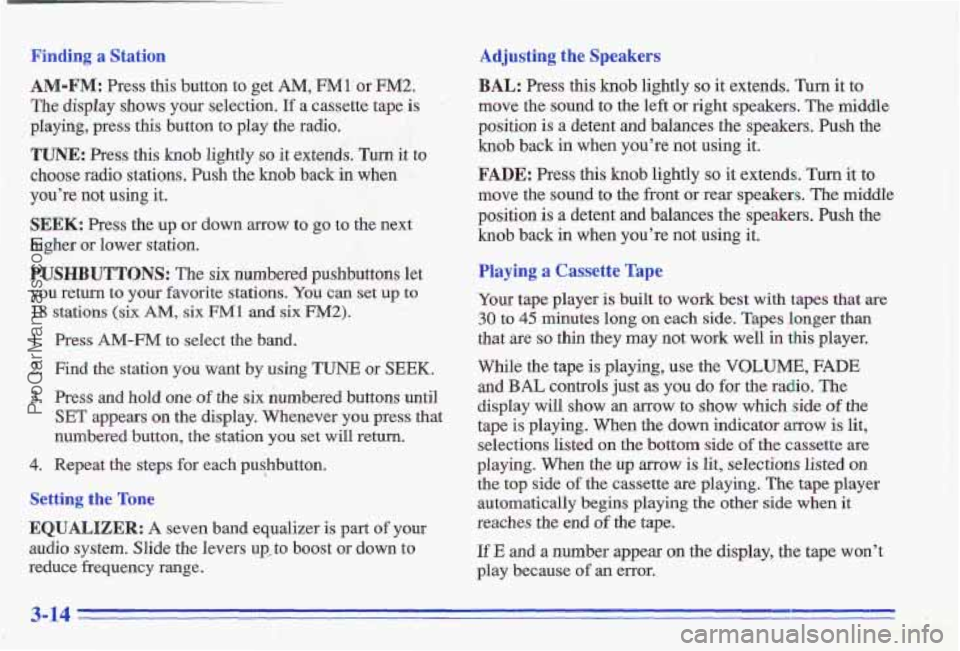
AM-FM: Press this button to get AM, FM1 or FM2.
The display shows your selection. If a cassette tape is
playing, press this button to play the radio.
TUNE: Press this knob lightly so it extends. Turn it to
choos'e radio stations. Push the
knob back in when
you're not using it.
SEEK: Press the up or down arrow to go to the next
higher
or lower station.
PUSHBUTTONS: The six numbered pushbuttons let
you return to your favorite
stations. You can set up to
18 stations (six AM, six FMl and six FM2).
1. Press AM-FM to select the band.
2. Find the station you want by using TUNE or SEEK.
3. Press and hold one of the six numbered buttons until
'SET appears on the display. Whenever you press that
numbered.
button, the station you set will return.
4. Repeat the steps for each pushbutton.
Setting the Tone
EQUALIZER: A. seven band equalizer is part of your
audio system. Slide the levers up, to boost or down
to
reduce frequency range.
BAL: Press this knob lightly so it extends. Turn it to
move the sound to the left or right speakers.
The middle
position is a detent and balances the speakers. Push the
knob back in when you're not using it. .. ' .. . :-, ., ,I .I . . ' . -. I.,
FADE: Press this knob lightly so it extends. Turn it to
move the sound to the front or rear speakers. The middle
position
is a detent and balances the speakers. Push the
knob back in when you're not using it.
Playing a Cassette Tape
Your tape player is built to work best with tapes that are
30 to 45 minutes long on each side. Tapes longer than
that are
so thin they may not work well in this player.
While the tape
is playing, use the VOLUME, FADE
and BAL controls just as you do for the radio. The
display
will show an arrow to show which side of the
tape is playing. When the down indicator
arrow is lit,
selections listed
on the bottom side of the cassette are
playing. When the
up arrow is lit, selections listed on
the top side of the cassette are playing. The tape player
automatically begins playing
the other side when it
reaches the end of the tape.
If E and a number appear on the display, the tape won't
play because
of an error.
3-14
ProCarManuals.com
Page 139 of 356
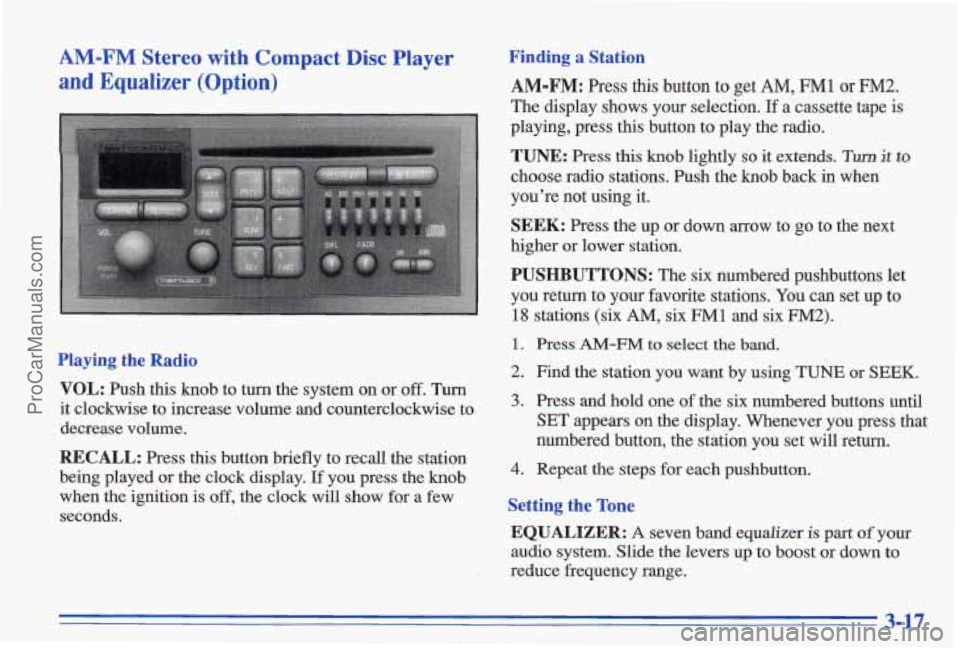
AM-FM Stereo with Compact Disc Player
and Equalizer (Option)
Playing the Radio
VOL: Push this knob to turn the system on or off. Turn
it clockwise to increase volume and counterclockwise to
decrease volume.
RECALL: Press this button briefly to recall the station
being played or the clock display.
If you press the knob
when the ignition is off, the clock will show for a few
seconds.
Finding a Station
AM-FM: Press this button to get AM, FM1 or FM2.
The display shows your selection. If a cassette tape is
playing, press this button
to play the radio.
TUNE: Press this knob lightly so it extends. Turn it to
choose radio stations. Push the knob back in when
you’re not using it.
SEEK: Press the up or down arrow to go to the next
higher or lower station.
PUSHBUTTONS: The six numbered pushbuttons let
you return to your favorite stations.
You can set up to
18 stations (six AM, six FM1 and six FM2).
1. Press AM-FM to select the band.
2. Find the station you want by using TUNE or SEEK.
3. Press and hold one of the six numbered buttons until
SET appears on the display. Whenever you press that
numbered button, the station you set will return.
4. Repeat the steps for each pushbutton.
Setting the Tone
EQUALIZER: A seven band equalizer is part of your
audio system. Slide the levers up to boost or down to
reduce frequency range.
3-17
ProCarManuals.com
Page 140 of 356
Adjusting the Speakers
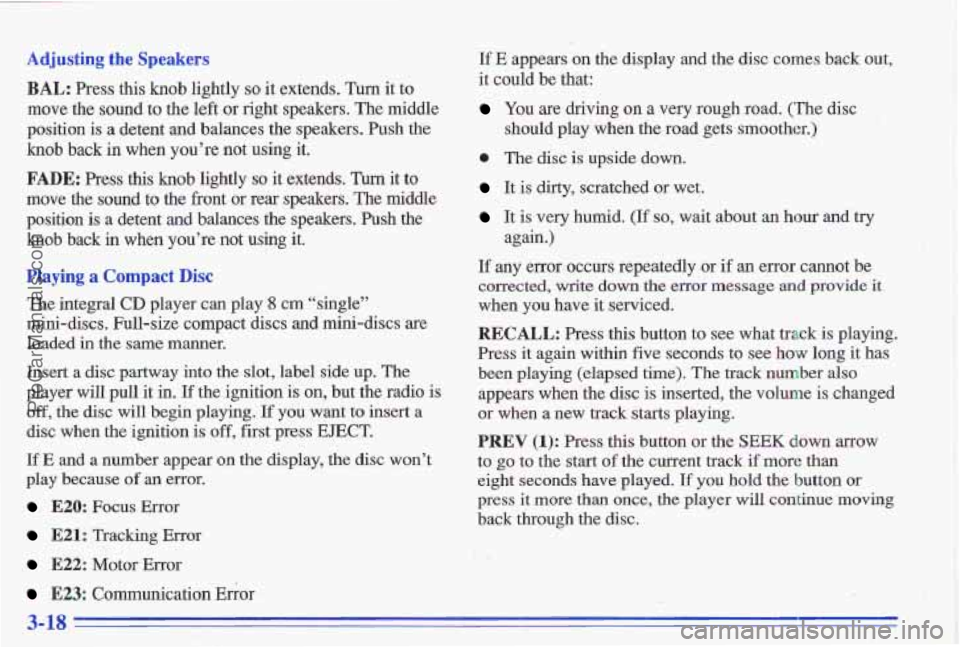
BAL: Press this knob lightly so it extends. Turn it to
move the sound to the left or right speakers. The middle
position is
a detent and balances the speakers. Push the
knob back
in when you’re not using it,
FADE: Press this knob lightly so it extends. Turn it to
move the sound to the front or rear speakers. The middle
position
is a detent and balances the speakers. Push the
knob back in when you’re not using it.
Playing a Compact Disc
The integral CD player can play ,8 cm “single”
mini-’discs. Full-size compact discs
and mini-discs are
loaded
in the same manner.
Insert a disc partway into the slot, label side
up. The
. _. player will pull it in. If the ignition is on, but the radio is
’ ,- off, the disc will begin playing. If you want to insert a
.. I
I: disc when the ignition is off, first press EJECT.
If E and a number appear on the display, the disc won’t
play because
of an error.
E20: Focus Error
E21: Tracking Error
E22: Motor Error
E23: Communication Ehor
If E appears on the display and the disc comes back out,
it could be that:
You are driving on a very rough road. (The disc
0 The disc is upside down.
It is dirty, scratched or wet.
It is very humid. (If so, wait about an hour and try
If any error occurs repeatedly or if an error cannot be
corrected, write down
the error message and provide it
when you have it serviced.
RECALL: Press this button to see what track is playing.
Press it again within five seconds to see how long it has
been playing (elapsed
time), The track number also
appears when the disc is inserted, the volume is changed
or when
a new track starts playing.
PREV (1): Press this button os the SEEK down arrow
to
go to the start of the current track if more than
eight seconds have played. If you hold the button or
press it more than once, the player will continue moving
back through the disc.
should play when the
road gets smoother.)
again.)
3-18
ProCarManuals.com
Page 141 of 356
NEXT (2): Press this button or the SEEK up arrow to
go to the start of the next track if more than eight
seconds have played.
If you hold the button or press it
more than once, the player will continue moving
forward through the disc.
RDM (3): Press this button to hear the tracks in a.
. random order. It will change discs and tracks in a
random, rather than sequential order. Press RDM again to turn off random play. The radio will play during
,this
operation.
passage quickly. Release it to play the passage. You will
hear sound at
a reduced volume. The display will show
elapsed time.
FWD (6): Press and hold this button to advance to a
passage quickly. You will hear sound at a reduced
volume. The display will show elapsed time.
AM-FM: Press this button to play the radio when a disc
is playing. The disc will stop but remain
in the player.
CD/PLAY: Press this button to change to the disc
function when the radio is on.
EJECT Press this button to remove the disc or stop the
disc and switch to the radio. EJECT will work with the
radio
off.
~ REV (5): Press and hold this button to return to a .. .- 1.
.. - , . : .... .... .... .: I . . ,. ' ' ..... ... . , ~ .... ... .. ... , z . : ,, i ,*... : ~ ': .. .. I
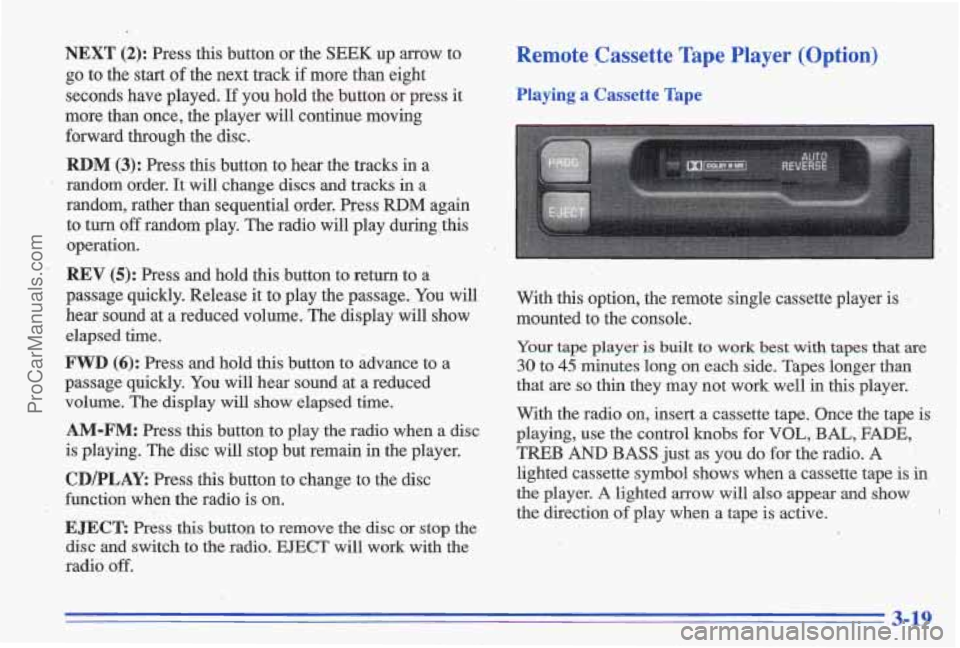
Remote Cassette Tape
Playing a Cassette Tape
Player (Option)
Your tape player is built to work best with tapes that are
30 to 45 minutes long on each side. Tapes longer than
that are
so thin they may not work well in this player.
With the radio on, insert a cassette tape. Once the tape is
playing, use the control knobs for
VOL, BAL, FADE,
TREB AND BASS just as you do for the radio. A
lighted cassette symbol shows when a cassette tape is in
the player. A lighted arrow will also appear and show
the direction of play when a- tape is active.
. ~
,'
3-19
ProCarManuals.com
Page 147 of 356
Care of Your Cassette Tape Player
A tape player that is not cleaned regularly can cause
reduced sound quality, ruined cassettes or a damaged
mechanism. Cassette tapes should be stored in their
cases away from contaminants, direct sunlight and
extreme heat.
If they aren’t, they may not operate
properly or may cause failure
of the tape player.
Your tape player should be cleaned regularly after every
50 hours of use. Your radio may display CLN to indicate
that you have used your tape player for
50 hours without
resetting the tape clean timer. If you notice a reduction in sound quality,
try a known good cassette to see if the tape
or the tape player is at fault. If this other cassette has no
improvement
in sound quality, clean the tape player.
Cleaning may
be done with a scrubbing action,
non-abrasive cleaning cassette with pads which scrub
the tape head
as the hubs of the cleaner cassette turn.
Follow these steps to prevent the cassette from being
ejected due to the CUT TAPE DETECTION feature:
1. Turn the radio off and the ignition on.
2. Press and hold the TAPEPLAY button for three
3. Insert the cleaner cassette.
The radio will default back
to CUT TAPE DETECTION
when the cleaner cassette is ejected.
seconds (tape indicator will flash
for two seconds).
You may also choose a non-scrubbing action, wet-type
cleaner which uses a cassette with a fabric belt to clean
the tape head.
It may not clean as thoroughly as the
scrubbing type cleaner.
Cassettes
are subject to wear and the sound quality may
degrade over time. Always make sure that the cassette
tape is
in good condition before you have your tape player serviced.
Care of Your Compact Discs
Handle discs carefully. Store them in their original cases
or other protective cases and away from direct sunlight
and dust.
If the surface of a disc is soiled, dampen a
clean, soft cloth in a mild, neutral detergent solution and
clean it, wiping from the center to the edge.
Be sure never to touch
the signal surface when handling
discs.
Pick up discs by grasping the outer edges or the
edge of the hole and the outer edge.
Fixed Mast Antenna
The fixed mast antenna cb withstand most car washes
without being damaged.
If the mast should ever become
slightly bent, you can straighten it out by hand.
If the mast is
badly bent, as it might be by vandals, you should replace it.
Check every once
in a while to be sure the mast is still
tightened to the fender.
3-25
ProCarManuals.com