warning light PONTIAC GRAND AM 2003 Owners Manual
[x] Cancel search | Manufacturer: PONTIAC, Model Year: 2003, Model line: GRAND AM, Model: PONTIAC GRAND AM 2003Pages: 354, PDF Size: 16.3 MB
Page 2 of 354
The 2003 Pontiac Grand Am Owner Manual
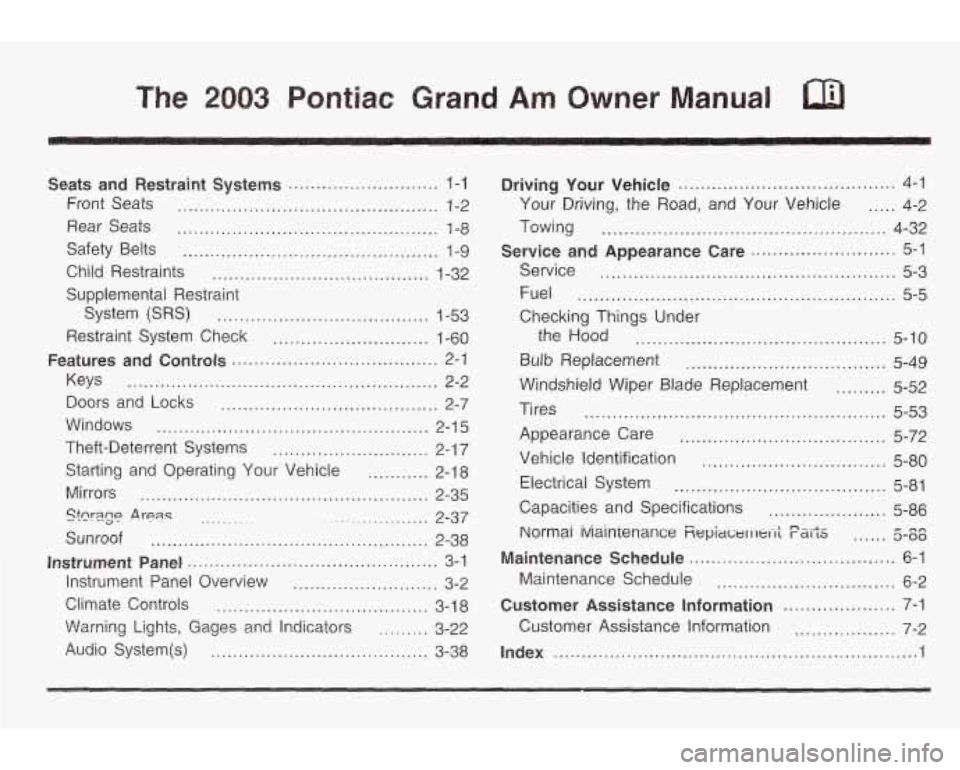
Seats and Restraint Systems ........................... 1-1
Front Seats ............................................... 1-2
Rear Seats ............................................... 1-8
Safety Belts .............................................. 1-9
Child Restraints ....................................... 1-32
Supplemental Restraint
System
(SRS) ...................................... 1-53
Restraint System Check ............................ 1-60
Keys ........................................................ 2-2
Doors and Locks ....................................... 2-7
Theft-Deterrent Systems ............................ 2-1 7
Starting and Operating Your Vehicle ........... 2-18
Mirrors .................................................... 2-35
Sunroof .................................................. 2-38
Instrument Panel Overview .......................... 3-2
Climate Controls ...................................... 3-1 8
\Warning Lights, Gages a.nd Indicators ......... 3-22
Audio System@) ....................................... 3-38
Features and Controls ..................................... 2-1
Windows ................................................. 2-1 5
Stcr3.g~ .A rean ~ ................... 2-37 ..........
Instrument Panel ............................................. 3-1
Driving Your Vehicle ....................................... 4-1
Your Driving, the Road, and Your Vehicle ..... 4-2
Towing ................................................... 4-32
Service ..................................................... 5-3
Fuel ......................................................... 5-5
Checking Things Under
Service
and Appearance
Care .......................... 5-1
the Hood ............................................. 5-10
Bulb Replacement .................................... 5-49
Windshield Wiper Blade Replacement ......... 5-52
Tires ...................................................... 5-53
Appearance Care ..................................... 5-72
Vehicle Identification ................................. 5-80
Electrical System ...................................... 5-81
Capacities and Specifications ..................... 5-86
Normai iviainienance Fiepiawl I 1t.1-1; F&iJiS ...... 5-00 nn
Maintenance Schedule ..................................... 6-1
bhintenance Schedule ................................ 6-2
Customer Assistance Information .................... 7-1
Customer Assistance Information .................. 7-2
Index ............................................................... ..I
Page 5 of 354
Vehicle Damage Warnings
Also, in this book you will find these notices:
Notice: These mean there is something that could
damage your vehicle.
A notice will tell you about something that can damage
your vehicle. Many times, this damage would not be
covered by your warranty, and it could be costly. But the
notice will
tell you what to do to help avoid the
damage.
When you read other manuals, you might see
CAUTION and NOTICE warnings in different colors
or in different words.
You’ll also see warning labels on your vehicle. They use
the same words, CAUTION or
NOTICE.
Vehicle Symbols
Your vehicle may be equipped with components and
labels that use symbols instead of text. Symbols, used
on your vehicle, are shown along with the text
describing the operation or information relating
to a
specific component, control, message, gage or indicator.
If you need help figuring out a specific name of a
component, gage or indicator reference the following
topics in the Index:
0 “Engine Compartment Overview”
* “Instrument Panei Overview”
0 “Climate Controls’’
“Audio Systems”
Also see
Warning Lights, Gages and Indicators on
page
3-22.
iv
Page 88 of 354

A warning chime will sound if you open the driver’s door
when the ignition is
off and the key is in the ignition.
Notice: If your key seems stuck in OFF and
you can’t turn it, be sure you are using the correct
key; if
so, is it all the way in? Turn the key only
with your hand. Using
a tool to force it could break
the key or the ignition switch.
If none of this
works, then your vehicle needs service.
B (ACCESSORY): This position unlocks the transaxle.
It also lets you use things like the radio and windshield
wipers when the engine is not running. To use
ACCESSORY, turn the key clockwise to the first
position. Use this position
if your vehicle must be pushed
or towed, but never try to push-start your vehicle.
C (ON): This position is where the key returns to after
you start your engine and release the key. The
ignition switch stays in ON when the engine is running.
But even when the engine is not running, you can
use ON to operate your electrical accessories and to
display some instrument panel warning lights.
Retained Accessory Power (RAP)
Your vehicle is equipped with a Retained Accessory
Power (RAP) feature which will allow the radio to
continue to work up to
10 minutes after the ignition is
turned to
OFF.
Your radio will work when the ignition key is in ON or
ACCESSORY. Once the key is turned from ON to
OFF,
the radio will continue to work up to 10 minutes or
until the driver’s door is opened.
Starting Your Engine
Automatic Transaxle
Move your shift lever to PARK (P) or NEUTRAL (N).
Your engine won’t start in any other position
- that’s a
safety feature. To restart when you’re already moving,
use NEUTRAL (N) only.
Notice: Don’t try to shift to PARK (P) if your
vehicle
is moving. If you do, you could damage the
transaxie.
shift to PARK (Pj oniy when your
vehicle
is stopped.
D (START): This position starts the engine. When the
engine starts, release the key. The ignition switch
will return to ON for normal driving.
2-1 9
Page 98 of 354
Parking Brake
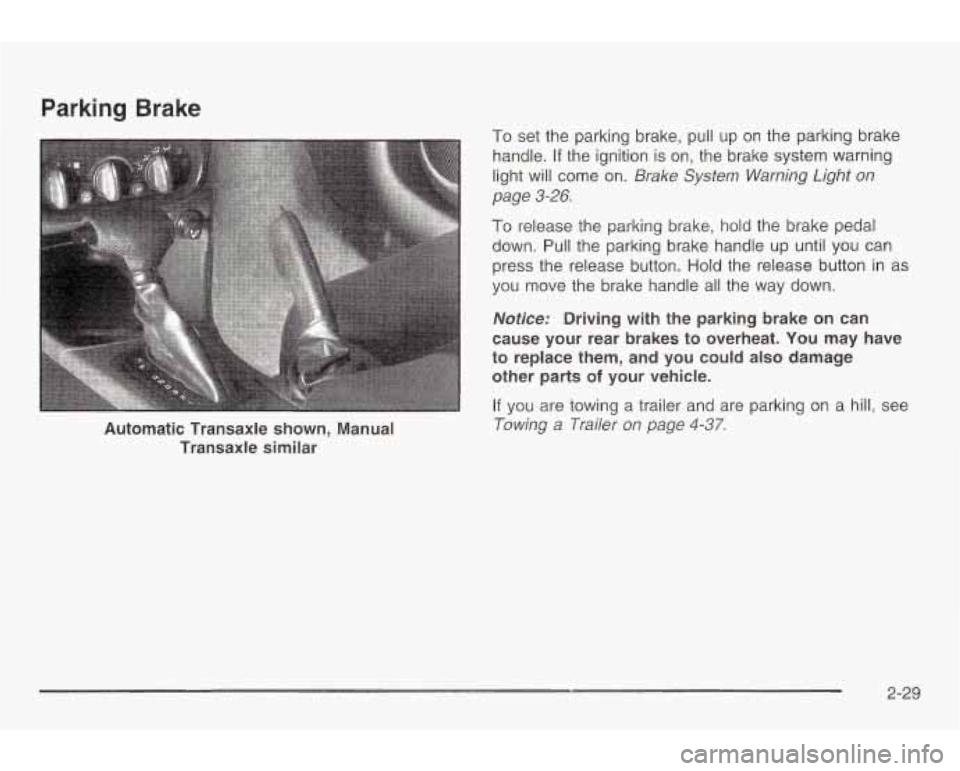
Automatic Transaxle shown, Manual Transaxle similar
To set the parking brake, pull up on the parking brake
handle.
If the ignition is on, the brake system warning
light will come on.
Brake System Warning Light on
page
3-26.
To release the parking brake, hold the brake pedal
down. Pull the parking brake handle up until you can
press the release button. Hold the release button in as
you move the brake handle all the way down.
Nofice: Driving with the parking brake on can
cause your rear brakes to overheat. You may have
to replace them, and you could also damage
other parts
of your vehicle.
If you are towing a trailer and are parking on a hill, see
Towing a Trailer on page 4-37.
2-29
Page 108 of 354
Section 3 Instrument Panel
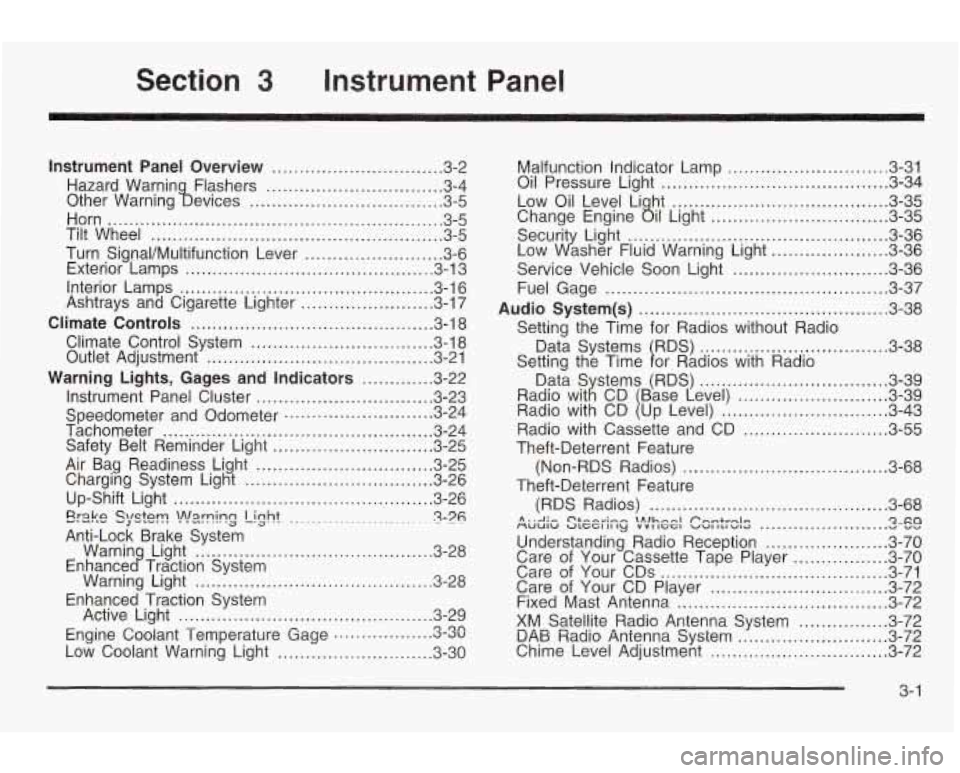
Instrument Panel Overview ............................... 3.2
Hazard Warnin Flashers
................................ 3.4
Other Warning !bevices
................................... 3.5
Horn
............................................................. 3.5
Tilt Wheel
..................................................... 3.5
Turn Signal/Multifunction Lever
......................... 3.6
Exterior Lamps
............................................. 3.13
Interior Lamps
.............................................. 3.16
Ashtrays and Cigarette Lighter
........................ 3.17
Climate Controls
............................................ 3.18
Climate Control System
................................. 3.18
Outlet Adjustment
......................................... 3.21
Warning Lights, Gages and Indicators
............. 3-22
Instrument Panel Cluster
................................ 3.23
Speedometer and Odometer
........................... 3.24
Tachometer
................................................. 3.24
Safety Belt Reminder Light
............................. 3.25
Air Bag Readiness Light ................................ 3.25
Charging System Light
.................................. 3.26
Up-Shift Light
............................................... 3.26
Erake QlQtT! -J -.-. !n!=lrning Light ........................ ~ 3-76 .
Warnin Light ........................................... 3-28
Warning Light
........................................... 3.28
Active Light
.............................................. 3.29
Low Coolant Warning Light
............................ 3.30
Anti-Lock
Brake System
Enhance
c? Traction System
Enhanced Traction System
Engine Coolant Temperature Gage
3.3~ rl on ..................
Malfunction Indicator Lamp ............................. 3.31
Oil Pressure Light
......................................... 3.34
Low Oil Level Li ht
....................................... 3.35
Securit Light:
............................................... 3-36
Service Vehicle Soon Light
............................ 3-36
Fuel Gage
................................................... 3-37
Audio System(s)
............................................. 3-38
Data Systems RDS)
.................................. 3-38
Change Engine
ail Light ................................ 3-35
Low dsher Fluid Warning Light
..................... 3-36
Setting the Time for Radios without Radio
Setting the Time
1 or Radios with Radio 3-39
........................... 3-39
.............................. 3-43
Radio with Cassette and CD
.......................... 3-55
Theft-Deterrent Feature
Theft-Deterrent Feature (Non-RDS Radios)
..................................... 3-68
(RDS Radios)
........................................... 3-68
MUUIW ULCCI II ly VVI IGGI VU1 ILI WIG v vv A . .A .- C'&-A~;~~ \Alhnnl Pnmtrnlrr Qxa .......................
Understanding Radio Reception ...................... 3-70
Care of Your Cassette Tape Player
................. 3-70
Care of Your CDs ......................................... 3-71
Care of Your CD Player
................................ 3-72
Fixed Mast Antenna ...................................... 3-72
XM Satellite Radio Antenna System
................ 3-72
DAB Radio Antenna System 3-11 Chime Level Adjustment ................................ 3-72
n Tn ...........................
3- 1
Page 110 of 354
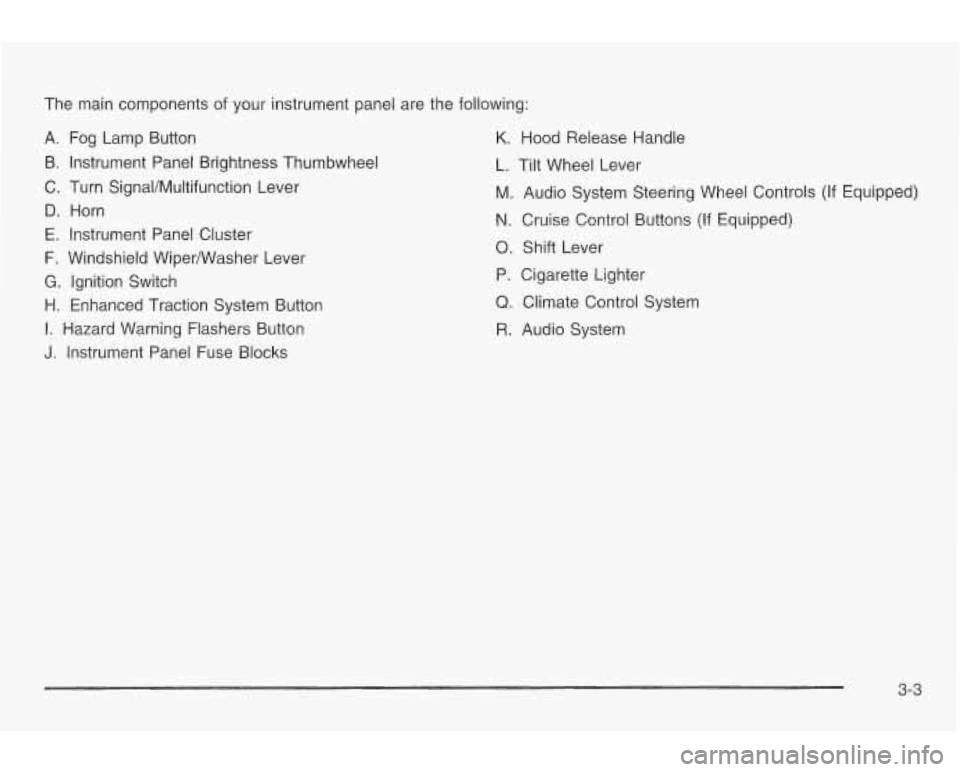
The main components of your instrument panel are the following:
A. Fog Lamp Button
B. Instrument Panel Brightness Thumbwheel
C. Turn SignaVMultifunction Lever
D. Horn
E. Instrument Panel Cluster
F. Windshield WiperNVasher Lever
G. Ignition Switch
H. Enhanced Traction System Button
I. Hazard Warning Flashers Button
J. Instrument Panel Fuse Blocks
K. Hood Release Handle
L. Tilt Wheel Lever
M. Audio System Steering Wheel Controls (If Equipped)
N. Cruise Control Buttons (If Equipped)
0. Shift Lever
P. Cigarette Lighter
Q. Climate Control System
R. Audio System
3-3
Page 114 of 354
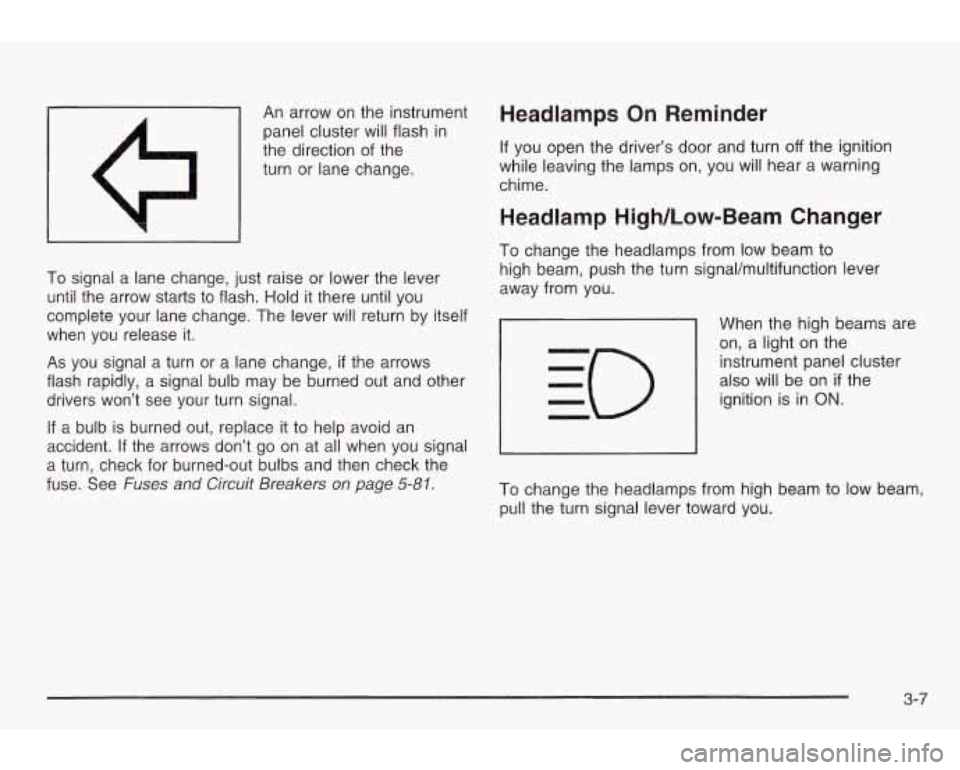
An arrow on the instrument
panel cluster will flash in
the direction of the
turn or lane change. Headlamps On Reminder
If you open the driver’s door and turn off the ignition
while leaving the lamps on, you will hear a warning
chime.
Weadlamp High/low-Beam Changer
~~ ~~~
To signal a lane change, just raise or lower the lever
until the arrow starts to flash.
Hold it there until you
complete your lane change. The lever will return by itself
when you release it.
As you signal a turn or a lane change, if the arrows
flash rapidly, a signal bulb may be burned out and other
drivers won’t see your turn signal.
If a bulb is burned out, replace it to help avoid an
accident.
If the arrows don’t go on at all when you signal
a turn, check for burned-out bulbs and then check the
fuse. See
Fuses and Circuit Breakers on page 5-81.
To change the headlamps from low beam to
high beam, push the turn signaVmultifunction lever
away from you.
When the high beams are
on, a light on the
instrument panel cluster
also will be on
if the
ignition is in
ON.
To change the headlamps from high beam to low beam,
pull the turn signal lever toward you.
3-7
Page 117 of 354
The cruise control will turn off if any of the following
occur:
The brakes are applied,
the clutch pedal is applied (manual transaxle),
the automatic transaxle is shifted to NEUTRAL (N),
the parking brake is applied, or
e the brake system warning light is on. If your vehicle
is in cruise control when the enhanced
traction control system,
if your vehicle has this feature,
begins
to limit wheel spin, the cruise control will
automatically disengage. See Enhanced Traction
System
(€E) on page 4-9. When road conditions allow
you to safely use it again, you may turn the cruise
control back
on.
Setting Cruise Control
Cruise control can be dangerous where
you can’t drive safely at a steady speed.
So, don’t use your cruise control on
winding roads
or in heavy traffic.
Cruise control can be dangerous on
slippery roads. On such roads, fast
changes
in tire traction can cause
needless wheel spinning, and you could
lose control. Don’t use cruise control on
slippery roads.
If you leave your cruise control on when yc re
not using cruise, you might hit a button and go
into cruise when you don’t want to. You could
be startled and even lose control. Keep the
cruise control switch
off until you want to use
cruise control.
1, Press cruise ON OFF. An indicator light will come
2. Get up to the speed you want.
3. Press the SET COAST button and release it.
4. Take your foot off the accelerator pedal.
on when ON OFF is pressed.
3-1 0
Page 129 of 354
Warning Lights, Gages and Indicators
This part describes the warning lights and gages that
may be on your vehicle. The pictures will help you
locate them.
Warning lights and gages can signal that something is
wrong before it becomes serious enough to cause an expensive repair or replacement. Paying attention to
your warning lights and gages could also save you
or others from injury.
Warning lights come on when there may be or is a
problem with one of your vehicle’s functions.
As you will
see in the details on the next few pages, some
warning lights come on briefly when you start the engine just to let you
know they’re working. If you are
familiar with this section, you should not be alarmed
when this happens.
Gages can indicate when there may be or
is a problem
with one of your vehicle’s functions. Often gages
and warning lights work together to let you know when
there’s a problem with your vehicle.
When one of the warning lights comes on and stays
on
when you are driving, or when one of the gages
shows there may be a problem, check the section that
tells you what to
do about it. Please follow this
manual’s advice. Waiting
to do repairs can be
costly
- and even dangerous. So please get to know
your warning lights and gages. They’re a big help.
3-22
Page 130 of 354
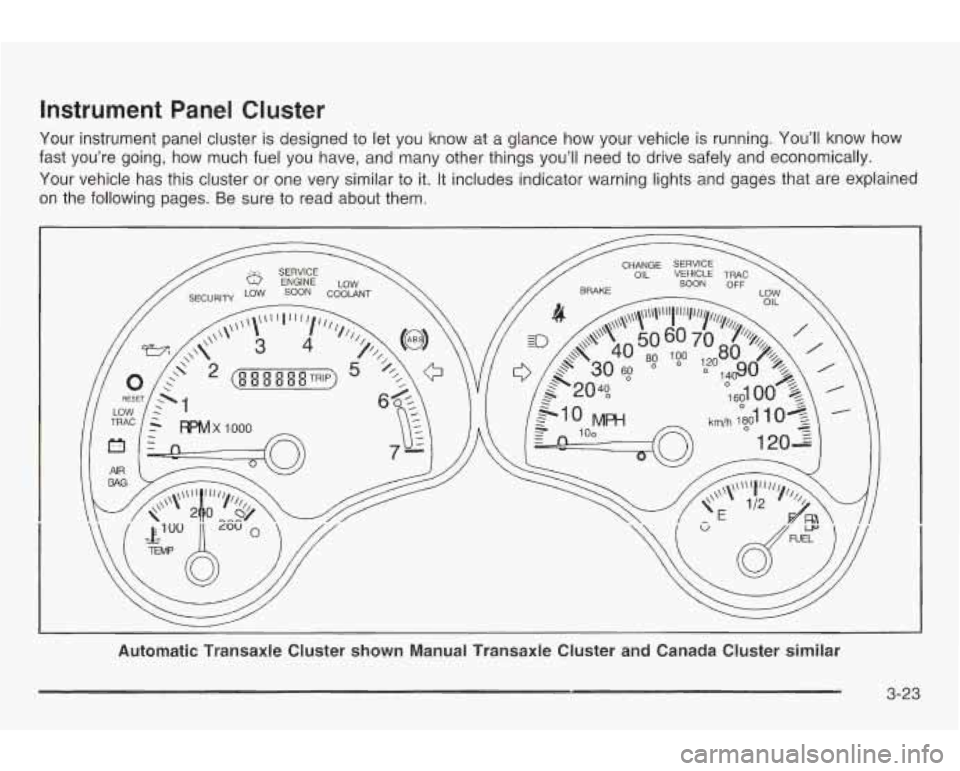
Instrument Panel Cluster
Your instrument panel cluster is designed to let you know at a glance how your vehicle is running. You’ll know how
fast you’re going, how much fuel you have, and many other things you’ll need
to drive safely and economically.
Your vehicle has this cluster
or one very similar to it. It includes indicator warning lights and gages that are explained
on the following pages. Be sure to read about them.
3-23