reset PONTIAC GRAND-PRIX 1993 User Guide
[x] Cancel search | Manufacturer: PONTIAC, Model Year: 1993, Model line: GRAND-PRIX, Model: PONTIAC GRAND-PRIX 1993Pages: 338, PDF Size: 17.3 MB
Page 125 of 338
Comfo'rt Controls & Audio Systems
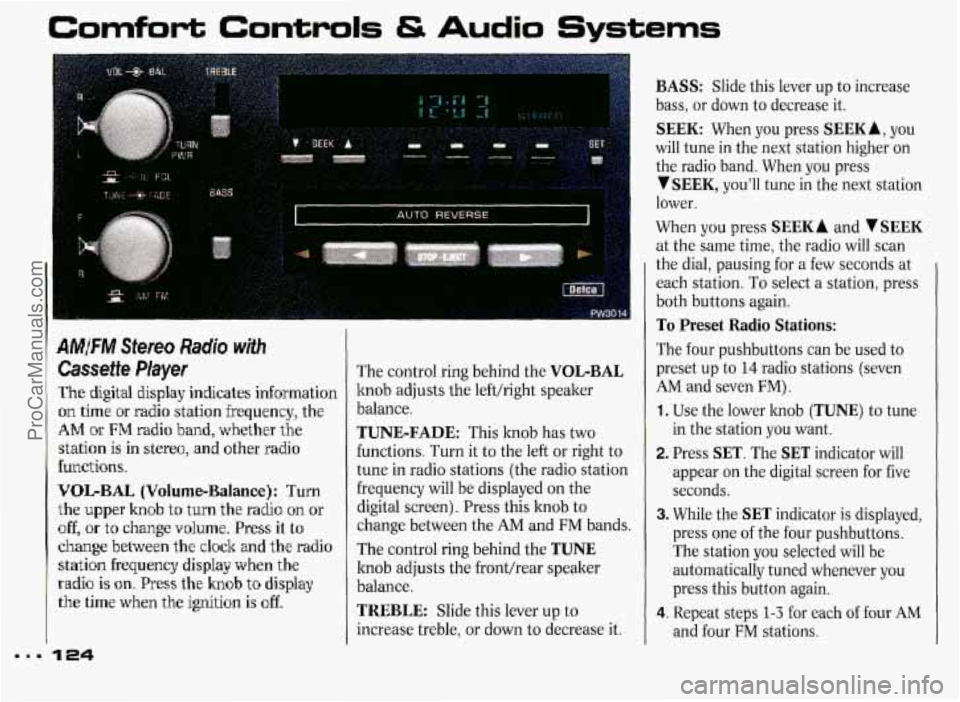
AMFM Stereo Radio with
Cassette Player
The digital display indicates information
on time or radio station frequency, the
AM ~k FM radio band, whether the
station
is in stereo, and other radio
functions.
V'OIL-BAL (Volume-Balance): Turn
the upper knob
to turn the radio on or
off, or to change volume. Press it to
change between the clock and the radio
statbn frequency display when the
radio is on. Press the knob to display
the time when the ignition is off.
The control ring behind the VOL-BAL
knob adjusts the lefthight speaker
balance.
TUNE-FADE: This knob has two
functions. Turn it to the left or right to
tune in radio stations (the radio station
frequency will be displayed on the
digital screen). Press this knob to
change between the
AM and FM bands.
The control ring behind the
TUNE
knob adjusts the fronthear speaker
balance.
TREBLE: Slide this lever up to
increase treble, or down to decrease it.
BASS: Slide this lever up to increase
bass, or down to decrease it.
SEEK: When you press SEEKA, you
will tune in the next station higher on
the radio band. When you press
YSEEK, you'll tune in the next station
lower.
When you press
SEEK A and V SEEK
at the same time, the radio will scan
the dial, pausing for a few seconds
at
each station. To select a station, press
both buttons again.
To Preset Radio Stations:
The four pushbuttons can be used to
preset up to
14 radio stations (seven
AM and seven FM).
1. Use the lower knob (TUNE) to tune
in the station you want.
2. Press SET. The SET indicator will
appear
on the digital screen for five
seconds.
3. While the SET indicator is displayed,
press one of the four pushbuttons.
The station you selected will be
automatically tuned whenever you
press this button again.
4. Repeat steps 1-3 for each of four AM
and four FM stations.
ProCarManuals.com
Page 126 of 338
Up to three additional stations on each
band may be preset
by “pairing”
pushbuttons:
1. Tune in the desired station.
2. Press SET, and within five seconds
press any two adjacent pushbuttons
at the same time.
3. The station can be tuned in when the
same
two pushbuttons are pressed at
the same time.
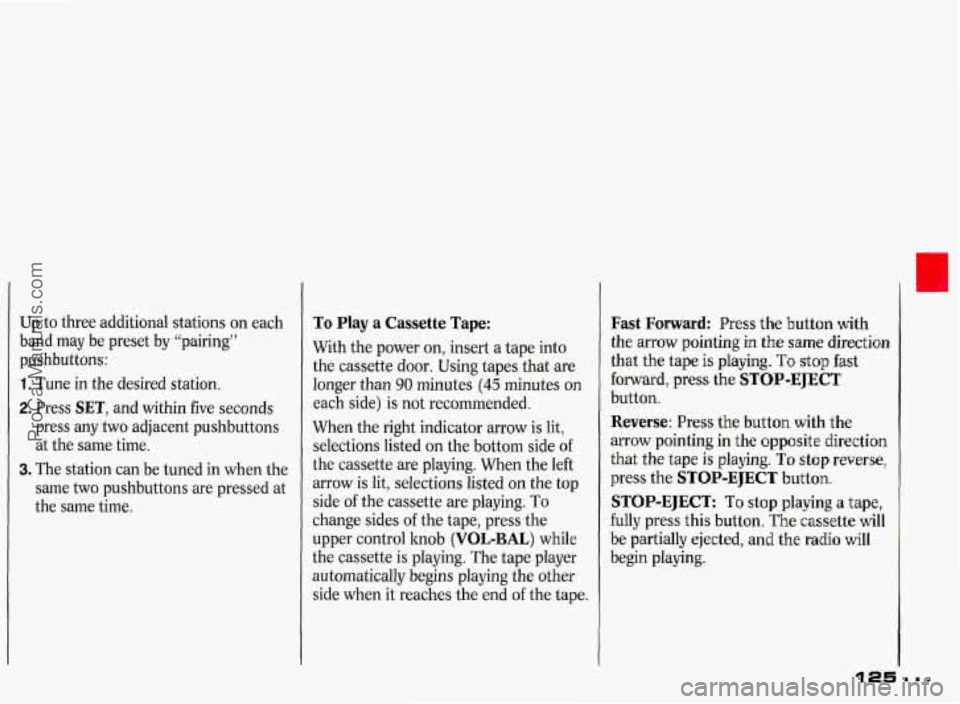
To Play a Cassette Tape:
With the power on, insert a tape into
the cassette door. Using tapes that are
longer than
90 minutes (45 minutes on
each side) is not recommended.
When the right indicator arrow is lit,
selections listed
on the bottom side of
the cassette are playing. When the left
arrow is lit, selections listed
on the top
side of the cassette are playing.
To
change sides of the tape, press the
upper control hob
(VOL-BAL) while
the cassette is playing. The tape player
automatically begins playing the other
side when it reaches the end
of the tape.
Fast Forward: Press the button with
the arrow pointing in the
same direction
that the tape
is playing. To stop fast
forward, press the
STOP-EJECT
button.
Reverse: Press the button with the
arrow pointing in the opposite direction
that the tape
is playing. To stop reverse,
press the
STOP-EJECT button.
STOP-EJECT: To stop playing a tape,
fully press this button.
The cassette will
be partially ejected, and the ra’dio
will
begin playing.
ProCarManuals.com
Page 128 of 338
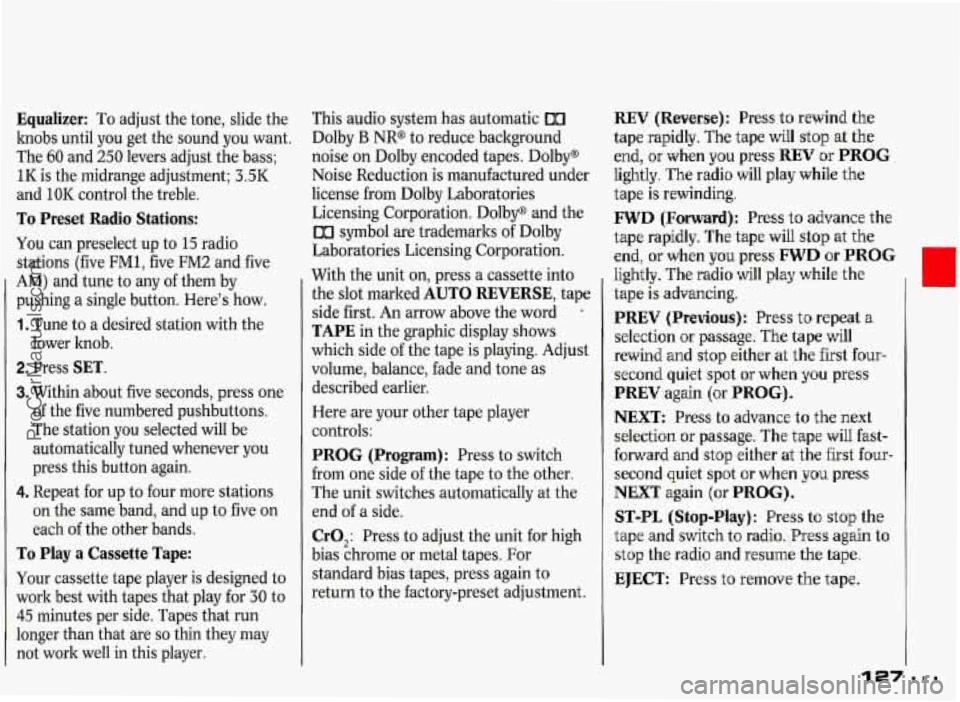
Equalizer: To adjust the tone, slide the
knobs until you get the sound you want.
The
60 and 250 levers adjust the bass;
1I< is the midrange adjustment; 3.5K
and
10K control the treble.
To Preset Radio Stations:
You can preselect up to 15 radio
stations (five
FM1, five FM2 and five
AM) and tune to any of them by
pushing a single button. Here's how.
1. Tune to a desired station with the
lower hob.
2. Press SET.
3. Within about five seconds, press one
of the five numbered pushbuttons.
The station you selected will be
automatically tuned whenever you
press this button again.
4. Repeat for up to four more stations
on the same band, and up to five on
each of the other bands.
To Play a Cassette Tape:
Your cassette tape player is designed to
work best with tapes that play for 30 to
45 minutes per side. Tapes that run
longer than that are
so thin they may
not work well in this player. This
audio system has automatic
00
Dolby B NR@ to reduce background
noise on Dolby encoded tapes. Dolby@
Noise Reduction is manufactured under
license from Dolby Laboratories
Licensing Corporation. Dolby@ and the
00 symbol are trademarks of Dolby
Laboratories Licensing Corporation.
With the unit on, press a cassette into
the slot marked
AUTO REVERSE, tape
side first. An arrow above the word
*
TAPE in the graphic display shows
which side of the tape is playing. Adjust
volume, balance, fade and tone as
described earlier.
Here are your other tape player
controls:
PROG (Program): Press to switch
from one side of the tape to the other.
The unit switches automatically at the
end
of a side.
CrO,: Press to adjust the unit for high
bias chrome or metal tapes. For
standard bias tapes, press again to
return to the factory-preset adjustment.
REV (Reverse): Press to rewind the
tape rapidly. The tape will stop at
the
end, or when you press REV or PROG
lightly. The radio will play while the
tape is rewinding.
FWD (Forward): Press to advance the
tape rapidly. The tape will
stop at the
end, or when you press FWD or PROG
lightly. The radio will play while the
tape is advancing.
PREV (Previous): Press to repeat a
selection or passage.
The tape will
rewind and stop either at the first
four-
second quiet spot or when you press
PREV again {or PROG) .
NEXT: Press to advance to the next
selection or passage. The tape will fast-
forward and stop either at the first
four-
second quiet spot or when you press
NEXT again (or PROG).
ST-PL (Stop-Play): Press to stop the
tape and switch to radio.
Press again to
stop the radio and resume the tape.
EJECT: Press to remove the tape.
127 .=I
ProCarManuals.com
Page 129 of 338
Comfort Controls & Audio Systems
I
.
Player
The digital display indicates information
on time or radio station frequency, the
AM or FM radio band, whether the
station
is in stereo, and other radio
functions.
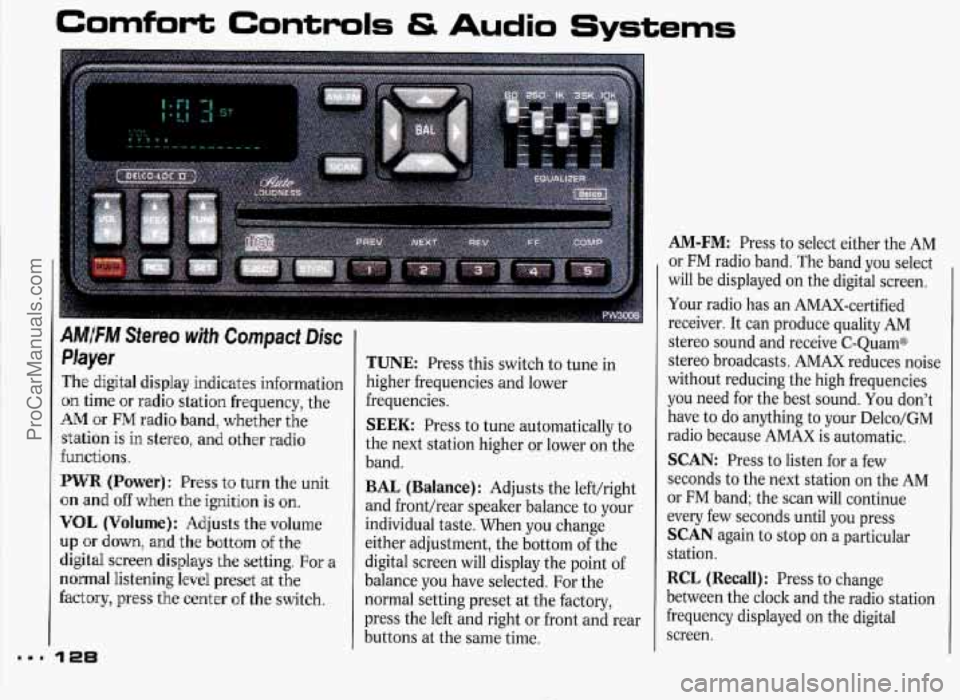
PWR (Power): Press t'o turn the unit
on and
off when the ignition is on.
VOL (Volume}: Adjusts the volume
up or down, and the bottom of the
digital screen displays the setting.
For a
normal listening level preset at the
factory, press the center of the switch.
128
TUNE: Press this switch to tune in
higher frequencies and lower
frequencies.
SEEK: Press to tune automatically to
the next station higher or lower
on the
band.
BAL (Balance): Adjusts the left/right
and front/rear speaker balance to your
individual taste. When you change
either adjustment, the bottom of the
digital screen will display the point of
balance you have selected. For the
normal setting preset at the factory,
press the left and right or front and rear
buttons at the same time.
AM-FM: Press to select either the AM
or FM radio band. The band you select
will be displayed on the digital screen.
Your radio has an AMAX-certified
receiver. It can produce quality AM
stereo sound and receive C-QuamB
stereo broadcasts. AMAX reduces noise
without reducing the high frequencies
you need for the best sound. You don't
have to do anything to your Delco/GM
radio because AMAX is automatic.
SCAN: Press to listen for a few
seconds to the next station on the AM
or FM band; the scan will continue
every few seconds until you press
SCAN again to stop on a particular
station.
RCL (Recall): Press to change
between the clock and the radio station
frequency displayed on the digital
screen.
ProCarManuals.com
Page 130 of 338
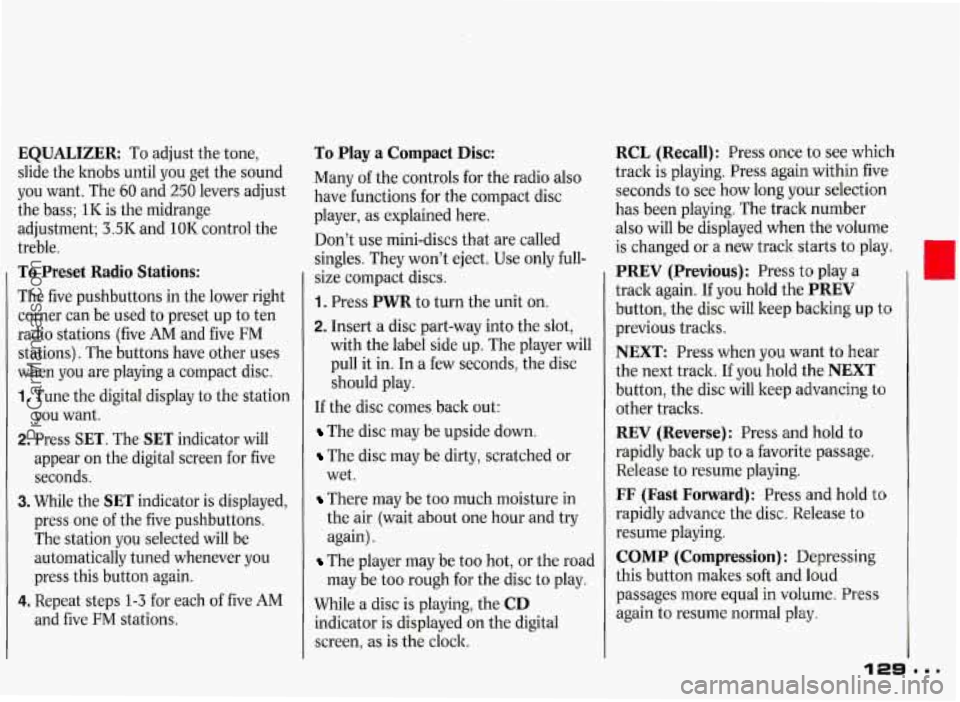
EQUALIZER: To adjust the tone,
slide the knobs until you get the sound
you want. The
60 and 250 levers adjust
the bass; 1IC is the midrange
adjustment; 3.5IC and
1OIC control the
treble.
To Preset Radio Stations:
The five pushbuttons in the lower right
corner can be used to preset up to ten
radio stations (five AM and five FM
stations). The buttons have other uses
when you are playing a compact disc.
1. Tune the digital display to the station
2. Press SET. The SET indicator will
you
want.
appear on the digital screen for five
seconds.
3. While the SET indicator is displayed,
press one of the five pushbuttons.
The station you selected will be
automatically tuned whenever you
press this button again.
4. Repeat steps 1-3 for each of five AM
and five FM stations.
To Play a Compact Disc:
Many of the controls for the radio also
have functions for the compact disc
player, as explained here.
Don’t use mini-discs that are called
singles. They won’t eject. Use only full-
size compact discs.
1. Press PWR to turn the unit on.
2. Insert a disc part-way into the slot,
with the label side up. The player will
pull it in. In a few seconds, the disc
should play.
If the disc comes back out:
The disc may be upside down.
The disc may be dirty, scratched or
wet.
There may be too much moisture in
the air (wait about one hour and try
again).
The player may be too hot, or the road
may be too rough for the disc to play.
While a disc is playing, the
CD
indicator is displayed on the digital
screen, as is the clock.
RCL (Recall): Press once to see which
track is playing. Press again within five
seconds to see how long your selection
has been playing. The track number
also will be displayed when the volume
is changed
or a new track starts to play.
PREV (Previous): Press to play a
track again. If you hold the
PREV
button, the disc will keep backing up to
previous tracks.
NEXT: Press when you want to hear
the next track. If you hold the
NEXT
button, the disc will keep advancing to
other tracks.
REV (Reverse) : Press and hold to
rapidly back up to a favorite passage.
Release to resume playing.
FF (Fast Forward): Press and hold to
rapidly advance the disc. Release to
resume playing.
COMP (Compression) : Depressing
this button makes soft and loud
passages more equal in volume. Press
again to resume normal play.
0
ProCarManuals.com
Page 132 of 338
To Disable the Anti-Theft System:
Enter your secret code by following
these steps (you will have only
15
seconds between each step).
1. Turn the ignition on and the radio
off, then press the PREV and FF
buttons of the station presets. SEC
will appear, showing the radio is
secure.
2. Press SET and 000 appears on the
display.
3. Depress SEEK until the first digit of
your secret code appears.
4. Depress SCAN until the second and
third digits of your code appear.
5. Press AM-FM (000 will appear on
the display).
6. Depress SEEK until the fourth digit
of your code appears.
7. Depress SCAN until the fifth and
sixth digits
of your code appear.
8. Press AM-FM. If the display shows
will play again. If the display shows
SEC, the steps were not successful
and the numbers did not match the
secret code.
If you lose or forget your code, see your
dealer.
If
you lose battery power, when the
battery
is reconnected, the radio will
not turn on and LOC will appear.
Follow steps 1-8 for disabling your
system, but the time will appear if
you
are successful. If SEC appears, the
numbers did not match and your unit is
still locked.
ii " the radio is unsecured and ---
Steering Wheel Controk for
Audio System (omow
Some audio functions can be operated
with these controls:
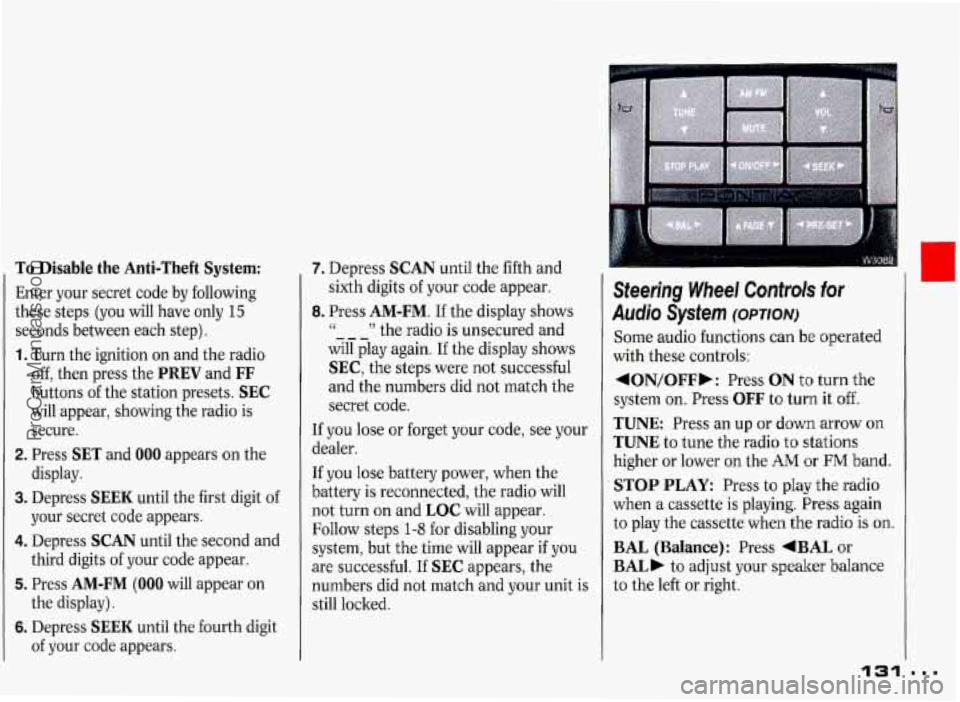
4ON/OFFb: Press ON t'o turn the
system
on. Press OFF to turn it off.
TUNE Press an up or down arrow on
TUNE to tune the radio to stations
higher or lower
on the AM or FM band.
STOP PLAY: Press to play the radio
when a cassette is playing. Press again
to play the cassette
when the radio is on.
BAL (Balance): Press +BAL or
BAL) to adjust your speaker balance
to the left or right.
131
I
...
I
ProCarManuals.com
Page 233 of 338
Service & Appearance Care
Turning the radisiitor pressure
1 b cap when the en& and
radiator am hat can daw steam
and scalding liquids to blow out
and burn you badly. With the
almost never have to add coolant at
the radiator. Never turn the
radiator pressure mp-evtm a
I.lttle-whm the engine and
coolant recoverg tadq lyou will
Add coolant mix at the recovery tank,
but be careful not to spill it.
Radiator Pressure Cap
Dm
Your radiator cap is a 15 psi
(105 kPa) pressure-type cap and
must be tightly installed to prevent
coolant loss and possible engine
damage
from overheating. Be sure
the arrows on the cap line up
with
the overflow tube on the radiator
filler neck.
I I'
11 CAUTION
You can be burned if you
I spill coolant on hot engine I
,~rts. Coolant contains ethylene
glycol, and it will burn if the engine
parts are hot enough.
Don't spill
coolant on a hot engine.
I I When you replace your radiator pressure
I
cap, an AC@ cap is recommended.
Thermostat
Engine coolant temperature is
controlled by a thermostat in the engine
coolant system. The thermostat stops
the
flow of coolant through the radiator
until the coolant reaches a preset
temperature.
When you replace your thermostat, an
AC@ thermostat is recommended.
ProCarManuals.com
Page 238 of 338
Halogen Bulbs
Halogen bulbs have
L b pressurized gas inside and
can burst if you drop or scratch the
bulb. You or others could be injured. Take special care when
handling and disposing of halogen
bulbs.
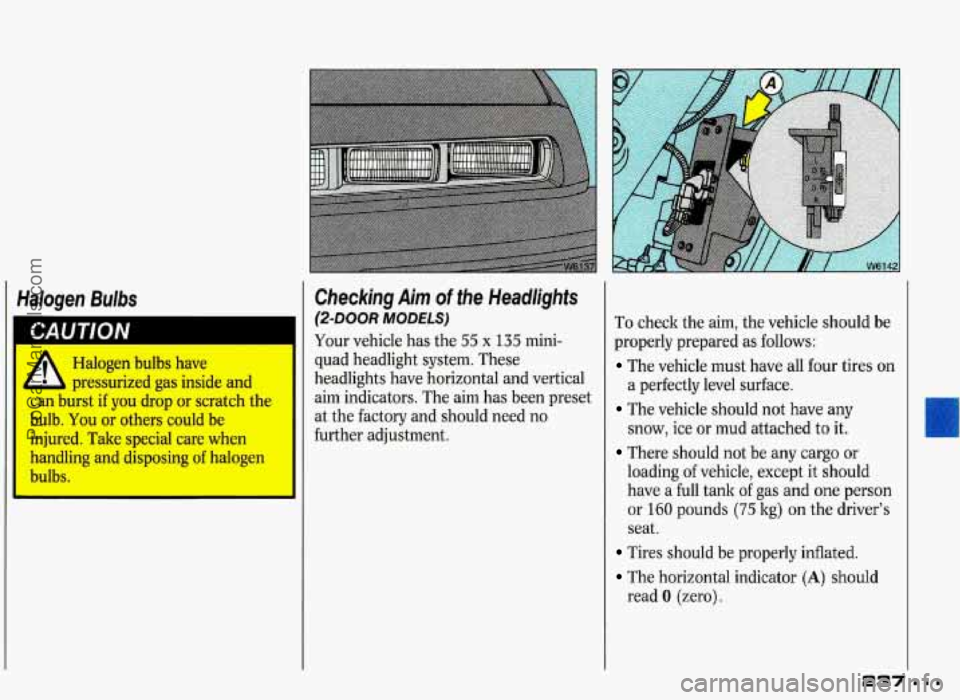
Checking Aim of the Headlights
@-DOOR MODELS)
Your vehicle has the 55 x 135 mini-
quad headlight system. These
headlights have horizontal and vertical
aim indicators. The aim has been preset
at the factory and should need no
further adjustment.
To check the aim, the vehicle should be
properly prepared as follows:
The vehicle must have all four tires on
a perfectly level surface.
The vehicle should not have any
snow, ice or mud attached to it.
There should not be any cargo or
loading of vehicle, except it should
have a full tank of gas and one person
or
160 pounds (75 kg) on the driver’s
seat.
Tires should be properly inflated.
The horizontal indicator (A) should
read
0 (zero).
ProCarManuals.com
Page 260 of 338
Warning: The temperature grade for
this tire is established
for a tire that is
properly inflated and not overloaded.
Excessive speed, underinflation, or
excessive loading, either separately or
in combination, can cause heat buildup
and possible tire failure.
Those grades are molded
on the
sidewalls of passenger car tires.
While the tires available as standard or
optional equipment
on General Motors
vehicles may vary with respect to these
grades, all such tires meet General
Motors performance standards and have
been approved for use on General
Motors vehicles.
All passenger type
(P Metric) tires must conform to
Federal safety requirements in addition
to these grades.
Wheel AIignrnenf and
Tire Balance
The wheels on your vehicle were aligned
and balanced carefully at the factory to
give you the longest tire life and best
overall performance.
In most cases, you will not need to have
your wheels aligned again. However, if
you notice unusual tire wear or your
vehicle pulling one way
or the other, the
alignment may need to be reset. If
you
notice your vehicle vibrating when
driving
on a smooth road, your wheels
may need to be rebalanced.
Wheel Replacement
Replace any wheel that is bent, cracked
or badly rusted.
If wheel nuts keep
coming loose, the wheel, wheel bolts,
and wheel nuts should be replaced. If
the wheel leaks air out, replace it
(except some aluminum wheels, which
can sometimes be repaired). See your
Pontiac dealer if any
of these conditions
exist.
Your dealer will how the kind
~f wheel
you need.
Each new wheel should
have the same
load carrying capacity, diameter, width,
offset, and be mounted the same way as
the one it replaces.
If
you need to replace any of your
wheels, wheel bolts, or wheel nuts,
replace them only with
new GM original
equipment parts. This
way, you will be
sure
to have the right wheel, wheel
bolts, and wheel nuts
for your Pontiac
model.
259
ProCarManuals.com