ignition PONTIAC GRAND-PRIX 1993 Owner's Manual
[x] Cancel search | Manufacturer: PONTIAC, Model Year: 1993, Model line: GRAND-PRIX, Model: PONTIAC GRAND-PRIX 1993Pages: 338, PDF Size: 17.3 MB
Page 102 of 338
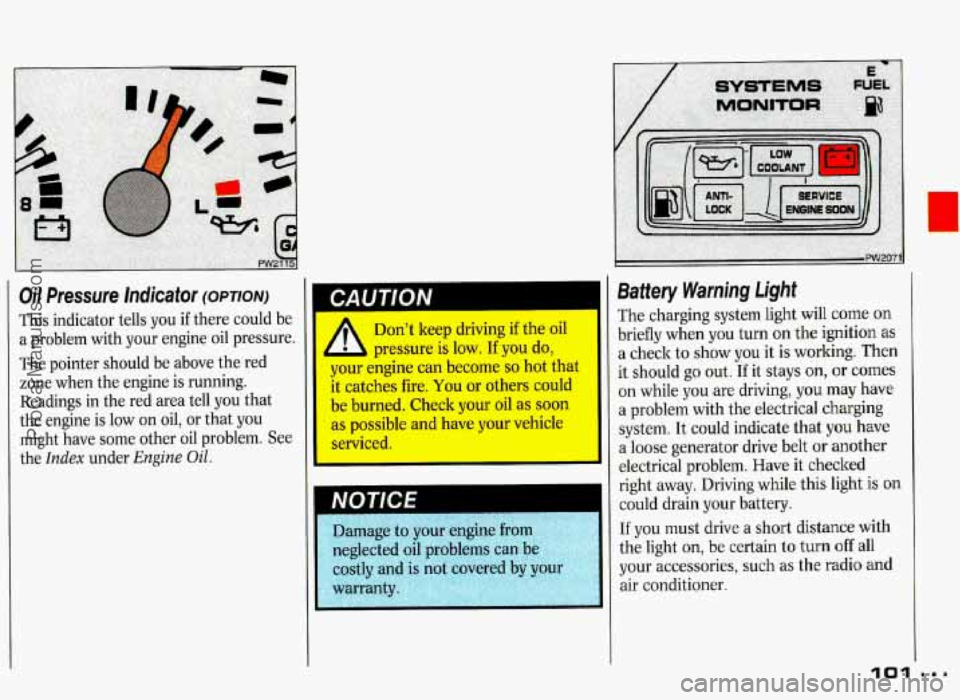
Oil Pressure Indicator (OPTION)
This indicator tells you if there could be
a problem with your engine oil pressure.
The pointer should be above the red
zone when the engine is running.
I CAUTION
Readings in the red area tell you that
the engine is low on oil, or that you
might have some other oil problem. See
the
Index under Engine Oil.
Don't keep driving if the oil
pressure is low.
If you do,
your engine can become
so hot that
it catches fire, You or others could
be burned. Check your oil as soon
as possible and have your vehicle
serviced.
Battery Warning Light
The charging system light will come on
briefly when you turn on the ignition
as
a check to show you it is working. Then
it should go out.
If it stays on, or comes
on while you are driving, you may have
a problem with the electrical charging
system. It could indicate that
you have
a loose generator drive belt
or another
electrical problem. Have it checked
right away. Driving while this light
is on
could drain your battery.
If you must drive a short distance with
the light
on, be certain to turn off all
your accessories, such as the radio and
air conditioner.
101
ProCarManuals.com
Page 103 of 338
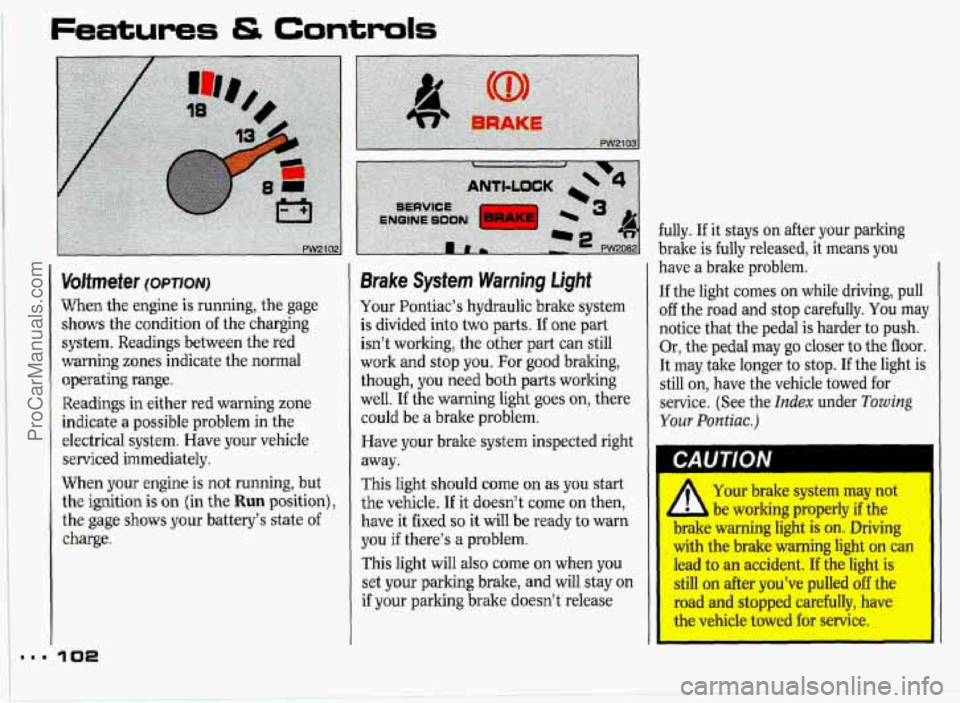
Voltmeter (OPTION)
When the engine is running, the gage
shows the condition
of the charging
system. Readings between the red
warning zones indicate the normal
operating range.
Readings in either red warning zone
indicate a possible problem in the
electrical system. Have your vehicle
serviced immediately.
When your engine
is not running, but
the ignition is
on (in the Run position),
the gage shows your battery’s state
of
charge.
Brake System Warning Light
Your Pontiac’s hydraulic brake system
is divided into two parts. If one part
isn’t working, the other part can still
work and stop you. For good bralung,
though, you need both parts working
well.
If the warning light goes on, there
could be a brake problem.
Have your brake system inspected right
away.
This light should come on as you start
the vehicle.
If it doesn’t come on then,
have it fixed
so it will be ready to warn
you
if there’s a problem.
This light will also come on when you
set your
parking brake, and will stay on
if your parking brake doesn’t release fully.
If it stays on after your parking
brake is fully released, it means you
have a brake problem.
If the light comes on while driving, pull
off the road and stop carefully. You maJ
notice that the pedal is harder to push.
Or, the pedal may
go closer to the floor.
It may take longer to stop.
If the light is
still on, have the vehicle towed for
service. (See the
Index under Towing
Your Pontiac.)
1 CAUTION
Your brake system may not
be working properly if the .
WIMC warning light is on. Driving
with the brake warning light ora can
lead to an accident. If the light is
still on after you’ve pulled off the
road and stopped carefully, have
I the vehicle towed €or senrice.
ProCarManuals.com
Page 105 of 338
Features & Controls
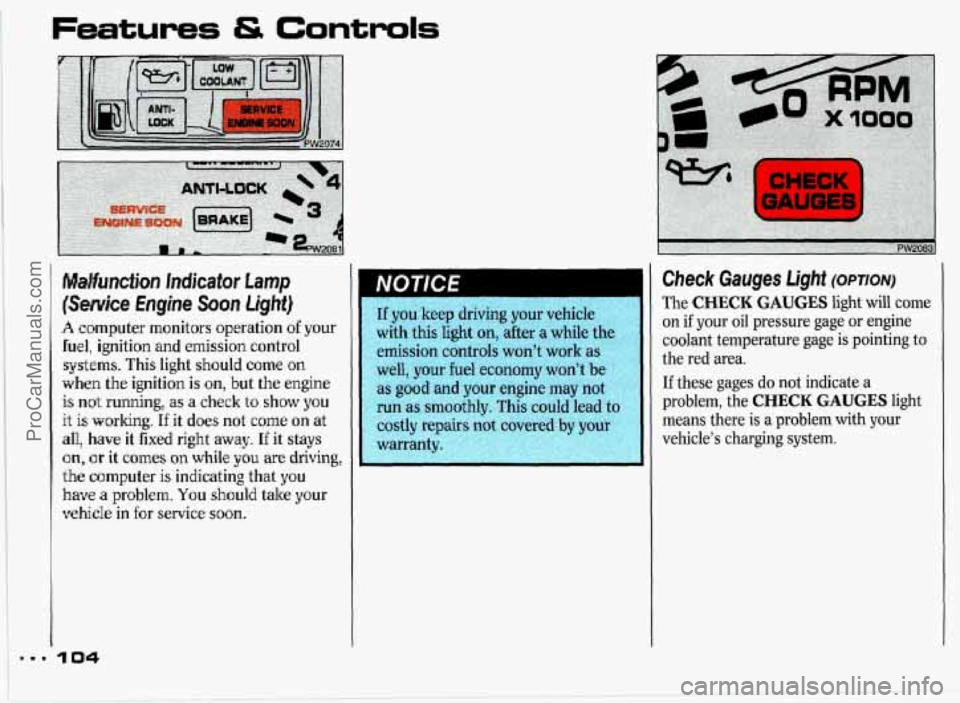
Malfunction Incfkator Lamp
(Semite Engine Soon Light)
A computer monitors operation of your
fuel, ignition and emission control
systems. This light should
come on
when the ignition is on, but the engine
is not running, as a check to show you
it is,
working. If it does not come on at
all, have it fixed right away. If it stays
on, or it comes on while you are driving,
the computer is indicating that yo8u
have a problem. You should take your
vehicle in for service soon.
If you keep driving your vehicle
with
this light on, after a while th
emission controls won't work as
well, your fuel economy won't be
as good and your engine may not
run as smoothly. This could lead to
costly repai+p@,cqered
by your warranty :',~: ~;'='-- ~ -'--:< .:-
Check Gauges Light (OPTION)
The CHECK GAUGES light will come
on
if your oil pressure gage or engine
coolant temperature gage
is pointing to
the red area.
If these gages do not indicate a
problem, the CHECK GAUGES light
means there is
a problem with your
vehicle's charging system.
ProCarManuals.com
Page 111 of 338
Features & Controls
Head-Up Display (OPTION)
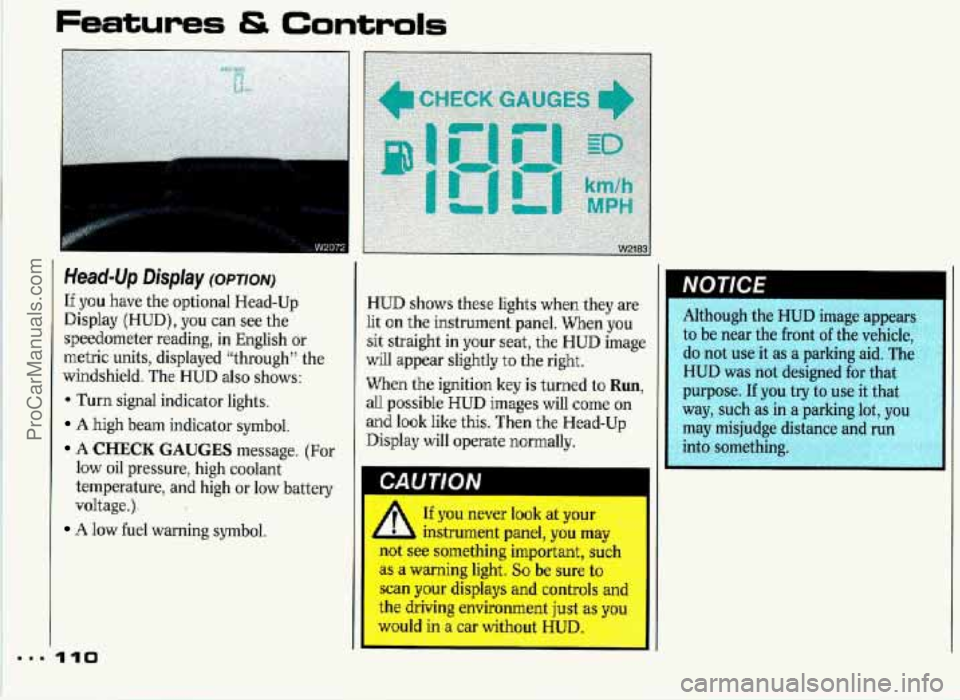
If you have the optional Head-Up
Display (HUD), you can see the
speedometer reading,
in English or
metric units, displayed “through” the
windshield. The HUD
also shows:
* Turn signal indicator lights.
A high beam indicator symbol.
A CHECK GAUGES message. (For
low oil pressure, high coolant
t.emperature, and high or low battery
voltage.).
A low fuel warning symbol.
HUD shows these lights when they are
lit on the instrument panel. When you
sit straight in your seat, the HUD image
will appear slightly to the right.
When the ignition key
is turned to Run,
all possible HUD images will! come on
and look like this. Then the Head-Up
Display will operate normally. Although
the HUD image appears
to be near the front
of the vehicle,
do not use it as a parking aid. The
HUD was
not designed for that
purpose.
If you try to use it that
way, such as in a parking lot, you
may misjudge distance and run
r,y, into something. R
A If you never look at your
,A instrument panel, you rnL
not see something important, si1
as a warning light. So be sure tc
scan your displays and controls
an
th’e driving environment ju,st as xou --. W n a car w- out UD. .:g:~$ I. A,..+-
.- -. rA .-
ProCarManuals.com
Page 113 of 338
Features & Controls
Head-Up Display (CONT.)
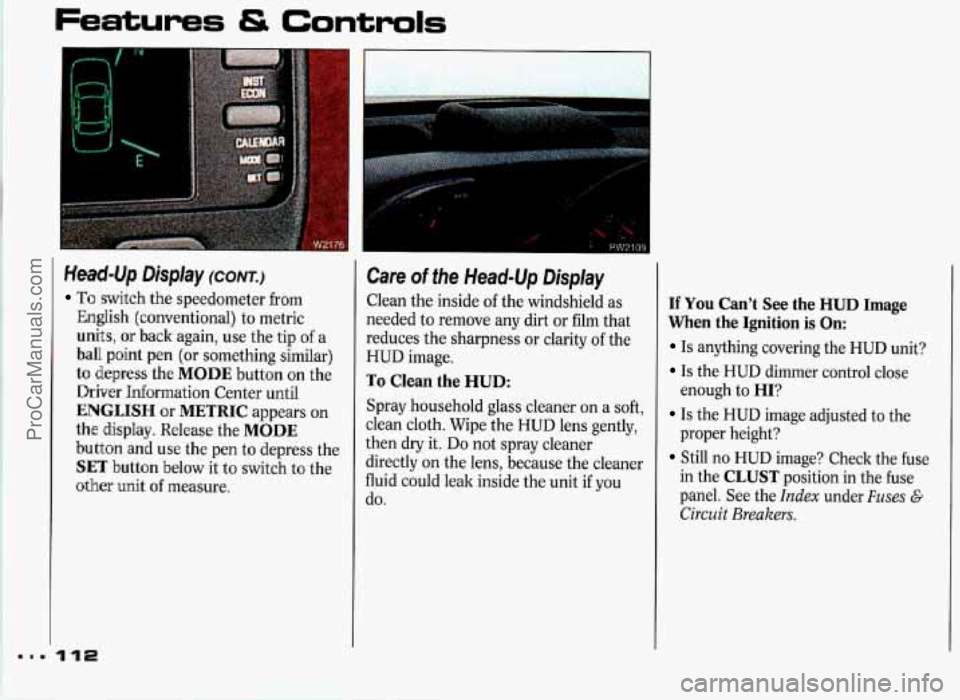
To switch the speedometer from
English (conventional) to metric
units, or back again, use the tip of a
ball point pen (or something similar)
to depress the MODE button on the
Driver Information Center until
ENGLISH or METRIC appears on
the display. Release the MODE
button and use the pen to depress the
SET button below it to switch to the
,other unit
of measure.
Care of the Head-Up Display
Clean the inside of the windshield as
needed to remove any dirt or film that
reduces the sharpness or clarity
of the
HUD image.
To Clean the HUD:
Spray household glass cleaner on a soft,
clean cloth. Wipe the HUD lens gently,
then dry it.
Do not spray cleaner
directly on the lens, because the cleaner
fluid could leak inside the unit if you
do.
If You Can’t See the HUD Image
When the Ignition is On:
Is anything covering the HUD unit?
Is the HUD dimmer control close
enough to
HI?
Is the HUD image adjusted to the
proper height?
Still no HUD image? Check the fuse
in the
CLUST position in the fuse
panel. See the
Index under Fuses G
Circuit Breakers.
ProCarManuals.com
Page 119 of 338
Comfort Controls & Audio Systems
Defogging and Defrosting (CONT.)
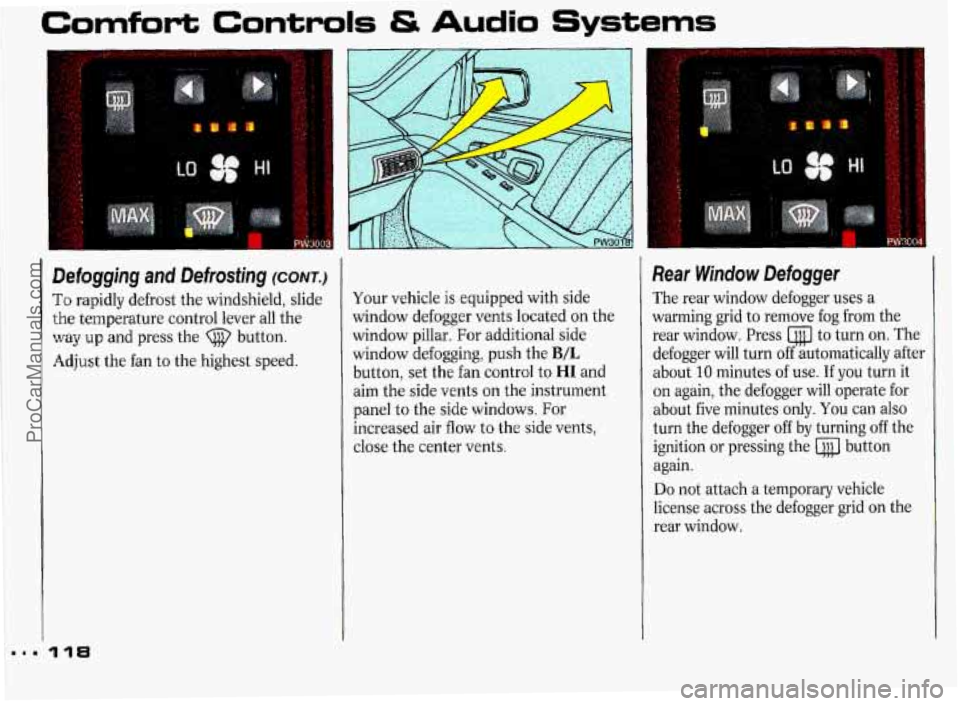
To rapidly defrost the windshield, slide
the temperature control lever all the
way up and press the (j@ button.
Adjust the fan to the highest speed.
118
Your vehicle is equipped with side
window defogger vents located on the
window pillar. For additional side
window defogging, push the
B/L
button, set the fan control to HI and
aim the side vents on the instrument
panel to the side windows. For
increased air flow to the side vents,
close the center vents.
Rear Window Defogger
The rear window defogger uses a
warming grid to remove fog from the
rear window. Press to turn on. The
defogger will turn off automatically after
about
10 minutes of use. If you turn it
on again, the defogger will operate for
about five minutes only.
You can also
turn the defogger off by turning off the
ignition or pressing the button
again.
Do not attach a temporary vehicle
license across the defogger grid on the
rear window.
ProCarManuals.com
Page 122 of 338
7 SEEK 1
I
12
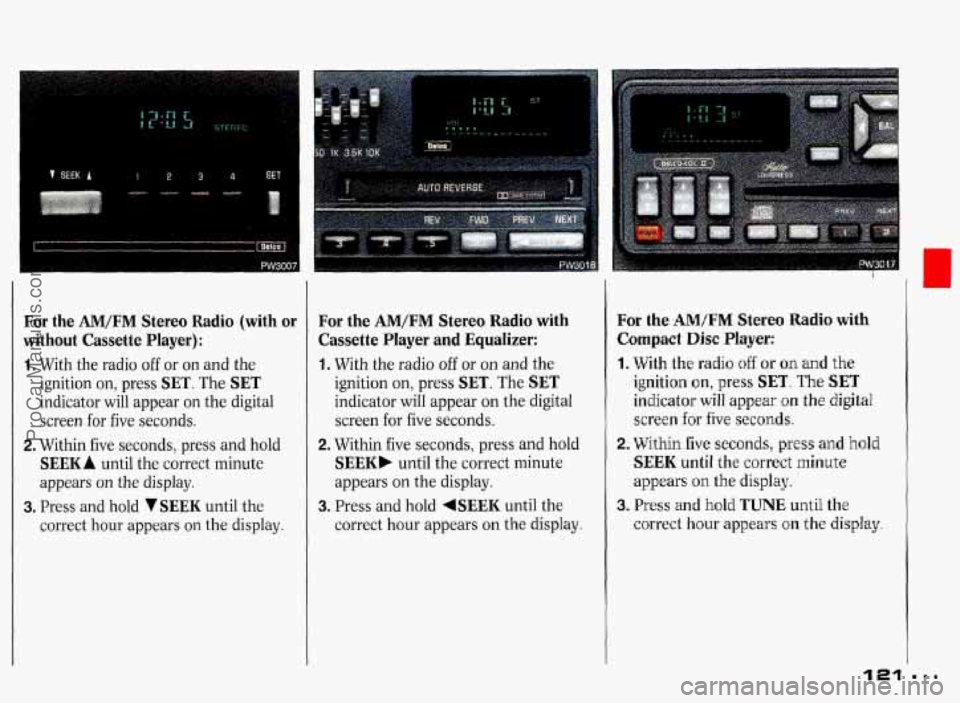
For the AM/FM Stereo Radio (with or
without Cassette Player):
1. With the radio off or on and the
ignition on, press
SET. The SET
indicator will appear on the digital
screen for five seconds.
2. Within five seconds, press and hold
SEEK A until the correct minute
appears on the display.
3. Press and hold VSEEK until the
correct hour appears on the display.
For the AM/FM Stereo Radio with
Cassette Player
and Equalizer:
1. With the radio off or on and the
ignition on, press
SET. The SET
indicator will appear on the digital
screen
for five seconds.
2. Within five seconds, press and hold
SEEK. untiI the correct minute
appears on the display.
3. Press and hold 4SEEK until the
correct hour appears on the display.
For the AM/FM Stereo Radio with
Compact Disc
Player:
1. With the radio off or on and the
ignition on, press SET. The SET
indicator will appear on the digital
screen for five
seconds.
2. Within five seconds, press and hold
SEEK until the correct minute
appears
on the display.
3. Press and hold TUNE until the
correct hour appears on the
display
121
ProCarManuals.com
Page 123 of 338
Comfort Controls & Audio Systems
I
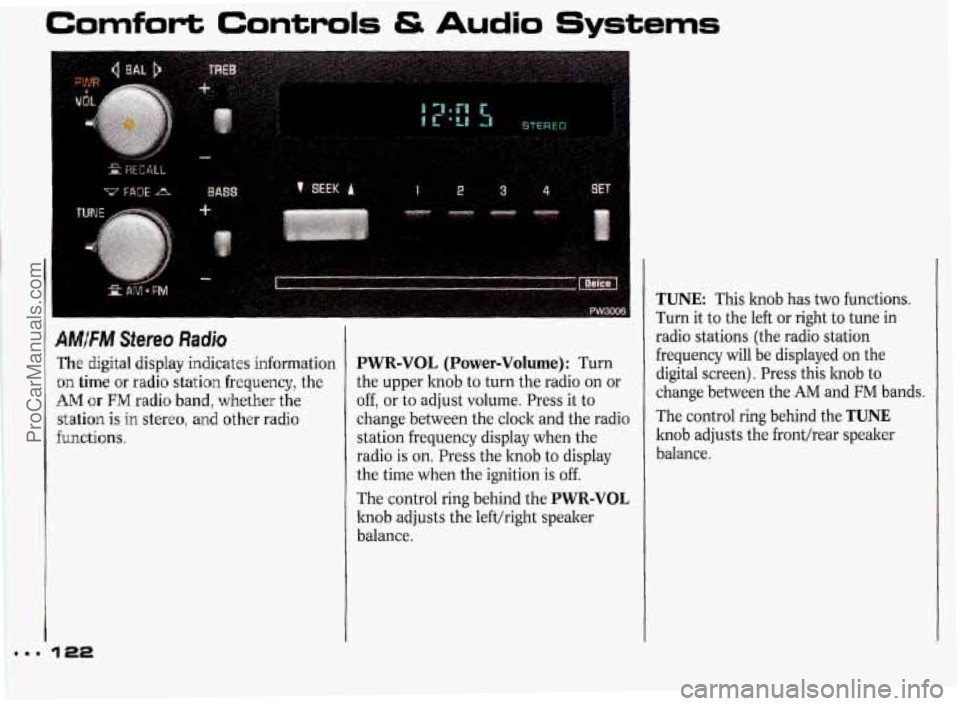
AM/FM Stereo Radio
The digital display indicates information
on time or radio station frequency, the
AM or EM radio band, whether the
station is
in stereo, and other radio
functions.
PWR-VOL (Power-Volume): Turn
the upper knob to turn the radio
on or
off, or to adjust volume. Press it to
change between the clock and the radio
station frequency display when the
radio is
on. Press the knob to display
the time when the ignition is off.
The control ring behind the
PWR-VOL
knob adjusts the left/right speaker
balance.
TUNE: This knob has two functions.
Turn it to the left or right to tune in
radio stations (the radio station
frequency will be displayed
on the
digital screen). Press this hob to
change between the
AM and FM bands.
The control ring behind the
TUNE
knob adjusts the front/rear speaker
balance.
ProCarManuals.com
Page 125 of 338
Comfo'rt Controls & Audio Systems
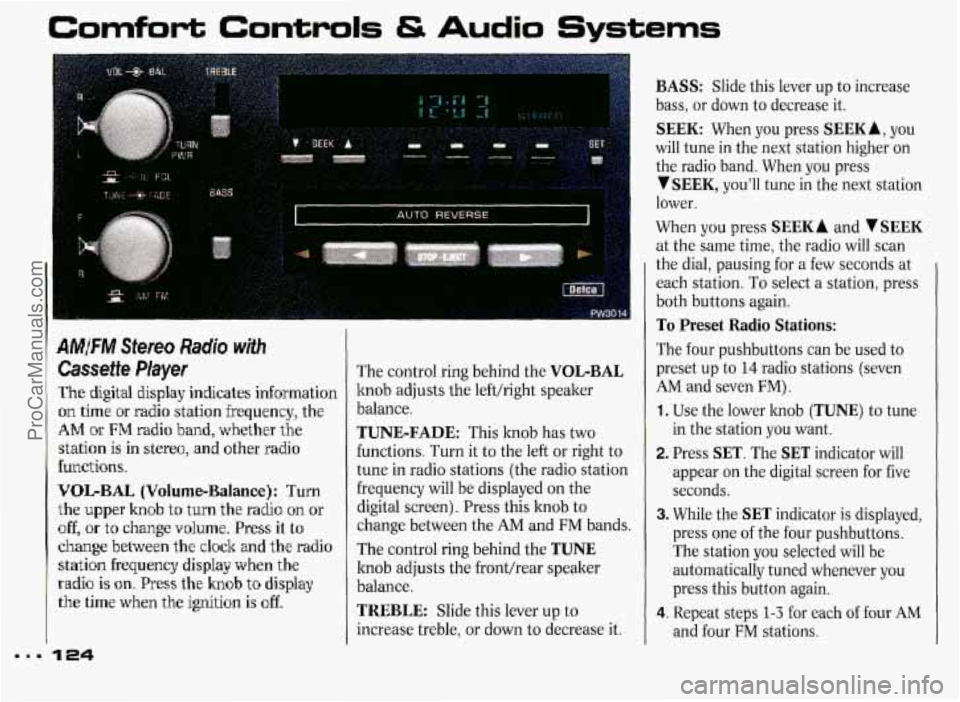
AMFM Stereo Radio with
Cassette Player
The digital display indicates information
on time or radio station frequency, the
AM ~k FM radio band, whether the
station
is in stereo, and other radio
functions.
V'OIL-BAL (Volume-Balance): Turn
the upper knob
to turn the radio on or
off, or to change volume. Press it to
change between the clock and the radio
statbn frequency display when the
radio is on. Press the knob to display
the time when the ignition is off.
The control ring behind the VOL-BAL
knob adjusts the lefthight speaker
balance.
TUNE-FADE: This knob has two
functions. Turn it to the left or right to
tune in radio stations (the radio station
frequency will be displayed on the
digital screen). Press this knob to
change between the
AM and FM bands.
The control ring behind the
TUNE
knob adjusts the fronthear speaker
balance.
TREBLE: Slide this lever up to
increase treble, or down to decrease it.
BASS: Slide this lever up to increase
bass, or down to decrease it.
SEEK: When you press SEEKA, you
will tune in the next station higher on
the radio band. When you press
YSEEK, you'll tune in the next station
lower.
When you press
SEEK A and V SEEK
at the same time, the radio will scan
the dial, pausing for a few seconds
at
each station. To select a station, press
both buttons again.
To Preset Radio Stations:
The four pushbuttons can be used to
preset up to
14 radio stations (seven
AM and seven FM).
1. Use the lower knob (TUNE) to tune
in the station you want.
2. Press SET. The SET indicator will
appear
on the digital screen for five
seconds.
3. While the SET indicator is displayed,
press one of the four pushbuttons.
The station you selected will be
automatically tuned whenever you
press this button again.
4. Repeat steps 1-3 for each of four AM
and four FM stations.
ProCarManuals.com
Page 129 of 338
Comfort Controls & Audio Systems
I
.
Player
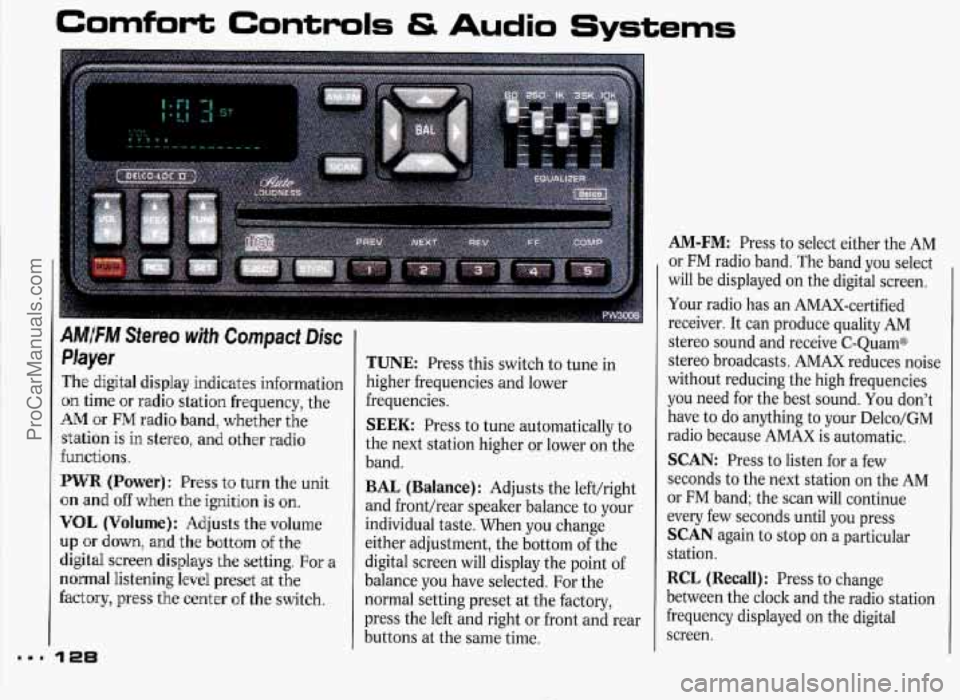
The digital display indicates information
on time or radio station frequency, the
AM or FM radio band, whether the
station
is in stereo, and other radio
functions.
PWR (Power): Press t'o turn the unit
on and
off when the ignition is on.
VOL (Volume}: Adjusts the volume
up or down, and the bottom of the
digital screen displays the setting.
For a
normal listening level preset at the
factory, press the center of the switch.
128
TUNE: Press this switch to tune in
higher frequencies and lower
frequencies.
SEEK: Press to tune automatically to
the next station higher or lower
on the
band.
BAL (Balance): Adjusts the left/right
and front/rear speaker balance to your
individual taste. When you change
either adjustment, the bottom of the
digital screen will display the point of
balance you have selected. For the
normal setting preset at the factory,
press the left and right or front and rear
buttons at the same time.
AM-FM: Press to select either the AM
or FM radio band. The band you select
will be displayed on the digital screen.
Your radio has an AMAX-certified
receiver. It can produce quality AM
stereo sound and receive C-QuamB
stereo broadcasts. AMAX reduces noise
without reducing the high frequencies
you need for the best sound. You don't
have to do anything to your Delco/GM
radio because AMAX is automatic.
SCAN: Press to listen for a few
seconds to the next station on the AM
or FM band; the scan will continue
every few seconds until you press
SCAN again to stop on a particular
station.
RCL (Recall): Press to change
between the clock and the radio station
frequency displayed on the digital
screen.
ProCarManuals.com