PSI PONTIAC GRAND PRIX 1998 Owners Manual
[x] Cancel search | Manufacturer: PONTIAC, Model Year: 1998, Model line: GRAND PRIX, Model: PONTIAC GRAND PRIX 1998Pages: 402, PDF Size: 17.96 MB
Page 19 of 402
”-
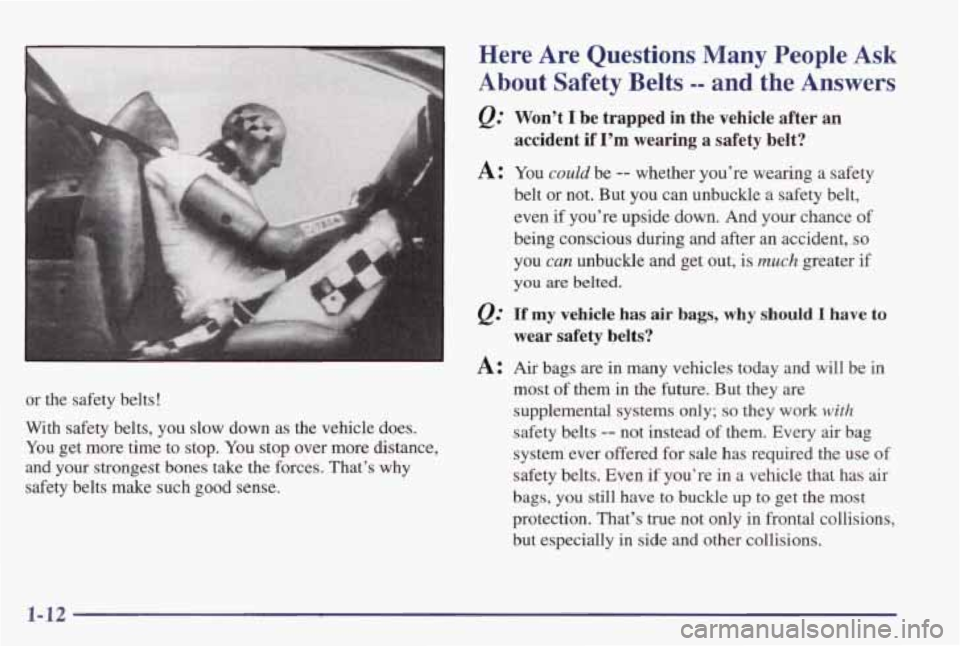
or the safety belts!
With safety belts, you slow down as the vehicle does.
You get more time to stop. You stop over more distance,
and your strongest bones take the forces. That’s why
safety belts make such good sense.
Here Are Questions Many People Ask
About Safety Belts -- and the Answers
@ Won’t I be trapped in the vehicle after an
accident if I’m wearing a safety belt?
A: You could be -- whether you’re wearing a safety
belt or not. But
you can unbuckle a safety belt,
even
if you’re upside down. And your chance of
being conscious during and after an accident,
so
you can unbuckle and get out, is much greater if
you are belted.
If my vehicle has air bags, why should I have to
wear safety belts?
A: Air bags are in many vehicles today and will be in
most
of them in the future. But they are
supplemental systems only;
so they work with
safety belts -- not instead of them. Every air bag
system ever offered for sale has required the use of
safety belts. Even if you’re in a vehicle that has
air
bags, you still have to buckle up to get the most
protection. That’s true not only in frontal collisions,
but especially in side and other collisions.
1-12
Page 180 of 402
If you’re driving on a very rough road or if it’s very hot,
the disc may not play and
E (error) and a number may
appear on the radio display.
If the disc comes out, it
could be that:
0 The disc is upside down.
0 It is dirty, scratched or wet.
0 The air is very humid. (If so, wait about an hour and
try again.)
If any error occurs repeatedly or if an error can’t be
corrected, please contact your dealer.
If your radio
displays
an error number, write it down and provide it to
your dealer when reporting the problem.
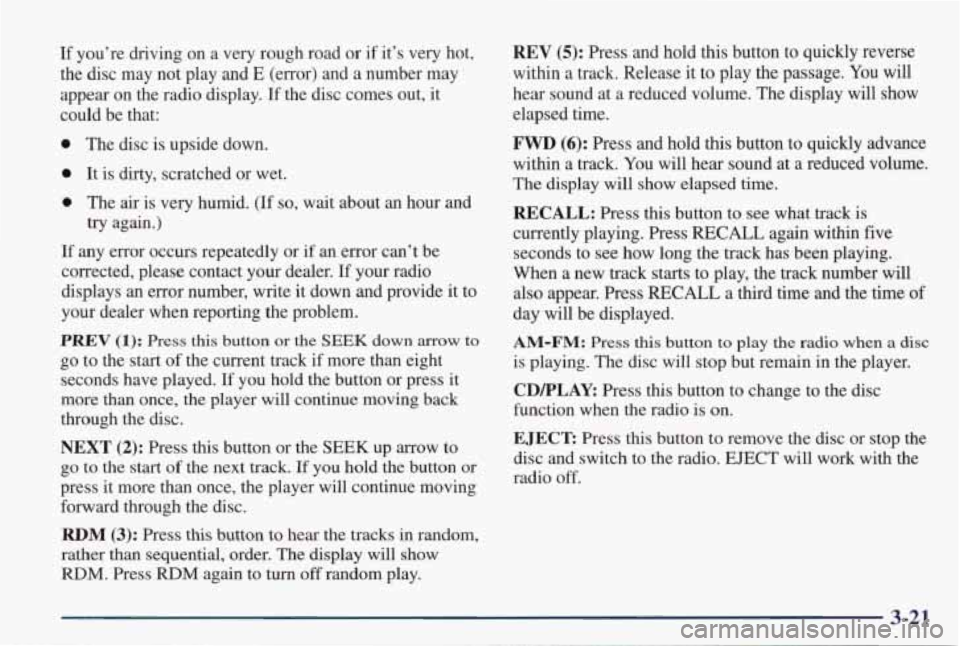
PREV (1): Press this button or the SEEK down arrow to
go to the start of the current track if more than eight
seconds have played. If you hold the button or press
it
more than once, the player will continue moving back
through the disc.
NEXT (2): Press this button or the SEEK up arrow to
go to the start of the next track. If you hold the button or
press it more than once, the player will continue moving
forward through the disc.
RDM (3): Press this button to hear the tracks in random,
rather than sequential, order. The display will show
RDM. Press RDM again to turn off random play.
REV (5): Press and hold this button to quickly reverse
within a track. Release it to play the passage.
You will
hear sound at a reduced volume. The display will show elapsed time.
FWD (6): Press and hold this button to quickly advance
within a track.
You will hear sound at a reduced volume.
The display will show elapsed time.
RECALL: Press this button to see what track is
currently playing. Press RECALL again within five
seconds to see how long the track
has been playing.
When a new track starts to play, the track number will
also appear. Press RECALL a third time and the time of
day will be displayed.
AM-FM: Press this button to play the radio when a disc
is playing. The disc will stop but remain in the player.
CDPLAY: Press this button to change to the disc
function when the radio is on.
EJECT: Press this button to remove the disc or stop the
disc and switch to the radio.
EJECT will work with the
radio
off.
Page 182 of 402
Adjusting the Speakers
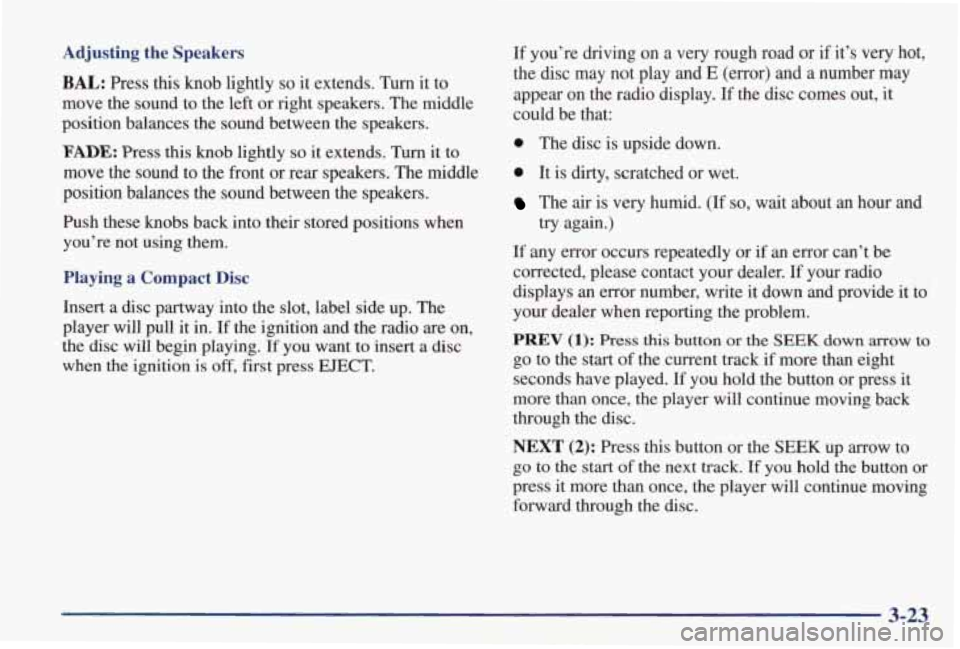
BAL: Press this knob lightly so it extends. Turn it to
move the sound to the left
or right speakers. The middle
position balances the sound between the speakers.
FADE: Press this knob lightly so it extends. Turn it to
move the sound to the front or rear speakers. The middle
position balances the sound between the speakers.
Push these knobs back into their stored positions when
you’re not using them.
Playing a Compact Disc
Insert a disc partway into the slot, label side up. The
player will pull it in. If the ignition and the radio are on,
the disc will begin playing.
If you want to insert a disc
when the ignition is off, first press EJECT.
If you’re driving on a very rough road or if it’s very hot,
the disc may not play and
E (error) and a number may
appear on the radio display. If the disc comes out, it
could be that:
0 The disc is upside down.
0 It is dirty, scratched or wet.
The air is very humid. (If so, wait about an hour and
If any error occurs repeatedly or if
an error can’t be
corrected, please contact your dealer. If your radio
displays an error number, write it down and provide it
to
your dealer when reporting the problem. try again.)
PREV (1): Press this button or the SEEK down arrow to
go to the start of the current track
if more than eight
seconds have played. If you hold the button or press it
more than once, the player will continue moving back
through the disc.
NEXT (2): Press this button or the SEEK up arrow to
go to the start of the next track. If you hold the button or
press it more than once, the player will continue moving
forward through the disc.
3-23
Page 272 of 402
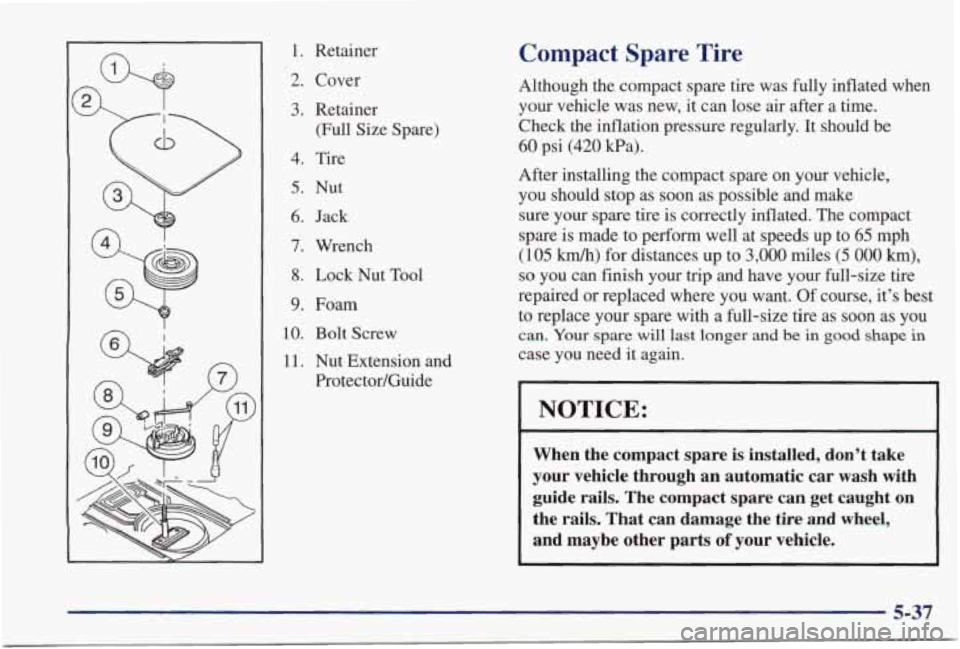
1. Retainer
2. Cover
3. Retainer (Full Size Spare)
4. Tire
5. Nut
6. Jack
7. Wrench
8. Lock Nut Tool
9. Foam
10. Bolt Screw
11. Nut Extension and
Protector/Guide
Compact Spare Tire
Although the compact spare tire was fully inflated when
your vehicle was new,
it can lose air after a time.
Check
the inflation pressure regularly. It should be
60 psi (420 Pa).
After installing the compact spare on your vehicle, you should stop as soon as possible and make
sure your spare
tire is correctly inflated. The compact
spare is made to perform well at speeds up to
65 mph
(105 km/h) for distances up to 3,000 miles (5 000 km),
so you can finish your trip and have your full-size tire
repaired or replaced where you want. Of course, it’s best
to replace your spare with a full-size tire as soon as you
can. Your spare will last longer and be in good shape in
case you need it again.
I I
NOTICE:
When the compact spare is installed, don’t take
your vehicle through an automatic car wash with guide rails. The compact spare can get caught on
the rails. That can damage the tire and wheel,
and maybe other parts
of your vehicle.
5-37
Page 305 of 402
Radiator Pressure Cap
NOTICE:
Your radiator cap is a 15 psi (105 kPa)
pressure-type cap and must be tightly installed to prevent coolant loss and possible engine
damage from overheating. Be sure the arrows
on the cap line
up with the overflow tube on
the radiator filler neck.
When you replace your radiator pressure cap, a GM cap
is recommended.
Thermostat
Engine coolant temperature is controlled by a thermostat
in the engine coolant system. The thermostat stops the
flow of coolant through the radiator until the coolant
reaches a preset temperature.
When
you replace your thermostat, a GM thermostat
is recommended.
Power Steering Fluid
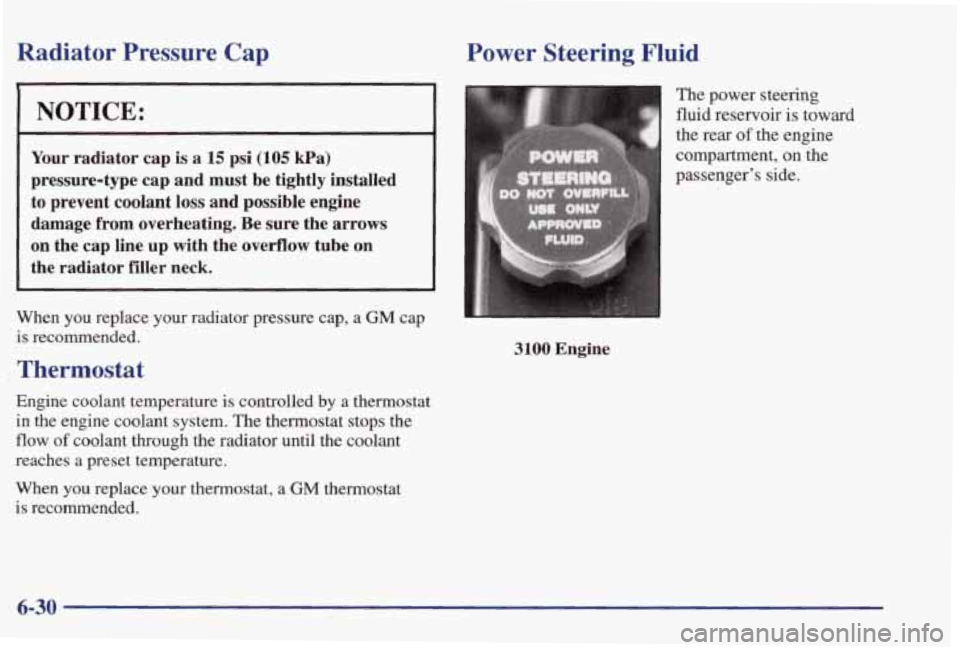
The power steering
fluid reservoir
is toward
3100 Engine
6-30
Page 321 of 402
When to Check
Check your tires once a month or more.
Don’t forget your compact spare
tire. It should be at
60 psi (420 Pa).
How to Check
Use a good quality pocket-type gage to check tire
pressure. You can’t tell
if your tires are properly inflated
simply by looking at them. Radial tires
may look
properly inflated even when they’re underinflated.
Be sure to put the valve caps back on the valve stems. They help prevent leaks
by keeping out dirt
and moisture.
Tire Inspection and Rotation
Tires should be rotated every 6,000 to 8,000 miles
(10 000 to 13 000 km). Any time you notice unusual
wear, rotate your tires as soon as possible and check
wheel alignment.
Also check for damaged tires or
wheels. See “When It’s Time for New Tires” and
“Wheel Replacement” later
in this section for
more information. The purpose
of regular rotation
is to achieve more
uniform wear for
all tires on the vehicle. The first
rotation is the most important. See “Scheduled
Maintenance Services”
in the Index for scheduled
rotation intervals.
I I
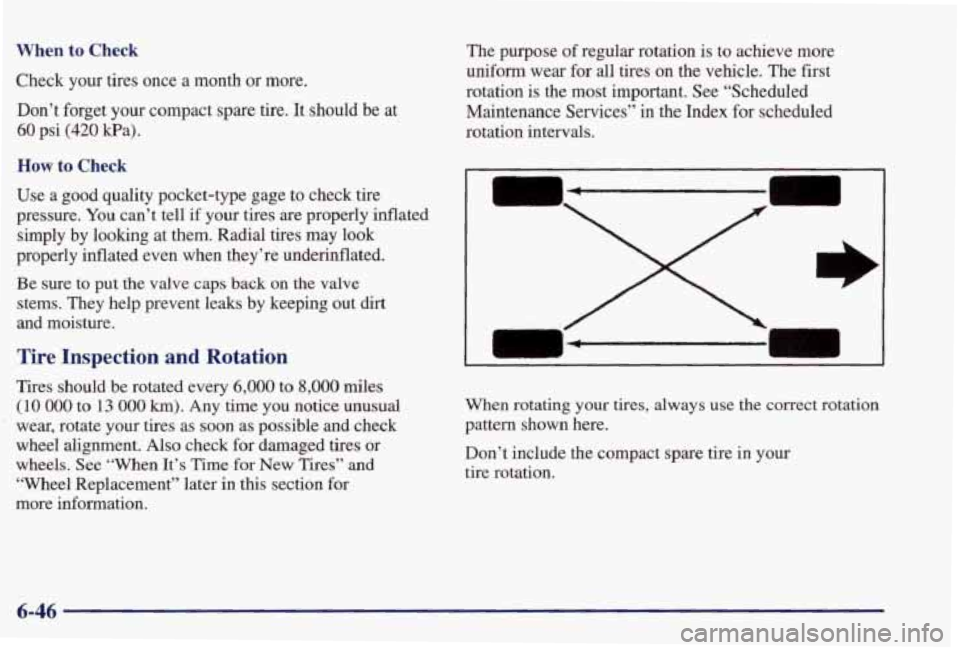
I When rotating your tires, always use the correct rotation
pattern shown here.
Don’t include the compact spare tire
in your
tire rotation.
6-46